
Dynamics 365 marketing中添加自定义渠道磁贴
Dynamics 365 marketing中默认的渠道只有Marketing Email和Marketing Activity,想要添加其他渠道必须自定义磁贴,自定义磁贴的步骤如下:
1、创建实体
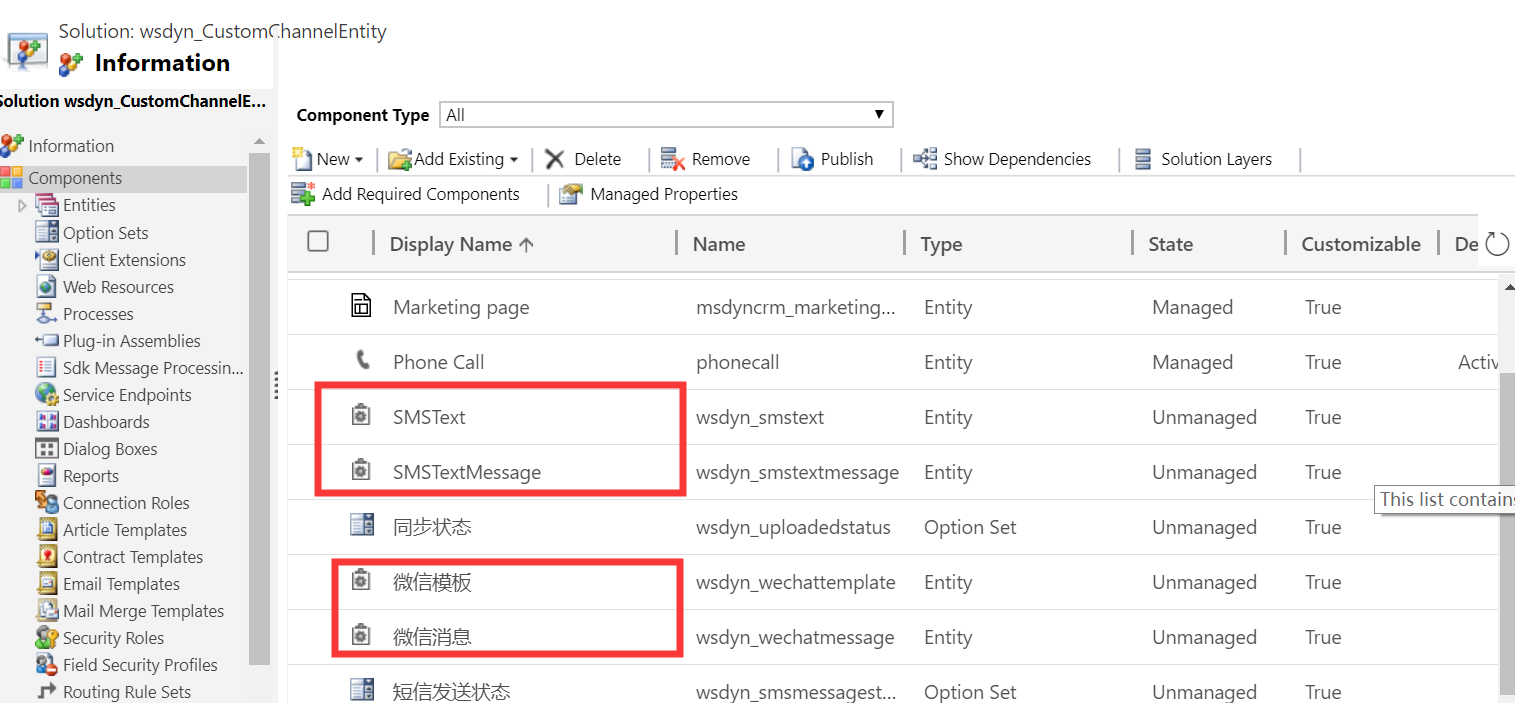
我创建了短信模板和短信消息实体
2、创建磁贴
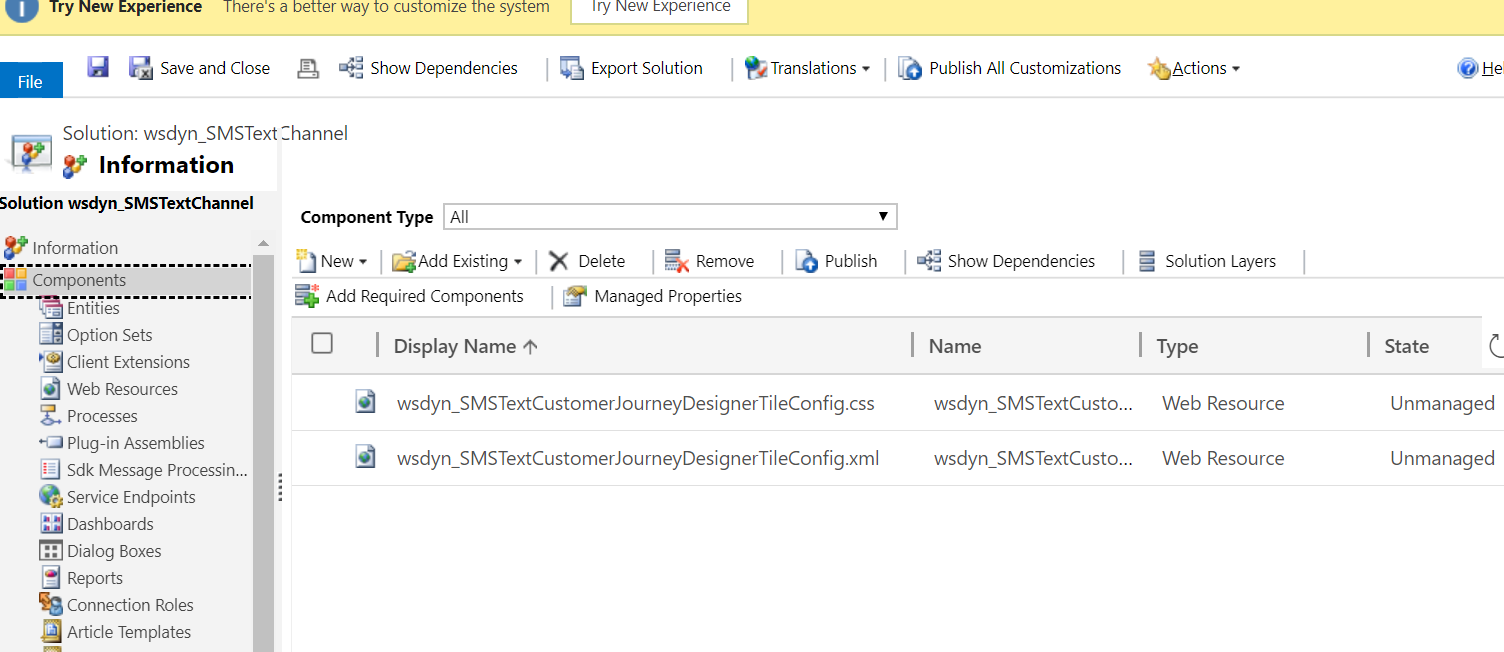
新建一个解决方案,往里面添加一个.css文件和一个.xml文件,定义磁贴相关的属性和样式
<?xml version="1.0" encoding="utf-8"?>

<!-- file name should only contain alpha-numeric characters and underscore -->

<!-- format: <fileNamePrefix>CustomerJourneyDesignerTileConfig.xml> -->

<LibraryTile>

  <!-- mandatory -->

  <!-- icon: CSS class defining your tile icon-->

  <!-- fontFamily: CSS class defining font-family for your icon-->

  <!-- cssFileName: your CSS file name in CRM-->

  <Definition icon="wsdyn_SMSTextTile" fontFamily="wsdyn_SMSTextSymbolFont" cssFileName="wsdyn_SMSTextCustomerJourneyDesignerTileConfig.css" />

  <!-- mandatory -->

  <ChannelProperties>

    <!-- mandatory -->

    <EntityType>wsdyn_smstext</EntityType>

    <EntitySetName>wsdyn_smstext</EntitySetName>

    <TitleFieldName>subject</TitleFieldName>

    <ComplianceField>wsdyn_donetsmstext</ComplianceField>

    <!-- optional -->

    <!-- Lookup view id for your entity-->

    <LookupViewId>6AC84005-DB4A-47B0-B8F8-1E3824FA15A4</LookupViewId>

    <!--Insights form id for your entity -->

    <InsightsMainFormId>A59C997D-45CF-47FE-BB8D-F8D169617747</InsightsMainFormId>

    <!--Quick view form id for your entity -->

    <QuickViewFormId>A59C997D-45CF-47FE-BB8D-F8D169617747</QuickViewFormId>

  </ChannelProperties>

  <!-- optional -->

  <ResponseTypes>

    <ResponseType id="sent">

      <Labels>

        <!-- Labels should always have a Label for 1033 -->

        <Label locId="1033">Sent</Label>

      </Labels>

    </ResponseType>

    <ResponseType id="delivered">

      <Labels>

        <!-- Labels should always have a Label for 1033 -->

        <Label locId="1033">Delivered</Label>

      </Labels>

    </ResponseType>

    <ResponseType id="keyword" custom="True">

      <!-- there should be only one response type with attribute custom=true -->

      <Labels>

        <!-- Labels should always have a Label for 1033 -->

        <Label locId="1033">Keyword match</Label>

      </Labels>

    </ResponseType>

  </ResponseTypes>

  <!-- mandatory -->

  <Labels>

    <!-- Labels should always have a Label for 1033 -->

    <Label locId="1033">SMS Text</Label>

    <Label locId="2052">短信</Label>

  </Labels>

  <!-- mandatory -->

  <Tooltips>

    <!-- Tooltips should always have a tooltip for 1033 -->

    <!-- mandatory -->

    <Tooltip locId="1033">Create a SMS Text Message</Tooltip>

    <Tooltip locId="2052">创建短信记录</Tooltip>

    <!-- optional -->

  </Tooltips>

</LibraryTile>
@font-face {

    /* The font-family name should be unique. Recommendation: use the config (XML) file name generated without the file extension */

    /* Assuming the config file name is

sample_SpecialTileCustomerJourneyDesignerTileConfig.xml so the example uses 'sample_SpecialTileCustomerJourneyDesignerTileConfig' below*/

    /* format: font-family: '<config xml file name generated by CRM>' */ font-family: 'wsdyn_SMSTextCustomerJourneyDesignerTileConfig';

    src: url('data:font/opentype;base64, <fontInBase64String=>') format('woff');

}

/* The fileNamePrefix is determined from the configuration (XML) file name:

<YourConfigFilenamePrefix>CustomerJourneyDesignerTileConfig.xml */

/* Example: config file 'sample_SpecialTileCustomerJourneyDesignerTileConfig.xml' */ /* Then the prefix is 'sample_SpecialTile'*/

/* format: <fileNamePrefix>SymbolFont */

.wsdyn_SMSTextSymbolFont {

    /* font-family value defined in the font-face directive */ font-family: 'wsdyn_SMSTextCustomerJourneyDesignerTileConfig';

}

/* format: <fileNamePrefix>::before */

.wsdyn_SMSTextTile::before { /* your tile icon code */

    content: "\EFF4";

}

/* format: #libraryElementCustom_<fileNamePrefix>  > span.lib-iconContainer */

#libraryElementCustom_wsdyn_SMSText > span.lib-iconContainer { /*background color for your tile icon in the library panel*/

    background-color: #005C62;

}

/* format: .Custom_<fileNamePrefix> span.tileImageWrapper */

.Custom_wsdyn_SMSText span.tileImageWrapper {

    /*background color for your tile icon in the library panel*/ background-color: #005C62;

}

/* format: .Custom_<fileNamePrefix>.tileOutline.selected */

.Custom_wsdyn_SMSText.tileOutline.selected {

    /*Color for border; Rendered when your tile is selected*/ border-color: #0072c6;

}

/* format: .Custom_<fileNamePrefix>.tileLeftBorder */

.Custom_wsdyn_SMSText.tileLeftBorder {

    /*Color for left border rendered on the tile when drawn on canvas*/ border-left-color: #0072c6;

}
3、创建插件(基于msdyncrm_CustomChannelActivity的创建插件)调用接口,并在接口中调用msdyncrm_CustomChannelActivityCreateInteraction更新状态,使得Customer Journey的Trigger能捕获到状态的更新
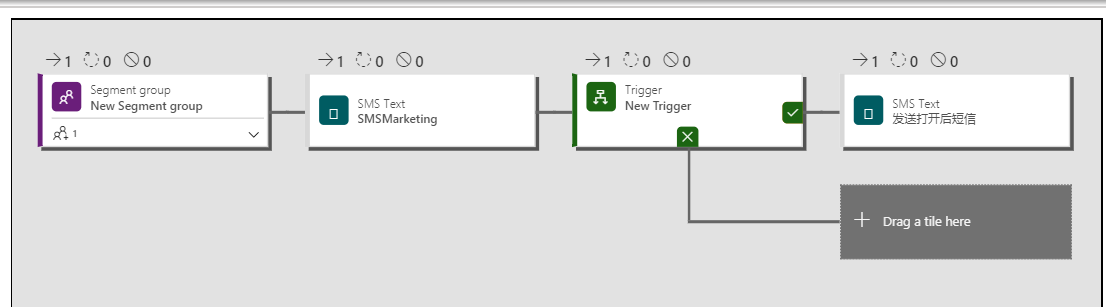
4、可以在Customer Journey中使用自定义渠道磁铁了
Dynamics 365 marketing中添加自定义渠道磁贴的更多相关文章
- Dynamics 365 CE中AsyncOperationBase表记录太多,影响系统性能怎么办?
微软动态CRM专家罗勇 ,回复311或者20190311可方便获取本文,同时可以在第一间得到我发布的最新博文信息,follow me!我的网站是 www.luoyong.me . 本文主要是根据微软官 ...
- Dynamics 365 CE中使用FetchXML进行聚合运算
微软动态CRM专家罗勇 ,回复328或者20190429可方便获取本文,同时可以在第一间得到我发布的最新博文信息,follow me! Dynamics 365 Customer Engagement ...
- 在 Microsoft Dynamics 365 Online中如何调试Plugins in
How to debug plugins in Microsoft Dynamics 365 Online 调试方式请查阅https://www.linkedin.com/pulse/how-debu ...
- Dynamics 365 CRM 开发架构简介
Dynamics 365 CRM提供了多种编程模型,你可以灵活地按需选用最佳模式. 本文是对Dynamics 365 CRM编程模型的综述. 概览 下图表明了Dynamics 365 CRM的主要可编 ...
- 初次接触Dynamics 365
最近项目上需要用到微软的Dynamics 365 这个产品,Bing上搜索了一下,看了很多大佬在博客上分享了使用Dynamics 365的经验,简单了解了Dynamics 365 是什么,也有很多大企 ...
- 将Dynamics 365中的用户及其角色、角色导出到Excel中
关注本人微信和易信公众号: 微软动态CRM专家罗勇 ,回复240或者20161204可方便获取本文,同时可以在第一间得到我发布的最新的博文信息,follow me!我的网站是 www.luoyong. ...
- 不借助工具在浏览器中通过Web API执行Dynamics 365操作(Action)实例
摘要: 本人微信和易信公众号: 微软动态CRM专家罗勇 ,回复262或者20170727可方便获取本文,同时可以在第一间得到我发布的最新的博文信息,follow me!我的网站是 www.luoyon ...
- Dynamics 365中部分账号使用系统明显缓慢怎么办?先这么干!
摘要: 本人微信和易信公众号: 微软动态CRM专家罗勇 ,回复263或者20170828可方便获取本文,同时可以在第一间得到我发布的最新的博文信息,follow me!我的网站是 www.luoyon ...
- 自定义工作流活动报错:您无法登陆系统。原因可能是您的用户记录或您所属的业务部门在Microsoft Dynamics 365中已被禁用。
本人微信和易信公众号: 微软动态CRM专家罗勇 ,回复265或者20170926可方便获取本文,同时可以在第一间得到我发布的最新的博文信息,follow me!我的网站是 www.luoyong.me ...
随机推荐
- 机器学习-TensorFlow建模过程 Linear Regression线性拟合应用
TensorFlow是咱们机器学习领域非常常用的一个组件,它在数据处理,模型建立,模型验证等等关于机器学习方面的领域都有很好的表现,前面的一节我已经简单介绍了一下TensorFlow里面基础的数据结构 ...
- 批量解决win10图标上有两个蓝色箭头的方法
双击“此电脑”,点击“C盘”,可以看到一个”用户“文件夹,双击”用户“, 选择现在正在使用的用户名,双击用户名,找到该文件夹下的”桌面“或”Desktop“点击“属性”, 在“常规”选项卡中的属于项中 ...
- Centos7安装 Anaconda + jupyter notebook
一.安装Anaconda 1 下载Anaconda安装脚本 为了避免漫长的等待,镜像源选择国内的清华镜像源,镜像源地址:https://mirrors.tuna.tsinghua.edu.cn/ana ...
- springboot中的那些连接池
hello~各位读者新年好! 回想起前几天在部署springboot项目到正线时,线上环境要求jdk7,可项目是基于jdk8开发的,springboot也是用的springboot2以上的版本,可以说 ...
- idea搭建springmvc(maven版)
一.创建maven项目 (1)选择 file > new > project (2)填写对应信息,一路点击next 配置自己本地的maven,继续next 命名项目名(随意写,但要易懂), ...
- echats 的使用
第一步在我们的电脑上百度搜索echarts,点击进去,如下图所示: 2 第二步进去之后,点击下载,选择要下载的echarts版本,一般选择源代码,如下图所示: 3 第三步下载完成之后,我们也可以来使用 ...
- 设计模式-03工厂方法模式(Factory Method Pattern)
插曲.简单工厂模式(Simple Factory Pattern) 介绍工厂方法模式之前,先来做一个铺垫,了解一下简单工厂模式,它不属于 GoF 的 23 种经典设计模式,它的缺点是增加新产品时会违背 ...
- 养成编程思维,可以从python开始,今天说说python注释
先看思维导图!对内容简单了解一下. 提高代码的可读性,需要提供对代码的注释.python注释,主要作用在代码中,对代码功能进行解释,是一种标注性文字.一般情况下分成三类,单行注释.多行注释.中文声明注 ...
- 笔记常用Linux命令(二) 进程和端口
查看系统进程 ps:用于报告当前系统的进程状态 a:显示所有终端机下执行的程序 ps -ef/ps aux: 这两个命令都是查看当前系统正在运行进程,两者的区别是展示格式不同. 如果想要查看特定的进程 ...
- TS 原理详细解读(5)语法2-语法解析
在上一节介绍了语法树的结构,本节则介绍如何解析标记组成语法树. 对应的源码位于 src/compiler/parser.ts. 入口函数 要解析一份源码,输入当然是源码内容(字符串),同时还提供路径( ...