
hadoop2.6.0的eclipse插件安装
1.安装插件
下载插件hadoop-eclipse-plugin-2.6.0.jar并将其放到eclips安装目录->plugins(插件)文件夹下。然后启动eclipse。
配置 hadoop 安装目录

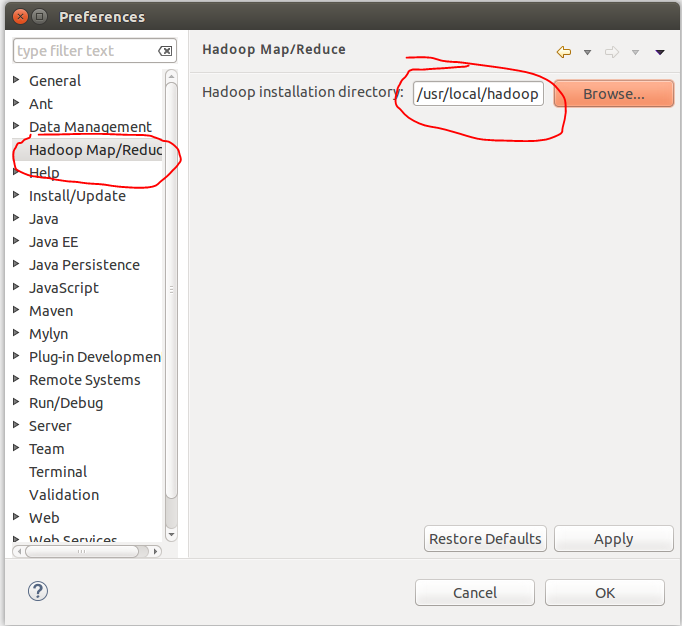
配置Map/Reduce 视图

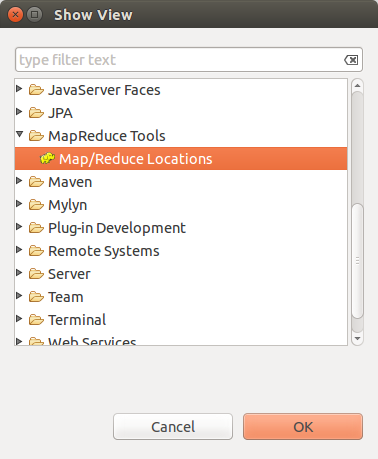
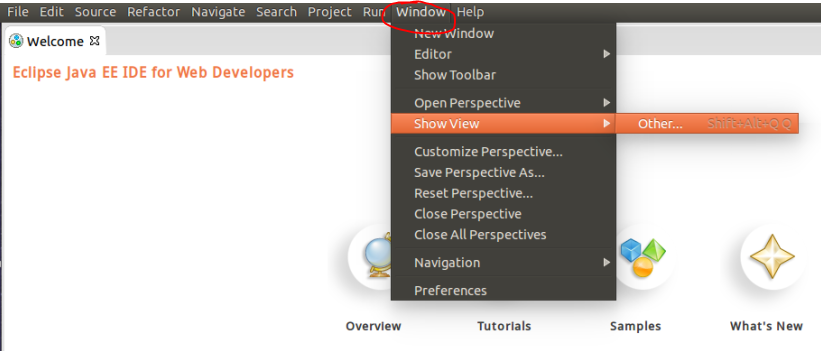

- 点击"大象"
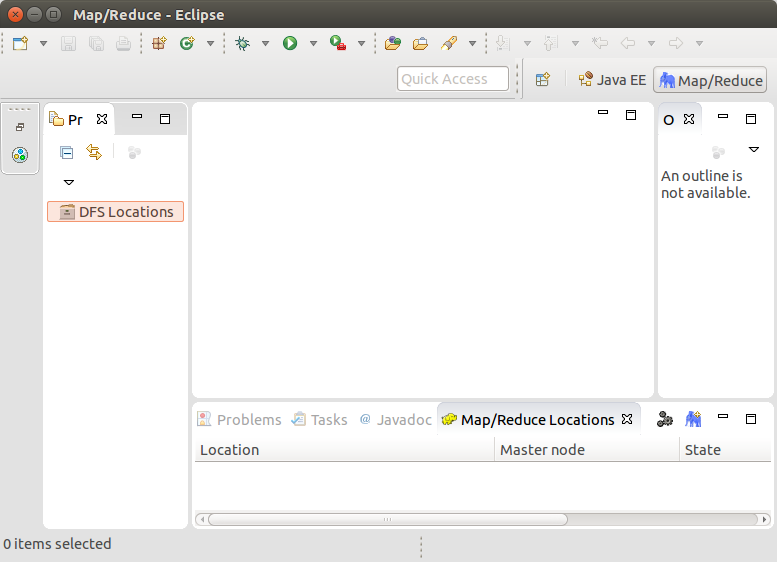
- 在“Map/Reduce Locations” Tab页 点击图标“大象”,选择“New Hadoop location…”,弹出对话框“New hadoop location…”。填写Location name和右边的Port:9000(与配置文件core-site.xml中的保持一致)。

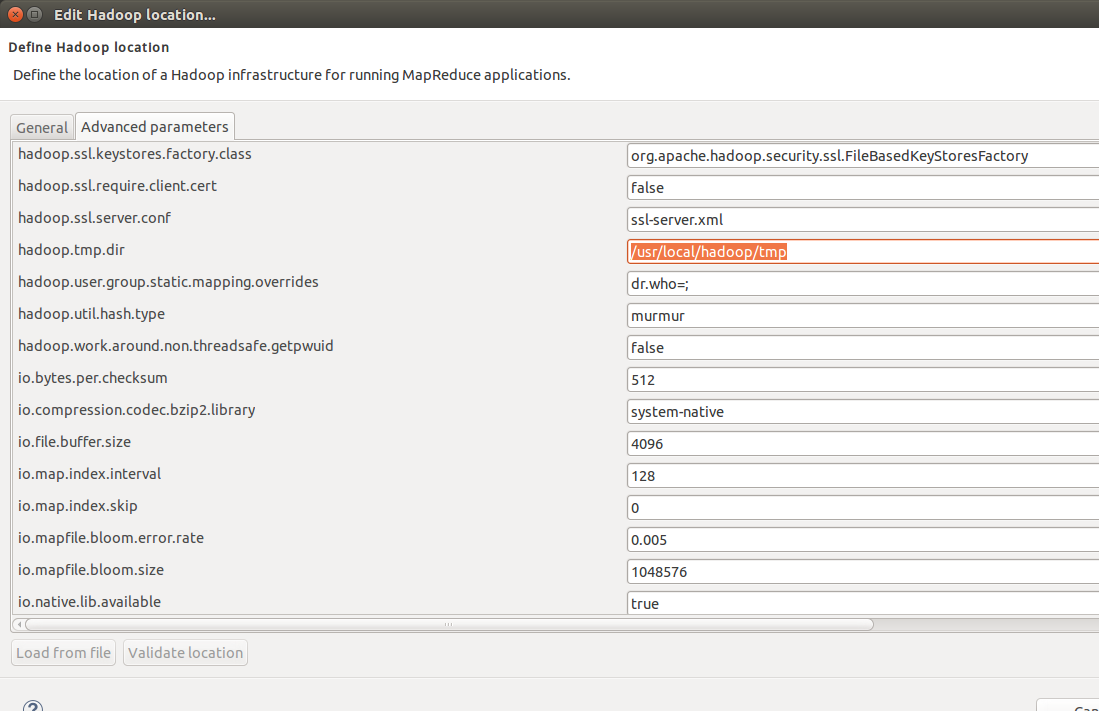
- 在Advanced paramenters中如下图所示找到hadoop.tmp.dir选项,与配置文件core-site.xml保持一致。
以及dfs.namenode.name.dir和dfs.datanode.data.dir与配置文件hdfs-site.xml保持一致
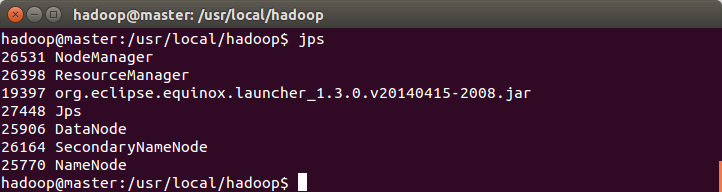
启动hadoop: sbin/start-all.sh 然后执行 jps。多一个org.eclipse.equinox.launcher...
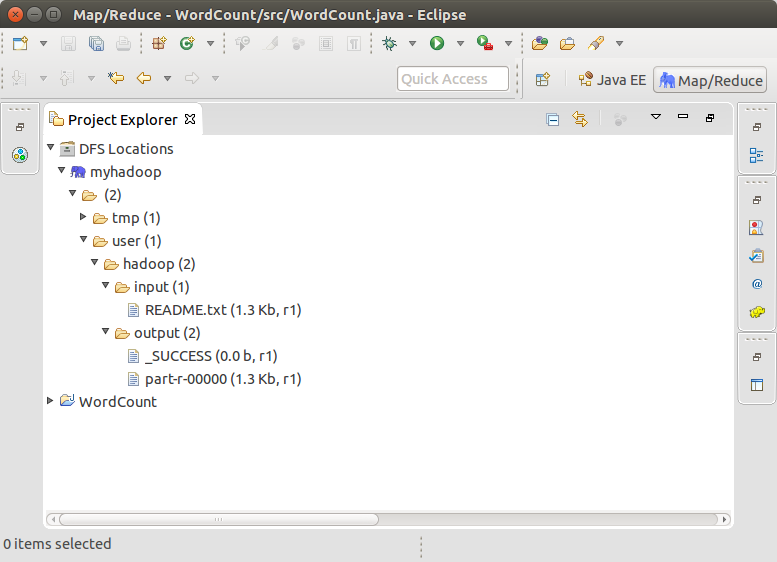
- 打开Project Explorer,查看HDFS文件系统。这是前篇文章中配置hadoop中的运行的结果。传送门
2.运行WordCount的例子
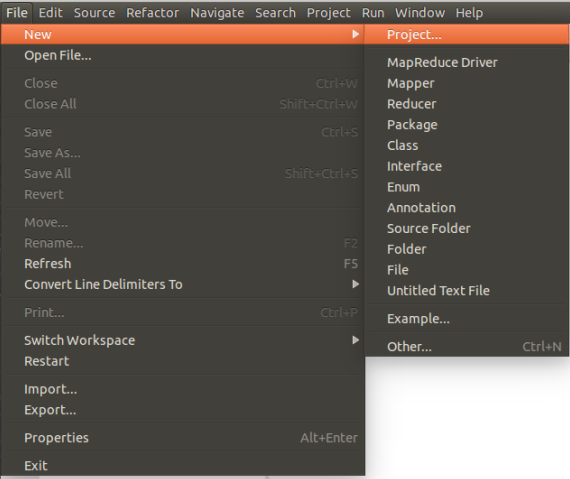
- 新建Map/Reduce任务
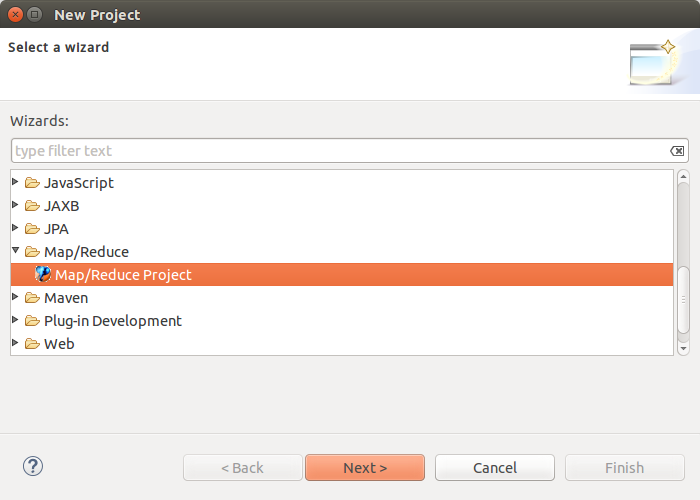
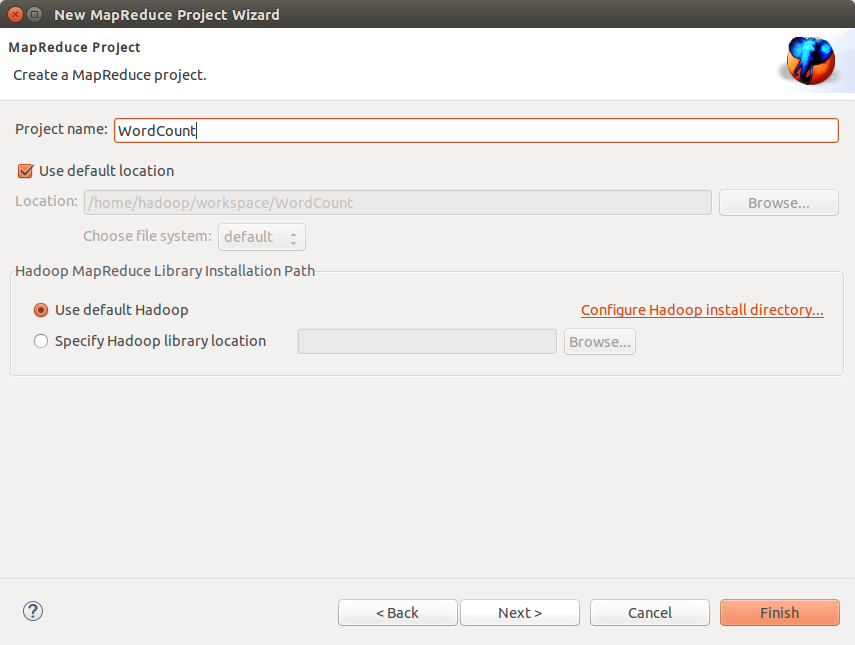
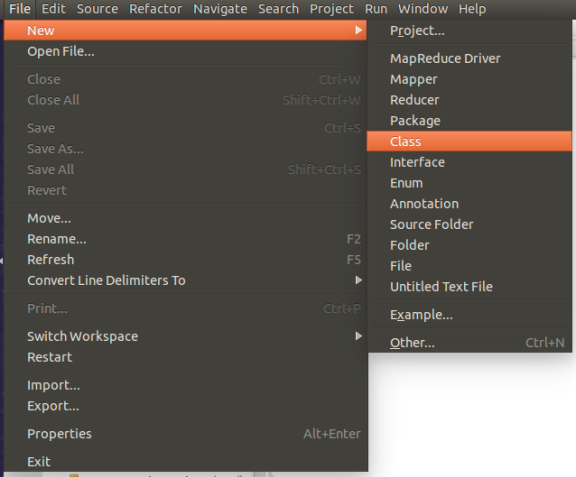
- 编写WordCount
import java.io.IOException;

import java.util.*;

import org.apache.hadoop.fs.Path;

import org.apache.hadoop.conf.*;

import org.apache.hadoop.io.*;

import org.apache.hadoop.mapred.*;

import org.apache.hadoop.util.*;

public class WordCount {

public static class Map extends MapReduceBase implements Mapper<LongWritable, Text, Text, IntWritable> {

private final static IntWritable one = new IntWritable(1);

private Text word = new Text();

public void map(LongWritable key, Text value, OutputCollector<Text, IntWritable> output, Reporter reporter) throws IOException {

 String line = value.toString();

 StringTokenizer tokenizer = new StringTokenizer(line);

 while (tokenizer.hasMoreTokens()) {

   word.set(tokenizer.nextToken());

   output.collect(word, one);

 }

}

}

public static class Reduce extends MapReduceBase implements Reducer<Text, IntWritable, Text, IntWritable> {

public void reduce(Text key, Iterator<IntWritable> values, OutputCollector<Text, IntWritable> output, Reporter reporter) throws IOException {

 int sum = 0;

 while (values.hasNext()) {

   sum += values.next().get();

 }

 output.collect(key, new IntWritable(sum));

}

}

public static void main(String[] args) throws Exception {

JobConf conf = new JobConf(WordCount.class);

conf.setJobName("wordcount");

conf.setOutputKeyClass(Text.class);

conf.setOutputValueClass(IntWritable.class);

conf.setMapperClass(Map.class);

conf.setReducerClass(Reduce.class);

conf.setInputFormat(TextInputFormat.class);

conf.setOutputFormat(TextOutputFormat.class);

FileInputFormat.setInputPaths(conf, new Path(args[0]));

FileOutputFormat.setOutputPath(conf, new Path(args[1]));

JobClient.runJob(conf);

}

}
- 添加log4j.properties文件,很重要。

内容:
log4j.rootLogger=INFO, stdout

log4j.appender.stdout=org.apache.log4j.ConsoleAppender

log4j.appender.stdout.layout=org.apache.log4j.PatternLayout

log4j.appender.stdout.layout.ConversionPattern=%d %p [%c] - %m%n

log4j.appender.logfile=org.apache.log4j.FileAppender

log4j.appender.logfile.File=target/spring.log

log4j.appender.logfile.layout=org.apache.log4j.PatternLayout

log4j.appender.logfile.layout.ConversionPattern=%d %p [%c] - %m%n
结果如下

- 空白处右键,配置运行时参数

output写成hdfs://localhost:9000/user/hadoop/output 或者其他名,下面并没有写错。
注意:output文件夹在HDFS文件系统每次运行前必须重新删除,否则出错。或者写成其他名字亦可。
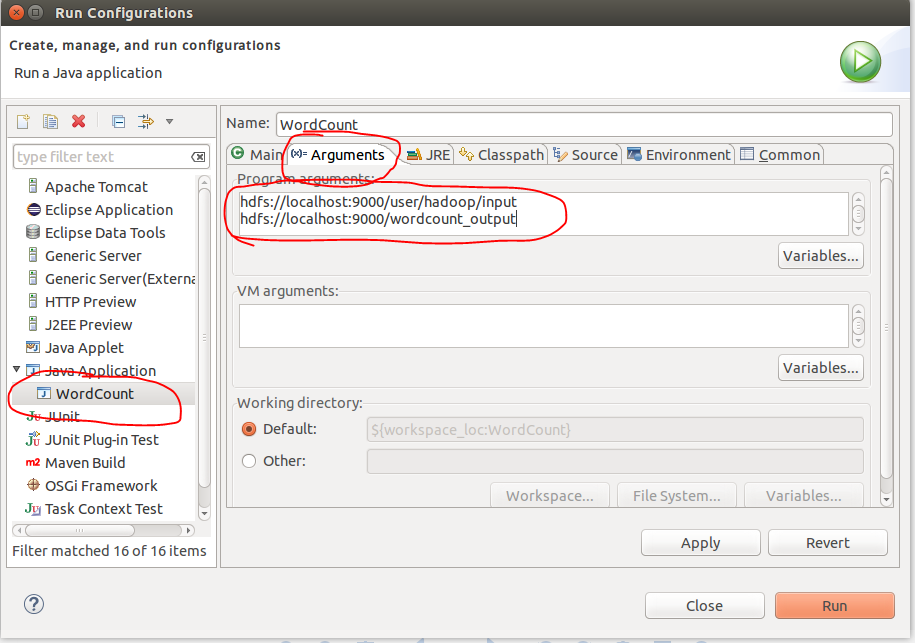
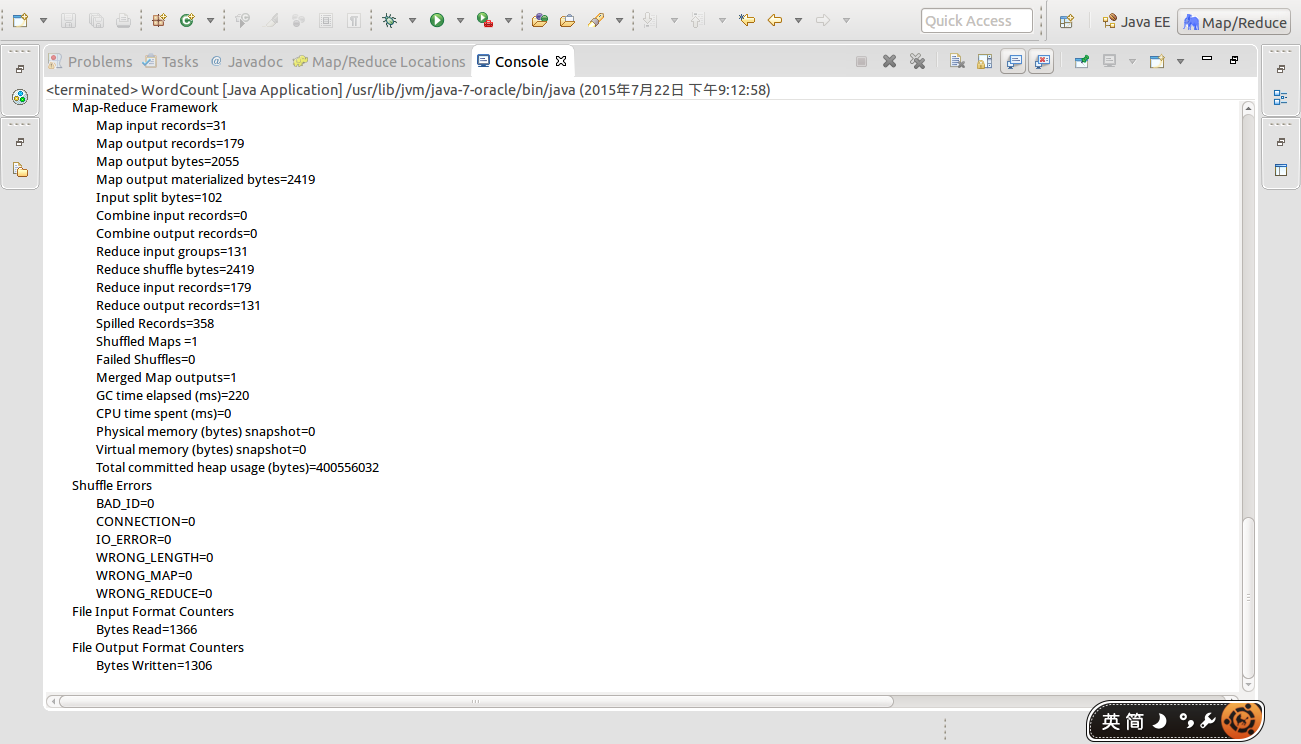
最后点Run运行。控制台输出
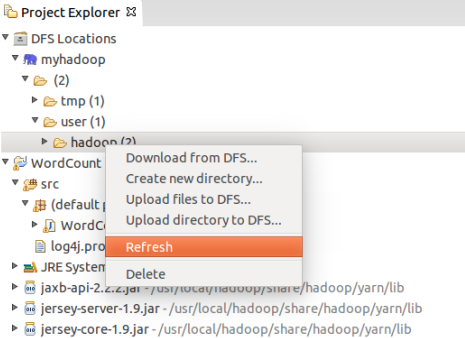
- Project Explorer反应并不及时,点击F5刷新或者:
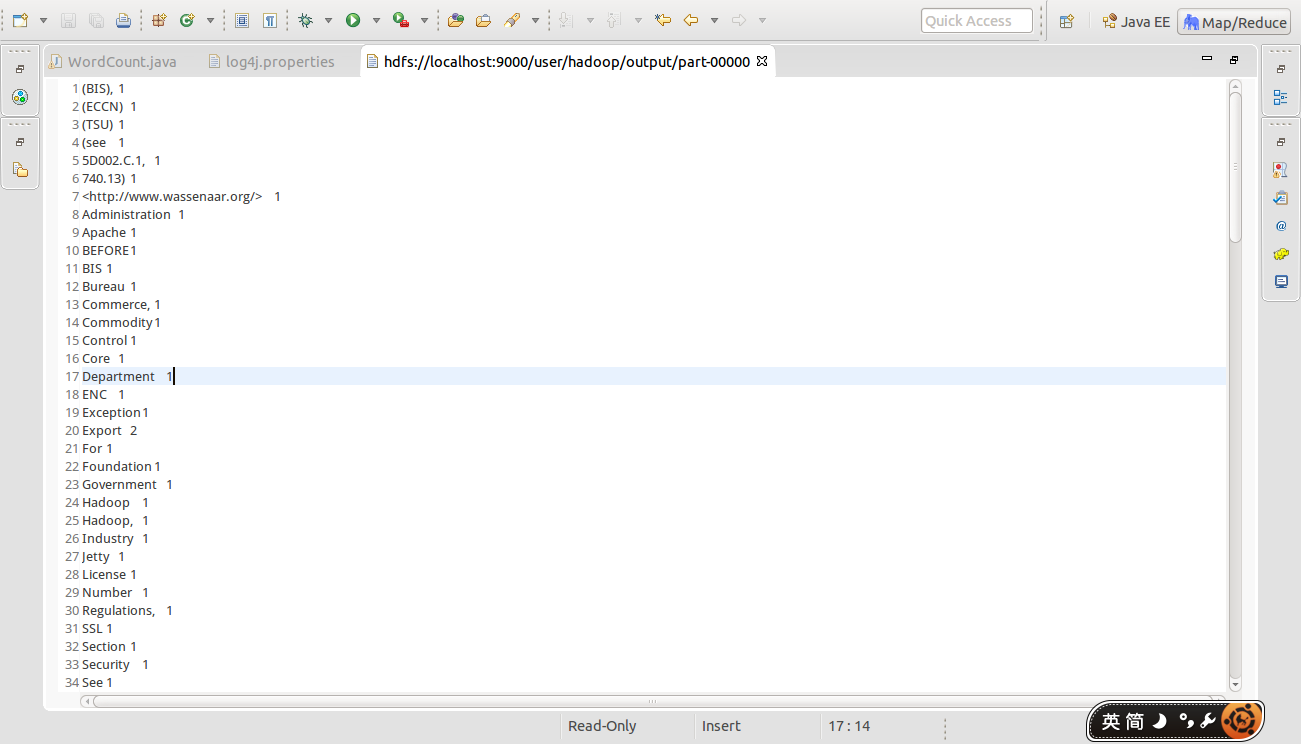
- 最后查看结果,结果放在output文件夹中(与Run Configurations中配置的地址一致)

hadoop2.6.0的eclipse插件安装的更多相关文章
- hadoop2.6.0的eclipse插件编译和设置
编译hadoop2.6.0的eclipse插件 下载源码: git clone https://github.com/winghc/hadoop2x-eclipse-plugin.git 编译源码: ...
- Hadoop-2.3.0的Eclipse插件编译
Hadoop-2.3.0的Eclipse插件编译 #cd /usr/local/src/hadoop2x-eclipse-plugin-master/src/contrib/eclipse-plugi ...
- Activiti BPMN 2.0 designer eclipse插件安装
官方网是这样说的: https://www.activiti.org/userguide/index.html#springSpringBoot The following installation ...
- 在fedora20下配置hadoop2.5.1的eclipse插件
(博客园-番茄酱原创) 在我的系统中,hadoop-2.5.1的安装路径是/opt/lib64/hadoop-2.5.1下面,然后hadoop-2.2.0的路径是/home/hadoop/下载/had ...
- Android模拟神器Genymotion eclipse插件安装问题出解决
我之前一直是打开eclipse之前直接运行Genymotion模拟器就可以连接到adb了,非常方便,但最近突然想来装个eclipse的Genymotion插件玩玩,安装时居然出错了,于是不折腾好心里不 ...
- jBPM 6 开发 eclipse 插件安装
jBPM 6 开发 eclipse 插件安装 概述 与之前的jBPM 5相比,jBPM 6 新引入的kjars及mavenized的特性,使流程开发设计与之前有了很大的不同,本文主要说明jBPM 6 ...
- 常用的4个eclipse插件安装过程及使用方法
最近整合了4个常用eclipse插件安装过程,分别是PMD.checkstyle.findbugs.sourcemonitor插件.因为我这里没有外网,所以所有的插件不是最新版,建议有网的童鞋自行在外 ...
- (转载)eclipse插件安装的四种方法
eclipse插件安装的四种方法 Eclipse插件的安装方法 1.在eclipse的主目录(ECLIPSE_HOME, 比如在我的机器上安装的目录是:D:\eclipse)有一个plugins的目录 ...
- CentOS7-64bit 编译 Hadoop-2.5.0,并分布式安装
摘要 CentOS7-64bit 编译 Hadoop-2.5.0,并分布式安装 目录[-] 1.系统环境说明 2.安装前的准备工作 2.1 关闭防火墙 2.2 检查ssh安装情况,如果没有则安装ssh ...
随机推荐
- Spark2.0机器学习系列之5:随机森林
概述 随机森林是决策树的组合算法,基础是决策树,关于决策树和Spark2.0中的代码设计可以参考本人另外一篇博客: http://www.cnblogs.com/itboys/p/8312894.ht ...
- Linux环境下Netstat与PS的使用
Linux下用netstat查看网络状态.端口状态 在linux一般使用netstat 来查看系统端口使用情况步. netstat命令是一个监控TCP/IP网络的非常有用的工具,它可以显示路由表.实际 ...
- Godaddy域名因为whois信息虚假被暂时关闭
如果你收到来自 Godadddy 通过 invalidwhois@godaddy.com 发出的标题为如下内容的邮件: [Incident ID: xxxx] xxxx - DS Invalid Wh ...
- 从硬件到语言,详解C++的内存对齐(memory alignment)
转载请保留以下声明 作者:赵宗晟 出处:https://www.cnblogs.com/zhao-zongsheng/p/9099603.html 很多写C/C++的人都知道“内存对齐”的概念以及规则 ...
- LeetCode 902. Numbers At Most N Given Digit Set
应该是常数 N的位数时间级别 我的这个方法超时很严重...但是特此记录 费劲巴拉写的... 超时: int atMostNGivenDigitSet(char** D, int DSize, int ...
- 20145316《Java程序设计》第二周学习总结
20145316<Java程序设计>第2周学习总结 教材学习内容总结 3.1.1 Java的类型 分为基本类型(Primitive type)和类类型(Class type) 基本类型: ...
- linux下 安装php的gettext模块
安装php的模块有两种方式: 一.重新编译php,加上--with-gettext 二.动态安装 现在说下第二个动态安装 1.下载同版本的php原包,解压后进入ext目录,目录下便是模块 2.进入ge ...
- python3 使用opencv 画基本图形
在Python3 环境下安装opencv-python 后练习画基本图形: import numpy as np import cv2 # BGR format GREEN = (0, 255, 0) ...
- Python3.x:Selenium+PhantomJS爬取带Ajax、Js的网页
Python3.x:Selenium+PhantomJS爬取带Ajax.Js的网页 前言 现在很多网站的都大量使用JavaScript,或者使用了Ajax技术.这样在网页加载完成后,url虽然不改变但 ...
- MR案例:小文件合并SequeceFile
SequeceFile是Hadoop API提供的一种二进制文件支持.这种二进制文件直接将<key, value>对序列化到文件中.可以使用这种文件对小文件合并,即将文件名作为key,文件 ...