
opencv学习笔记(六)---图像梯度
图像梯度的算法有很多方法:sabel算子,scharr算子,laplacian算子,sanny边缘检测(下个随笔)。。。
这些算子的原理可参考:https://blog.csdn.net/poem_qianmo/article/details/25560901
下面是我的一些理解:
sabel算子:
sobel算子主要用于获得数字图像的一阶梯度,常见的应用和物理意义是边缘检测。
函数:
Python: cv2.Sobel(src, ddepth, dx, dy[, dst[, ksize[, scale[, delta[, borderType]]]]]) → dst (参数就不一一说了,常用的就那几个,其他默认即可)
|
Parameters: |
|
|---|
原理
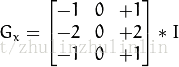
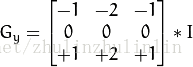
算子使用两个33的矩阵(图1)算子使用两个33的矩阵(图1)去和原始图片作卷积,分别得到横向G(x)和纵向G(y)的梯度值,如果梯度值大于某一个阈值,则认为该点为边缘点
Gx方向的相关模板:
Gy方向的相关模板:
具体计算如下:
图像的每一个像素的横向及纵向灰度值通过以下公式结合,来计算该点灰度的大小:

通常,为了提高效率使用不开平方的近似值:

#sobels算子

img = cv.imread("E:/pictures/lena.jpg",cv.IMREAD_UNCHANGED)

sobelx= cv.Sobel(img,cv.CV_64F,1,0)         #cv.CV_64F将像素值转换为double型,不然计算后为负值的像素会被截断为0

sobelx = cv.convertScaleAbs(sobelx)       #转换为uint8类型(x方向)

sobely = cv.Sobel(img,cv.CV_64F,0,1)

sobely = cv.convertScaleAbs(sobely)

sobelxy11 = cv.Sobel(img,cv.CV_64F,1,1)       #直接x,y方向一起计算(效果不好,应分开计算,再求权重和)

sobelxy11 = cv.convertScaleAbs(sobelxy11)

sobelxy = cv.addWeighted(sobelx,0.5,sobely,0.5,0)  #图像权重和

cv.imshow("orginal",img)               #dst = cv.addWidget(src1,alpha,src2,beta,gamma)

cv.imshow("sobelx",sobelx)            #src1 图一  alpha->图一的权重  src2->图二 beta->图二的权重 gamma->修正值

cv.imshow("sobely",sobely)          #dst = src1*alpha+src2*beta+gamma

cv.imshow("sobelxy",sobelxy)

cv.imshow("sobelxy11",sobelxy11)

cv.waitKey()

cv.destroyAllWindows()
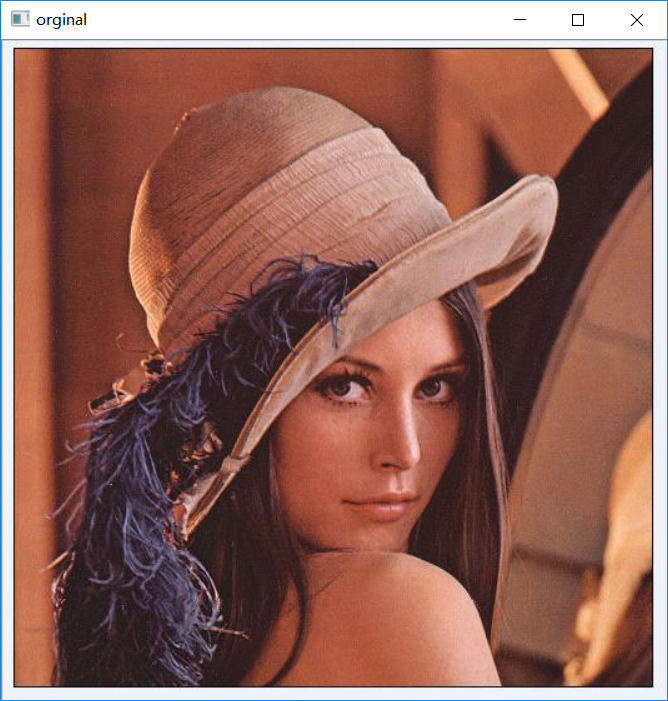
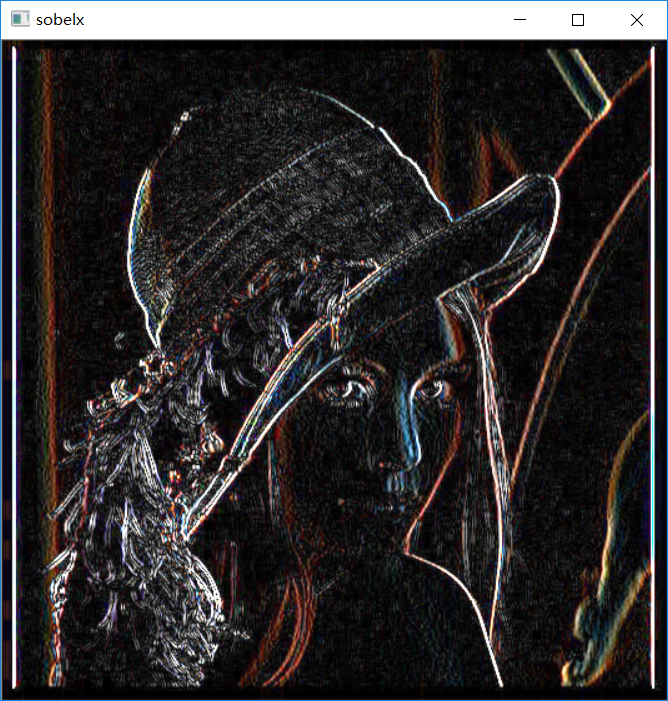
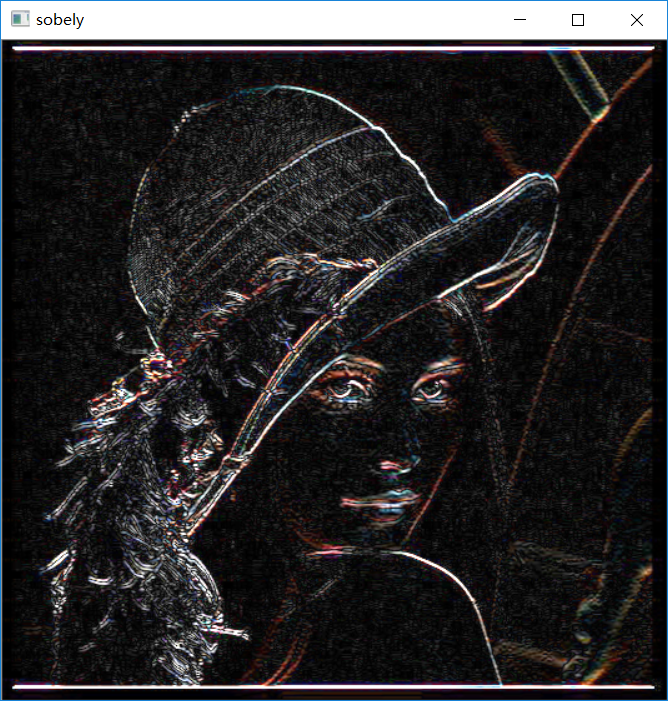
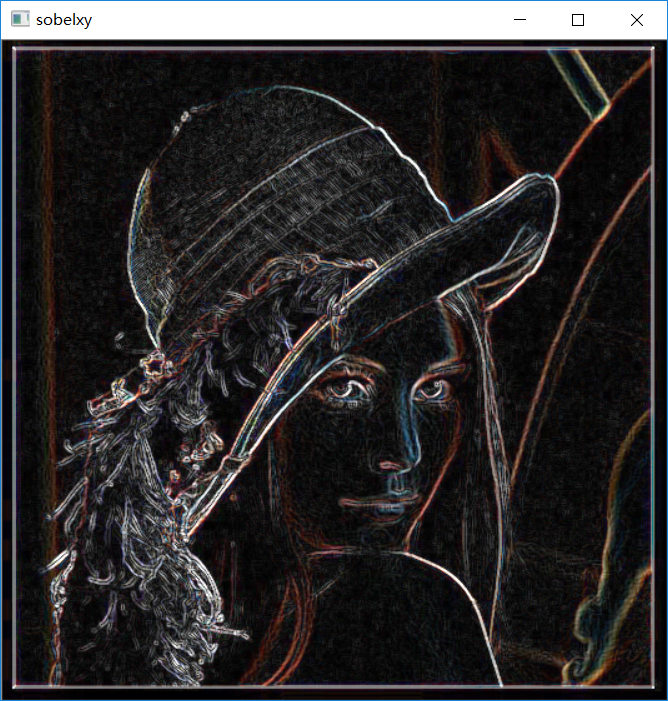
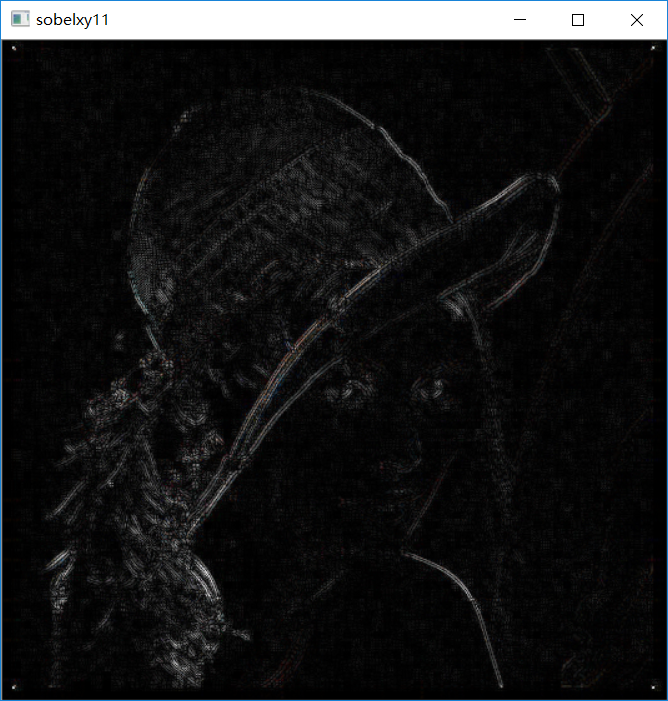
用sobel函数同时对想x,y方向检测的效果并不好,一般不用。
scharr算子:
函数:
Python: cv2.Scharr(src, ddepth, dx, dy[, dst[, scale[, delta[, borderType]]]]) → dst
| Parameters: |
|
|---|
scharr算子是对sabel算子的增强,可以看到上图中很多细小的边缘都没检测到,那么scharr算子就是解决这个问题的,它比sabel算子更精确,速度和复杂程度却一样,只是因为用的核不一样
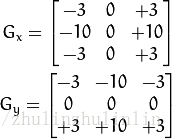
是scharr 的卷积核,他的原理和sabel算子一样。
#scharr算子  scharr算子是对sabel算子的增强  scharr算子等价于ksize=-1的sabel算子

img = cv.imread("E:/pictures/lena.jpg",cv.IMREAD_GRAYSCALE)

scharrx= cv.Scharr(img,cv.CV_64F,1,0)             #scharrx算子要满足dx>=0&&dy>=0&&dx+dy=1

scharrx = cv.convertScaleAbs(scharrx)

scharry = cv.Scharr(img,cv.CV_64F,0,1)

scharry = cv.convertScaleAbs(scharry)

scharrxy = cv.addWeighted(scharrx,0.5,scharry,0.5,0)

#sabel算子和 scharr算子的比较

sobelx= cv.Sobel(img,cv.CV_64F,1,0)

sobelx = cv.convertScaleAbs(sobelx)

sobely = cv.Sobel(img,cv.CV_64F,0,1)

sobely = cv.convertScaleAbs(sobely)

sobelxy = cv.addWeighted(sobelx,0.5,sobely,0.5,0)

cv.imshow("orginal",img)

cv.imshow("sobelxy",sobelxy)

cv.imshow("scharrxy",scharrxy)

cv.waitKey()

cv.destroyAllWindows()
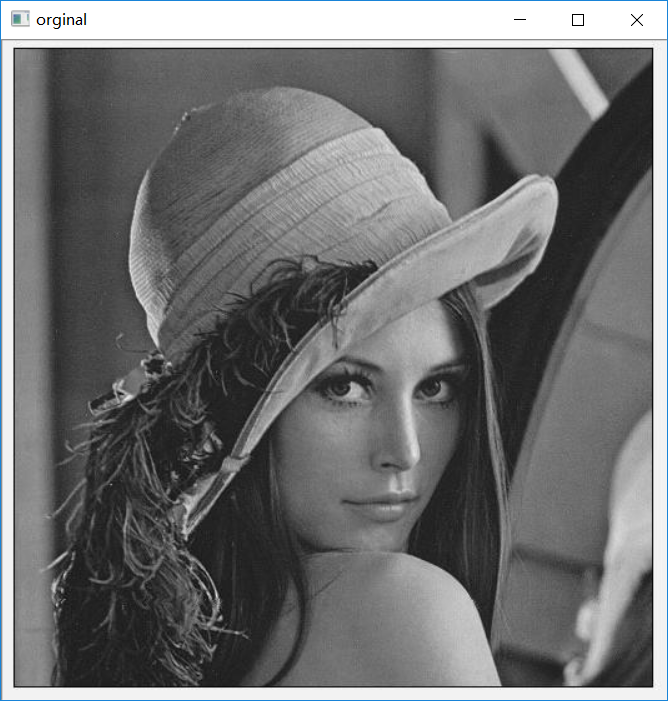


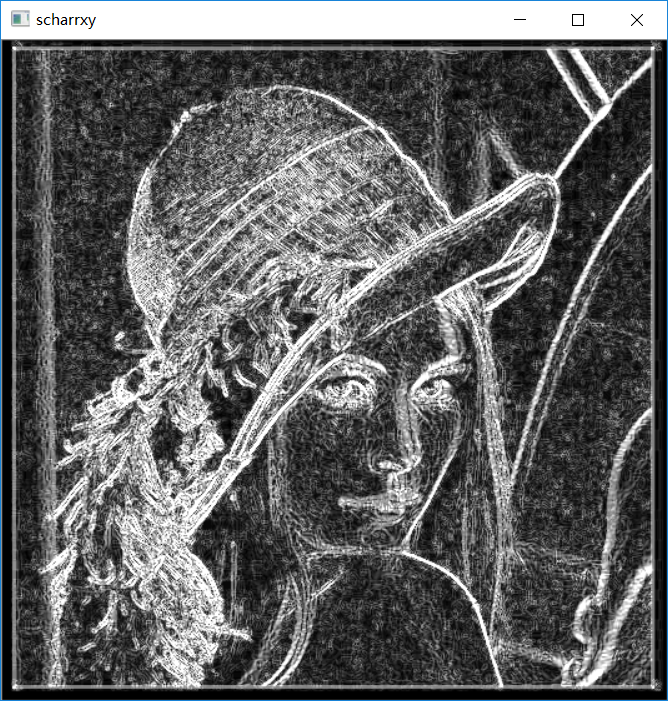
laplacian算子:
Laplace算子和Sobel算子一样,属于空间锐化滤波操作,只不过是用的二阶微分,看官网的一些解释:
The function calculates the Laplacian of the source image by adding up the second x and y derivatives calculated using the Sobel operator:

This is done when ksize > 1 . When ksize == 1 , the Laplacian is computed by filtering the image with the following  aperture:

cv.Laplace(src, dst, ksize=3) → None
|
Parameters: |
|
|---|
#拉普拉斯算子

img = cv.imread("E:/pictures/erode1.jpg",cv.IMREAD_GRAYSCALE)

r = cv.Laplacian(img,cv.CV_64F)

r = cv.convertScaleAbs(r)     #关键代码就这两行,拉普拉斯算子不用再求x,y的权重和,因为这个函数都计算好了

cv.imshow("orginal",img)

cv.imshow("laplacian",r)

cv.waitKey()

cv.destroyAllWindows()
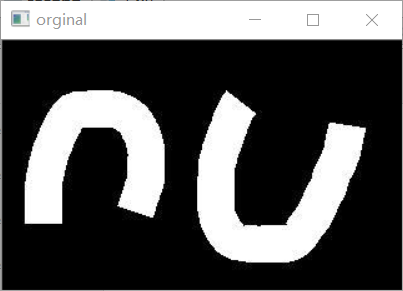
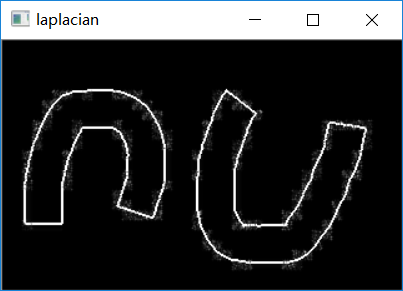
Canny边缘检测:
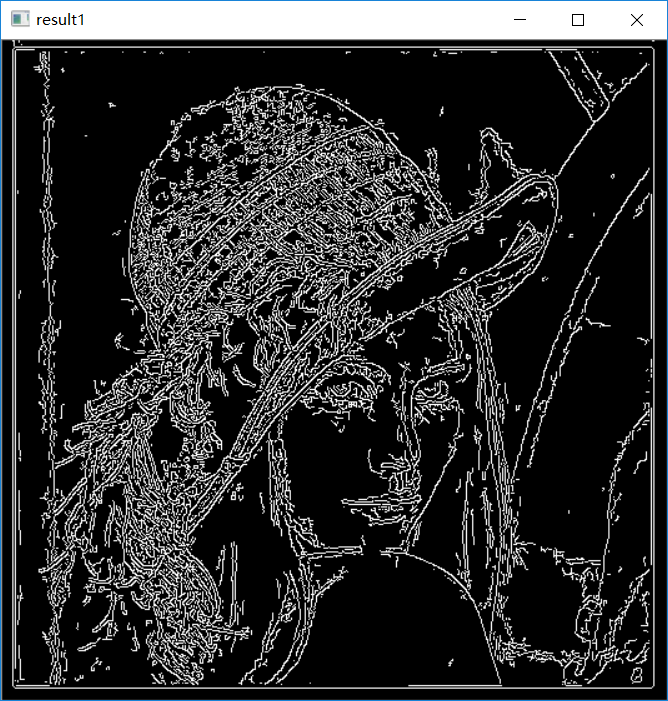
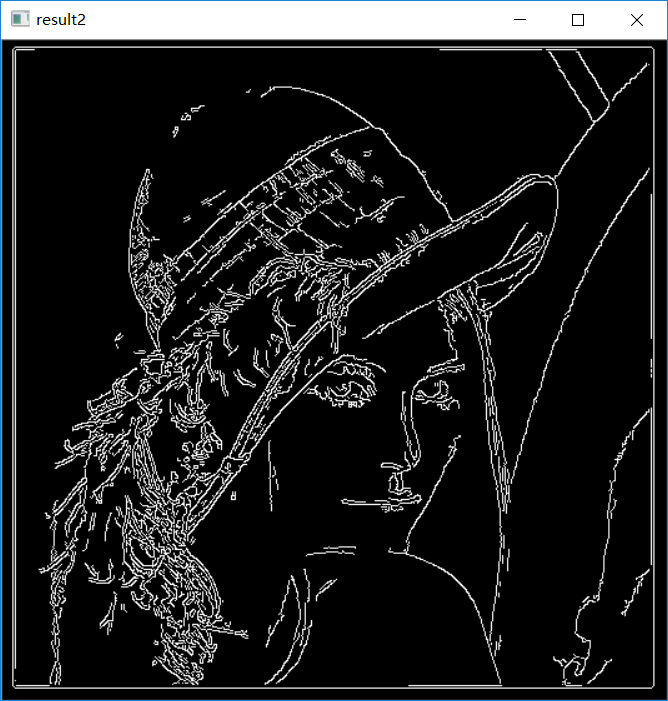
Python: cv2.Canny(image, threshold1, threshold2[, edges[, apertureSize[, L2gradient]]]) → edges
threshold1和threshold2是两个阈值,越小检测效果越好
import cv2 as cv

import numpy as np

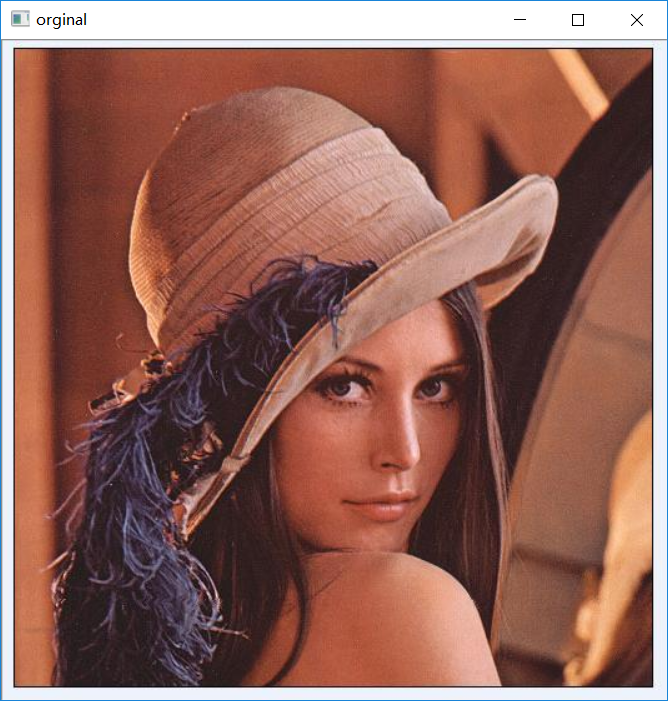
img = cv.imread("E:/pictures/lena.jpg")

result1 = cv.Canny(img,50,100)

result2 = cv.Canny(img,100,200)

cv.imshow("orginal",img)

cv.imshow("result1",result1)

cv.imshow("result2",result2)

cv.waitKey()

cv.destroyAllWindows()
opencv学习笔记(六)---图像梯度的更多相关文章
- OpenCV学习笔记(10)——图像梯度
学习图像梯度,图像边界等 梯度简单来说就是求导. OpenCV提供了三种不同的梯度滤波器,或者说高通滤波器:Sobel,Scharr和Lapacian.Sobel,Scharr其实就是求一阶或二阶导. ...
- 【opencv学习笔记六】图像的ROI区域选择与复制
图像的数据量还是比较大的,对整张图片进行处理会影响我们的处理效率,因此常常只对图像中我们需要的部分进行处理,也就是感兴趣区域ROI.今天我们来看一下如何设置图像的感兴趣区域ROI.以及对ROI区域图像 ...
- [OpenCV学习笔记3][图像的加载+修改+显示+保存]
正式进入OpenCV学习了,前面开始的都是一些环境搭建和准备工作,对一些数据结构的认识主要是Mat类的认识: [1.学习目标] 图像的加载:imread() 图像的修改:cvtColor() 图像的显 ...
- opencv学习笔记(五)----图像的形态学操作
图像的形态学操作有基本的腐蚀和膨胀操作和其余扩展形态学变换操作(高级操作)-----开运算,闭运算,礼帽(顶帽)操作,黑帽操作...(主要也是为了去噪声,改善图像) 形态学操作都是用于处理二值图像(其 ...
- OpenCV学习笔记(7)——图像阈值
简单阈值,自适应阈值,Otsu's二值化等 1.简单阈值 当像素值高于阈值时,我们给这个像素赋予一个新值,否则给他赋予另一个值.这个函数就是cv2.threshhold().这个函数的第一个参数就是原 ...
- opencv学习笔记(七)---图像金字塔
图像金字塔指的是同一图像不同分辨率的子图的集合,有向下取样金字塔,向上取样金字塔,拉普拉斯金字塔....它是图像多尺度表达的一种,最主要的是用于图像的分割 向下取样金字塔指高分辨率图像向低分辨率图像的 ...
- opencv学习笔记3——图像缩放,翻转和阈值分割
#图像的缩放操作 #cv.resize(src,dsize,dst=None,,fx=None,fy=None,interpolation=None) #src->原图像,dsize->目 ...
- OpenCV学习笔记(3)——图像的基本操作
获取图像的像素值并修改 获取图像的属性(信息) 图像的ROI() 图像通道的拆分及合并 1.获取并修改像素值 先读入图像装入一个图像实体,然后该实体相当于一个多维list,可以直接用数组操作提取像素信 ...
- OpenCV 学习笔记 02 使用opencv处理图像
1 不同色彩空间的转换 opencv 中有数百种关于不同色彩空间的转换方法,但常用的有三种色彩空间:灰度.BRG.HSV(Hue-Saturation-Value) 灰度 - 灰度色彩空间是通过去除彩 ...
随机推荐
- ubuntu下编译ffmpeg并用eclipse调试
一.下载ffnpeg源码 下载地址:http://ffmpeg.org/download.html 二.解决版本问题 可能之前你编译过ffmpeg,或者装过相关的库,那都要先卸载掉,否则用的时候会报一 ...
- PHP自动加载配置ArrayAccess类
ArrayAccess是PHP的类,可以把对象当成数组来使用访问. Config.php 配置类 <?php namespace IMooc; class Config implements ...
- mysql 主键
什么是主键 表中的每一行都应该具有可以唯一标识自己的一列(或一组列).而这个承担标识作用的列称为主键. 任何列都可以作为主键,只要它满足以下条件: • 任何两行都不具有相同的主键值.就是说这列的值都是 ...
- Qt5信号和槽机制
信号槽是 Qt 框架引以为豪的机制之一.熟练使用和理解信号槽,能够设计出解耦的非常漂亮的程序,有利于增强我们的技术设计能力. 所谓信号槽,实际就是观察者模式.当某个事件发生之后,比如,按钮检测到自己被 ...
- ROS naviagtion analysis: costmap_2d--LayeredCostmap
博客转自:https://blog.csdn.net/u013158492/article/details/50490490 在数据成员中,有两个重要的变量:Costmap2D costmap_和 s ...
- c语言学习笔记 if语句执行流程和关系运算符
回想现实生活中,我们会遇到这样的情况,如果下雨了就带伞上班,如果没下雨就不带伞上班,这是很正常的逻辑.程序是解决生活中的问题的,那么自然在程序中也需要这样的判断,当满足某个条件的时候做一件事情,这种东 ...
- xamarin.droid自己的示例工程有些都装不上模拟器,是因为它的architectures选项没设对
也许是版本更迭导致的,有些老工程的architectures不对,如果x86不勾的话,是不能在genymotion的模拟器上跑的.
- win10手动开启wifi
win+R键,输入cmd,以管理员身份运行,输入netsh wlan set hostednetwork mode=allow ssid=wifi key=wifimima123回车 解释一下: ss ...
- hdu 4269 Defend Jian Ge
#include <cctype> #include <algorithm> #include <vector> #include <string> # ...
- lda:变分的推导
lda,latent diriclet allocation,是一个最基本的bayesian模型.本文要研究lda基于变分的推导方法.意义是重大的. 一.符号的定义 : the number of t ...