
Netty对WebSocket的支持
WebSocket长连接
一、创建服务端代码
1、MyServer 类
public class MyServer {

    public static void main(String[] args) throws  Exception{

        EventLoopGroup bossGroup = new NioEventLoopGroup();

        EventLoopGroup workerGroup = new NioEventLoopGroup();

        try{

            ServerBootstrap serverBootstrap = new ServerBootstrap();

            serverBootstrap.group(bossGroup,workerGroup).channel(NioServerSocketChannel.class)

                    .handler(new LoggingHandler(LogLevel.INFO)) //增加日志处理器

                    .childHandler(new WebSocketChannelInitializer());

            ChannelFuture channelFuture = serverBootstrap.bind(new InetSocketAddress(8899)).sync();

            channelFuture.channel().closeFuture().sync();

        }finally {

            bossGroup.shutdownGracefully();

            workerGroup.shutdownGracefully();

        }

    }

}
2、WebSocketChannelInitializer 类
public class WebSocketChannelInitializer extends ChannelInitializer<SocketChannel>{

    protected void initChannel(SocketChannel socketChannel) throws Exception {

        ChannelPipeline pipeline = socketChannel.pipeline();

        pipeline.addLast(new HttpServerCodec());

        pipeline.addLast(new ChunkedWriteHandler());

        pipeline.addLast(new HttpObjectAggregator(8192));

        pipeline.addLast(new WebSocketServerProtocolHandler("/ws"));

        pipeline.addLast(new TextWebSocketFrameHandle());

    }

}
3、TextWebSocketFrameHandle 类
public class TextWebSocketFrameHandle extends SimpleChannelInboundHandler<TextWebSocketFrame> {

    @Override

    protected void channelRead0(ChannelHandlerContext ctx, TextWebSocketFrame msg) throws Exception {

        CommonUtil.println("收到消息:" + msg.text());

        ctx.channel().writeAndFlush(new TextWebSocketFrame("服务器时间:" + LocalDateTime.now()));

    }

    @Override

    public void handlerAdded(ChannelHandlerContext ctx) throws Exception {

        CommonUtil.println("handlerAdded:" +ctx.channel().id().asLongText());

    }

    @Override

    public void handlerRemoved(ChannelHandlerContext ctx) throws Exception {

        CommonUtil.println("handlerRemoved:" +ctx.channel().id().asLongText());

    }

    @Override

    public void exceptionCaught(ChannelHandlerContext ctx, Throwable cause) throws Exception {

        CommonUtil.println("异常发生");

         ctx.close();

    }

}
二、编写客户端WebSocket代码
<!DOCTYPE html>

<html lang="en">

<head>

    <meta charset="UTF-8">

    <title>WebSocket</title>

</head>

<body>

<script type="text/javascript">

    var socket;

    if(window.WebSocket){

        socket = new WebSocket("ws://localhost:8899/ws");

        socket.onmessage = function (event) {

            var ta = document.getElementById("responseText");

            ta.value = ta.value + "\n" + event.data;

        }

        socket.onopen = function (event) {

            var ta = document.getElementById("responseText");

            ta.value = "连接开启";

        }

        socket.onclose = function (event) {

            var ta = document.getElementById("responseText");

            ta.value = ta.value + "\n" + "连接关闭!";

        }

    }else {

        alert("浏览器不支持WebSocket")

    }

    function  send(message) {

        if(!window.WebSocket){

            return;

        }

        if(socket.readyState == WebSocket.OPEN){

            socket.send(message);

        }else{

            alert("连接尚未开启");

        }

    }

</script>

<form onsubmit="return false">

    <textarea name="message" style="width: 400px ; height:  200px;" ></textarea>

    <input type="button" value="发送数据" onclick="send(this.form.message.value)">

    <h3>服务端输出:</h3>

    <textarea id="responseText" style="width: 400px ; height: 300px;" ></textarea>

    <input type="button" value="清空内容" onclick="javascript: document.getElementById('responseText').value=''">

</form>

</body>

</html>
三、测试
1、启动服务端
2、打开页面 http://localhost:7080/test.html
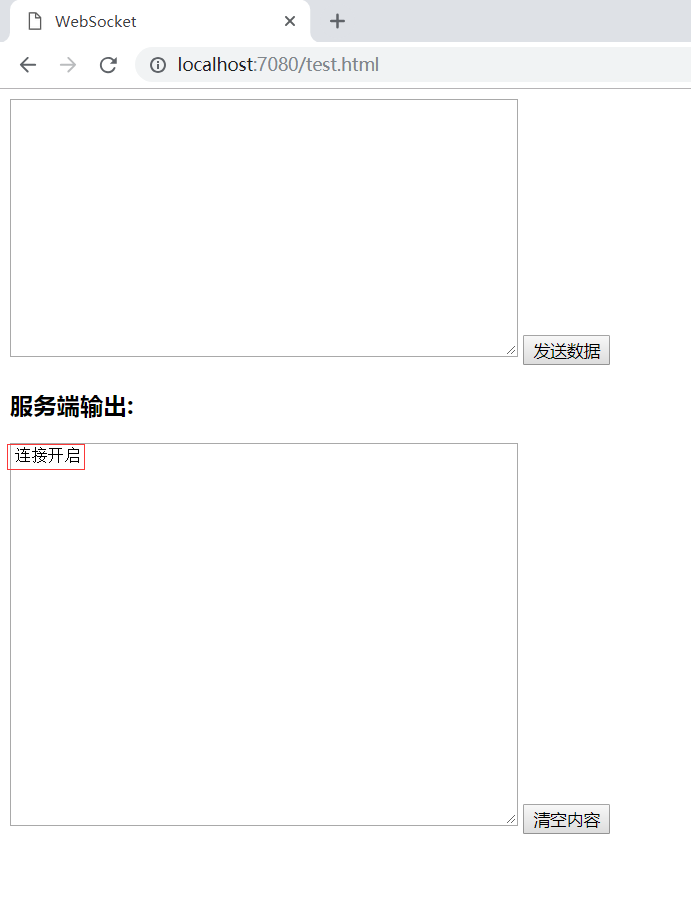
可以看到,连接开启。
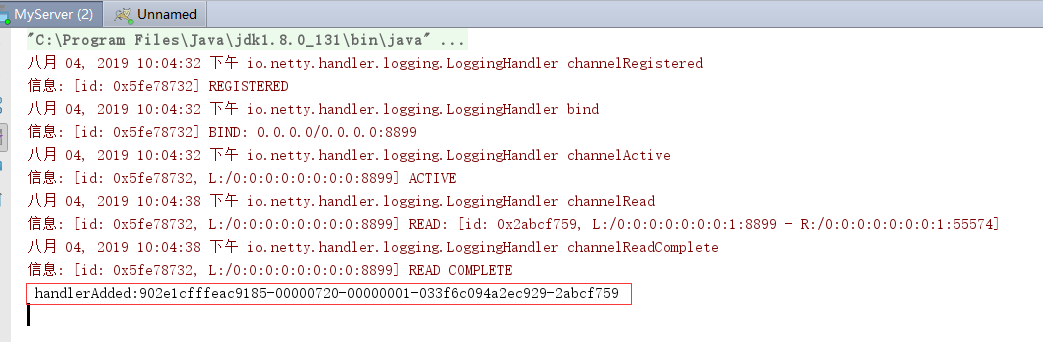
服务端输出如下图:
四、进入页面的开发者模式
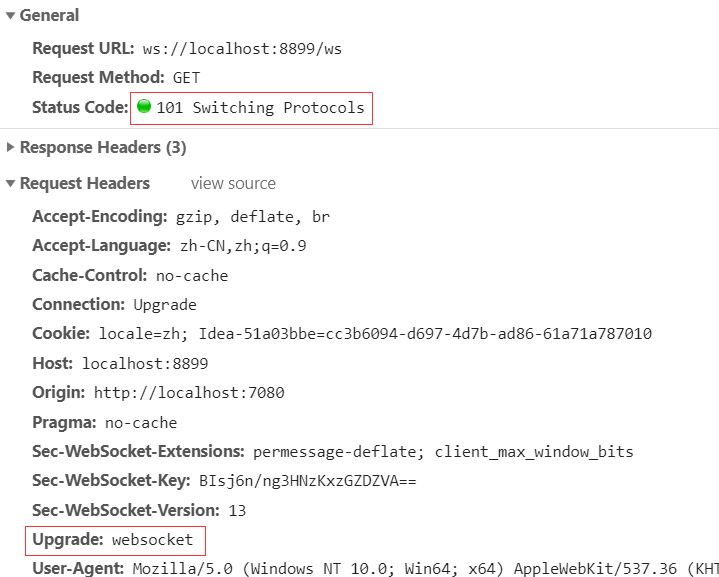
可以发现,
1、Status Code:101 Switching Protocols。 原来是Http的,切换成Socket
2、请求头: Upgrade:websocket
虽然请求发送的ws,但是要先发送的http请求建立连接,连接建立好后,将http升级到websockent协议上
五、测试发送消息
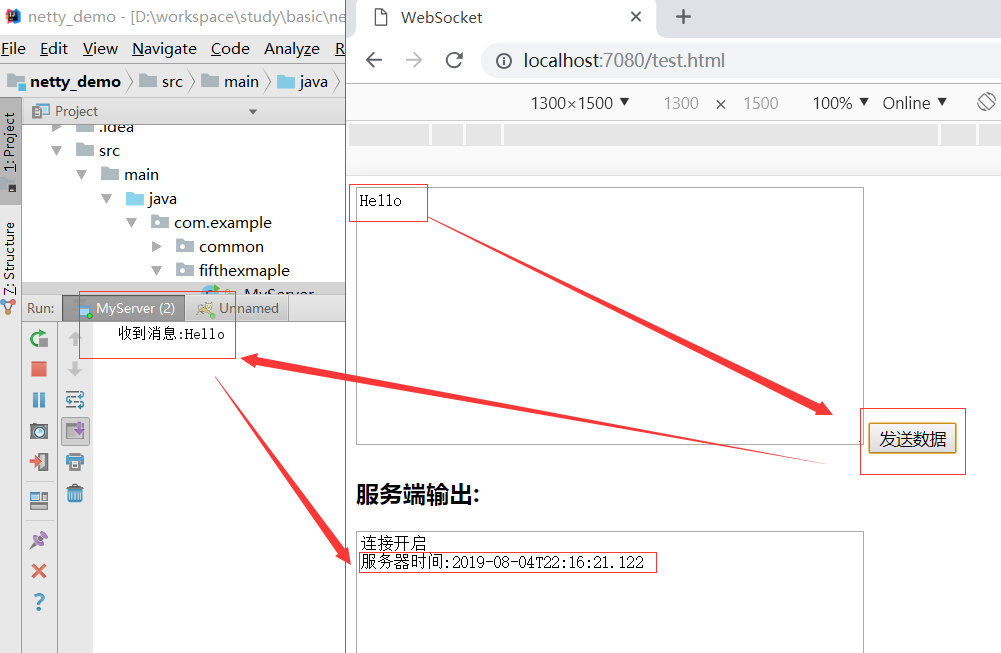
整个请求建立在webSocket协议之上。
六、连接关闭
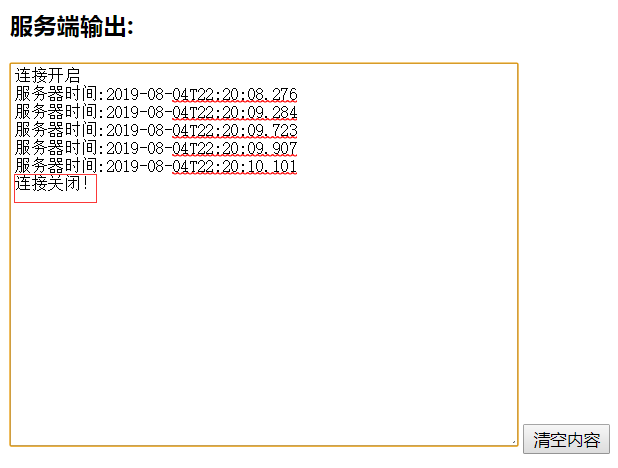
当服务端停掉后,可以收到连接关闭。
七、websocket的请求和接收
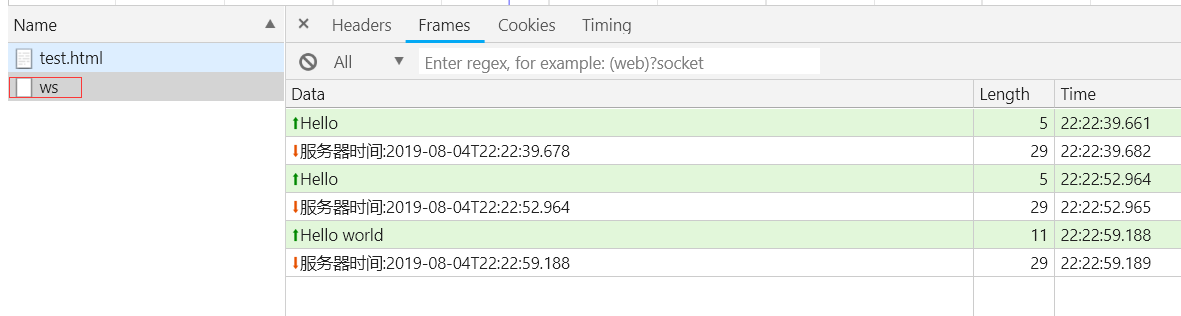
如下图: Hello是请求, 服务器时间是接收
Netty对WebSocket的支持的更多相关文章
- Netty对WebSocket的支持(五)
Netty对WebSocket的支持(五) 一.WebSocket简介 在Http1.0和Http1.1协议中,我们要实现服务端主动的发送消息到网页或者APP上,是比较困难的,尤其是现在IM(即时通信 ...
- Netty 搭建 WebSocket 服务端
一.编码器.解码器 ... ... @Autowired private HttpRequestHandler httpRequestHandler; @Autowired private TextW ...
- netty系列之:使用netty搭建websocket客户端
目录 简介 浏览器客户端 netty对websocket客户端的支持 WebSocketClientHandshaker WebSocketClientCompressionHandler netty ...
- Netty 实现 WebSocket 聊天功能
上一次我们用Netty快速实现了一个 Java 聊天程序(见http://www.waylau.com/netty-chat/).现在,我们要做下修改,加入 WebSocket 的支持,使它可以在浏览 ...
- MQTT协议笔记之mqtt.io项目Websocket协议支持
前言 MQTT协议专注于网络.资源受限环境,建立之初不曾考虑WEB环境,倒也正常.虽然如此,但不代表它不适合HTML5环境. HTML5 Websocket是建立在TCP基础上的双通道通信,和TCP通 ...
- netty系列之:使用netty搭建websocket服务器
目录 简介 netty中的websocket websocket的版本 FrameDecoder和FrameEncoder WebSocketServerHandshaker WebSocketFra ...
- Jmeter中Websocket协议支持包的使用
Jmeter中Websocket协议支持包的使用(转) 参考的来源是国外一篇文章,已经整理成pdf格式(http://yunpan.cn/cFzwiyeQDKdh3 (提取码:9bcf)) 转自:ht ...
- jmeter关联Websocket包支持
消息文本发送内容采用的是websocket方式进行消息握手的,一次使用到WEBSOCKET包支持 对于它的介绍和使用如下: 一.首先,我们需要准备Jmeter的WebSocket协议的支持插件:JMe ...
- 使用Netty做WebSocket服务端
使用Netty搭建WebSocket服务器 1.WebSocketServer.java public class WebSocketServer { private final ChannelGro ...
随机推荐
- shell EOF 用户自定义终止符
#!/bin/bash ftp -n << EOF user guest 123456 binary cd /home/ prompt mget * close bye EOF 使用Tab ...
- 异常详细信息: System.MissingMethodException: 无法创建抽象类。
asp.net mvc 在使用post向后端传送json数据时报异常,在路由配置中添加如下即可 public static void RegisterRoutes(RouteCollection ro ...
- 基于TCP通过socketserver简单实现并发效果
一.首先介绍一下 socketserver 模块中的类: 类 描述 BaseServer 包含服务器的核心功能与混合(mix-in)类的钩子功能.这个类用于派生,不要直接生成这个类的类对象 TCPSe ...
- Welcome to GnuPG 2.2
Welcome to GnuPG 2.2 Installation Instructions Double click the Install package to install GnuPG 2.2 ...
- python3中用HTMLTestRunner.py报ImportError: No module named 'StringIO'的解决方法:
全文转载至:http://www.cnblogs.com/testyao/p/5658200.html python3中用HTMLTestRunner.py报ImportError: No modul ...
- 使用批处理打包C#开发程序
最近项目接近尾声,测试比较频繁,每天需要发布多个版本 @echo off set zip=C:\Program Files\7-Zip\7z.exe set timestamp=%date:~6,4% ...
- C#写的WebServices可运行于树莓派
阅读目录 Raspkate - 基于.NET的可运行于树莓派的轻量型Web服务器 Raspkate项目 演示 回到目录 Raspkate - 基于.NET的可运行于树莓派的轻量型Web服务器 最近 ...
- Nginx——报错汇总
前言 记录NGINX的错误 错误 nginx: [emerg] unknown directive "erver" in /usr/local/nginx/conf/vhost/d ...
- [TJOI2015]概率论——期望&&母函数
题意 求一个含有 $n$ 个结点的有序二叉树的叶子节点的期望个数.($n \leq 10^9$) 分析 一堆推导..... 得 $ans = \frac{n(n+1)}{2(2n-1)}$ #incl ...
- maven install
1. install maven under ubuntu apt install maven 2 speed up package download vim ~/.m2/settings.xml & ...