
Angular中ui-router实现路由嵌套案例
学习 ui-router 资料整理
对于Angular内置的路由是单路由视图,ui-router可以实现路由嵌套。后面将会有一个案例概括前面所有资料整理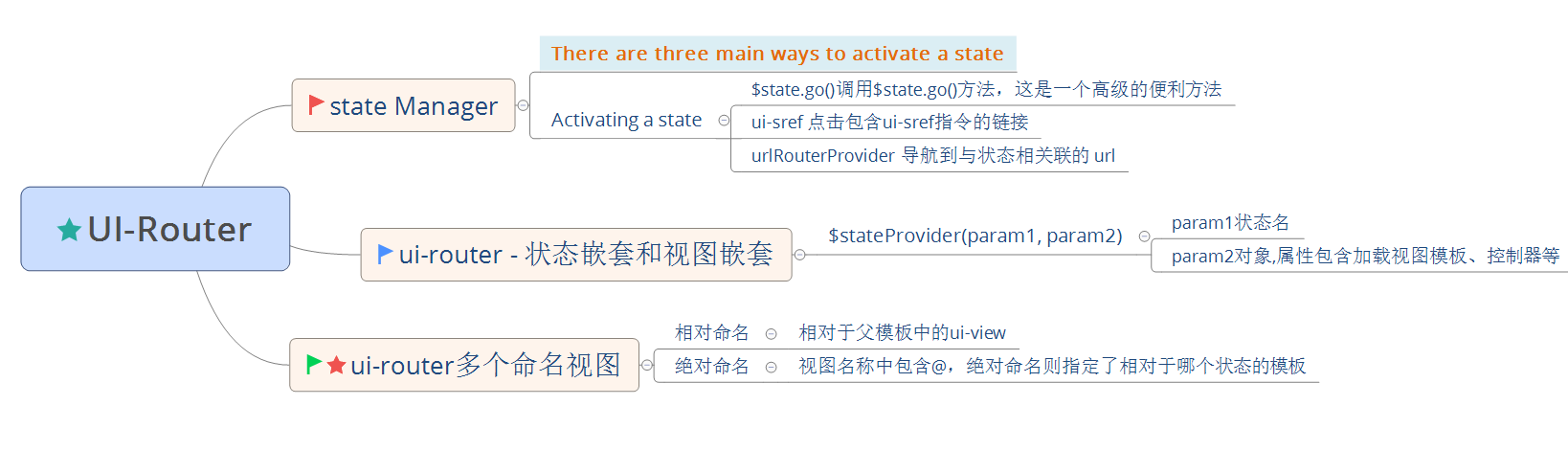
学习 ui-router - 管理状态 http://bubkoo.com/2014/01/01/angular/ui-router/guide/state-manager/
学习 ui-router - 状态嵌套和视图嵌套 http://bubkoo.com/2014/01/01/angular/ui-router/guide/nested-states%20&%20nested-views/
学习 ui-router - 多个命名的视图 http://bubkoo.com/2014/01/01/angular/ui-router/guide/multiple-named-views/
ui-router 多个命名的视图
<!-- index.html (root unnamed template) -->

<body ng-app>

<div ui-view></div> <!-- contacts.html plugs in here -->

<div ui-view="status"></div>

</body>
<!-- contacts.html -->

<h1>My Contacts</h1>

<div ui-view></div>

<div ui-view="detail"></div>
<!-- contacts.detail.html -->

<h1>Contacts Details</h1>

<div ui-view="info"></div>
ui-router 相对命名与绝对命名 写法
$stateProvider

  .state('contacts', {

    // 根状态,对应的父模板则是index.html

    // 所以 contacts.html 将被加载到 index.html 中未命名的 ui-view 中

    templateUrl: 'contacts.html'

  })

  .state('contacts.detail', {

    views: {

        // 嵌套状态,对应的父模板是 contacts.html

        // 相对命名

        // contacts.html 中 <div ui-view='detail'/> 将对应下面

        "detail" : { },

        // 相对命名

        // 对应 contacts.html 中的未命名 ui-view <div ui-view/>

        "" : { },

        // 绝对命名

        // 对应 contacts.detail.html 中 <div ui-view='info'/>

        "info@contacts.detail" : { }

        // 绝对命名

        // 对应 contacts.html 中 <div ui-view='detail'/>

        "detail@contacts" : { }

        // 绝对命名

        // 对应 contacts.html 中的未命名 ui-view <div ui-view/>

        "@contacts" : { }

        // 绝对命名

        // 对应 index.html 中 <div ui-view='status'/>

        "status@" : { }

        // 绝对命名

        // 对应 index.html 中 <div ui-view/>

        "@" : { }

  });
ui-router 实现视图与路由深层嵌套综合案例
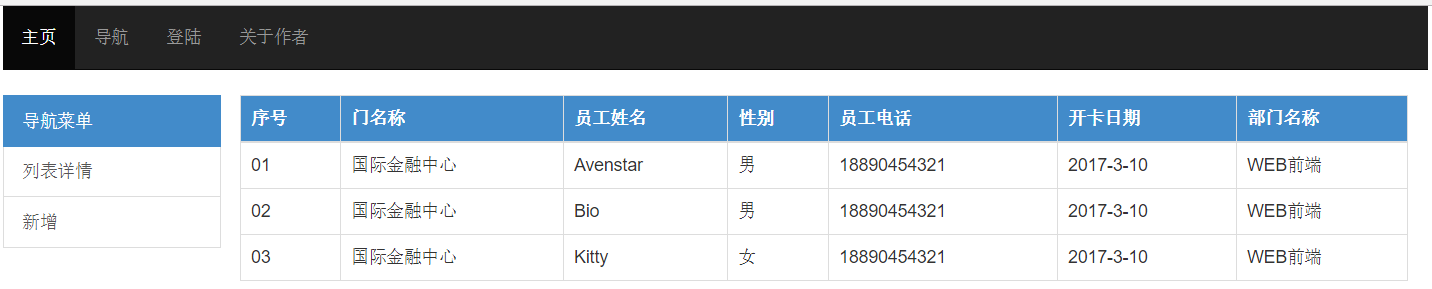
源代码下载请点击
推荐学习AngularJS Routing Using UI-Router https://scotch.io/tutorials/angular-routing-using-ui-router
Angular中ui-router实现路由嵌套案例的更多相关文章
- angular 的ui.router 定义不同的state 对应相同的url
Angular UI Router: Different states with same URL? The landing page of my app has two states: home-p ...
- angular中ui calendar的一些使用心得
ui calendar是封装fullcalendar的一款angular指令插件 官方地址:http://angular-ui.github.io/ui-calendar/ fullcalendar ...
- vue 中 this.$router.push() 路由跳转传参 及 参数接收的方法
传递参数的方法:1.Params 由于动态路由也是传递params的,所以在 this.$router.push() 方法中 path不能和params一起使用,否则params将无效.需要用name ...
- vue中this.$router.push()路由传值和获取的两种常见方法
1.路由传值 this.$router.push() (1) 路由跳转使用router.push()方法,这个方法会向history栈添加一个新纪录,所以,当用户点击浏览器后退按钮时,会回到之前的 ...
- 全面解析JavaScript的Backbone.js框架中的Router路由
这篇文章主要介绍了Backbone.js框架中的Router路由功能,Router在Backbone中相当于一个MVC框架中的Controller控制器功能,需要的朋友可以参考下. Backbone ...
- AngularJS 使用 UI Router 实现表单向导
Today we will be using AngularJS and the great UI Router and the Angular ngAnimate module to create ...
- Angular中懒加载一个模块并动态创建显示该模块下声明的组件
angular中支持可以通过路由来懒加载某些页面模块已达到减少首屏尺寸, 提高首屏加载速度的目的. 但是这种通过路由的方式有时候是无法满足需求的. 比如, 点击一个按钮后显示一行工具栏, 这个工具栏组 ...
- angular ui.router 路由传参数
angular已经用了一段时间了,最近在做路由,做一下笔记. 路由跳转的时候进行穿参 ui.router方式 <a ui-sref="edit({id:5})"> 编辑 ...
- 060——VUE中vue-router之路由嵌套在文章系统中的使用方法:
<!DOCTYPE html> <html lang="en"> <head> <meta charset="UTF-8&quo ...
随机推荐
- CIL中间语言浅谈
CIL中间语言 通用中间语言(Common Intermediate Language,简称CIL)(曾经被称为微软中间语言或MSIL)是一种属于通用语言架构和.NET框架的低阶(lowest-lev ...
- List集合遍历整理
遍历List集合的三种方式 0. 首先准备测试数据 List<String> list = new ArrayList<String>(); list.add("Ja ...
- 多线程(二)ThreadLocal
ThreadLocal public class Demo extends Thread{ static int i = 0; public Integer getNext(){ i++; retur ...
- 持续集成 自动化构建、测试、部署您的Coding代码
持续集成(Continuous Integration)指的是,频繁地(一天多次)将代码集成到主干. 持续集成的目的,就是让产品可以快速迭代,同时还能保持高质量. 它的核心措施是,代码集成到主干之前, ...
- call,apply,bind的用法与区别
1.call/apply/bind方法的来源 首先,在使用call,apply,bind方法时,我们有必要知道这三个方法究竟是来自哪里?为什么可以使用的到这三个方法? call,apply,bind这 ...
- js-string.js
//小结// string.charAt(pos) 返回string中pos所在位置的字符 var name = "Cynthia"; var i = name.charAt(0) ...
- 通过css改变svg img的颜色
需求如下图,hover的时候改变图标颜色,图标为引入的svg img 一般的解决办法有:1.字体图标改变css的color属性:2.js在hover事件中切换图片:3.老一点的方案是hover切换背景 ...
- BZOJ 1022: [SHOI2008]小约翰的游戏John (Anti-nim)
Time Limit: 1 Sec Memory Limit: 162 MBSubmit: 3134 Solved: 2003[Submit][Status][Discuss] Descripti ...
- Android为TV端助力 转载:android MVC设计模式
Controller控制器 import android.app.Dialog; import android.app.ProgressDialog; import android.os.Bundle ...
- C#生成唯一订单号
今天系统出了一个问题,发现生成的订单号存在重复的情况了,这是要命的bug,不马上解决,就会有投诉了 经过改进后的代码我先简单的放一下,后面在慢慢的写清楚整个流程 string key = " ...