
[转]Magento 2 and 1 Million Products
本文转自:https://www.goivvy.com/blog/magento-2-1-million-products
Can Magento 2 handle 1 million products?
I came across that question many times. It got me interested and I started searching the web. I didn’t find an answer so I decided to set up my own experiment.
In this article I will install the latest Magento 2.2.2 (M2), load it with 1 million products and look at the performance. I will describe the procedure in details and will provide specifics so anybody could replicate and prove my findings.
Preconditions
Here is what I will be running:
Magento Open Source 2.2.2.
Debian 8 server with Linode 12G plan: 12G RAM, 6 CPU cores, 196Gb SSD.
I will be using Magento 2 performance toolkit to generate data for testing. It comes with M2 and it helps with testing the impact of various 3rd-party extensions and customizations.
Load 1M products
M2 performance toolkit has different profiles:
Small profile: 800 simple products, 30 categories, 200 customers, 80 orders.
Medium profile: 24k simple products. 300 categories, 2000 customers, 50000 orders.
Large profile: 300k simple products, 3000 categories, 5000 customers, 100k orders.
Extra large profile: 600k simple products, 6000 categories, 10k customers, 150k orders.
Profiles are defined as XML files and are stored in setup/performance-toolkit/profiles/ce/ folder inside Magento root. Here is an example of medium profile:
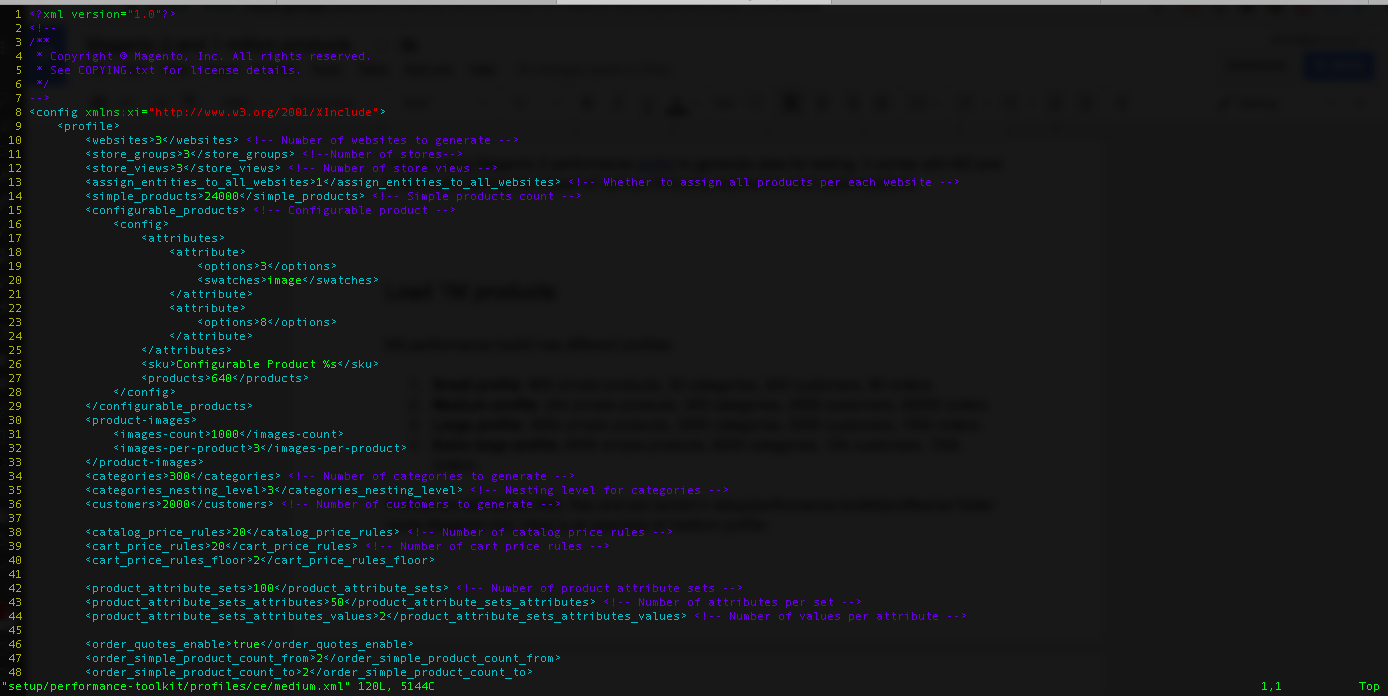 Medium Profi
We would edit extra large profile XML to set the maximum number of simple products to 1 million:
-- <simple_products>600000</simple_products>
++ <simple_products>1000000</simple_products>
Then we would run an import process:
php bin/magento setup:perf:generate-fixtures \ setup/performance-toolkit/profiles/ce/extra_large.xml |
It would take a while to complete. I had to run it two times because the first time it crashed MySQL server:
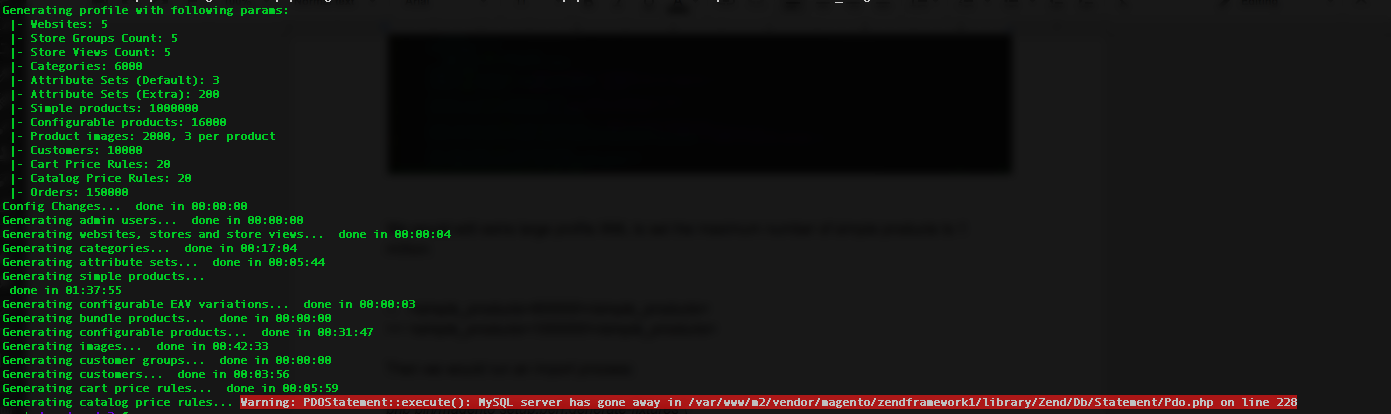 MySQL cr
The second time it run out of memory:
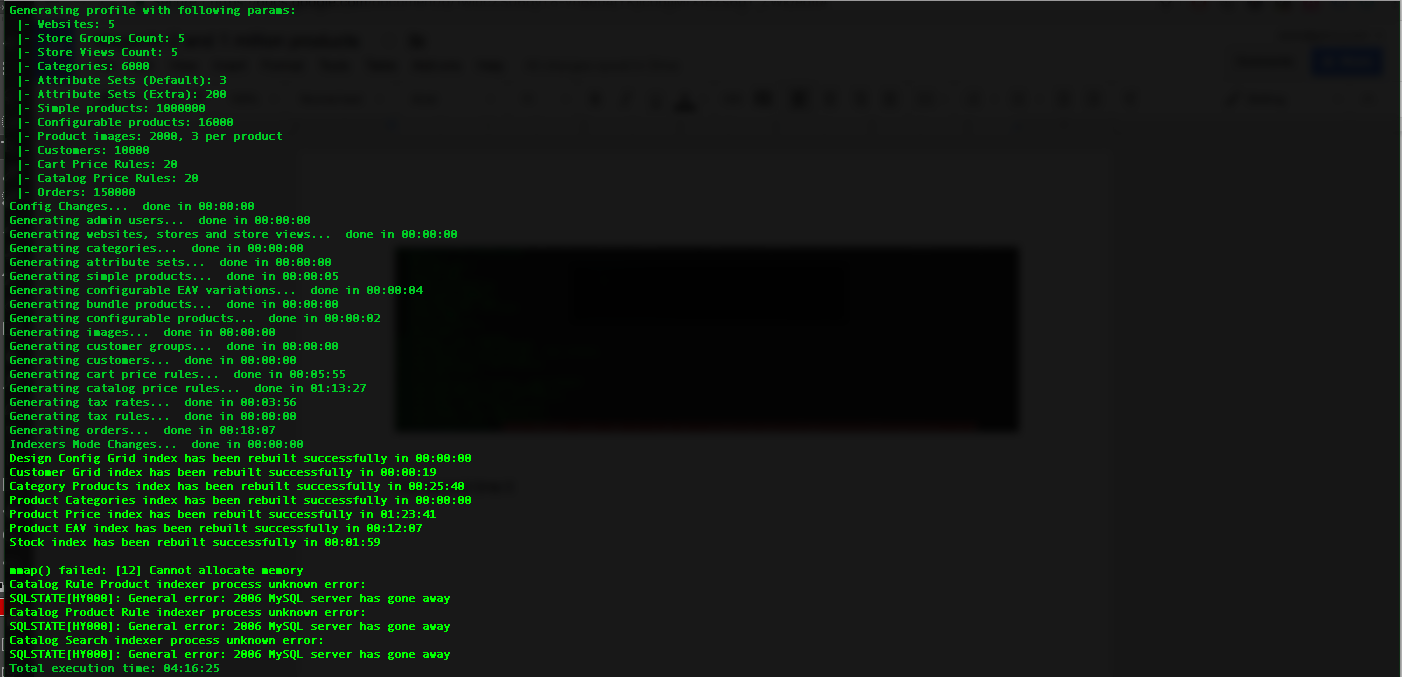 Out of memory
I then manually reindexed it:
php bin/magento indexer:reindex
Then again it failed on Catalog Rule Product reindex:
 Reindex failed
It seemed the server just could not handle the testing data that big.
I decided to cut down the number of catalog price rules from 20 to 2, categories from 6000 to 60, customers from 10000 to 100 and orders from 16000 to 1500. I made certain edits to extra_large profile and restarted setup:perf:generate-fixtures.
This time it went OK and now I have 1,400,000 products in Magento 2:
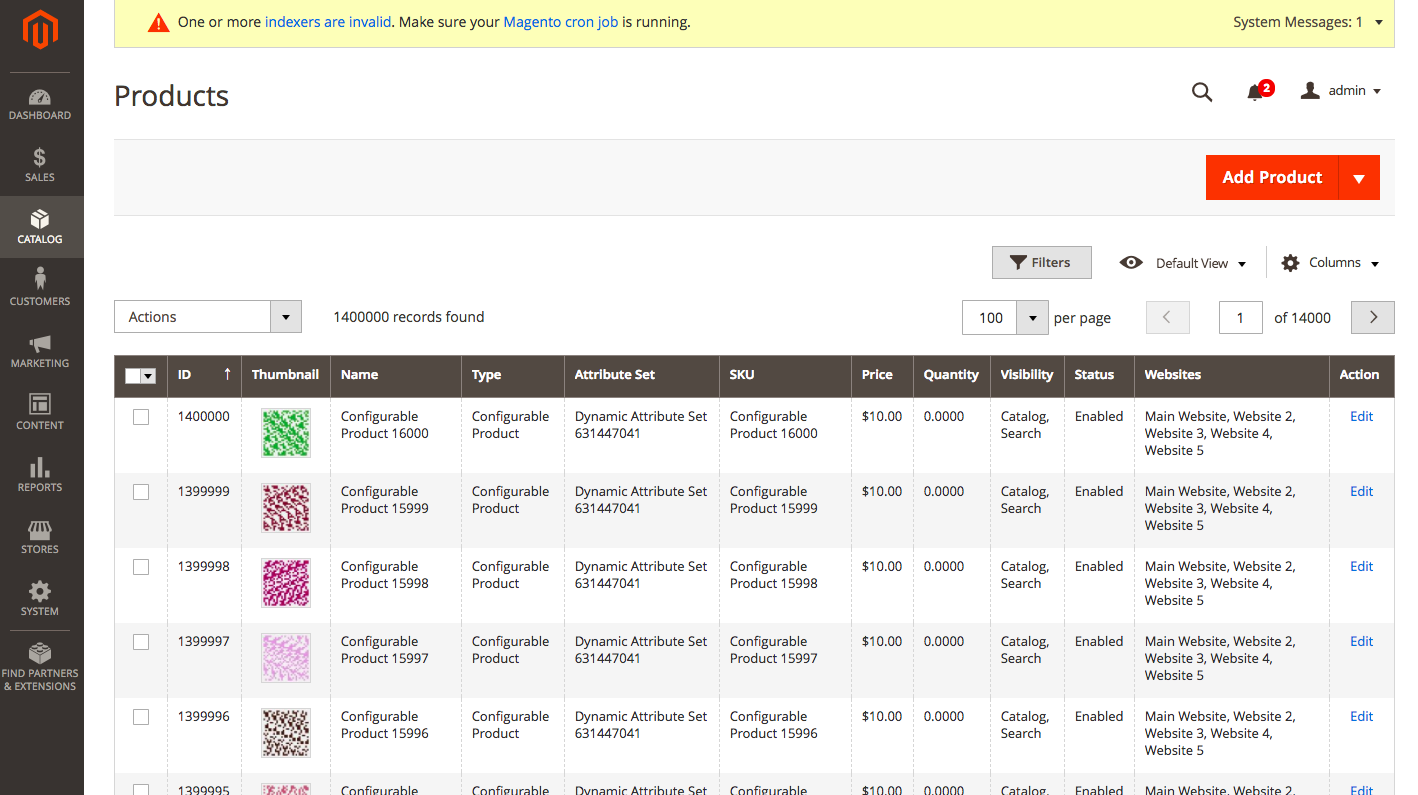 1 million SKUs
Speed Measurements
Now it is time to feel 1 million products. I have to say I put store in production mode and enabled all cache options.
We will be measuring server response time or time to first byte. Full page load time depends on network capacity and can be different from computer to computer.
Admin Panel
Backend seems fast. TTFB of Dashboard page is 1.37 sec:
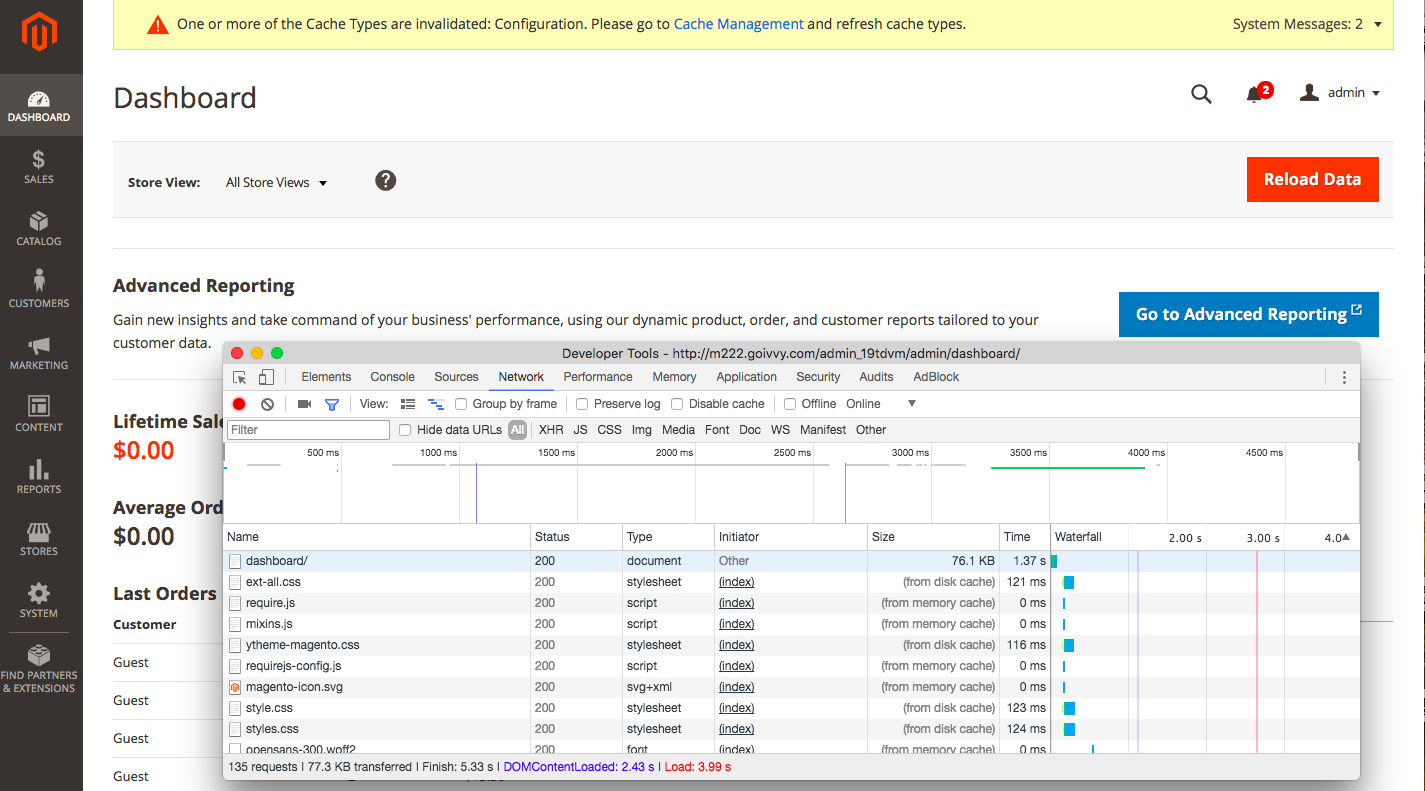 Dashboard-TTF
Catalog > Products takes 2.12 sec:
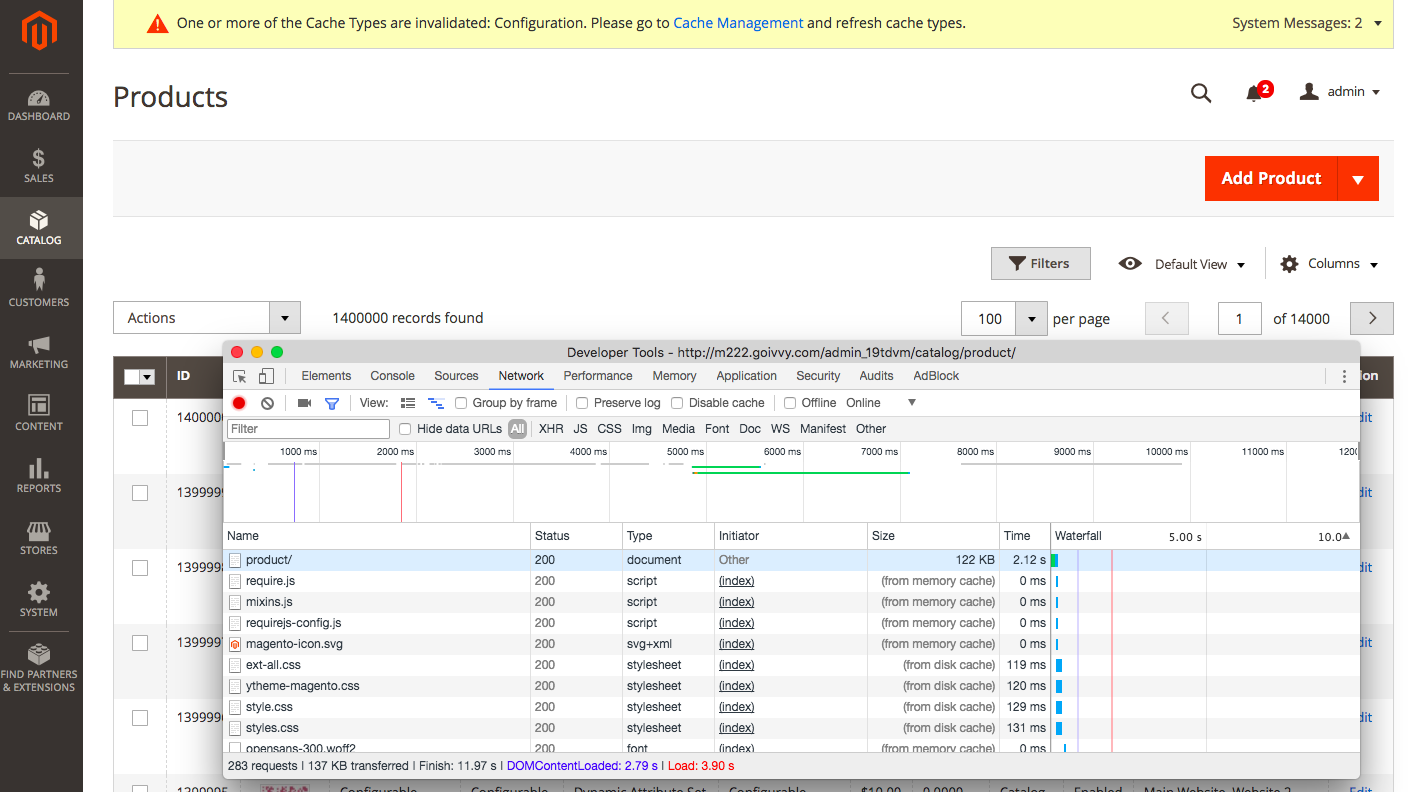 Catalog-TTFB
Catalog > Categories takes a bit more, 3.43 sec:
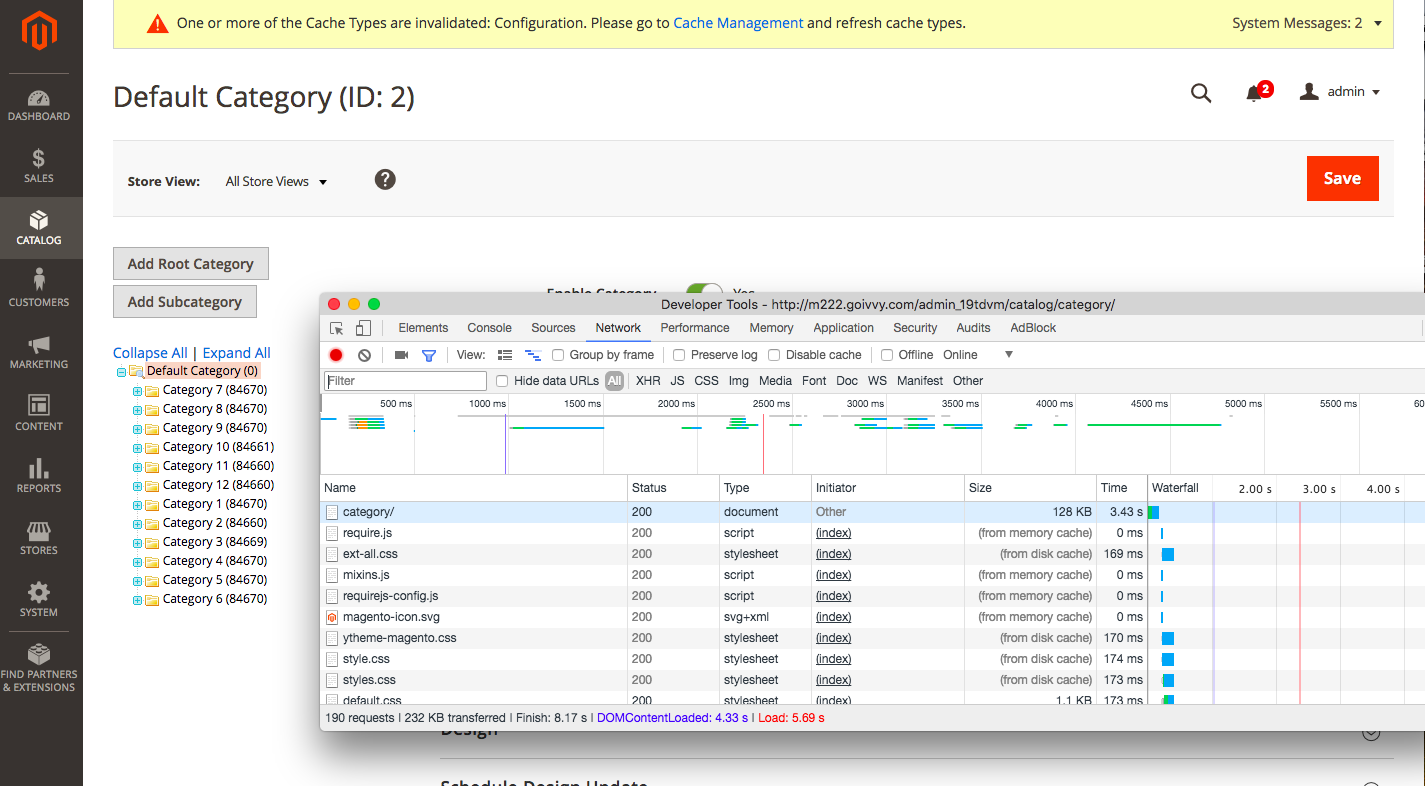 Catalog-Category-TTFB
Frontend Performance
Storefront is not so fast. Of course Full Page Cache helps but for the sake of an experiment I will turn it off:
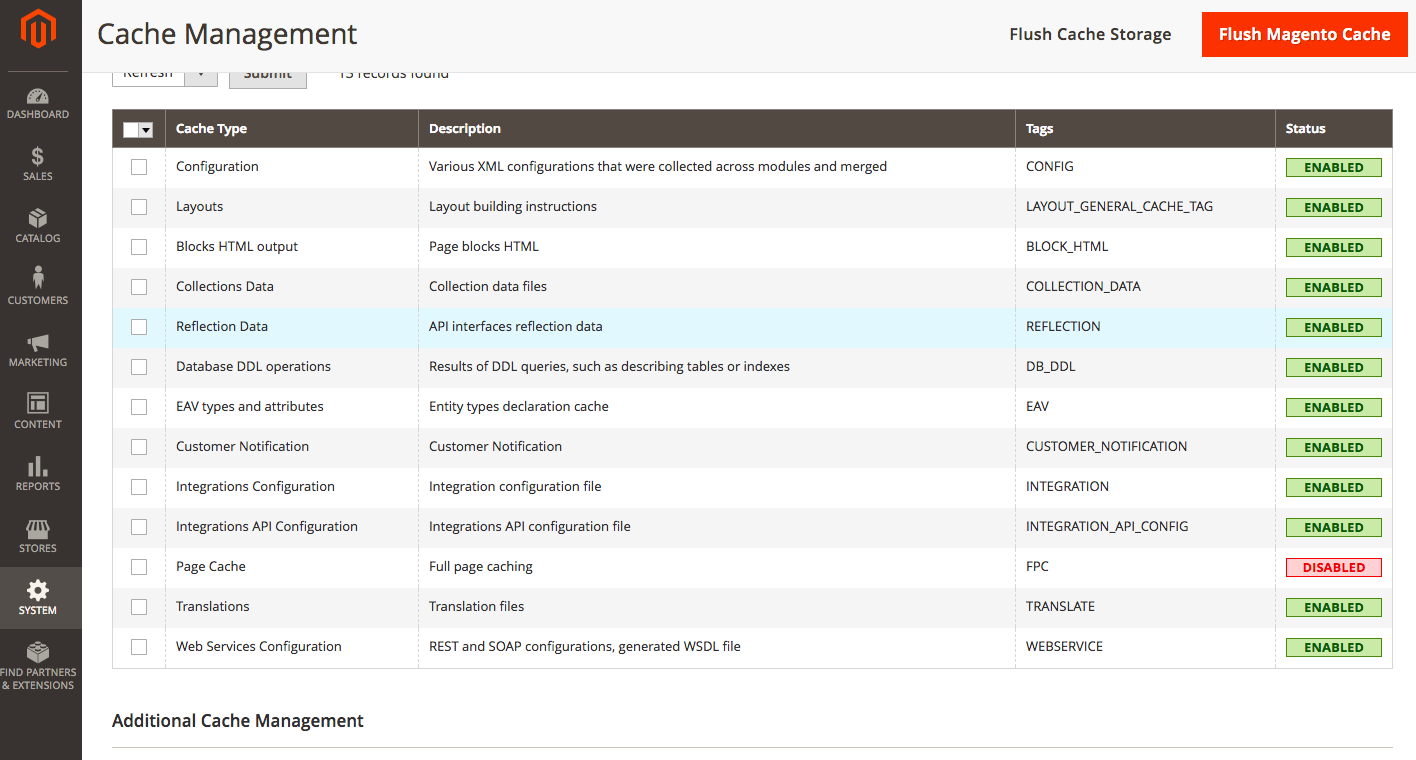 FPC is off
We are using the default Magento 2 Luma theme.
Homepage responds in 846 ms:
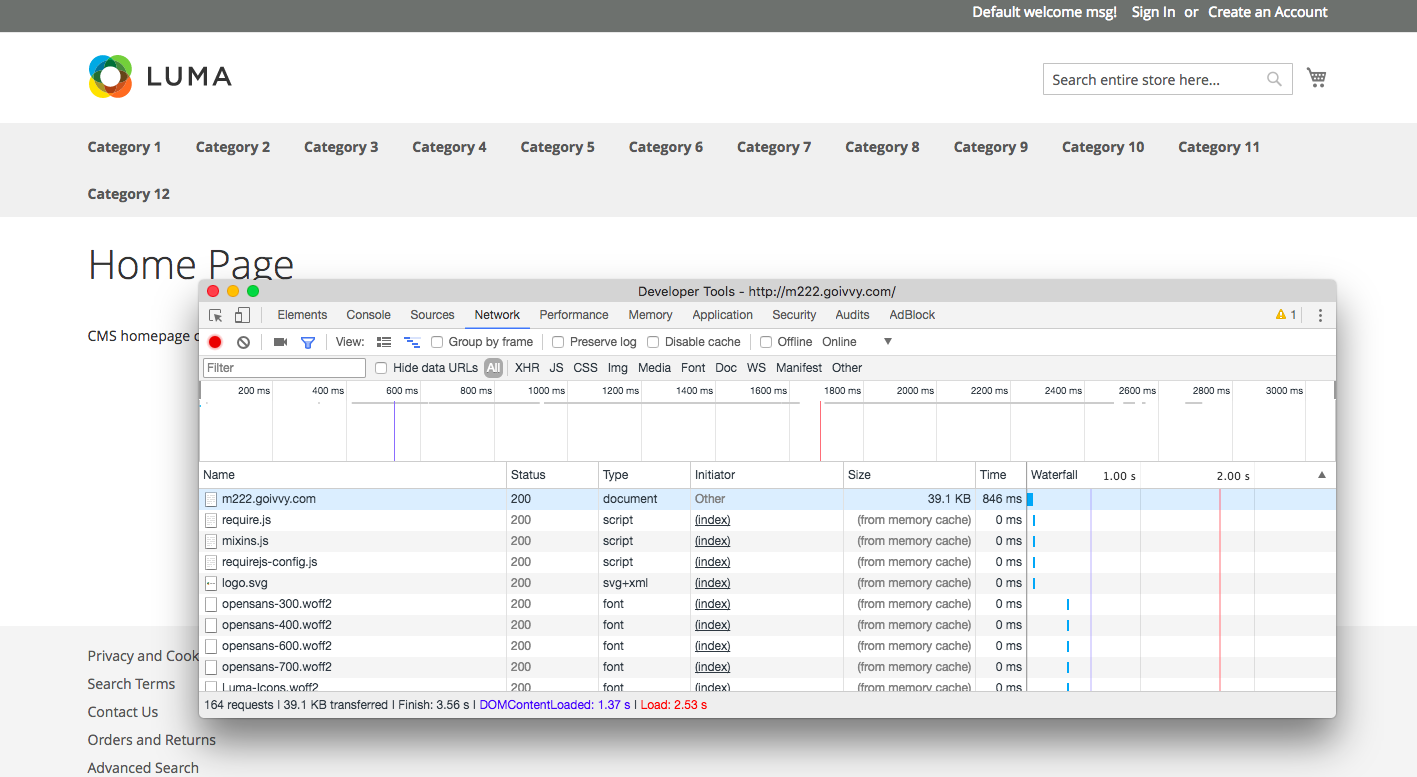 Homepage-TTFB
Category page responds in 10,03 sec:
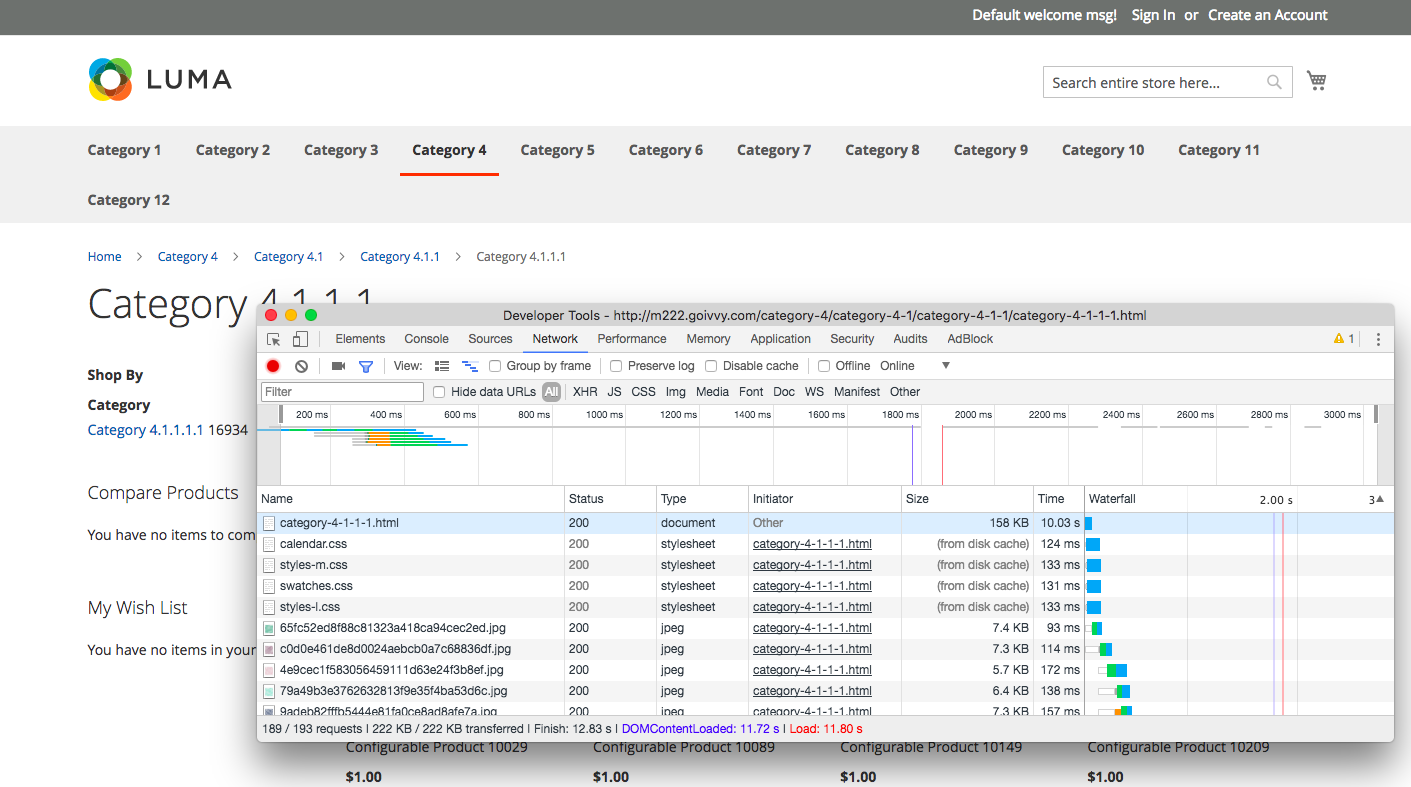 Category-TTFB
Adding a configurable product to a cart takes 1.34 sec which is alright:
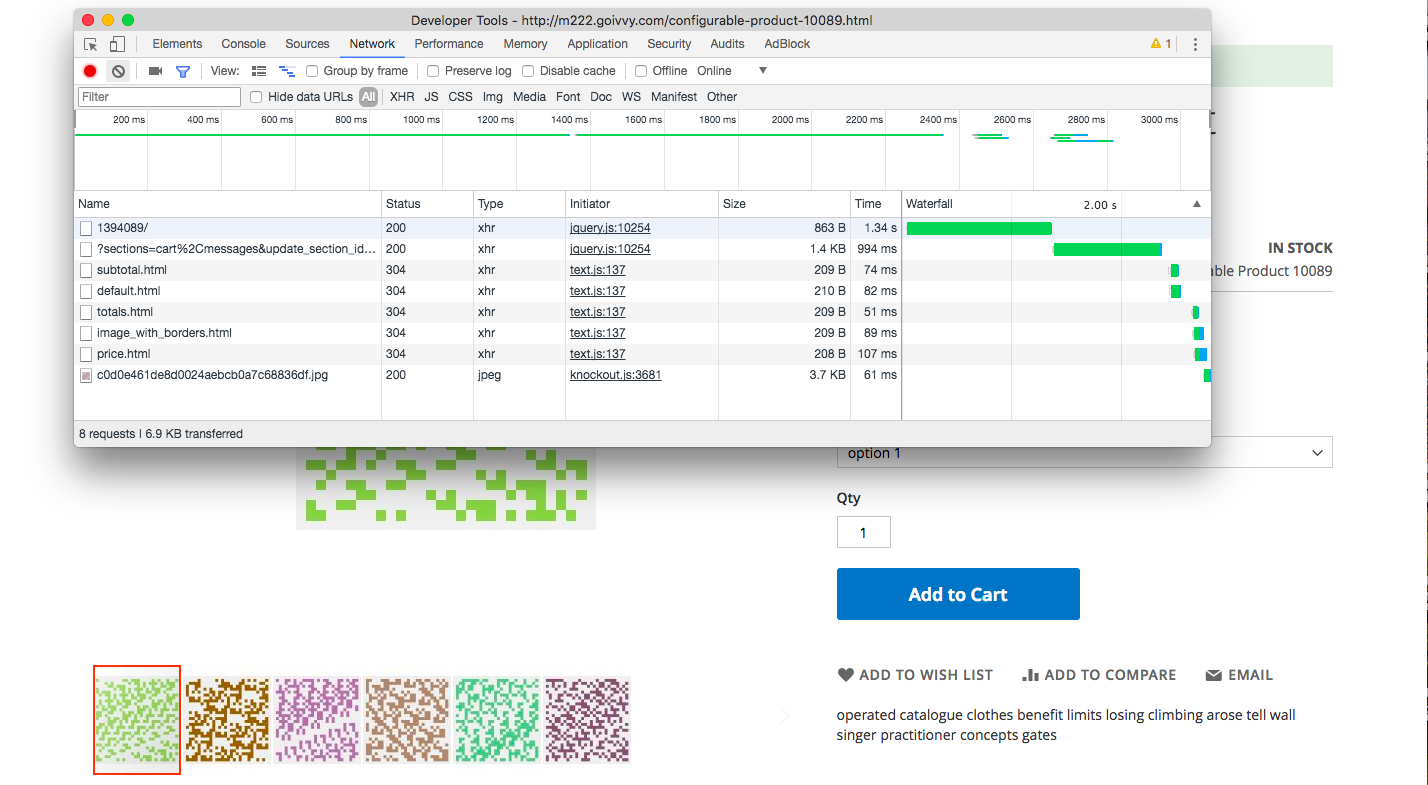 Add to cart TTFB
Takeaway
Magento 2 can easily handle more than 1 million products. Frontend speed is bearable and backend seems fast enough.
Reindex process does take time, in my case it was around an hour for all indexers to finish.
PS: Check out the article where I loaded WooCommerce with 1 million products and compared its performance to Magento 2.
[转]Magento 2 and 1 Million Products的更多相关文章
- Searching for Approximate Nearest Neighbours
Searching for Approximate Nearest Neighbours Nearest neighbour search is a common task: given a quer ...
- 近年Recsys论文
2015年~2017年SIGIR,SIGKDD,ICML三大会议的Recsys论文: [转载请注明出处:https://www.cnblogs.com/shenxiaolin/p/8321722.ht ...
- magento添加多个产品到购物车(Add multiple products to cart )
Step 1app\design\frontend\base\default\template\catalog\product\list.phtml<?php $_productColl ...
- MAGENTO - APACHE SOLR INTEGRATION - PART II (SETUP)
MAGENTO - APACHE SOLR INTEGRATION - PART II (SETUP) Tue, 03/01/2011 - 18:30 Tweet Development E-Comm ...
- Magento开发常用方法
这里是我做Magento开发常用到的方法,现在总结出来,后续会把更多有用的方法总结出来. 1.直接操作数据库 查找数据:$read = Mage::getSingleton("core/re ...
- magento app开发遇到的问题及解决
今天一直在解决Magento的APP接口调用数据异常的问题,调用/api/rest/category/:id 这个接口的时候,返回的所有目录的数据是一样的,原始代码是这样的. 1)请求地址 /api/ ...
- Magento SSH 下载安装
http://www.magentocommerce.com/wiki/1_-_installation_and_configuration/installing_magento_via_shell_ ...
- 如何迁移测试的MAGENTO到正式运行的MAGENTO
或者这个题目叫做如何改变MAGENTO的运行目录 第一,我们需要在PHPMYADMIN备份整个MAGENTO的数据.备份数据并且存为.SQL. 在这儿假设你的测试网站在http://dev.site. ...
- magento问题集
magento产品页面价格出现2遍 In app\design\frontend\default\default\template\catalog\product\view\type\Simple.p ...
随机推荐
- Http站点转Https站点教程
https://blog.csdn.net/tanga842428/article/details/79273226 Http站点转Https站点教程 2018年02月28日 12:04:35 坦GA ...
- Android-AndroidStudio-AVD启动不了-emulator: Process finished with exit code 1
注意:解决此错误目前只针对Windows系统的电脑: 1.AndroidStudio-->AVDManager(Create Virtual Device): 2.提示AVD启动不了,同时Eve ...
- uwp 用win2d获取图片主调颜色
win10在设置颜色里有个从“背景图片中选取一种主题颜色”的选项,还有在很多内容展示软件中都使用了这样的功能. 现在我们需要在 nuget 引用 win2d.uwp 和 Toolkit.uwp 两个库 ...
- Lerning Entity Framework 6 ------ Inserting, Querying, Updating, and Deleting Data
Creating Entities First of all, Let's create some entities to have a test. Create a project Add foll ...
- 下拉框select中option居中样式
下拉框select中option居中样式 text-align:center;text-align-last:center;
- cad2014卸载/安装失败/如何彻底卸载清除干净cad2014注册表和文件的方法
cad2014提示安装未完成,某些产品无法安装该怎样解决呢?一些朋友在win7或者win10系统下安装cad2014失败提示cad2014安装未完成,某些产品无法安装,也有时候想重新安装cad2014 ...
- Python-flask跨站请求伪造和跨站请求保护的实现
图中 Browse 是浏览器,WebServerA 是受信任网站/被攻击网站 A,WebServerB 是恶意网站/点击网站 B. (1) 一开始用户打开浏览器,访问受信任网站 A,输入用户名和密码登 ...
- linux服务器ssh免密码登录
假设有三台服务器的ip分别是10.9.1.101.10.9.1.102.10.9.1.103 修改hosts文件 分别修改三台服务器的hosts的文件(vi /etc/hosts), 在hosts文件 ...
- JAVA实现QRCode的二维码生成以及打印
喜欢的朋友可以关注下,粉丝也缺. 不说废话了直接上代码 注意使用QRCode是需要zxing的核心jar包,这里给大家提供下载地址 https://download.csdn.net/download ...
- python3.6使用f-string来格式化字符串
这里的f-string指的是以f或F修饰的字符串,在字符串中使用{}来替换变量,表达式和支持各种格式的输出.详细的格式化定义可以看官方文档 >>> a, b = 30, 20 > ...