
MAGENTO - APACHE SOLR INTEGRATION - PART II (SETUP)
MAGENTO - APACHE SOLR INTEGRATION - PART II (SETUP)

Continuing with the short series about integrating Magento with Apache Solr (started in this post), we'll now see how to set up and put Solr to work together with Magento.
Installing Solr
Integration with Solr has been available since version 1.8 Enterprise of Magento. For now, this is only available for the Enterprise version, not for the Community version.
First thing to do is to download Apache Solr. Grab it from here and extract the file (a typical location - for Linux - would be /usr/local/share/).
Note: to be able to run Solr, you will need Java installed in your server. I'm assuming you already have that. If you don't, just google how to do it, it is everywhere...
Once Solr is downloaded and extracted, we can test if it runs, just go to [solr-path]/example, and type the following in a terminal:
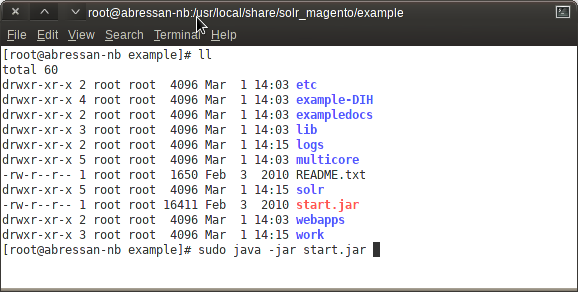
After executing that line, the terminal should start spitting information similar to this:
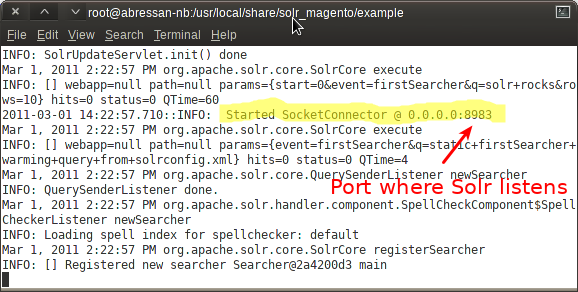
What's this? This is Solr running inside of Jetty. It comes that way when you download it. You can make it run in other servlets containers (such as Tomcat), but that is outside of the scope of this post. And, hey, Jetty is as cool as Tomcat, okay? :)
This terminal must be kept open while we use Solr. Of course that, in your production environment, you wouldn' t start Solr this way, but will make it automatically available each time the server starts. Take a look here for more info on how to do that.
The last verification to ensure that Solr is running in your machine: go tolocalhost:8983/solr in your browser. You should get this:
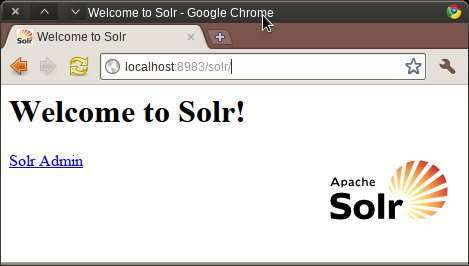
Like it says: Welcome!
Configuring Solr for Magento
Great, Solr is working. Now, what do we need to do to make it work with Magento? One of the keys when working with Apache Solr, is defining the right XML config files. The two basic files are:
- solrconfig.xml: contains most of the parameters for configuring Solr itself.
- schema.xml: contains all of the details about which fields your site is using, how these fields should be added to the index, and how they should be returned for queries.
These files need to configured according to the job we want Solr do to. Fortunately, the Magento team has already prepared them for us. The only thing we need to do is to copy the Solr conf directory from our Magento Enterprise installation (remember, 1.8 or higher), and replace the original Solrconf directory with it.
In Magento, the folder is located in: [magento-instance-root]/lib/Apache/Solr/conf.
In Solr, the folder is located in [Solr-instance-root]/example/solr/conf.
The trick is just to copy the directory from Magento, and replace the one in Solr. That's it! If you look closely, you'll see that the directory contains not just these two files, but also a bunch of other files, most of them called "protwords_??.txt", or "spellings_??.txt" (replace the ?? for two digit languages codes, such as EN, ES, etc). These are files Solr uses to handle searches in specific languages, and allow you to do a lot of fine tuning in your searches. The Magento config, out of the box, comes with the settings to use many different languages with Solr.
After replacing the directory, stop Solr (if it was still running) by clicking CTRL + C in the terminal. Then, start it again (java -jar start.jar). This time, you'll see some new stuff: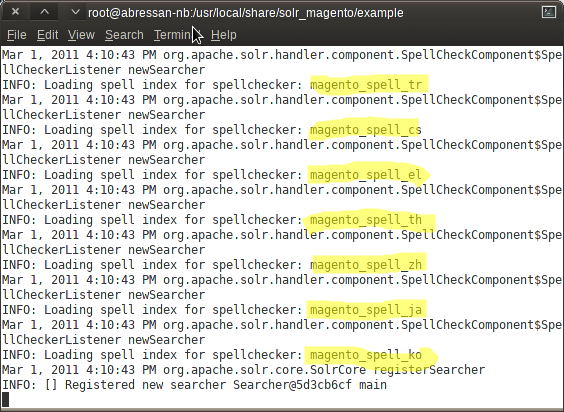
Those are all good signs. Solr has got its new configuration, and now it's ready to dialogue with Magento.
Enabling Solr In Magento
Solr is ready, it knows about Magento's dialects and tastes. It is ready and eager to work with Magento, but still Magento isn't aware of Solr's existence! Lets change all that and make them good friends.
That is done in Magento admin site. Go to the System menu, then theConfiguration option. In the options in the left panel, click on Catalog. And finally, in the options that appear in the central panel, choose Catalog Search. You'll get this screen:
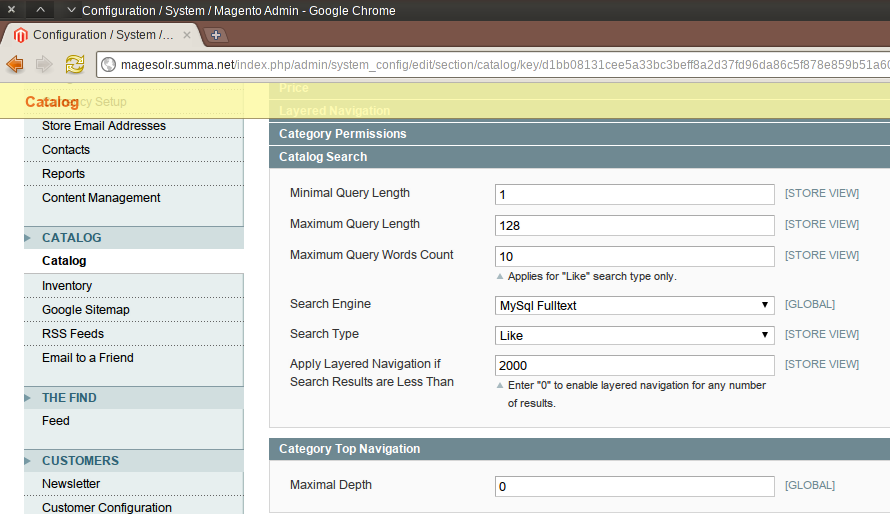
Here, we can tell Magento to use Solr, by selecting it in the Search Engine dropdown. Once we do that, the options change to this:
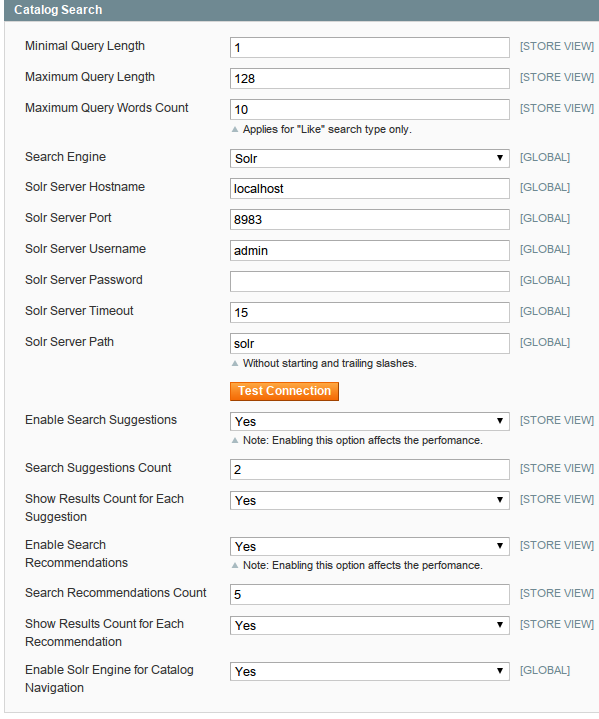
The configuration is very simple. Just provide the right info about Solr's server, port, and (if needed) authentication information. We are running it in the same machine as Magento, that's why we left the default options selected (localhost, port 8983). Running Solr in a dedicated server could be a very good idea if your site has lots of traffic.
Now, let's click on that colorful Test Connection button:

Good stuff! We have now Magento relying on Solr, and Solr ready for Magento. We are just one step away from offering a much better search experience to our customers.
Indexing Magento information in Solr
The data must be sent to Solr so it work its magic. That is very simple! We just need to recreate the Magento indexes in the usual way. Go to System, Index Management, and recreate them.
In the Solr console, you'll see a lot of activity while the reindexing goes, with things like this:
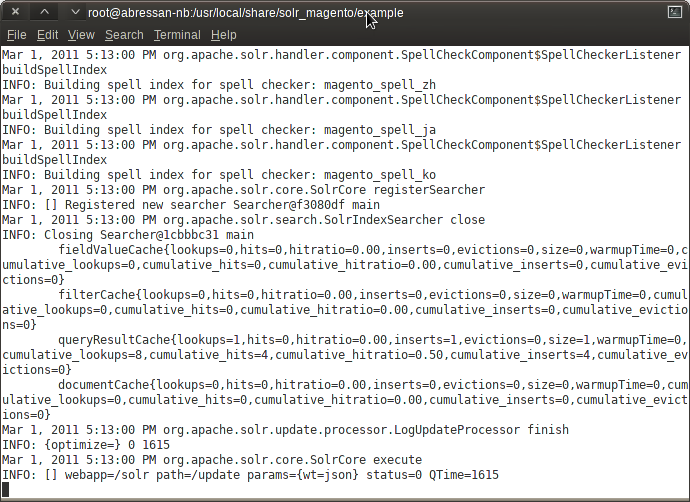
It is not crucial to understand what Solr is saying here, but it is reassuring to see that there is movement. That's the signal that the information is being sent to Solr.
Go and grab a cup of coffee while Magento and Solr share the info.
Checking stuff in the Front End
Now, go to your store page, and start searching using Solr. If your catalog is very large, you should notice the performance improvement right away. And you will also have new features available (assuming you enabled them in the search configuration earlier). For example, this is a screenshot of theSuggestions feature:
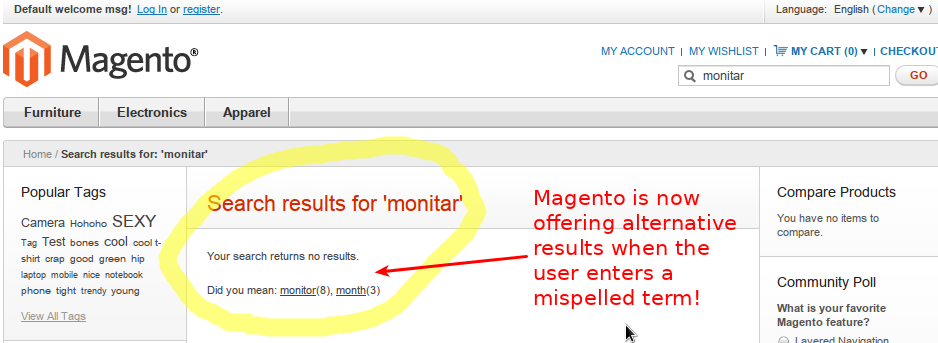
Out of the box, you get the following features working with Magento:
- The Product search
- The Navigation search (if you click "Furniture", Solr can return the products in this category).
- The Faceted Search
- The Suggestions
- Search Recommendations (you can associate terms to another terms. Good for a "You may also like" feature for your customers).
Oddly, it seems that the search autocomplete is not going through Solr. I guess the Magento team could not implement that on time, but I imagine that will be coming in the near future (can anyone on the Magento team confirm this?)
Hoping this has been helpful!
Coming up in this series, we'll publish how to index custom information in Solr from Magento, and how to create an Ajax UI to allow the users to search that info. Stay tuned!

RELATED CONTENT
MAGENTO - APACHE SOLR INTEGRATION - PART II (SETUP)的更多相关文章
- Apache Solr vs Elasticsearch
http://solr-vs-elasticsearch.com/ Apache Solr vs Elasticsearch The Feature Smackdown API Feature Sol ...
- 05 Apache Solr: 管理员界面(Admin UI)
为了方便管理员和工程师调整Solr的配置和访问在线文档和其他的帮助,Solr提供了一个Web界面去查看Solr的配置详情,运行查询语句和分析文档字段.这个界面在第三篇里面提到过就是管理员界面 ...
- 03 Apache Solr: 安装和运行
前面介绍了Solr在项目中的使用和构建高度可用.高度可扩展的Solr服务器的一些想法.但是光说不练假把式,现在开始,把Solr运行起来继续深入了解吧! 安装 安装JAVA Apache So ...
- 02 Apache Solr: 概览 Solr在信息系统架构中的位置
概述: Apache Solr是一个用JAVA语言构建在Apache Lucene项目上的开源的企业级搜索平台.主要特性包含:全文搜索.命中高亮.片段式搜索.实时索引.动态集群.数据库集成. ...
- 01 Apache Solr:提升检索体验 为什么是Solr
背景: 最近开发一个大型的仓储管理平台项目,项目的前身是无数个版本的历史悠久的基于CS模式的Windows桌面程序.然后对于每一个客户,我们可能需要为之定制比较个性化的特殊功能.于是,有一个 ...
- Apache Solr查询语法(转)
查询参数 常用: q - 查询字符串,必须的. fl - 指定返回那些字段内容,用逗号或空格分隔多个. start - 返回第一条记录在完整找到结果中的偏移位置,0开始,一般分页用. rows - 指 ...
- Apache Solr查询语法
常用: q - 查询字符串,必须的. fl - 指定返回那些字段内容,用逗号或空格分隔多个. start - 返回第一条记录在完整找到结果中的偏移位置,0开始,一般分页用. rows - 指定返回结果 ...
- 使用 PHP 和 Apache Solr 实现企业搜索
原文链接:http://www.ibm.com/developerworks/cn/opensource/os-php-apachesolr/ http://blog.csdn.net/hzcyc ...
- org.apache.solr.common.util.ContentStream.java及其实现类
org.apache.solr.common.util.ContentStream.java 主要是获取文件,URL,字节数组,字符串等的数据流.主要方法又InputStream getStream( ...
随机推荐
- Ajax表单序列化后的数据格式转成Json发送给后台
<script> $(function(){ //表单转json函数 $.fn.serializeObject = function(){ var o = {}; var a = this ...
- 用java下载hdfs文件报NullPointerException
用fs.copyToLocalFile( hdfsPath,localPath);下载hdfs的文件会报NullPointerException,具体报错为: java.lang.NullPointe ...
- C#的访问级别
可访问性级别有 public 访问不受限制. protected 访问仅限于包含类或从包含类派生的类型. interna ...
- supervisord安装使用简记
What is supervisor Supervisor is a client/server system that allows its users to monitor and control ...
- elk系列8之logstash+redis+es的架构来收集apache的日志
preface logstash--> redis --> logstash --> es这套架构在讲究松耦合关系里面是最简单的, 架构图如下: 解释下这个架构图的流程 首先前端lo ...
- ionic browser+ios头部高度显示问题
ionic项目在使用ionic build browser或者打包ios时如果设置头部高度 方法如下 .bar-header { padding:; height:; } .scroll-conten ...
- QQ空间爬虫最新分享,一天 400 万条数据(附代码地址)
http://mp.weixin.qq.com/s?__biz=MzAxMjUyNDQ5OA==&mid=2653552228&idx=1&sn=e476bf23556406c ...
- 谷歌地图地理解析和反解析geocode.geocoder详解
地址解析就是将地址(如:贵州省贵阳市)转换为地理坐标(如经度:106.71,纬度:26.57)的过程. 地理反解析和上面的过程相反是将地理坐标(如纬度:26.57,经度:106.71)转换为地址(中国 ...
- AFNetworking certificate AFNetworking 证书设置
+ (AFSecurityPolicy*)customSecurityPolicy { // /先导入证书 NSString *cerPath = [[NSBundle mainBundle] pat ...
- JDK Collection 源码分析(2)—— List
JDK List源码分析 List接口定义了有序集合(序列).在Collection的基础上,增加了可以通过下标索引访问,以及线性查找等功能. 整体类结构 1.AbstractList 该类作为L ...