
Centos 7上安装Elasticsearch
1. 先安装jdk
yum search java|grep jdk
查看yum库中都有哪些jdk版本

yum install java-1.8.0-openjdk.x86_64
两次y确认

2. centOS wget的安装和使用
安装:yum install wget

3. 安装 Elasticsearch
Elasticsearch的安装很简单,下载下来解压即可,这里使用wget下载,当然也可通过网页下载 https://www.elastic.co/downloads/elasticsearch ,再拷贝。
(1) wget https://artifacts.elastic.co/downloads/elasticsearch/elasticsearch-5.6.3.tar.gz
(2) 解压到/usr/local/
tar -zxvf elasticsearch-5.6.3.tar.gz -C /usr/local/
(3) Elasticsearch 要求不能使用超级用户root运行,所以我们建立一个testuser账号
# 创建testuser账户
adduser testuser
# 修改密码
passwd testuser
给testuser用户elasticsearch目录的授权
chown -R testuser /usr/local/elasticsearch-5.6.3/
切换至elasticsearch目录,并以testuser用户运行
运行elasticsearch,如果想后台运行后面加 -d
Elasticsearch后端启动命令为:./bin/elasticsearch -d
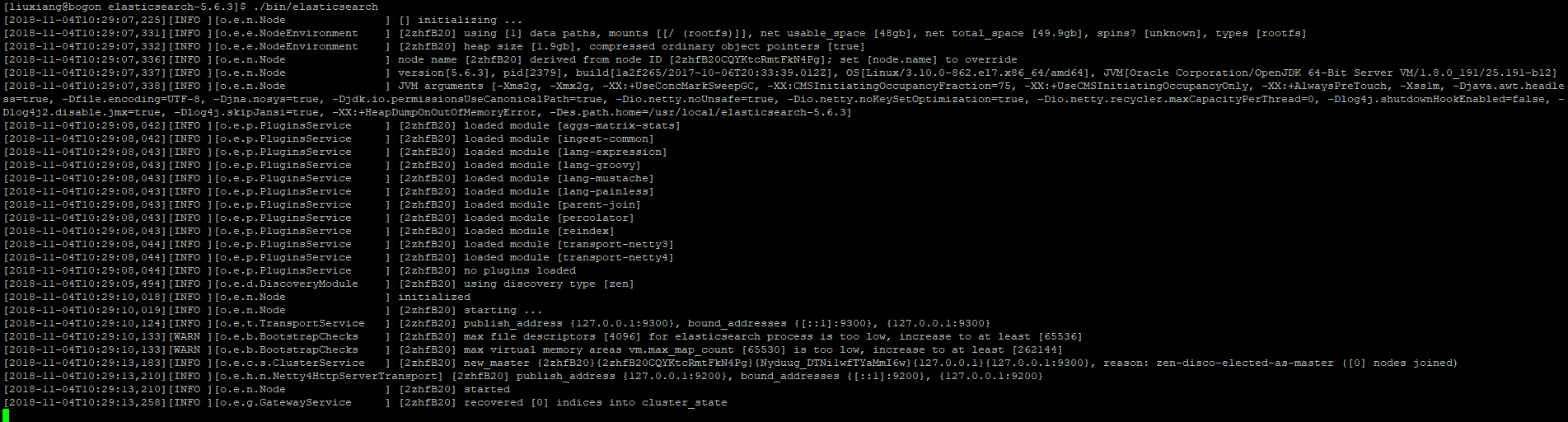
如果没有没有error,就运行成功啦
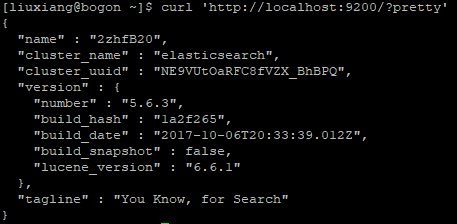
4. 新开一个终端,用curl访问
curl 'http://localhost:9200/?pretty'
5. vim安装
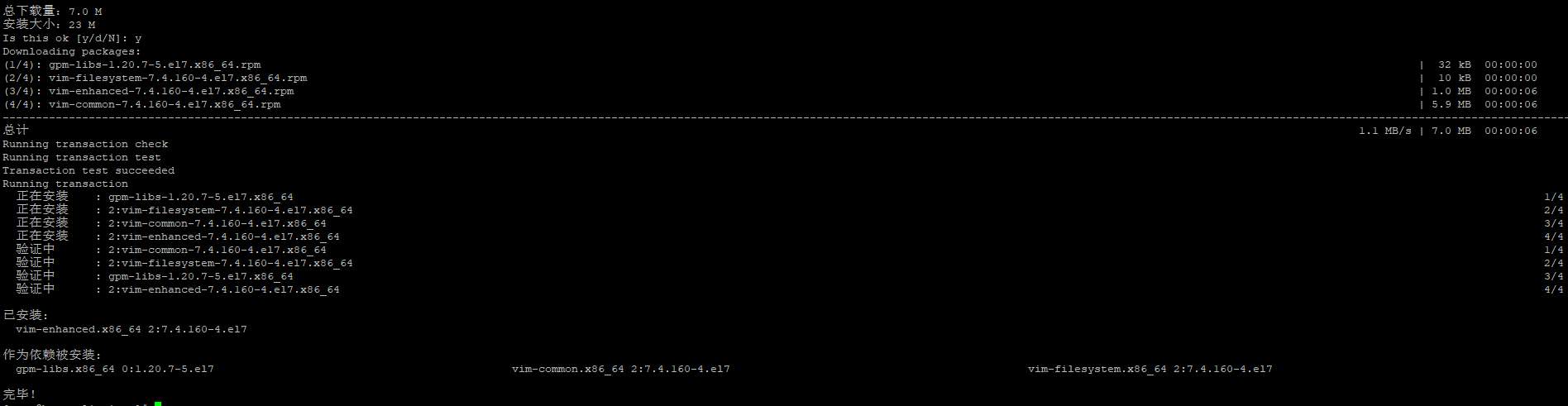
yum search vim

安装VIM:
yum install vim-enhanced
6. 指定ip地址
编辑es的配置文件
[testuser@localhost elasticsearch-5.6.3]$ vim ./config/elasticsearch.yml1
找到network.host: 一行,去除#号,修改为:
network.host: [_local_, 172.30.6.1]1
172.30.6.1为指定的ip地址,可以是多个。
这样就可以在浏览器里打开啦
http://172.30.6.1:9200/?pretty
7. 查看运行状态:
curl http://localhost:9200

安装完后启动服务:
systemctl start elasticsearch.service
8. 安装Elasticsearch head插件
wget https://github.com/mobz/elasticsearch-head/archive/master.zip
unzip master.zip


9. 安装node
wget https://npm.taobao.org/mirrors/node/latest-v4.x/node-v4.4.7-linux-x64.tar.gz
tar -zxvf node-v4.4.7-linux-x64.tar.gz


vi /etc/profile
export NODE_HOME=/usr/java/head/node
export PATH=$PATH:$NODE_HOME/bin
export NODE_PATH=$NODE_HOME/lib/node_modules
执行 source /etc/profile
10. 安装npm
安装 nodejs:
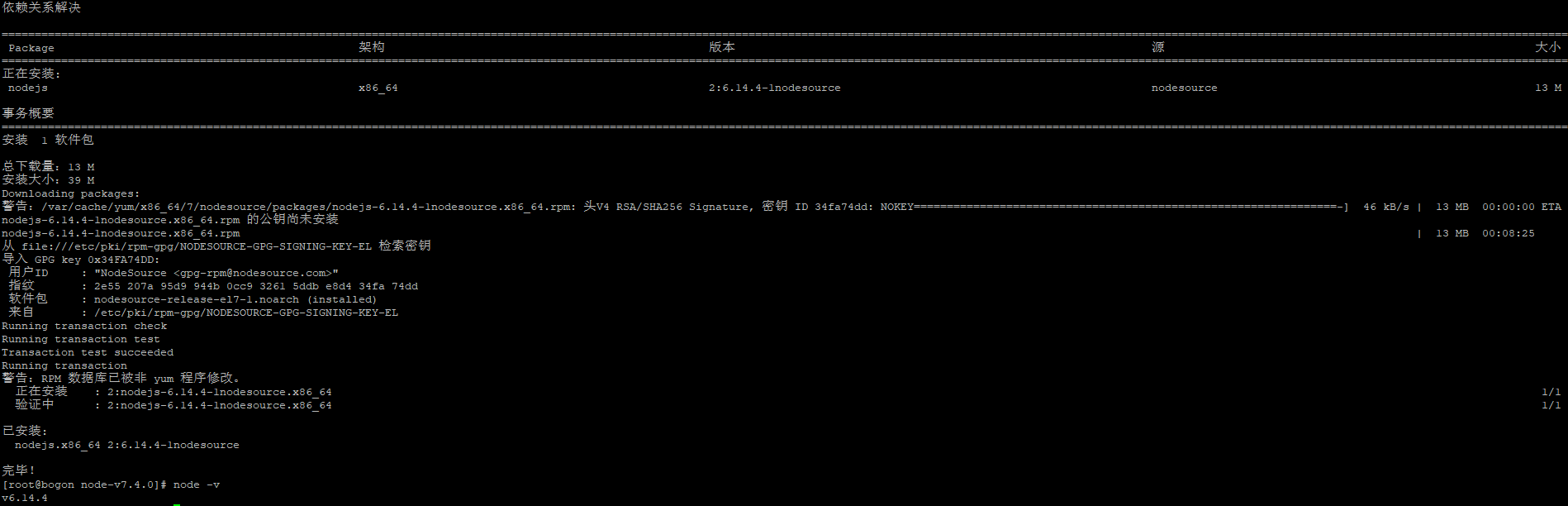
curl -sL https://rpm.nodesource.com/setup_6.x | bash -
yum install -y nodejs
如果提示你需要安装构建工具 gcc gcc++ 什么的你就安装就行了,安装完了再重新安装 nodejs
命令:node -v 如果输出版本号就安装成功了。
更新 npm
npm install npm@latest -g
命令:npm -v 输出版本号就成功安装了。
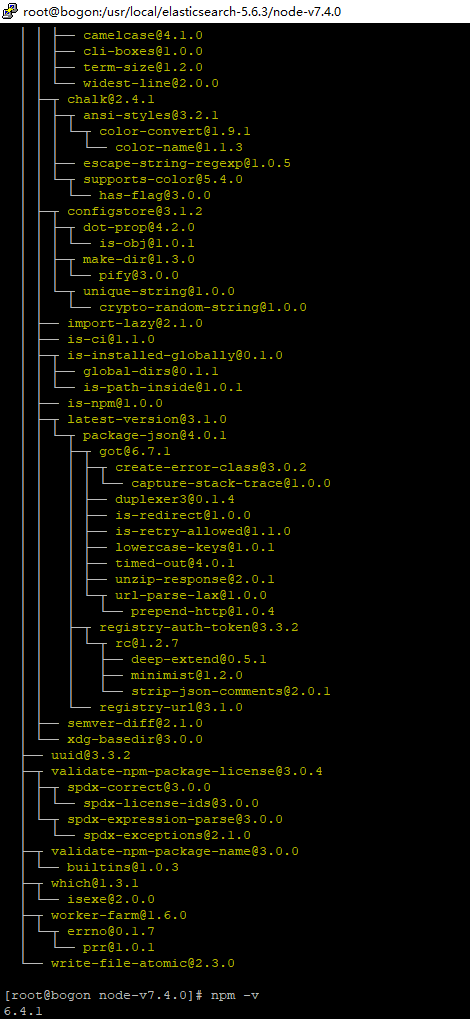
【卸载npm:sudo npm uninstall npm -g ,
卸载nodejs包:yum remove nodejs,
cd 到yum源配置文件夹:cd /etc/yum.repo.d ,删除以 node 开头的源;
清除 yum 缓存 yum clean all 】
11. 安装grunt
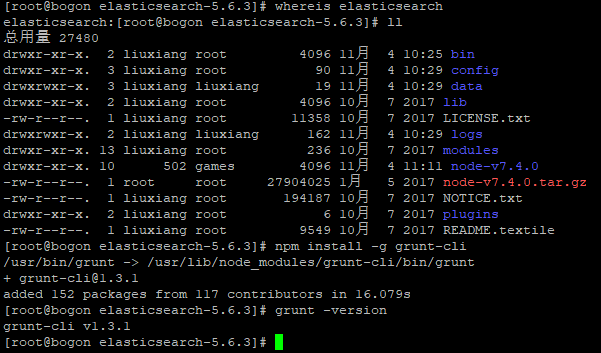
whereis elasticsearch
执行后会生成node_modules文件夹
npm install -g grunt-cli
检查是否安装成功
grunt -version
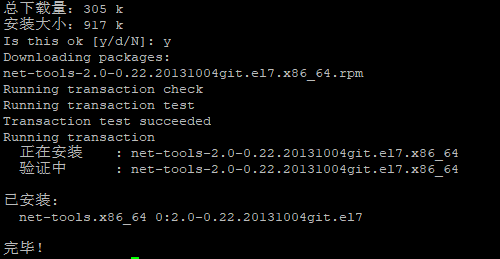
12. 安装netstat
yum install net-tools
13. 先从yum安装git
yum –y install git
14. 下载head
git clone git://github.com/mobz/elasticsearch-head.git
cd elasticsearch-head
npm install
npm run start
启动后会出现连接不上.....
因head运行在9100上,而elasticsearch在9200上,因此需要配置跨越访问。
在 elasticsearch.yml中添加cors允许跨越访问,* 表示允许任何ip进行访问,可改为指定ip:
http.cors.enabled: true
http.cors.allow-origin: "*"
修改head插件源码 修改服务器监听地址:Gruntfile.js
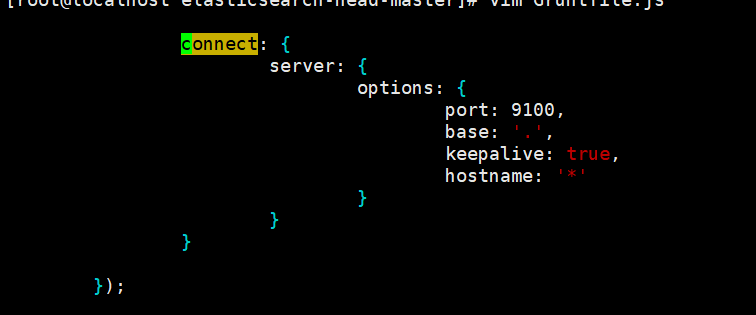
修改连接地址:_site/app.js
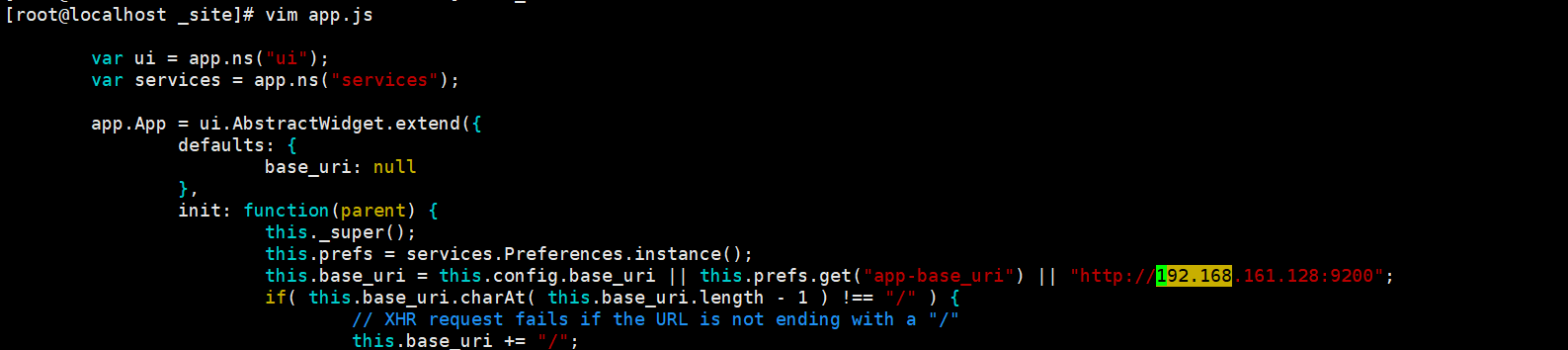
运行head
在elasticsearch-head-master目
npm install phantomjs-prebuilt@2.1.16 --ignore-scripts
nohup grunt server &exit
访问http://xxx:9100
添加防火墙:firewall-cmd --zone=public --add-port=9100/tcp --permanent

Centos 7上安装Elasticsearch的更多相关文章
- 在Windows上安装Elasticsearch 5.0
在windows上安装Elasticsearch Elasticsearch可以使用.zip软件包安装在Windows上. elasticsearch-service.bat命令,它将设置Elasti ...
- 在CentOS 7上安装.NET Core R2跑Hello World
前言 在上个月.NET Core出了最新版本预览版,只是在Window系统上试验了一下.原本想等发布正式版的时候在linux系统上试试,可能还需要一段时间,刚好有空可以折腾一下. 由于之前安装的Ubu ...
- 如何在 CentOS 7 上安装 Redis 服务器
大家好,本文的主题是 Redis,我们将要在 CentOS 7 上安装它.编译源代码,安装二进制文件,创建.安装文件.在安装了它的组件之后,我们还会配置 redis ,就像配置操作系统参数一样,目标就 ...
- Linux Centos 系统上安装BT客户端 Transmission
Linux Centos 系统上安装BT客户端 Transmission Transmission是一种BitTorrent客户端,特点是一个跨平台的后端和其上的简洁的用户界面,以MIT许可证和G ...
- 在CentOS 7上安装phpMyAdmin
原文 在CentOS 7上安装phpMyAdmin phpMyAdmin是一款以PHP为基础,基于Web的MySQL/MariaDB数据库管理工具.虽然已经存在着一些诸如Adminer的轻量级数据库管 ...
- 在CentOS 6上安装Apache和PHP
本文演示如何在CentOS 6上安装Apache和PHP.CentOS 6自带的是Apache 2.2.3和PHP 5.1.6,您可以使用默认的CentOS包管理器进行安装yum.使用yum(而不是使 ...
- CentOS Linux上安装Oracle11g笔记
CentOS Linux上安装Oracle11g 到 otn.oracle.com 网站上下载 Linux版的oracle 11g 编辑 /etc/sysctl.conf : kernel.shmal ...
- 在Linux上安装Elasticsearch Kibaba.md
在Linux上安装Elasticsearch Kibaba Kibana是一个开源为elasticsearch 引擎提供数据和数据分析 1.下载安装 切换到root账户,按顺序依次执行以下命令 rpm ...
- 在Linux上安装Elasticsearch Head工具.md
在Linux上安装Elasticsearch Head工具 1.修改elasticsearch的参数 编辑elasticsearch的配置文件elasticsearch.yml $ vim /data ...
随机推荐
- java设计模式-责任链
背景:要把<script>等<>html标签替换掉:把敏感词屏蔽或者替换等: 1.刚开始可能这么写: public class Main { public static voi ...
- Python类方法、静态方法与实例方法 -----类里面不需要实例化参数 和没带self的函数 调用此函数的方法
来源: https://www.cnblogs.com/blackmatrix/p/5606364.html 静态方法是指类中无需实例参与即可调用的方法(不需要self参数),在调用过程中,无需将类实 ...
- Heap堆分析(堆转储、堆分析)
一.堆直方图 减少内存使用时一个重要目标,在堆分析上最简单的方法是利用堆直方图.通过堆直方图我们可以快速看到应用内的对象数目,同时不需要进行完整的堆转储(因为堆转储需要一段时间来分析,而且会消耗大量磁 ...
- [转][Centos]常用命令之:ls和cd
来自:https://www.cnblogs.com/zerotomax/p/7224927.html ls 类似于 dir 在使用centos这个linux系统的时候,我们总是免不了需要查看当前目录 ...
- 1127 ZigZagging on a Tree (30 分)
1127 ZigZagging on a Tree (30 分) Suppose that all the keys in a binary tree are distinct positive in ...
- centos 7安装搜狗输入法
1.安装alien依赖软件 sudo yum install alien -y 2.安装依赖软件 sudo yum install qtwebkit -y 3.转换rpm包 sudo alien -r ...
- Jmeter(二十六)Jmeter-Question之“集成Jenkins”
Jenkins,最初被称为Hudson,是一个Java语言编写的开源持续集成工具.Jenkins在持续集成领域的市场份额居于主导地位,其被各种规模的团队用于各种语言和技术的项目中,比如.net.rub ...
- [UE4]创建属性绑定
- [UE4]C++实现动态加载的问题:LoadClass<T>()和LoadObject<T>() 及 静态加载问题:ConstructorHelpers::FClassFinder()和FObjectFinder()
转自:http://aigo.iteye.com/blog/2281558 动态加载UObject和动态加载UClass分别用LoadObject<T>(),和LoadClass<T ...
- [SQL]SQL中EXISTS的用法
比如在Northwind数据库中有一个查询为SELECT c.CustomerId,CompanyName FROM Customers cWHERE EXISTS(SELECT OrderID FR ...