
UITableView加载网络数据的优化
UITableView加载网络数据的优化

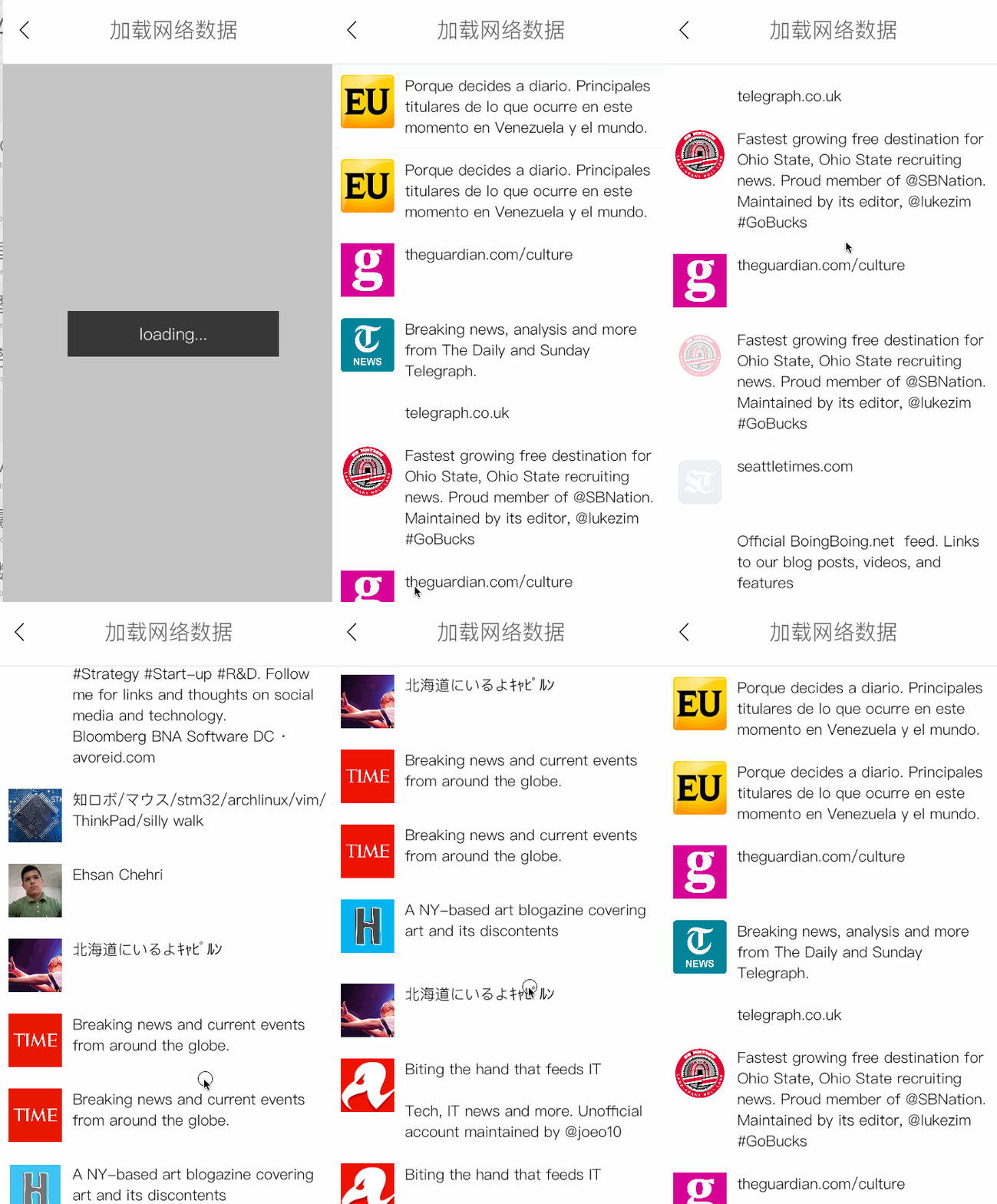
效果
源码
https://github.com/YouXianMing/Animations
//

//  TableViewLoadDataController.m

//  Animations

//

//  Created by YouXianMing on 16/2/2.

//  Copyright © 2016年 YouXianMing. All rights reserved.

//

#import "TableViewLoadDataController.h"

#import "V_2_X_Networking.h"

#import "TableViewLoadDataRootModel.h"

#import "LoadUrlDataCell.h"

#import "CellDataAdapter.h"

#import "NSString+LabelWidthAndHeight.h"

#import "UIFont+Fonts.h"

#import "UIView+SetRect.h"

#import "MessageAlertView.h"

#import "GCD.h"

@interface TableViewLoadDataController () <UITableViewDelegate, UITableViewDataSource, NetworkingDelegate>

@property (nonatomic, strong) UITableView                         *tableView;

@property (nonatomic, strong) V_2_X_Networking                    *dataNetworking;

@property (nonatomic, strong) NSMutableArray <CellDataAdapter *>  *datasArray;

@property (nonatomic, strong) MessageAlertView                    *showLoadingView;

@end

@implementation TableViewLoadDataController

- (void)setup {

    [super setup];

    [self createDataSource];

    [self createTableView];

    [self startNetworking];

}

- (void)createDataSource {

    self.datasArray = [NSMutableArray array];

}

- (void)startNetworking {

    self.showLoadingView             = [[MessageAlertView alloc] init];

    self.showLoadingView.message     = @"loading...";

    self.showLoadingView.contentView = self.contentView;

    [self.showLoadingView show];

    self.dataNetworking = [V_2_X_Networking getMethodNetworkingWithUrlString:@"https://api.app.net/stream/0/posts/stream/global"

                                                           requestDictionary:nil

                                                             requestBodyType:[HttpBodyType type]

                                                            responseDataType:[JsonDataType type]];

    self.dataNetworking.delegate        = self;

    self.dataNetworking.timeoutInterval = @();

    [self.dataNetworking startRequest];

}

- (void)createTableView {

    self.tableView                = [[UITableView alloc] initWithFrame:self.contentView.bounds];

    self.tableView.delegate       = self;

    self.tableView.dataSource     = self;

    self.tableView.separatorStyle = UITableViewCellSeparatorStyleNone;

    [self.tableView registerClass:[LoadUrlDataCell class] forCellReuseIdentifier:@"LoadUrlDataCell"];

    [self.contentView addSubview:self.tableView];

}

- (NSInteger)tableView:(UITableView *)tableView numberOfRowsInSection:(NSInteger)section {

    return self.datasArray.count;

}

- (UITableViewCell *)tableView:(UITableView *)tableView cellForRowAtIndexPath:(NSIndexPath *)indexPath {

    CellDataAdapter *adapter = self.datasArray[indexPath.row];

    CustomAdapterTypeCell *cell = [tableView dequeueReusableCellWithIdentifier:adapter.cellReuseIdentifier];

    cell.dataAdapter            = adapter;

    [cell loadContent];

    return cell;

}

- (CGFloat)tableView:(UITableView *)tableView heightForRowAtIndexPath:(NSIndexPath *)indexPath {

    CellDataAdapter *adapter = self.datasArray[indexPath.row];

    return adapter.cellHeight;

}

#pragma mark - NetworkingDelegate

- (void)requestSucess:(Networking *)networking data:(id)data {

    [self.showLoadingView hide];

    TableViewLoadDataRootModel *rootModel = [[TableViewLoadDataRootModel alloc] initWithDictionary:data];

    if (rootModel.meta.code.integerValue == ) {

        [GCDQueue executeInGlobalQueue:^{

            for (int i = ; i < rootModel.data.count; i++) {

                DataModel *dataModel = rootModel.data[i];

                if (dataModel.user.infomation.text.length <= ) {

                    continue;

                }

                NSDictionary *fontInfo   = @{NSFontAttributeName: [UIFont HeitiSCWithFontSize:.f]};

                CGFloat       height     = [dataModel.user.infomation.text heightWithStringAttribute:fontInfo fixedWidth:Width - ];

                CGFloat       cellHeight = height <=  ?  +  +  :  + height + ;

                CellDataAdapter *dataAdapter = [CellDataAdapter cellDataAdapterWithCellReuseIdentifier:@"LoadUrlDataCell" data:dataModel

                                                                                            cellHeight:cellHeight cellType:];

                [self.datasArray addObject:dataAdapter];

            }

            [GCDQueue executeInMainQueue:^{

                NSMutableArray *indexPaths = [NSMutableArray array];

                for (int i = ; i < self.datasArray.count; i++) {

                    [indexPaths addObject:[NSIndexPath indexPathForItem:i inSection:]];

                }

                [self.tableView insertRowsAtIndexPaths:indexPaths withRowAnimation:UITableViewRowAnimationFade];

            }];

        }];

    } else {

        AbstractAlertView *alertView     = [[MessageAlertView alloc] init];

        alertView.message                = @"No data now.";

        alertView.contentView            = self.contentView;

        alertView.autoHiden              = YES;

        alertView.delayAutoHidenDuration = .f;

        [alertView show];

    }

}

- (void)requestFailed:(Networking *)networking error:(NSError *)error {

    [self.showLoadingView hide];

    AbstractAlertView *alertView     = [[MessageAlertView alloc] init];

    alertView.message                = @"Network error.";

    alertView.contentView            = self.contentView;

    alertView.autoHiden              = YES;

    alertView.delayAutoHidenDuration = .f;

    [alertView show];

}

@end
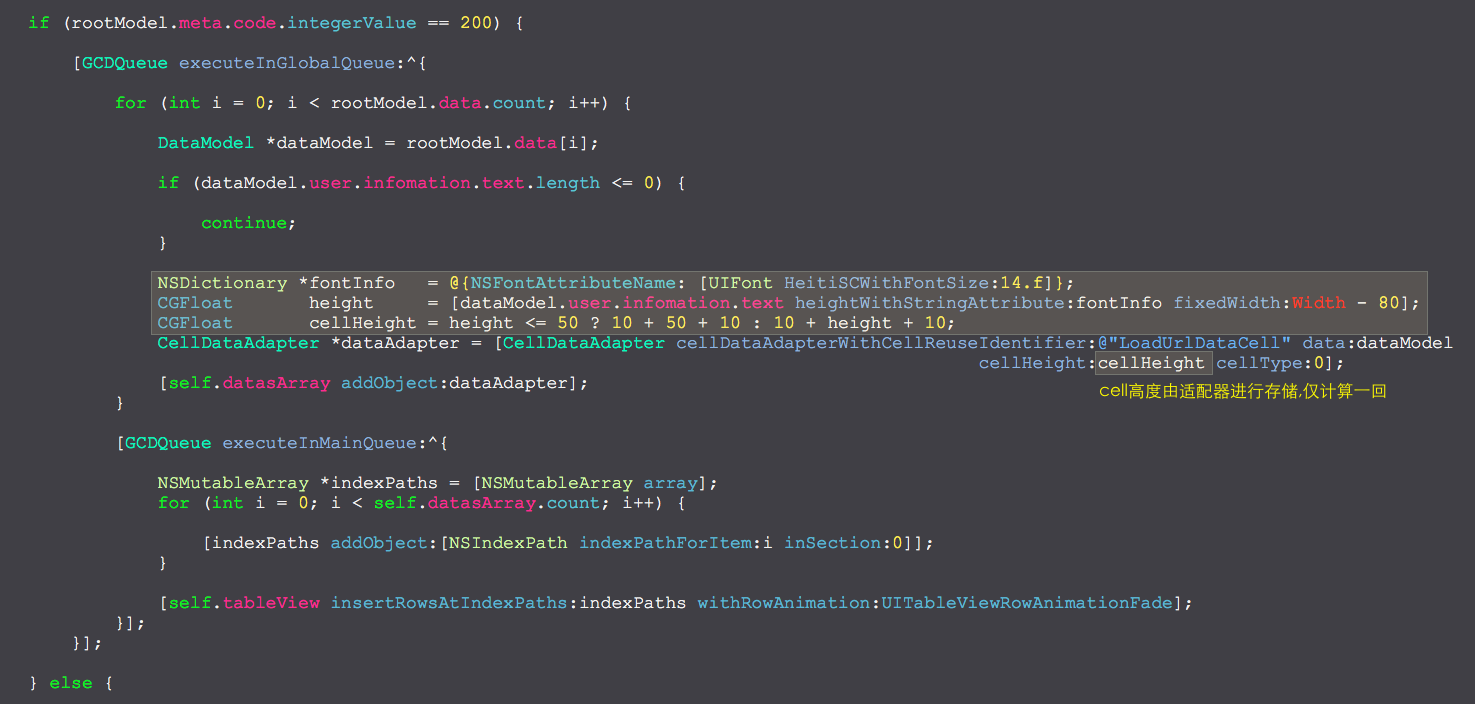
细节
UITableView加载网络数据的优化的更多相关文章
- Android之ListView&Json加载网络数据
使用到的主要内容: 1.Json 解析网络数据 2.异步任务加载图片和数据 3.ListView 的内存空间优化(ConvertView)和运行时间优化(ViewHolder) 4.ListView ...
- android122 zhihuibeijing 新闻中心NewsCenterPager加载网络数据实现
新闻中心NewsCenterPager.java package com.itheima.zhbj52.base.impl; import java.util.ArrayList; import an ...
- iOS中 UIWebView加载网络数据 技术分享
直奔核心: #import "TechnologyDetailViewController.h" #define kScreenWidth [UIScreen mainScreen ...
- NSURLConnection 异步加载网络数据
#import "ViewController.h" @interface ViewController () @end @implementation ViewControlle ...
- 鸿蒙的fetch请求加载聚合数据的前期准备工作-手动配置网络权限
目录: 1.双击打开"config.json"文件 2.找到配置网络访问权限位置1 3.配置内容1 4.默认访问内容是空的 5.添加配置内容2 6.复制需要配置的网络二级URL 7 ...
- ios网络学习------4 UIWebView的加载本地数据的三种方式
ios网络学习------4 UIWebView的加载本地数据的三种方式 分类: IOS2014-06-27 12:56 959人阅读 评论(0) 收藏 举报 UIWebView是IOS内置的浏览器, ...
- DevExpress ChartControl大数据加载时有哪些性能优化方法
DevExpress ChartControl加载大数据量数据时的性能优化方法有哪些? 关于图表优化,可从以下几个方面解决: 1.关闭不需要的可视化的元素(如LineMarkers, Labels等) ...
- js防抖和节流优化浏览器滚动条滚动到最下面时加载更多数据
防抖和节流,主要是用来防止过于平凡的执行某个操作,如浏览器窗口变化执行某个操作,监听某个input输入框keyup变化,瀑布流布局时Y轴滚动,图片加载. js函数的防抖 经过一段事件才执行某个操作,如 ...
- Learning Spark中文版--第五章--加载保存数据(2)
SequenceFiles(序列文件) SequenceFile是Hadoop的一种由键值对小文件组成的流行的格式.SequenceFIle有同步标记,Spark可以寻找标记点,然后与记录边界重新 ...
随机推荐
- java 把被检查的异常转换为不检查的异常
一.当我们不知道该怎么处理这个异常,但是也不想把它"吞"了,或者打印一些无用的信息,可以使用异常链的思路解决.可以直接报"被检查的异常"包装进RuntimeEx ...
- Excel学习笔记:sumif、sumifs、countifs函数使用方法
本篇纯粹记录一下sumif.sumifs.countifs函数的使用方法. 一.sumif函数 按条件求和 使用格式:=sumif(条件区域,求和条件,实际求和区域) =SUMIF($B$7:$B$1 ...
- 下载vc++运行库
之前下载vc++运行库都是百度,从中关村.当下等软件网站下载,但是最近这些网站涉及到安全问题,所以从官网下载比较合适 微软官网-中文 在搜索中 搜索vc++2010/2015等,搜索结果中找到xxxx ...
- 005 RequestMapping_HiddenHttpMethodFilter 过滤器
很郁闷,这个查了很多资料,就是put与delete还是不好用. 但是看了一个文档后解决了,有些感谢这篇文档:http://blog.csdn.net/tiberroot/article/details ...
- 【转载】【收藏】Github上免费的编程教程【作者Victor Felder】
原链接:https://github.com/EbookFoundation/free-programming-books/blob/master/free-programming-books-zh. ...
- 让HTML5来为你定位(转)
add by zhj: HTML5的地理定位返回的应该都是GPS坐标,即WGS-84坐标,参见Map Types - Google Maps JavaScript API v3 本文使用的是Chrom ...
- Lighthouse前端性能优化测试工具
在前端开发中,对于自己开发的app或者web page性能的好坏,一直是让前端开发很在意的话题.我们需要专业的网站测试工具,让我们知道自己的网页还有哪些需要更为优化的方面,我自己尝试了一款工具:Lig ...
- http://blog.mn886.net/jqGrid/
http://blog.mn886.net/jqGrid/ 中文版 http://www.trirand.com/blog/jqgrid/jqgrid.html 英文版
- Ubuntu 编译安装 nDPI
1.安装gcc 和 build-essential sudo apt-get install gccsudo apt-get install build-essential 2.安装必要的软件 sud ...
- CF815C Karen and Supermarket
题目链接 CF815C Karen and Supermarket 题解 只要在最大化数量的前提下,最小化花费就好了 这个数量枚举ok, dp[i][j][1/0]表示节点i的子树中买了j件商品 i ...