
.Net Core微服务入门全纪录(三)——Consul-服务注册与发现(下)
前言
上一篇【.Net Core微服务入门全纪录(二)——Consul-服务注册与发现(上)】已经成功将我们的服务注册到Consul中,接下来就该客户端通过Consul去做服务发现了。
服务发现
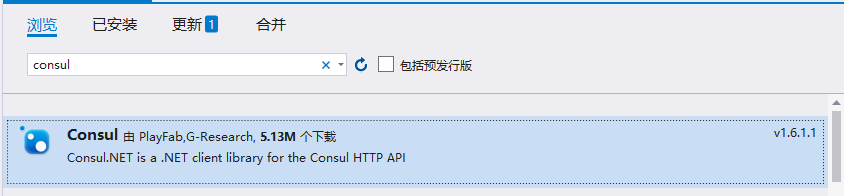
同样Nuget安装一下Consul:
改造一下业务系统的代码:

ServiceHelper.cs:
    public class ServiceHelper : IServiceHelper

    {

        private readonly IConfiguration _configuration;

        public ServiceHelper(IConfiguration configuration)

        {

            _configuration = configuration;

        }

        public async Task<string> GetOrder()

        {

            //string[] serviceUrls = { "http://localhost:9060", "http://localhost:9061", "http://localhost:9062" };//订单服务的地址,可以放在配置文件或者数据库等等...

            var consulClient = new ConsulClient(c =>

            {

                //consul地址

                c.Address = new Uri(_configuration["ConsulSetting:ConsulAddress"]);

            });

            //consulClient.Catalog.Services().Result.Response;

            //consulClient.Agent.Services().Result.Response;

            var services = consulClient.Health.Service("OrderService", null, true, null).Result.Response;//健康的服务

            string[] serviceUrls = services.Select(p => $"http://{p.Service.Address + ":" + p.Service.Port}").ToArray();//订单服务地址列表

            if (!serviceUrls.Any())

            {

                return await Task.FromResult("【订单服务】服务列表为空");

            }

            //每次随机访问一个服务实例

            var Client = new RestClient(serviceUrls[new Random().Next(0, serviceUrls.Length)]);

            var request = new RestRequest("/orders", Method.GET);

            var response = await Client.ExecuteAsync(request);

            return response.Content;

        }

        public async Task<string> GetProduct()

        {

            //string[] serviceUrls = { "http://localhost:9050", "http://localhost:9051", "http://localhost:9052" };//产品服务的地址,可以放在配置文件或者数据库等等...

            var consulClient = new ConsulClient(c =>

            {

                //consul地址

                c.Address = new Uri(_configuration["ConsulSetting:ConsulAddress"]);

            });

            //consulClient.Catalog.Services().Result.Response;

            //consulClient.Agent.Services().Result.Response;

            var services = consulClient.Health.Service("ProductService", null, true, null).Result.Response;//健康的服务

            string[] serviceUrls = services.Select(p => $"http://{p.Service.Address + ":" + p.Service.Port}").ToArray();//产品服务地址列表

            if (!serviceUrls.Any())

            {

                return await Task.FromResult("【产品服务】服务列表为空");

            }

            //每次随机访问一个服务实例

            var Client = new RestClient(serviceUrls[new Random().Next(0, serviceUrls.Length)]);

            var request = new RestRequest("/products", Method.GET);

            var response = await Client.ExecuteAsync(request);

            return response.Content;

        }

    }
appsettings.json:
{

  "Logging": {

    "LogLevel": {

      "Default": "Information",

      "Microsoft": "Warning",

      "Microsoft.Hosting.Lifetime": "Information"

    }

  },

  "AllowedHosts": "*",

  "ConsulSetting": {

    "ConsulAddress": "http://localhost:8500"

  }

}
OK,以上代码就完成了服务列表的获取。
浏览器测试一下:
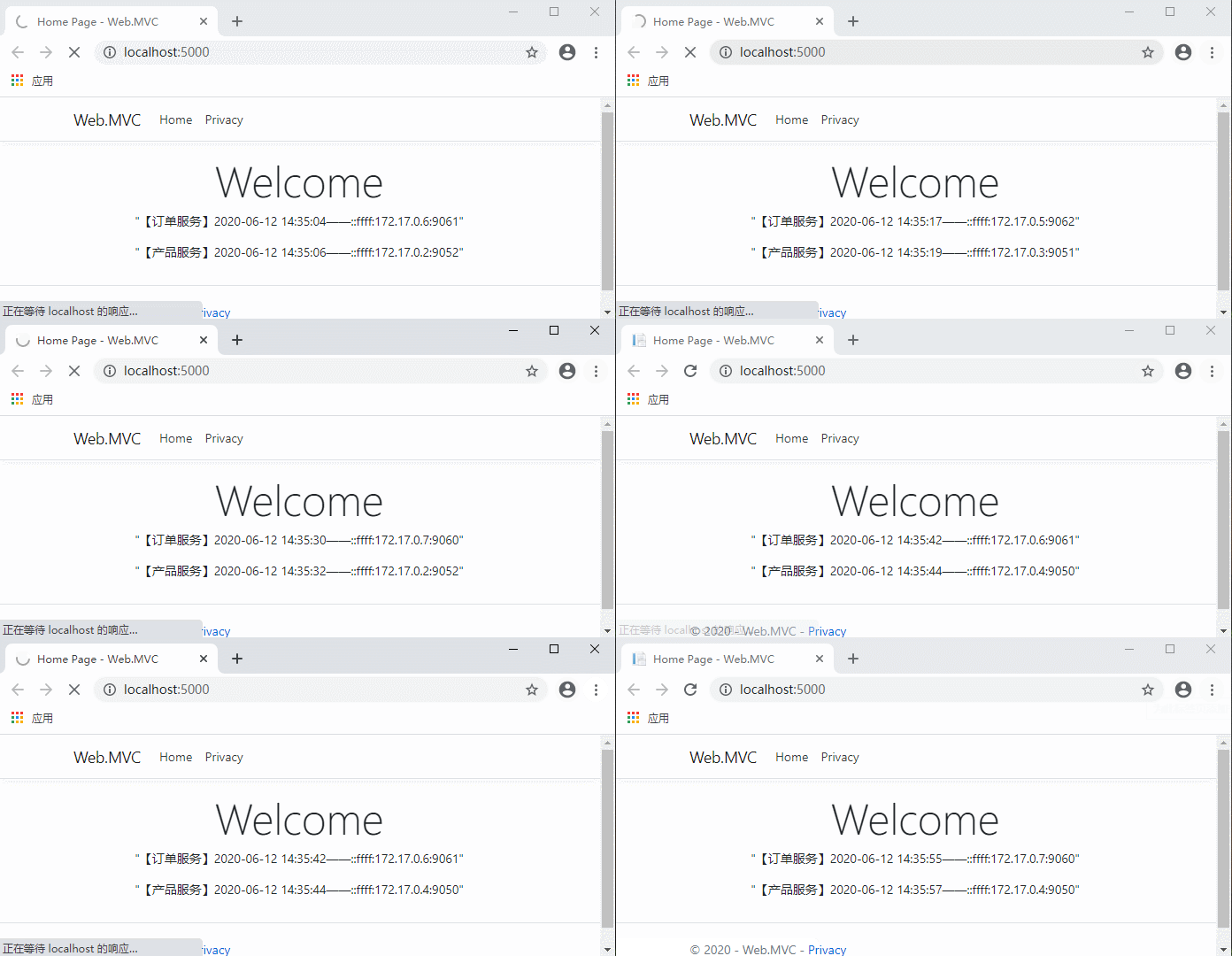
随便停止2个服务:

继续访问:
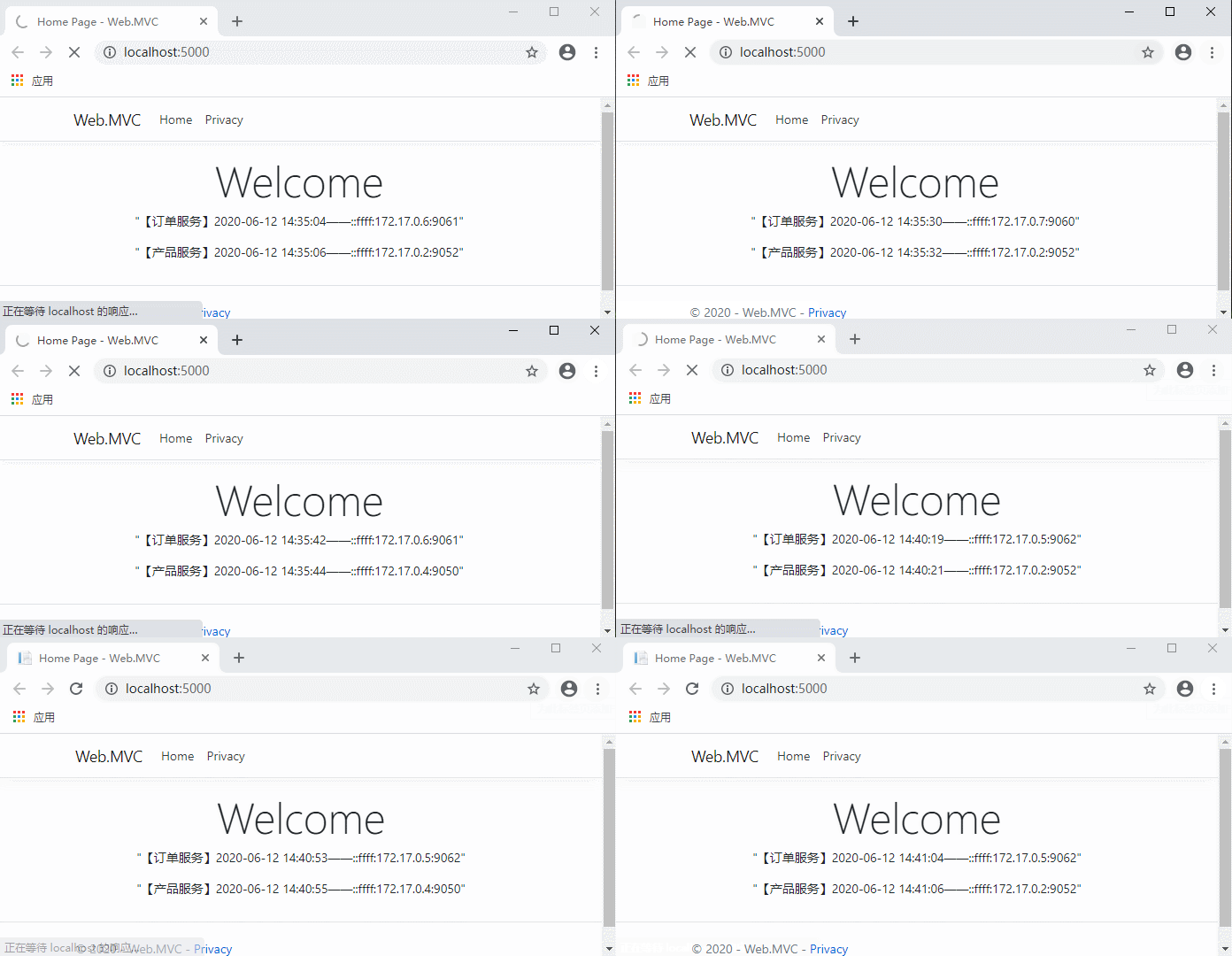
这时候停止的服务地址就获取不到了,客户端依然正常运行。
这时候解决了服务的发现,新的问题又来了...
- 客户端每次要调用服务,都先去Consul获取一下地址,这不仅浪费资源,还增加了请求的响应时间,这显然让人无法接受。
那么怎么保证不要每次请求都去Consul获取地址,同时又要拿到可用的地址列表呢?
Consul提供的解决方案:——Blocking Queries (阻塞的请求)。详情请见官网:https://www.consul.io/api-docs/features/blocking
Blocking Queries
这是什么意思呢,简单来说就是当客户端请求Consul获取地址列表时,需要携带一个版本号信息,Consul会比较这个客户端版本号是否和Consul服务端的版本号一致,如果一致,则Consul会阻塞这个请求,直到Consul中的服务列表发生变化,或者到达阻塞时间上限;如果版本号不一致,则立即返回。这个阻塞时间默认是5分钟,支持自定义。
那么我们另外启动一个线程去干这件事情,就不会影响每次的用户请求了。这样既保证了客户端服务列表的准确性,又节约了客户端请求服务列表的次数。
- 继续改造代码:
IServiceHelper增加一个获取服务列表的接口方法:
    public interface IServiceHelper

    {

        /// <summary>

        /// 获取产品数据

        /// </summary>

        /// <returns></returns>

        Task<string> GetProduct();

        /// <summary>

        /// 获取订单数据

        /// </summary>

        /// <returns></returns>

        Task<string> GetOrder();

        /// <summary>

        /// 获取服务列表

        /// </summary>

        void GetServices();

    }
ServiceHelper实现接口:
    public class ServiceHelper : IServiceHelper

    {

        private readonly IConfiguration _configuration;

        private readonly ConsulClient _consulClient;

        private ConcurrentBag<string> _orderServiceUrls;

        private ConcurrentBag<string> _productServiceUrls;

        public ServiceHelper(IConfiguration configuration)

        {

            _configuration = configuration;

            _consulClient = new ConsulClient(c =>

            {

                //consul地址

                c.Address = new Uri(_configuration["ConsulSetting:ConsulAddress"]);

            });

        }

        public async Task<string> GetOrder()

        {

            if (_productServiceUrls == null)

                return await Task.FromResult("【订单服务】正在初始化服务列表...");

            //每次随机访问一个服务实例

            var Client = new RestClient(_orderServiceUrls.ElementAt(new Random().Next(0, _orderServiceUrls.Count())));

            var request = new RestRequest("/orders", Method.GET);

            var response = await Client.ExecuteAsync(request);

            return response.Content;

        }

        public async Task<string> GetProduct()

        {

            if(_productServiceUrls == null)

                return await Task.FromResult("【产品服务】正在初始化服务列表...");

            //每次随机访问一个服务实例

            var Client = new RestClient(_productServiceUrls.ElementAt(new Random().Next(0, _productServiceUrls.Count())));

            var request = new RestRequest("/products", Method.GET);

            var response = await Client.ExecuteAsync(request);

            return response.Content;

        }

        public void GetServices()

        {

            var serviceNames = new string[] { "OrderService", "ProductService" };

            Array.ForEach(serviceNames, p =>

            {

                Task.Run(() =>

                {

                    //WaitTime默认为5分钟

                    var queryOptions = new QueryOptions { WaitTime = TimeSpan.FromMinutes(10) };

                    while (true)

                    {

                        GetServices(queryOptions, p);

                    }

                });

            });

        }

        private void GetServices(QueryOptions queryOptions, string serviceName)

        {

            var res = _consulClient.Health.Service(serviceName, null, true, queryOptions).Result;

            //控制台打印一下获取服务列表的响应时间等信息

            Console.WriteLine($"{DateTime.Now}获取{serviceName}:queryOptions.WaitIndex:{queryOptions.WaitIndex}  LastIndex:{res.LastIndex}");

            //版本号不一致 说明服务列表发生了变化

            if (queryOptions.WaitIndex != res.LastIndex)

            {

                queryOptions.WaitIndex = res.LastIndex;

                //服务地址列表

                var serviceUrls = res.Response.Select(p => $"http://{p.Service.Address + ":" + p.Service.Port}").ToArray();

                if (serviceName == "OrderService")

                    _orderServiceUrls = new ConcurrentBag<string>(serviceUrls);

                else if (serviceName == "ProductService")

                    _productServiceUrls = new ConcurrentBag<string>(serviceUrls);

            }

        }

    }
Startup的Configure方法中调用一下获取服务列表:
        public void Configure(IApplicationBuilder app, IWebHostEnvironment env, IServiceHelper serviceHelper)

        {

            if (env.IsDevelopment())

            {

                app.UseDeveloperExceptionPage();

            }

            else

            {

                app.UseExceptionHandler("/Home/Error");

            }

            app.UseStaticFiles();

            app.UseRouting();

            app.UseAuthorization();

            app.UseEndpoints(endpoints =>

            {

                endpoints.MapControllerRoute(

                    name: "default",

                    pattern: "{controller=Home}/{action=Index}/{id?}");

            });

            //程序启动时 获取服务列表

            serviceHelper.GetServices();

        }
代码完成,运行测试:
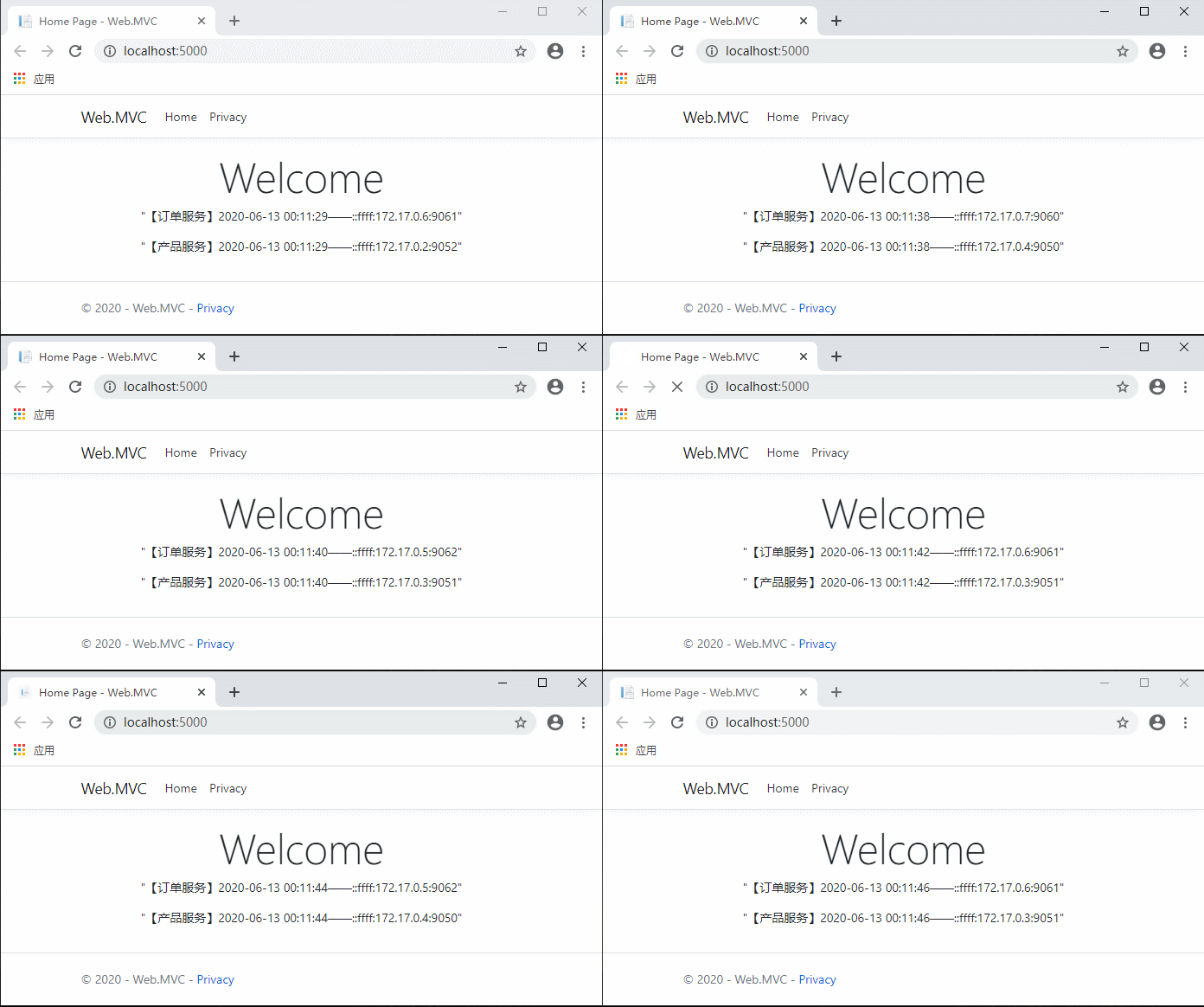
现在不用每次先请求服务列表了,是不是流畅多了?
看一下控制台打印:
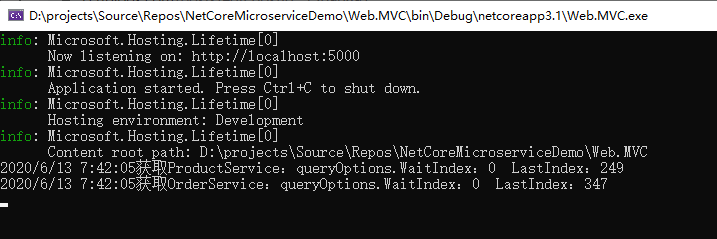
这时候如果服务列表没有发生变化的话,获取服务列表的请求会一直阻塞到我们设置的10分钟。
随便停止2个服务:


这时候可以看到,数据被立马返回了。
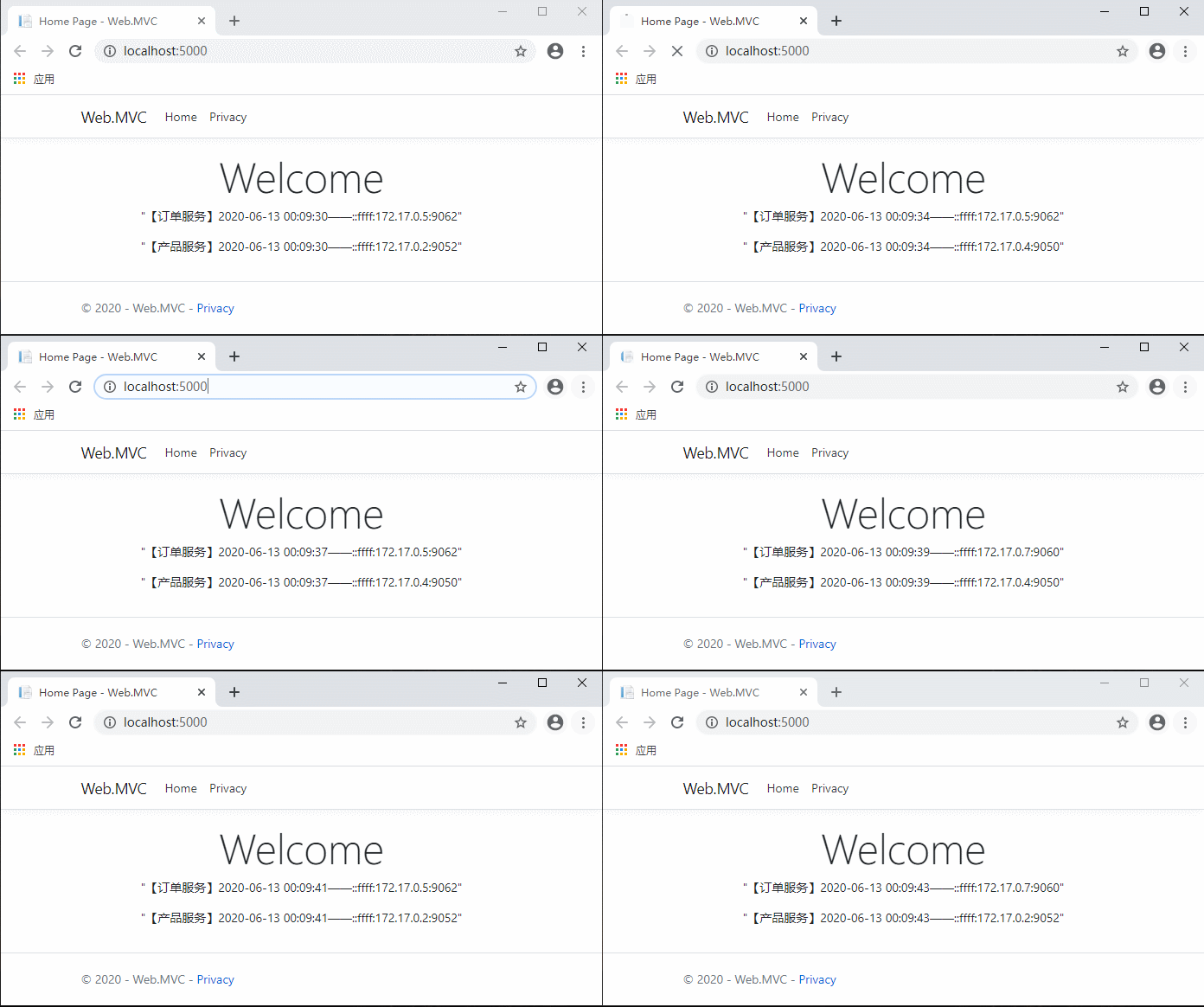
继续访问客户端网站,同样流畅。
(gif图传的有点问题。。。)
至此,我们就通过Consul完成了服务的注册与发现。
接下来又引发新的思考。。。
- 每个客户端系统都去维护这一堆服务地址,合理吗?
- 服务的ip端口直接暴露给所有客户端,安全吗?
- 这种模式下怎么做到客户端的统一管理呢?
...
代码放在:https://github.com/xiajingren/NetCoreMicroserviceDemo
未完待续...
.Net Core微服务入门全纪录(三)——Consul-服务注册与发现(下)的更多相关文章
- .Net Core微服务入门全纪录(五)——Ocelot-API网关(下)
前言 上一篇[.Net Core微服务入门全纪录(四)--Ocelot-API网关(上)]已经完成了Ocelot网关的基本搭建,实现了服务入口的统一.当然,这只是API网关的一个最基本功能,它的进阶功 ...
- .Net Core微服务入门全纪录(六)——EventBus-事件总线
前言 上一篇[.Net Core微服务入门全纪录(五)--Ocelot-API网关(下)]中已经完成了Ocelot + Consul的搭建,这一篇简单说一下EventBus. EventBus-事件总 ...
- .Net Core微服务入门全纪录(四)——Ocelot-API网关(上)
前言 上一篇[.Net Core微服务入门全纪录(三)--Consul-服务注册与发现(下)]已经使用Consul完成了服务的注册与发现,实际中光有服务注册与发现往往是不够的,我们需要一个统一的入口来 ...
- .Net Core微服务入门全纪录(二)——Consul-服务注册与发现(上)
前言 上一篇[.Net Core微服务入门全纪录(一)--项目搭建]讲到要做到服务的灵活伸缩,那么需要有一种机制来实现它,这个机制就是服务注册与发现.当然这也并不是必要的,如果你的服务实例很少,并且很 ...
- .Net Core微服务入门全纪录(七)——IdentityServer4-授权认证
前言 上一篇[.Net Core微服务入门全纪录(六)--EventBus-事件总线]中使用CAP完成了一个简单的Eventbus,实现了服务之间的解耦和异步调用,并且做到数据的最终一致性.这一篇将使 ...
- .Net Core微服务入门全纪录(八)——Docker Compose与容器网络
Tips:本篇已加入系列文章阅读目录,可点击查看更多相关文章. 前言 上一篇[.Net Core微服务入门全纪录(七)--IdentityServer4-授权认证]中使用IdentityServer4 ...
- .Net Core微服务入门全纪录(完结)——Ocelot与Swagger
Tips:本篇已加入系列文章阅读目录,可点击查看更多相关文章. 前言 上一篇[.Net Core微服务入门全纪录(八)--Docker Compose与容器网络]完成了docker-compose.y ...
- .Net Core微服务入门全纪录(一)——项目搭建
前言 写这篇博客主要目的是记录一下自己的学习过程,只能是简单入门级别的,因为水平有限就写到哪算哪吧,写的不对之处欢迎指正. 什么是微服务? 关于微服务的概念解释网上有很多... 个人理解,微服务是一种 ...
- Linux入门进阶第三天——软件安装管理(下)
一.yum在线安装 之前的rpm包各种依赖性太强!安装复杂,yum的好处就来了: // yum 在redhat是付费服务 1.yum源文件 先进入到yum目录: 我们打开默认生效的Base包 2.光盘 ...
随机推荐
- Hyperledger Fabric——balance transfer(四)安装和实例化chaincode
详细解析blance transfer示例的安装(install)和实例化(Instantiate)链码(chaincode)的过程.安装chaincode会根据本地的链码文件生成chaincode镜 ...
- PHP非常用函数汇总
1) ARRAY_FILTER — 用回调函数过滤数组中的单元 function odd ( $var ) { // returns whether the input integer i ...
- Map,HashMap五种遍历方法
假设有数组 HashMap<Integer, String> h=new HashMap<Integer,String>(); h.put( ...
- "锁定文件失败 打不开磁盘或它所依赖的某个快照磁盘。模块启动失败。未能启动虚拟机"--解决方法
今天正在使用kali的时候,电脑突然死机了..强制重启,在进入虚拟机发现报错: "锁定文件失败 打不开磁盘或它所依赖的某个快照磁盘.模块启动失败.未能启动虚拟机." 1.问题起因 ...
- 深度学习玩LOL-游戏助手-概述
目标 用深度学习技术实现常规英雄联盟游戏助手的主要功能,功能主要包括:英雄推荐,装备推荐,地图预警等. 基本思路 首先使用图像分类算法模型对游戏客户端内的英雄头像进行截取和识别. 使用线性回归模型对可 ...
- Maven_setting文件/解释
setting文件解释: setting.xml配置文件 maven的配置文件settings.xml存在于两个地方: 1.安装的地方:${M2_HOME}/conf/settings.xml 2.用 ...
- css3 属性阴影效果--box-shadow,text-shadow
1.text-shadow:h-shadow v-shadow blur color; h-shadow:水平阴影的位置,可以是负值,正值向右,负值向左 v-shadow:水平阴影的位置,可以是负值, ...
- 一个神秘URL酿大祸,差点让我背锅!
神秘URL 我叫小风,是Windows帝国一个普通的上班族.上一回说到因为一个跨域请求,我差点丢了饭碗,好在有惊无险,我的职场历险记还在继续. "叮叮叮叮~~~~",闹钟又把我给吵 ...
- Java实现 LeetCode 747 至少是其他数字两倍的最大数(暴力)
747. 至少是其他数字两倍的最大数 在一个给定的数组nums中,总是存在一个最大元素 . 查找数组中的最大元素是否至少是数组中每个其他数字的两倍. 如果是,则返回最大元素的索引,否则返回-1. 示例 ...
- Java实现 LeetCode 594 最长和谐子序列(滑动窗口)
594. 最长和谐子序列 和谐数组是指一个数组里元素的最大值和最小值之间的差别正好是1. 现在,给定一个整数数组,你需要在所有可能的子序列中找到最长的和谐子序列的长度. 示例 1: 输入: [1,3, ...