
Vue cli之路由router
一、安装路由
Vue-router用于提供给vue项目在开发中用于绑定url和组件页面的关系的核心插件。
默认情况下,vue没有提供路由的功能,所以我们使用vue-router,并需要在项目根目录。
npm install vue-router
安装了vue-router插件以后,我们必须要对路由进行初始化并且还要绑定组件与url地址之间的路由映射关系。
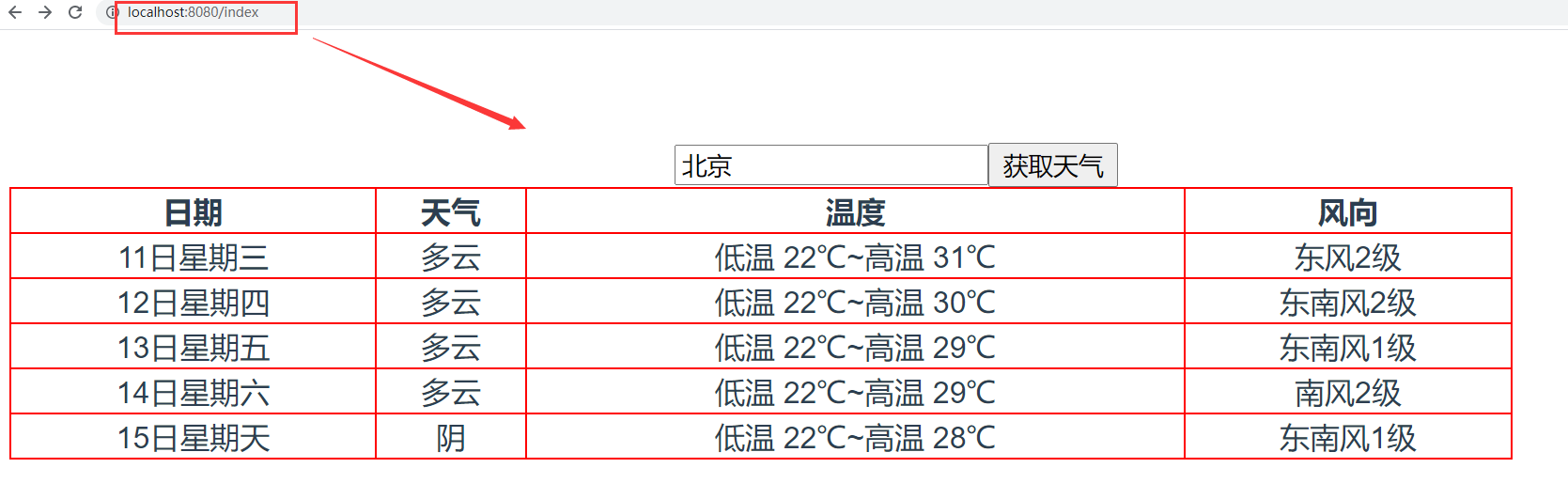
首页,我们需要在一个单独的目录router下创建路由文件index.js,实例化路由对象并绑定组件和url地址的关系。
二、基本使用
在src路径下创建router/index.js,代码:
import VueRouter from "vue-router";

import Vue from "vue";

Vue.use(VueRouter);

import Home from "../views/Home";

import HelloWorld from "../components/HelloWorld";

import Forecast from "../components/Forecast";

export default new VueRouter({

  mode: "history", // hash 表示以地址栏的哈希值作为路径,history以历史对象的url作为路径

  routes:[  // 路由列表,里面的每一个成员都是一个url地址和组件的映射关系

    {

      path: "/",

      component: Home,

    },

    {

      path: "/hi",

      component: HelloWorld,

    },

    {

      path: "/index",

      component: Forecast,

    }

  ]

});
main.js,代码:
// The Vue build version to load with the `import` command

// (runtime-only or standalone) has been set in webpack.base.conf with an alias.

import Vue from 'vue'    // 没有声明路径,则默认从node_module中导包过来

import App from './App'  // 如果由声明了路径,则表示从当前文件出发根据路径关系进行导报

import axios from "axios";

import router from "./router/index";  // 导入路由对象

// 初始化axios对象

Vue.prototype.$http = axios.create();

Vue.config.productionTip = false

/* eslint-disable no-new */

new Vue({

  el: '#app',

  router,

  components: { App },

  template: '<App/>'

})
App.vue,代码:
<template>

  <div id="app">

    <!--    <HelloWorld msg="Welcome to Your Vue.js App"/>-->

    <!--    <Home></Home>-->

    <router-view></router-view>

  </div>

</template>

<script>

// import HelloWorld from './components/HelloWorld.vue'

// import Home from './views/Home'

export default {

  name: 'App',

  components: {

    // HelloWorld

    // Home

  }

}

</script>

<style>

#app {

  font-family: Avenir, Helvetica, Arial, sans-serif;

  -webkit-font-smoothing: antialiased;

  -moz-osx-font-smoothing: grayscale;

  text-align: center;

  color: #2c3e50;

  margin-top: 60px;

}

</style>
三、页面跳转
vue-router提供了2种写法让我们实现页面跳转。
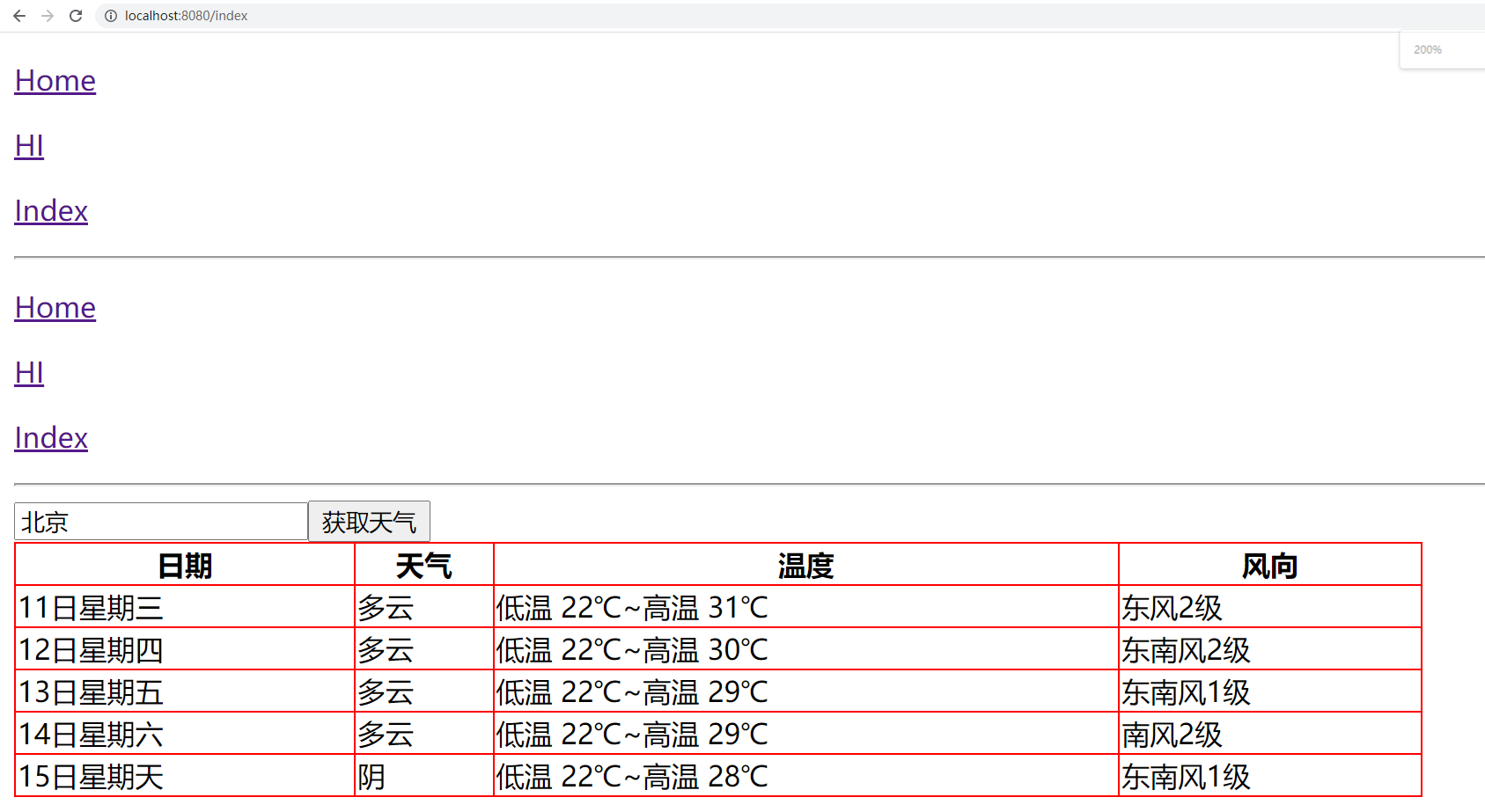
1、通过router-link来跳转
App.vue,代码:
<template>

  <div id="app">

    <p><a href="/">Home</a></p>

    <p><a href="/hi">HI</a></p>

    <p><a href="/index">Index</a></p>

    <hr>

    <p>

      <router-link to="/">Home</router-link>

    </p>

    <p>

      <router-link to="/hi">HI</router-link>

    </p>

    <p>

      <router-link :to="url">Index</router-link>

    </p>

    <hr>

    <router-view></router-view>

  </div>

</template>

<script>

export default {

  name: 'App',  // 组件名

  data() {

    return {

      url: "/index",

    }

  },

  components: { // 子组件

  }

}

</script>

<style>

</style>
注意:一般在开发中不会在App.vue编写具体的代码,我们这里仅仅是为了方便学习演示。
2、通过this.$router来跳转
App.vue,代码:
<template>

  <div id="app">

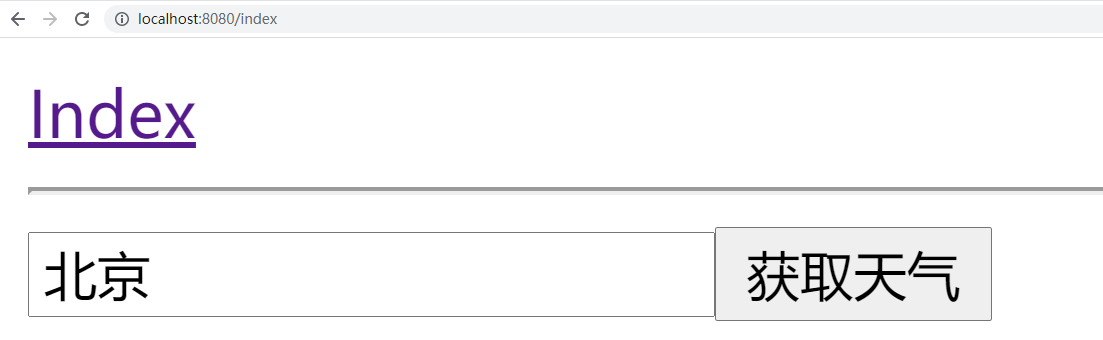
    <a href="" @click.prevent="goto">Index</a>

    <hr>

   <router-view></router-view>

  </div>

</template>

<script>

export default {

  name: 'App',  // 组件名

  data(){

    return {

       url: "/index",

       user: "root",

    }

  },

  methods:{

    goto(){

      // 页面跳转

      if(this.user === "root"){

        this.$router.push("/index"); // ajax页面跳转到指定的路由地址

        // this.$router.back(); // 跳转返回上一页

        // this.$router.go(-1); // -1相当于back,后退一页

        // this.$router.go(1); // 1表示forward,前进一页

      }

    }

  },

  components: { // 子组件

  }

}

</script>

<style>

</style>
四、传递参数
vue-router提供了2种用于开发中传递参数的方式给我们使用。
1、路径参数
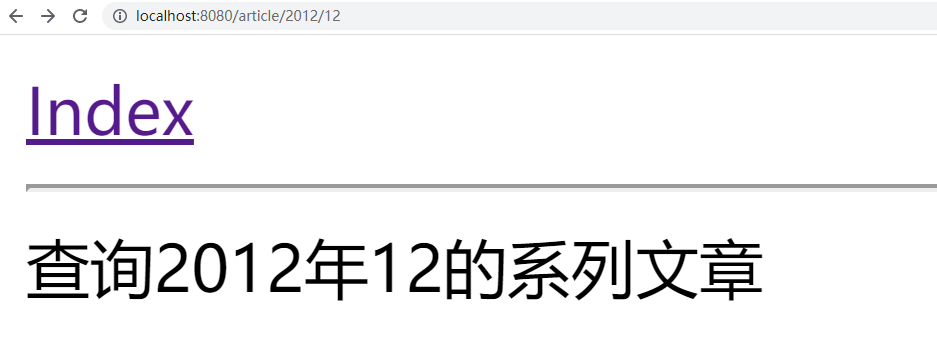
url地址的路径作为变量,传递参数到下一个页面组件中进行获取使用。
router/index.js,代码:
import VueRouter from "vue-router";

import Vue from "vue";

Vue.use(VueRouter);

import Home from "../views/Home";

import HelloWorld from "../components/HelloWorld";

import Forecast from "../components/Forecast";

import Article from "../components/Article";

export default new VueRouter({

  mode: "history", // hash 表示以地址栏的哈希值作为路径,history以历史对象的url作为路径

  routes:[  // 路由列表,里面的每一个成员都是一个url地址和组件的映射关系

    {

      path: "/",

      component: Home,

    },

    {

      path: "/hi",

      component: HelloWorld,

    },

    {

      path: "/index",

      component: Forecast,

    },

     {

      path: "/article/:year/:month",

      component: Article,

    },

  ]

});
Article.vue,代码:
<template>

  <div>

    查询{{year}}年{{month}}的系列文章

  </div>

</template>

<script>

export default {

  name: "Article",

  data(){

    return {

      year: 0,

      month: 0,

    }

  },

  created() {

    this.year = this.$route.params.year;

    this.month = this.$route.params.month;

  }

}

</script>

<style scoped>

</style>
2、查询参数
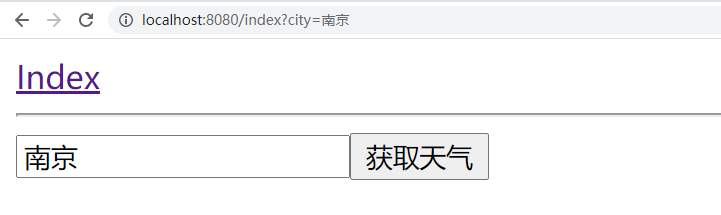
url地址的查询字符串作为参数,在下一个页面组件中进行获取使用。
App.vue:
<template>

  <div id="app">

    <a href="" @click.prevent="goto">Index</a>

    <hr>

   <router-view></router-view>

  </div>

</template>

<script>

export default {

  name: 'App',  // 组件名

  data(){

    return {

       url: "/index",

       user: "root",

    }

  },

  methods:{

    goto(){

      // 页面跳转

      if(this.user === "root"){

        this.$router.push("/index?city=南京"); // ajax页面跳转到指定的路由地址

      }

    }

  },

  components: { // 子组件

  }

}

</script>

<style>

</style>
Forecast.vue,代码:
<template>

  <div>

    <input type="text" v-model="city">

    <button @click="get_weather">获取天气</button>

    <table v-if="weather_list.length>1">

      <tr>

        <th>日期</th>

        <th>天气</th>

        <th>温度</th>

        <th>风向</th>

      </tr>

      <tr v-for="weather in weather_list">

        <td>{{weather.date}}</td>

        <td>{{weather.type}}</td>

        <td>{{weather.low}}~{{weather.high}}</td>

        <td>{{weather.fengxiang}}{{weather.fengli|format}}</td>

      </tr>

    </table>

  </div>

</template>

<script>

export default {

  name: "Index",

  data(){

    return {

      city: "北京",

      weather_list:[],

    }

  },

  filters:{

    format(content){

      return content.replaceAll("<![CDATA[","").replaceAll("]]>","");

    }

  },

  created(){

      // 任意一个组件中都可以获取查询参数

      console.log(this.$route.query); // 获取所有的查询参数

      if(this.$route.query.city){

         this.city = this.$route.query.city

      }

  },

  methods:{

    get_weather(){

      // 发送http请求获取天气

      this.$http.get("http://wthrcdn.etouch.cn/weather_mini",{

        params:{

          city: this.city,

        }

      }).then(response=>{

        console.log(response.data.data.forecast);

        this.weather_list = response.data.data.forecast;

      }).catch(error=>{

        console.log(error);

      })

    }

  }

}

</script>

<style scoped>

table{

  width: 800px;

  border-collapse: collapse;

}

td,th{

  border: 1px solid red;

}

</style>
Vue cli之路由router的更多相关文章
- vue工程化与路由router
一.介绍 vue.js 是 目前 最火的前端框架,vue.js 兼具 angular.js 和 react.js 的优点,并剔除它们的缺点.并且提供了很多的周边配套工具 如vue-router ...
- vue教程(五)--路由router介绍
一.html页面中如何使用 1.引入 vue-router.js 2.安装插件 Vue.use(VueRouter) 3.创建路由对象 var router = new VueRouter({ // ...
- vue初级学习--路由router的编写(resolve的使用)
一.导语 最近在用vue仿写淘宝的商品详情页面以及加入购物车页面,若是成功了,分享给大家~~~~~~~~~~~~~~~~~~~~~~~~~~~~~~ 二.正文 我先用控制台创建了vue项目demo(如 ...
- [转]Vue CLI 3搭建vue+vuex 最全分析
原文地址:https://my.oschina.net/wangnian/blog/2051369 一.介绍 Vue CLI 是一个基于 Vue.js 进行快速开发的完整系统.有三个组件: CLI:@ ...
- Vue CLI 3搭建vue+vuex 最全分析
一.介绍 Vue CLI 是一个基于 Vue.js 进行快速开发的完整系统.有三个组件: CLI:@vue/cli 全局安装的 npm 包,提供了终端里的vue命令(如:vue create .vue ...
- vue项目创建步骤 和 路由router知识点
菜单快捷导航: vue项目创建 vue路由router知识点(路径参数.查询参数.命名路由.嵌套路由.命名视图.hash/history模式) 1.创建一个vue项目步骤 (windows环境下).创 ...
- react router @4 和 vue路由 详解(六)vue怎么通过路由传参?
完整版:https://www.cnblogs.com/yangyangxxb/p/10066650.html 8.vue怎么通过路由传参? a.通配符传参数 //在定义路由的时候 { path: ' ...
- react router @4 和 vue路由 详解(四)vue如何在路由里面定义一个子路由
完整版:https://www.cnblogs.com/yangyangxxb/p/10066650.html 6.vue如何在路由里面定义一个子路由? 给父路由加一个 children:[] 参考我 ...
- Vue学习笔记-Vue.js-2.X 学习(七)===>脚手架Vue-CLI(路由Router)
脚手架Vue-CLI(路由Router) 一 按装(通过新创建脚手架按装),如果在原来的脚手架上按装直接进图型化界面vue ui的插件按装. 二 使用(上面按装下面步骤自动会生成) 第一步:导入路由对 ...
- vue cli 3
介绍 Vue CLI 是一个基于 Vue.js 进行快速开发的完整系统 通过 @vue/cli 搭建交互式的项目脚手架. 通过 @vue/cli + @vue/cli-service-global 快 ...
随机推荐
- 【中秋国庆不断更】XML在HarmonyOS中的生成,解析与转换(下)
一.XML解析 对于以XML作为载体传递的数据,实际使用中需要对相关的节点进行解析,一般包括解析XML标签和标签值.解析XML属性和属性值.解析XML事件类型和元素深度三类场景. XML模块提供Xml ...
- 进阶 stack smashing--canary 报错利用 && environ泄露栈地址
进阶 stack smashing--canary 报错利用 && environ泄露栈地址 这部分是对进阶stack smashing的使用,以及对 environ的认识,我们可以看 ...
- 重学c#系列——索引器(十)
前言 对于索引器,我们肯定不会陌生.为什么会有索引器这个东西呢?我们发现这东西很像是属性,只是通过索引方式去调用,那就慢慢揭开他的面纱吧. 正文 假设我们要对外暴露一个数组,为了体现其封装性,我们使用 ...
- WPF开发随笔收录-获取程序专有内存
分享一个C#获取程序当前所占用的内存大小的方法,实测跟任务管理器上的内存值一样 /// <summary> /// 性能计数器组件类 /// </summary> privat ...
- 百度unit闲聊机器人
import json import random import requests # client_id 为官网获取的AK, client_secret 为官网获取的SK client_id = & ...
- javascript现代编程系列教程之二——IIFE
IIFE(Immediately Invoked Function Expression,立即执行函数表达式)是一个在定义后立即执行的JavaScript函数.它具有以下特点: 是一个匿名函数:通常情 ...
- 鸿蒙HarmonyOS实战-ArkUI动画(弹簧曲线动画)
前言 弹簧曲线动画是一种模拟弹簧运动的动画效果,通过改变弹簧的拉伸或压缩来表现不同的运动状态.以下是制作弹簧曲线动画的步骤: 创建一个弹簧的模型,可以使用圆形或者曲线来代表弹簧的形状. 将弹簧固定在一 ...
- Go原生插件使用问题全解析
简介: 本人在设计和落地基于Go原生插件机制的扩展开发产品时踩到了很多坑,由于这方面相关资料很少,因而借此机会做一个非常粗浅的总结,希望能对大家有所帮助.本文只说问题和解决方案,不读代码. 作者 | ...
- 项目版本管理的最佳实践:云效飞流Flow篇
简介: 飞流Flow的最佳实践(使用阿里云云效)为了更好地使用飞流Flow,接下来将结合阿里云云效来讲解飞流Flow的最佳实践 目录 一.分支规约 二.版本号规约 2.1 主版本号(首位版本号) 2. ...
- Go 调用 Java 方案和性能优化分享
简介: 一个基于 Golang 编写的日志收集和清洗的应用需要支持一些基于 JVM 的算子. 作者 | 响风 来源 | 阿里技术公众号 一 背景 一个基于 Golang 编写的日志收集和清洗的应 ...