
Python 爬虫 ajax爬取马云爸爸微博内容
ajax爬取情况
有时候我们在用 Requests 抓取页面的时候,得到的结果可能和在浏览器中看到的是不一样的,在浏览器中可以看到正常显示的页面数据,但是使用 Requests 得到的结果并没有,这其中的原因是 Requests 获取的都是原始的 HTML 文档,而浏览器中的页面则是页面又经过 JavaScript 处理数据后生成的结果,这些数据的来源有多种,可能是通过 Ajax 加载的,可能是包含在了 HTML 文档中的,也可能是经过 JavaScript 经过特定算法计算后生成的
项目代码如下
 import requests

 from fake_useragent import UserAgent

 from pyquery import PyQuery

 from urllib.parse import urlencode

 from requests.packages import urllib3

 from pymongo import MongoClient

 # 关闭警告

 urllib3.disable_warnings()

 base_url = 'https://m.weibo.cn/api/container/getIndex?'

 # 激活本地MongoDB客户端

 client = MongoClient('localhost',27001)

 # 创建数据库

 pages = client['pages']

 # 创建集合

 ma_yun = pages['ma_yun']

 # 保存到mongoDB中

 def save_to_mongo(result):

     if ma_yun.insert_one(result):

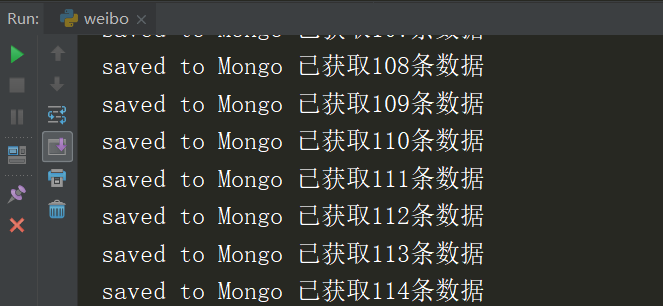
         print('saved to Mongo','已获取{number}条数据'.format(number=ma_yun.count()))

 # 生成UA

 def create_user_agent():

     ua = UserAgent(use_cache_server=False)

     # print(ua.chrome)

     return ua.chrome

 # 生成headers

 def create_headers():

     headers = {

         'User-Agent': create_user_agent()

     }

     return headers

 # 获取页面

 def get_page(page):

     # 设置参数

     params = {

         'sudaref':'germey.gitbooks.io',

         'display':'',

         'retcode':'',

         'type':'uid',

         'value':'',

         'containerid':'',

         'page':page

     }

     url = base_url + urlencode(params)

     try:

         response = requests.get(url,create_headers(),verify=False)

         if response.status_code == 200:

             return response.json()

     except requests.ConnectionError as e:

         print('Error',e.args)

 # 解析页面

 def parse_page(json):

     if json:

         items = json.get('data').get('cards')

         if items != None:

             for item in items:

                 item = item.get('mblog')

                 weibo = {}

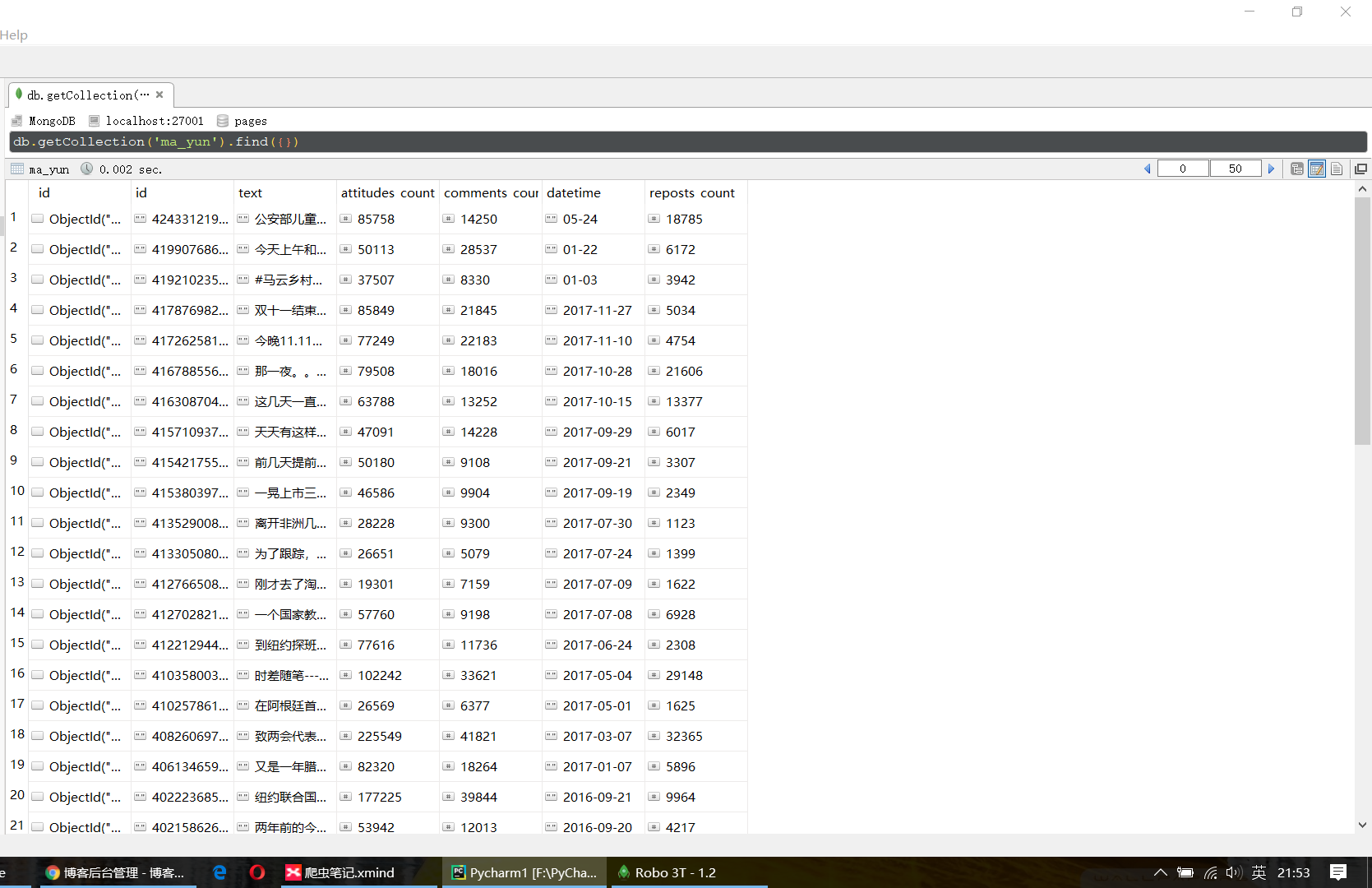
                 weibo['id'] = item.get('id')

                 # 将正文中的 HTML 标签去除掉

                 weibo['text'] = PyQuery(item.get('text')).text()

                 # 点赞数

                 weibo['attitudes_count'] = item.get('attitudes_count')

                 # 评论数

                 weibo['comments_count'] = item.get('comments_count')

                 # 发布时间

                 weibo['datetime'] = item.get('created_at')

                 # 转发数

                 weibo['reposts_count'] = item.get('reposts_count')

                 yield weibo

 # 设置主方法进行调用其他方法

 def main():

     for page in range(1,30):

         json = get_page(page)

         results = parse_page(json)

         for result in results:

             save_to_mongo(result)

 if __name__ == '__main__':

     main()
项目运行情况
Python 爬虫 ajax爬取马云爸爸微博内容的更多相关文章
- python爬虫:爬取读者某一期内容
学会了怎么使用os模块 #!/usr/bin/python# -*- encoding:utf-8 -*- import requestsimport osfrom bs4 import Beauti ...
- [Python爬虫] Selenium爬取新浪微博客户端用户信息、热点话题及评论 (上)
转载自:http://blog.csdn.net/eastmount/article/details/51231852 一. 文章介绍 源码下载地址:http://download.csdn.net/ ...
- Python爬虫之爬取慕课网课程评分
BS是什么? BeautifulSoup是一个基于标签的文本解析工具.可以根据标签提取想要的内容,很适合处理html和xml这类语言文本.如果你希望了解更多关于BS的介绍和用法,请看Beautiful ...
- from appium import webdriver 使用python爬虫,批量爬取抖音app视频(requests+Fiddler+appium)
使用python爬虫,批量爬取抖音app视频(requests+Fiddler+appium) - 北平吴彦祖 - 博客园 https://www.cnblogs.com/stevenshushu/p ...
- Python爬虫之爬取站内所有图片
title date tags layut Python爬虫之爬取站内所有图片 2018-10-07 Python post 目标是 http://www.5442.com/meinv/ 如需在非li ...
- python爬虫实战---爬取大众点评评论
python爬虫实战—爬取大众点评评论(加密字体) 1.首先打开一个店铺找到评论 很多人学习python,不知道从何学起.很多人学习python,掌握了基本语法过后,不知道在哪里寻找案例上手.很多已经 ...
- Python爬虫之爬取淘女郎照片示例详解
这篇文章主要介绍了Python爬虫之爬取淘女郎照片示例详解,文中通过示例代码介绍的非常详细,对大家的学习或者工作具有一定的参考学习价值,需要的朋友们下面随着小编来一起学习学习吧 本篇目标 抓取淘宝MM ...
- python 爬虫之爬取大街网(思路)
由于需要,本人需要对大街网招聘信息进行分析,故写了个爬虫进行爬取.这里我将记录一下,本人爬取大街网的思路. 附:爬取得数据仅供自己分析所用,并未用作其它用途. 附:本篇适合有一定 爬虫基础 crawl ...
- python爬虫项目-爬取雪球网金融数据(关注、持续更新)
(一)python金融数据爬虫项目 爬取目标:雪球网(起始url:https://xueqiu.com/hq#exchange=CN&firstName=1&secondName=1_ ...
随机推荐
- windows 3389 远程
3389常用命令: 1.查询终端端口 REG query HKLM\SYSTEM\CurrentControlSet\Control\Terminal" "Server\WinSt ...
- 21.Decorator修饰器
1.类的修饰 2.方法的修饰 3.为什么修饰器不能用于函数? 4.core-decorators.js 5.使用修饰器实现自动发布事件 6.Mixin 7.Trait 8.Babel转码器的支持
- C 标准库 - ctype.h之isalnum使用
isalnum int isalnum ( int c ); Checks whether c is either a decimal digit or an uppercase or lowerca ...
- 2-7 js基础-ajax封装
function json2url(json) { var arr = []; for (var name in json) { arr.push(name+'='+encodeURIComponen ...
- Ubuntu18.0.4配置Hadoop1.2.1环境
在虚拟机中安装Linux,我这里选用VMware虚拟机:Linux版本是Ubuntu VMware安装Ubuntu这里就不做说明了,网上有很多教程 1.安装jdk apt install openjd ...
- 第一章:初识PHP
Web程序工作原理介绍? 工作方式? 浏览器首先向Web服务器发出请求,Web服务器对请求做出响应,将响应数据发送给客户端浏览器,通常是一个HTML文件,然后通过浏览器把HTML文件信息显示在屏幕上. ...
- xml布局中include的使用
参考:http://blog.csdn.net/harvic880925/article/details/17263275 include_button1.xml <?xml version=& ...
- 关于C#的强制转换和尝试转换的方法
将String[]类型的Object类型,转换为String[]类型: public string ObjectToString(object ob) { string str = string.Em ...
- JavaScript ES6 Symbol.hasInstance的理解。
Symbol.hasInstance 本案例是结合阮一峰老师的ECMAScript 6 入门丛书进一步的详细介绍,和对Symbol.hasInstance的理解.本着互联网的精神,分享给大家. 对象的 ...
- PL/SQL之包
1.包的定义 一个包由两个独立的部分组成--包头和包体.给部分被单独地存放在数据字典中. .1定义包头 语法: CREATE [OR REPLACE] PACKAGE [schema.] packag ...