
九十二:CMS系统之cms后台登录界面
html
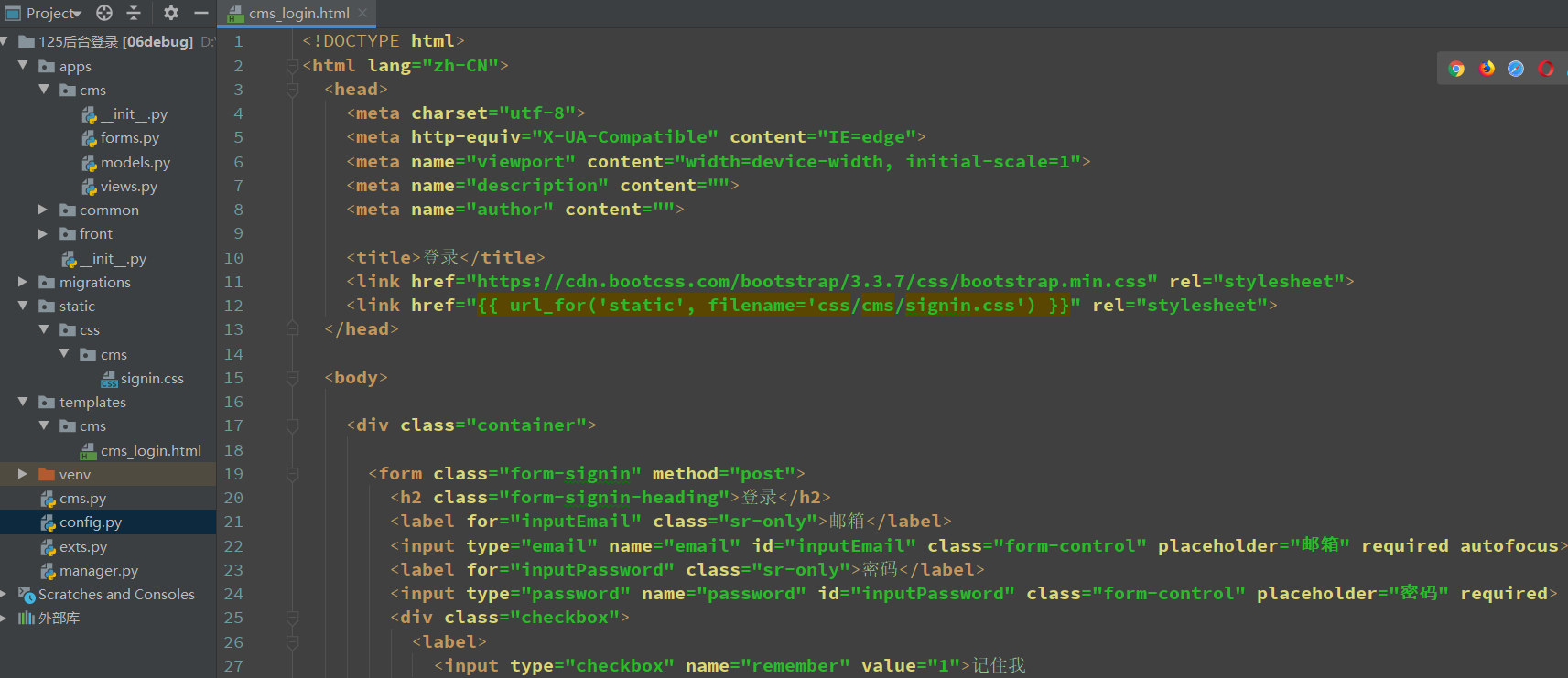
<!DOCTYPE html>
<html lang="zh-CN">
  <head>
    <meta charset="utf-8">
    <meta http-equiv="X-UA-Compatible" content="IE=edge">
    <meta name="viewport" content="width=device-width, initial-scale=1">
    <meta name="description" content="">
    <meta name="author" content="">

    <title>登录</title>
    <link href="https://cdn.bootcss.com/bootstrap/3.3.7/css/bootstrap.min.css" rel="stylesheet">
    <link href="{{ url_for('static', filename='css/cms/signin.css') }}" rel="stylesheet">
  </head>

  <body>

    <div class="container">

      <form class="form-signin" method="post">
        <h2 class="form-signin-heading">登录</h2>
        <label for="inputEmail" class="sr-only">邮箱</label>
        <input type="email" name="email" id="inputEmail" class="form-control" placeholder="邮箱" required autofocus>
        <label for="inputPassword" class="sr-only">密码</label>
        <input type="password" name="password" id="inputPassword" class="form-control" placeholder="密码" required>
        <div class="checkbox">
          <label>
            <input type="checkbox" name="remember" value="1">记住我
          </label>
        </div>
        <button class="btn btn-lg btn-primary btn-block" type="submit">点击登录</button>
      </form>

    </div>
  </body>
</html>
css
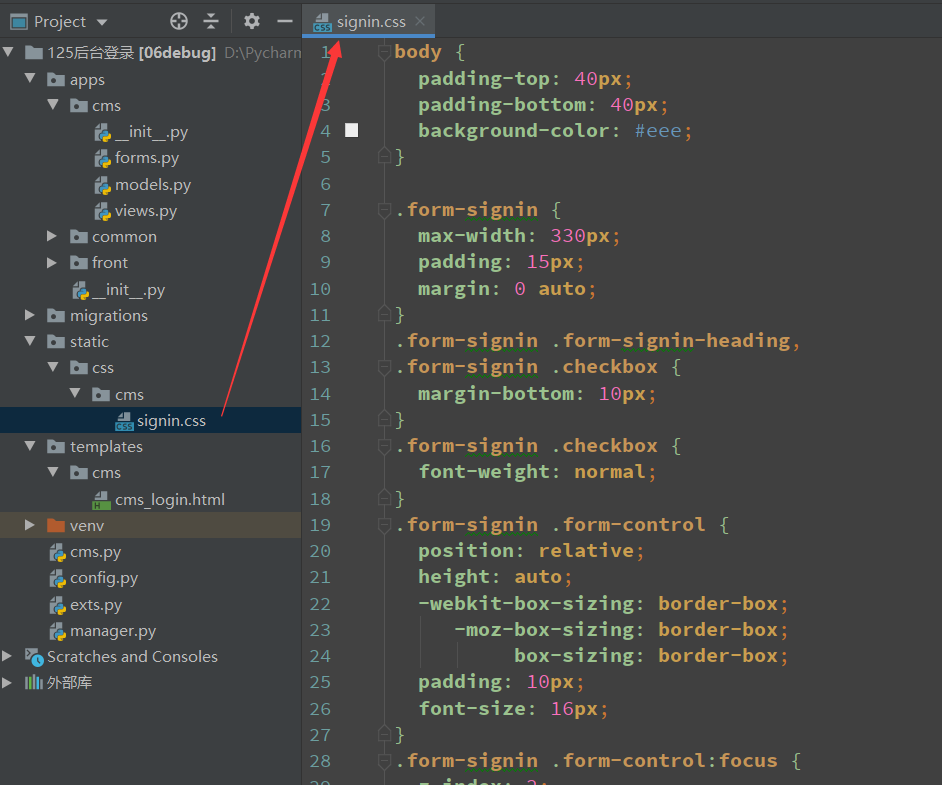
body {
  padding-top: 40px;
  padding-bottom: 40px;
  background-color: #eee;
}

.form-signin {
  max-width: 330px;
  padding: 15px;
  margin: 0 auto;
}
.form-signin .form-signin-heading,
.form-signin .checkbox {
  margin-bottom: 10px;
}
.form-signin .checkbox {
  font-weight: normal;
}
.form-signin .form-control {
  position: relative;
  height: auto;
  -webkit-box-sizing: border-box;
     -moz-box-sizing: border-box;
          box-sizing: border-box;
  padding: 10px;
  font-size: 16px;
}
.form-signin .form-control:focus {
  z-index: 2;
}
.form-signin input[type="email"] {
  margin-bottom: -1px;
  border-bottom-right-radius: 0;
  border-bottom-left-radius: 0;
}
.form-signin input[type="password"] {
  margin-bottom: 10px;
  border-top-left-radius: 0;
  border-top-right-radius: 0;
}
视图
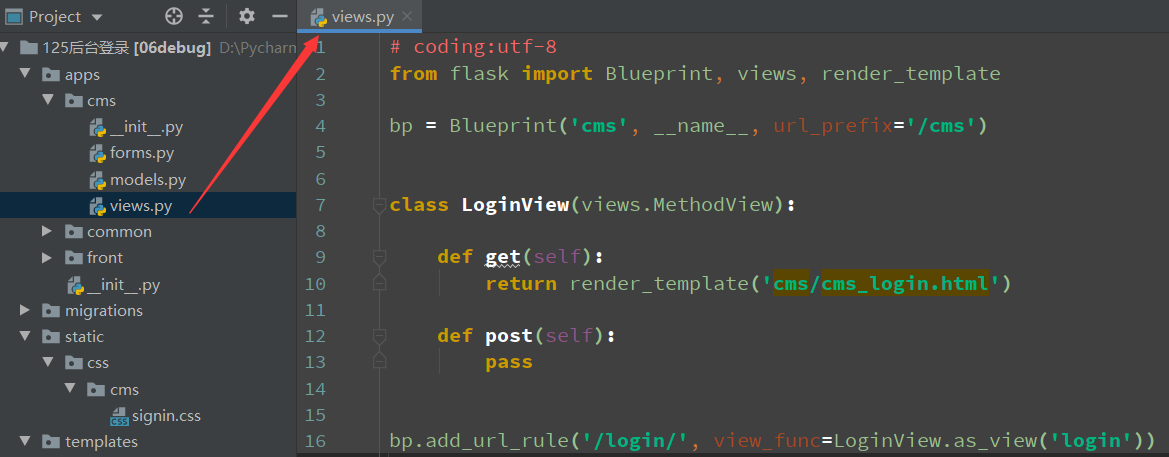
from flask import Blueprint, views, render_template

bp = Blueprint('cms', __name__, url_prefix='/cms')

class LoginView(views.MethodView):

    def get(self):
        return render_template('cms/cms_login.html')

    def post(self):
        pass

bp.add_url_rule('/login/', view_func=LoginView.as_view('login'))
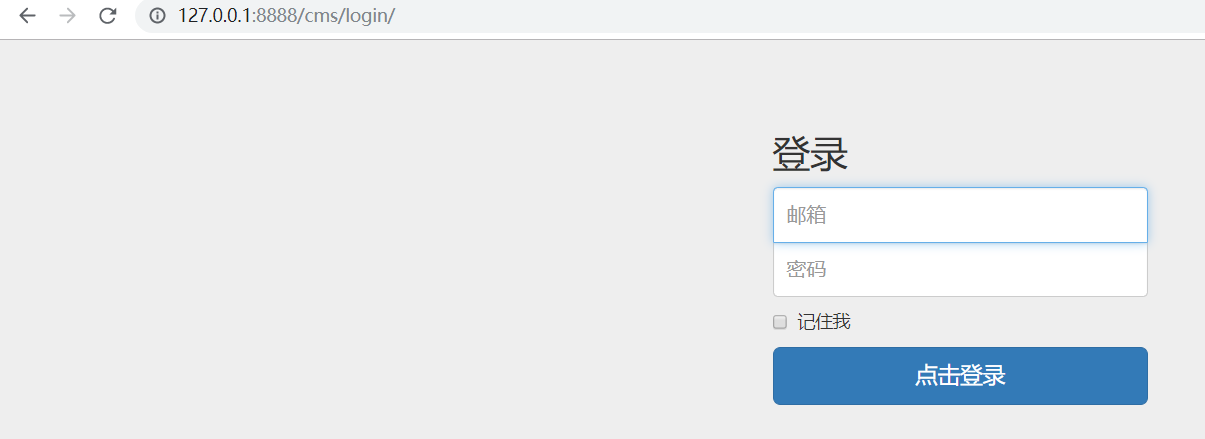
访问
九十二:CMS系统之cms后台登录界面的更多相关文章
- 转载-30分钟搞定后台登录界面(103个后台PSD源文件、素材网站)
原文:30分钟搞定后台登录界面(103个后台PSD源文件.素材网站) 目录 一.界面预览 二.PSD源文件预览 三.工具分享 四.资源说明 五.素材下载网站 六.下载 去年八月时要做一个OA系统为 ...
- Y460 安装ubuntu 12.04系统黑屏,登录界面黑屏
ubuntu 12.04系统黑屏,登录界面黑屏,但是命令行界面可以登录,也可以正常使用,当时在装CVS,装完重启就这样了,可能是因为前一天装更新时,突然断电导致图形界面损坏,参考他人方法,终于修复,总 ...
- ubuntu 12.04系统黑屏,登录界面黑屏
ubuntu 12.04系统黑屏,登录界面黑屏 原文链接:http://www.2cto.com/os/201305/213737.html 1.硬件环境 Intel® Core™ i5- ...
- 九十四:CMS系统之cms后台登录限制
装饰器,验证当前session中是否存在定义的user_id,没有就重定向到登录页 from flask import session, redirect, url_forfrom functools ...
- 九十三:CMS系统之cms后台登录功能
config form from wtforms import Form, StringField, IntegerFieldfrom wtforms.validators import Email, ...
- 30分钟搞定后台登录界面(103个后台PSD源文件、素材网站)
去年八月时要做一个OA系统为了后台界面而烦恼,后来写了一篇博客(<后台管理UI的选择>)介绍了选择过程与常用后台UI,令我想不到的时竟然有许多开发者与我一样都为这个事情而花费不少时间,最后 ...
- 九十六:CMS系统之cms后台用户名渲染和注销功能
用户名渲染,使用flask的g对象,在用户请求进来之后,触发视图函数之前,拿用户的信息,放到g对象里面 @bp.before_requestdef before_request(): "&q ...
- 九十五:CMS系统之cms后台模板渲染
定义一个宏,用于渲染static文件的时候,只需要传文件名就可以,上下两个“-”是解决渲染的时候源代码换行的情况 {% macro static(filename) -%} {{ url_for('s ...
- 九十一:CMS系统之cms用户模型定义
数据库信息 DEBUG = TrueSQLALCHEMY_DATABASE_URI = 'mysql+pymysql://root:123456@127.0.0.1:3306/test'SQLALCH ...
随机推荐
- asp.net 身份验证(Update)
ASP.NET 有四种 身份验证, 用的最广的就是 Froms 这几天 做项目 想用到 配置文件, 比较了 MVC 和ASP.NET 发现 还是 MVC 给力(MVC 叫做 过滤器 ...
- Caffe---Pycaffe进行网络结构(xxx.prototxt)可视化
Pycaffe---进行网络结构(xxx.prototxt)可视化 解决网络结构(xxx.prototxt)可视化,还可以借助python接口,编写一个类似如下的pycaffe_draw_net.py ...
- centos 最小化安装pycharm
首先找到安装地址 https://www.jetbrains.com/pycharm/download/#section=linux 选择linux. 打开浏览器的network监视,我用的chrom ...
- Redis长短链接的区别
本文介绍了phpredis中与redis建立连接的两种方式:connect(短连接)和pconnect(长连接)的区别. 问题背景: 项目采用LNMP架构,考虑到数据访问性能问题,因此使用redis来 ...
- WHU个人赛第二场C——前缀和&&后缀和
题目 链接 题意:给定 $n$ 个整数,去掉其中一个数使得剩下数字的gcd最大,求最大的gcd.($3 \leq n \leq 100000$) 分析 枚举每一个位置,显然每次枚举都计算所有数的gcd ...
- BZOJ 4147: [AMPPZ2014]Euclidean Nim (分类讨论博弈神题)
orz PoPoQQQ神犇,每一篇题解都写得很清楚 (看了PoPoQQQ的哲♂学三部曲,瑟瑟发抖) CODE #include <cstdio> #include <algorith ...
- MacOS使用zsh & oh-my-zsh
shell 俗称壳,c 语言编写的命令解析器程序,是用户使用 linux 的桥梁. 目前常用的 Linux 系统和 OS X 系统的默认 Shell 都是 bash. zsh 和 bash 相似,且 ...
- DockerAPI版本不匹配的问题
1.问题描述 在执行docker指令的时候显示client和server的API版本不匹配,如下: 说明:在这里server API的版本号比client API版本号低,因此不能有效实现cilent ...
- luogu P2585 [ZJOI2006]三色二叉树
P2585 [ZJOI2006]三色二叉树 题目描述 输入输出格式 输入格式: 输入文件名:TRO.IN 输入文件仅有一行,不超过10000个字符,表示一个二叉树序列. 输出格式: 输出文件名:TRO ...
- 《30天自制操作系统》学习笔记--Mac下工具的使用
现在来介绍官网上下的工具怎么用首先是官网地址,书上有个注释上有:hrb.osask.jp 翻译成中文大概是这个样子滴. 上面有两个文件可以下载,一个是工具,一个是工具的源代码,很好的学习资料 下面把工 ...