
Entity Framework之DB First方式
EF(Entity Framework的简称,下同)有三种方式,分别是:DataBase First、 Model First和Code First。
下面是Db First的方式:
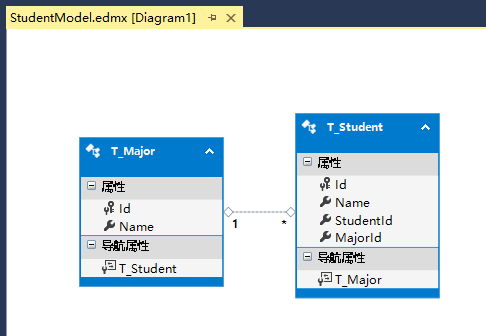
1. 数据库库中存在两个表,一个是专业表,一个学生表,一个学生只能属于一个专业:
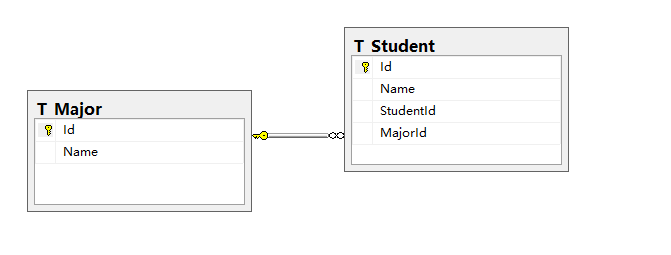
其中T_Major是专业表,T_Student是学生表,StudentId是学号,MajorId是专业Id,T_Major与T_Student是一对多的关系。
2. 项目中添加数据库实体模型
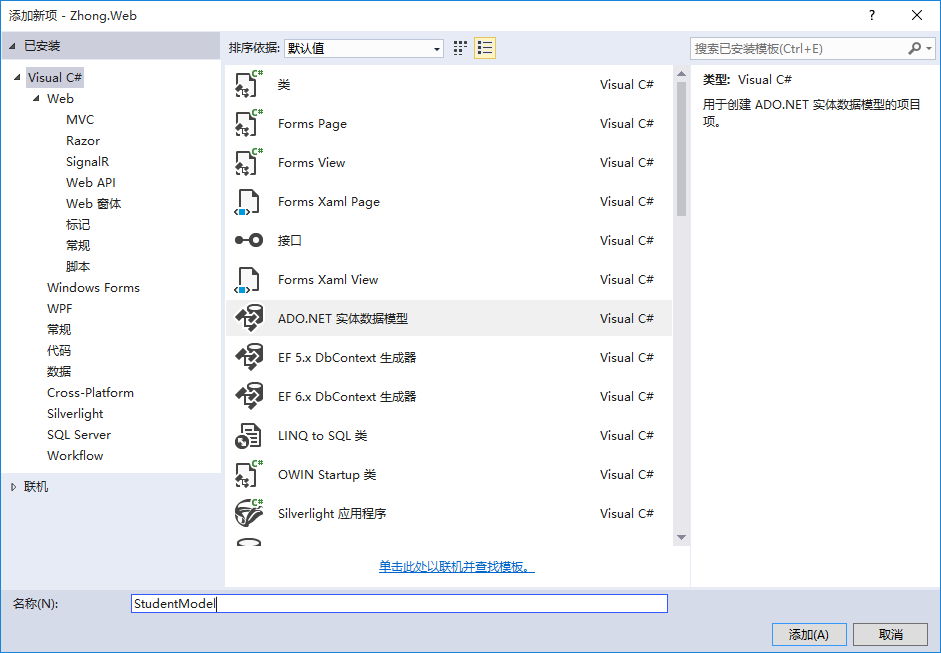

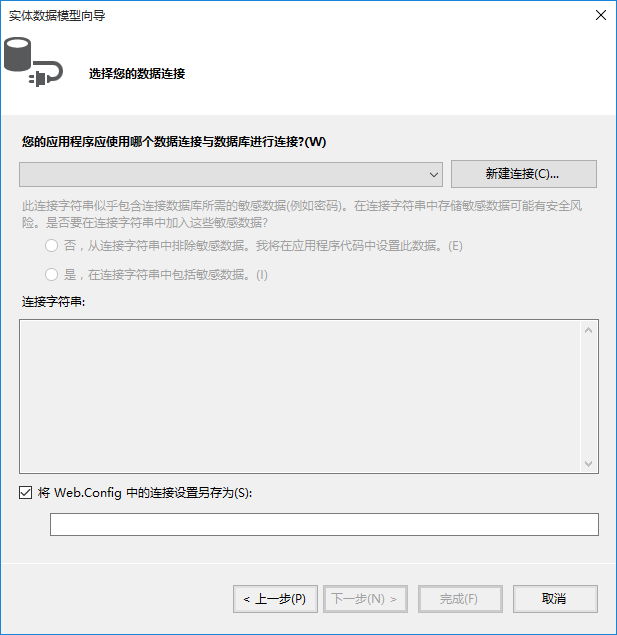
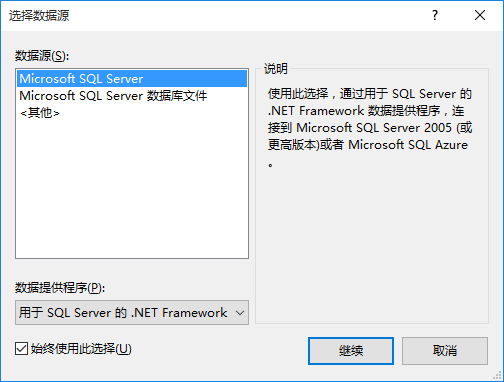
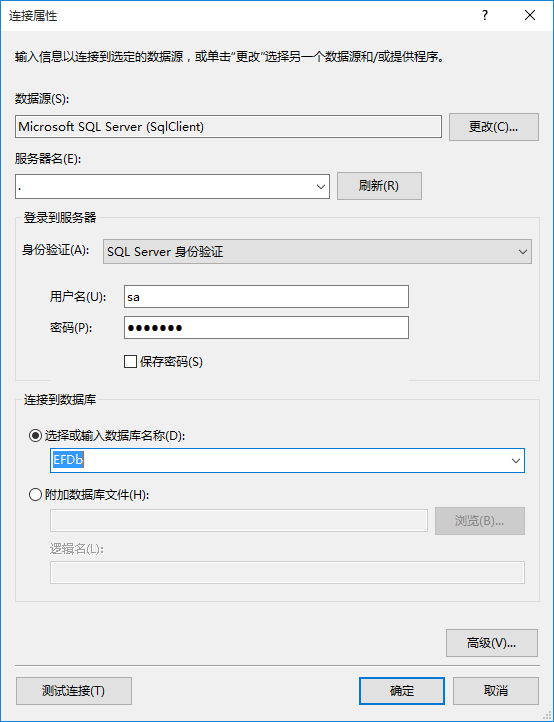
因为之前没有配置过数据库连接,所以点击“新建库连接”,如果之前配置过数据库连接,可以直接从下拉列表中选择或者新建

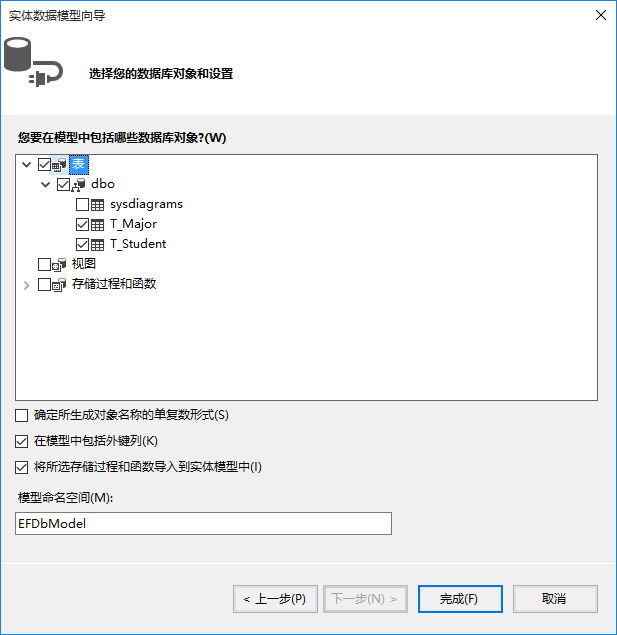
选择需要生成的表/存储过程等
点击“完成”
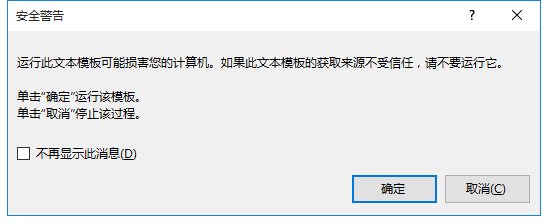
这里会弹出如下图的窗口,然后选择确定(如果再弹出,也选择确定),如果不小心点击了取消,可以在模型设计界面Ctrl + S(保存的快捷键),或如下图的操作,然后会弹出窗口,一直确定就行。

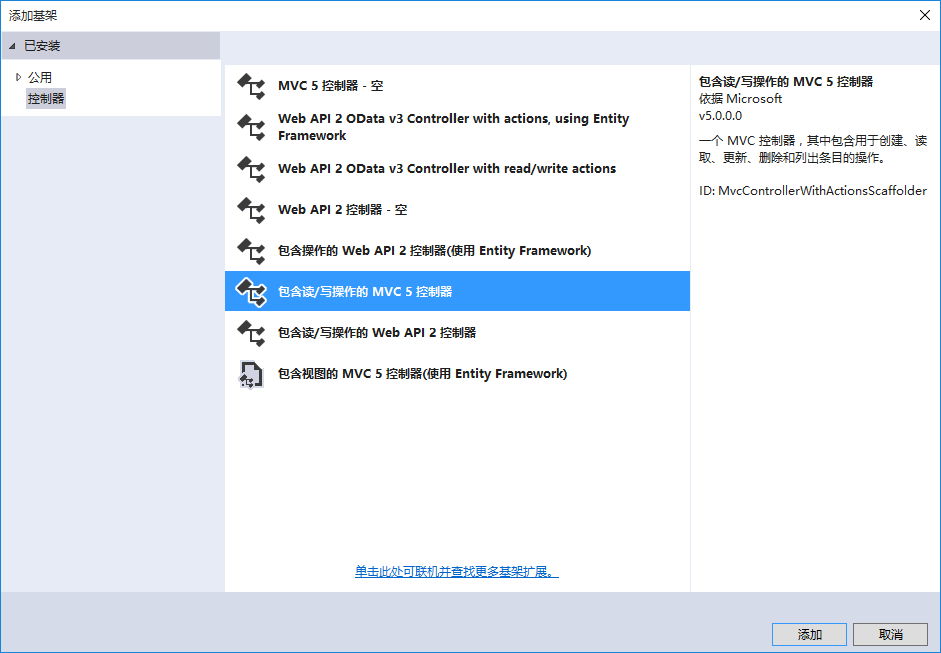
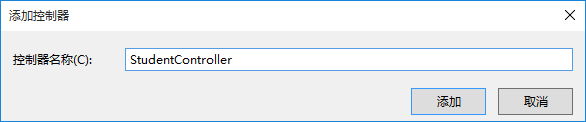
这里是使用MVC,所以添加一个控制器来测试(这里为了快速生成读写的控制器方法,选择“包含读/写操作的MVC5控制器”)
生成代码如下:
using System;

using System.Collections.Generic;

using System.Linq;

using System.Web;

using System.Web.Mvc;

namespace Zhong.Web.Controllers

{

    public class StudentController : Controller

    {

        // GET: Student

        public ActionResult Index()

        {

            return View();

        }

        // GET: Student/Details/5

        public ActionResult Details(int id)

        {

            return View();

        }

        // GET: Student/Create

        public ActionResult Create()

        {

            return View();

        }

        // POST: Student/Create

        [HttpPost]

        public ActionResult Create(FormCollection collection)

        {

            try

            {

                // TODO: Add insert logic here

                return RedirectToAction("Index");

            }

            catch

            {

                return View();

            }

        }

        // GET: Student/Edit/5

        public ActionResult Edit(int id)

        {

            return View();

        }

        // POST: Student/Edit/5

        [HttpPost]

        public ActionResult Edit(int id, FormCollection collection)

        {

            try

            {

                // TODO: Add update logic here

                return RedirectToAction("Index");

            }

            catch

            {

                return View();

            }

        }

        // GET: Student/Delete/5

        public ActionResult Delete(int id)

        {

            return View();

        }

        // POST: Student/Delete/5

        [HttpPost]

        public ActionResult Delete(int id, FormCollection collection)

        {

            try

            {

                // TODO: Add delete logic here

                return RedirectToAction("Index");

            }

            catch

            {

                return View();

            }

        }

    }

}
同样的方法添加一个Major控制器
using System;

using System.Collections.Generic;

using System.Linq;

using System.Web;

using System.Web.Mvc;

namespace Zhong.Web.Controllers

{

    public class MajorController : Controller

    {

        // GET: Major

        public ActionResult Index()

        {

            return View();

        }

        // GET: Major/Details/5

        public ActionResult Details(int id)

        {

            return View();

        }

        // GET: Major/Create

        public ActionResult Create()

        {

            return View();

        }

        // POST: Major/Create

        [HttpPost]

        public ActionResult Create(FormCollection collection)

        {

            try

            {

                // TODO: Add insert logic here

                return RedirectToAction("Index");

            }

            catch

            {

                return View();

            }

        }

        // GET: Major/Edit/5

        public ActionResult Edit(int id)

        {

            return View();

        }

        // POST: Major/Edit/5

        [HttpPost]

        public ActionResult Edit(int id, FormCollection collection)

        {

            try

            {

                // TODO: Add update logic here

                return RedirectToAction("Index");

            }

            catch

            {

                return View();

            }

        }

        // GET: Major/Delete/5

        public ActionResult Delete(int id)

        {

            return View();

        }

        // POST: Major/Delete/5

        [HttpPost]

        public ActionResult Delete(int id, FormCollection collection)

        {

            try

            {

                // TODO: Add delete logic here

                return RedirectToAction("Index");

            }

            catch

            {

                return View();

            }

        }

    }

}
由于学生表MajorId依赖于Major表,所以需要先有专业,才能新增学生数据(这里不讨论是否合理)
编写逻辑代码,创建视图
using System;

using System.Collections.Generic;

using System.Linq;

using System.Web;

using System.Web.Mvc;

using Zhong.Web.Models;

namespace Zhong.Web.Controllers

{

    public class MajorController : Controller

    {

        // GET: Major

        public ActionResult Index()

        {

            var majors = new EFDbEntities().T_Major.ToList();

            return View(majors);

        }

        // GET: Major/Details/5

        public ActionResult Details(int id)

        {

            var major = new EFDbEntities().T_Major.Find(id);

            if (major == null)

            {

                return Content("参数错误");

            }

            return View(major);

        }

        // GET: Major/Create

        public ActionResult Create()

        {

            return View();

        }

        // POST: Major/Create

        [HttpPost]

        public ActionResult Create(T_Major entity)

        {

            if (entity != null)

            {

                var entities = new EFDbEntities();

                entities.T_Major.Add(entity);

                entities.SaveChanges();

            }

            return RedirectToAction("Index");

        }

        // GET: Major/Edit/5

        public ActionResult Edit(int id)

        {

            var entity = new EFDbEntities().T_Major.Find(id);

            if (entity == null)

            {

                return Content("参数错误");

            }

            return View(entity);

        }

        // POST: Major/Edit/5

        [HttpPost]

        public ActionResult Edit(T_Major entity)

        {

            if (entity == null)

            {

                return Content("参数错误");

            }

            var entities = new EFDbEntities();

            #region 方式一

            ////该方式一般是根据主键先读取数据,然后再逐个赋值,最后更新

            //var oldEntity = entities.T_Major.Find(entity.Id);

            //if (oldEntity!=null)

            //{

            //    oldEntity.Name = entity.Name;

            //    entities.SaveChanges();

            //}

            #endregion

            #region 方式二

            //该方式是直接将新的实体(可能是new出来的并且对主键等的属性赋值好了)附加到上下文,然后标记状态为修改Modified

            entities.T_Major.Attach(entity);

            entities.Entry(entity).State = System.Data.Entity.EntityState.Modified;

            entities.SaveChanges();

            #endregion

            return RedirectToAction("Index");

        }

        // GET: Major/Delete/5

        public ActionResult Delete(int id)

        {

            var major = new EFDbEntities().T_Major.Find(id);

            return View(major);

        }

        // POST: Major/Delete/5

        [HttpPost]

        public ActionResult Delete(int id, FormCollection collection)

        {

            try

            {

                // TODO: Add delete logic here

                var entities = new EFDbEntities();

                var major = entities.T_Major.Find(id);

                entities.T_Major.Remove(major);

                entities.SaveChanges();

                return RedirectToAction("Index");

            }

            catch

            {

                return View();

            }

        }

    }

}
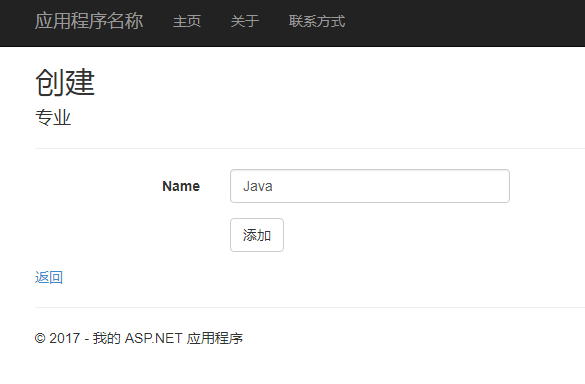
添加专业:
专业列表:

同样实现学生控制器与视图:
using System;

using System.Collections.Generic;

using System.Linq;

using System.Web;

using System.Web.Mvc;

using Zhong.Web.Models;

namespace Zhong.Web.Controllers

{

    public class StudentController : Controller

    {

        private EFDbEntities entities = new EFDbEntities();

        // GET: Student

        public ActionResult Index()

        {

            var students = entities.T_Student.ToList();

            return View(students);

        }

        // GET: Student/Details/5

        public ActionResult Details(int id)

        {

            var student = entities.T_Student.Find(id);

            return View(student);

        }

        // GET: Student/Create

        public ActionResult Create()

        {

            ViewData["MajorId"] = entities.T_Major.Select(m => new SelectListItem { Text = m.Name, Value = m.Id.ToString() });

            return View();

        }

        // POST: Student/Create

        [HttpPost]

        public ActionResult Create(T_Student entity)

        {

            entities.T_Student.Add(entity);

            entities.SaveChanges();

            return RedirectToAction("Index");

        }

        // GET: Student/Edit/5

        public ActionResult Edit(int id)

        {

            var student = entities.T_Student.Find(id);

            ViewData["MajorId"] = entities.T_Major.Select(m => new SelectListItem { Text = m.Name, Value = m.Id.ToString() });

            return View(student);

        }

        // POST: Student/Edit/5

        [HttpPost]

        public ActionResult Edit(T_Student entity)

        {

            if (entity == null)

            {

                return Content("参数错误");

            }

            entities.T_Student.Attach(entity);

            entities.Entry(entity).State = System.Data.Entity.EntityState.Modified;

            entities.SaveChanges();

            return RedirectToAction("Index");

        }

        // GET: Student/Delete/5

        public ActionResult Delete(int id)

        {

            var student = entities.T_Student.Find(id);

            return View(student);

        }

        // POST: Student/Delete/5

        [HttpPost]

        public ActionResult Delete(int id, FormCollection collection)

        {

            var student = entities.T_Student.Find(id);

            entities.T_Student.Remove(student);

            entities.SaveChanges();

            return RedirectToAction("Index");

        }

    }

}
添加学生时,报错如下:

于是在控制器中增加如下代码:

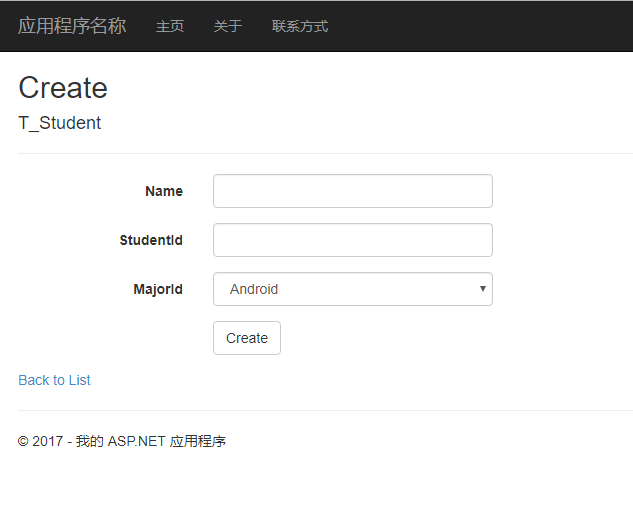
刷新页面:
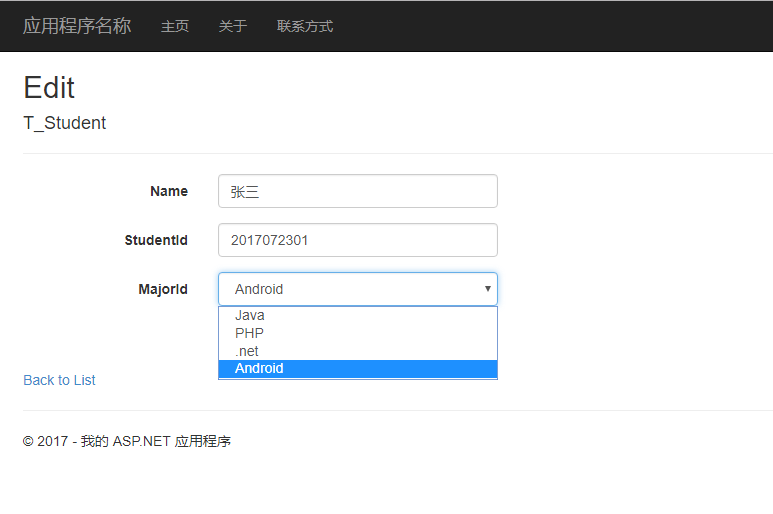
编辑:
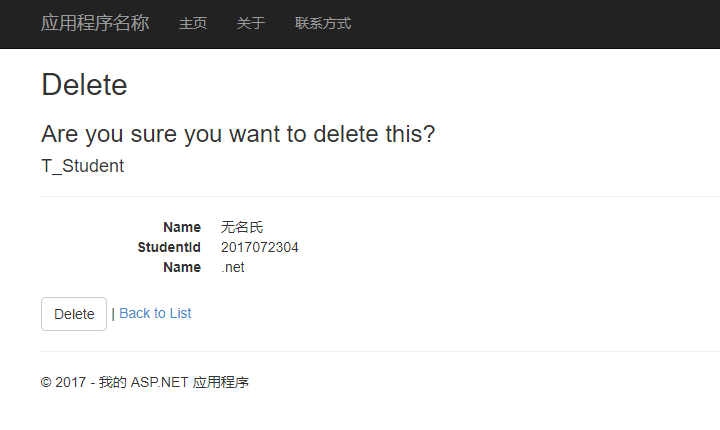
删除:
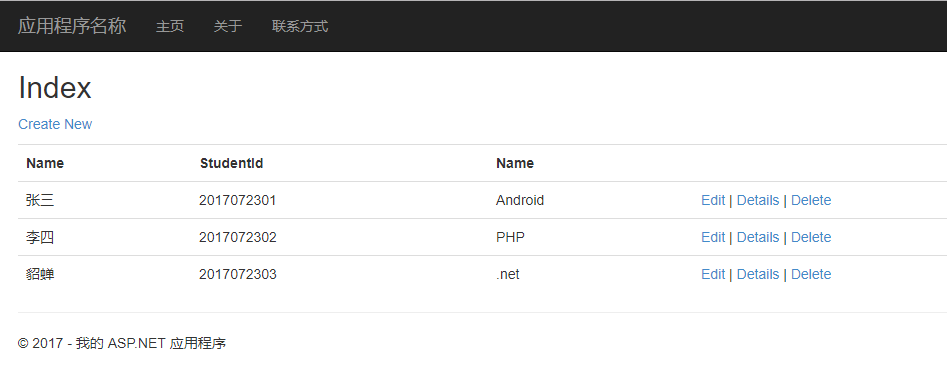
列表:
在MajorController中有介绍EF的两种更新方式
Entity Framework之DB First方式的更多相关文章
- 关于Entity Framework采用DB First模式创建后的实体批量修改相关属性技巧
Entity Framework采用DB First模式创建实体是比较容易与方便的,修改已创建的实体在个数不多的情况下也是没问题的,但如果已创建的实体比较多,比如10个实体以上,涉及修改的地方比较多的 ...
- Entity Framework入门教程: Entity Framework支持的查询方式
Entity Framework支持的查询方式有三种 LINQ to Entities Entity SQL Native SQL [LINQ to Entities] LINQ(语言集成查询)是从V ...
- Entity Framework常用的查询方式
Entity Framework支持的查询方式有三种 LINQ to Entities Entity SQL Native SQL [LINQ to Entities] LINQ(语言集成查询)是从V ...
- [EF] 如何在 Entity Framework 中以手动方式设定 Code First 的 Migration 作业
Entity Framework (简称 EF) 发展到现在, 版本已经进入 6.1.0, 距离我写的「在 VS2013 以 Code First 方式建立 EF 资料库」这篇文章已有半年的时间.如果 ...
- Oracle中使用Entity Framework 6.x Code-First方式开发
去年写过一篇EF的简单学习笔记,当时EF还不支持Oracle的Code-First开发模式,今天无意又看了下Oracle官网,发现EF6.X已经支持了,并且给出了二篇教程(英文版): 1.Using ...
- Entity Framework后台采用分页方式取数据与AspNetPager控件的使用
本文是一个对AspNetPager控件使用的笔记! 有关AspNetPager控件可以查看杨涛主页.这是一个开放的自定义ASP.NET控件,支持各种自定义的数据分页方式,使用很方便,而且功能也很强大, ...
- Entity Framework CodeFirst------使用CodeFirst方式建立数据库连接(一)
本文分步演练介绍通过 Code First 开发建立新数据库.这个方案包括建立不存在的数据库(Code First 创建)或者空数据库(Code First 向它添加新表).借助 Code First ...
- 如何使用ASP.NET Web API OData在Oracle中使用Entity Framework 6.x Code-First方式开发 OData V4 Service
环境: Visual Studio 2013 + .Net Framework 4.5.2 1.新建项目 2.安装OData,ODP.NET 安装的包: 下面是部分代码: using System; ...
- 使用Entity Framework通过code first方式创建数据库和数据表
开发环境 WIN10 Entity Framework6.0 MVC5.0 开发工具 VS2015 SqlServer2012 1.创建上下文Context继承DbContext,并创建其他的业 ...
随机推荐
- @Override 注解compiler1.5和compiler1.6不同
说到注解问题,@interface 来定义注解类 这个注解出现是在jdk1.5版本出现. jdk1.5只支持@override对类的继承中方法重写的使用,不支持接口实现中方法重写的使用(这种情况下会报 ...
- android studio启动和项目编译问题
第一次安装完成后,不要立刻启动,首先在Android Studio安装目录下的 bin 目录下,找到 idea.properties 文件,在文件最后追加disable.android.first.r ...
- mysql2
第三章 保证数据完整性 3.1 数据完整性的概述:实体完整性 域完整性 引用完整性 用户自定义完整性 3.2 数据完整性的实现 3.2.1 创建非空约束 (在定义列后加上 not n ...
- activemq的三种通信方式
一.安装与启动 1.下载安装activemq,下载地址:http://activemq.apache.org/download.html. 2.安装完成后,进入其所在目录的bin目录下面,根据系统位数 ...
- UIKit 框架之UIAlertController
IOS8之后增加了UIAlertController类,它可以表示UIAlertView和UIActionSheet.它继承自UIViewController. - (BOOL)application ...
- C语言实现将彩色BMP位图转化为二值图
CTF做了图片的隐写题,还没有形成系统的认识,先来总结一下BMP图的组成,并通过将彩色图转为二值图的例子加深下理解. 只写了位图二进制文件的格式和代码实现,至于诸如RGB色彩和调色板是什么的一些概念就 ...
- 三种数据库访问——原生JDBC
原生的JDBC编程主要分一下几个步骤: (原生的JDBC编程指,仅应用java.sql包下的接口和数据库驱动类编程,而不借助任何框架) 1. 加载JDBC驱动程序: 2. 负责管理JDBC驱动程序的类 ...
- web前端开发教程系列-3 - 前端开发调试工具分享
前言 一. Bug出现的原因 1. 主观原因或者是出现这么多浏览器的原因 2. 另外客观原因: 二. 调试工具 1. Firebug 2. Chrome 3. IE11 4. IETester 5. ...
- 通过set赋值,与select赋值的区别
---通过set赋值,与select赋值的区别.declare @a int--set @a=(select count(*) from TblStudent)select @a=count(*) f ...
- 深复制与浅复制&&strong,copy修饰符总结
又是一个老生常谈的话题,可是貌似这个问题,好多ios开发工程师并不能理解透彻,所以简单记录分析一下深复制与浅复制的原理以及strong,copy修饰符的原理和使用. 一.深复制与浅复制 ...