
Spring Boot实践——SpringMVC视图解析
一、注解说明
在spring-boot+spring mvc 的项目中,有些时候我们需要自己配置一些项目的设置,就会涉及到这三个,那么,他们之间有什么关系呢?
首先,@EnableWebMvc=WebMvcConfigurationSupport,使用了@EnableWebMvc注解等于扩展了WebMvcConfigurationSupport但是没有重写任何方法。
所以有以下几种使用方式:
@EnableWebMvc+extends WebMvcConfigurationAdapter,在扩展的类中重写父类的方法即可,这种方式会屏蔽springboot的@EnableAutoConfiguration中的设置
extends WebMvcConfigurationSupport,在扩展的类中重写父类的方法即可,这种方式会屏蔽springboot的@EnableAutoConfiguration中的设置
extends WebMvcConfigurationAdapter,在扩展的类中重写父类的方法即可,这种方式依旧使用springboot的@EnableAutoConfiguration中的设置
具体哪种方法适合,看个人对于项目的需求和要把控的程度
在WebMvcConfigurationSupport(@EnableWebMvc)和@EnableAutoConfiguration这两种方式都有一些默认的设定
而WebMvcConfigurationAdapter则是一个abstract class
具体如何类内如何进行个性化的设置,可以参考以下文章:
Spring Boot:定制HTTP消息转换器
EnableWebMvc官方文档
- 使用 @EnableWebMvc 注解,需要以编程的方式指定视图文件相关配置
/**

 * Web MVC 配置适配器

 * @ClassName: WebAppConfigurer

 * @Description:

 * @author OnlyMate

 * @Date 2018年8月28日 下午2:39:31

 *

 * WebAppConfigurer extends WebMvcConfigurerAdapter 在Spring Boot2.0版本已过时了,用官网说的新的类替换

 *

 */

@Configuration

public class WebAppConfigurer implements WebMvcConfigurer {

    /**

     * springmvc视图解析

     * @Title: viewResolver

     * @Description: TODO

     * @Date 2018年8月28日 下午4:46:07

     * @author OnlyMate

     * @return

     */

    @Bean

    public InternalResourceViewResolver viewResolver(){

        InternalResourceViewResolver viewResolver = new InternalResourceViewResolver();

        viewResolver.setPrefix("/WEB-INF/views/");

        viewResolver.setSuffix(".jsp");

        // viewResolver.setViewClass(JstlView.class); // 这个属性通常并不需要手动配置,高版本的Spring会自动检测

        return viewResolver;

    }

    /**

     * SpringBoot设置首页

     */

    @Override

    public void addViewControllers(ViewControllerRegistry registry) {

        WebMvcConfigurer.super.addViewControllers(registry);

        registry.addViewController("/").setViewName("index");

        registry.setOrder(Ordered.HIGHEST_PRECEDENCE);

    }

}
- 使用 @EnableAutoConfiguration 注解,会读取 application.properties 或 application.yml 文件中的配置
## 视图

spring.mvc.view.prefix=/WEB-INF/views/

spring.mvc.view.suffix=.jsp
或
spring:

    http:

        encoding:

            charset: UTF-8

            enabled: true

            force: true

    messages:

        encoding: UTF-8

    profiles:

        active: dev

    mvc:

        view:

            prefix: /WEB-INF/views/

            suffix: .jsp
二、模版引擎
Spring boot 在springmvc的视图解析器方面就默认集成了ContentNegotiatingViewResolver和BeanNameViewResolver,在视图引擎上就已经集成自动配置的模版引擎,如下:
1. FreeMarker
2. Groovy
3. Thymeleaf
4. Velocity (deprecated in 1.4)
6. Mustache
JSP技术spring boot 官方是不推荐的,原因有三:
1. 在tomcat上,jsp不能在嵌套的tomcat容器解析即不能在打包成可执行的jar的情况下解析
2. Jetty 嵌套的容器不支持jsp
3. Undertow
而其他的模版引擎spring boot 都支持,并默认会到classpath的templates里面查找模版引擎,这里假如我们使用freemarker模版引擎
1.现在pom.xml启动freemarker模版引擎视图
<dependency>

    <groupId>org.springframework.boot</groupId>

    <artifactId>spring-boot-starter-freemarker</artifactId>

</dependency>
2.定义一个模版后缀是ftp,注意是在classpath的templates目录下

3.在controller上返回视图路径
@Controller

public class HelloWorldController {

    private Logger logger = LoggerFactory.getLogger(HelloWorldController.class);

    @Value("${question}")

    private String question;

    @Value("${answer}")

    private String answer;

    @Value("${content}")

    private String content;

    @ResponseBody

    @RequestMapping("/hello")

    public String index() {

        return "hello world";

    }

    @ResponseBody

    @RequestMapping(value="/hello1")

    public String index1() {

        return question + answer;

    }

    @ResponseBody

    @RequestMapping(value="/hello2")

    public String index2() {

        return content;

    }

    @RequestMapping(value="/hello3")

    public String index3(Model model) {

        try {

            model.addAttribute("question", question);

            model.addAttribute("answer", answer);

        } catch (Exception e) {

            logger.info("HelloWorldController ==> index3 method: error", e);

        }

        return "/hello";

    }

}
如果使用@RestController,默认就会在每个方法上加上@Responsebody,方法返回值会直接被httpmessageconverter转化,如果想直接返回视图,需要直接指定modelAndView。
public class HelloWorldController{

    private Logger logger = LoggerFactory.getLogger(HelloWorldController.class);

    @Value("${question}")

    private String question;

    @Value("${answer}")

    private String answer;

    @Value("${content}")

    private String content;

    @RequestMapping("/hello3")

    public ModelAndView hello3() {

        try {

        model.addAttribute("question", question);

        model.addAttribute("answer", answer);

    } catch (Exception e) {

        logger.info("HelloWorldController ==> index3 method: error", e);

    }

        return new ModelAndView("hello");

    }

}
4.配置首页
/**

 * Web MVC 配置适配器

 * @ClassName: WebAppConfigurer

 * @Description:

 * @author OnlyMate

 * @Date 2018年8月28日 下午2:39:31

 *

 * WebAppConfigurer extends WebMvcConfigurerAdapter 在Spring Boot2.0版本已过时了,用官网说的新的类替换

 *

 */

@Configuration

public class WebAppConfigurer implements WebMvcConfigurer {/**

     * SpringBoot设置首页

     */

    @Override

    public void addViewControllers(ViewControllerRegistry registry) {

        WebMvcConfigurer.super.addViewControllers(registry);

        registry.addViewController("/").setViewName("index");

        registry.setOrder(Ordered.HIGHEST_PRECEDENCE);

    }

}
5.访问 http://localhost:8088/springboot
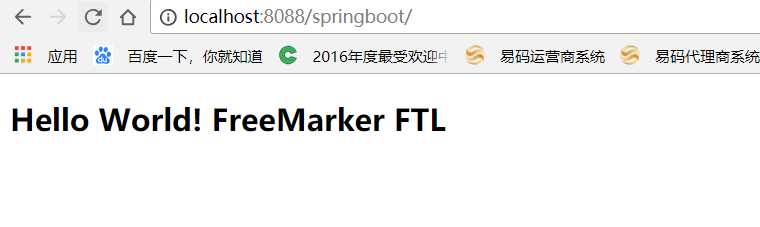

虽然,jsp技术,spring boot 官方不推荐,但考虑到是常用的技术,这里也来集成下jsp技术
1.首先,需要在你项目上加上webapp标准的web项目文件夹

2.配置jsp的前缀和后缀
参考头部 ‘注解说明’
3.在controller中返回视图
同freemaker的第三步
4.配置首页
同freemaker的第四步
5.访问 http://localhost:8088/springboot
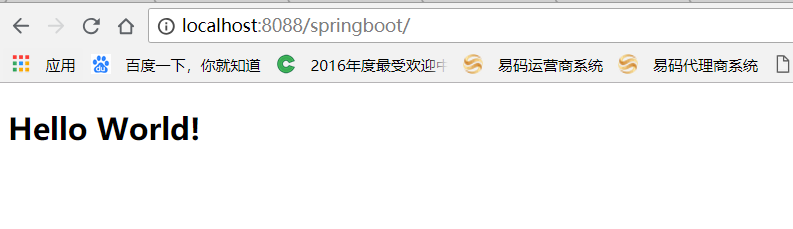

注意
如果出现freemarker模版引擎和jsp技术同时存在的话,springmvc会根据解析器的优先级来返回具体的视图,默认,FreeMarkerViewResolver的优先级大于InternalResourceViewResolver的优先级,所以同时存在的话,会返回freemarker视图

Spring Boot实践——SpringMVC视图解析的更多相关文章
- SpringMVC视图解析器
SpringMVC视图解析器 前言 在前一篇博客中讲了SpringMVC的Controller控制器,在这篇博客中将接着介绍一下SpringMVC视 图解析器.当我们对SpringMVC控制的资源发起 ...
- SpringMVC视图解析器(转)
前言 在前一篇博客中讲了SpringMVC的Controller控制器,在这篇博客中将接着介绍一下SpringMVC视图解析器.当我们对SpringMVC控制的资源发起请求时,这些请求都会被Sprin ...
- spring mvc: 资源绑定视图解析器(不推荐)
spring mvc: 资源绑定视图解析器(不推荐) 不适合单控制器多方法访问,有知道的兄弟能否告知. 访问地址: http://localhost:8080/guga2/hello/index 项目 ...
- spring mvc:内部资源视图解析器2(注解实现)@Controller/@RequestMapping
spring mvc:内部资源视图解析器2(注解实现) @Controller/@RequestMapping 访问地址: http://localhost:8080/guga2/hello/goo ...
- spring mvc:内部资源视图解析器(注解实现)@Controller/@RequestMapping
spring mvc:内部资源视图解析器(注解实现)@Controller/@RequestMapping 项目访问地址: http://localhost:8080/guga2/hello/prin ...
- Spring MVC资源绑定视图解析器
ResourceBundleViewResolver使用属性文件中定义的视图bean来解析视图名称. 以下示例显示如何使用Spring Web MVC框架中的ResourceBundleViewRes ...
- SpringMVC 视图解析器
SpringMVC 视图解析器 还记得SpringMVC 快速入门中,dispatcher-servlet.xml 配置的视图解析器么.它是SpringMVC 的核心知识点.本章节比较简单,明白视图解 ...
- Spring Boot实践——Spring AOP实现之动态代理
Spring AOP 介绍 AOP的介绍可以查看 Spring Boot实践——AOP实现 与AspectJ的静态代理不同,Spring AOP使用的动态代理,所谓的动态代理就是说AOP框架不会去修改 ...
- Spring Boot实践——AOP实现
借鉴:http://www.cnblogs.com/xrq730/p/4919025.html https://blog.csdn.net/zhaokejin521/article/detai ...
随机推荐
- Ubuntu终端远程连接linux服务器
SSH是一个远程接入软件,可以让你想坐在计算机前面一样操作计算机.SSH使用加密方式传输数据,是一种非常安全的工作方式 步骤如下: 前提:如果没有安装ssh的话请 sudo apt-get inst ...
- CF1083A The Fair Nut and the Best Path
CF1083A The Fair Nut and the Best Path 先把边权搞成点权(其实也可以不用),那么就是询问树上路径的最大权值. 任意时刻权值非负的限制可以不用管,因为若走路径 \( ...
- BZOJ1131 POI2008 Sta 【树形DP】
BZOJ1131 POI2008 Sta Description 给出一个N个点的树,找出一个点来,以这个点为根的树时,所有点的深度之和最大 Input 给出一个数字N,代表有N个点.N<=10 ...
- vs2010 C++创建和使用动态链接库(dll)
一.用C++创建动态链接库项目: 1.打开Microsoft Visual Studio 2010,选择File->New->Project. 2.在NewProject中选择Inst ...
- python字符串常用
参考这一篇: http://www.runoob.com/python/python-strings.html
- Windows下安装Redis服务,修改查看密码,修改端口,常用命令
一.安装 出自:https://jingyan.baidu.com/article/0f5fb099045b056d8334ea97.html 1.要安装Redis,首先要获取安装包.Windows的 ...
- anycast简单总结
一针见血,言简意赅的总结 bgp+anycast就是不同服务器用了相同的ip地址 anycast 技术特点 bgp+anycast就是多个主机使用相同ip地址的一种技术,当报文发给该地址时,根据路由协 ...
- 使用npm link 创建本地模块
1. npm link 介绍 创建一个全局的符号链接,优点是方便我们进行本地node模块的开发调用,和后期发布私服,或者npm 仓库调用是一致的 以下为官方的说明: First, npm link i ...
- flash无法导入mp3文件
用全能音频转换通转换下,一切采用默认即可,点击下载地址 这个软件真心好用. 把mp3拖入其中,点击批量转换,参数默认,即可.
- 如何在 Linux 上使用 x2go 设置远程桌面
https://linux.cn/article-5708-1.html 由于一切都迁移到了云上,作为提高职员生产力的一种方式,虚拟远程桌面在工业中越来越流行.尤其对于那些需要在多个地方和设备之间不停 ...