
Android-自定义进度条
圆形进度条,不确定进度条:
  <!-- 原生圆形进度条 不确定进度条 -->

    <ProgressBar

        android:layout_width="wrap_content"

        android:layout_height="wrap_content" />

    <!--

        自定义圆形进度条 不确定进度条

        android:indeterminateDrawable="@drawable/progress_bar1"

     -->

    <ProgressBar

        android:layout_width="wrap_content"

        android:layout_height="wrap_content"

        android:indeterminateDrawable="@drawable/progress_bar1"

        android:layout_marginTop="20dp"

        />
android:indeterminateDrawable="@drawable/progress_bar1" 的progress_bar1.xml:
<?xml version="1.0" encoding="utf-8"?>

<rotate xmlns:android="http://schemas.android.com/apk/res/android"

    android:pivotX="50%"

    android:pivotY="50%"

    android:fromDegrees="0"

    android:toDegrees="360"

    android:interpolator="@android:anim/accelerate_decelerate_interpolator">

    <!--进度条图片-->

    <bitmap

        android:antialias="true"

        android:filter="true"

        android:src="@drawable/share_circle"/>

</rotate>
效果:

水平方向进度条:
   <!-- 原生水平进度条 -->

    <ProgressBar

        android:layout_width="match_parent"

        android:layout_height="wrap_content"

        style="@style/Widget.AppCompat.ProgressBar.Horizontal"

        android:max="100"

        android:progress="50"

        android:layout_marginTop="20dp"

        />

    <!--

        自定义水平样式 进度条

        android:progressDrawable="@drawable/progress_bar2"

     -->

    <ProgressBar

        android:layout_width="match_parent"

        android:layout_height="wrap_content"

        style="@style/Widget.AppCompat.ProgressBar.Horizontal"

        android:max="200"

        android:progress="100"

        android:layout_marginTop="20dp"

        android:layout_marginBottom="20dp"

        android:progressDrawable="@drawable/progress_bar2"

        />
android:progressDrawable="@drawable/progress_bar2" 的progress_bar2.xml:
<?xml version="1.0" encoding="utf-8"?>

<layer-list xmlns:android="http://schemas.android.com/apk/res/android">

    <!-- 背景  gradient是渐变,corners定义的是圆角 -->

    <item android:id="@android:id/background">

        <shape>

            <corners android:radius="10dp" />

            <solid android:color="#ffffff" />

        </shape>

    </item>

    <!-- 第二条进度条颜色 -->

    <item android:id="@android:id/secondaryProgress">

        <clip>

            <shape>

                <corners android:radius="10dip" />

                <gradient

                    android:angle="90.0"

                    android:centerColor="#ac6"

                    android:centerY="0.45"

                    android:endColor="#6c2"

                    android:startColor="#e71a" />

            </shape>

        </clip>

    </item>

    <!-- 进度条 -->

    <item android:id="@android:id/progress">

        <clip>

            <shape>

                <corners android:radius="10dip" />

                <solid android:color="#F5e5" />

            </shape>

        </clip>

    </item>

</layer-list>
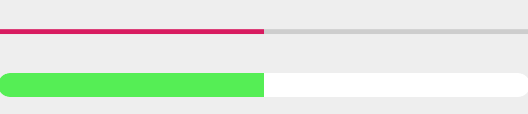
效果:
Android-自定义进度条的更多相关文章
- android 自定义进度条颜色
android 自定义进度条颜色 先看图 基于产品经理各种自定义需求,经过查阅了解,下面是自己对Android自定义进度条的学习过程! 这个没法了只能看源码了,还好下载了源码, sources\b ...
- 最简单的android自定义进度条样式
一.自定义圆形进度条样式 1.在安卓项目drawable目录下新建一个xml文件如下:<?xml version="1.0" encoding="utf-8&quo ...
- Android自定义进度条颜色
这个没法了只能看源码了,还好下载了源码, sources\base\core\res\res\ 下应有尽有,修改进度条颜色只能找progress ,因为是改变样式,首先找styles.xml ? 1 ...
- Android自定义进度条
Android原生控件只有横向进度条一种,而且没法变换样式,比如原生rom的样子很丑是吧,当伟大的产品设计要求更换前背景,甚至纵向,甚至圆弧状的,咋办,比如ok,我们开始吧: 一)变换前背景 先来看看 ...
- Android自定义进度条-带文本(文字进度)的水平进度条(ProgressBar)
水平进度条,显示进度的文本随着进度而移动. 效果如下,截的静态图. 代码如下 TextProgressBar.java public class TextProgressBar extends Pro ...
- android113 自定义进度条
MainActivity: package com.itheima.monitor; import android.os.Bundle; import android.app.Activity; im ...
- 自定义进度条PictureProgressBar——从开发到开源发布全过程
自定义进度条PictureProgressBar——从开发到开源发布全过程 出处: 炎之铠邮箱:yanzhikai_yjk@qq.com 本文原创,转载请注明本出处! 本项目JCenter地址:htt ...
- Android 设置进度条背景
Android 设置进度条背景 直接上代码 <ProgressBar android:id="@+id/progressBar" android:layout_width=& ...
- Qt之模型/视图(自定义进度条)
简述 在之前的章节中分享过关于QHeaderView表头排序.添加复选框等内容,相信大家模型/视图.自定义风格有了一定的了解,下面我们来分享一个更常用的内容-自定义进度条. 实现方式: 从QAbstr ...
- Android之进度条2
我之前有写过一篇“Android之进度条1”,那个是条形的进度条(显示数字进度),这次实现圆形进度条. 点击查看Android之进度条1:http://www.cnblogs.com/caidupin ...
随机推荐
- Python Web框架——Django
返回顶部 使用框架简单快速开发特定的系统. pip freeze > requirements.txt pip install -r requirements.txt 一 MVC和MTV模式 二 ...
- 11_java之接口和多态
01接口的概念 * A:接口的概念 接口是功能的集合,同样可看做是一种数据类型,是比抽象类更为抽象的”类”. 接口只描述所应该具备的方法,并没有具体实现,具体的实现由接口的实现类(相当于接口的子类)来 ...
- mac 上sed
mac上sed和liunx是不一样的,所以有些指令可能不通用,需要将mac上sed替换成gun的: Install Homebrew First, visit Homebrew homepage an ...
- REST 规范
DRF之REST规范介绍及View请求流程分析 DRF之解析器组件及序列化组件 DRF - 序列化组件(GET/PUT/DELETE接口设计).视图优化组件 DRF之权限认证频率组件 DRF之注册器响 ...
- Dubbo与Zookeeper、SpringMVC整合和使用(负载均衡
转载:http://blog.csdn.net/congcong68/article/details/41113239 互联网的发展,网站应用的规模不断扩大,常规的垂直应用架构已无法应对,分布式服务架 ...
- 前端使用CryptoJs类库进行sha-256、MD5加密
Google的加密库 CryptoJs(点此下载) 包含了很多常用的加解密方式,包括AES.DES.SHA-1.SHA-2.SHA256.MD5等. DES对称加密在之前的文章中也有介绍过,大传送门. ...
- MySQL 基本语法(1.表字段操作,2表记录管理 3.运算符管理4.SQL查询 5.约束6.索引
.表字段的操作 .语法:alter table 表名 执行动作; .添加字段(add) .添加到末尾 alter table 表名 add 字段名 数据类型; .添加到第一列 alter table ...
- 自动删除 Elasticsearch 索引
#!/bin/bash # author: Wang XiaoQiang# crontab -e# 0 0 * * * /root/script/del_esindex.sh # auto delet ...
- c# vs c++
[c# vs c++] 1.在 C++ 中,类和结构实际上是相同的,而在 C# 中,它们很不一样.C# 类可以实现任意数量的接口,但只能从一个基类继承.而且,C# Struct不支持继承,也不支持显式 ...
- jquery offset positon 获取位置不准的解决方法
问题: 本地开发时,由于使用了图片,而且使用了offset().top涉及到图片所在的div距离计算的部分,本地开发一切都没问题:但是部署到服务器上时却出现布局错乱,经过排查发现总是少了一个图片高度的 ...