
第7步:安装Grid
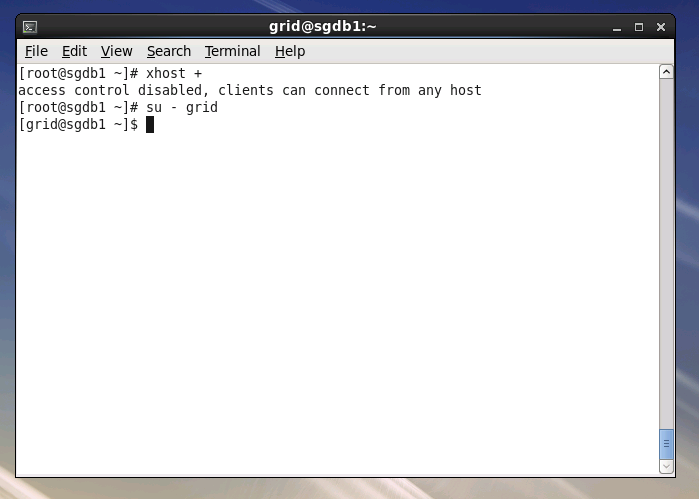
| [root@sgdb1~]# xhost+
[root@sgdb1~]# su - grid
[grid@sgdb1~]$ unzip /tmp/p10404530_112030_Linux-x86-64_3of7.zip
|
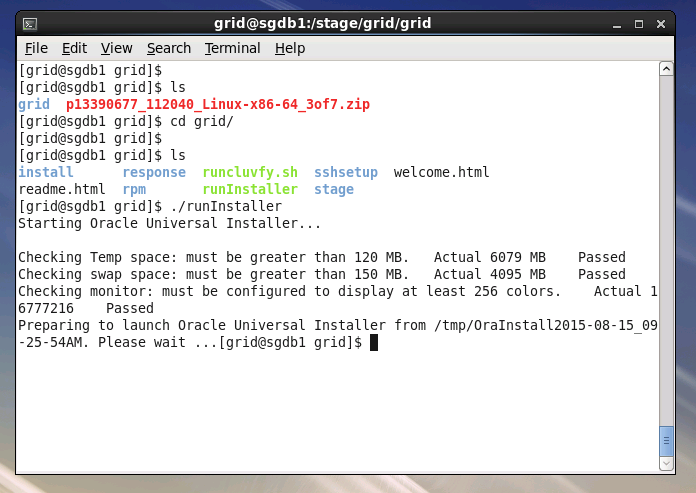
| [grid@sgdb1~]$ cd /tmp/grid
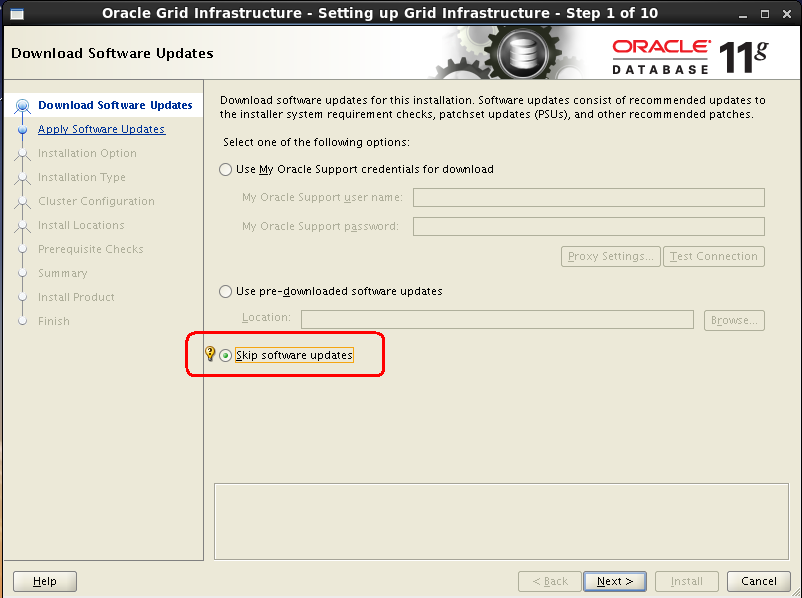
[grid@sgdb1~]$ ./runInstaller
|
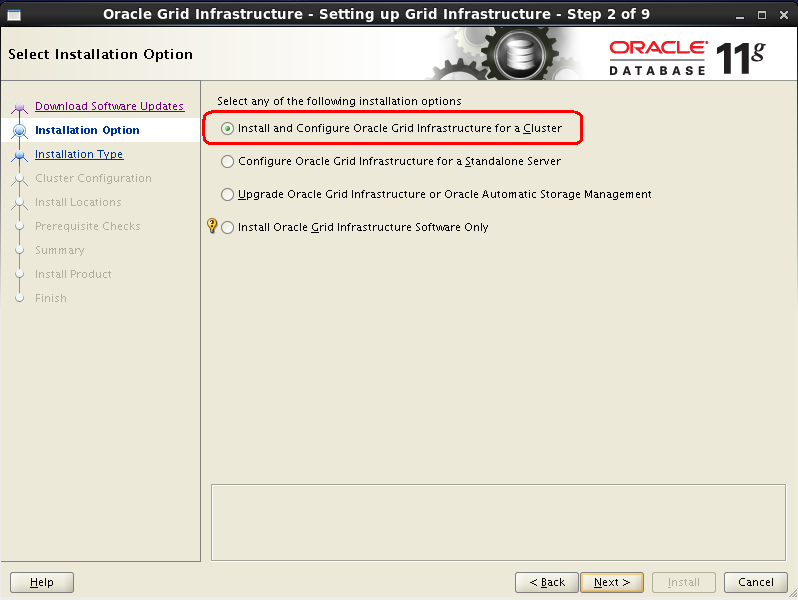
7.3 Grid安装选项
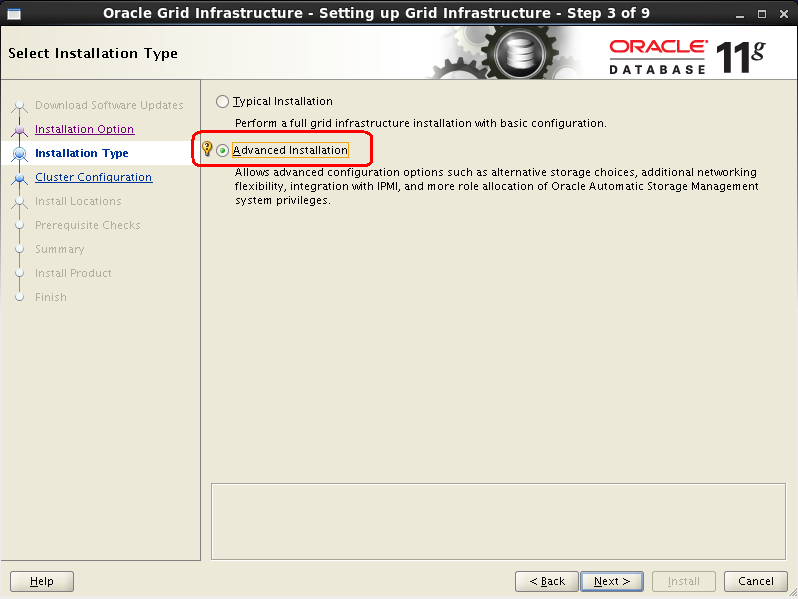
7.4 Grid安装方式
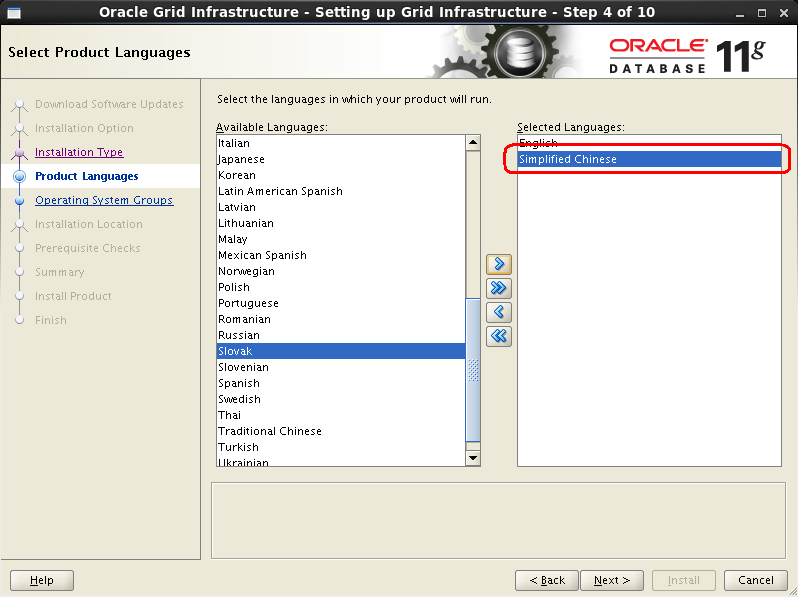
7.5 Grid安装语言
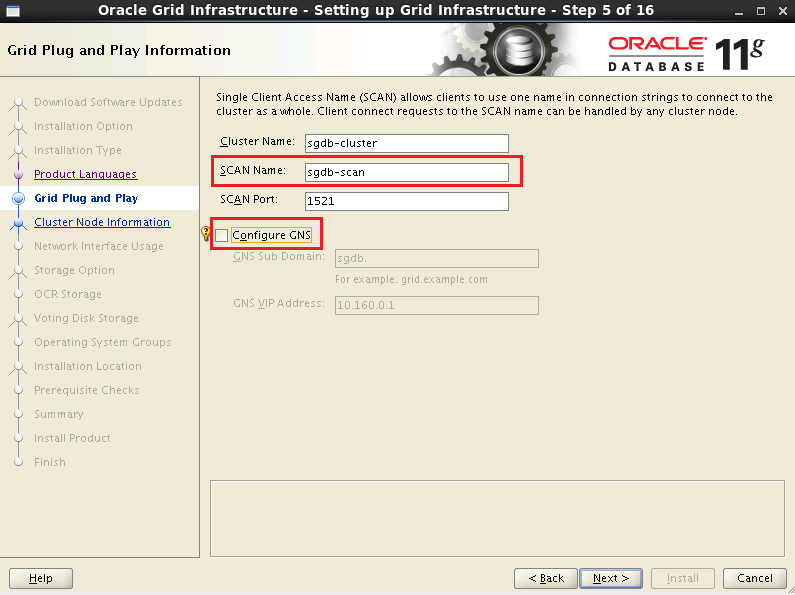
7.6 设置SCAN IP
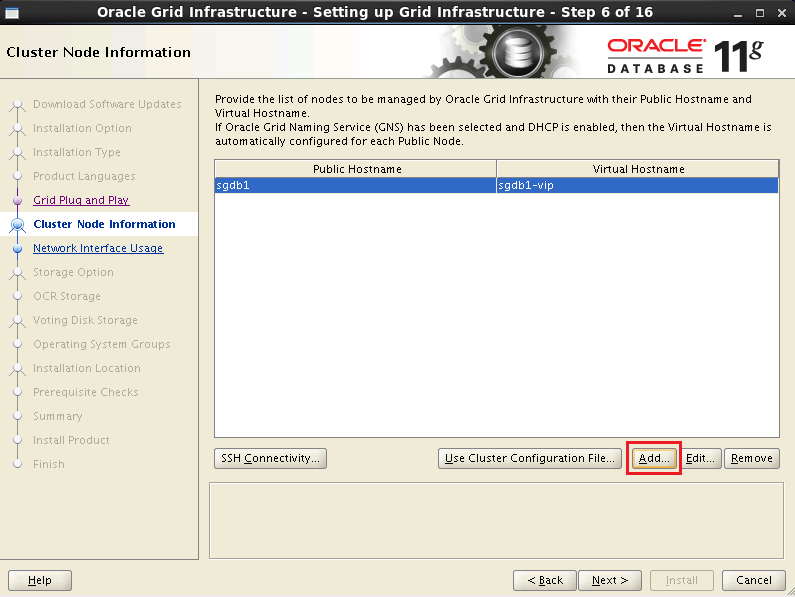
7.7 配置集群服务器SSH服务
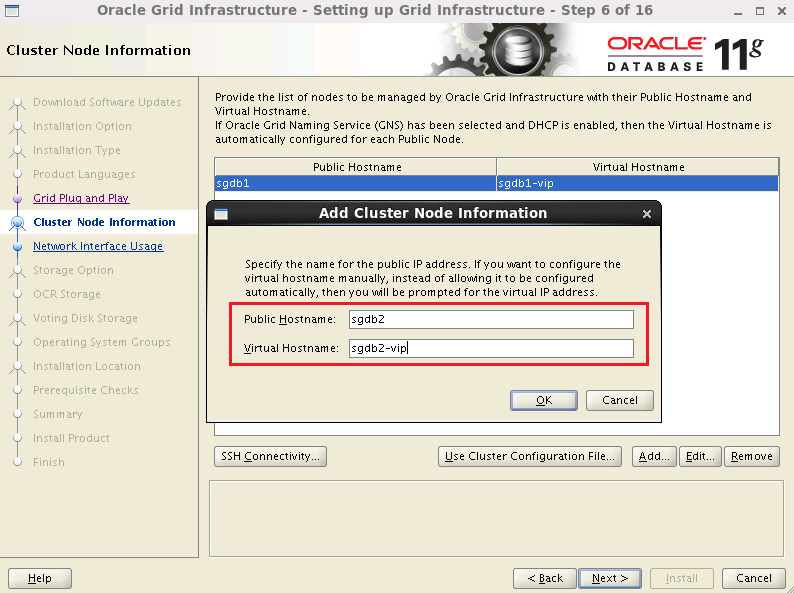
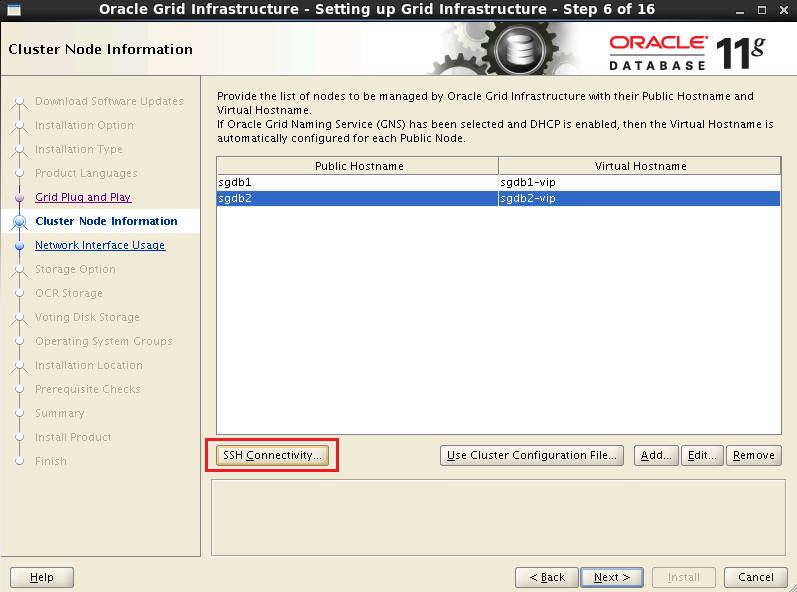
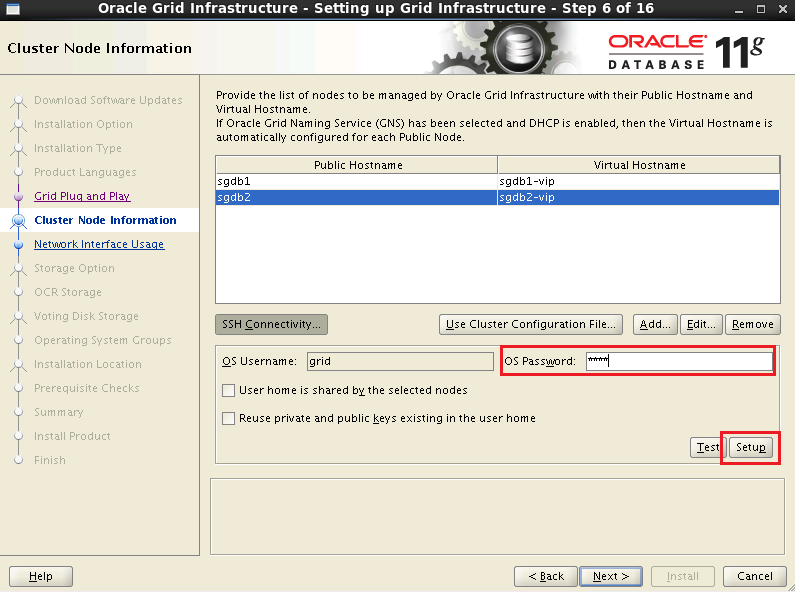
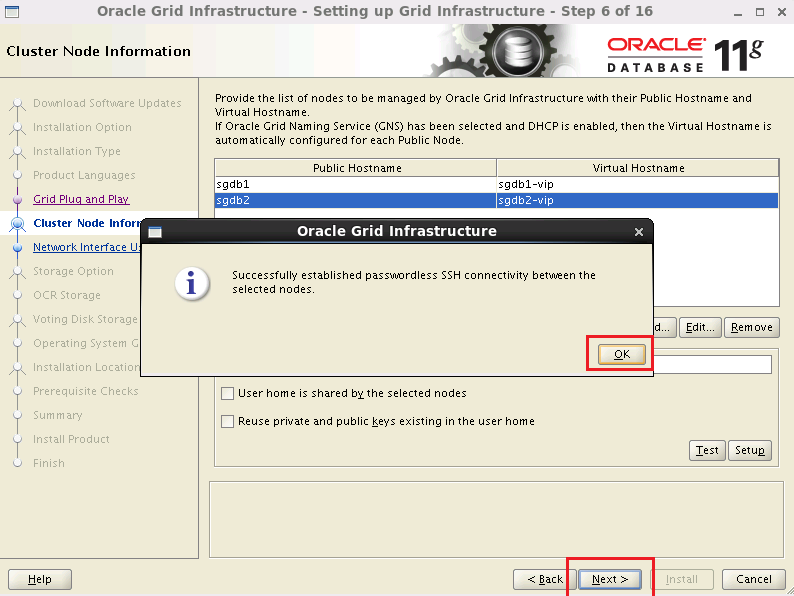
7.8 设置网络
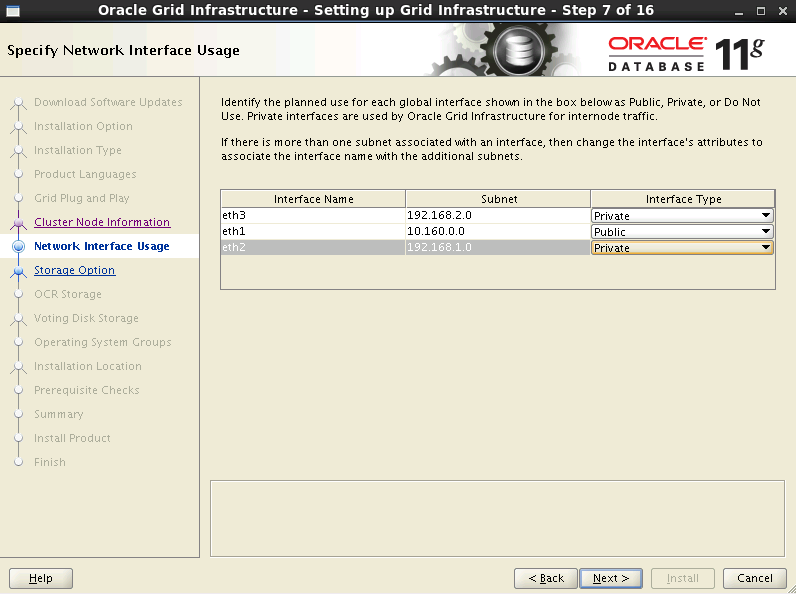
7.9 选择存储方式
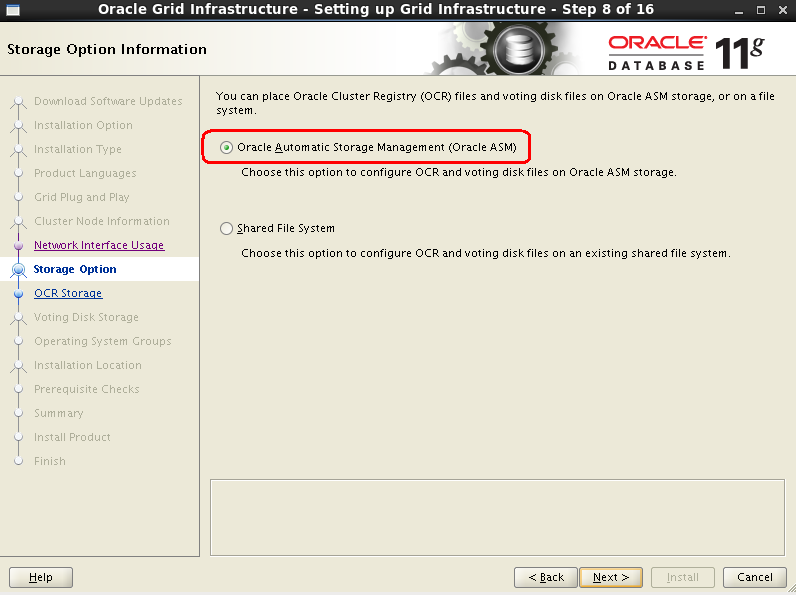
7.10 选择OCR+投票盘
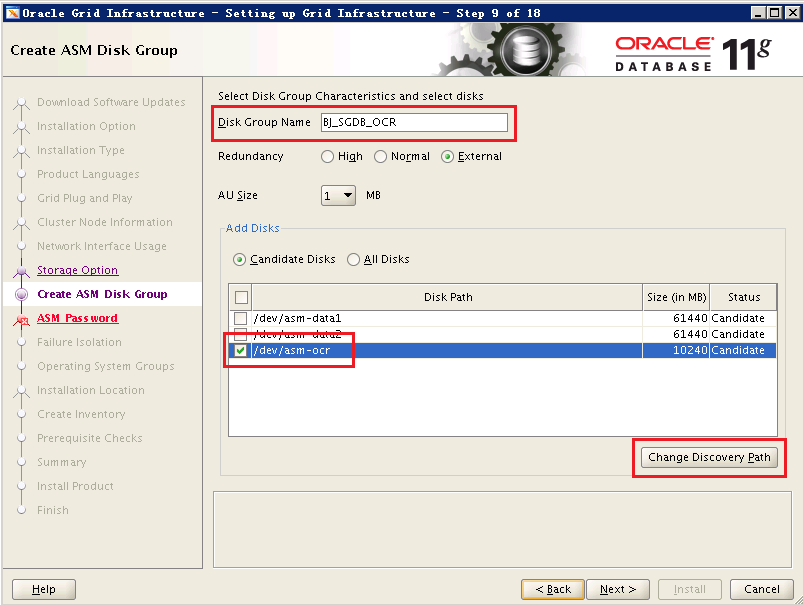
图15 选择投票盘
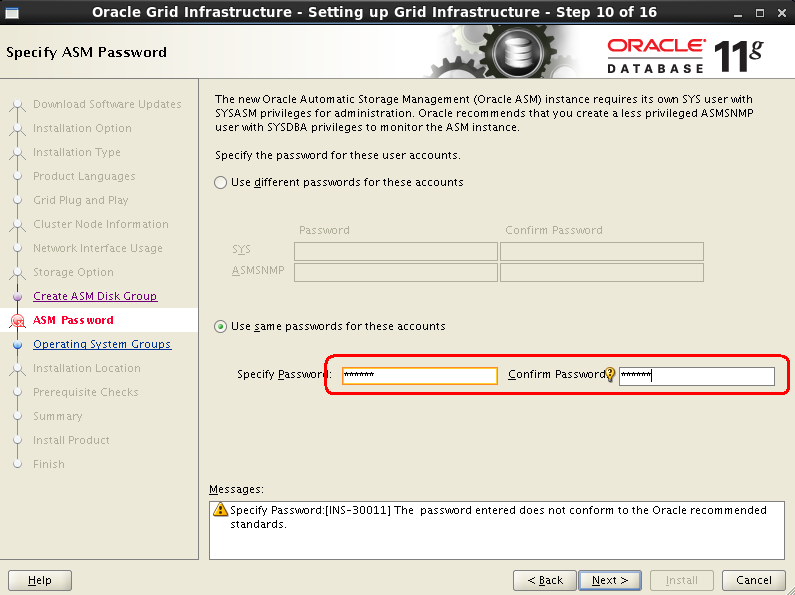
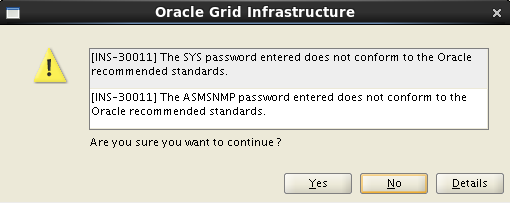
7.11 设置ASM管理用户密码
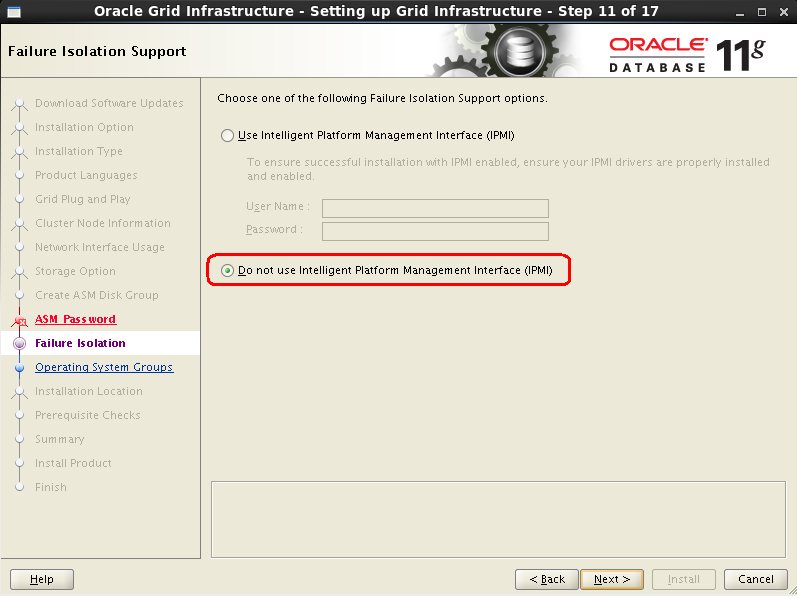
7.12 设置IPM
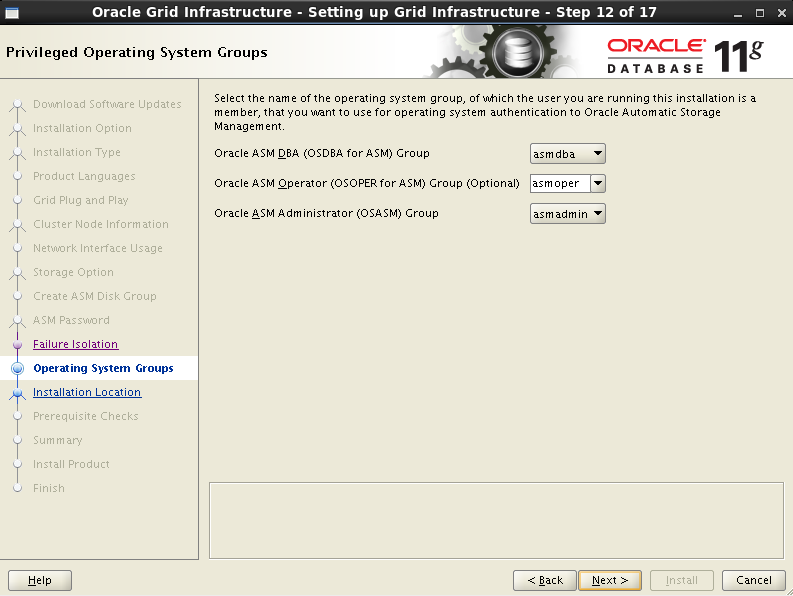
7.13 设置ASM管理用户与用户组
7.14 设置Grid软件安装路径
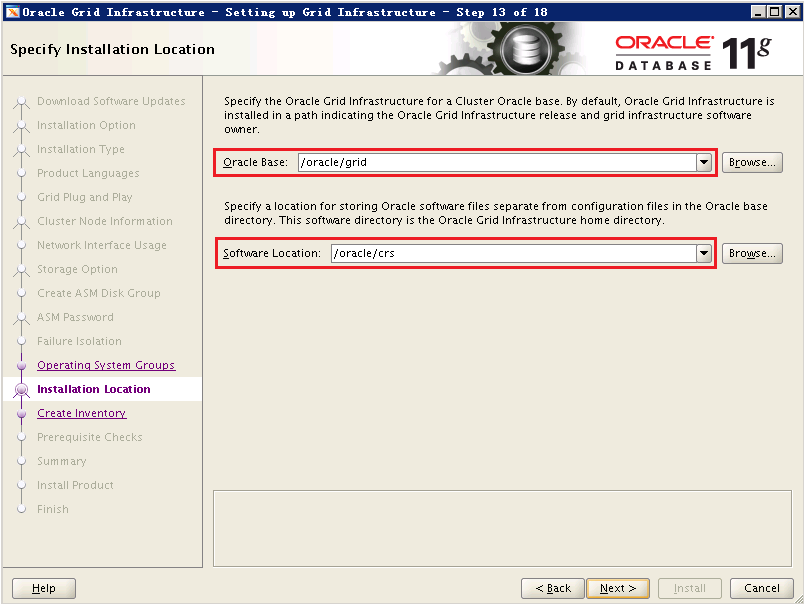
图20 设置Grid软件安装路径
7.15 设置oraInventory路径
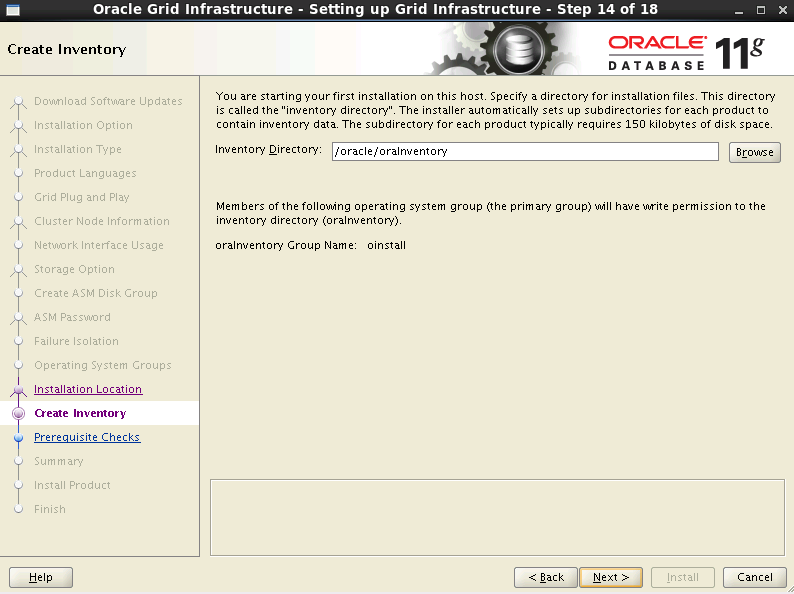
图21 设置oraInventory路径
7.16 执行安装前检查
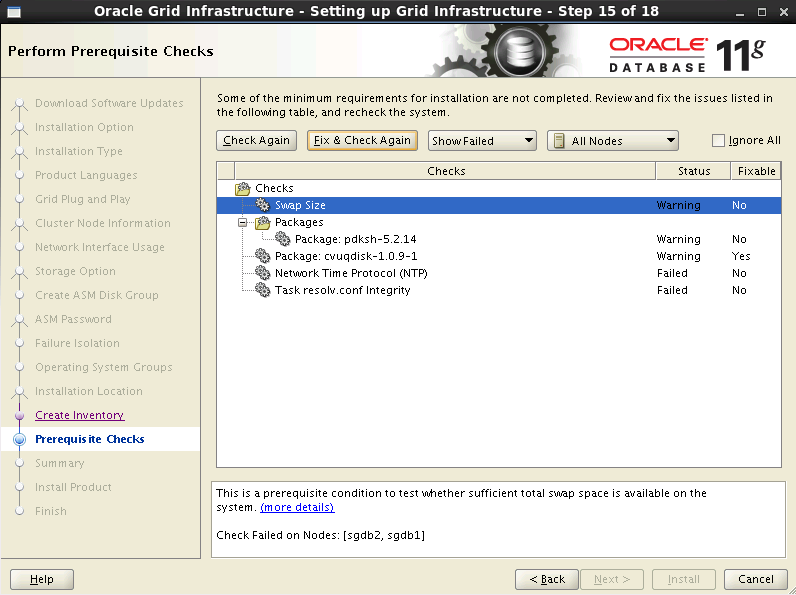
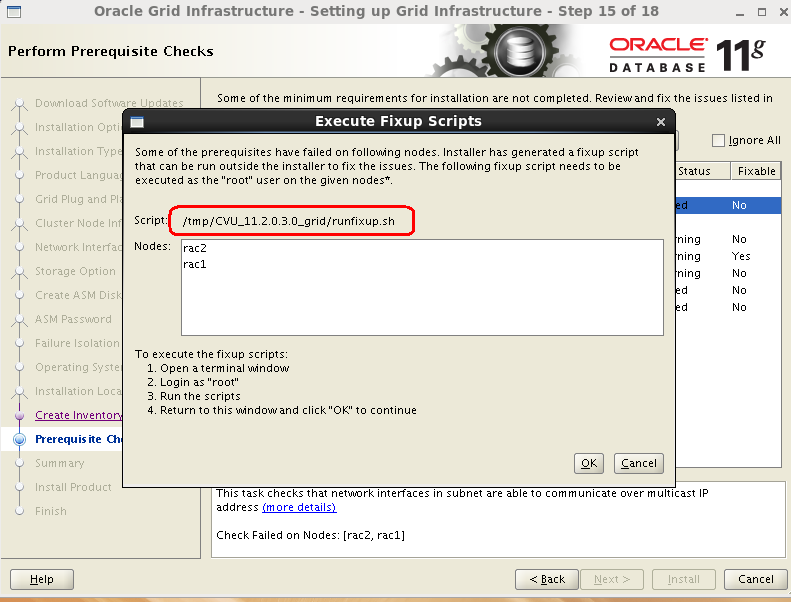
| [root@sgdb1 CVU_11.2.0.4.0_grid]# ./runfixup.sh
Response file being used is :./fixup.response
Enable file being used is :./fixup.enable
Log file location: ./orarun.log
Installing Package /tmp/CVU_11.2.0.4.0_grid//cvuqdisk-1.0.9-1.rpm
Preparing... ########################################### [100%]
1:cvuqdisk ########################################### [100%]
|
| [root@sgdb2 CVU_11.2.0.4.0_grid]# ./runfixup.sh
Response file being used is :./fixup.response
Enable file being used is :./fixup.enable
Log file location: ./orarun.log
Installing Package /tmp/CVU_11.2.0.4.0_grid//cvuqdisk-1.0.9-1.rpm
Preparing... ########################################### [100%]
1:cvuqdisk ########################################### [100%]
|
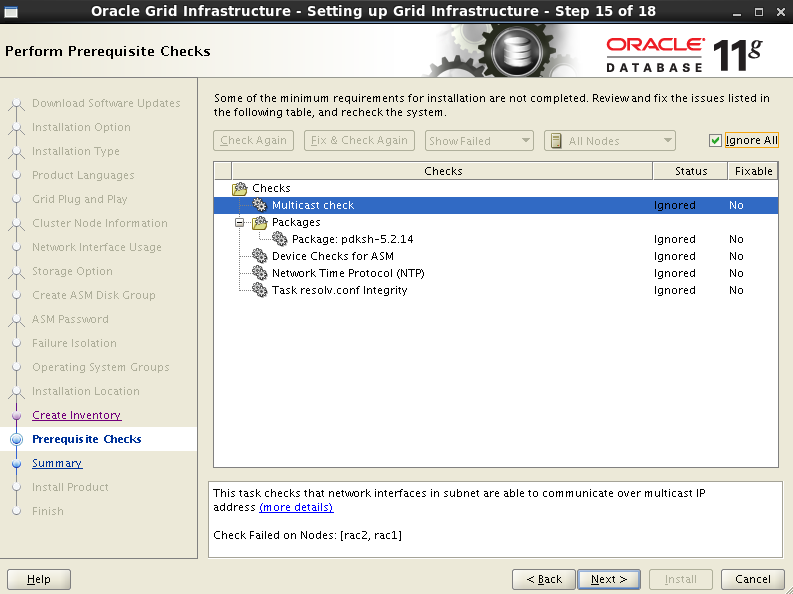
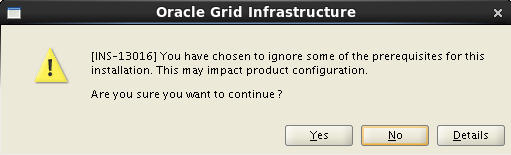
7.17 安装信息统计
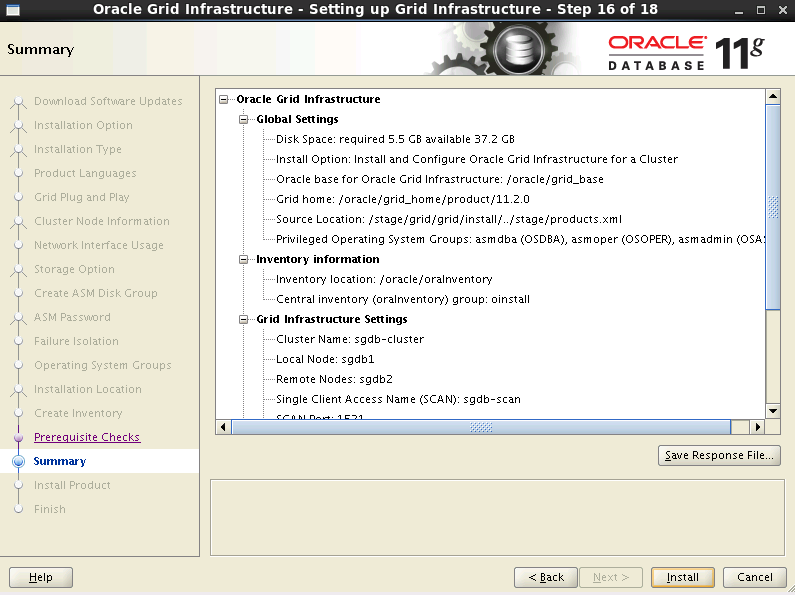
图26 安装前信息汇总
7.18 安装过程
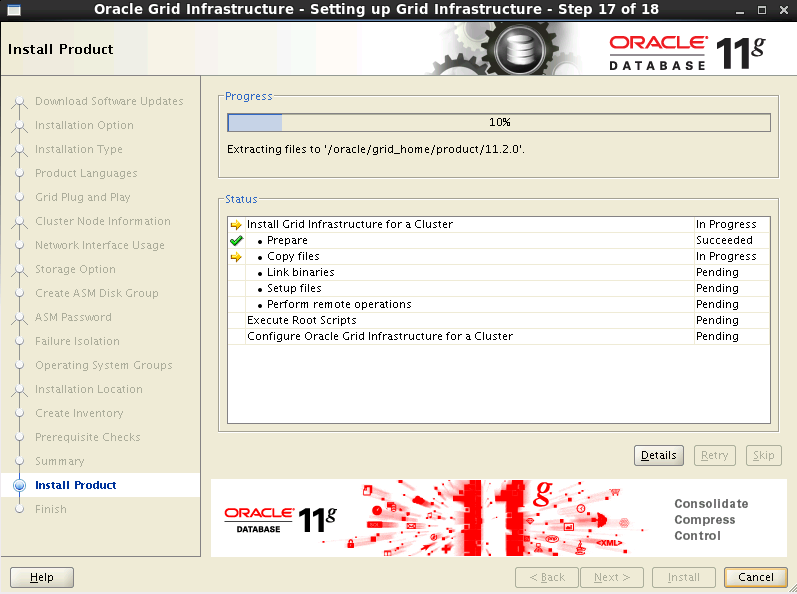
图27 安装过程
7.19 安装结束前,需要执行脚本
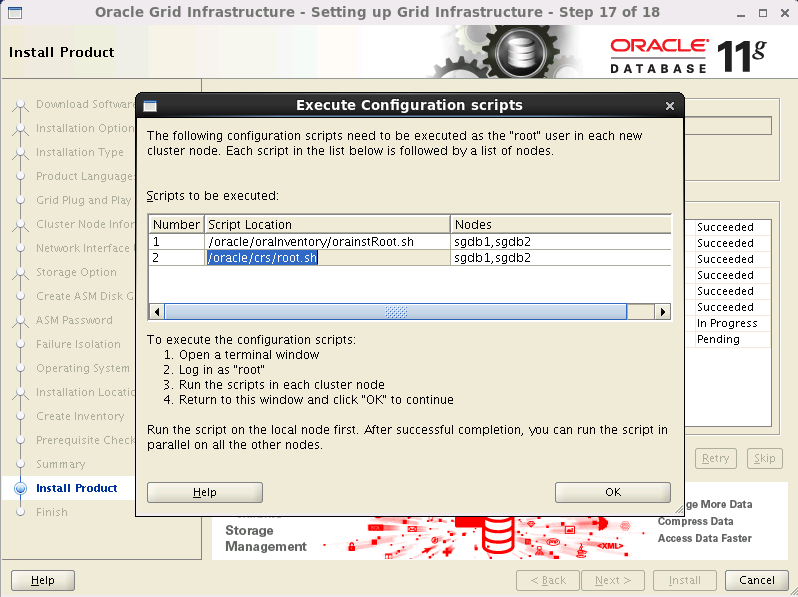
| [root@sgdb1 ~]# /oracle/oraInventory/orainstRoot.sh
Changing permissions of /oracle/oraInventory.
Adding read,write permissions for group.
Removing read,write,execute permissions for world.
Changing groupname of /oracle/oraInventory to oinstall.
The execution of the script is complete.
|
| [root@sgdb2 ~]# /oracle/oraInventory/orainstRoot.sh
Changing permissions of /oracle/oraInventory.
Adding read,write permissions for group.
Removing read,write,execute permissions for world.
Changing groupname of /oracle/oraInventory to oinstall.
The execution of the script is complete.
|
| [root@sgdb1 ~]# /oracle/crs/root.sh
Performing root user operation for Oracle 11g
The following environment variables are set as:
ORACLE_OWNER= grid
ORACLE_HOME= /oracle/crs
Enter the full pathname of the local bin directory: [/usr/local/bin]:
Copying dbhome to /usr/local/bin ...
Copying oraenv to /usr/local/bin ...
Copying coraenv to /usr/local/bin ...
Creating /etc/oratab file...
Entries will be added to the /etc/oratab file as needed by
Database Configuration Assistant when a database is created
Finished running generic part of root script.
Now product-specific root actions will be performed.
Using configuration parameter file: /oracle/crs/crs/install/crsconfig_params
Creating trace directory
User ignored Prerequisites during installation
Installing Trace File Analyzer
OLR initialization - successful
root wallet
root wallet cert
root cert export
peer wallet
profile reader wallet
pa wallet
peer wallet keys
pa wallet keys
peer cert request
pa cert request
peer cert
pa cert
peer root cert TP
profile reader root cert TP
pa root cert TP
peer pa cert TP
pa peer cert TP
profile reader pa cert TP
profile reader peer cert TP
peer user cert
pa user cert
Adding Clusterware entries to upstart
CRS-2672: Attempting to start 'ora.mdnsd' on 'sgdb1'
CRS-2676: Start of 'ora.mdnsd' on 'sgdb1' succeeded
CRS-2672: Attempting to start 'ora.gpnpd' on 'sgdb1'
CRS-2676: Start of 'ora.gpnpd' on 'sgdb1' succeeded
CRS-2672: Attempting to start 'ora.cssdmonitor' on 'sgdb1'
CRS-2672: Attempting to start 'ora.gipcd' on 'sgdb1'
CRS-2676: Start of 'ora.cssdmonitor' on 'sgdb1' succeeded
CRS-2676: Start of 'ora.gipcd' on 'sgdb1' succeeded
CRS-2672: Attempting to start 'ora.cssd' on 'sgdb1'
CRS-2672: Attempting to start 'ora.diskmon' on 'sgdb1'
CRS-2676: Start of 'ora.diskmon' on 'sgdb1' succeeded
CRS-2676: Start of 'ora.cssd' on 'sgdb1' succeeded
ASM created and started successfully.
Disk Group BJ_SGDB_DATA created successfully.
clscfg: -install mode specified
Successfully accumulated necessary OCR keys.
Creating OCR keys for user 'root', privgrp 'root'..
Operation successful.
CRS-4256: Updating the profile
Successful addition of voting disk 3766451fc40a4fb4bf5638920562eefe.
Successfully replaced voting disk group with +BJ_SGDB_DATA.
CRS-4256: Updating the profile
CRS-4266: Voting file(s) successfully replaced
## STATE File Universal Id File Name Disk group
-- ----- ----------------- --------- ---------
1. ONLINE 3766451fc40a4fb4bf5638920562eefe (/dev/asm-data1) [BJ_SGDB_DATA]
Located 1 voting disk(s).
CRS-2672: Attempting to start 'ora.BJ_SGDB_DATA.dg' on 'sgdb1'
CRS-2676: Start of 'ora.BJ_SGDB_DATA.dg' on 'sgdb1' succeeded
Configure Oracle Grid Infrastructure for a Cluster ... succeeded
|
| [root@sgdb2 ~]# /oracle/crs/root.sh
Performing root user operation for Oracle 11g
The following environment variables are set as:
ORACLE_OWNER= grid
ORACLE_HOME= /oracle/crs
Enter the full pathname of the local bin directory: [/usr/local/bin]:
Copying dbhome to /usr/local/bin ...
Copying oraenv to /usr/local/bin ...
Copying coraenv to /usr/local/bin ...
Creating /etc/oratab file...
Entries will be added to the /etc/oratab file as needed by
Database Configuration Assistant when a database is created
Finished running generic part of root script.
Now product-specific root actions will be performed.
Using configuration parameter file: /oracle/crs/crs/install/crsconfig_params
Creating trace directory
User ignored Prerequisites during installation
Installing Trace File Analyzer OLR initialization - successful
Adding Clusterware entries to upstart
CRS-4402: The CSS daemon was started in exclusive mode but found an active CSS daemon on node sgdb1, number 1, and is terminating
An active cluster was found during exclusive startup, restarting to join the cluster
Configure Oracle Grid Infrastructure for a Cluster ... succeeded
|
| 执行/oracle/crs/root.sh报出:
Failed to create keys in the olr错误
问题原因是缺少包导致的,在节点上安装compat-libcap包
[root@sgdb2 # yum -y install compat-libcap*
执行以下命令,清空当前CRS的配置
[root@sgdb2 #perl /oracle/crs/crs/install/rootcrs.pl -verbose -deconfig -force
再次执行/oracle/crs/root.sh
|
7.20 Grid继续安装
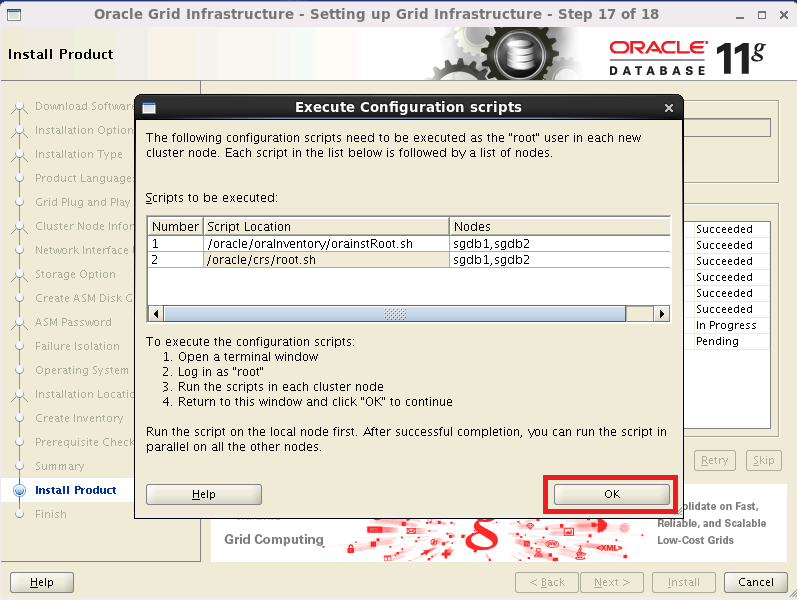
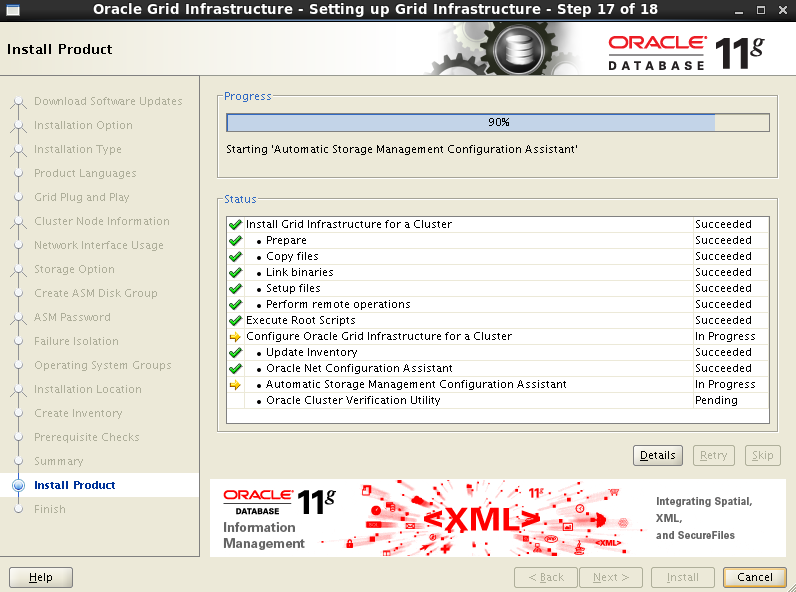
图30 继续安装
7.21 Grid完成安装
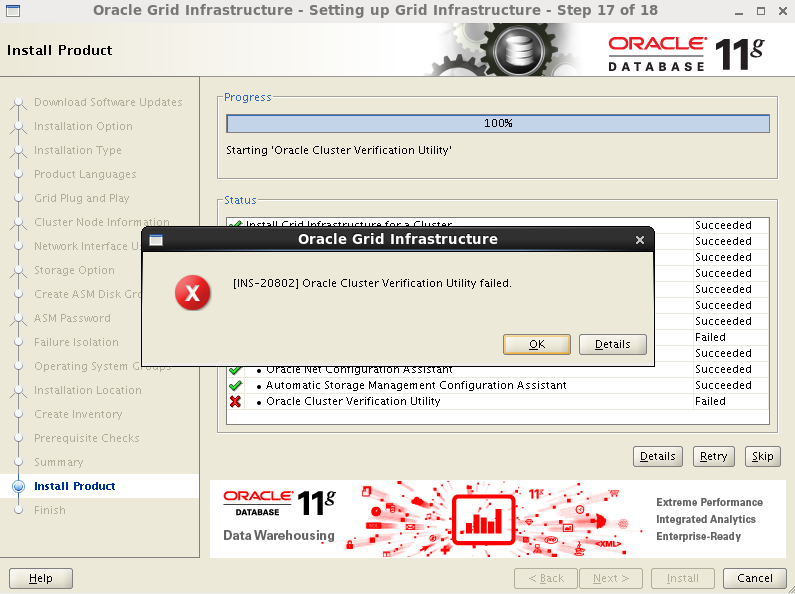
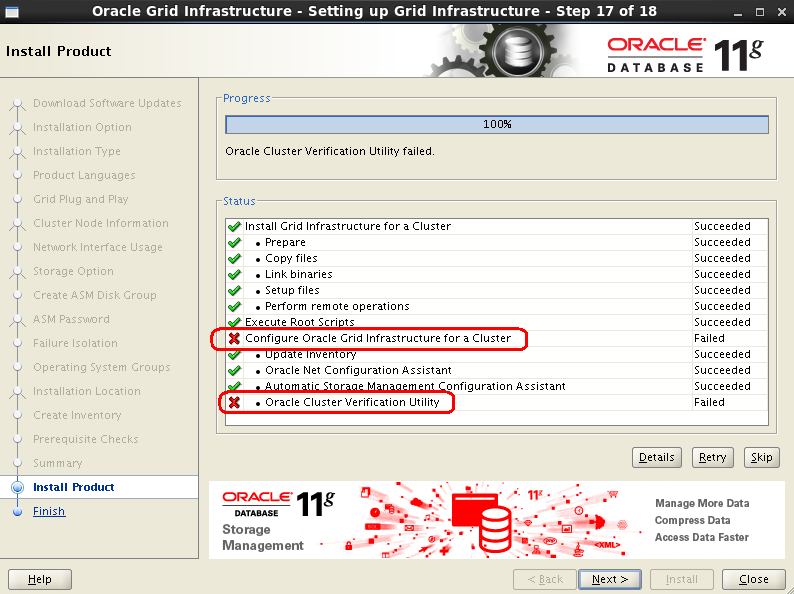
7.22 Grid安装完毕,有一项错误
第7步:安装Grid的更多相关文章
- 【RAC】 RAC For W2K8R2 安装--grid的安装(四)
[RAC] RAC For W2K8R2 安装--grid的安装(四) 一.1 BLOG文档结构图 一.2 前言部分 一.2.1 导读 各位技术爱好者,看完本文后,你可以掌握如下的技能,也可以学 ...
- linux下一步一步安装禅道项目管理工具
linux下一步一步安装禅道项目管理工具 因为禅道官网的安装教程实在是太简陋了,所以记录在此. 1.安装apache服务 archlinux下直接 sudo pacman -S apache ubun ...
- Mac系统下使用VirtualBox虚拟机安装win7--第一步 安装vbox虚拟机
Mac系统下使用VirtualBox虚拟机安装win7操作步骤: 第一步 安装vbox虚拟机 1.先下载vbox,下载地址:: https://www.virtualbox.org/wiki/Down ...
- 安装GRID时跑root.sh脚本报错(ORA-27091: unable to queue I/O)
在安装GRID过程中,运行root.sh脚本时报如下信息: Adding Clusterware entries to upstart CRS-2672: Attempting to start 'o ...
- 基于CentOS与VmwareStation10搭建Oracle11G RAC 64集群环境:4.安装Oracle RAC FAQ-4.5.安装Grid,创建ASM磁盘组空间不足
因之前分区时,分区的Last cylinder的值选了“1”,导致创建磁盘组空间不足.解决办法是先删除分区,重新创建分区并删除ASM磁盘,然后重建ASM磁盘 1. 先删除分区,重新创建分区: 1)查询 ...
- 基于CentOS与VmwareStation10搭建Oracle11G RAC 64集群环境:4.安装Oracle RAC FAQ-4.4.无法图形化安装Grid Infrastructure
无法图形化安装: [grid@linuxrac1 grid]$ ./runInstaller Starting Oracle Universal Installer... Checking Temp ...
- 安装grid之前检查配置 ,报错如下
centos 5 _x86_64 oracle 11.2 安装grid之前检查配置 ,报错如下 : ./runcluvfy.sh stage -pre crsinst -n rac1,rac2 -fi ...
- Linux下搭建Oracle11g RAC(6)----安装Grid Infrastructure
从此步骤开始,我们正式安装Grid软件: ① 以grid用户登录图形界面,执行/home/grid/grid/runInstaller,进入OUI的图形安装界面: ② 进入OUI安装界面后,选择第3项 ...
- rac安装grid报INS-41112错误
原创作品,出自 "深蓝的blog" 博客,欢迎转载,转载时请务必注明下面出处,否则追究版权法律责任. 深蓝的blog:http://blog.csdn.net/huangyanlo ...
随机推荐
- ZK框架笔记4、通用组件、页面、桌面
组件(component)是一种用户接口(UI)对象,如一个标签.按钮.树. 页面(page)是一个组件的集合. 桌面(desktop)是一个包含相同URL请求的页面. ...
- XML Schema学习札记(1)——基础总览
内容整理自:www.w3school.com.cn 转载自:http://www.xgezhang.com/xml_schema_1.html 什么是XML Schema? XML Schema 是基 ...
- Tomcat日志、项目中的log4j日志、e.printStackTrace()——我的日志最后到底跑哪去了?
1.Tomcat自带日志功能,即时你的项目中有log4j也不会影响到Tomcat自己记录日志. 2.你的项目中的log4j中的日志指定打印到什么地方(控制台或者文件),便会打印到什么地方,和Tomat ...
- (二)Luence——代码实现索引及搜索
完成需求:使用Lucene完成对数据库中图书信息的索引和搜索功能. 1. 环境准备及工程搭建 1.1 环境准备 mysql5.5+java8+lucene4.10.3(目前最新7.0.1,这里够用就好 ...
- asp.net 查询本地excel 获取信息
string filepath = @"D:\test1.xls"; string sheetname = "Sheet5"; ...
- WebApi接口传参不再困惑(4):传参详解
前言:还记得刚使用WebApi那会儿,被它的传参机制折腾了好久,查阅了半天资料.如今,使用WebApi也有段时间了,今天就记录下API接口传参的一些方式方法,算是一个笔记,也希望能帮初学者少走弯路.本 ...
- STM32关总中断的语句
__set_PRIMASK();//关总中断 /************ **********/ __set_PRIMASK();//开总中断
- c#, extract number from string
using System.Text.RegularExpressions; string numberStr = Regex.Match (str, "[0-9]").Value; ...
- [Jobdu] 题目1337:寻找最长合法括号序列
题目描述: 给你一个长度为N的,由’(‘和’)’组成的括号序列,你能找出这个序列中最长的合法括号子序列么?合法括号序列的含义便是,在这个序列中,所有的左括号都有唯一的右括号匹配:所有的右括号都有唯一的 ...
- 多线程-synchronized
引言 synchronized是Java线程同步中的一个重要的概念,synchronized是独占锁(互斥锁),同时也是可重入锁(可重入锁一定程度上避免了死锁的问题,内部是关联一个计数器,加一次锁计数 ...