
[No000017F]如何监控注册表的修改

今天我们将向您展示如何使用我们最喜欢的工具之一Proc Mon,在您更改PC上的组策略设置时查看编辑的注册表项。
使用Proc Mon查看组策略对象修改的注册表设置
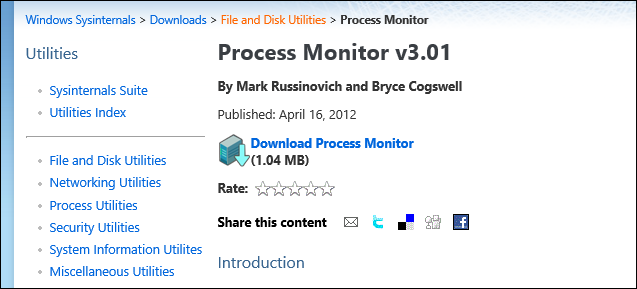
您要做的第一件事就是从Sys Internals网站获取Proc Mon的副本。
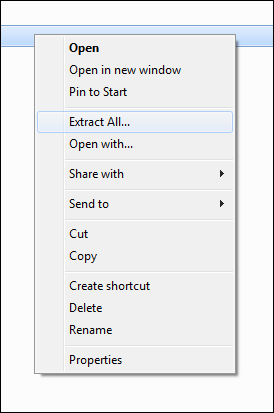
然后,您需要解压缩该文件夹并运行Procmon.exe文件。
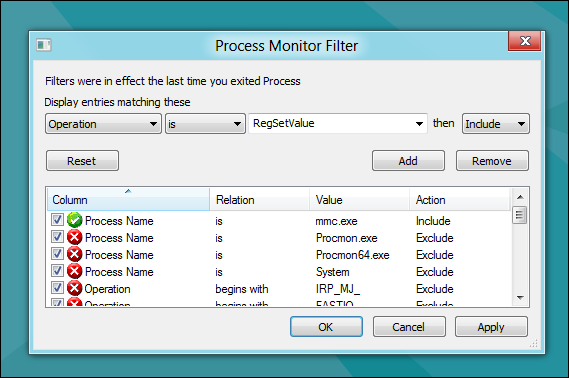
当Proc Mon打开时,您需要添加如下条件:
进程名称是mmc.exe然后包含
然后单击"添加"按钮。

要仅获取更改的注册表项,我们需要添加另一个:
操作是RegSetValue然后包括
然后再次单击"添加"按钮。
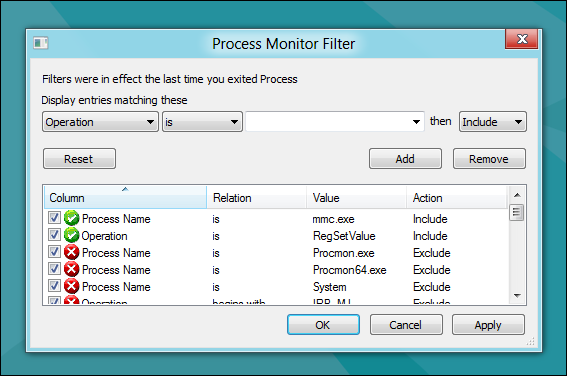
添加完两个规则后,您可以继续并单击"确定"。
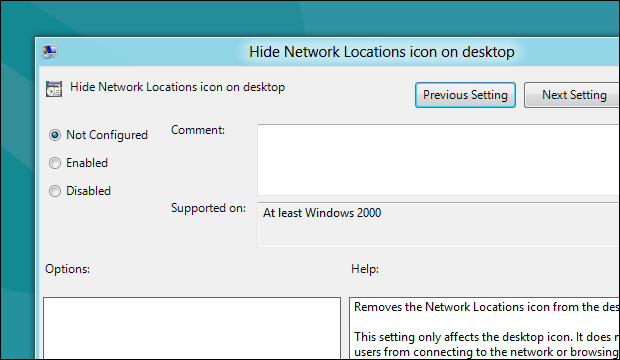
现在转到打开要编辑的组策略设置。
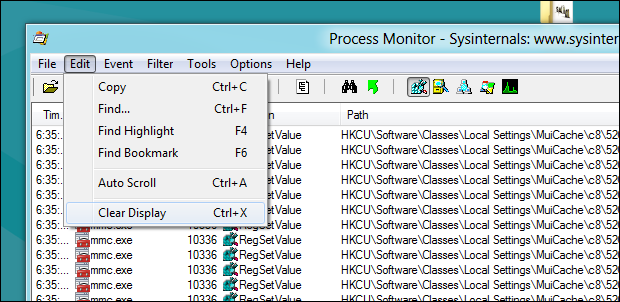
在实际更改设置之前,请切换回Proc Mon并清除日志。
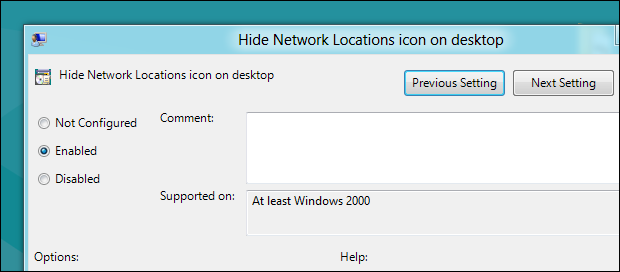
然后转到并更改GPO并单击"应用"。
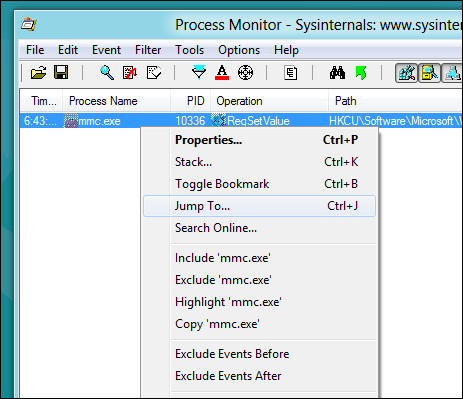
如果切换到Proc Mon,您将看到您有一个注册表项。右键单击它,然后从上下文菜单中选择Jump To ...选项。
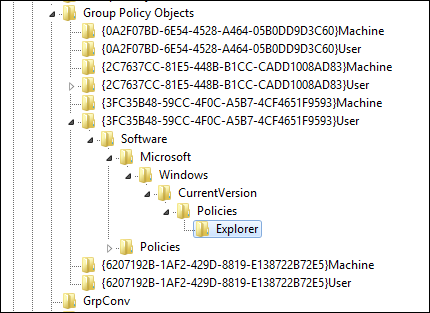
这将启动Regedit并带您到修改后的确切密钥
这就是它们的全部。
How to See Which Registry Settings a Group Policy Object Modifies
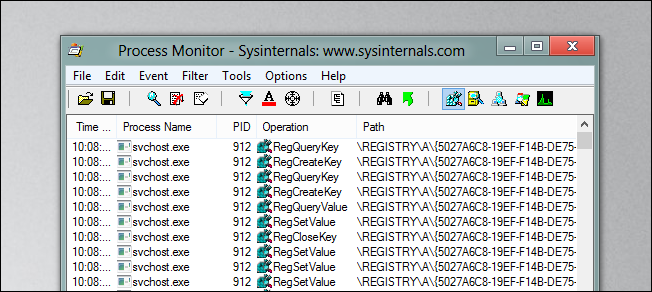
Today we are going to show you how to use one of our favorite tools, Proc Mon, to see which registry keys are edited when you change a Group Policy setting on your PC.
Using Proc Mon to See Which Registry Settings a Group Policy Object Modifies
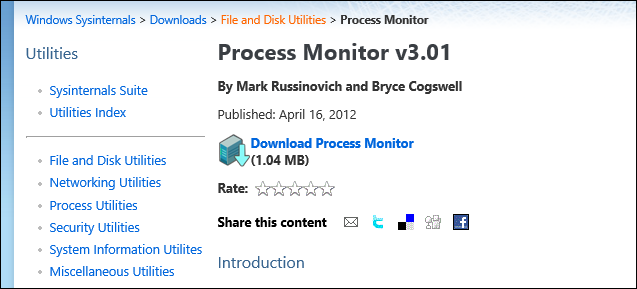
The first thing you will want to do is go and get yourself a copy of Proc Mon from the Sys Internals website.
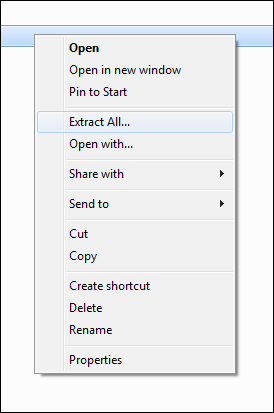
Then you will need to extract the folder and run the Procmon.exe file.
When Proc Mon opens, you will need to add a condition as follows:
Process Name is mmc.exe then Include
Then click the add button.
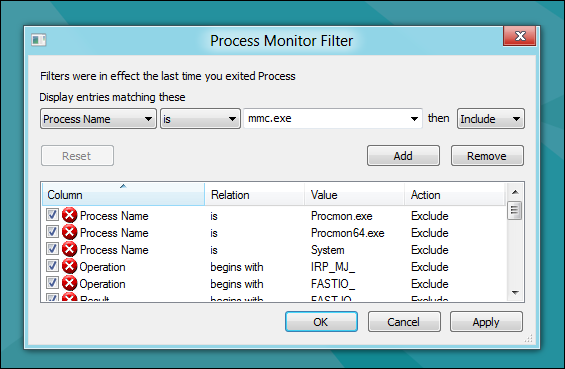
To get only the registry keys that are changed, we need add another one:
Operation is RegSetValue then Include
Then again click the add button.

Once the two rules have been added, you can go ahead and click ok.

Now go and open the Group Policy setting that you wish to edit.

Before you actually change the setting, switch back over to Proc Mon and clear the log.

Then go and change the GPO and click apply.

If you switch over to Proc Mon you will see that you have a registry key(s) there. Right-click on it and select the Jump To… option from the context menu.
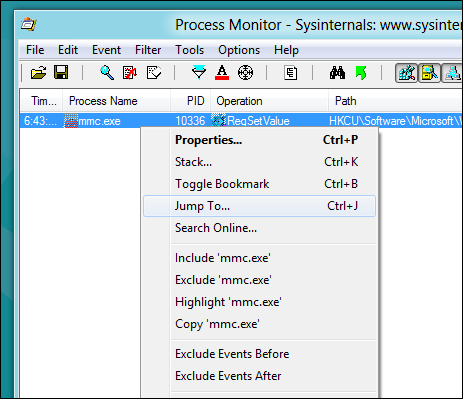
That will fire up Regedit and take you to the exact key which was modified

That's all there is to it guys.
[No000017F]如何监控注册表的修改的更多相关文章
- Win64 驱动内核编程-15.回调监控注册表
回调监控注册表 在 WIN32 平台上,监控注册表的手段通常是 SSDT HOOK.不过用 SSDT HOOK 的方式监控注册表实在是太麻烦了,要 HOOK 一大堆函数,还要处理一些 NT6 系统有而 ...
- 修改注册表来修改IE的设置---资料汇总
原文链接: http://blog.csdn.net/wangqiulin123456/article/details/17068649 附带批处理执行脚本: @echo off &title ...
- Oracle 客户端注册表字符集修改-----解决乱码 .
本地ORACLE连接创建好后,默认是GBK的字符集,如果连接服务器不是同样的GBK字符集就会出现中文乱码的问题,这种情况我们需要修改本地的字符集来和服务器匹配. 通过注册表修改 HKEY_LOCA ...
- Windows注册表中修改CMD默认路径
一.开启注册表“win键+R键”并输入regedit 二.在注册表项 HKEY_CURRENT_USER\ Software\ Microsoft\ Command Processor 新建一个项,并 ...
- Windows注册表中修改UAC(用户账号控制)及批处理脚本
注册表路径: HKEY_LOCAL_MACHINE/SOFTWARE/Microsoft/Windows/CurrentVersion/Policies/System 键说明: ConsentProm ...
- Unity中对注册表进行修改
问题背景: PC端软件开发,当我在Unity中的PlayerSetting中设置好分辨率,每次打包运行后会记忆上次退出时窗口的分辨率(记忆窗口状态),导致下次打开时不是PlayerSetting中的初 ...
- python 用win32修改注册表,修改打开IE浏览器的配置
打开注册表:win+r, regedit,注册表的管理是按照文件夹的形式的. 注册表总共有五项: HKEY_CLASSES_ROOT 是HKEY_LOCAL_MACHINE\Software的子项,保 ...
- 注册表法修改IE8安全级别的方法
最近写客户端工具修复IE浏览器的一些功能,下面是网上找到的东东 1.将当前用户IE安全级别设置为“中”: Windows Registry Editor Version 5.00 [HKEY_CURR ...
- python通过操作windows系统注册表方式修改环境变量
#coding=utf8 import os import sys from subprocess import check_call if sys.hexversion > 0x0300000 ...
随机推荐
- [windows+cocos2dx]文本类
文字也是游戏最重要的元素之中的一个,以下就看看使用动态字体和静态字体库怎样创建文字.使用动态字体库创建的文字能够包括经常使用的不论什么字符,一般假设用户要输入名字,这就最好用动态字体库.由于你不知道用 ...
- 存货控制中的ABC分类释义
存货控制的ABC制度是根据存货的重要程度把存货归为A.B.C三类,最重要的是A类,最不重要的是C类. A类产品就是指在产品销售进程中,销量比较多,在库存管理方面需要大量备货的产品; B类则是销量适中, ...
- plsql的特殊复制
转载自:https://jingyan.baidu.com/article/2fb0ba409c8c2100f2ec5f91.html PL/SQL中写好的SQL语句,如果要放到JAVA文件中,如果很 ...
- WPF Button 样式
WPF CheckBox 自定义样式 给Button设置ToolTip <Style TargetType="{x:Type Button}" x:Key="Def ...
- C语言 · 猜算式 · 乘法竖式
题目:猜算式 你一定还记得小学学习过的乘法计算过程,比如: 273 x 15 ------ 1365 273 ------ 4095 请你观察如下的乘法算式 *** x *** ------- ...
- R包的小技巧
通常我们都是直接使用library(pkg_name) 的形式加载R包,在同一台机器上面,对于我们而言,这个包所在的路径一定是在.libPaths() 路面的,但是对于其他用户而言,这个路径可能不存 ...
- abtestingGateway错误集锦
管理接口访问报错 系统版本 内核版本 Ubuntu 14.04.2 3.13.0-32-generic 我们在这里通过curl来插入命令的时候直接报错: curl命令写入规则 curl 'http:/ ...
- MySQL加密解密
1. 加密:mysql323,不可逆 select old_password('bbs.antian365.com'); # 10c886615b135b38 2. 加密:mysqlsha1,不可逆 ...
- mysql关联表修改语句
UPDATE tb_irms_trans_pip2optseg a,`tb_irms_trans_pip` b SET a.district=b.district WHERE a.prop_id=b. ...
- Node bak
process.on('uncaughtException', function (err) { logger.info('Local Server Exception: ') logger.info ...