
06 python下
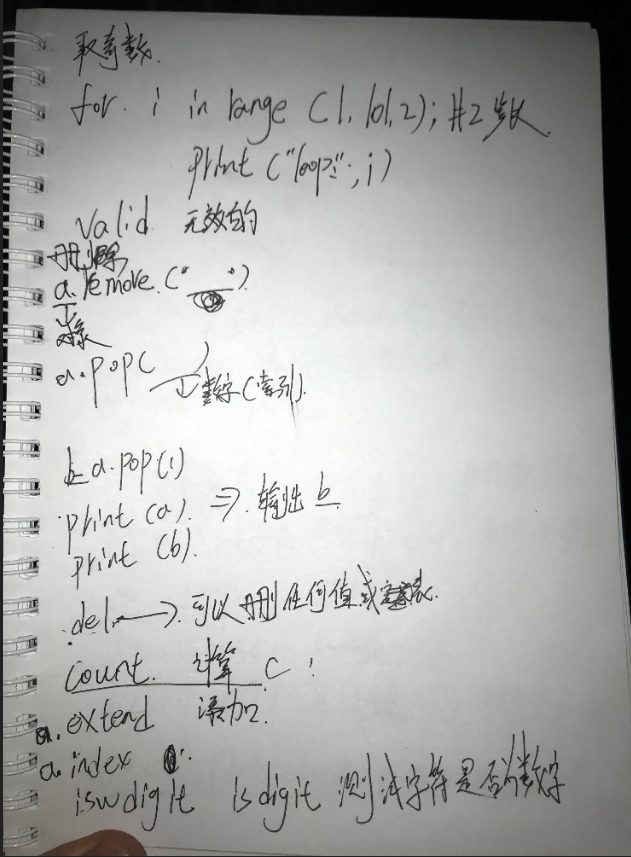
 # st='hello kitty {name} is {age}'

 #

 # print(st.count('l'))       #  统计元素个数

 # print(st.capitalize())     #  首字母大写

 # print(st.center(50,'#'))   #  居中

 # print(st.endswith('tty3')) #  判断是否以某个内容结尾

 # print(st.startswith('he')) #  判断是否以某个内容开头

 # print(st.expandtabs(tabsize=20))

 # print(st.find('t'))        #  查找到第一个元素,并将索引值返回

 # print(st.format(name='alex',age=37))  # 格式化输出的另一种方式   待定:?:{}

 # print(st.format_map({'name':'alex','age':22}))

 # print(st.index('t'))

 # print('asd'.isalnum())

 # print('12632178'.isdecimal())

 # print('1269999.uuuu'.isnumeric())

 # print('abc'.isidentifier())

 # print('Abc'.islower())

 # print('ABC'.isupper())

 # print('  e'.isspace())

 # print('My title'.istitle())

 # print('My tLtle'.lower())

 # print('My tLtle'.upper())

 # print('My tLtle'.swapcase())

 # print('My tLtle'.ljust(50,'*'))

 # print('My tLtle'.rjust(50,'*'))

 # print('\tMy tLtle\n'.strip())

 # print('\tMy tLtle\n'.lstrip())

 # print('\tMy tLtle\n'.rstrip())

 # print('ok')

 # print('My title title'.replace('itle','lesson',1))

 # print('My title title'.rfind('t'))

 # print('My title title'.split('i',1))

 # print('My title title'.title())

 #摘一些重要的字符串方法

 #1 print(st.count('l'))

 # print(st.center(50,'#'))   #  居中

 # print(st.startswith('he')) #  判断是否以某个内容开头

 # print(st.find('t'))

 # print(st.format(name='alex',age=37))  # 格式化输出的另一种方式   待定:?:{}

 # print('My tLtle'.lower())

 # print('My tLtle'.upper())

 # print('\tMy tLtle\n'.strip())

 # print('My title title'.replace('itle','lesson',1))

 # print('My title title'.split('i',1))
 # a=list()

 # print(a)

 # dic={'name':'alex'}

 # dic1={}

 # dic2=dict((('name','alex'),))

 # print(dic2)

 # dic3=dict([['name','alex'],])

 # print(dic3)
 # ret2=dic1.setdefault('hobby','girl')

 # print(dic1)

 # print(ret2)

 # dic3={'age': 18, 'name': 'alex', 'hobby': 'girl'}

 #

 # print(dic3['name'])

 #

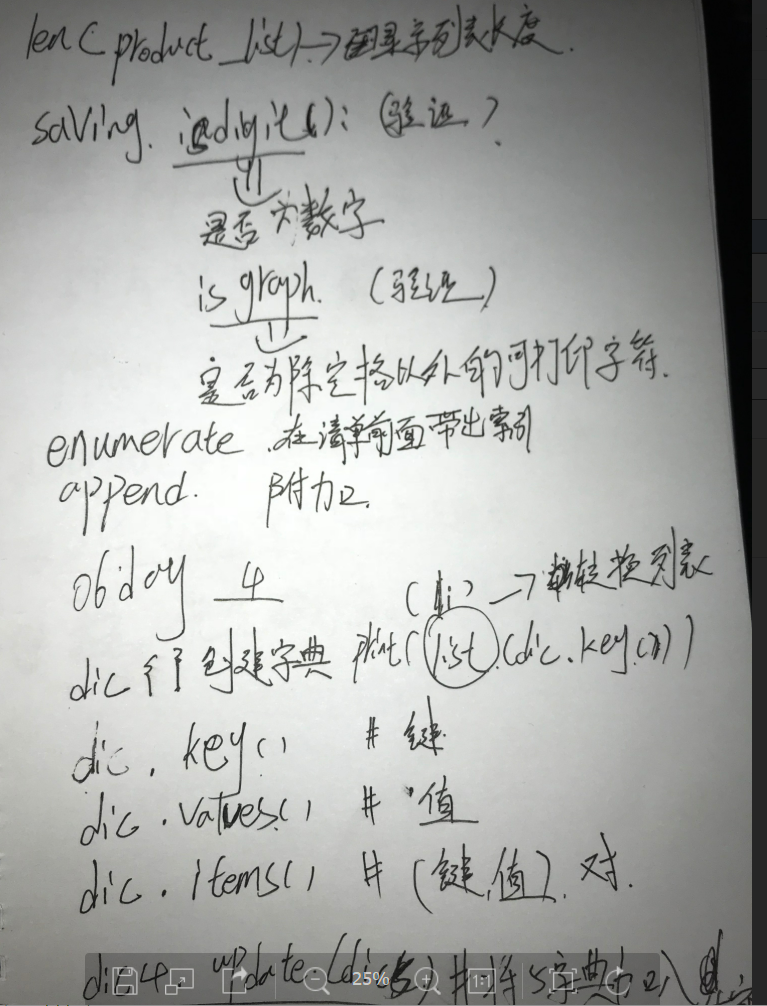
 # print(list(dic3.keys()))

 # print(list(dic3.values()))

 # print(list(dic3.items()))

 # li=[1,2,34,4]

 # li[2]=5

 # dic3={'age': 18, 'name': 'alex', 'hobby': 'girl'}

 # dic3['age']=55

 # print(dic3)

 # dic4={'age': 18, 'name': 'alex', 'hobby': 'girl'}

 # # dic5={'1':'111','2':'222'}

 # dic5={'1':'111','name':'222'}

 #

 # dic4.update(dic5)

 # print(dic4)

 # print(dic5)
 # dic1={'name':'alex'}

 # dic1['age']=18

 # print(dic1)
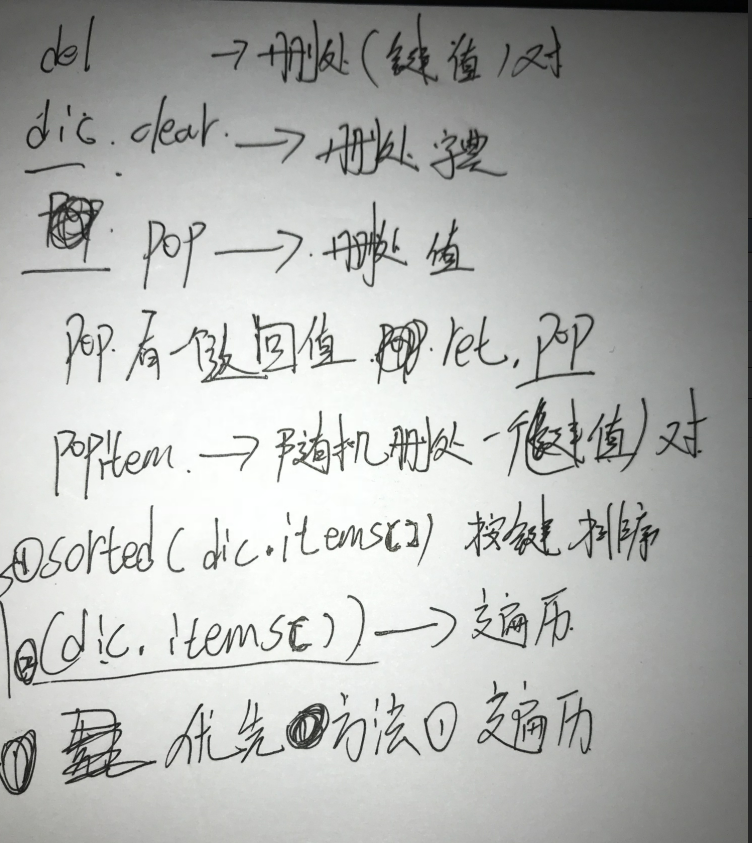
 # dic5 = {'name': 'alex', 'age': 18, 'class': 1}

 # dic5.clear() # 清空字典

 # print(dic5)

 # del dic5['name'] #删除字典中指定键值对

 # print(dic5)

 # print(dic5.pop('age')) #删除字典中指定键值对,并返回该键值对的值

 # ret=dic5.pop('age')

 # print(ret)

 # print(dic5)

 # a = dic5.popitem() #随机删除某组键值对,并以元组方式返回值

 # print(a, dic5)

 # del dic5        #删除整个字典

 # print(dic5)
06 python下的更多相关文章
- python下的select模块使用 以及epoll与select、poll的区别
python下的select模块使用 以及epoll与select.poll的区别 先说epoll与select.poll的区别(总结) 整理http://www.zhihu.com/question ...
- python下ssh的简单实现
python下的ssh都需要借助第三方模块paramiko来实现,在使用前需要手动安装. 一.python实现ssh (1) linux下的ssh登录 root@ubuntu:~# ssh morra ...
- python下编译py成pyc和pyo
python下编译py成pyc和pyo 其实很简单, 用 python -m py_compile file.py python -m py_compile /root/src/{file1,f ...
- Python下划线与命名规范
Python下划线与命名规范 先看结论,节省只想知道答案你的宝贵时间: _xxx 不能用于from module import * 以单下划线开头的表示的是protected类型的变量.即保护类型只能 ...
- python下的orm基本操作(1)--Mysql下的CRUD简单操作(含源码DEMO)
最近逐渐打算将工作的环境转移到ubuntu下,突然发现对于我来说,这ubuntu对于我这种上上网,收收邮件,写写博客,写写程序的时实在是太合适了,除了刚接触的时候会不怎么完全适应命令行及各种权限管理, ...
- Python下科学计算包numpy和SciPy的安装
转载自:http://blog.sina.com.cn/s/blog_62dfdc740101aoo6.html Python下大多数工具包的安装都很简单,只需要执行 “python setup.py ...
- python下的复杂网络编程包networkx的安装及使用
由于py3.x与工具包的兼容问题,这里采用py2.7 1.python下的复杂网络编程包networkx的使用: http://blog.sina.com.cn/s/blog_720448d30101 ...
- Python学习入门基础教程(learning Python)--5.1 Python下文件处理基本过程
Python下的文件读写操作过程和其他高级语言如C语言的操作过程基本一致,都要经历以下几个基本过程. 1. 打开文件 首先是要打开文件,打开文件的主要目的是为了建立程序和文件之间的联系.按程序访问文件 ...
- python下读取excel文件
项目中要用到这个,所以记录一下. python下读取excel文件方法多种,用的是普通的xlrd插件,因为它各种版本的excel文件都可读. 首先在https://pypi.python.org/py ...
随机推荐
- wire [7:0] regAddr; 理解
首先要指出的是wire[7,0]a和wire[8,1]a这样的表达在verilog中是错误的,应该写成wire[7:0]a和wire[8:1]a wire[7:0]a表示定义了一个wire型数据,该数 ...
- nginx——Nginx 防爬虫优化
if ($http_user_agent ~* "qihoobot|Baiduspider|Googlebot|Googlebot-Mobile|Googlebot-Image|Mediap ...
- IntelliJ IDEA 如何生成时序图?
进入扩展程序安装 File > Settings > Plugins > Browse Repositories 搜索 SequenceDiagram,点击右边 Install 安装 ...
- 微信连wifi,中文ssid报Invalid sign tosign错误
Invalid sign tosign错误如上: 是微信官方接受和回传的问题,改固定字符解决: 比如将ssid固定修改为字符串‘ssid’即可:
- windows 重装系统
转载:https://blog.csdn.net/qq_41137650/article/details/80035921 老毛桃 大白菜都可以 电脑系统安装步骤我选的是用U盘做的系统 如果本计系 ...
- 如何用Python写一个每分每时每天的定时程序
1.计算生日是星期几 当你女朋友要过生日了,你肯定要定找家饭店订个餐庆祝一下,餐馆工作日会空一些,周末位置不好定,要是能知道她的生日是星期几就好了,下面这个程序就能搞定~~ 比如girl friend ...
- Address localhost:1099 is already in use
在 ItelliJ idea中创建了Servlet,启动tomcat时系统报错: Error running Tomcat 7.0.47: Address localhost:1099 is alre ...
- SpringBoot下如何配置实现跨域请求?
一.什么是跨域请求? 跨域请求,就是说浏览器在执行脚本文件的ajax请求时,脚本文件所在的服务地址和请求的服务地址不一样.说白了就是ip.网络协议.端口都一样的时候,就是同一个域,否则就是跨域.这是由 ...
- 网络编程之OSI七层协议略析
OSI七层协议 1 物理连接层 用高低电平模拟二进制数01012 数据链路层 以太网协议,Ethernet,要求连入网络的计算机必要要有一块网卡,并且规定全球每一块网卡的mac 地址都不一样,用12位 ...
- (31)django中的分页器
book_list = models.Book.objects.all() #查出指定表中的所有数据paginator = Paginator(book_list,2) #实例化对象,传入 ...