
7-51单片机ESP8266学习-AT指令(8266TCP服务器,编写自己的C#TCP客户端发信息给单片机控制小灯的亮灭)
http://www.cnblogs.com/yangfengwu/p/8780182.html
自己都是现做现写,如果想知道最终实现的功能,请看最后
先把源码和资料链接放到这里
链接: https://pan.baidu.com/s/1jpHZjW_7pQKNfN9G4B6ZjA 密码:nhn3
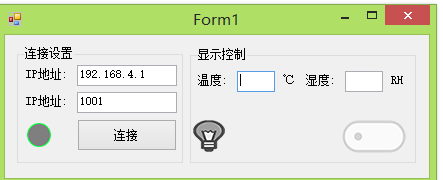
先说一下哈,不要嫌界面不好看,自己是为了程序尽量的简单,可以通过调整颜色或者通过重绘来使使界面好看,,,,,,,,咱先学会走.....
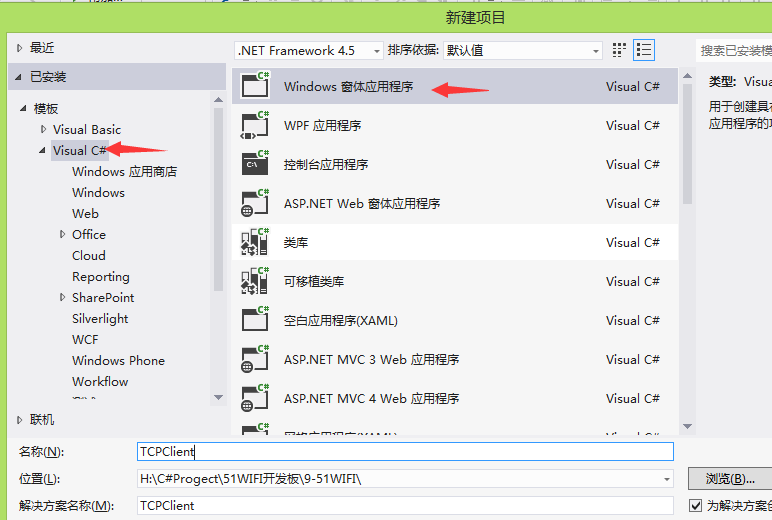
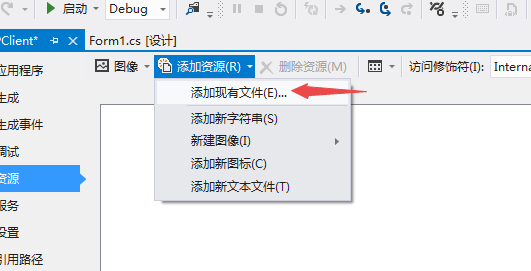
因为咱们会用到图片所以先把图片资源加载上来,为了
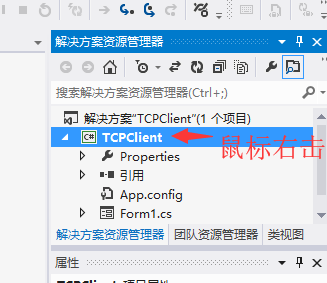
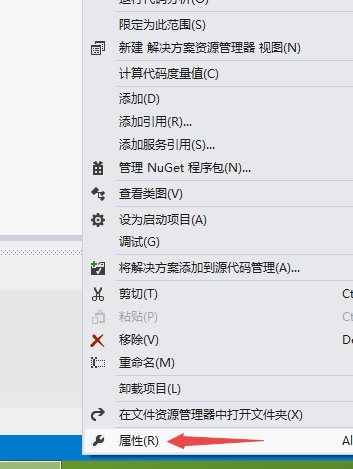
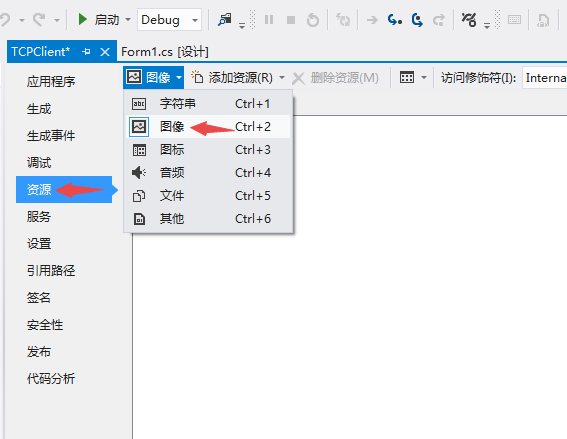

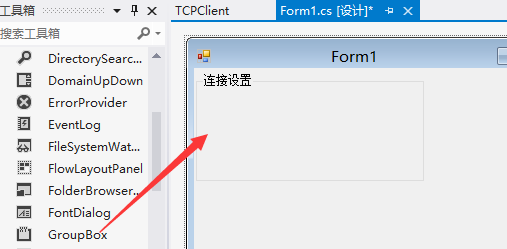
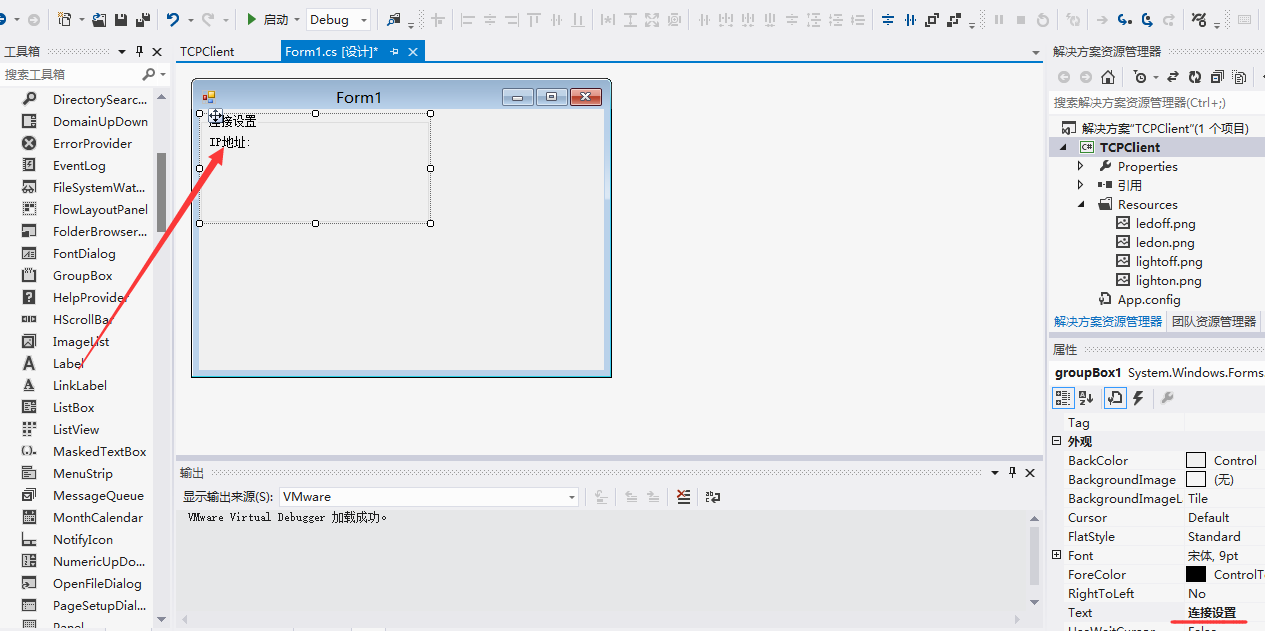
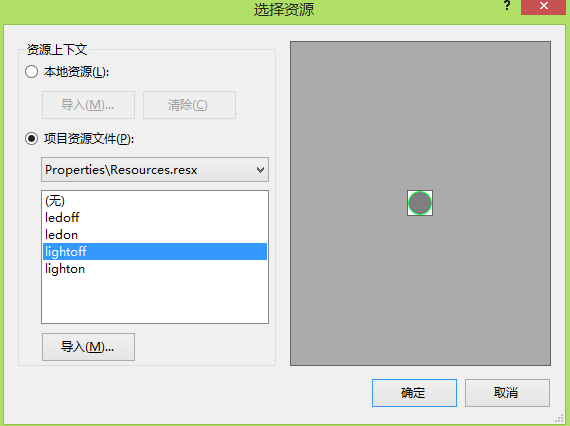
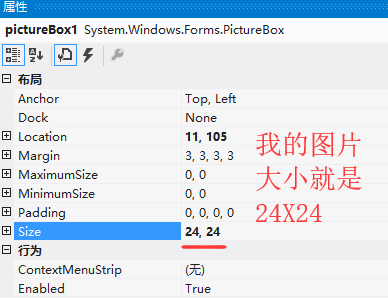
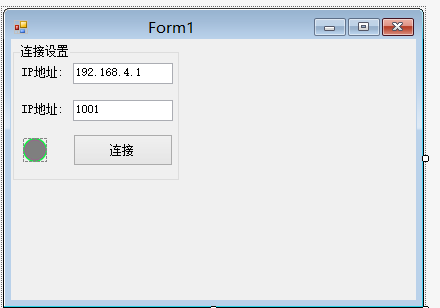
调整的好看一点
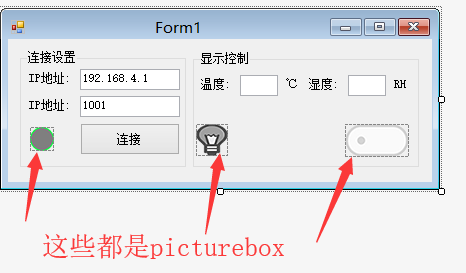
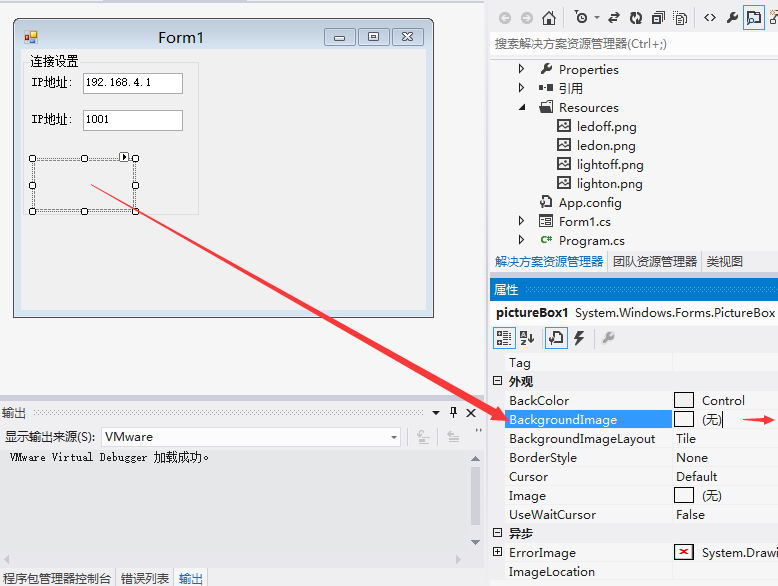
现在设置,切换图片
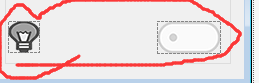
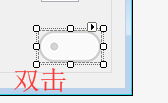
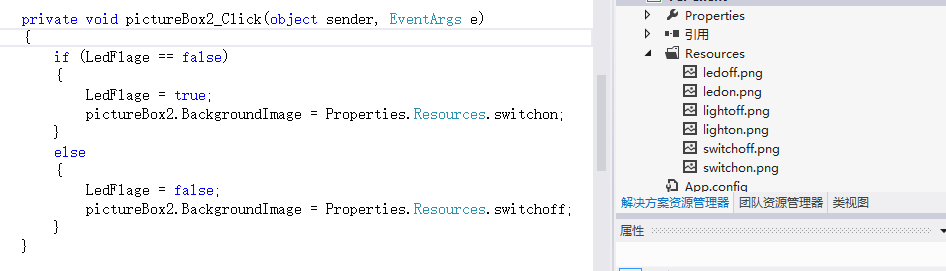
其实呢导入图片应该先建一个资源文件更合理,后期再说
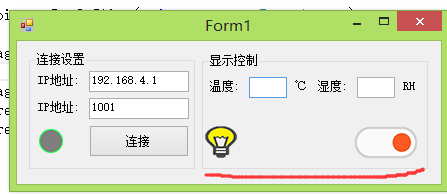
现在是让按钮状态改变了
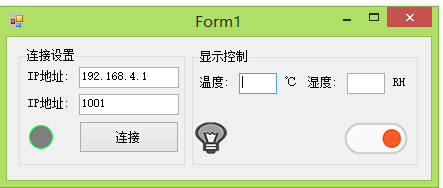
也修改一下灯的
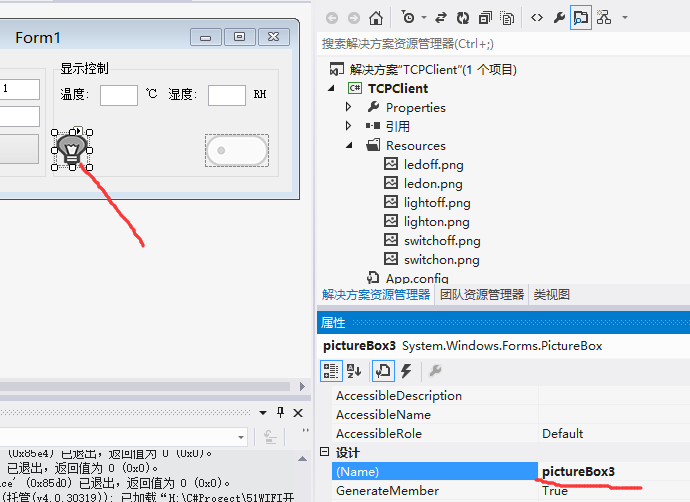
private void pictureBox2_Click(object sender, EventArgs e)

        {

            if (LedFlage == false)

            {

                LedFlage = true;

                pictureBox2.BackgroundImage = Properties.Resources.switchon;

                pictureBox3.BackgroundImage = Properties.Resources.ledon;

            }

            else

            {

                LedFlage = false;

                pictureBox2.BackgroundImage = Properties.Resources.switchoff;

                pictureBox3.BackgroundImage = Properties.Resources.ledoff;

            }

        }
现在做连接服务器
先说一下很多初学者会遇到的问题
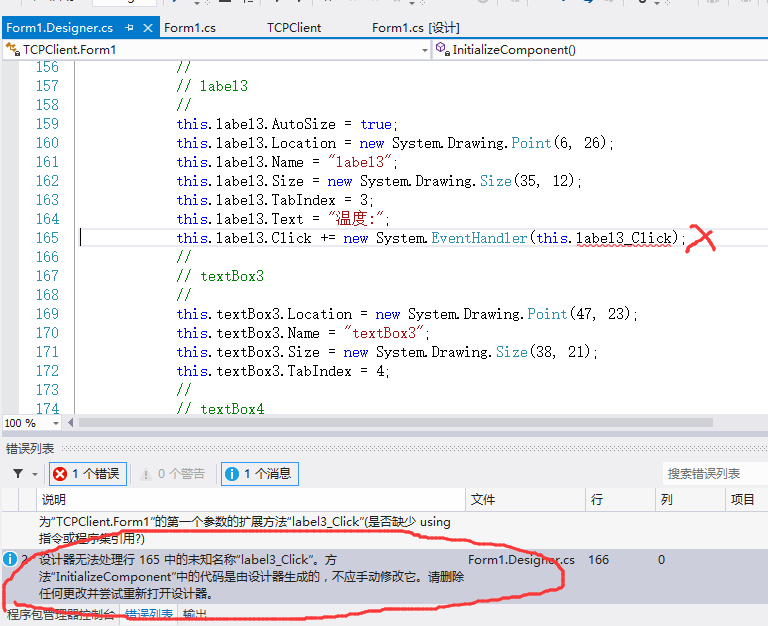
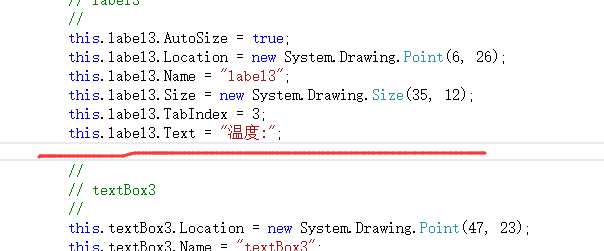
这种情况是你添加了控件的事件函数,然后你又删除了,,,因为我也是经常删.................
我刚才在考虑要不要用委托和回调.....后来想了想这篇就不用了,
大家记得自己试一下这个(反正给大家说了,下次自己肯定用委托和回调写,记住不要偷懒,如果你偷懒了,后期的文章你就会无从下手,因为你连基础的都不知道)
http://www.cnblogs.com/yangfengwu/p/5761841.html
因为和android 一样只有主线程才允许操作控件,咱们就

现在做连接服务器和断开连接
先在电脑上测试
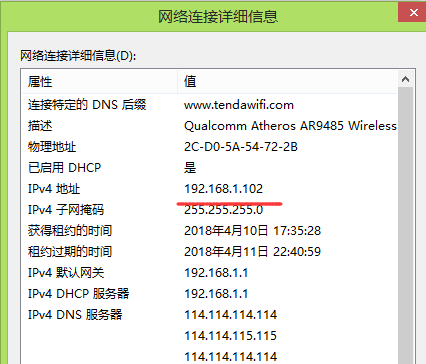
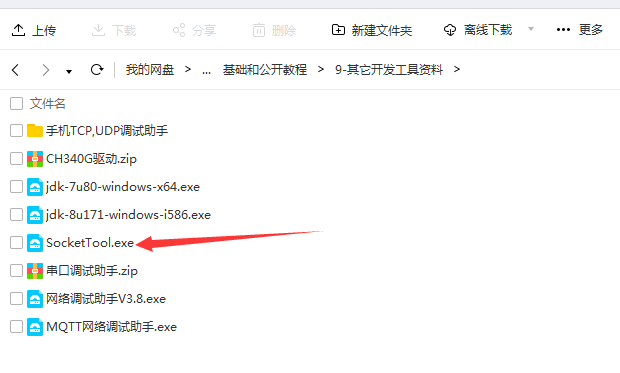
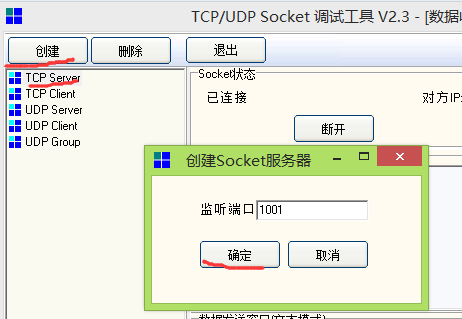

先给现在的程序
using System;

using System.Collections.Generic;

using System.ComponentModel;

using System.Data;

using System.Drawing;

using System.Linq;

using System.Net;

using System.Net.Sockets;

using System.Text;

using System.Threading;

using System.Threading.Tasks;

using System.Windows.Forms;

namespace TCPClient

{

    public partial class Form1 : Form

    {

        bool LedFlage = false;

        bool ConncetFlage = false;

        private Thread ThreadConnectService;//连接服务器线程

        private IPAddress ipAddress;//ip地址

        int Port = ;//端口号

        private TcpClient myTcpClient = null;// TcpClient

        private NetworkStream networkstrem = null;//网络数据流

        public Form1()

        {

            InitializeComponent();

        }

        private void Form1_Load(object sender, EventArgs e)

        {

            System.Windows.Forms.Control.CheckForIllegalCrossThreadCalls = false;//加了这一句

        }

        /*连接按钮点击事件*/

        private void button1_Click(object sender, EventArgs e)

        {

            if (ConncetFlage == false)

            {

                try{ThreadConnectService.Abort();}//先清除一下以前的

                catch (Exception){}

                ThreadConnectService = new Thread(ConncetService);//把连接服务器的函数加入任务

                ThreadConnectService.Start();//启动任务

            }

            else

            {

                ConncetFlage = false;

                button1.Text = "连接";

                pictureBox1.BackgroundImage = Properties.Resources.lightoff;

                try{  myTcpClient.Close(); }catch (Exception){}//关闭通道

            }

        }

        /*LED灯控制按钮(图片)*/

        private void pictureBox2_Click(object sender, EventArgs e)

        {

            if (LedFlage == false)

            {

                LedFlage = true;

                pictureBox2.BackgroundImage = Properties.Resources.switchon;

                pictureBox3.BackgroundImage = Properties.Resources.ledon;

            }

            else

            {

                LedFlage = false;

                pictureBox2.BackgroundImage = Properties.Resources.switchoff;

                pictureBox3.BackgroundImage = Properties.Resources.ledoff;

            }

        }

        /*连接服务器函数*/

        private void ConncetService()

        {

            ipAddress = IPAddress.Parse(textBox1.Text);//获取IP地址

            Port = Convert.ToInt32(textBox2.Text);     //获取端口号

            try

            {

                myTcpClient = new TcpClient(); //实例化myTcpClient

                myTcpClient.Connect(ipAddress, Port);//连接服务器

                ConncetFlage = true;

                button1.Text = "断开";

                pictureBox1.BackgroundImage = Properties.Resources.lighton;

            }

            catch (Exception)

            {

                ConncetFlage = false;

                button1.Text = "连接";

                pictureBox1.BackgroundImage = Properties.Resources.lightoff;

                try { myTcpClient.Close(); }

                catch (Exception) { }

            }

        }

    }

}
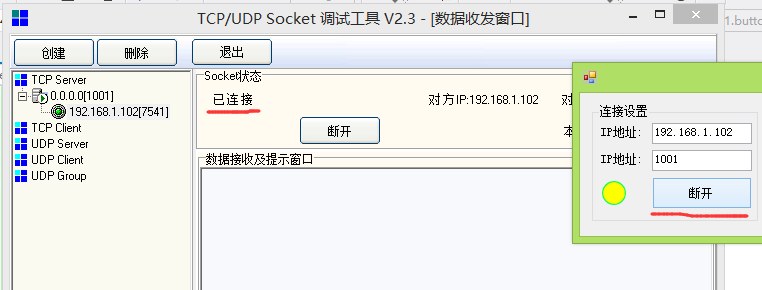
断开
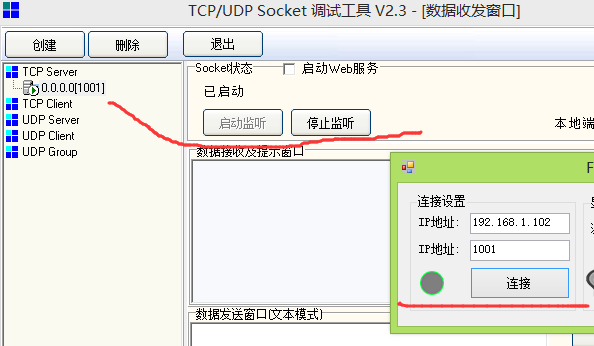
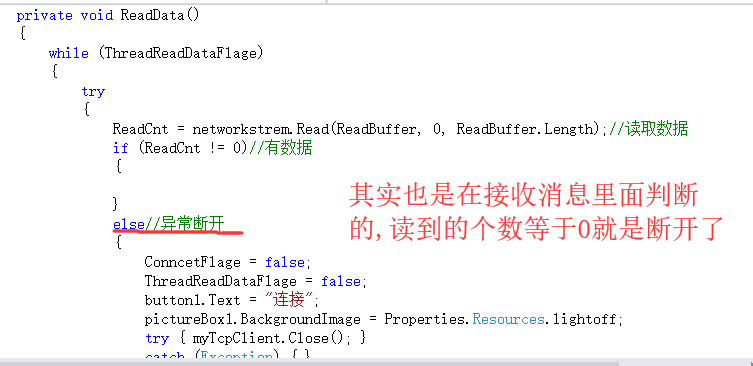
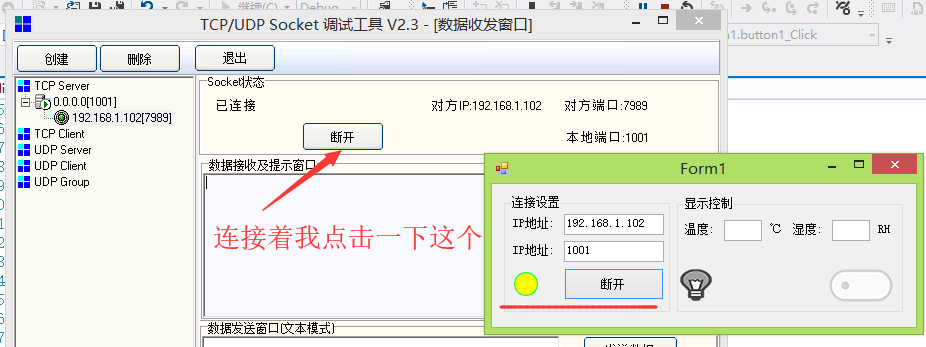
忘了加一个功能,,,判断服务器是不是断开了
using System;

using System.Collections.Generic;

using System.ComponentModel;

using System.Data;

using System.Drawing;

using System.Linq;

using System.Net;

using System.Net.Sockets;

using System.Text;

using System.Threading;

using System.Threading.Tasks;

using System.Windows.Forms;

namespace TCPClient

{

    public partial class Form1 : Form

    {

        bool LedFlage = false;

        bool ConncetFlage = false;

        private Thread ThreadConnectService;//连接服务器线程

        private IPAddress ipAddress;//ip地址

        int Port = ;//端口号

        private TcpClient myTcpClient = null;// TcpClient

        private NetworkStream networkstrem = null;//网络数据流

        private Thread ThreadReadData;//接收消息线程

        private bool ThreadReadDataFlage = false;//接收数据任务循环用

        byte[] ReadBuffer = new byte[];//设置缓冲区1024个字节

        int ReadCnt = ;//获取接收到了几个字节

        public Form1()

        {

            InitializeComponent();

        }

        private void Form1_Load(object sender, EventArgs e)

        {

            System.Windows.Forms.Control.CheckForIllegalCrossThreadCalls = false;//加了这一句

        }

        /*连接按钮点击事件*/

        private void button1_Click(object sender, EventArgs e)

        {

            if (ConncetFlage == false)

            {

                try{ThreadConnectService.Abort();}//先清除一下以前的

                catch (Exception){}

                ThreadConnectService = new Thread(ConncetService);//把连接服务器的函数加入任务

                ThreadConnectService.Start();//启动任务

            }

            else

            {

                ConncetFlage = false;

                ThreadReadDataFlage = false;

                button1.Text = "连接";

                pictureBox1.BackgroundImage = Properties.Resources.lightoff;

                try{  myTcpClient.Close(); }catch (Exception){}//关闭通道

            }

        }

        /*LED灯控制按钮(图片)*/

        private void pictureBox2_Click(object sender, EventArgs e)

        {

            if (LedFlage == false)

            {

                LedFlage = true;

                pictureBox2.BackgroundImage = Properties.Resources.switchon;

                pictureBox3.BackgroundImage = Properties.Resources.ledon;

            }

            else

            {

                LedFlage = false;

                pictureBox2.BackgroundImage = Properties.Resources.switchoff;

                pictureBox3.BackgroundImage = Properties.Resources.ledoff;

            }

        }

        /*连接服务器函数*/

        private void ConncetService()

        {

            ipAddress = IPAddress.Parse(textBox1.Text);//获取IP地址

            Port = Convert.ToInt32(textBox2.Text);     //获取端口号

            try

            {

                myTcpClient = new TcpClient(); //实例化myTcpClient

                myTcpClient.Connect(ipAddress, Port);//连接服务器

                ConncetFlage = true;

                button1.Text = "断开";

                pictureBox1.BackgroundImage = Properties.Resources.lighton;

                networkstrem = myTcpClient.GetStream();//获取数据流

                ThreadReadDataFlage = true;

                try { ThreadReadData.Abort(); }//先清除一下以前的

                catch (Exception) { }

                ThreadReadData = new Thread(ReadData);//把接收数据的函数加入任务

                ThreadReadData.Start();

            }

            catch (Exception)

            {

                ConncetFlage = false;

                ThreadReadDataFlage = false;

                button1.Text = "连接";

                pictureBox1.BackgroundImage = Properties.Resources.lightoff;

                try { myTcpClient.Close(); }

                catch (Exception) { }

            }

        }

        /*接收消息函数*/

        private void ReadData()

        {

            while (ThreadReadDataFlage)

            {

                try

                {

                    ReadCnt = networkstrem.Read(ReadBuffer, , ReadBuffer.Length);//读取数据

                    if (ReadCnt != )//有数据

                    {

                    }

                    else//异常断开

                    {

                        ConncetFlage = false;

                        ThreadReadDataFlage = false;

                        button1.Text = "连接";

                        pictureBox1.BackgroundImage = Properties.Resources.lightoff;

                        try { myTcpClient.Close(); }

                        catch (Exception) { }

                    }

                }

                catch (Exception)

                {

                    ThreadReadDataFlage = false;

                }

            }

        }

    }

}
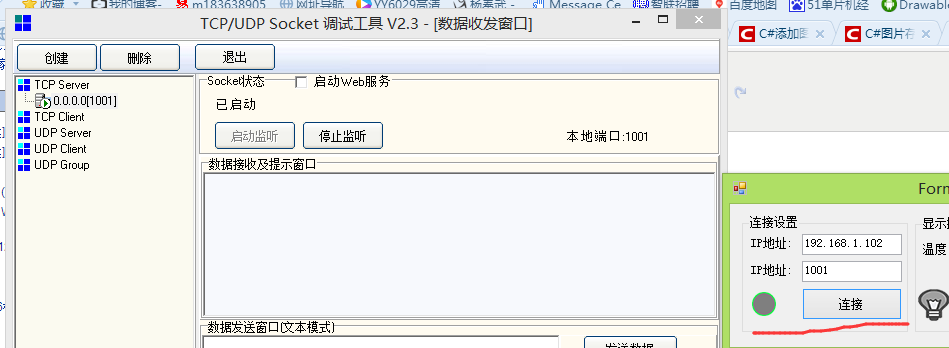
现在做数据发送部分,和APP那块几乎是一个模子刻出来的
using System;

using System.Collections.Generic;

using System.ComponentModel;

using System.Data;

using System.Drawing;

using System.Linq;

using System.Net;

using System.Net.Sockets;

using System.Text;

using System.Threading;

using System.Threading.Tasks;

using System.Windows.Forms;

namespace TCPClient

{

    public partial class Form1 : Form

    {

        bool LedFlage = false;

        bool ConncetFlage = false;

        private Thread ThreadConnectService;//连接服务器线程

        private IPAddress ipAddress;//ip地址

        int Port = ;//端口号

        private TcpClient myTcpClient = null;// TcpClient

        private NetworkStream networkstrem = null;//网络数据流

        private Thread ThreadReadData;//接收消息线程

        private bool ThreadReadDataFlage = false;//接收数据任务循环用

        private Thread ThreadSendData;//发送消息线程

        private bool ThreadSendDataFlage = false;//发送数据任务循环用

        byte[] ReadBuffer = new byte[];//设置缓冲区1024个字节

        int ReadCnt = ;//获取接收到了几个字节

        byte[] SendBuffer = new byte[];//设置发送缓冲区1024个字节

        int SendCnt = ;//发送的个数

        public Form1()

        {

            InitializeComponent();

        }

        private void Form1_Load(object sender, EventArgs e)

        {

            System.Windows.Forms.Control.CheckForIllegalCrossThreadCalls = false;//加了这一句

        }

        /*连接按钮点击事件*/

        private void button1_Click(object sender, EventArgs e)

        {

            if (ConncetFlage == false)

            {

                try{ThreadConnectService.Abort();}//先清除一下以前的

                catch (Exception){}

                ThreadConnectService = new Thread(ConncetService);//把连接服务器的函数加入任务

                ThreadConnectService.Start();//启动任务

            }

            else

            {

                ConncetFlage = false;

                ThreadReadDataFlage = false;

                ThreadSendDataFlage = false;

                button1.Text = "连接";

                pictureBox1.BackgroundImage = Properties.Resources.lightoff;

                try{  myTcpClient.Close(); }catch (Exception){}//关闭通道

            }

        }

        /*LED灯控制按钮(图片)*/

        private void pictureBox2_Click(object sender, EventArgs e)

        {

            if (LedFlage == false)

            {

                SendBuffer[] = 0xaa;

                SendBuffer[] = 0x55;

                SendBuffer[] = 0x02;

                SendBuffer[] = 0xff;

                SendCnt = ;

                LedFlage = true;

                pictureBox2.BackgroundImage = Properties.Resources.switchon;

                pictureBox3.BackgroundImage = Properties.Resources.ledon;

            }

            else

            {

                SendBuffer[] = 0xaa;

                SendBuffer[] = 0x55;

                SendBuffer[] = 0x02;

                SendBuffer[] = 0x00;

                SendCnt = ;

                LedFlage = false;

                pictureBox2.BackgroundImage = Properties.Resources.switchoff;

                pictureBox3.BackgroundImage = Properties.Resources.ledoff;

            }

        }

        /*连接服务器函数*/

        private void ConncetService()

        {

            ipAddress = IPAddress.Parse(textBox1.Text);//获取IP地址

            Port = Convert.ToInt32(textBox2.Text);     //获取端口号

            try

            {

                myTcpClient = new TcpClient(); //实例化myTcpClient

                myTcpClient.Connect(ipAddress, Port);//连接服务器

                ConncetFlage = true;

                button1.Text = "断开";

                pictureBox1.BackgroundImage = Properties.Resources.lighton;

                networkstrem = myTcpClient.GetStream();//获取数据流

                /*接收消息任务*/

                ThreadReadDataFlage = true;

                try { ThreadReadData.Abort(); }//先清除一下以前的

                catch (Exception) { }

                ThreadReadData = new Thread(ReadData);//把接收数据的函数加入任务

                ThreadReadData.Start();

                /*发送消息任务*/

                ThreadSendDataFlage = true;

                try { ThreadSendData.Abort(); }//先清除一下以前的

                catch (Exception) { }

                ThreadSendData = new Thread(SendData);

                ThreadSendData.Start();

            }

            catch (Exception)

            {

                ConncetFlage = false;

                ThreadReadDataFlage = false;

                ThreadSendDataFlage = false;

                button1.Text = "连接";

                pictureBox1.BackgroundImage = Properties.Resources.lightoff;

                try { myTcpClient.Close(); }

                catch (Exception) { }

            }

        }

        /*接收消息函数*/

        private void ReadData()

        {

            while (ThreadReadDataFlage)

            {

                try

                {

                    ReadCnt = networkstrem.Read(ReadBuffer, , ReadBuffer.Length);//读取数据

                    if (ReadCnt != )//有数据

                    {

                    }

                    else//异常断开

                    {

                        ConncetFlage = false;

                        ThreadReadDataFlage = false;

                        ThreadSendDataFlage = false;

                        button1.Text = "连接";

                        pictureBox1.BackgroundImage = Properties.Resources.lightoff;

                        try { myTcpClient.Close(); }

                        catch (Exception) { }

                    }

                }

                catch (Exception)

                {

                    ThreadReadDataFlage = false;

                }

            }

        }

         /*发送消息函数*/

        private void SendData()

        {

            while (ThreadSendDataFlage)

            {

                try

                {

                    if (SendCnt>)

                    {

                        networkstrem.Write(SendBuffer, , SendCnt);

                        SendCnt = ;

                    }

                }

                catch (Exception)

                {

                    ConncetFlage = false;

                    ThreadReadDataFlage = false;

                    ThreadSendDataFlage = false;

                    button1.Text = "连接";

                    pictureBox1.BackgroundImage = Properties.Resources.lightoff;

                    try { myTcpClient.Close(); }

                    catch (Exception) { }

                }

            }

        }

    }

}
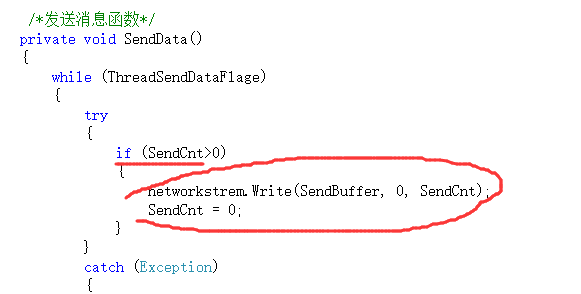
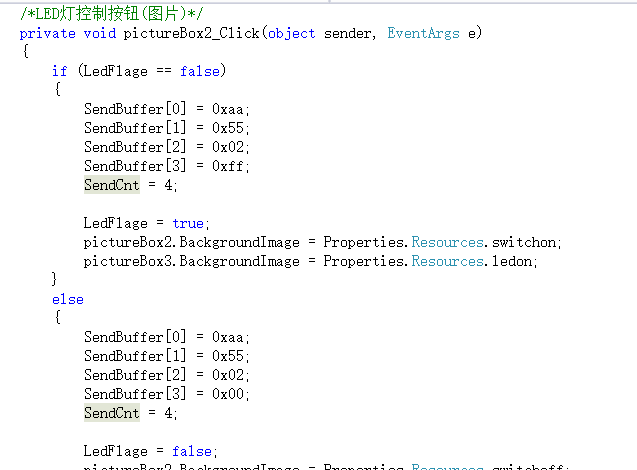
现在用调试助手试一下
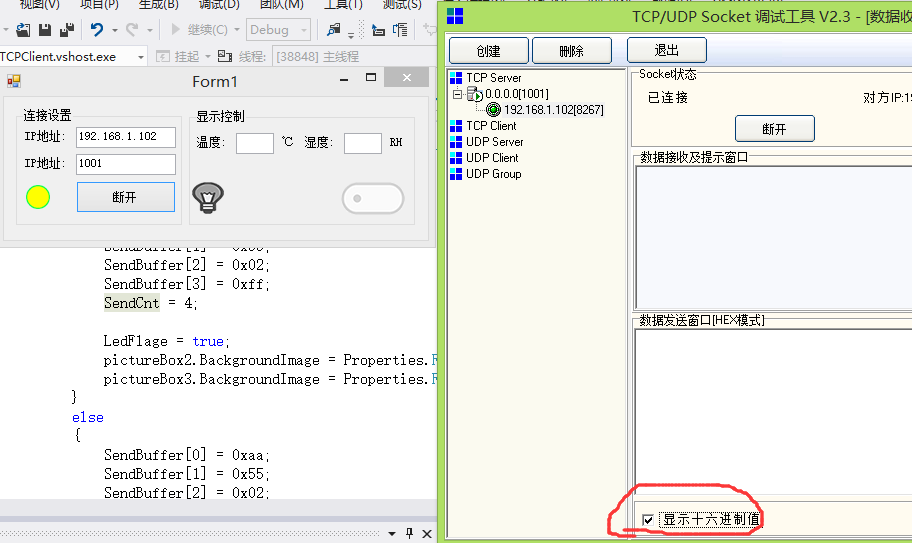

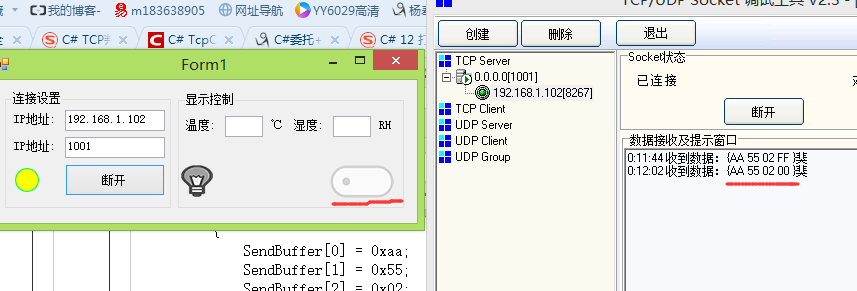
好了咱现在用8266试一试

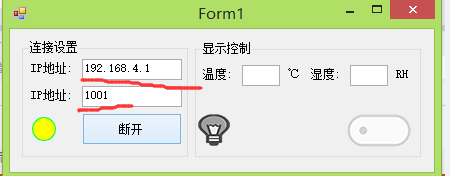
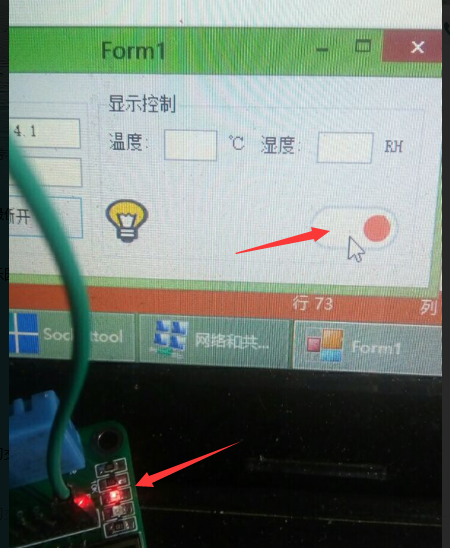

C#的源码
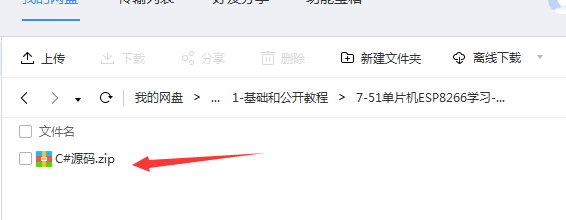
好了.....但是刚才我在软件连接的时候复位了一下芯片发现软件没有检测出来断开..现在如果服务器主动断开
可以检测的到,异常好像不可以,后期再看看....今天太晚了写的匆忙,不知道软件还有没有其它的Bug,慢慢的去发现吧...
突然有想起来单片机程序有个BUG
http://www.cnblogs.com/yangfengwu/p/8798512.html
7-51单片机ESP8266学习-AT指令(8266TCP服务器,编写自己的C#TCP客户端发信息给单片机控制小灯的亮灭)的更多相关文章
- 5-51单片机ESP8266学习-AT指令(8266TCP服务器--用手机TCP调试助手发信息给单片机控制小灯的亮灭)
http://www.cnblogs.com/yangfengwu/p/8759294.html 源码链接:https://pan.baidu.com/s/1wT8KAOIzvkOXXNpkDI7E8 ...
- 6-51单片机ESP8266学习-AT指令(8266TCP服务器--做自己的AndroidTCP客户端发信息给单片机控制小灯的亮灭)
http://www.cnblogs.com/yangfengwu/p/8776712.html 先把源码和资料链接放到这里 链接: https://pan.baidu.com/s/1jpHZjW_7 ...
- 8-51单片机ESP8266学习-AT指令(单片机采集温湿度数据通过8266发送给C#TCP客户端显示)
http://www.cnblogs.com/yangfengwu/p/8785516.html 先写单片机端的程序 先把源码和资料链接放到这里 链接: https://pan.baidu.com/s ...
- 10-51单片机ESP8266学习-AT指令(ESP8266连接路由器,建立TCP服务器,分别和C#TCP客户端和AndroidTCP客户端通信+花生壳远程通信)
http://www.cnblogs.com/yangfengwu/p/8871464.html 先把源码和资料链接放到这里 源码链接:https://pan.baidu.com/s/1wT8KAOI ...
- 1-51单片机ESP8266学习-AT指令(开发板介绍)
51单片机+ESP8266开发教程(AT指令篇) 开发板资源分布: 开发板部分原理图: 1--通信下载 2--51单片机 3--ESP8266(WIFI模块) 4--DHT11(温湿度传感器) 5-- ...
- 9-51单片机ESP8266学习-AT指令(单片机采集温湿度数据通过8266发送给AndroidTCP客户端显示)
http://www.cnblogs.com/yangfengwu/p/8798512.html 补充:今天答应了一个朋友写一下如果单片机发过的是字符串应该怎么解析,答应了今天写,哦哦哦是明天了,闲话 ...
- 2-51单片机ESP8266学习-AT指令(开发板51单片机自动冷启动下载原理)
前言:了解就行,不必深究 上一篇链接 http://www.cnblogs.com/yangfengwu/p/8720148.html 源码链接:https://pan.baidu.com/s/1wT ...
- 12,13,14节-51单片机ESP8266学习-AT指令(暂停更新)需要整理
从这一节开始,以视频加源码的形式,后期视频和程序将放在链接中 资料链接 链接: https://pan.baidu.com/s/1jpHZjW_7pQKNfN9G4B6ZjA 密码:nhn3 ...
- 3-51单片机ESP8266学习-AT指令(学会刷固件)
前言:体验一下刷固件(给单片机更新程序) 上一篇链接 http://www.cnblogs.com/yangfengwu/p/8757036.html 源码链接:https://pan.baidu. ...
随机推荐
- What I am concerned about
redux: https://www.cnblogs.com/XieJunBao/p/9232341.html vuex: https://juejin.im/post/5a8eb24e6fb9a06 ...
- Android基础之内容提供者的实现
内容提供者可以实现应用间查询数据库的需求 一.在提供数据库访问的应用设置内容提供者 public class AccountProvider extends ContentProvider { sta ...
- springboot 升级到2.0后 context-path 配置 不起作用,不生效 不管用 皆是因为版本改动导致的在这里记录一下
不知不觉,新的项目已经将springboot升级为2.0版本了.刚开始没有配置server.contextpath,默认的“/”,然后今天放到自己的服务器上,所以就要规范名称. 结果,失败了,无论我 ...
- maven五:查找jar包坐标,选择jar包版本
查找jar包坐标 以spring core的jar包为例,访问http://www.mvnrepository.com/ 在最上方中间,输入spring core,点击Search. 搜索结果第 ...
- CSS| 框模型-輪廓
轮廓(outline)是绘制于元素周围的一条线,位于边框边缘的外围,可起到突出元素的作用.CSS outline 属性规定元素轮廓的样式.颜色和宽度. 相關屬性 outline-color 属性 ou ...
- LDAP Filter用法
#根据Pager过滤域用户 $pagers = gc D:\Operations\tmp\u.txt foreach ($p in $pagers) { $user = Get-ADUser -Fil ...
- oracle count函数
用来返回查询的行数. 当指定distinct时,不能接order_by_clause: 如果指定表达式,count返回表达式不为空的值: 当指定*号时,它返回所有行,含重复行和空值.count从不返回 ...
- [MapReduce_7] MapReduce 中的排序
0. 说明 部分排序 && 全排序 && 采样 && 二次排序 1. 介绍 sort 是根据 Key 进行排序 [部分排序] 在每个分区中,分别进行排序 ...
- Django admin 的模仿流程
- hashCode相关性能优化
学习下hashMap中用到的关于hashCode性能优化技巧.作为笔记.为之后并发深入作基础. 1.关于提高性能的hash算法 在被模的位数为2的n次方时,用位与取代效率低下的模运算.位与效率相比模运 ...