
PlaceholderImageView
PlaceholderImageView

说明
1. PlaceHolderImageView基于SDWebImage编写
2. 给定一个图片的urlString,以及一个placeholderImage就可以优雅的显示图片加载效果
效果
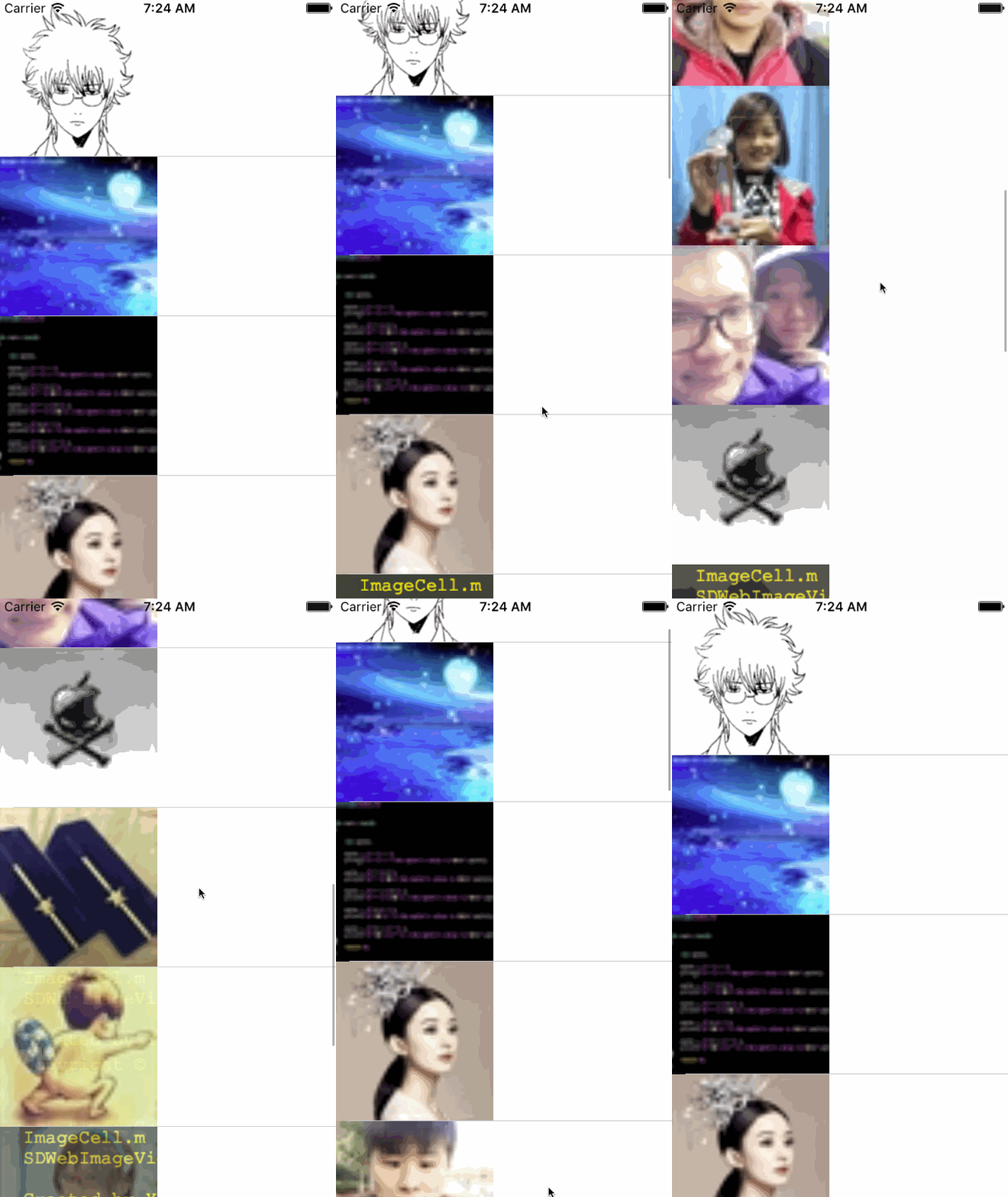
源码
PlaceholderImageView.h/.m
//

//  PlaceholderImageView.h

//  SDWebImageViewPlaceHorder

//

//  Created by YouXianMing on 16/9/14.

//  Copyright © 2016年 YouXianMing. All rights reserved.

//

#import <UIKit/UIKit.h>

@interface PlaceholderImageView : UIView

/**

 *  Picture's url string.

 */

@property (nonatomic, strong) NSString *urlString;

/**

 *  The placeholder's image.

 */

@property (nonatomic, strong) UIImage  *placeholderImage;

/**

 *  Default is UIViewContentModeScaleAspectFill.

 */

@property (nonatomic) UIViewContentMode placeholderImageContentMode;

/**

 *  Default is UIViewContentModeScaleAspectFill.

 */

@property (nonatomic) UIViewContentMode contentImageContentMode;

@end
ImageCell.h/.m
//

//  ImageCell.h

//  SDWebImageViewPlaceHorder

//

//  Created by YouXianMing on 16/9/14.

//  Copyright © 2016年 YouXianMing. All rights reserved.

//

#import <UIKit/UIKit.h>

#import "PlaceholderImageView.h"

@interface ImageCell : UITableViewCell

@property (nonatomic, strong) PlaceholderImageView  *placeholderImageView;

@end
//

//  ImageCell.m

//  SDWebImageViewPlaceHorder

//

//  Created by YouXianMing on 16/9/14.

//  Copyright © 2016年 YouXianMing. All rights reserved.

//

#import "ImageCell.h"

@implementation ImageCell

- (instancetype)initWithStyle:(UITableViewCellStyle)style reuseIdentifier:(NSString *)reuseIdentifier {

    if (self = [super initWithStyle:style reuseIdentifier:reuseIdentifier]) {

        self.selectionStyle = UITableViewCellSelectionStyleNone;

        self.placeholderImageView                  = [[PlaceholderImageView alloc] initWithFrame:CGRectMake(, , .f, .f)];

        self.placeholderImageView.placeholderImage = [UIImage imageNamed:@""];

        [self addSubview:self.placeholderImageView];

    }

    return self;

}

@end
ViewController.m
//

//  ViewController.m

//  SDWebImageViewPlaceHorder

//

//  Created by YouXianMing on 16/9/14.

//  Copyright © 2016年 YouXianMing. All rights reserved.

//

#import "ViewController.h"

#import "UIImageView+WebCache.h"

#import "PlaceholderImageView.h"

#import "ImageCell.h"

@interface ViewController () <UITableViewDelegate, UITableViewDataSource>

@property (nonatomic, strong) UITableView  *tableView;

@property (nonatomic, strong) NSArray      *pictures;

@end

@implementation ViewController

- (void)viewDidLoad {

    [super viewDidLoad];

    self.pictures = @[@"https://pic.cnblogs.com/avatar/607542/20151017230728.png",

                      @"https://pic.cnblogs.com/face/607741/20140226202001.png",

                      @"https://pic.cnblogs.com/face/815231/20150923160245.png",

                      @"https://pic.cnblogs.com/face/993558/20160729092113.png",

                      @"https://pic.cnblogs.com/face/894202/20160217151952.png",

                      @"https://pic.cnblogs.com/face/968459/20160709111712.png",

                      @"https://pic.cnblogs.com/face/145865/20160210174306.png",

                      @"https://pic.cnblogs.com/face/796658/20151026090914.png",

                      @"https://pic.cnblogs.com/face/933887/20160629214007.png",

                      @"https://pic.cnblogs.com/face/125303/20130313094252.png",

                      @"https://pic.cnblogs.com/face/976232/20160730173456.png",

                      @"https://pic.cnblogs.com/face/969708/20160602120239.png",

                      @"https://pic.cnblogs.com/face/954541/20160705113740.png",

                      @"https://pic.cnblogs.com/face/799942/20150818204115.png"];

    PlaceholderImageView *pImageView = [[PlaceholderImageView alloc] initWithFrame:CGRectMake(, , .f, .f)];

    [self.view addSubview:pImageView];

    pImageView.urlString = @"https://pic.cnblogs.com/avatar/607542/20151017230728.png";

    self.tableView            = [[UITableView alloc] initWithFrame:self.view.bounds];

    self.tableView.delegate   = self;

    self.tableView.dataSource = self;

    self.tableView.rowHeight  = .f;

    [self.view addSubview:self.tableView];

    [self.tableView registerClass:[ImageCell class] forCellReuseIdentifier:@"ImageCell"];

}

- (NSInteger)tableView:(UITableView *)tableView numberOfRowsInSection:(NSInteger)section {

    return _pictures.count;

}

- (UITableViewCell *)tableView:(UITableView *)tableView cellForRowAtIndexPath:(NSIndexPath *)indexPath {

    ImageCell *cell = [tableView dequeueReusableCellWithIdentifier:@"ImageCell"];

    cell.placeholderImageView.urlString = _pictures[indexPath.row];

    return cell;

}

@end
PlaceholderImageView的更多相关文章
- 用SDWebImage渐变加载图片
用SDWebImage渐变加载图片 使用 使用请详细查看源码,只需要给定一个图片地址以及一个placeHolder图片(非必须)即可. 效果 源码 https://github.com/YouXian ...
随机推荐
- TNetHTTPClient演示
TNetHTTPClient演示 TNetHTTPClient是DELPHI新增加的异步HTTP通信控件(区别于INDY的阻塞控件). unit Unit1; interface uses Winap ...
- 梳理一下JS的基本语法
web三层结构来说 结构层:HTML 从语义角度,描述页面结构 样式层:CSS 从审美的角度,美化页面 行为层:JavaScript 从交互的角度,提升用户体验 ...
- Leveldb之version与version_set详细对比
version类包含的重要变量: VersionSet* vset_; // VersionSet to which this Version belongs Version* next_; // N ...
- ListView中的item的按照和item点击事件并存
整个xml文件的根元素如LinearLayout中添加属性android:descendantFocusability="blocksDescendants"
- 关于MySql数据库设计表与查询耗时分析
本地建一张表persons,使用脚本插入了1000万条数据 下面比较几种查询方法的耗时(查询9000000到9000005这中间5条数据) 查询结果: 1: SELECT * FROM test.pe ...
- Java 第11章 类的无参方法
类的无参方法 类的方法由哪几部分组成? 方法的定义: 1.访问权限修饰符 2.方法返回的数据类型 3.方法的名称 4.方法的主体 成员变量和局部变量的区别有那些? ~ 作用域不同 - 成员变量的作用域 ...
- VMware12 安装 CentOS 6.5 64位
前言:本人在配置Hadoop的过程中,需要搭建Cent OS 64 环境,借此,顺便将Cent OS 64 的安装在此记录,方便自己,也方便大家学习.本次是在VM12虚拟机中实现Cent OS 64 ...
- Selenium WebDriver使用IE浏览器
摘:http://www.cnblogs.com/dream0577/archive/2012/10/07/2714579.html /** 用IE驱动,1.先到官网下载IEDriverS ...
- GoogleApis 屏蔽
. 需要maven包,但是官方库里面,引用了googleapis的一些文件.因为gfw,慢的要死,拖垮了整个页面. 查了一下,在hosts修改googleapis解析时候的ip就好了: 把Google ...
- [MFC] 向文本编辑框写入数据与从其中读取数据
GetDlgItemText(IDC_USER_NAME_EDIT,m_csUserName); SetDlgItemText(IDC_USER_NAME_EDIT,s);