
frame window 和open 的关系
建立一个如下的关系框架
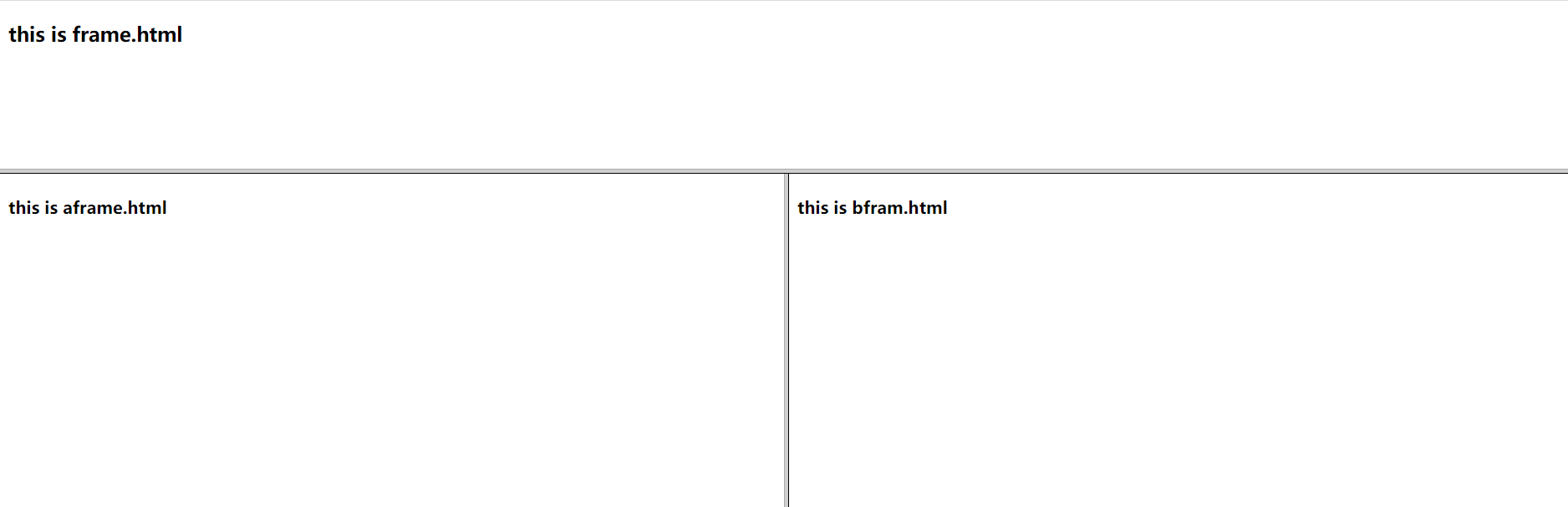
windowA.html
<!DOCTYPE html>

<html lang="en">

<head>

    <meta charset="UTF-8">

    <title>windowA</title>

</head>

<frameset rows="160,*">

    <frame src="frame.html" name="topFrame">

    <frameset cols="50%,50%">

        <frame src="aframe.html" name="leftFrame">

        <frame src="bframe.html" name="rightFrame">

    </frameset>

</frameset>

</html>
aframe.html
<!DOCTYPE html>

<html lang="en">

<head>

    <meta charset="UTF-8">

    <title>Title</title>

</head>

<body>

<h4>this is aframe.html</h4>

<script type="text/javascript">

    function sayleft() {

        console.log("frameA from....");

    }

    var age=44;

    console.log(window.age)

    //sayleft()

</script>

</body>

</html>
bframe.html
<!DOCTYPE html>

<html lang="en">

<head>

    <meta charset="UTF-8">

    <title>Title</title>

</head>

<body>

<h4>this is aframe.html</h4>

<script type="text/javascript">

    function sayleft() {

        console.log("frameA from....");

    }

    var age=44;

    console.log(window.age)

    //sayleft()

</script>

</body>

</html>
cframe.html
<!DOCTYPE html>

<html lang="en">

<head>

    <meta charset="UTF-8">

    <title>Title</title>

</head>

<body>

<h4>this is aframe.html</h4>

<script type="text/javascript">

    function sayleft() {

        console.log("frameA from....");

    }

    var age=44;

    console.log(window.age)

    //sayleft()

</script>

</body>

</html>
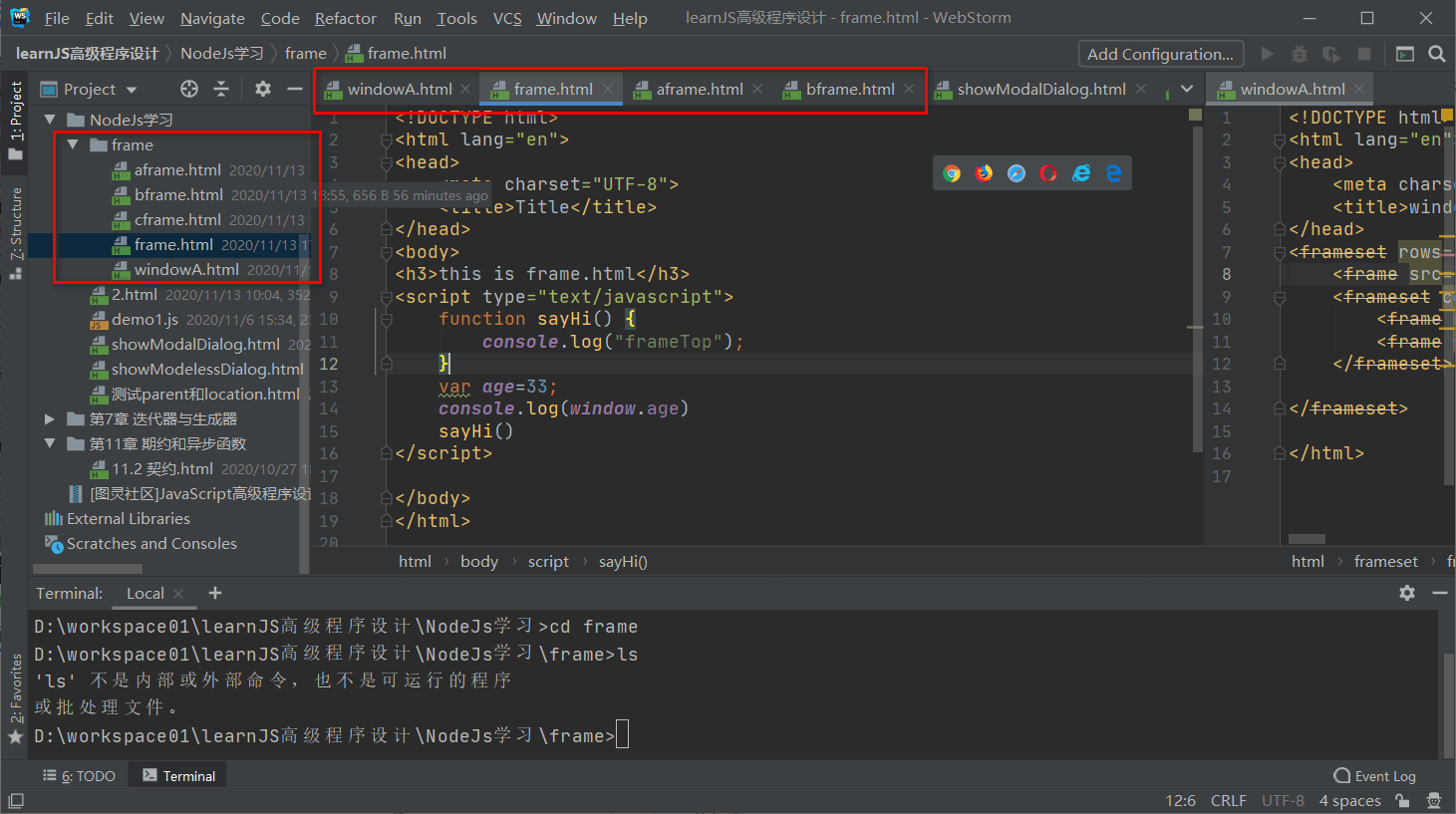
frame.html
<!DOCTYPE html>

<html lang="en">

<head>

    <meta charset="UTF-8">

    <title>Title</title>

</head>

<body>

<h3>this is frame.html</h3>

<script type="text/javascript">

    function sayHi() {

        console.log("frameTop");

    }

    var age=33;

    console.log(window.age)

    sayHi()

</script>

</body>

</html>
    console.log("调用window.opener.parent.leftFrame.sayHi()方法");

    window.opener.parent.frames["leftFrame"].sayleft();

    console.log(window.opener);

    console.log(window.opener.parent.frames["topFrame"].age);

    window.parent.leftFrame.sayleft();
跳转的页面cframe.html,通过window.opener找到原页面window属性,在通过.parent找到frame.通过frame.函数名来调用函数
重要说的是: open一个窗口,这个窗口就是独立的window了 和 其他窗口之间就没关系了,唯一的联系就是window.opener属性
frame window 和open 的关系的更多相关文章
- 动态加载Layout 与 论Activity、 Window、View的关系
1)动态加载Layout的代码是 getWindow().setContentView(LayoutInflater.from(this).inflate(R.layout.main, null)); ...
- 图解:window与BOM的关系
window与BOM的关系: 1.https://www.jianshu.com/p/f5409202a835
- android 中的 window,view,activity具体关系
通过讨论这个问题,我们能够见识到google是对面向对象模式的理解,能够理解android底层的一些调用.这也是一道很常见的面试题. 我们这篇文章就来解决这四个问题: Android 中view的显 ...
- 动态载入Layout 与 论Activity、 Window、View的关系
1)动态载入Layout的代码是 getWindow().setContentView(LayoutInflater.from(this).inflate(R.layout.main, null)); ...
- DirectFB、Layer、Window、Surface之间关系
层(Layers) 表示一块儿独立的图像缓冲区.大多数的嵌入式设备都有多个层.他们由硬件使用合适的alpha值来blending,然后显示. 表面 (Surface) 用来保存像素数据的保留内存区域. ...
- UIView 中 frame, bounds, center 属性的关系
最近一直在学 iOS 开发,所以专门创建了这样一个类别,将自己学习中的一些问题整理,记录下来.由于自己是初学者,所以所写的文章非常基础,写这个类别一是为了给自己留下存 档,二是为了给和我有同样问题的初 ...
- android分析windowManager、window、viewGroup之间关系(一)
本文将主要介绍addview方法,在windowManager.window.viewGroup中的实现原理.首先将介绍这些类结构关系,然后分析其内在联系,介绍实现原理,最后介绍重要的一个参数wind ...
- activity 、window与view的关系(下)
在activity的attacth方法中,通过policymanager 的makenewwindow来创建window 而window的具体实现是phonewindow 接下来通过setconten ...
- activity 、window与view的关系 (上)
我在研究任玉刚老师的<android开发艺术探索>的关于windowmanager那一章时,我发现自己对于acitivity.window和view之间的概念还是比较模糊. 然后查了一下a ...
随机推荐
- 带你了解Java的序列化与反序列化
什么是序列化 序列化:将 Java 对象转换成字节流的过程. 什么是反序列化 反序列化:将字节流转换成 Java 对象的过程. 序列化的实现 当 Java 对象需要在网络上传输 或者 持久化存储到文件 ...
- NOIP模拟测试15「建造城市city(插板法)·轰炸·石头剪刀布」
建造城市 题解 先思考一个简单问题 10个$toot$ 放进5间房屋,每个房屋至少有1个$toot$,方案数 思考:插板法,$10$个$toot$有$9$个缝隙,$5$间房屋转化为$4$个挡板,放在t ...
- docker-compose 部署 Apollo 自定义环境
Apollo 配置中心是什么: Apollo是携程框架部门研发的开源配置管理中心,能够集中化管理应用不同环境.不同集群的配置,配置修改后能够实时推送到应用端,并且具备规范的权限.流程治理等特性. ...
- 一起来聊聊 IP 地址、局域网、广域网、IPV4 和 IPV6
背景 谁都知道 IP 地址是干嘛的,但是它出现的前因后果你真的知道吗? 我觉得很有必要重新复习下计算机网络基础知识,实在太太太重要了 本篇文章素材均来自:https://www.bilibili.co ...
- Dagger2入门,以初学者角度
2016-12-21 更新:添加@Subcomponent注解以及Lazy与Provider的使用,本文基本完结!如果有好的建议请提出,感谢大家的支持,谢谢 依赖注入 Dagger2是Android中 ...
- 六QT使用mqtt
QT官方的mqtt是qmqtt,头文件是 #include <qmqttclient.h> 官方的文档地址 https://doc.qt.io/QtMQTT/qmqttclient.htm ...
- 20、高可用数据同步工具drbd介绍
20.1.什么是drbd: 20.2.drbd的工作原理: 20.3.drbd的同步模式: 1.实时同步模式: 2.异步同步模式: 20.4.drbd生产应用场景: 1.生产场景中drbd常用于基于高 ...
- 通过修改Host实现chrome同步
问题原因 : 中国的GW屏蔽了google服务,导致无法同步账号信息,这是一个很好的功能.可以同步书签,插件等! 跟chrome的版本号无关,设置hosts文件就能够正常运行(文件位置 : C:\Wi ...
- 多个异步ajax请求指定顺序执行
1.比如2个ajax请求,把第二个ajax请求放在第一个ajax请求success方法里面. 2.ajax请求时添加 async: false,//使用同步的方式,true为异步方式.结果是只有等服务 ...
- nginx用Certbot配置免费SSL证书(ngx_http_ssl_module模块)
一.准备工作 1.先安装nginx https://files.cnblogs.com/files/blogs/676936/nginx-1.18.0.sh #nginx-1.18.0版安装脚本2.在 ...