
美丽的CSS图形和HTML5
1.HTML5基础
文档类型
<!DOCTYPE HTML PUBLIC "-//W3C//DTD HTML 4.01 Transitional//EN"

        "http://www.w3.org/TR/html4/loose.dtd">

Transitional:过渡类型

Strict:严格类型

FrameSet:框架类型


<!DOCTYPE html>
使用video和audio标签播放视频和音频
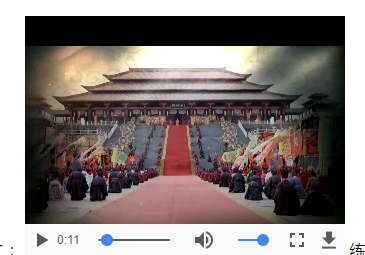
 <video controls>

         <source src="video/video.webm" type="video/webm"/>

         <source src="video/video.mp4" type="video/mp4"/>

     </video>
2.弹性盒子
box-sizing:border-box/content-box(默认值)
3.圆角边框
Border-raduis:左上角,右上角,右下角,左下角。
CSS 其语法的日新月异,让很多以前完成不了的事情,现在可以非常轻松的做到。说几个比较新的强大的 CSS 功能:
- clip-path
- shape-outside
shape 的意思是图形,CSS shapes 也就是 CSS 图形的意思,也就是使用 CSS 生成各种图形(圆形、矩形、椭圆、多边形等几何图形)。
CSS3之前,我们能做的只有矩形,四四方方,条条框框。
CSS3
CSS3出来后,我们有了更广阔的施展空间,通过
border-radiusbordertransform- 伪元素配合
- gradient 渐变
我们能够作出非常多的几何图形。
除去最常见的矩形,圆形(border-radius),下面稍微列举一些其他几何图形:
//01圆角边的css

#circle{

            width: 300px;

            height: 300px;

            border: 1px solid red;

            border-radius: 10px;

            box-shadow: 5px 5px 5px green;

        }

<div id="circle">我是圆角边的div</div>

//02圆形的css加图片

#circleshape{

            width: 300px;

            height: 300px;

            border: 1px solid red;

            border-radius: 150px;

            background: url("img/001.jpg") 0px 0px no-repeat;

            background-size: cover;

            opacity: 0.7;

            transition: all 5s;

        }

        #circleshape:hover{

             transform: rotate(300deg) scale(1.5);

             transition: all 5s linear;

        }

<div id="circleshape">我是圆形的div</div>

//03半圆形的CSS

 #halfcircle{

            width: 300px;

            height: 150px;

            border: 1px solid red;

            border-radius: 150px 150px 0px 0px;

            background:linear-gradient(to top,pink,palegreen);

            background:radial-gradient(palegoldenrod,palevioletred);

        }

<div id="halfcircle">我是半圆形的div</div>

//04四分之一圆形

 #halfcircles{

            width: 150px;

            height: 150px;

            border: 1px solid red;

            border-radius: 150px 0px 0px 0px;

        }

<div id="halfcircles">我是四分之一圆形的div</div>

 #halfcircless{

            width: 150px;

            height: 150px;

            border: 1px solid red;

            border-radius: 0px 150px 0px 0px;

        }

<div id="halfcircless">我是四分之一圆形的div</div>

 #halfcirclesss{

            width: 150px;

            height: 150px;

            border: 1px solid red;

            border-radius: 0px 0px 0px 150px;

        }

<div id="halfcirclesss">我是四分之一圆形的div</div>

#halfcirclessss{

            width: 150px;

            height: 150px;

            border: 1px solid red;

            border-radius: 0px 0px 150px 0px;

        }

<div id="halfcirclessss">我是四分之一圆形的div</div>

 #halfcircl{

            width: 300px;

            height: 150px;

            border: 1px solid red;

            border-radius: 0px 0px 150px 150px;

        }

<div id="halfcircl">我是半圆形的div</div>

//05:三角形

 .traingle {

            width: ;

            height: ;

            border-left: 50px solid transparent;

            border-right: 50px solid transparent;

            border-bottom: 100px solid yellowgreen;

        }

<div class="traingle ">

    我的三角形,我是div

</div>

//06:切角:多重线性渐变实现切角。

  .notching {

            width: 40px;

            height: 40px;

            padding: 40px;

            background: linear-gradient(135deg, transparent 15px, yellowgreen ) top left,

            linear-gradient(-135deg, transparent 15px, yellowgreen ) top right,

            linear-gradient(-45deg, transparent 15px, yellowgreen ) bottom right,

            linear-gradient(45deg, transparent 15px, yellowgreen ) bottom left;

            background-size: % %;

            background-repeat: no-repeat;

        }

<div class="notching">

    我是切角,我是div

</div>

//07:椭圆形

 .ellipse {

            width: 120px;

            height: 160px;

            background-color: yellowgreen;

            border-radius: % % % % / % % % %;

        }

<div class="ellipse">

    我是椭圆形,我是div

</div>

:梯形:伪元素加旋转透视实现梯形

 .trapezoid{

            position: relative;

            width: 60px;

            padding: 60px;

        }

        .trapezoid::before{

            content:"";

            position: absolute;

            top: ; right: ; bottom: ; left: ;

            transform: perspective(20px) scaleY(1.3) rotateX(5deg);

            transform-origin: bottom;

            background: yellowgreen;

        }

<div class="trapezoid">

    我是上面短的梯形,我是div

</div>

    .trapezoids {

            position: relative;

            width: 60px;

            border-top: 60px solid yellowgreen;

            border-left: 40px solid transparent;

            border-right: 40px solid transparent;

        }

<div class="trapezoids">

    我是下面短的梯形,我是div

</div>

//09.五边形:梯形加上三角形,很容易就组合成一个五边形,这里需要借助一个伪元素实现:

.pentagon {

    position: relative;

    width: 60px;

    border-bottom: 60px solid yellowgreen;

    border-left: 40px solid transparent;

    border-right: 40px solid transparent;

}

.pentagon::before {

    content:"";

    position: absolute;

    top: 60px;

    left: -40px;

    border-top: 60px solid yellowgreen;

    border-left: 70px solid transparent;

    border-right: 70px solid transparent;

}

//10六边形

看看上面的梯形,如果两个反方向且底边同样大小的梯形,叠加在一起,是不是就能得到一个六边形呢

.pentagon {

    position: relative;

    width: 60px;

    border-bottom: 60px solid yellowgreen;

    border-left: 40px solid transparent;

    border-right: 40px solid transparent;

}

.pentagon::before {

    content: "";

    position: absolute;

    width: 60px;

    height: 0px;

    top: 60px;

    left: -40px;

    border-top: 60px solid yellowgreen;

    border-left: 40px solid transparent;

    border-right: 40px solid transparent;

}

//11:八边形

六边形都解决了,八边形也不在话下,一个矩形加上两个梯形,可以合成一个八边形。

.octagon {

    position: relative;

    width: 40px;

    height: 100px;

    background: yellowgreen;

}

.octagon::before {

    content: "";

    height: 60px;

    position: absolute;

    top: ;

    left: 40px;

    border-left: 30px solid yellowgreen;

    border-top: 20px solid transparent;

    border-bottom: 20px solid transparent;

}

.octagon::after {

    content: "";

    height: 60px;

    position: absolute;

    top: ;

    left: -30px;

    border-right: 30px solid yellowgreen;

    border-top: 20px solid transparent;

    border-bottom: 20px solid transparent;

}

//12:五角星

好的,探索完多边形,我们继续探索X角星。

先来看看五角星,要怎么实现呢?当然是直接打出来啦 -- ★☆

.star {

   margin: 50px ;

   position: relative;

   width: ;

   border-right: 100px solid transparent;

   border-bottom: 70px  solid yellowgreen;

   border-left: 100px solid transparent;

   transform: rotate(35deg) scale(.);

}

.star:before {

    content: '';

    position: absolute;

    border-bottom: 80px solid yellowgreen;

    border-left: 30px solid transparent;

    border-right: 30px solid transparent;

    top: -45px;

    left: -65px;

    transform: rotate(-35deg);

}

.star:after {

    content: '';

    position: absolute;

    top: 3px;

    left: -105px;

    border-right: 100px solid transparent;

    border-bottom: 70px solid yellowgreen;

    border-left: 100px solid transparent;

    transform: rotate(-70deg);

}

//12:六角星

六角星呢?想象一下,一个向上的三角形 ▲,叠加上一个向下的三角形 ▼,就可以得到一个六边形:

.sixstar {

    position: relative;

    width: ;

    border-left: 50px solid transparent;

    border-right: 50px solid transparent;

    border-bottom: 100px solid yellowgreen;

}

.sixstar:after {

    content: "";

    position: absolute;

    border-left: 50px solid transparent;

    border-right: 50px solid transparent;

    border-top: 100px solid yellowgreen;

    top: 30px;

    left: -50px;

}

//13:八角星

八角星呢?八个角那么多呢。其实使用两个矩形进行旋转拼接就可以了。

.eightstar {

    position: relative;

    width: 100px;

    height: 100px;

    background-color: yellowgreen;

    transform: rotate(30deg);

}

.eightstar::before {

    content: "";

    position: absolute;

    top: ;

    left: ;

    width: 100px;

    height: 100px;

    transform: rotate(45deg);

    background-color: yellowgreen;

}

//14:十二角星

好。最后多角星再来一个十二级角星。在八角星的基础上,再增加一个矩形,就能得到十二角啦。也就是要过第一个伪元素。

.twelvestar {

    position: relative;

    width: 100px;

    height: 100px;

    margin-bottom: 100px!important;

    background-color: yellowgreen;

    transform: rotate(30deg);

}

.twelvestar::before {

    content: "";

    position: absolute;

    top: ;

    left: ;

    width: 100px;

    height: 100px;

    transform: rotate(30deg);

    background-color: yellowgreen;

}

.twelvestar::after {

    content: "";

    position: absolute;

    top: ;

    left: ;

    width: 100px;

    height: 100px;

    transform: rotate(60deg);

    background-color: yellowgreen;

}





美丽的CSS图形和HTML5的更多相关文章
- 奇妙的 CSS shapes(CSS图形)
CSS 发展到今天已经越来越强大了.其语法的日新月异,让很多以前完成不了的事情,现在可以非常轻松的做到.今天就向大家介绍几个比较新的强大的 CSS 功能: clip-path shape-outsid ...
- css图形——三角形
1.css图形简介 在浏览网页的时候,我们经常看见各种图形的效果,而但凡涉及到图形效果,我们第一个想到的就是用图片来实现.但是在前端开发中,为了网站的性能速度,我们都是秉承着少用图片的原生质. 因为图 ...
- 奇妙的 CSS shapes(CSS图形) 【css 图形,绘图,CSS 几何图形)】
http://www.cnblogs.com/coco1s/p/6992177.html <!DOCTYPE html> <html> <head> <met ...
- 有趣的css图形实现
css通过 border .border-radius .transform,实现各种图形. <!DOCTYPE html> <html lang="en"> ...
- CSS图形基础:纯CSS绘制图形
为了在页面中利用CSS3绘制图形,在页面中定义 <div class="container"> <div class="shape"> ...
- 利用噪声构建美妙的 CSS 图形
在平时,我非常喜欢利用 CSS 去构建一些有意思的图形. 我们首先来看一个简单的例子.首先,假设我们实现一个 10x10 的格子: 此时,我们可以利用一些随机效果,优化这个图案.譬如,我们给它随机添加 ...
- CSS图形形状大全
The Shapes of CSS All of the below use only a single HTML element. Any kind of CSS goes, as long as ...
- CSS图形
1.正方形 最终效果: CSS代码如下: #square { width: 100px; height: 100px; background: red; } 2.长方形 最终效果: CS ...
- css图形——椭圆
在css中,我们也使用border-radius属性来实现椭圆 语法 border-radius:x/y; 说明: x表示圆角的水平半径,y表示圆角的垂直半径. 例如:border-radius:30 ...
随机推荐
- python基本数据类型——set
一.集合的定义 set集合,是一个无序且不重复的元素集合. 集合对象是一组无序排列的可哈希的值,集合成员可以做字典中的键.集合支持用in和not in操作符检查成员,由len()内建函数得到集合的基数 ...
- Python 基础 二
Python 基础 二 今天对昨天学习的Python基础知识进行总结,学而不思则惘,思而不学则殆! 一.先对昨天学习的三大循环的使用情况进行总结: 1.while循环的本质就是让计算机在满足某一条件的 ...
- 微坑---微信小程序ios上时间字符串转换为时间戳时,在开发工具上和安卓手机上运行成功
给定一个时间字符串 var time="2017-02-27 16:42:53" js有三种转换为时间戳的方法:1.var timestamp = Date.parse(time ...
- 简析ASP.NET WebApi的跨域签名
之前的文章写了关于WebApi的跨域问题,当中的方法只是解决了简单请求的跨域问题而非简单请求的跨域问题则没有解决. 要弄清楚 CORS规范将哪些类型的跨域资源请求划分为简单请求的范畴,需要额外了解几个 ...
- 一个使用openGL渲染的炫丽Android动画库
android-magic-surface-view 这是一个 android 动画特效库, 可以实现各种炫酷动画. github地址: https://github.com/gplibs/andro ...
- linux 内核的futex - requeue 以及 requeue-pi
futex为更好支持pthread_cond的实现(,最主要是broadcast),设计了requeue功能,并以futex系统调用提供操作接口,包括一对配对的操作 futex_wait_requeu ...
- Pangolin学习
0.1. 资料 0.2. 使用说明 0.3. HelloPangolin 0.4. Plot data with ros 0.1. 资料 泡泡机器人 github example opengl中摄像机 ...
- ORA-22835 缓冲区对于 CLOB 到 CHAR 转换或 BLOB 到 RAW 转换而言太小
在使用Oralce时,直接取出 CLOB 到 CHAR 转换或 BLOB 到 RAW 转换时,会出现ORA-22835的异常,以下是个人的解决方案 create or replace Function ...
- 解决xmapp中Apache端口号占用问题
[原]解决 "安装xmapp后Apache不能正常启动" 问题 小伙伴们安装xmapp后发现Apache不能正常开启,下面给出了不同情况的解决办法,可以分为以下几种情况分析问题: ...
- 将github上的项目源码导入到eclipse中
1.注册github帐号 在github上注册一个自己的帐号. 2.安装git插件egit 在eclipse中安装git插件egit,安装方法可以参考这篇文章: http://www.cnblogs. ...