
Flutter常用组件(Widget)解析-Container
一个组件它往往包含了一些常见的painting, positioning和sizing这样的小部件。
Container相当于我们常用的div,在Flutter中用的非常多,现在来看看Container容器中的一些属性。
1、alignment
这个属性是针对容器中的child的对其方式。我们先做一个效果:建立一个Container容器,然后让容器里面的文字内容居中对齐。
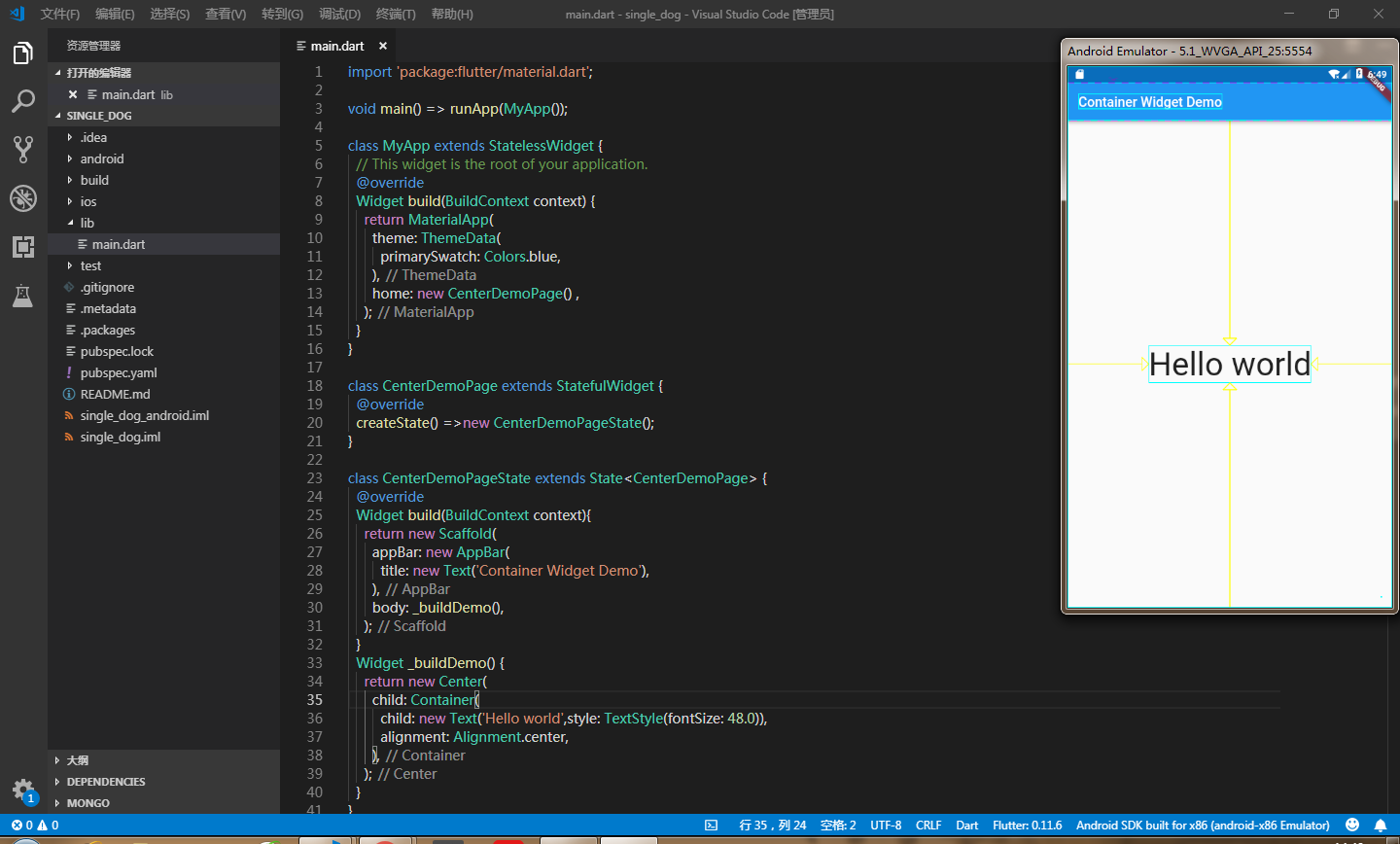
具体代码如下:
import 'package:flutter/material.dart';

void main() => runApp(MyApp());

class MyApp extends StatelessWidget {

  // This widget is the root of your application.

  @override

  Widget build(BuildContext context) {

    return MaterialApp(

      theme: ThemeData(

        primarySwatch: Colors.blue,

      ),

      home: new CenterDemoPage() ,

    );

  }

}

class CenterDemoPage extends StatefulWidget {

  @override

  createState() =>new CenterDemoPageState();

}

class CenterDemoPageState extends State<CenterDemoPage> {

  @override

  Widget build(BuildContext context){

    return new Scaffold(

      appBar: new AppBar(

        title: new Text('Container Widget Demo'),

      ),

      body: _buildDemo(),

    );

  }

  Widget _buildDemo() {

    return new Center(

      child: Container(

        child: new Text('Hello world',style: TextStyle(fontSize: 48.0)),

        alignment: Alignment.center,

      ),

    );

  }

}
这时候我们可以看见,文本居中显示在我们手机屏幕上了,出来居中对其这种方式,还有以下几种对齐方式可供选择:
- topCenter:顶部居中对齐
- topLeft:顶部左对齐
- topRight:顶部右对齐
- center:水平垂直居中对齐
- centerLeft:垂直居中水平居左对齐
- centerRight:垂直居中水平居右对齐
- bottomCenter底部居中对齐
- bottomLeft:底部居左对齐
- bottomRight:底部居右对齐
除了对Container容器中的child设置对齐方式,我们还可以对容器进行一些宽高颜色属性的操作,如下:
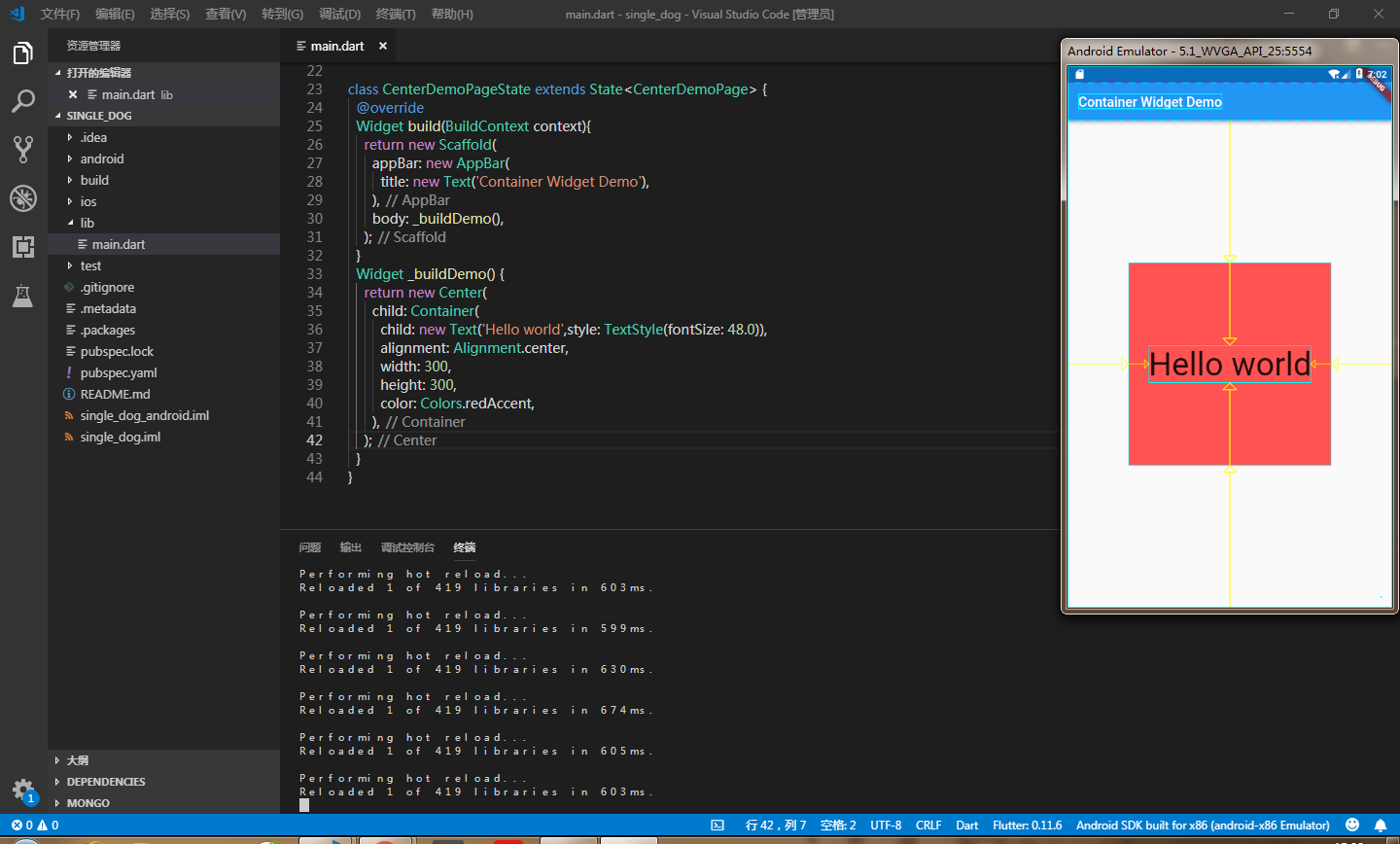
2、decoration
容器的修饰器,用于背景或者border。
如果在decoration中用了color,就把容器中设置的color去掉,不要重复设置color,设置的边框样式是让四条边框的宽度为8px,颜色为黑色
child: Container(

        child: new Text('Hello world',style: TextStyle(fontSize: 48.0)),

        alignment: Alignment.center,

        width: 300,

        height: 300,

        decoration: BoxDecoration(

          color: Colors.redAccent,

          border: Border.all(

            color: Colors.black,

            width: 8.0,

          ),

        ),

      ),
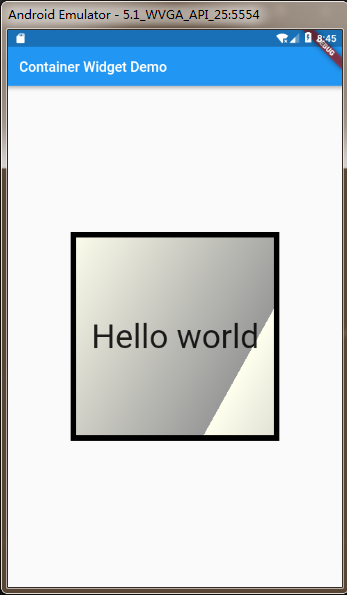
decoration里面还可以渐变色:如下
decoration: BoxDecoration(

    gradient: LinearGradient(

      begin: Alignment.topLeft,

      end: Alignment(0.8, 0.0), // 10% of the width, so there are ten blinds.

      colors: [const Color(0xFFFFFFEE), const Color(0xFF999999)], // whitish to gray

      tileMode: TileMode.repeated, // repeats the gradient over the canvas

    ),

  ),
这样渐变出来的效果就是:
3、margin
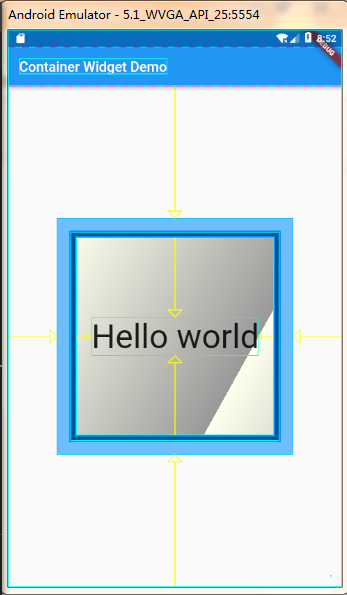
margin属性是表示Container与外部其他组件的距离。
child: new Text('Hello world',style: TextStyle(fontSize: 48.0)),

        alignment: Alignment.center,

        width: 300,

        height: 300,

        margin: EdgeInsets.all(20.0),//表示与外部元素的距离是20px

        decoration: BoxDecoration(

          gradient: LinearGradient(

            begin: Alignment.topLeft,

            end: Alignment(0.8, 0.0), // 10% of the width, so there are ten blinds.

            colors: [const Color(0xFFFFFFEE), const Color(0xFF999999)], // whitish to gray

            tileMode: TileMode.repeated, // repeats the gradient over the canvas

          ),

          border: Border.all(

            color: Colors.black,

            width: 8.0,

          ),

        ),
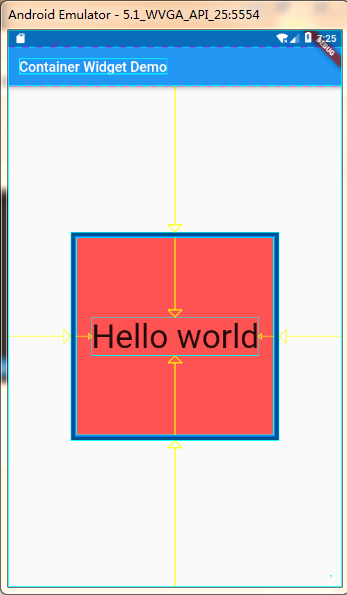
我们为了有更好的显示效果,可以在正在调试的终端下输入‘ p ’,这样你就可以清楚看到Container的布局了,如下:
当然如果你不想设置每个外边距都一样,想分别设置的话,可以使用如下:
margin: EdgeInsets.fromLTRB(left, top, right, bottom),
你可以分别对每个边距设定值。
4、padding
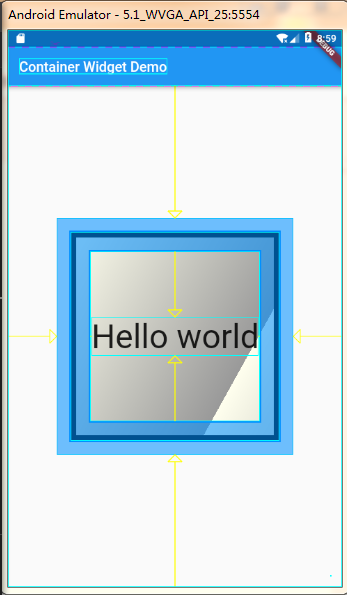
padding就是Container的内边距,指Container边缘与Child之间的距离。先试试让每个内边距都为20
padding: EdgeInsets.all(20.0),
效果如下:
如果不想让每个内边距一样,依据自己的需求来设置,可以使用如下方法:
margin: EdgeInsets.fromLTRB(left, top, right, bottom),
和margin的使用几乎一样。
5、transform
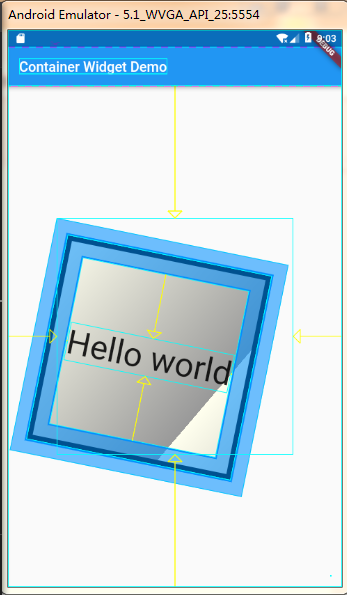
这个属性可以让Container容易进行一些旋转之类的,用法: transform: Matrix4.rotationZ(0.2), 可以根据自己的需要调整旋转的角度,效果如下:
6、以上是使用比较多的一些属性,当然在工作中会有很多的需求,各种各样的,那就需要我们更进一步去了解,去研究更深层的属性用法。
Container Widget用法可以去官网看更多的属性用法:一键到达
Flutter常用组件(Widget)解析-Container的更多相关文章
- Flutter常用组件(Widget)解析-ListView
一个可滚动的列表组件 不管在哪,列表组件都尤为重要和常用. 首先来看个例子: import 'package:flutter/material.dart'; void main () => ru ...
- Flutter常用组件(Widget)解析-Scaffold
实现一个应用基本的布局结构. 举个栗子: import 'package:flutter/material.dart'; void main() => runApp(MyApp()); clas ...
- Flutter常用组件(Widget)解析-Image
显示图片的组件 以下是几种加载图片路径方式: Image.asset 加载asset项目资源中的文件 Image.network 加载网络资源图片,通过url加载 Image.file 加载本地文件中 ...
- Flutter常用组件(Widget)解析-Text
单一格式的文本. 文本组件是以字符串形式显示的单一格式,这个文本字符串可以是多行显示也可以是单独一行显示,主要取决于你的布局限制. 这样式内容是可选择的,如果你省略了,则会使用文本的默认样式来显示.如 ...
- Flutter 常用组件
无状态组件(StatelessWidget)是不可变的,这意味着它的属性不能改变,所有的值都是最终的. 有状态组件(StatefulWidget)持有的状态可能在Widget生命周期中发生变化.实现一 ...
- Flutter学习笔记(22)--单个子元素的布局Widget(Container、Padding、Center、Align、FittedBox、Offstage、LimitedBox、OverflowBox、SizedBox)
如需转载,请注明出处:Flutter学习笔记(22)--单个子元素的布局Widget(Container.Padding.Center.Align.FittedBox.Offstage.Limited ...
- Flutter 基础组件:Widget简介
概念 在Flutter中几乎所有的对象都是一个Widget.与原生开发中"控件"不同的是,Flutter中的Widget的概念更广泛,它不仅可以表示UI元素,也可以表示一些功能性的 ...
- Ext 常用组件解析
Ext 常用组件解析 Panel 定义&常用属性 //1.使用initComponent Ext.define('MySecurity.view.resource.ResourcePanel' ...
- Ionic 常用组件解析
Ionic 常用组件解析 $ionicModal(弹出窗口): //创建一个窗口 //此处注意目录的起始位置为app $ionicModal.fromTemplateUrl('app/security ...
随机推荐
- tomcat server.xml
基于对server.xml的学习,结合源码,可以进一步理解tomcat的架构设计 1. 2. 3. 4 .valve链 参考: http://www.importnew.com/17124.html ...
- 运维数据库平台~inception审核规则详解
---恢复内容开始--- 一 简介:这次我们来介绍最核心的审核功能 二 讲解:简单来说 inception就是mysql的二次过滤,何谓二次过滤,我们知道,mysql本身都有自己的审核规则,为业界所通 ...
- mysql 查询优化案例汇总
一 简介:此文章为经历过的sql案例集合和相关思路 二 案例1: 现象: 测试环境出现select语句,join2张表多次join,explain结果如下 出现 using where,using j ...
- C++11模板友元语法
第 1 类: 普通类A的 普通类B 友元(一对一友好关系): 无需前置声明class B,当class B第一次出现在friend声明中时,该名字被隐式地认为可见. class A { friend ...
- swift计算 switch case
var year = var month = var day = ; let daysOfFeb = year % == && year% != || year % == ?: var ...
- LOJ 3043: 洛谷 P5280: 「ZJOI2019」线段树
题目传送门:LOJ #3043. 题意简述: 你需要模拟线段树的懒标记过程. 初始时有一棵什么标记都没有的 \(n\) 阶线段树. 每次修改会把当前所有的线段树复制一份,然后对于这些线段树实行一次区间 ...
- 配置使用OpenCV静态链接库
配置opencv静态链接库需要用到:staticlib 在配置链接器->附加库目录时应该为staticlib的路径.同理若是利用动态链接库则只需要lib的路径: 动态链接库则使用lib,然而在使 ...
- 嵌入式linux系统中,lsusb出现unable to initialize libusb: -99 解决办法 【转】
转自:http://cpbest.blog.163.com/blog/static/41241519201111575726966/ libusb是linux系统中,提供给用户空间访问usb设备的AP ...
- Python3学习笔记19-继承和多态
在OOP程序设计中,当我们定义一个class的时候,可以从某个现有的class继承, 新的class称为子类(Subclass),而被继承的class称为基类.父类或超类(Base class.Sup ...
- Project Euler Problem8
Largest product in a series Problem 8 Find the greatest product of five consecutive digits in the 10 ...