
Windows Server 2016 Active Directory 图文搭建指南
1. 首先打开Manage --> Add Roles and Features
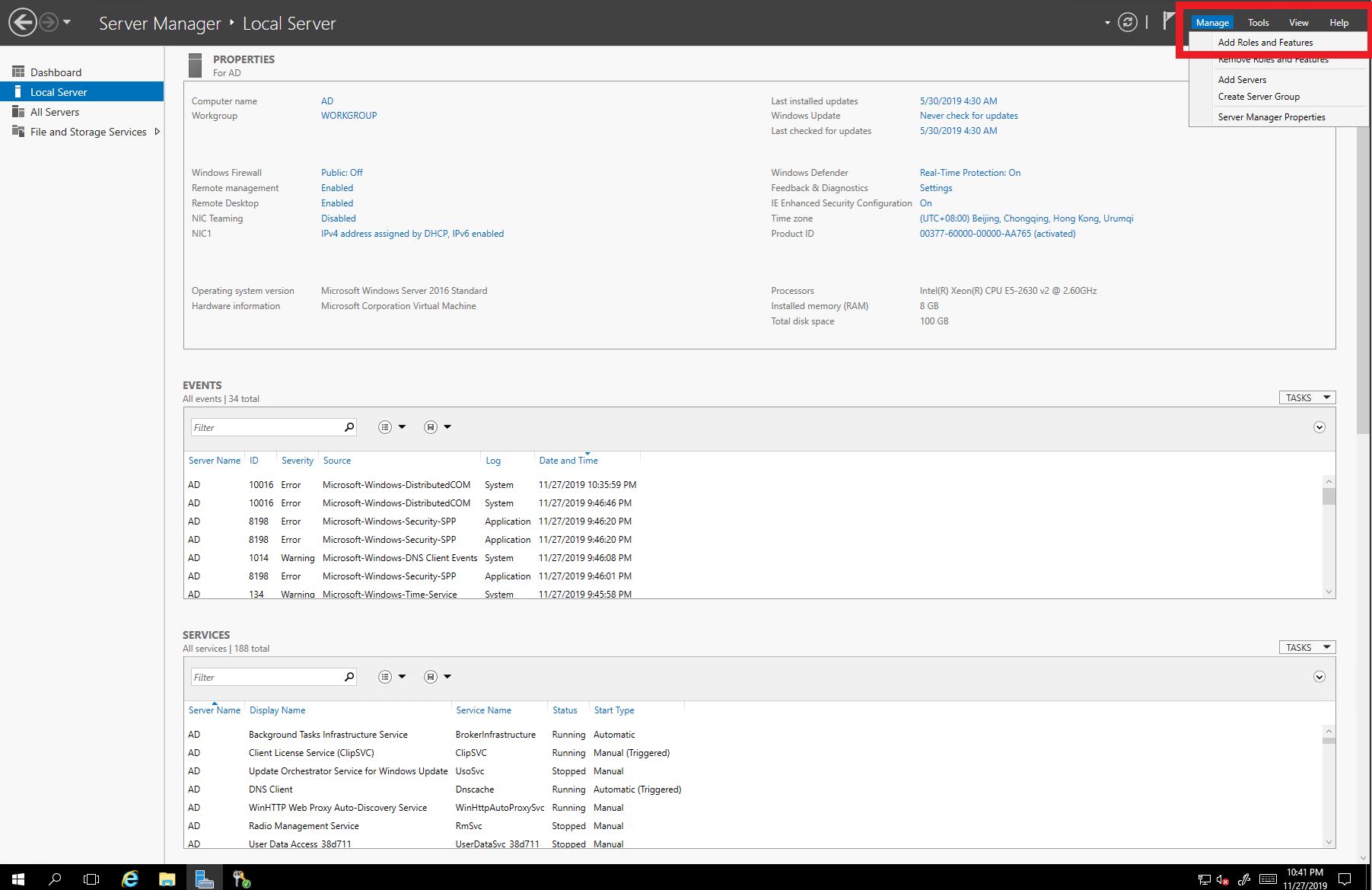
2. 点击Next

3. 不做修改,点击Next
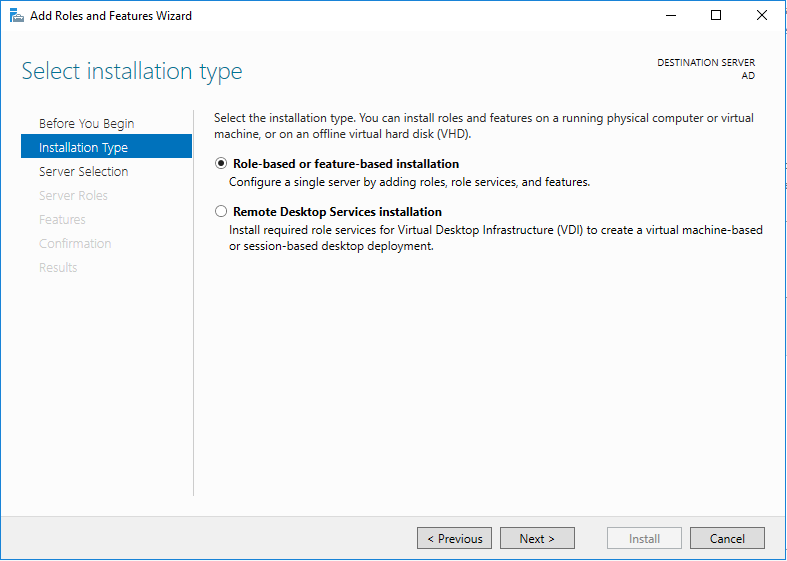
4. 不做修改,点击Next
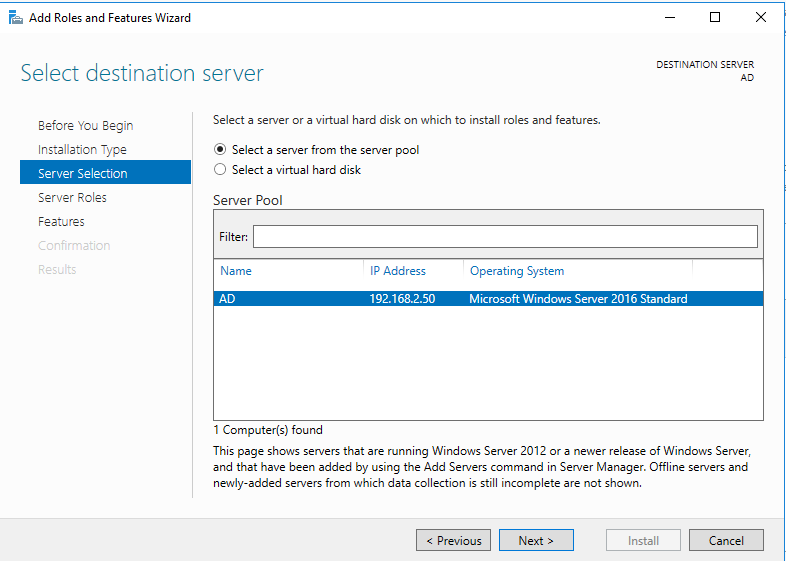
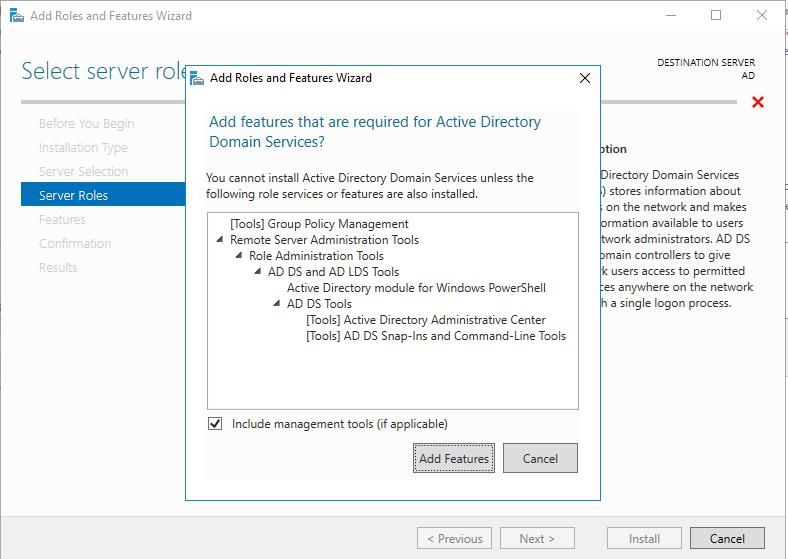
5. 选择Active Directory Domain Services 和 DNS Server
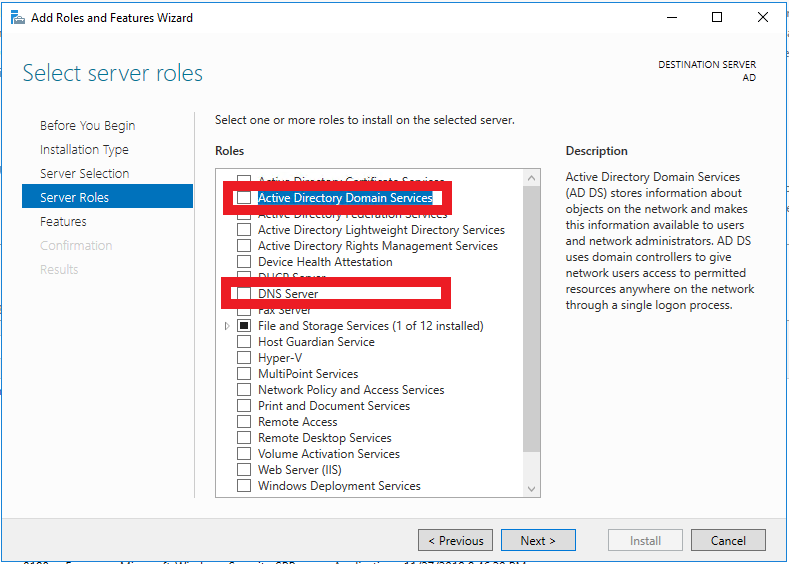
6. 点击Add Features
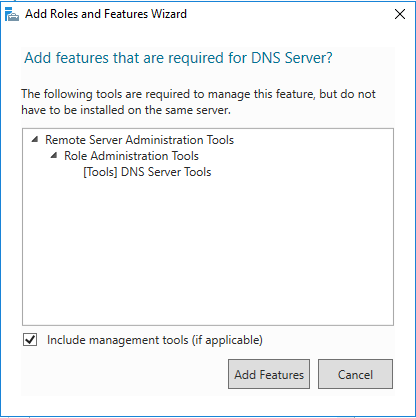
7. 点击Add Features
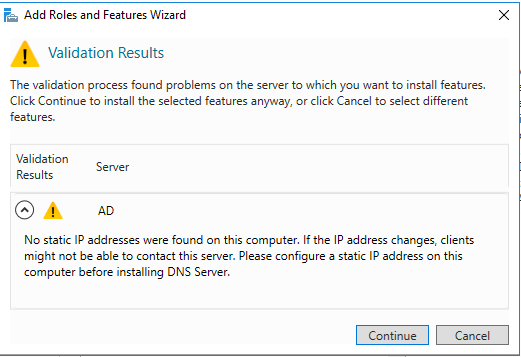
8. 点击Continue
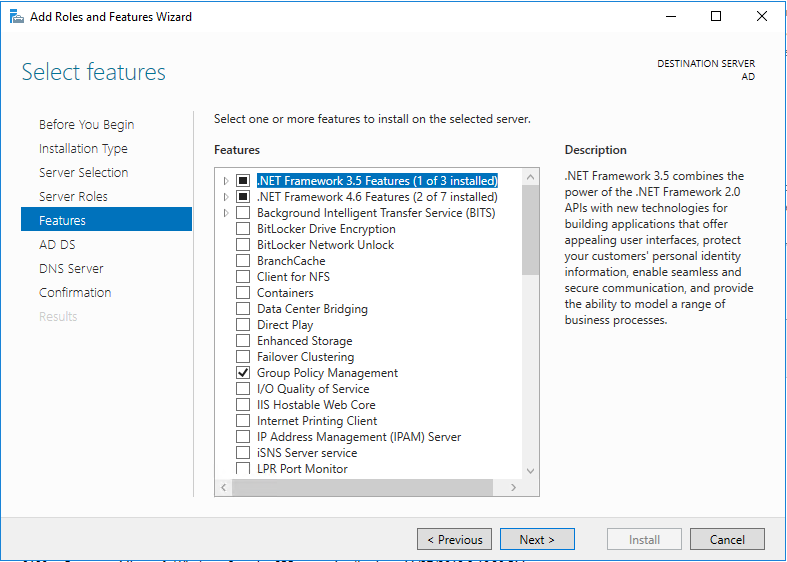
9. 不做修改,点击Next
10. 点击Next
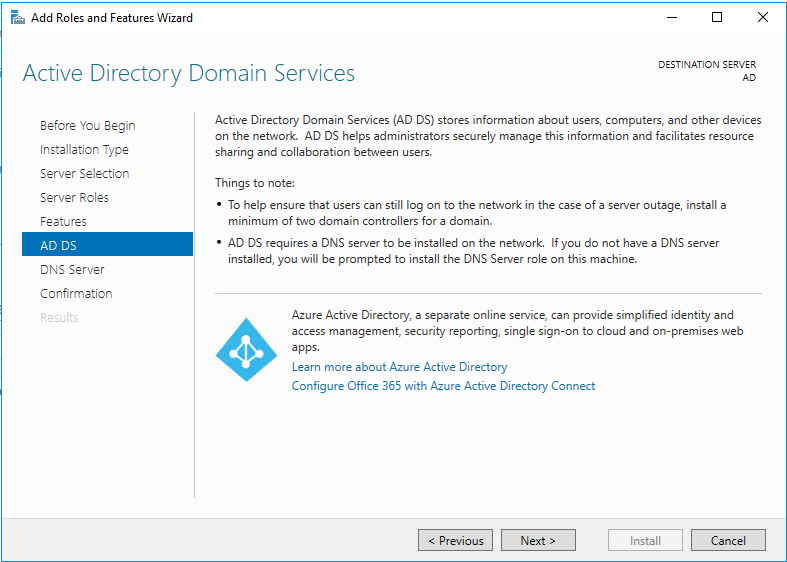
11. 点击Next
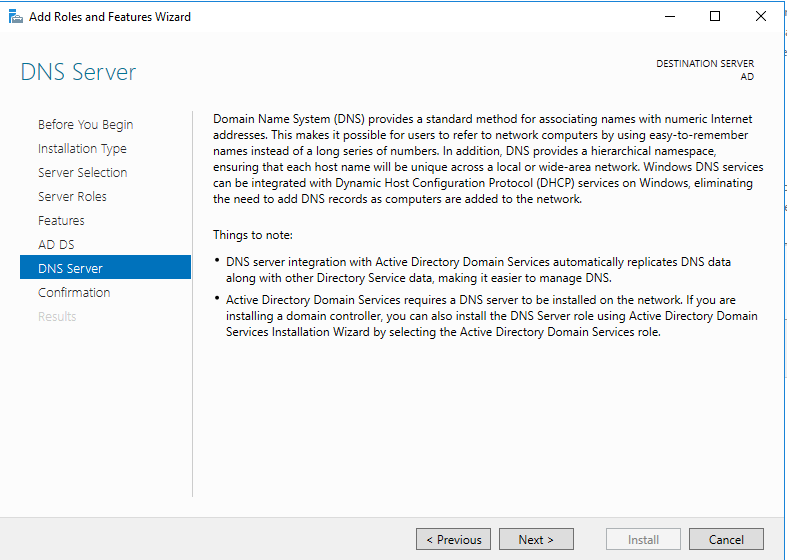
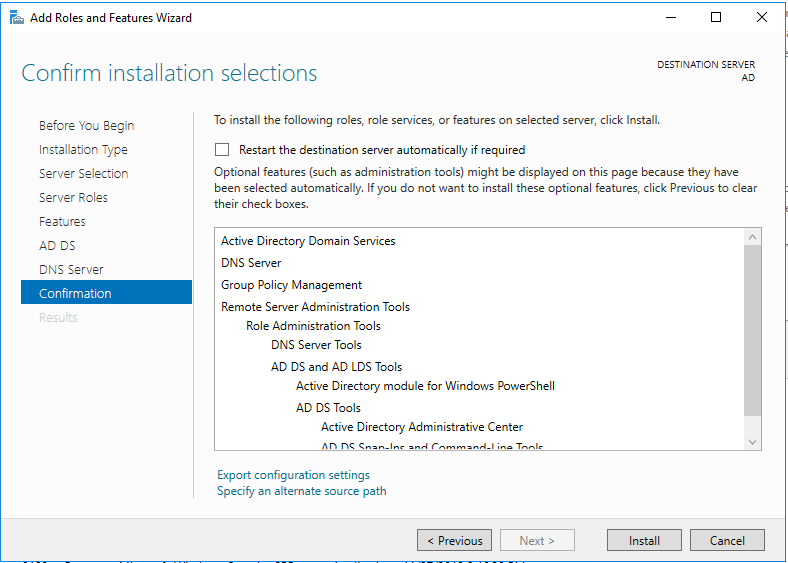
12. 点击Install
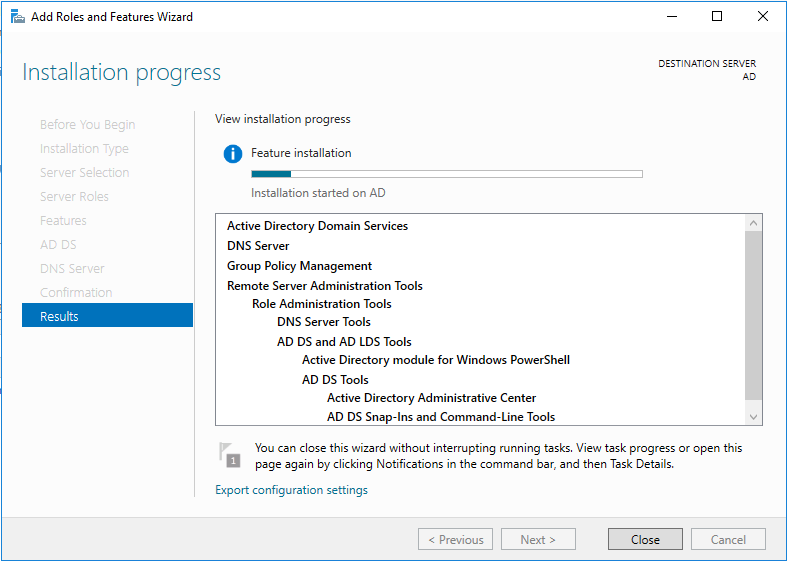
13. 安装中
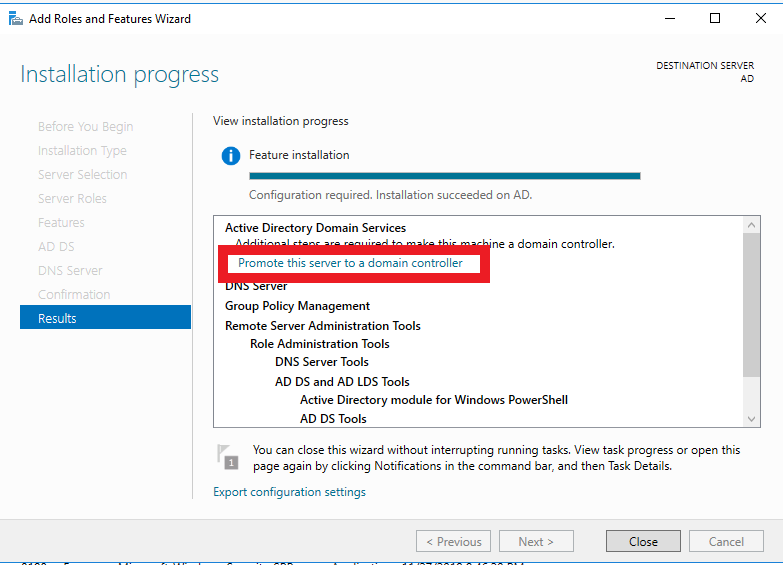
14. 点击Promote this server to a domain controller,把这台服务器提升为域控制器
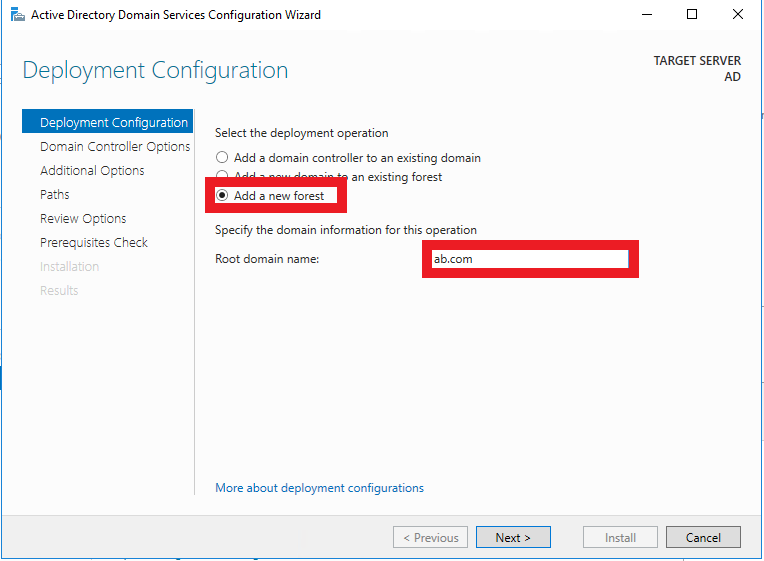
15. 由于是全新安装,这里选择Add a new forest,在Root domain name中输入一个符合规范的名字,这里以ab.com为例
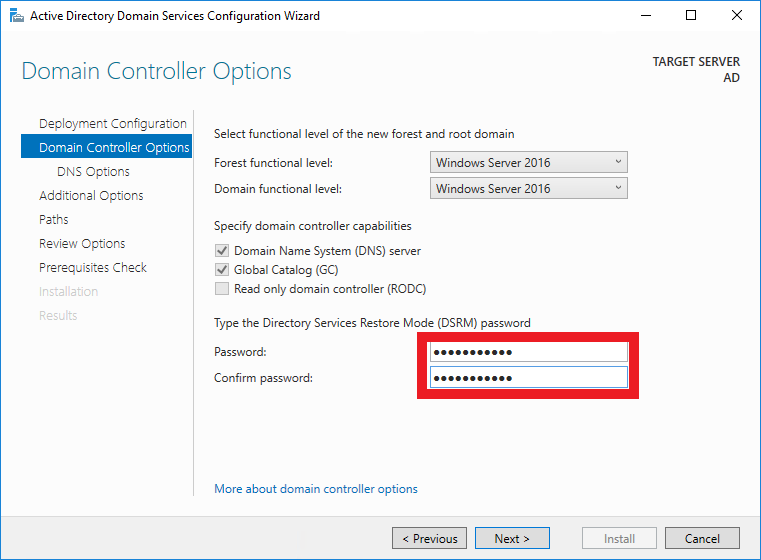
16. 设置域名服务恢复密码
17. 不做修改,点击Next
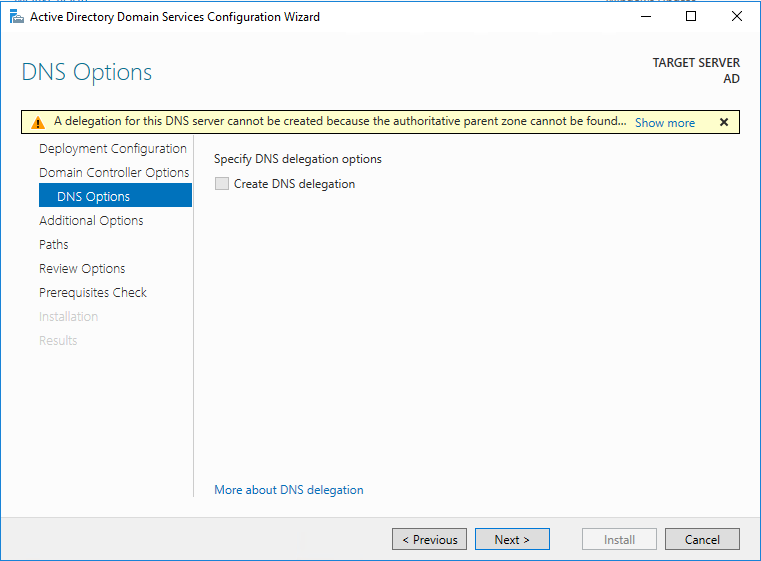
18. 点击Next

19. 点击Next。这里由于是测试环境,所以不做更改。如果是生产环境,这些文件的路径一定不能设置在C盘!!!
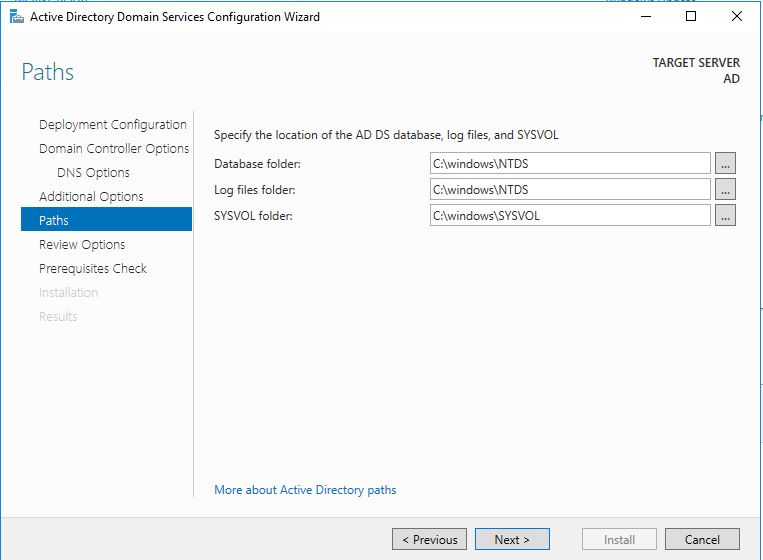
20. 点击Next

21. 点击Install
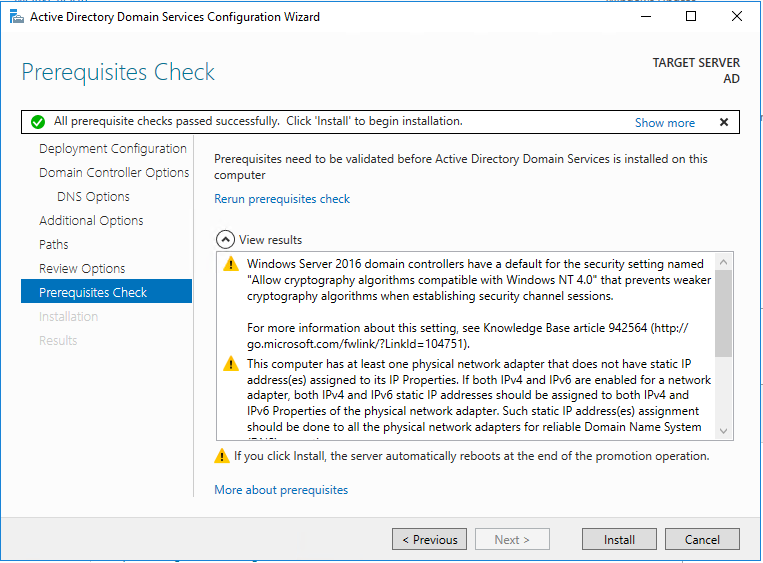
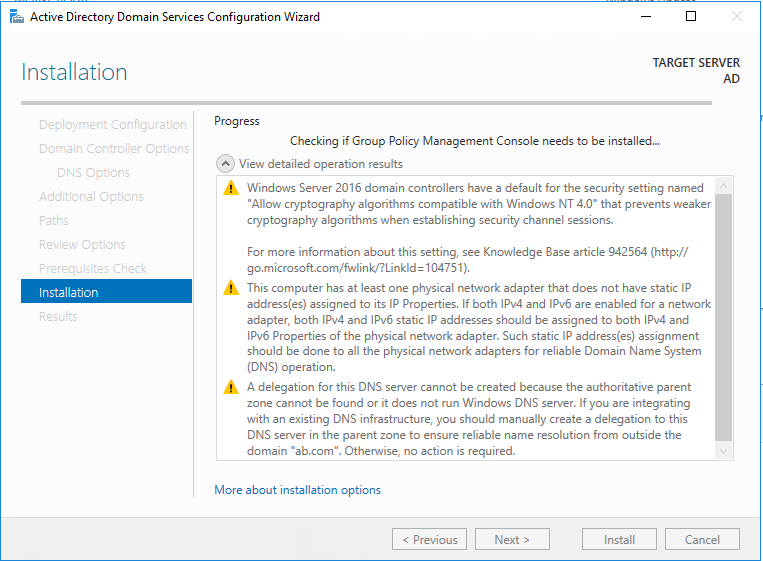
22. 安装中
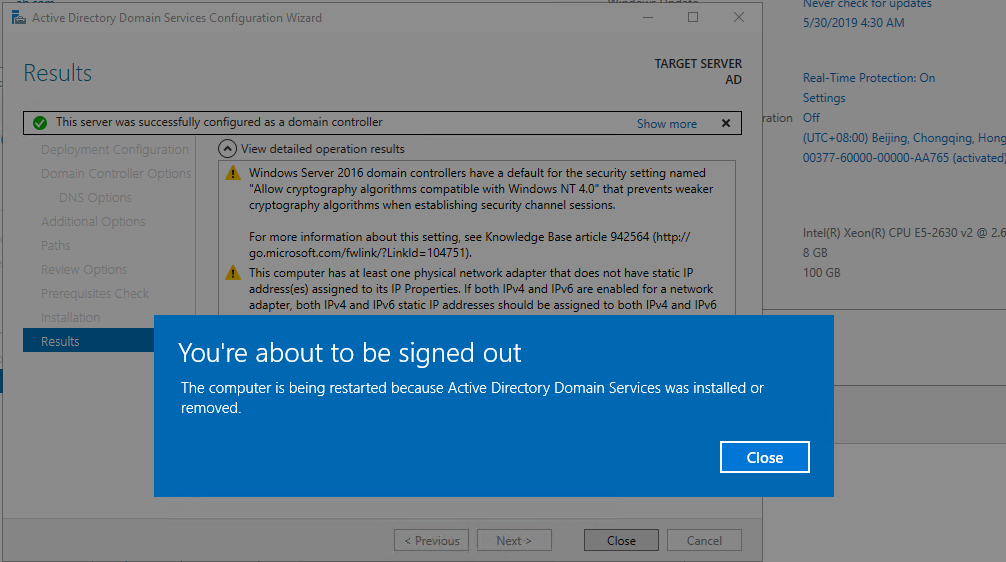
23. 安装完毕,服务器即将重启
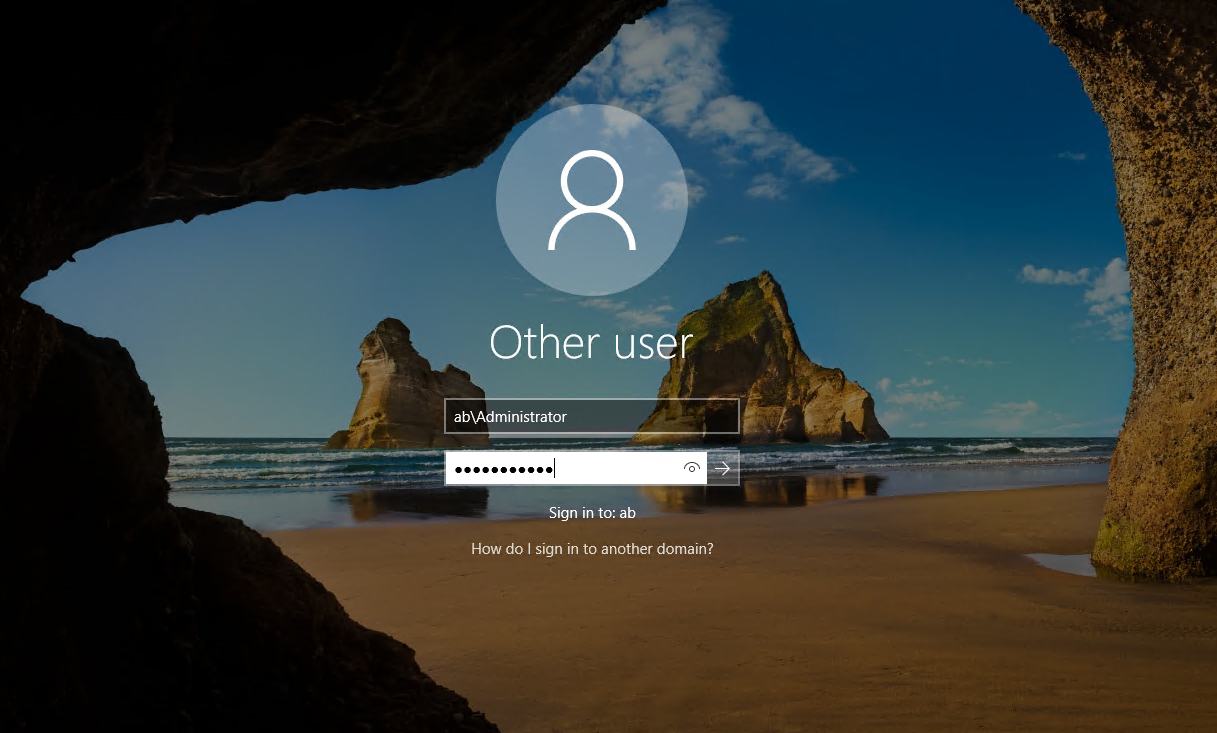
24. 使用域管理员账号登录服务器
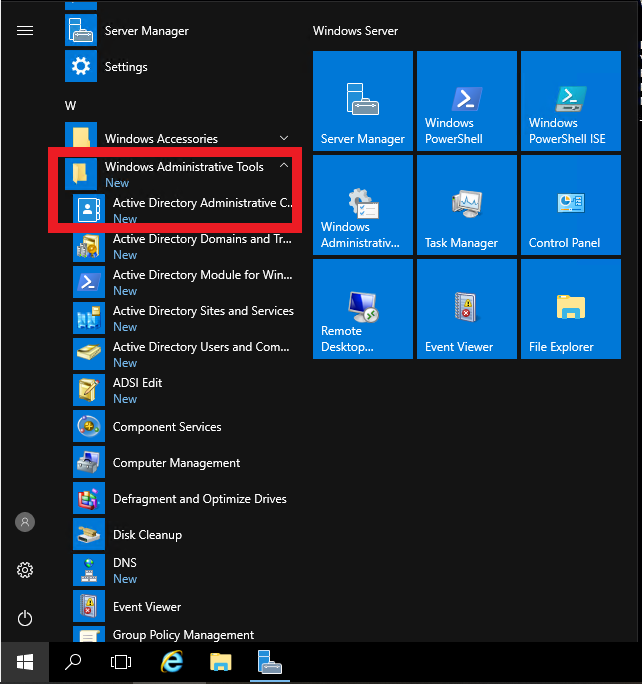
25. 选择Active Directory Administrative Center创建一些OU与用户实例
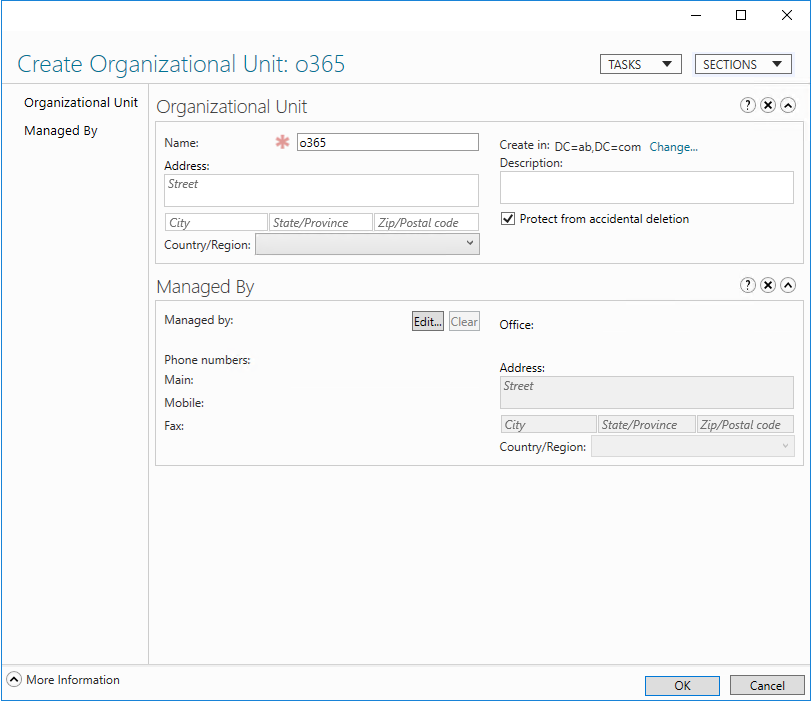
26. 创建OU

27. OU取名为o365
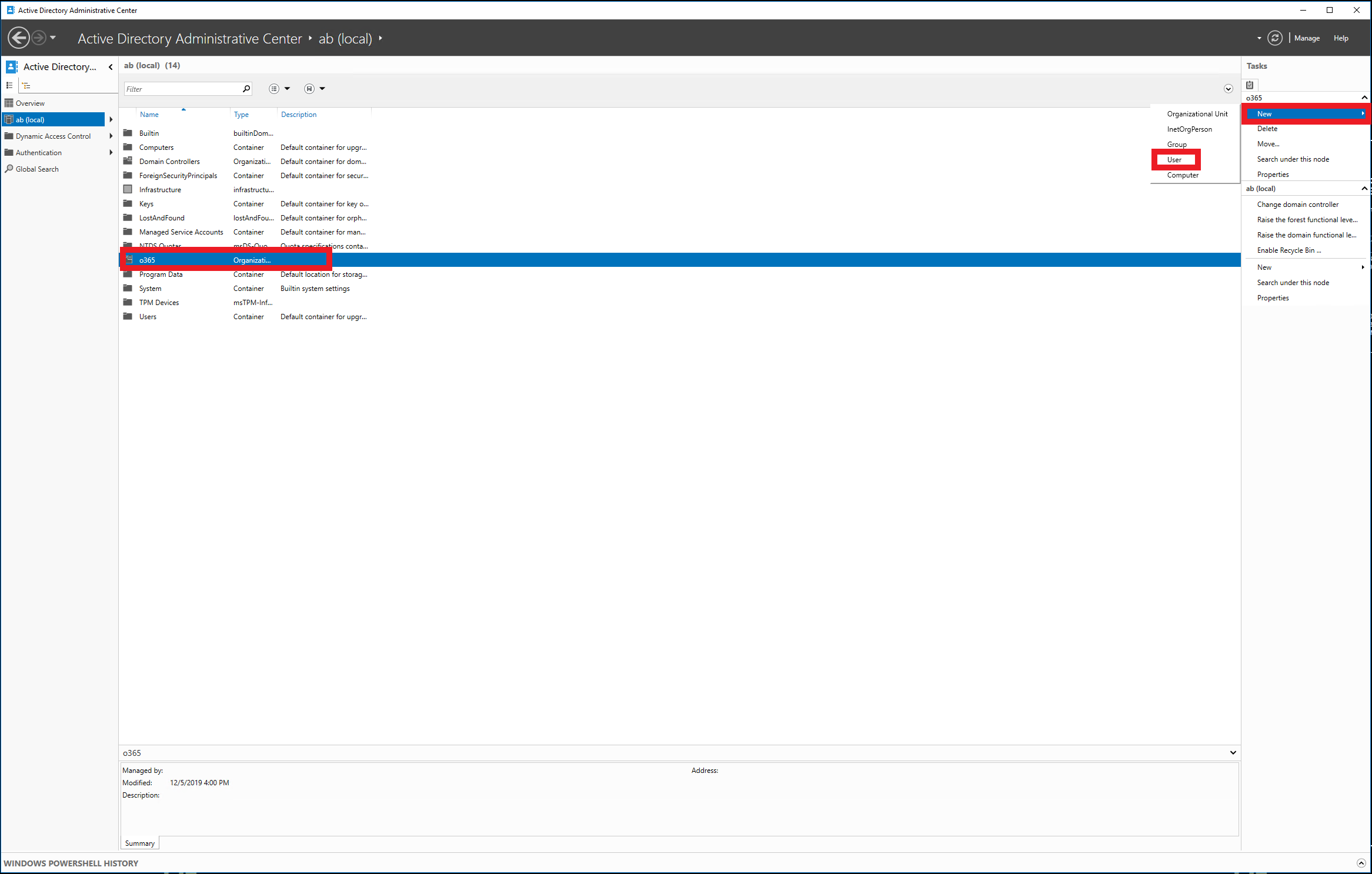
28. 在o365这个OU下创建一些用户实例
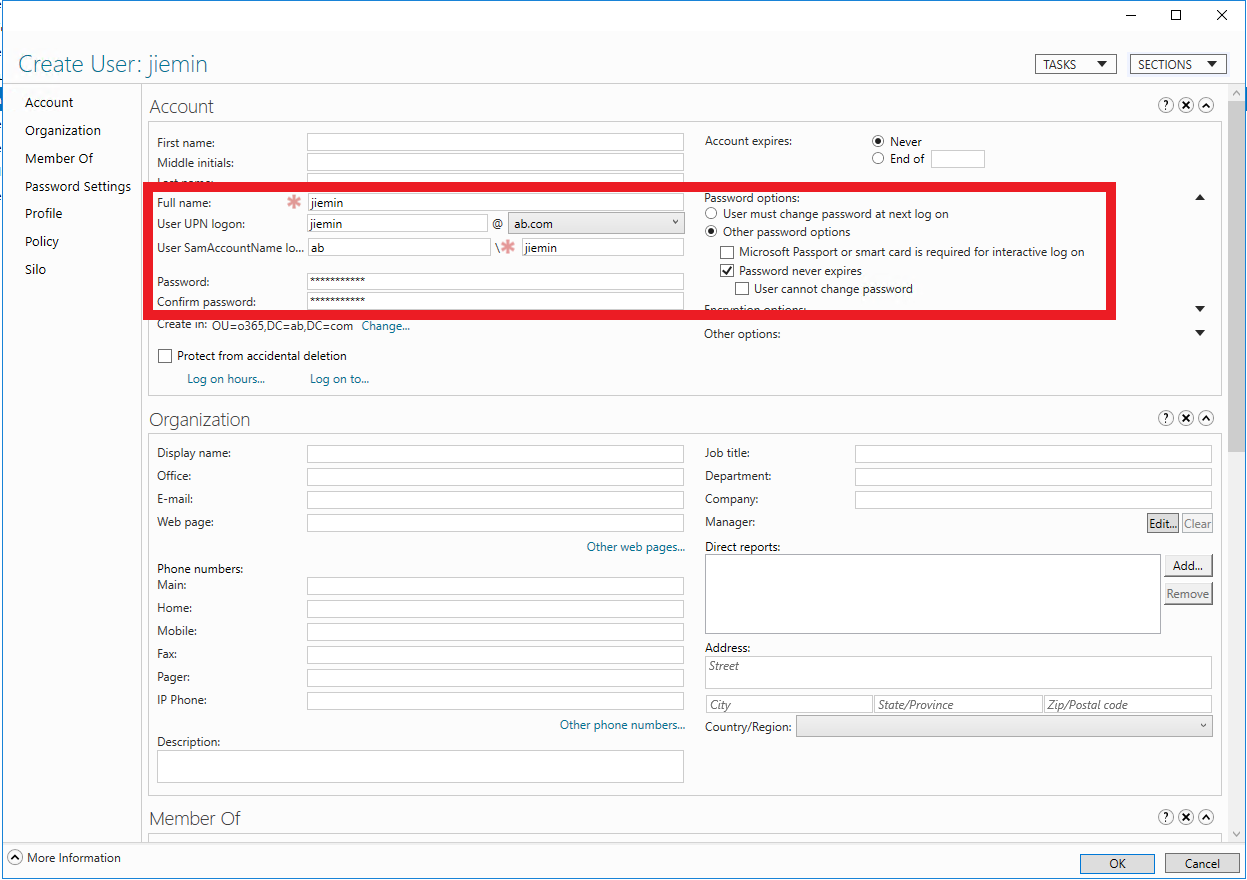
29. 设置用户名与密码,取了一个同事的名字。为了方便测试,密码设置为永不过期。
Windows Server 2016 Active Directory 图文搭建指南的更多相关文章
- Prepare and Deploy Windows Server 2016 Active Directory Federation Services
https://docs.microsoft.com/en-us/windows/security/identity-protection/hello-for-business/hello-key-t ...
- Windows Server 2016-WinSer2016 Active Directory新增功能
Windows Server 2016 Active Directory 域服务 (AD DS)新增很多功能用来提升Active Directory域及组织环境安全等,并帮助他们面向云的部署或混合部署 ...
- 安装 Windows Server 2012 Active Directory 只读域控制器 (RODC)(级别 200)
安装 Windows Server 2012 Active Directory 只读域控制器 (RODC)(级别 200) 适用对象:Windows Server 2012 本主题介绍如何创建分步的 ...
- Windows Server 2016 辅助域控制器搭建
Windows Server 2016 主域控制器搭建完成后,继续进行辅助域控制器搭建.1.更改服务器的IP地址2.修改服务器的名称3.打开服务器管理器,选择添加角色和功能4.选择,下一步5.选择,下 ...
- Step-By-Step: Setting up Active Directory in Windows Server 2016
There are interesting new features now made available in Windows Server 2016 such as time based grou ...
- Active Directory Domain Services in Windows Server 2016/2012
Applies To: Windows Server 2016, Windows Server 2012 R2, Windows Server 2012 You will find links to ...
- How to setup Active Directory (AD) In Windows Server 2016
Windows Server 2016 is the newest server operating system released by Microsoft in October 12th, 201 ...
- Windows Server 2016 主域控制器搭建
基本上微软产品都需要依附于域控制器做身份认证,接下来我们一起来对Windows Server 2016 进行AD活动目录功能添加.1.更改服务器IP地址2.修改计算机名称(重新启动计算机)3.打开服务 ...
- 一、Windows Server 2016 AD服务器搭建
简介: AD是Active Directory的简写,中文称活动目录.活动目录(Active Directory)主要提供以下功能: 1)服务器及客户端计算机管理 2)用户服务 3)资源管理 4)桌面 ...
随机推荐
- Channel 9视频整理【6】
GiGi Huang https://channel9.msdn.com/Niners/GiGiHuang
- lnmp一键安装,安装php时失败
查看安装日志 直接cd进入根目录报错内容:configure: error: mcrypt.h not found. Please reinstall libmcrypt 解决办法如下#使用wget可 ...
- 微信 HTML5 VIDEO 视频播放解决方案
原文链接:https://www.jianshu.com/p/e4573acf6564 webkit-playsinline && playsinline="true&quo ...
- DEVOPS技术实践_18:Jenkins的Pinpeline对于参数的使用
因为最近使用Pipeline声明式语法构建项目,但是最近项目的参数设置较多,特地的来学习一下关于参数的调用和测试,主要式从一个大神那里学习的,结尾回贴上大神的博客链接 1 构建一个pipeline项目 ...
- beta week 1/2 Scrum立会报告+燃尽图 01
此作业要求参见:https://edu.cnblogs.com/campus/nenu/2019fall/homework/9911 git地址:https://e.coding.net/Eustia ...
- ApacheHudi常见问题汇总
欢迎关注公众号:ApacheHudi 1. ApacheHudi对个人和组织何时有用 如果你希望将数据快速提取到HDFS或云存储中,Hudi可以提供帮助.另外,如果你的ETL /hive/spark作 ...
- 用实例理解设计模式——代理模式(Python版)
代理模式:为其他对象提供一种代理以控制对这个对象的访问. 在某些情况下,一个对象不适合或者不能直接引用另一个对象,而代理对象可以在客户端和目标对象之间起到中介的作用. 代理模式分为: 静态代理 动态代 ...
- ObjectArx 使用消息钩子实现鼠标滚轮旋转实体
测试结果: 实现方法:主要是程序注册一个消息函数:func,拦截鼠标滚轮触发的消息,需要注意的是,以写的方式处理实体时需要锁定文档.注册func的主要方法是:BOOL acedRegisterFilt ...
- 利用shell脚本实现每隔60秒磁盘内存数据监控脚本
#!/bin/bash #Author:GaoHongYu #QQ: #Time:-- :: #Name:ncjk.sh #Version:V1. clear xtip=$(hostname -I) ...
- ruby 编写控制台进度条
ruby 中,$stdout.flush 让控制台当前行内容可以重写,以此我们可以做出进度条的效果. def set_progress(index, char = '*') print (char * ...