
Windows Server 2016 Active Directory 图文搭建指南
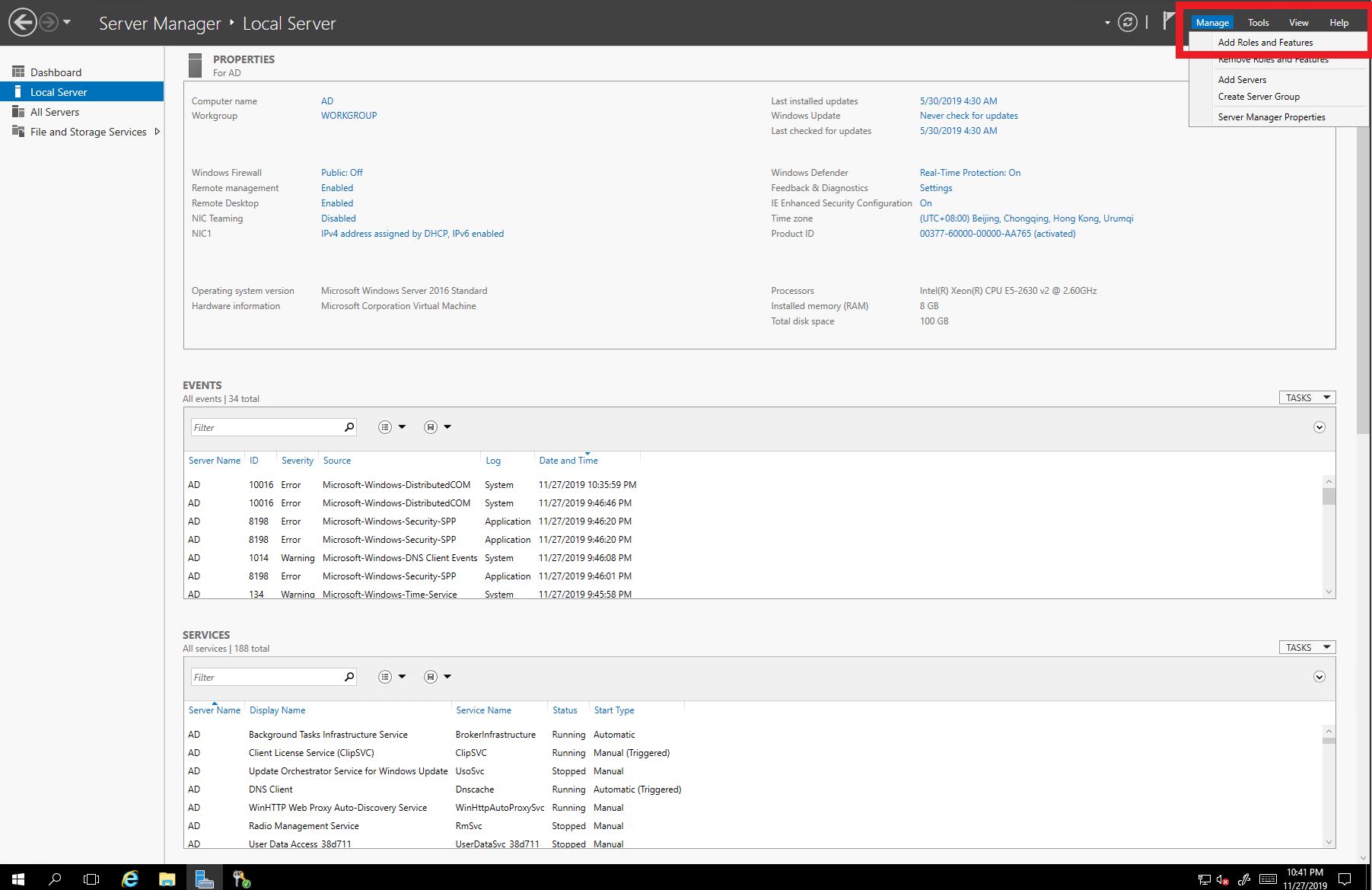
1. 首先打开Manage --> Add Roles and Features
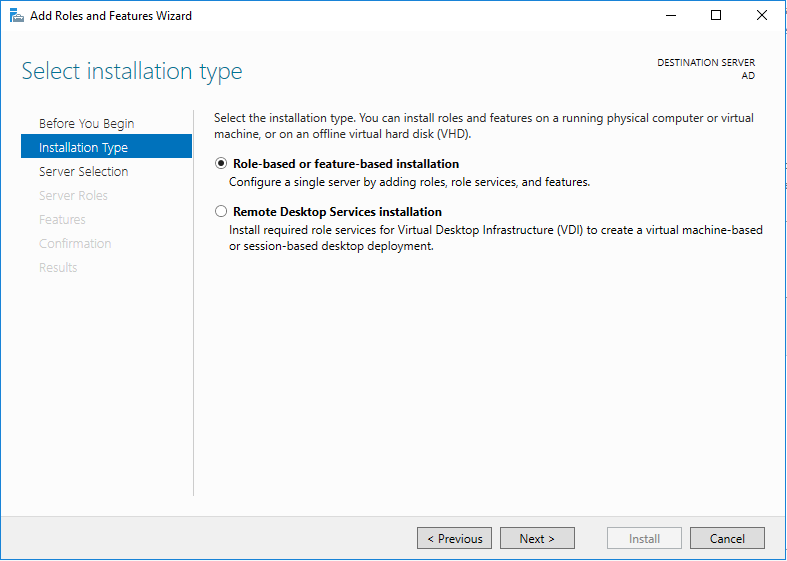
2. 点击Next

3. 不做修改,点击Next
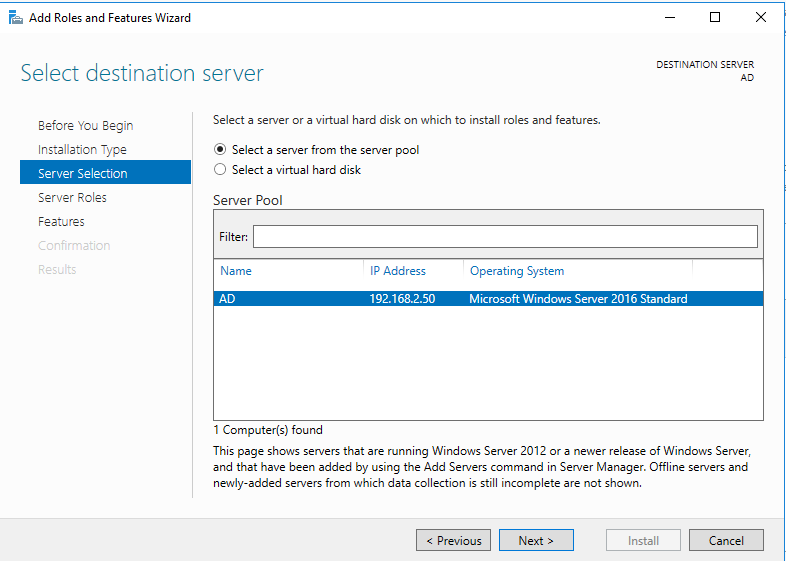
4. 不做修改,点击Next
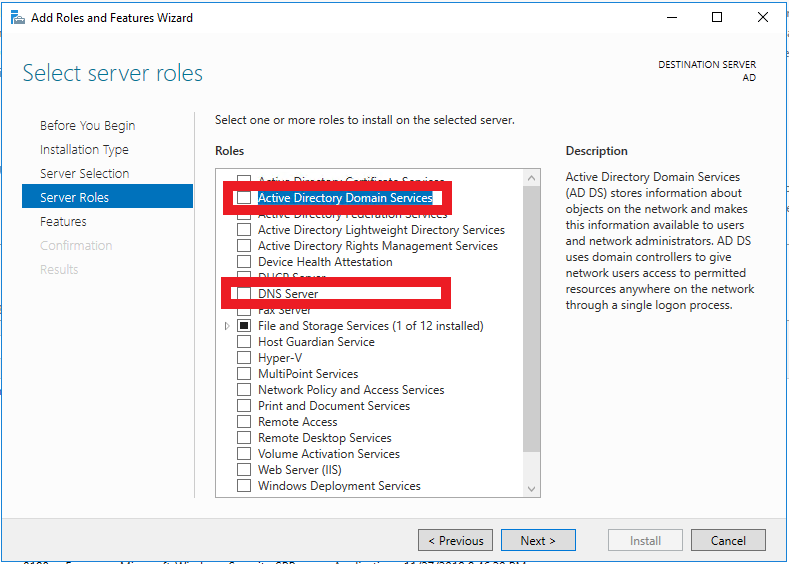
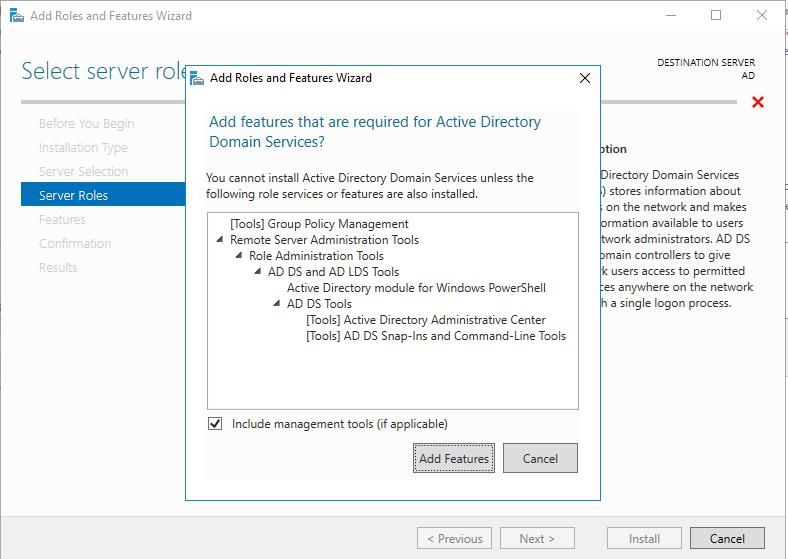
5. 选择Active Directory Domain Services 和 DNS Server
6. 点击Add Features
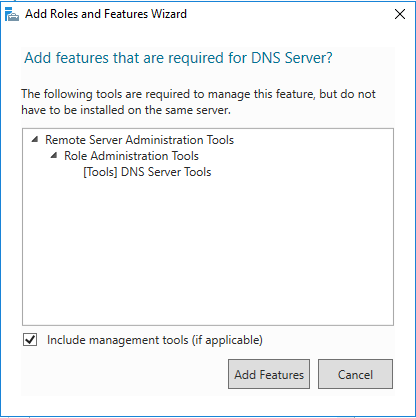
7. 点击Add Features
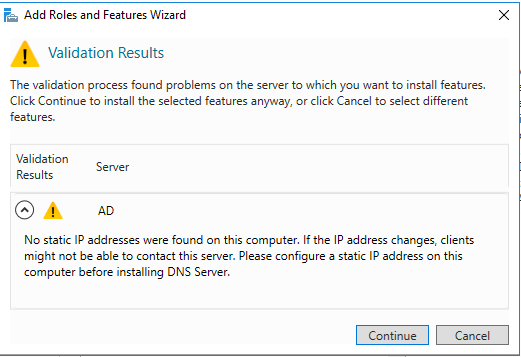
8. 点击Continue
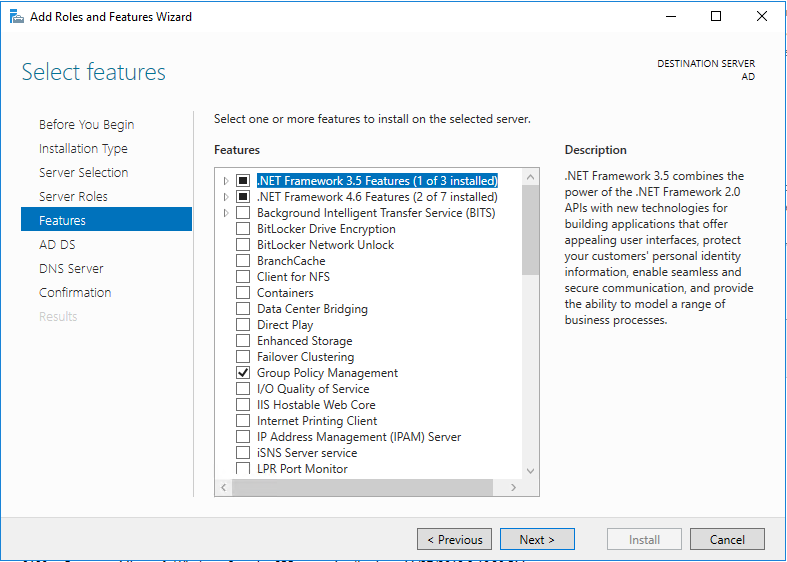
9. 不做修改,点击Next
10. 点击Next
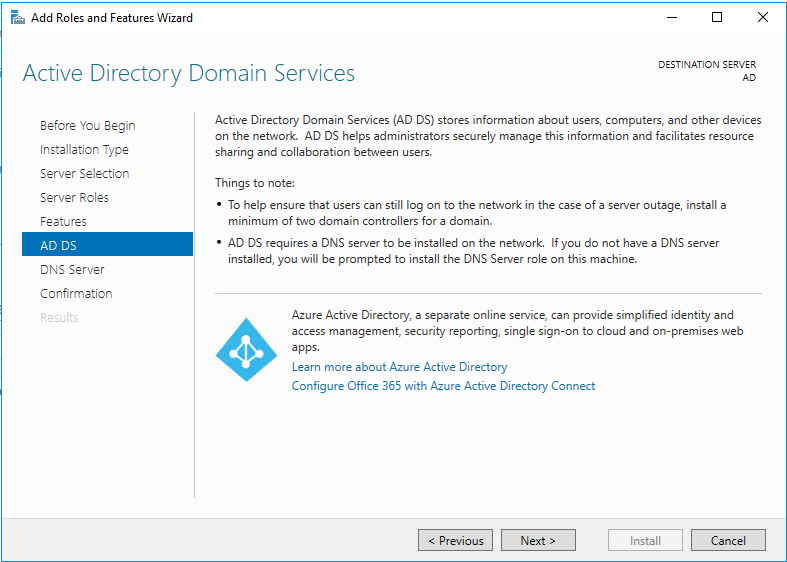
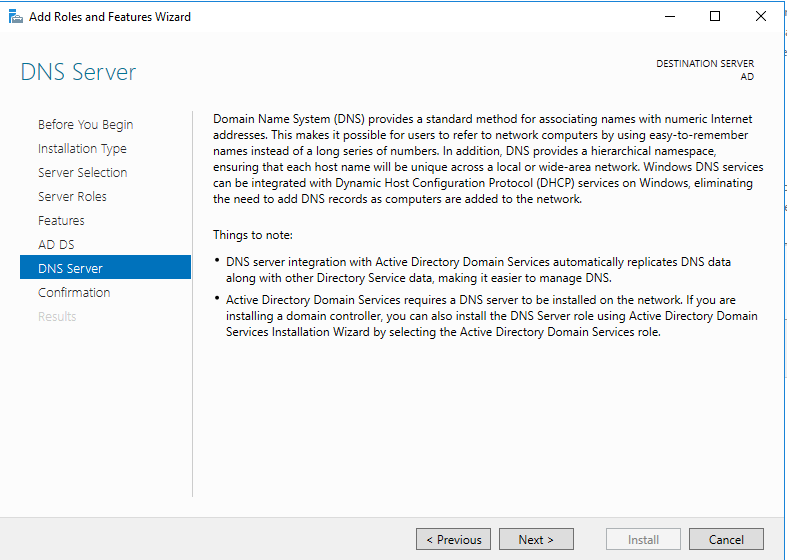
11. 点击Next
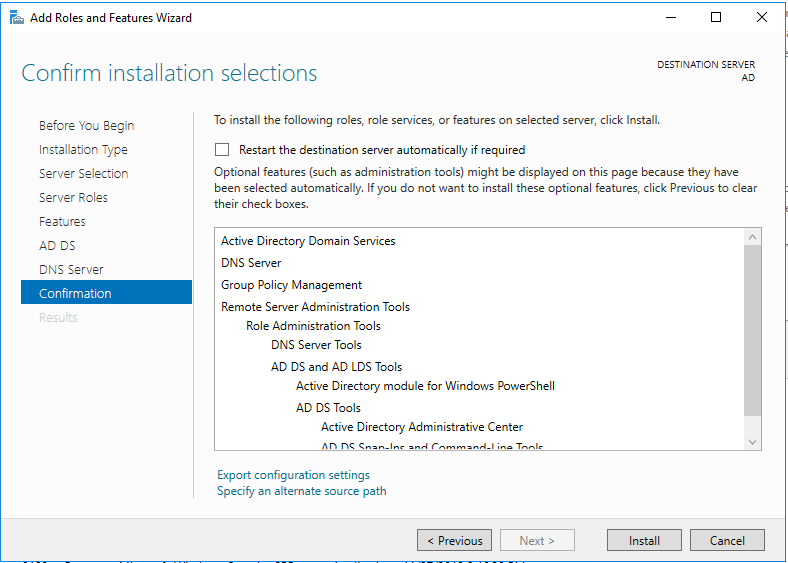
12. 点击Install
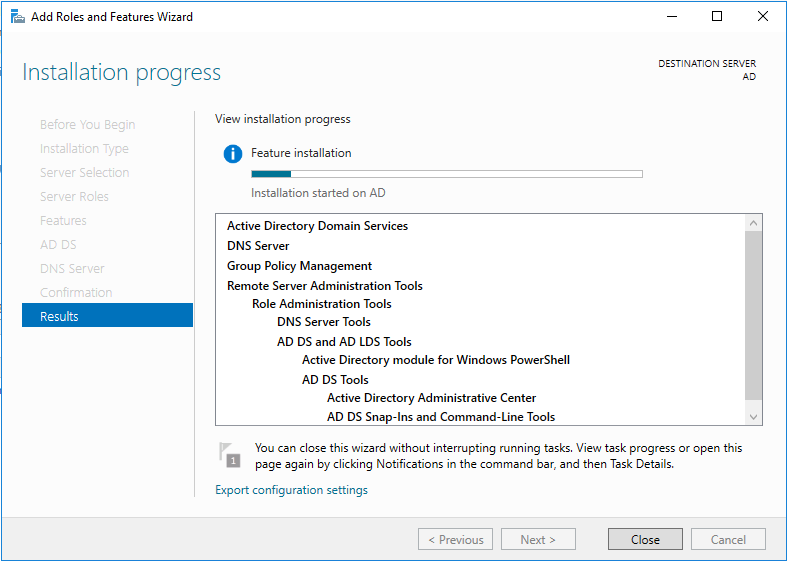
13. 安装中
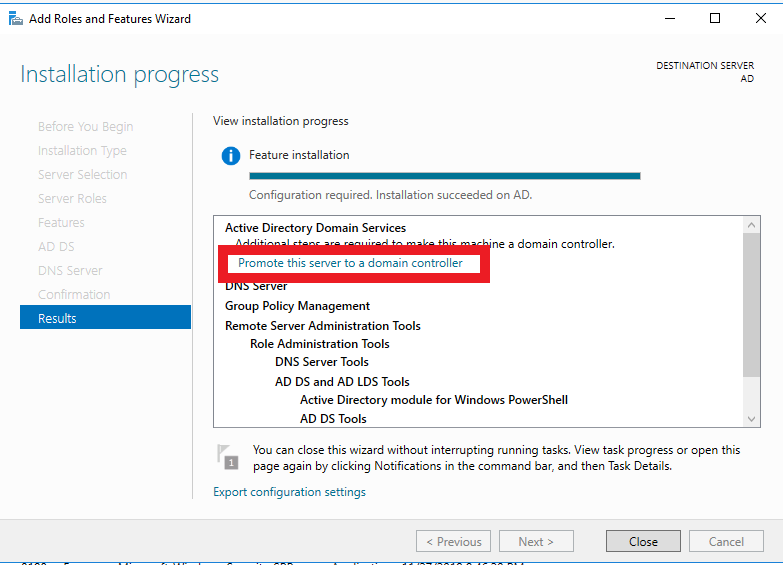
14. 点击Promote this server to a domain controller,把这台服务器提升为域控制器
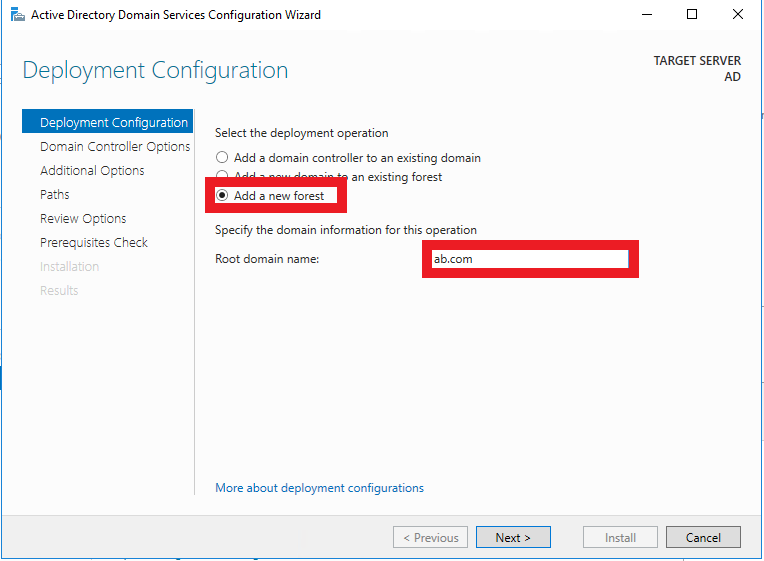
15. 由于是全新安装,这里选择Add a new forest,在Root domain name中输入一个符合规范的名字,这里以ab.com为例
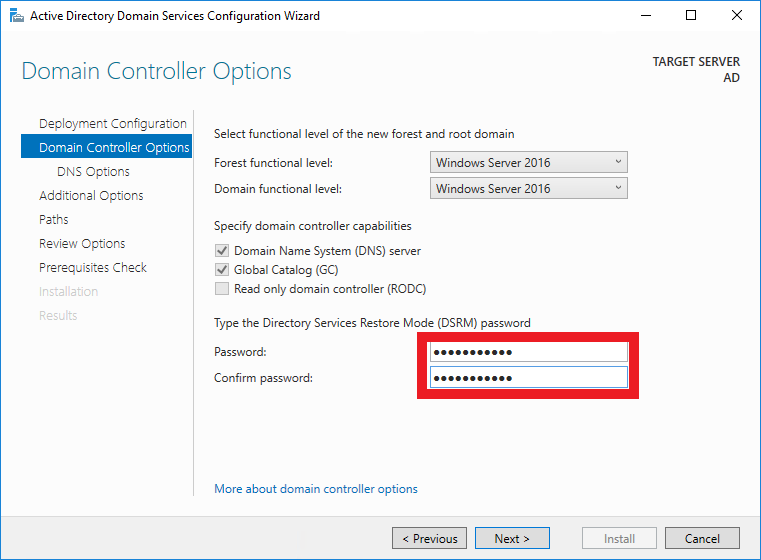
16. 设置域名服务恢复密码
17. 不做修改,点击Next
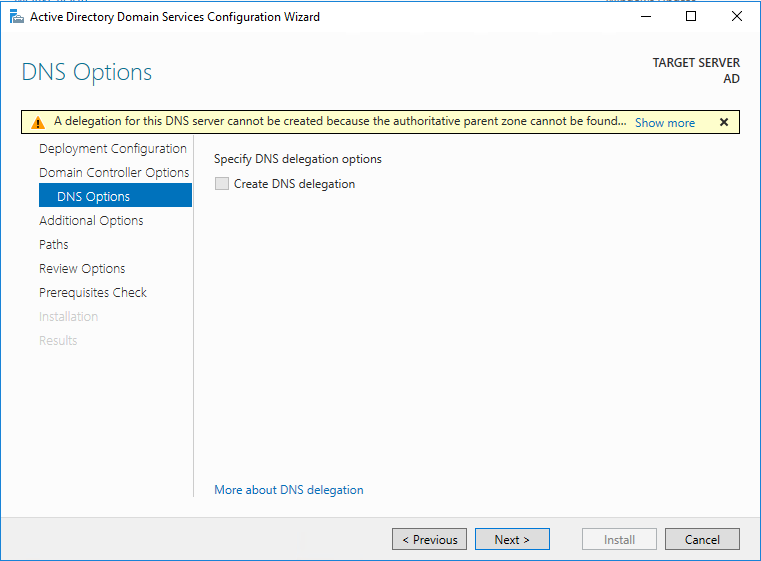
18. 点击Next

19. 点击Next。这里由于是测试环境,所以不做更改。如果是生产环境,这些文件的路径一定不能设置在C盘!!!
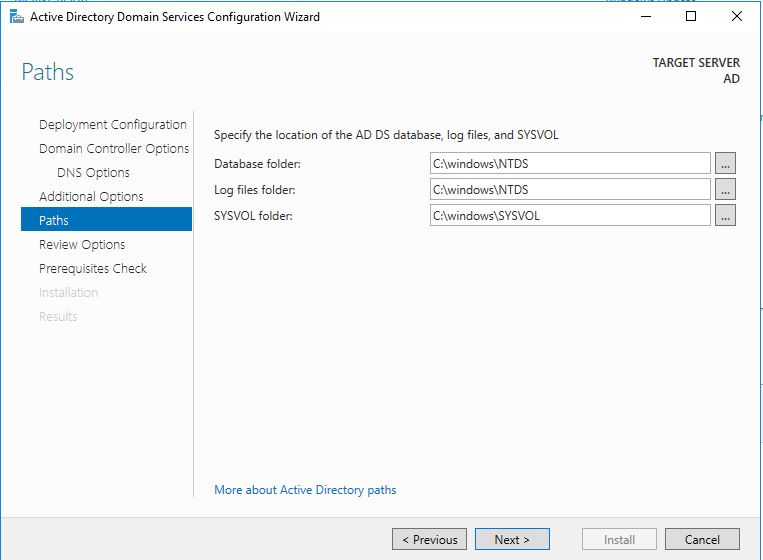
20. 点击Next

21. 点击Install
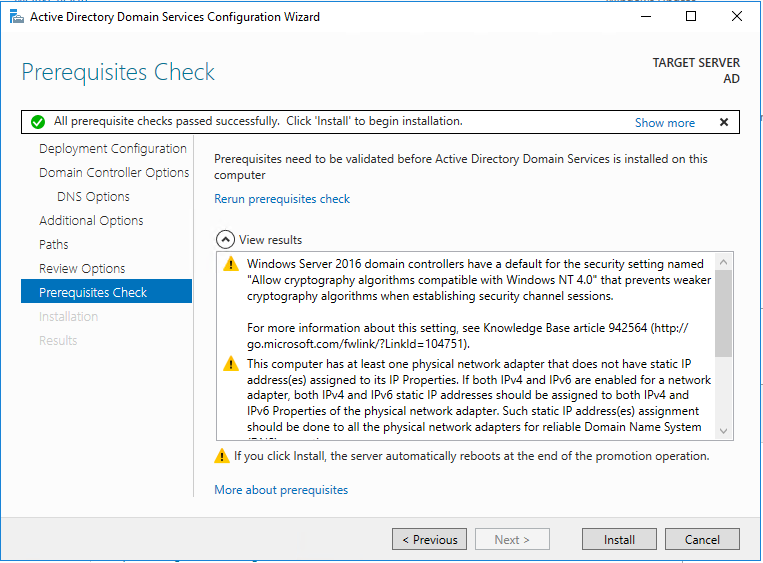
22. 安装中
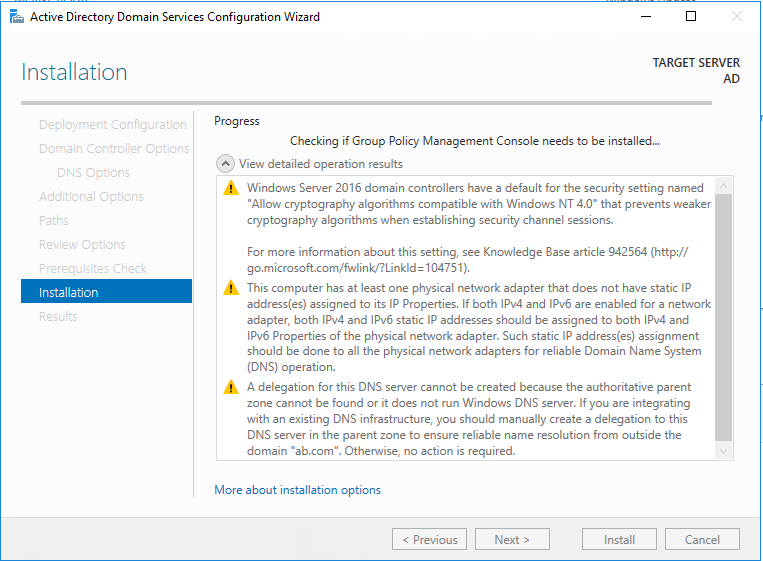
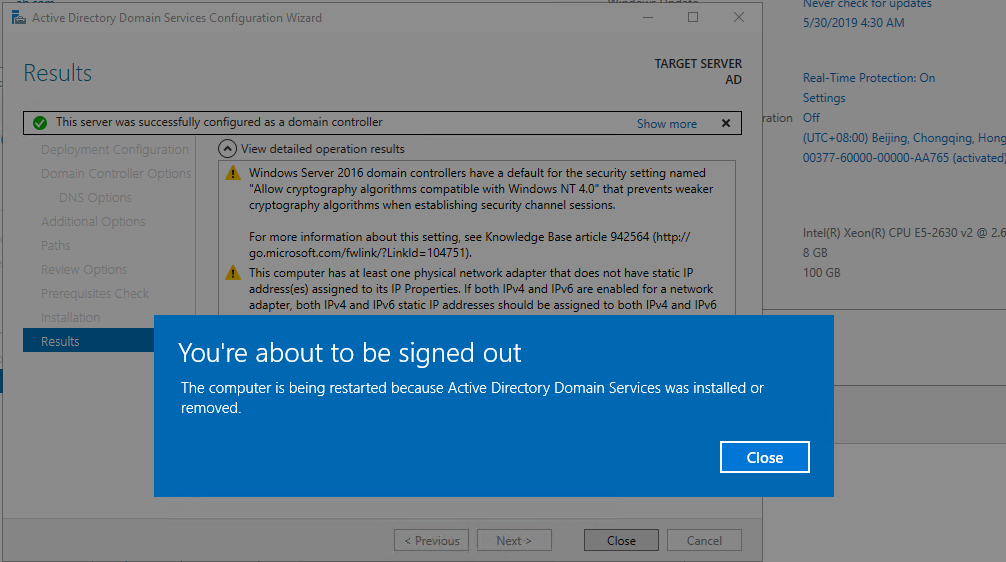
23. 安装完毕,服务器即将重启
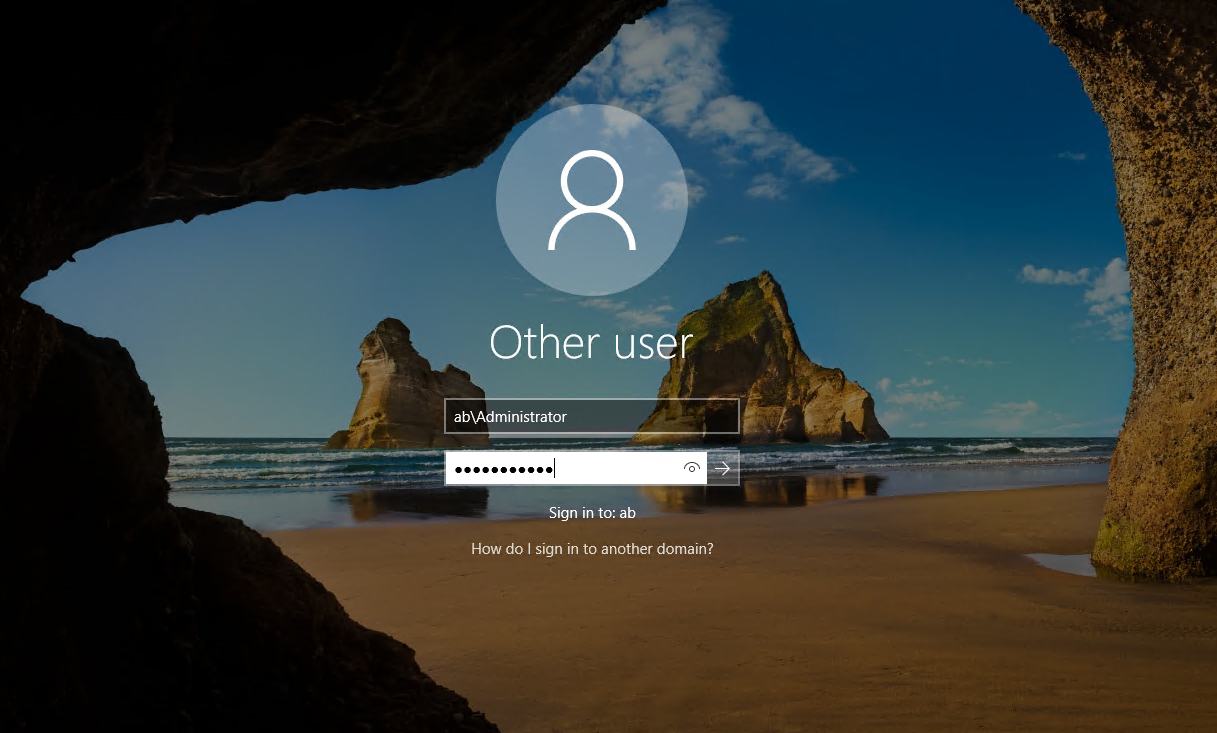
24. 使用域管理员账号登录服务器
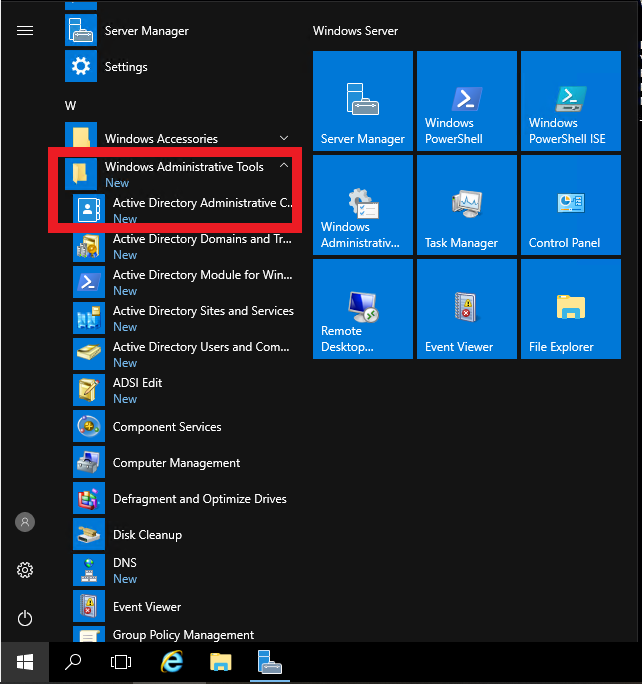
25. 选择Active Directory Administrative Center创建一些OU与用户实例
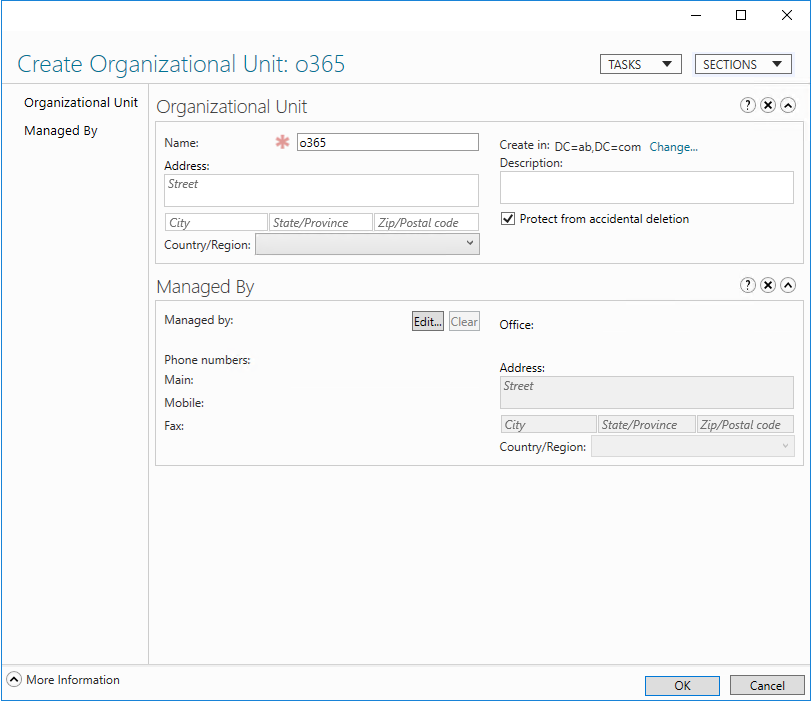
26. 创建OU

27. OU取名为o365
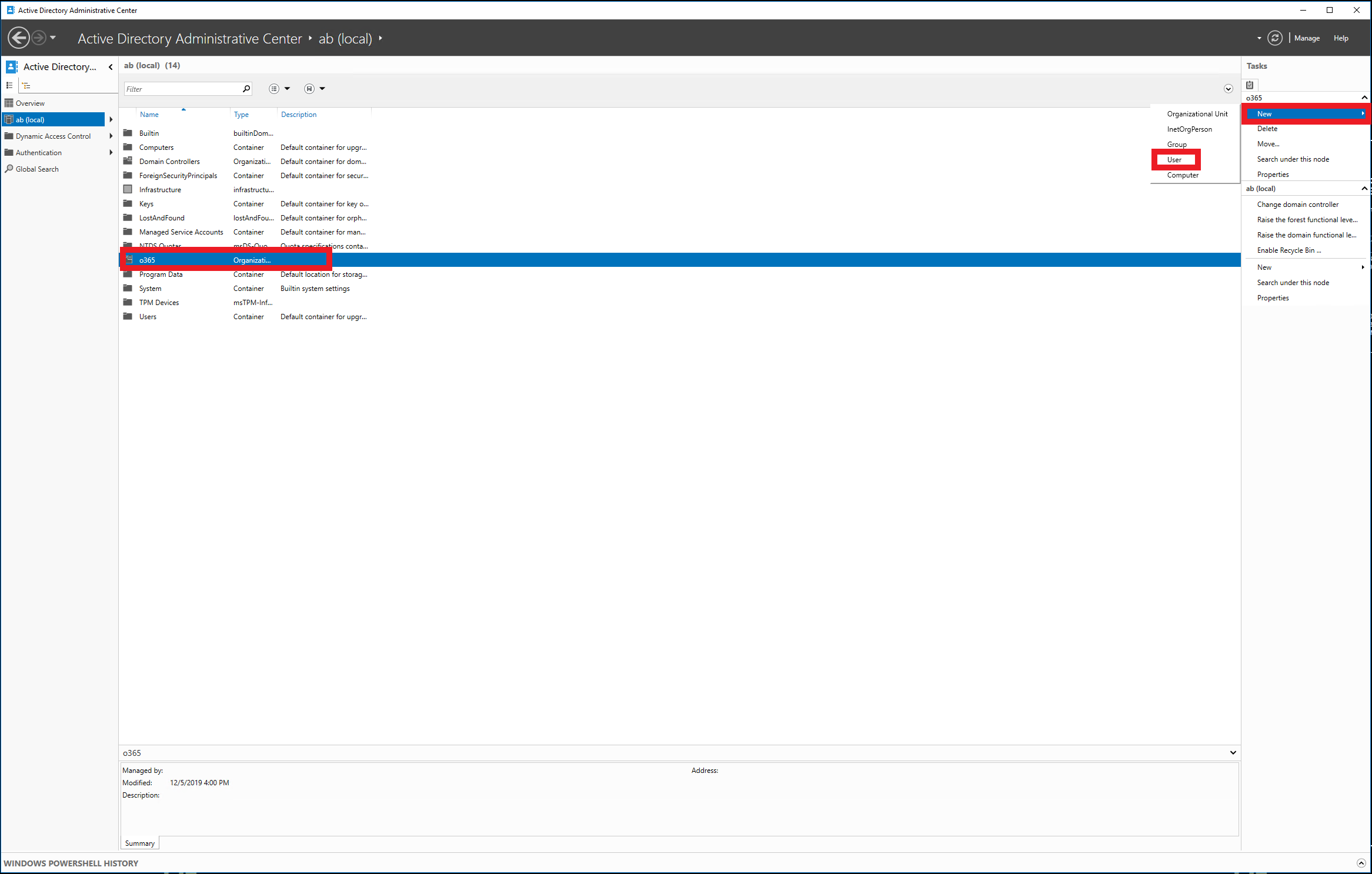
28. 在o365这个OU下创建一些用户实例
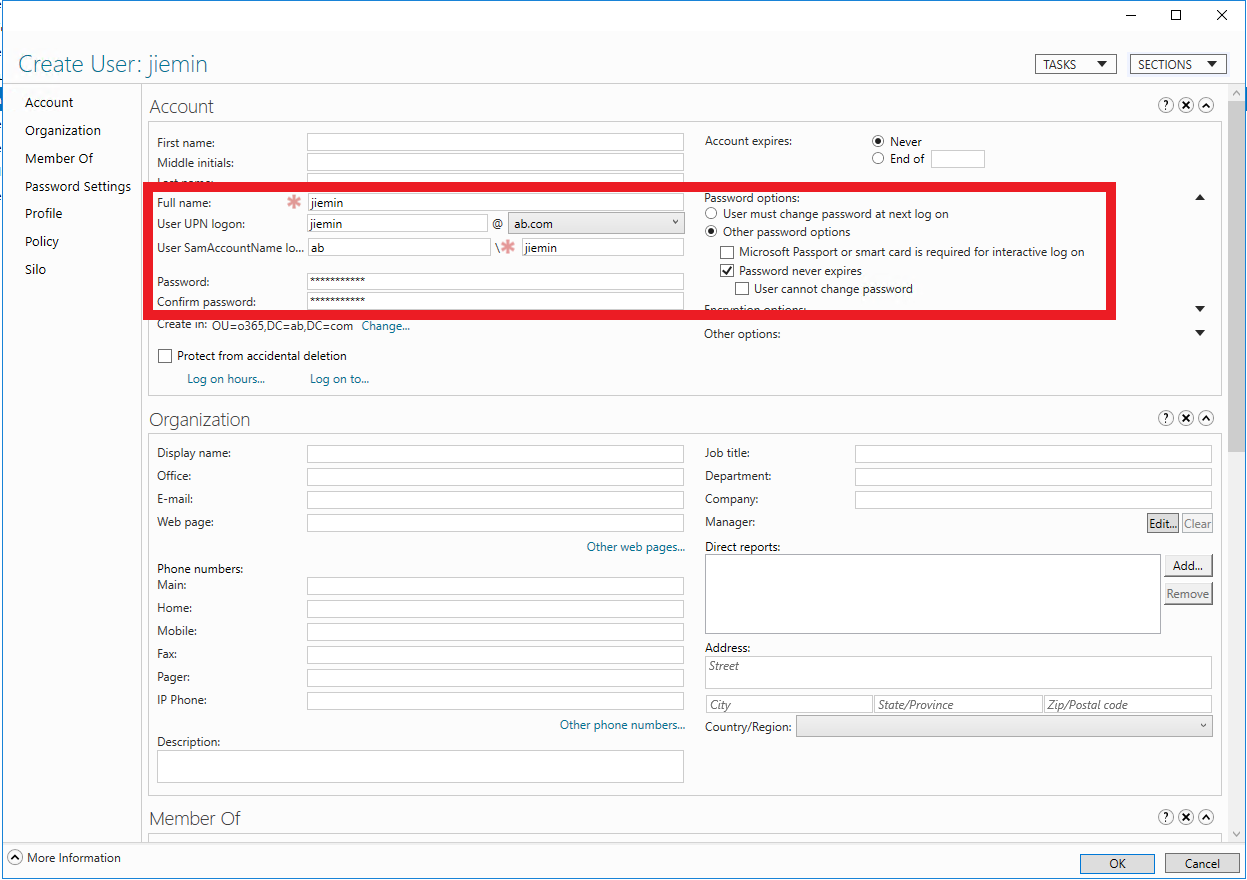
29. 设置用户名与密码,取了一个同事的名字。为了方便测试,密码设置为永不过期。
Windows Server 2016 Active Directory 图文搭建指南的更多相关文章
- Prepare and Deploy Windows Server 2016 Active Directory Federation Services
https://docs.microsoft.com/en-us/windows/security/identity-protection/hello-for-business/hello-key-t ...
- Windows Server 2016-WinSer2016 Active Directory新增功能
Windows Server 2016 Active Directory 域服务 (AD DS)新增很多功能用来提升Active Directory域及组织环境安全等,并帮助他们面向云的部署或混合部署 ...
- 安装 Windows Server 2012 Active Directory 只读域控制器 (RODC)(级别 200)
安装 Windows Server 2012 Active Directory 只读域控制器 (RODC)(级别 200) 适用对象:Windows Server 2012 本主题介绍如何创建分步的 ...
- Windows Server 2016 辅助域控制器搭建
Windows Server 2016 主域控制器搭建完成后,继续进行辅助域控制器搭建.1.更改服务器的IP地址2.修改服务器的名称3.打开服务器管理器,选择添加角色和功能4.选择,下一步5.选择,下 ...
- Step-By-Step: Setting up Active Directory in Windows Server 2016
There are interesting new features now made available in Windows Server 2016 such as time based grou ...
- Active Directory Domain Services in Windows Server 2016/2012
Applies To: Windows Server 2016, Windows Server 2012 R2, Windows Server 2012 You will find links to ...
- How to setup Active Directory (AD) In Windows Server 2016
Windows Server 2016 is the newest server operating system released by Microsoft in October 12th, 201 ...
- Windows Server 2016 主域控制器搭建
基本上微软产品都需要依附于域控制器做身份认证,接下来我们一起来对Windows Server 2016 进行AD活动目录功能添加.1.更改服务器IP地址2.修改计算机名称(重新启动计算机)3.打开服务 ...
- 一、Windows Server 2016 AD服务器搭建
简介: AD是Active Directory的简写,中文称活动目录.活动目录(Active Directory)主要提供以下功能: 1)服务器及客户端计算机管理 2)用户服务 3)资源管理 4)桌面 ...
随机推荐
- 第二阶段:2.商业需求分析及BRD:6.商业需求文档2
BRD的三个诉求:1.项目很重要,支持.2.有价值,获得重视,纳入战略规划中.3.需要资源,横向的协调资源. 方法:知道决策层是哪些组成,同时找到合适的决策层. BRD决策分类:1.找资本类(CF ...
- maven安装与常用命令
maven安装: 下载地址http://maven.apache.org/download.cgi 1.安装好Java,配置好Java的环境变量(JDK) 2.下载apache-maven-3.5.2 ...
- 洛谷$P2153\ [SDOI2009]$ 晨跑 网络流
正解:网络流 解题报告: 传送门$QwQ$ 题目好长昂,,,大概概括下$QwQ$.就说有$n$个节点$m$条边,然后要求每次走的路径都不一样,问最多能走多少次,然后在次数最多的前提下问路径最短是多少$ ...
- $[NOIp2017]$ 宝藏 状压$dp$
\(Sol\) 觉得这里是个很巧妙的地方吖,就是记下当前扩展点集的最大深度,然后强制下一步扩展的点集都是最大深度+1.这样做在当前看可能会导致误算答案导致答案偏大,但是整个\(dp\)完成后一定可以得 ...
- $Noip2018/Luogu5021$ 赛道修建 二分+树形
$Luogu$ $Sol$ 一直以为是每个点只能经过一次没想到居然是每条边只能经过一次$....$ 首先其实这题$55$分的部分分真的很好写啊,分别是链,数的直径和菊花图,这里就不详细说了. 使得修建 ...
- 2020你还不会Java8新特性?方法引用详解及Stream 流介绍和操作方式详解(三)
方法引用详解 方法引用: method reference 方法引用实际上是Lambda表达式的一种语法糖 我们可以将方法引用看作是一个「函数指针」,function pointer 方法引用共分为4 ...
- 【一起学源码-微服务】Ribbon 源码一:Ribbon概念理解及Demo调试
前言 前情回顾 前面文章已经梳理清楚了Eureka相关的概念及源码,接下来开始研究下Ribbon的实现原理. 我们都知道Ribbon在spring cloud中担当负载均衡的角色, 当两个Eureka ...
- 「CF1082C」Multi-Subject Competition 解题报告
人生第一篇题解,虽然这道题做的人暂时不多,但我相信它--迟早有一天会发扬光大的!!! 说完废话 步入正题 题意: 传送门 思路: 模拟.枚举 对于每个组里的数字,先排序,然后从一到最大可能的情况,枚举 ...
- 1088 三人行 (20分)C语言
子曰:"三人行,必有我师焉.择其善者而从之,其不善者而改之." 本题给定甲.乙.丙三个人的能力值关系为:甲的能力值确定是 2 位正整数:把甲的能力值的 2 个数字调换位置就是乙的能 ...
- 分享在开发多终端使用比较多的Adb命令
分享在开发多终端或者涉及PC-Android的传输使用比较多的Adb命令 查看连接的设备 adb devices 列出设备安装的软件包 adb shell pm list packages 使用这个方 ...