
03_隐式意图打开activity
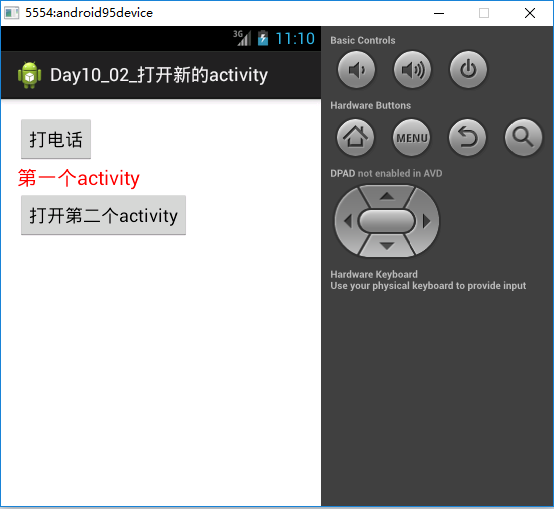
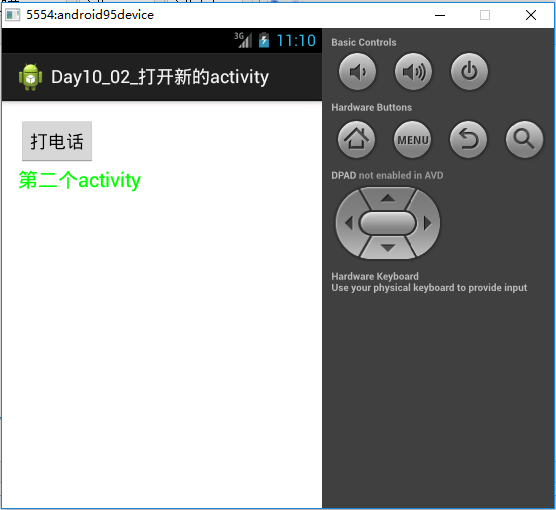
想让第一个activity把第二个activity打开的话,在清单文件里面声明一下并且

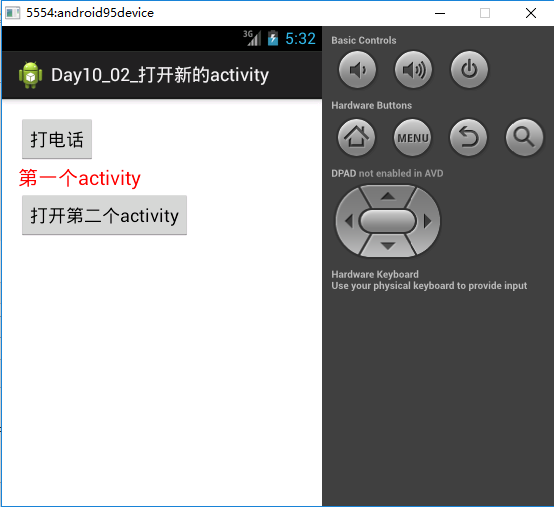
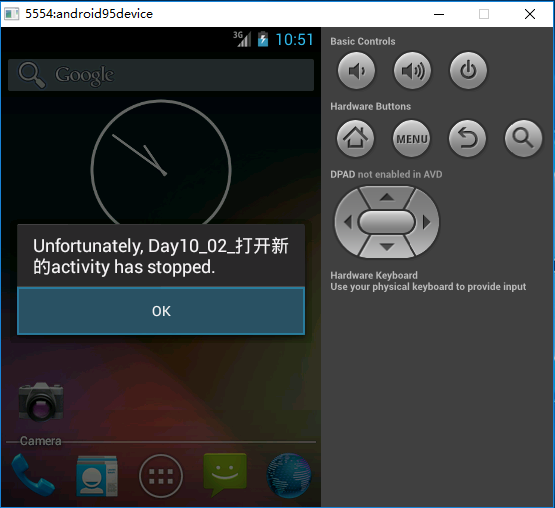
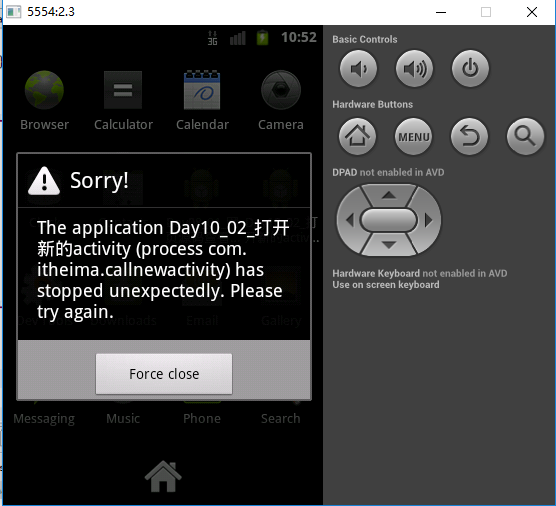
右键Debug As Android Application居然没有报错
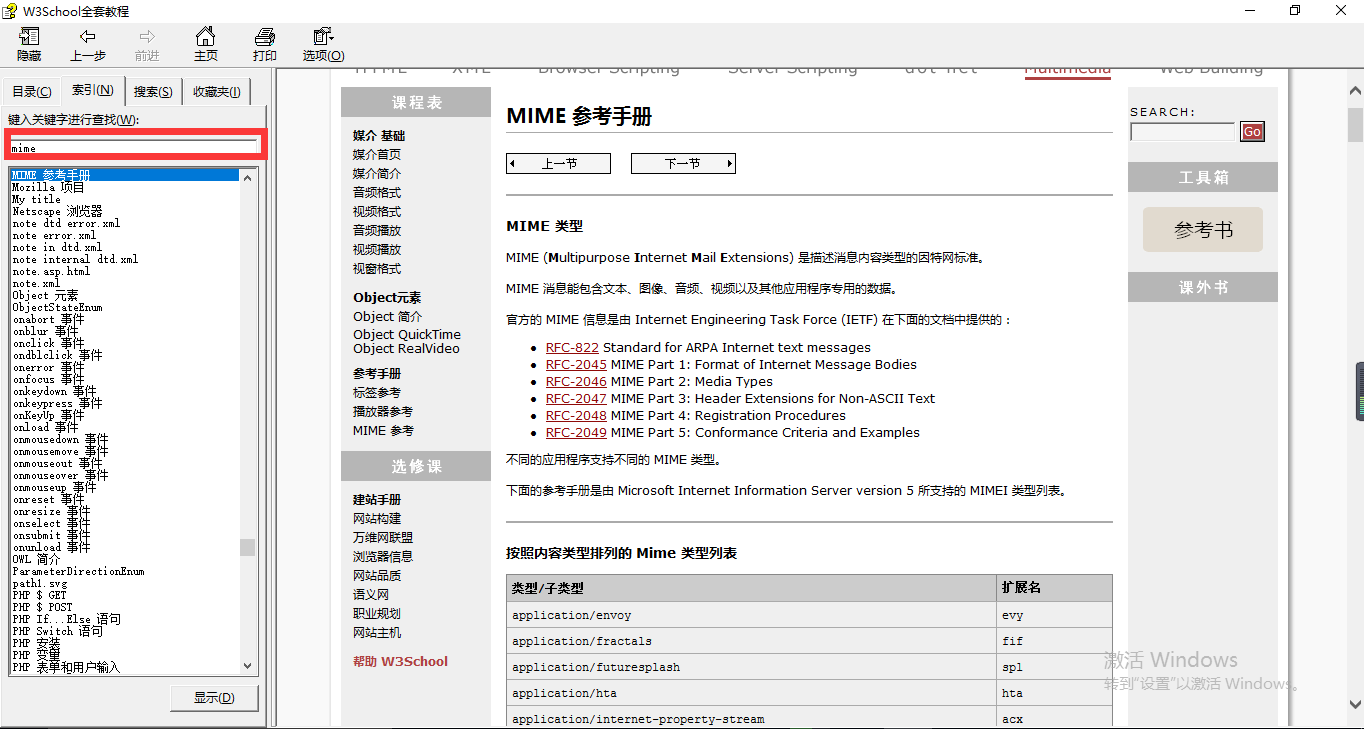
mimeType 讲HTML的时候就讲过的对应的一个响应头。setContentType("text/html").这个实际上就是一个mime。
通过mime就可以说明当前这个activity可以处理的数据。我当前这个activity接收什么样类型的数据?所以mime就是用来说明我当前应用可以处理的媒体类型都有哪些?可以打开的具体内容是怎么样的?
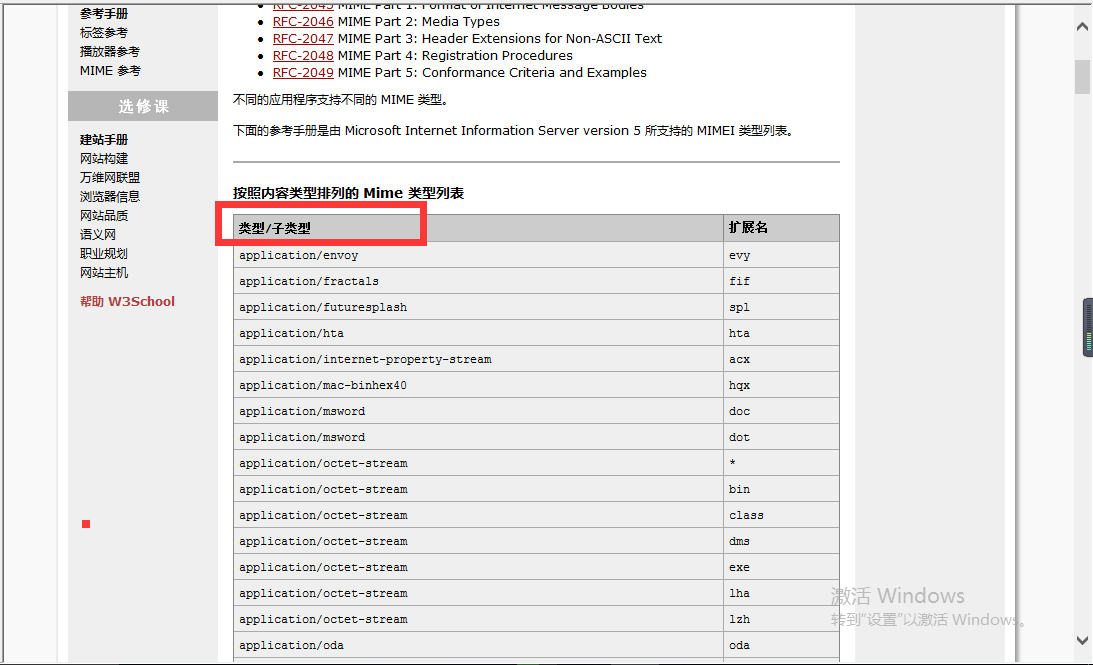
当然这个东西咱们也可以自定义。自定义的格式是:类型/子类型.
        <activity

            android:name="com.itheima.callnewactivity.SecondActivity">

            <intent-filter >

                <action android:name="com.itheima.second"/>

                <category android:name="android.intent.category.DEFAULT"/>

                <data android:scheme="itheima"/>

            </intent-filter>

            <intent-filter >

                <action android:name="com.itheima.second2"/>

                <category android:name="android.intent.category.DEFAULT"/>

                <data android:scheme="itheima"

                    android:mimeType="itcast/itheima"

                    />

            </intent-filter>

        </activity>
给SecondActivity搞了两个意图过滤器,实际上只需要匹配其中的一个。只要有一个完整的intent-filter被匹配上,我就可以把对应的activity给它打开。
Intent android.content.Intent.setType(String type)

Set an explicit MIME data type.

This is used to create intents that only specify a type and not data, for example to indicate the type of data to return.

This method automatically clears any data that was previously set (for example by setData).

Note: MIME type matching in the Android framework is case-sensitive, unlike formal RFC MIME types. As a result, you should always write your MIME types with lower case letters, or use normalizeMimeType or setTypeAndNormalize to ensure that it is converted to lower case.

Parameters:type The MIME type of the data being handled by this intent.Returns:Returns the same Intent object, for chaining multiple calls into a single statement.See Also:getTypesetTypeAndNormalizesetDataAndTypenormalizeMimeType

首先找FATAL EXCEPTION:main,从这儿开始的。

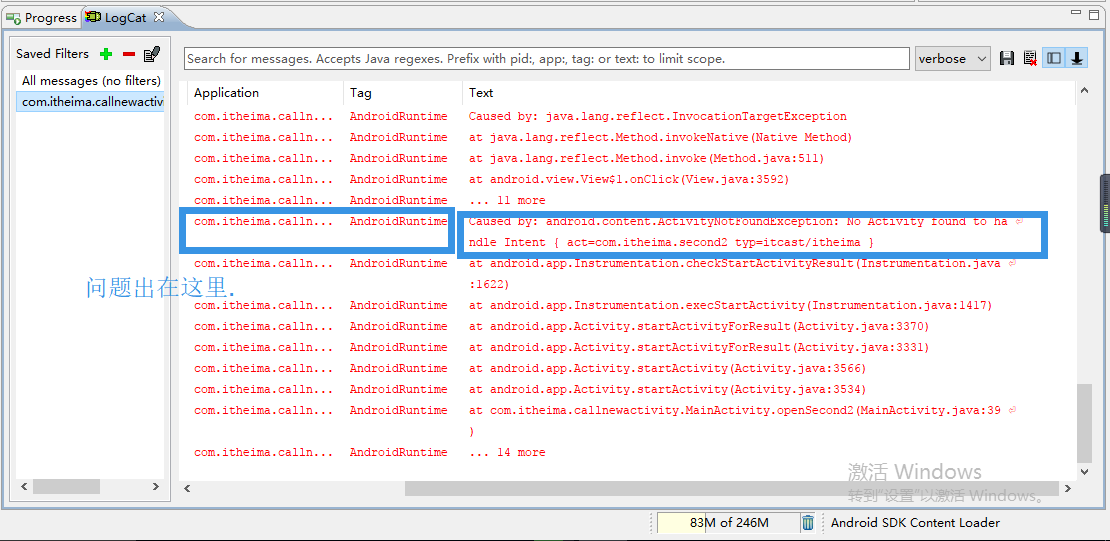
问题出在哪里?
Intent android.content.Intent.setType(String type)

Set an explicit MIME data type.

This is used to create intents that only specify a type and not data, for example to indicate the type of data to return.

This method automatically clears any data that was previously set (for example by setData).


Note: MIME type matching in the Android framework is case-sensitive, unlike formal RFC MIME types. As a result, you should always write your MIME types with lower case letters, or use normalizeMimeType or setTypeAndNormalize to ensure that it is converted to lower case.

Parameters:type The MIME type of the data being handled by this intent.Returns:Returns the same Intent object, for chaining multiple calls into a single statement.See Also:getTypesetTypeAndNormalizesetDataAndTypenormalizeMimeType
This method automatically clears any data that was previously set (for example by setData).
调用setType()方法会自动清除任何的data数据(通过setData()来设置对应的内容).
所以setType()会自动清除setData()所设置的内容.
办法是先调setType()再调setData().
Intent android.content.Intent.setData(Uri data)

Set the data this intent is operating on. This method automatically clears any type that was previously set by setType or setTypeAndNormalize.

Note: scheme matching in the Android framework is case-sensitive, unlike the formal RFC. As a result, you should always write your Uri with a lower case scheme, or use Uri.normalizeScheme or setDataAndNormalize to ensure that the scheme is converted to lower case.

Parameters:data The Uri of the data this intent is now targeting.Returns:Returns the same Intent object, for chaining multiple calls into a single statement.See Also:getDatasetDataAndNormalizeandroid.net.Intent.normalize
setData()会清除setType()的数据.这是一个死结。setData()和setType()是互斥的.
所以可以用setDataAndType()把Data和Type一并设置。
程序运行成功了:
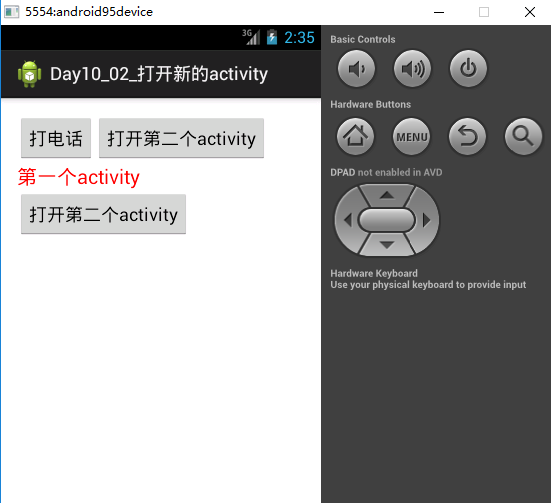
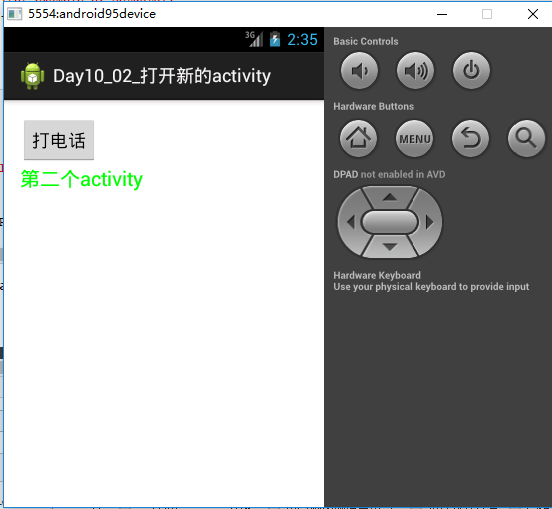
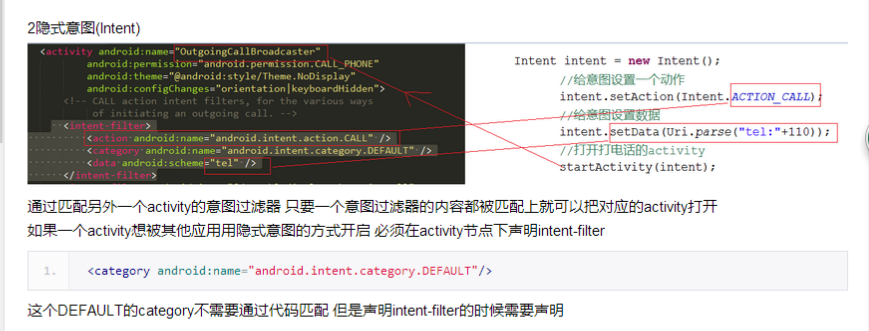
通过匹配第二个intent-filter可以把对应的activity给它打开。实际上咱们通过intent-filter方式打开一个activity这就叫一个隐式意图。隐式意图就是说我通过匹配某一个activity的意图过滤器,我把这个意图过滤器里面所有该匹配的内容都匹配上了,那我就可以把对应的activity打开。同样如果你的一个activity希望别人用隐式意图的方式打开,那你就必须设置一个intent-filter。这就是隐式意图。
你必须搞一个意图过滤器,有了意图过滤器别人才可以用隐式意图的方式打开。还有一点要注意:
<category android:name="android.intent.category.DEFAULT"/>
需要注意一点的是:category这个DEFAULT虽说不用匹配,但是这个东西必须得有。这个category DEFAULT虽说不需要通过代码的方式去匹配它,但是你想用隐式意图把这个打开,默认的这个category一定要在清单文件里面给它配置上。
<?xml version="1.0" encoding="utf-8"?>

<manifest xmlns:android="http://schemas.android.com/apk/res/android"

    package="com.itheima.callnewactivity"

    android:versionCode="1"

    android:versionName="1.0" >

    <uses-sdk

        android:minSdkVersion="8"

        android:targetSdkVersion="17" />

    <uses-permission android:name="android.permission.CALL_PHONE"/>

    <application

        android:allowBackup="true"

        android:icon="@drawable/ic_launcher"

        android:label="@string/app_name"

        android:theme="@style/AppTheme" >

        <activity

            android:name="com.itheima.callnewactivity.MainActivity"

            android:label="@string/app_name" >

            <intent-filter>

                <action android:name="android.intent.action.MAIN" />

                <category android:name="android.intent.category.LAUNCHER" />

            </intent-filter>

        </activity>

        <activity

            android:name="com.itheima.callnewactivity.SecondActivity">

            <intent-filter >

                <action android:name="com.itheima.second"/>

                <category android:name="android.intent.category.DEFAULT"/>

                <data android:scheme="itheima"/>

            </intent-filter>

            <intent-filter >

                <action android:name="com.itheima.second2"/>

                <category android:name="android.intent.category.DEFAULT"/>

                <data android:scheme="itheima"

                    android:mimeType="itcast/itheima"

                    />

            </intent-filter>

        </activity>

    </application>

</manifest>
<RelativeLayout xmlns:android="http://schemas.android.com/apk/res/android"

    xmlns:tools="http://schemas.android.com/tools"

    android:layout_width="match_parent"

    android:layout_height="match_parent"

    android:paddingBottom="@dimen/activity_vertical_margin"

    android:paddingLeft="@dimen/activity_horizontal_margin"

    android:paddingRight="@dimen/activity_horizontal_margin"

    android:paddingTop="@dimen/activity_vertical_margin"

    tools:context=".MainActivity" >

    <Button

        android:id="@+id/btn"

        android:layout_width="wrap_content"

        android:layout_height="wrap_content"

        android:onClick="call"

        android:text="打电话" />

    <TextView

        android:id="@+id/tv"

        android:layout_below="@id/btn"

        android:layout_width="wrap_content"

        android:layout_height="wrap_content"

        android:textColor="#ff0000"

        android:textSize="20sp"

        android:text="第一个activity"/>

        <Button

        android:layout_below="@id/tv"

        android:layout_width="wrap_content"

        android:layout_height="wrap_content"

        android:onClick="openSecond"

        android:text="打开第二个activity"/>

        <Button

        android:layout_toRightOf="@id/btn"

        android:layout_width="wrap_content"

        android:layout_height="wrap_content"

        android:onClick="openSecond2"

        android:text="打开第二个activity"/>

</RelativeLayout>
<RelativeLayout xmlns:android="http://schemas.android.com/apk/res/android"

    xmlns:tools="http://schemas.android.com/tools"

    android:layout_width="match_parent"

    android:layout_height="match_parent"

    android:paddingBottom="@dimen/activity_vertical_margin"

    android:paddingLeft="@dimen/activity_horizontal_margin"

    android:paddingRight="@dimen/activity_horizontal_margin"

    android:paddingTop="@dimen/activity_vertical_margin"

    tools:context=".MainActivity" >

    <Button

        android:id="@+id/btn"

        android:layout_width="wrap_content"

        android:layout_height="wrap_content"

        android:onClick="call"

        android:text="打电话" />

    <TextView

        android:layout_below="@id/btn"

        android:layout_width="wrap_content"

        android:layout_height="wrap_content"

        android:textColor="#00ff00"

        android:textSize="20sp"

        android:text="第二个activity"

        />

</RelativeLayout>
package com.itheima.callnewactivity;

import android.net.Uri;

import android.os.Bundle;

import android.app.Activity;

import android.content.Intent;

import android.view.Menu;

import android.view.View;

public class MainActivity extends Activity {

    @Override

    protected void onCreate(Bundle savedInstanceState) {

        super.onCreate(savedInstanceState);

        setContentView(R.layout.activity_main);

    }

    public void call(View v){

        Intent intent = new Intent();

        //给意图设置一个动作

        intent.setAction(Intent.ACTION_CALL);

        //给意图设置数据

        intent.setData(Uri.parse("tel:"+110));

        //打开打电话的activity

        startActivity(intent);

    }

   public void openSecond(View v){

       Intent intent = new Intent();

       intent.setAction("com.itheima.second");

       intent.setData(Uri.parse("itheima:"+1223));

       startActivity(intent);

   }

   public void openSecond2(View v){

       Intent intent = new Intent();

       intent.setAction("com.itheima.second2");

       //intent.setData(Uri.parse("itheima:"+1233));

       //intent.setType("itcast/itheima");//

       //intent.setData(Uri.parse("itheima:"+1233));

       intent.setDataAndType(Uri.parse("itheima:"+1223), "itcast/itheima");

       startActivity(intent);

   }

}
package com.itheima.callnewactivity;

import android.net.Uri;

import android.os.Bundle;

import android.app.Activity;

import android.content.Intent;

import android.view.Menu;

import android.view.View;

public class SecondActivity extends Activity {

    @Override

    protected void onCreate(Bundle savedInstanceState) {

        super.onCreate(savedInstanceState);

        //setContentView(R.layout.activity_main);

        setContentView(R.layout.activity_second);

    }

    public void call(View v){

        Intent intent = new Intent();

        //给意图设置一个动作

        intent.setAction(Intent.ACTION_CALL);

        //给意图设置数据

        intent.setData(Uri.parse("tel:"+110));

        //打开打电话的activity

        startActivity(intent);

    }

}
03_隐式意图打开activity的更多相关文章
- 无废话Android之smartimageview使用、android多线程下载、显式意图激活另外一个activity,检查网络是否可用定位到网络的位置、隐式意图激活另外一个activity、隐式意图的配置,自定义隐式意图、在不同activity之间数据传递(5)
1.smartimageview使用 <LinearLayout xmlns:android="http://schemas.android.com/apk/res/android&q ...
- android 21 隐式意图启动系统预定义activity
Intent intent=new Intent(LoginActivity.this, MainActivity.class);//显示意图启动,显示从一个activity到另一个activity, ...
- [android] 隐式意图激活另外一个activity
随着api的升级,系统的很多应用包名和类名都改掉了,所以很多时候,打开系统应用的时候会报错,隐式意图就是解决组件之间松耦合,描述动作行为 获取Intent对象,通过new出来 调用Intent对象的s ...
- 隐式意图启动一个Activity
隐式意图是通过指定一组动作或者属性实现,主要用于跨应用使用. 1.创建一个意图对象 Intent intent = new Intent(); 2.设置意图过滤器 intent.setAction(& ...
- android intent 隐式意图和显示意图(activity跳转)
android中的意图有显示意图和隐式意图两种, 显示意图要求必须知道被激活组件的包和class 隐式意图只需要知道跳转activity的动作和数据,就可以激活对应的组件 A 主activity B ...
- Activity组件:(一)通过显式意图和隐式意图来实现Activity间的跳转
一.通过显式意图来实现Activity间的跳转 显式意图是指在创建Intent对象时就指定接受者组件 /** * 下面是通过显式意图进行跳转,即明确写出要跳转到SecondActivity.class ...
- Activity组件(二):通过显式意图和隐式意图来跳转至第三方应用
一.显式意图来跳转到第三方应用 /** * 这个方法会在点击按钮的时候执行 * @param view */ public void skip2Browser(View view){ Log.d(TA ...
- [android] 隐式意图和显式意图的使用场景
激活系统的某些应用,并且往应用里面填一些数据,比如说短信应用 打开短信应用,查看logcat,找到ActivityManager, 看到Display.com.android.mms/.ui.Comp ...
- 04_显示意图打开activity
实际上用显式意图打开一个activity就很简单了.只需要指定你要打开的这个activity的class就可以了. 需要注意一点的是创建了一个ThirdActivity必须要在清单文件里面声明.如果没 ...
随机推荐
- 巴蜀4384 -- 【模拟试题】作诗(Poetize)
Description 神犇SJY虐完HEOI之后给傻×LYD出了一题:SHY是T国的公主,平时的一大爱好是作诗.由于时间紧迫,SHY作完诗之后还要虐OI,于是SHY找来一篇长度为N的文章,阅读M次, ...
- 【转载】ubuntu16.04 无线/Wifi 上网速度慢的解决方法
原文链接:http://tieba.baidu.com/p/4737599703[侵删] 一直以为是域名解析的问题,可也觉得不像.今天在百度搜索“ubuntu16.04域名解析慢”的时候无意中看到了h ...
- xml解析工具mashaller javaee自带解析类
1.怎样去掉Marshaller的格式化? : JAXBContext context = JAXBContext.newInstance(Entity.class); Marshaller mars ...
- centos7备份还原与grub2引导和rescue模式修改root密码
一.centos7备份1.su -2.cd /3.tar -zpPcvf backup.tgz --exclude=/sys --exclude=/mnt --exclude=/proc --excl ...
- 一处折腾笔记:Android内嵌html5加入原生微信分享的解决的方法
有一段时间没有瞎折腾了. 这周一刚上班萌主过来反映说:微信里面打开聚客宝.分享功能是能够的(这里是用微信自身的js-sdk实现的).可是在android应用里面打开点击就没反应了:接下来狡猾的丁丁在产 ...
- Android拍照、摄像方向旋转的问题 代码具体解释
近期做了个拍照.摄像的应用.遇到了拍照.摄像的图像相对于现实.翻转了90度.原因:相机这个硬件的角度是横屏的角度,所以会出现都是横屏的. 1.照相.摄影预览图像的正确角度显 示: public sta ...
- js 计算两个日期之间 相差几年几月几日
1.计算日期差 Mine.vue <!-- 我的 --> <template> <div> <!-- 标题栏 --> <x-header :lef ...
- Selenium系列之--03【转】页面元素找不到问题的分析思路
如果在测试过程中遇到了NoSuchElementException 这个异常, 说明元素查找失败. Caused by: org.openqa.selenium.NoSuchElementExcept ...
- HiWorkV1.3版震撼公布,今日起正式公开測试!
今天HiWork迎来了公开測试和V1.3大版本号更迭,HiWork集成的机器人达到20种,未读消息提醒亦可从不同维度进行设置,不断变好真是件振奋人心的事儿呢. 在这个看重颜值(kan lian)的互联 ...
- VS创建Web项目提示配置IISExpress失败
开发服务器VS2013,新建Web项目提示: 打开Web项目提示: 解决方法:控制面板,找到IISExpress,右键 选择修复,解决问题..