
Salesforce LWC学习(四十五) lwc支持Console App控制Tab了
https://developer.salesforce.com/docs/component-library/bundle/lightning:workspaceAPI/documentation
背景: 针对Console App,我们可以看到官方提供的功能可以修改Tab名称,刷新Tab等功能。我们在针对实际开发时,偶尔也需要有需求操作Tab相关信息,比如修改Tab的名称。以前只能通过Aura Component进行修改,lwc并不支持。
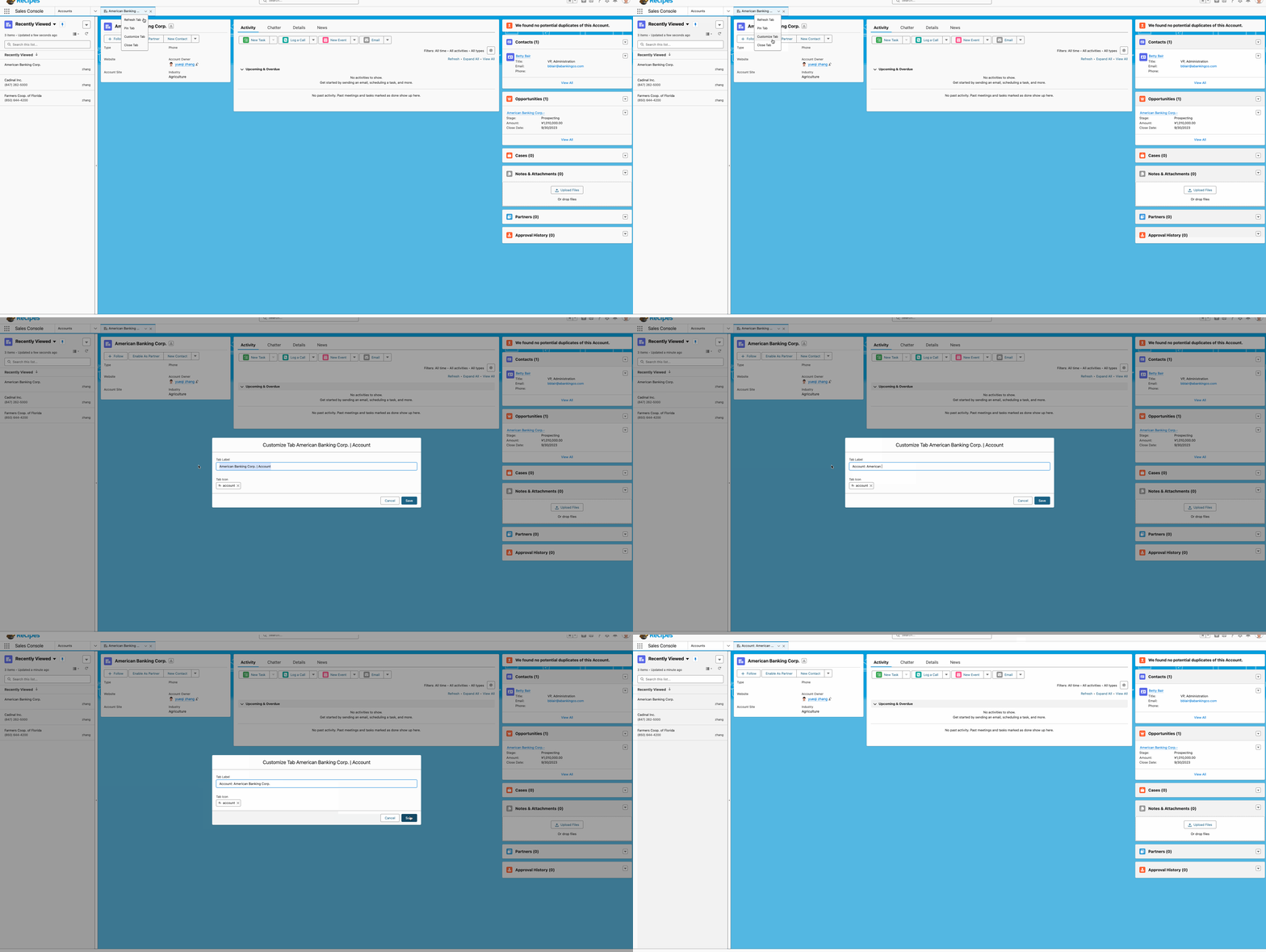
CustomizeTabAura.cmp
<aura:component implements="lightning:isUrlAddressable,flexipage:availableForAllPageTypes"

                access="GLOBAL">

    <lightning:workspaceAPI aura:id="workspace" />

    <aura:attribute name="result" type="String"></aura:attribute>

    <lightning:card>

        <lightning:buttonGroup>

            <lightning:button onclick="{!c.showTabInfo}" label="显示Tab信息"></lightning:button>

            <lightning:button onclick="{!c.changeTabInfo}" label="更改Tab信息"></lightning:button>

            <lightning:button onclick="{!c.addSubTabInfo}" label="打开Sub Tab"></lightning:button>

        </lightning:buttonGroup>

        <div>

            {!v.result}

        </div>

    </lightning:card>

</aura:component>
CustomizeTabAuraController.js
({

    showTabInfo: function(component, event, helper) {

        var workspaceAPI = component.find("workspace");

        workspaceAPI.getFocusedTabInfo().then(function(response) {

            let information = JSON.stringify(response);

            component.set('v.result', information);

        })

        .catch(function(error) {

            console.log(error);

        });

    },

    changeTabInfo: function(component, event, helper) {

        var workspaceAPI = component.find("workspace");

        workspaceAPI.getFocusedTabInfo().then(function(response) {

            let updatedTitle = 'updated tab';

            workspaceAPI.setTabLabel({

                tabId: response.tabId,

                label: updatedTitle

            })

            workspaceAPI.refreshTab({

                tabId: response.tabId

            })

        })

        .catch(function(error) {

            console.log(error);

        });

    },

    addSubTabInfo: function(component, event, helper) {

        var workspaceAPI = component.find("workspace");

        workspaceAPI.getFocusedTabInfo().then(function(response) {

            workspaceAPI.openSubtab({

                parentTabId: response.tabId,

                recordId: $A.get("$SObjectType.CurrentUser.Id"),

                focus: true

            })

        })

        .catch(function(error) {

            console.log(error);

        });

    },

})
将组件放在Account详情页效果展示

Aura操作固然很好,但是lightning现在大部分项目是lwc的,性能上会有很好并且整体代码管理也会容易,一个项目如果参杂着太多的aura和lwc本身也不是好事情,官方也逐渐的将aura的功能向lwc进行迁移,比如lwc目前已经支持quick action。同样的在winter 24 release,官方支持通过lwc来操作tab了,尽管目前是beta版本,相信再过两个release就可以GA了。(目前可以在sandbox进行测试)
注:针对此功能,需要开启Lightning Web Security。

简单的demo如下:
customizeTabLwc.html
<template>

    <lightning-card>

        <lightning-button-group>

            <lightning-button onclick={showTabInfo} label="显示Tab信息"></lightning-button>

            <lightning-button onclick={changeTabInfo} label="更改Tab信息"></lightning-button>

            <lightning-button onclick={addSubTabInfo} label="打开Sub Tab"></lightning-button>

        </lightning-button-group>

        <div>

            {result}

        </div>

    </lightning-card>

</template>
customizeTabLwc.js: 需要做两个事情
- 需要引入lightning/messageService,否则会报错 n.connect is not a function
- 引入相关的wire adapter, 将需要的方法引入。
注释部分打开也可以运行,可以通过EnclosingTabId wire adapter获取,也可以通过 getFocusedTabInfo获取tabId
import { LightningElement, track, wire } from 'lwc';

import userId from "@salesforce/user/Id";

import { MessageContext,APPLICATION_SCOPE, publish,subscribe, unsubscribe } from 'lightning/messageService';

import { IsConsoleNavigation,EnclosingTabId, getFocusedTabInfo,setTabLabel,refreshTab,openSubtab } from 'lightning/platformWorkspaceApi';

export default class customizeTabLwc extends LightningElement {

    @wire(IsConsoleNavigation) isConsoleNavigation;

    result;

    @wire(EnclosingTabId) tabId;

    showTabInfo(event) {

        if (this.isConsoleNavigation) {

            getFocusedTabInfo().then((tabInfo) => {

                this.result = JSON.stringify(tabInfo);

            }).catch(function(error) {

                console.log(error);

            });

        }

    }

    changeTabInfo(event) {

        if (this.isConsoleNavigation) {

            // getFocusedTabInfo().then((tabInfo) => {

            //     setTabLabel(tabInfo.tabId, 'updated tab');

            //     refreshTab(tabInfo.tabId);

            // }).catch(function(error) {

            //     console.log(error);

            // });

            setTabLabel(this.tabId, 'updated tab');

        }

    }

    addSubTabInfo(event) {

        if (this.isConsoleNavigation) {

            // getFocusedTabInfo().then((tabInfo) => {

            //     openSubtab(tabInfo.tabId, { recordId: userId, focus: true });

            // }).catch(function(error) {

            //     console.log(error);

            // });

            openSubtab(this.tabId, { recordId: userId, focus: true });

        }

    }

}
运行效果和上述相同。
总结:篇中介绍基于lwc控制tab的方法,官方提供了很多方法,感兴趣的小伙伴可以自行查看。篇中有错误地方欢迎指出,有不懂欢迎留言。
Salesforce LWC学习(四十五) lwc支持Console App控制Tab了的更多相关文章
- Salesforce LWC学习(四十) dynamic interaction 浅入浅出
本篇参考: Configure a Component for Dynamic Interactions in the Lightning App Builder - Salesforce Light ...
- Salesforce LWC学习(四十二) getRecordNotifyChange已弃用
本篇参考: https://developer.salesforce.com/docs/component-library/documentation/en/lwc/lwc.reference_get ...
- Salesforce LWC学习(三十九) lwc下quick action的recordId的问题和解决方案
本篇参考: https://developer.salesforce.com/docs/component-library/bundle/force:hasRecordId/documentation ...
- Salesforce LWC学习(二十五) Jest Test
本篇参看: https://trailhead.salesforce.com/content/learn/modules/test-lightning-web-components https://j ...
- Salesforce LWC学习(三十五) 使用 REST API实现不写Apex的批量创建/更新数据
本篇参考: https://developer.salesforce.com/docs/atlas.en-us.224.0.api_rest.meta/api_rest/resources_compo ...
- Salesforce LWC学习(四十) datatable的dynamic action的小坑浅谈
本篇参考:https://developer.salesforce.com/docs/component-library/bundle/lightning-datatable/documentatio ...
- Salesforce LWC学习(三十八) lwc下如何更新超过1万的数据
背景: 今天项目组小伙伴问了一个问题,如果更新数据超过1万条的情况下,有什么好的方式来实现呢?我们都知道一个transaction只能做10000条DML数据操作,那客户的操作的数据就是超过10000 ...
- shell 学习四十五天---xargs
当 find 产生一个文件列表时,该列表提供给另一个命令有时是很有用的.案例: $touch abc.c erd.c oiy.c $ll ./erd.c ./abc.c ./oiy.c $find - ...
- Java开发学习(四十五)----MyBatisPlus查询语句之映射匹配兼容性
1.映射匹配兼容性 我们已经能从表中查询出数据,并将数据封装到模型类中,这整个过程涉及到一张表和一个模型类: 之所以数据能够成功的从表中获取并封装到模型对象中,原因是表的字段列名和模型类的属性名一样. ...
- Salesforce LWC学习(三十) lwc superbadge项目实现
本篇参考:https://trailhead.salesforce.com/content/learn/superbadges/superbadge_lwc_specialist 我们做lwc的学习时 ...
随机推荐
- python selenium框架解决ip代理框不能自动化登录,解决pyautogui开不了多线程问题
有时候我们使用python自动化框架的时候,打开一个网页的时候,它会出现出线这一种登录框,我们f12检查不了,用开发者工具强制检查里面没有任何属性. 那这时候我们就可以用到python第三方库:pya ...
- 【Haxe】(二)字符串与变量的输入输出
前言 每次学习一门新语言,各种手册和教程一上来就是讲变量如何定义,数据结构怎么用,很少有讲输入输出应该怎么写的.我比较喜欢先搞懂这部分,这让我感觉像是掌握了学习主动权,很能调动我的学习积极性.于是我的 ...
- 为 Windows 系统替换优雅的苹果字体
使用 Windows 的童鞋,大家估计都用惯了默认的微软雅黑字体,字体本身也很不错,但使用久了也该换个别的字体了,换个字体换个心情嘛. 今天给大家推荐一款非常棒的一键更换 Windows 系统字体的软 ...
- Vue3基本功能实现
vue3 介绍 # Vue3的变化 # 1.性能的提升 打包大小减少41% 初次渲染快55%, 更新渲染快133% 内存减少54% # 2.源码的升级 使用Proxy代替defineProperty实 ...
- .Net 472&6.0 Razor编译时的小差异
前言 几个月前在进行着.Net 472到6.0的升级,复用原有代码,在对Razor进行迁移中,发现原运行正常的代码,却存在报错,深入研究发现是Core下对Razor编译有一些变动. 问题复现 472 ...
- 楠少音乐盒(PC端)突破校园网限制
楠少音乐盒 突破校园网限制 最近在将音乐盒从web迁移到PC端,过程中的记录 在我们学校,工作时间内(周一至周五为工作日,下午上班时间)校园网都会拦截一些与工作无关的网站,例如购物.炒股.游戏.音乐等 ...
- CSS border(边框)
CSS 边框属性 CSS边框属性允许你指定一个元素边框的样式和颜色. 可以为上下左右每个框 定制不同的样式和颜色. 边框样式 边框样式属性指定要显示什么样的边界. border-style属性用来定义 ...
- 玩转AI二维码:揭秘我的漂亮二维码生成秘诀
这几天我又生成了很多漂亮的二维码图片,有了一些感受和想法,特总结此文,分享给大家.需要图片参数的同学可直接看文章最后,我生成了100多张不同风格的图片. 先看效果,喜欢的可以继续读下去. 背景 在这篇 ...
- 《设计模式的运用》使用策略模式+工厂模式优化代码中的if else
使用策略模式优化if else 有这样一段逻辑 function{ for{ if() if() if( if( ) ) ... } } 公司有的祖传的代码,是一段规则校验,校验的越多,每一个请求都会 ...
- 【技术积累】Vue.js中的事件【一】
Vue中的事件是什么 在Vue.js中,事件是用于处理用户交互的重要机制.Vue.js提供了一系列的事件处理方法和指令,使开发者能够方便地处理用户的各种操作. 1. 事件绑定:Vue.js通过v-on ...