
JSP笔记01——尝试
JSP ————> servlet
我的第1个Java Web应用程序——index.jsp
我的第2个Java Web应用程序——welcome-file
我的第3个Java Web应用程序——conf/server.xml
我的第4个Java Web应用程序——jsp page
我的第5个Java Web应用程序——jsp 脚本
我的第6个Java Web应用程序——jsp 声明
我的第7个Java Web应用程序——JSP 表达式
我的第8个Java Web应用程序——JSP页面生命周期
我的第9个Java Web应用程序——我的乘法口诀表!
1
<!doctype html>

<html lang="en">

 <head>

  <meta charset="UTF-8">

  <meta name="Generator" content="EditPlus®">

  <meta name="Author" content="">

  <meta name="Keywords" content="">

  <meta name="Description" content="">

  <title>Document</title>

 </head>

 <body>

  <h1>???????</h1>

 </body>

</html>
<?xml version="1.0" encoding="ISO-8859-1" ?>

<web-app xmlns="http://java.sun.com/xml/ns/j2ee"

         xmlns:xsi="http://www.w3.org/2001/XMLSchema-instance"

         xsi:schemaLocation="http://java.sun.com/xml/ns/j2ee http://java.sun.com/xml/ns/j2ee/web-app_2_4.xsd"

         version="2.4">

</web-app>
2
<?xml version="1.0" encoding="ISO-8859-1" ?>

<web-app xmlns="http://java.sun.com/xml/ns/j2ee"

         xmlns:xsi="http://www.w3.org/2001/XMLSchema-instance"

         xsi:schemaLocation="http://java.sun.com/xml/ns/j2ee http://java.sun.com/xml/ns/j2ee/web-app_2_4.xsd"

         version="2.4">

         <welcome-file-list>

             <welcome-file>/index.jsp</welcome-file>

         </welcome-file-list>

</web-app>
3

4
jsp=java server page


<%@ page language="java" import="java.util.*" contentType="text/html;charset=utf-8" %>

<html>

    <body>

        <h1 align="center">啤酒推荐</h1>

        <p>

        <%

            List styles = (List)request.getAttribute("styles");

            Iterator it = styles.iterator();

            while (it.hasNext()) {

                out.print("<br>try: " + it.next());

            }

        %>

    </body>

</html>

5

<%@ page language="java" import="java.util.*" contentType="text/html;charset=utf-8" %>

<html>

    <body>

        <h1 align="center">啤酒推荐</h1>

        <p>

        <%

            List styles = (List)request.getAttribute("styles");

            Iterator it = styles.iterator();

            while (it.hasNext()) {

                out.print("<br>try: " + it.next());

            }

        %>

        <%

            out.print("<br /><br />今天天气貌似不错!");

            // out是一个内置的对象!

        %>

    </body>

</html>
6
两种声明方式的差异。参考:http://www.cnblogs.com/zengmiaogen/archive/2012/04/15/2450414.html
我们既可以在<%%>中声明变量,也可以在<%!%>中声明变量,
那么,这两种声明方式有什么区别呢?事实上,<%!%>相当于类的实例域,而<%%>相当于方法体。
// TO-DO
7
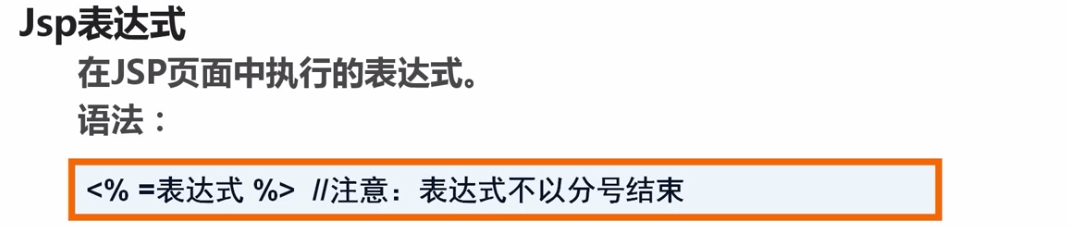
<%@ page language="java" import="java.util.*" contentType="text/html;charset=utf-8" %>

<html>

    <body>

        <p>this is a simple test</p>

        <%!

            String words = "this is a simple test.";

            int sum(int x, int y) {

                return x + y;

            }

        %>

        <p>words=<%=words%></p>

        <p>3+4=<%=sum(3,4)%></p>

    </body>

</html>

8

当我们访问jsp页面的时候,jsp引擎(web容器)首先判断是否是第一次请求...

这个时候我就想,要是可以直接看到它编译出来的字节码就好了,那么到哪里查看呢?——答案是在tomcat的work目录下,不仅有字节码,还有源代码,我们查看一下上一节的代码。
/*

 * Generated by the Jasper component of Apache Tomcat

 * Version: Apache Tomcat/7.0.77

 * Generated at: 2017-06-09 10:07:20 UTC

 * Note: The last modified time of this file was set to

 *       the last modified time of the source file after

 *       generation to assist with modification tracking.

 */

package org.apache.jsp;

import javax.servlet.*;

import javax.servlet.http.*;

import javax.servlet.jsp.*;

import java.util.*;

public final class test_jsp extends org.apache.jasper.runtime.HttpJspBase

    implements org.apache.jasper.runtime.JspSourceDependent {

            String words = "this is a simple test.";

            int sum(int x, int y) {

                return x + y;

            }

  private static final javax.servlet.jsp.JspFactory _jspxFactory =

          javax.servlet.jsp.JspFactory.getDefaultFactory();

  private static java.util.Map<java.lang.String,java.lang.Long> _jspx_dependants;

  private volatile javax.el.ExpressionFactory _el_expressionfactory;

  private volatile org.apache.tomcat.InstanceManager _jsp_instancemanager;

  public java.util.Map<java.lang.String,java.lang.Long> getDependants() {

    return _jspx_dependants;

  }

  public javax.el.ExpressionFactory _jsp_getExpressionFactory() {

    if (_el_expressionfactory == null) {

      synchronized (this) {

        if (_el_expressionfactory == null) {

          _el_expressionfactory = _jspxFactory.getJspApplicationContext(getServletConfig().getServletContext()).getExpressionFactory();

        }

      }

    }

    return _el_expressionfactory;

  }

  public org.apache.tomcat.InstanceManager _jsp_getInstanceManager() {

    if (_jsp_instancemanager == null) {

      synchronized (this) {

        if (_jsp_instancemanager == null) {

          _jsp_instancemanager = org.apache.jasper.runtime.InstanceManagerFactory.getInstanceManager(getServletConfig());

        }

      }

    }

    return _jsp_instancemanager;

  }

  public void _jspInit() {

  }

  public void _jspDestroy() {

  }

  public void _jspService(final javax.servlet.http.HttpServletRequest request, final javax.servlet.http.HttpServletResponse response)

        throws java.io.IOException, javax.servlet.ServletException {

    final javax.servlet.jsp.PageContext pageContext;

    javax.servlet.http.HttpSession session = null;

    final javax.servlet.ServletContext application;

    final javax.servlet.ServletConfig config;

    javax.servlet.jsp.JspWriter out = null;

    final java.lang.Object page = this;

    javax.servlet.jsp.JspWriter _jspx_out = null;

    javax.servlet.jsp.PageContext _jspx_page_context = null;

    try {

      response.setContentType("text/html;charset=utf-8");

      pageContext = _jspxFactory.getPageContext(this, request, response,

                  null, true, 8192, true);

      _jspx_page_context = pageContext;

      application = pageContext.getServletContext();

      config = pageContext.getServletConfig();

      session = pageContext.getSession();

      out = pageContext.getOut();

      _jspx_out = out;

      out.write("\r\n");

      out.write("\r\n");

      out.write("<html>\r\n");

      out.write("    <body>\r\n");

      out.write("    \t<p>this is a simple test</p>\r\n");

      out.write("    \t");

      out.write("\r\n");

      out.write("    \t<p>words=");

      out.print(words);

      out.write("</p>\r\n");

      out.write("    \t<p>3+4=");

      out.print(sum(3,4));

      out.write("</p>\r\n");

      out.write("    </body>\r\n");

      out.write("</html>");

    } catch (java.lang.Throwable t) {

      if (!(t instanceof javax.servlet.jsp.SkipPageException)){

        out = _jspx_out;

        if (out != null && out.getBufferSize() != 0)

          try {

            if (response.isCommitted()) {

              out.flush();

            } else {

              out.clearBuffer();

            }

          } catch (java.io.IOException e) {}

        if (_jspx_page_context != null) _jspx_page_context.handlePageException(t);

        else throw new ServletException(t);

      }

    } finally {

      _jspxFactory.releasePageContext(_jspx_page_context);

    }

  }

}
9
<%@ page language="java" import="java.util.*" contentType="text/html;charset=utf-8" %>

<html>

    <body>

        <p>这是我的乘法口诀表!</p>

        <%

            for (int i = 1; i <= 9; ++i) {

                for (int j = 1; j <= i; ++j) {

                    out.print(i + " * " + j + " = " + i*j + "   ");

                }

                out.print("<br />");

            }

        %>

    </body>

</html>

看完视频后修改了一下, 是空格占位符
<%@ page language="java" import="java.util.*" contentType="text/html;charset=utf-8" %> <html>
<body>
<p>这是我的乘法口诀表!</p> <%!
void printTable() {
for (int i = 1; i <= 9; ++i) {
for (int j = 1; j <= i; ++j) {
out.print(i + " * " + j + " = " + i*j + " ");
}
out.print("<br />");
}
}
%> <%
printTable();
%> </body>
</html>
10什么是内置对象

11 jsp有哪些内置对象

12 jsp内置对象的官方文档
JSP笔记01——尝试的更多相关文章
- SaToken学习笔记-01
SaToken学习笔记-01 SaToken版本为1.18 如果有排版方面的错误,请查看:传送门 springboot集成 根据官网步骤maven导入依赖 <dependency> < ...
- Redis 笔记 01:入门篇
Redis 笔记 01:入门篇 ★ ★ ★ ★ ★ ★ ★ ★ ★ ★ ★ ★ ★ ★ ★ ★ ★ ★ ★ ★ ★ ★ ★ ★ ★ ★ ★ ★ ★ ★ ★ ★ ★ ★ ★ ★ ★ ★ ★ ★ ★ ★ ...
- 软件测试之loadrunner学习笔记-01事务
loadrunner学习笔记-01事务<转载至网络> 事务又称为Transaction,事务是一个点为了衡量某个action的性能,需要在开始和结束位置插入一个范围,定义这样一个事务. 作 ...
- 《30天自制操作系统》笔记(01)——hello bitzhuwei’s OS!
<30天自制操作系统>笔记(01)——hello bitzhuwei's OS! 最初的OS代码 ; hello-os ; TAB=4 ORG 0x7c00 ; 指明程序的装载地址 ; 以 ...
- 《The Linux Command Line》 读书笔记01 基本命令介绍
<The Linux Command Line> 读书笔记01 基本命令介绍 1. What is the Shell? The Shell is a program that takes ...
- PHP 学习笔记 01
例子: 为什么要学PHP 主观原因: 前段时间在学校处理了毕业的一些事情,回到上海后开始了找工作的旅程.意向工作是WPF开发或者ASP.NET 作为后端的WEB开发. 陆陆续续一直在面试,其中有一家公 ...
- 【技能大赛笔记01】Zigbee点对点按键控制程序开发
[技能大赛笔记01]Zigbee点对点按键控制程序开发 --2017年"物联网物联网技术应用与维护"任务五题1(中职组) 1.题目要求 2.工程文件 在比赛中,提供了一个基于Bas ...
- JS自学笔记01
JS自学笔记01 1.开发工具 webstorm 2.js(javascript) 是一门脚本.解释性.动态类型.基于对象的语言 含三个部分: ECMAScript标准–java基本语法 DOM(Do ...
- 《30天自制操作系统》笔记(01)——hello bitzhuwei’s OS!【转】
转自:http://www.cnblogs.com/bitzhuwei/p/OS-in-30-days-01-hello-bitzhuwei-OS.html 阅读目录(Content) 最初的OS代码 ...
随机推荐
- Spring MVC的@ResponseBody回来JSON串
1 406错误 <mvc:annotation-driven />不用动,请求的时候URL的文件扩展名应为json @ResponseBody会根据扩展名,或者Header,或者Param ...
- 创建一个动作-Action类:
让我们创建一个Java文件HelloWorldAction.java的Java资源> SRC下一个的包名com.yiibai.struts2与下面的内容. package com.yiibai. ...
- vue 流程
1.vue 项目搭建 2.监听 3.组件 4.路由
- 深入理解IEnumerable和IQueryable两接口的区别
from:http://blog.csdn.net/ydm19891101/article/details/50969323 无论是在ado.net EF或者是在其他的Linq使用中,我们经常会碰到两 ...
- PMP杂谈--项目组织,矩阵组织,职能型组织,复合型组织
(1)项目组织的优缺点:优:项目经理权力大:缺:解散时焦虑.没有提拔权力,不利于专业技术积累,设备反复.难以保证资源的充分利用. (2)矩阵组织的优缺点:优:资源利用率高,横向信息沟通.项目经理权力提 ...
- Android开发:《Gradle Recipes for Android》阅读笔记(翻译)2.6——签署发布apk
问题: 为了将APK发布到google市场,需要对APK数字签名. 解决方案: 可以使用java的keytoll命令去创建一个证书,并且在gradle配置文件的signingConfigs块使用. 讨 ...
- Java 科学计数法
目录 Java 科学计数法 1 科学计数法的概念 1.1 有效数字 1.2 E记号 2 Java中的科学计数法 2.1 NumberFormat 2.2 DecimalFormat 2.3 BigDe ...
- TimeStamp 毫秒和纳秒
毫秒 /** * Returns the time represented by this Timestamp object, as a long value * containing the num ...
- 洛谷 P4768 [NOI2018]归程
洛谷 361行代码的由来 数据分治大发好啊- NOI的签到题,可怜我在家打了一下午才搞了80分. 正解应该是kruskal重构树或排序+可持久化并查集. 我就分点来讲暴力80分做法吧(毕竟正解我也没太 ...
- servle 3.0 新特性之一 对上传表单的支持
1. 上传 * 上传对表单的要求: > method="post" > enctype="multipart/form-data",它的默认值是:a ...