
【tensorflow2.0】数据管道dataset
如果需要训练的数据大小不大,例如不到1G,那么可以直接全部读入内存中进行训练,这样一般效率最高。
但如果需要训练的数据很大,例如超过10G,无法一次载入内存,那么通常需要在训练的过程中分批逐渐读入。
使用 tf.data API 可以构建数据输入管道,轻松处理大量的数据,不同的数据格式,以及不同的数据转换。
一,构建数据管道
可以从 Numpy array, Pandas DataFrame, Python generator, csv文件, 文本文件, 文件路径, tfrecords文件等方式构建数据管道。
其中通过Numpy array, Pandas DataFrame, 文件路径构建数据管道是最常用的方法。
通过tfrecords文件方式构建数据管道较为复杂,需要对样本构建tf.Example后压缩成字符串写到tfrecoreds文件,读取后再解析成tf.Example。
但tfrecoreds文件的优点是压缩后文件较小,便于网络传播,加载速度较快。
首先看下iris部分数据:
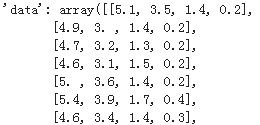
'feature_names': ['sepal length (cm)',

  'sepal width (cm)',

  'petal length (cm)',

  'petal width (cm)'],

 'filename': '/usr/local/lib/python3.6/dist-packages/sklearn/datasets/data/iris.csv',

 'target': array([0, 0, 0, 0, 0, 0, 0, 0, 0, 0, 0, 0, 0, 0, 0, 0, 0, 0, 0, 0, 0, 0,

        0, 0, 0, 0, 0, 0, 0, 0, 0, 0, 0, 0, 0, 0, 0, 0, 0, 0, 0, 0, 0, 0,

        0, 0, 0, 0, 0, 0, 1, 1, 1, 1, 1, 1, 1, 1, 1, 1, 1, 1, 1, 1, 1, 1,

        1, 1, 1, 1, 1, 1, 1, 1, 1, 1, 1, 1, 1, 1, 1, 1, 1, 1, 1, 1, 1, 1,

        1, 1, 1, 1, 1, 1, 1, 1, 1, 1, 1, 1, 2, 2, 2, 2, 2, 2, 2, 2, 2, 2,

        2, 2, 2, 2, 2, 2, 2, 2, 2, 2, 2, 2, 2, 2, 2, 2, 2, 2, 2, 2, 2, 2,

        2, 2, 2, 2, 2, 2, 2, 2, 2, 2, 2, 2, 2, 2, 2, 2, 2, 2]),

 'target_names': array(['setosa', 'versicolor', 'virginica'], dtype='<U10')
1,从Numpy array构建数据管道
# 从Numpy array构建数据管道

import tensorflow as tf

import numpy as np

from sklearn import datasets

iris = datasets.load_iris()

ds1 = tf.data.Dataset.from_tensor_slices((iris["data"],iris["target"]))

for features,label in ds1.take(5):

    print(features,label)
tf.Tensor([5.1 3.5 1.4 0.2], shape=(4,), dtype=float64) tf.Tensor(0, shape=(), dtype=int64)
tf.Tensor([4.9 3.  1.4 0.2], shape=(4,), dtype=float64) tf.Tensor(0, shape=(), dtype=int64)
tf.Tensor([4.7 3.2 1.3 0.2], shape=(4,), dtype=float64) tf.Tensor(0, shape=(), dtype=int64)
tf.Tensor([4.6 3.1 1.5 0.2], shape=(4,), dtype=float64) tf.Tensor(0, shape=(), dtype=int64)
tf.Tensor([5.  3.6 1.4 0.2], shape=(4,), dtype=float64) tf.Tensor(0, shape=(), dtype=int64
2,从 Pandas DataFrame构建数据管道
# 从 Pandas DataFrame构建数据管道

import tensorflow as tf

from sklearn import datasets

import pandas as pd

iris = datasets.load_iris()

dfiris = pd.DataFrame(iris["data"],columns = iris.feature_names)

ds2 = tf.data.Dataset.from_tensor_slices((dfiris.to_dict("list"),iris["target"]))

for features,label in ds2.take(3):

    print(features,label)
{'sepal length (cm)': <tf.Tensor: shape=(), dtype=float32, numpy=5.1>, 'sepal width (cm)': <tf.Tensor: shape=(), dtype=float32, numpy=3.5>, 'petal length (cm)': <tf.Tensor: shape=(), dtype=float32, numpy=1.4>, 'petal width (cm)': <tf.Tensor: shape=(), dtype=float32, numpy=0.2>} tf.Tensor(0, shape=(), dtype=int64)
{'sepal length (cm)': <tf.Tensor: shape=(), dtype=float32, numpy=4.9>, 'sepal width (cm)': <tf.Tensor: shape=(), dtype=float32, numpy=3.0>, 'petal length (cm)': <tf.Tensor: shape=(), dtype=float32, numpy=1.4>, 'petal width (cm)': <tf.Tensor: shape=(), dtype=float32, numpy=0.2>} tf.Tensor(0, shape=(), dtype=int64)
{'sepal length (cm)': <tf.Tensor: shape=(), dtype=float32, numpy=4.7>, 'sepal width (cm)': <tf.Tensor: shape=(), dtype=float32, numpy=3.2>, 'petal length (cm)': <tf.Tensor: shape=(), dtype=float32, numpy=1.3>, 'petal width (cm)': <tf.Tensor: shape=(), dtype=float32, numpy=0.2>} tf.Tensor(0, shape=(), dtype=int64)
3,从Python generator构建数据管道
# 从Python generator构建数据管道

import tensorflow as tf

from matplotlib import pyplot as plt

from tensorflow.keras.preprocessing.image import ImageDataGenerator

# 定义一个从文件中读取图片的generator

image_generator = ImageDataGenerator(rescale=1.0/255).flow_from_directory(

                    "./data/cifar2/test/",

                    target_size=(32, 32),

                    batch_size=20,

                    class_mode='binary')

classdict = image_generator.class_indices

print(classdict)
Found 2000 images
belonging to 2 classes. {'airplane': 0, 'automobile': 1}
def generator():

    for features,label in image_generator:

        yield (features,label)

ds3 = tf.data.Dataset.from_generator(generator,output_types=(tf.float32,tf.int32))

%matplotlib inline

%config InlineBackend.figure_format = 'svg'

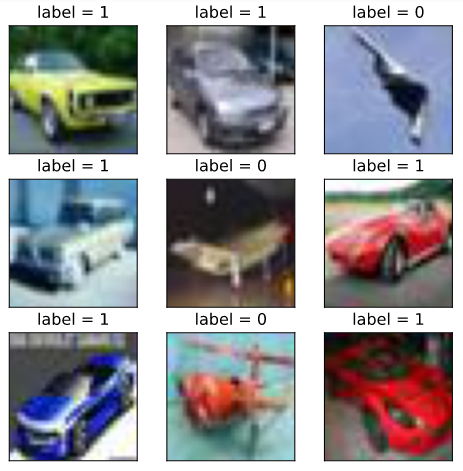
plt.figure(figsize=(6,6))

for i,(img,label) in enumerate(ds3.unbatch().take(9)):

    ax=plt.subplot(3,3,i+1)

    ax.imshow(img.numpy())

    ax.set_title("label = %d"%label)

    ax.set_xticks([])

    ax.set_yticks([])

plt.show()
4,从csv文件构建数据管道
# 从csv文件构建数据管道

ds4 = tf.data.experimental.make_csv_dataset(

      file_pattern = ["./data/titanic/train.csv","./data/titanic/test.csv"],

      batch_size=3,

      label_name="Survived",

      na_value="",

      num_epochs=1,

      ignore_errors=True)

for data,label in ds4.take(2):

    print(data,label)
OrderedDict([('PassengerId', <tf.Tensor: shape=(3,), dtype=int32, numpy=array([540,  58, 764], dtype=int32)>), ('Pclass', <tf.Tensor: shape=(3,), dtype=int32, numpy=array([1, 3, 1], dtype=int32)>), ('Name', <tf.Tensor: shape=(3,), dtype=string, numpy=
array([b'Frolicher, Miss. Hedwig Margaritha', b'Novel, Mr. Mansouer',
       b'Carter, Mrs. William Ernest (Lucile Polk)'], dtype=object)>), ('Sex', <tf.Tensor: shape=(3,), dtype=string, numpy=array([b'female', b'male', b'female'], dtype=object)>), ('Age', <tf.Tensor: shape=(3,), dtype=float32, numpy=array([22. , 28.5, 36. ], dtype=float32)>), ('SibSp', <tf.Tensor: shape=(3,), dtype=int32, numpy=array([0, 0, 1], dtype=int32)>), ('Parch', <tf.Tensor: shape=(3,), dtype=int32, numpy=array([2, 0, 2], dtype=int32)>), ('Ticket', <tf.Tensor: shape=(3,), dtype=string, numpy=array([b'13568', b'2697', b'113760'], dtype=object)>), ('Fare', <tf.Tensor: shape=(3,), dtype=float32, numpy=array([ 49.5   ,   7.2292, 120.    ], dtype=float32)>), ('Cabin', <tf.Tensor: shape=(3,), dtype=string, numpy=array([b'B39', b'', b'B96 B98'], dtype=object)>), ('Embarked', <tf.Tensor: shape=(3,), dtype=string, numpy=array([b'C', b'C', b'S'], dtype=object)>)]) tf.Tensor([1 0 1], shape=(3,), dtype=int32)
OrderedDict([('PassengerId', <tf.Tensor: shape=(3,), dtype=int32, numpy=array([845,  66, 390], dtype=int32)>), ('Pclass', <tf.Tensor: shape=(3,), dtype=int32, numpy=array([3, 3, 2], dtype=int32)>), ('Name', <tf.Tensor: shape=(3,), dtype=string, numpy=
array([b'Culumovic, Mr. Jeso', b'Moubarek, Master. Gerios',
       b'Lehmann, Miss. Bertha'], dtype=object)>), ('Sex', <tf.Tensor: shape=(3,), dtype=string, numpy=array([b'male', b'male', b'female'], dtype=object)>), ('Age', <tf.Tensor: shape=(3,), dtype=float32, numpy=array([17.,  0., 17.], dtype=float32)>), ('SibSp', <tf.Tensor: shape=(3,), dtype=int32, numpy=array([0, 1, 0], dtype=int32)>), ('Parch', <tf.Tensor: shape=(3,), dtype=int32, numpy=array([0, 1, 0], dtype=int32)>), ('Ticket', <tf.Tensor: shape=(3,), dtype=string, numpy=array([b'315090', b'2661', b'SC 1748'], dtype=object)>), ('Fare', <tf.Tensor: shape=(3,), dtype=float32, numpy=array([ 8.6625, 15.2458, 12.    ], dtype=float32)>), ('Cabin', <tf.Tensor: shape=(3,), dtype=string, numpy=array([b'', b'', b''], dtype=object)>), ('Embarked', <tf.Tensor: shape=(3,), dtype=string, numpy=array([b'S', b'C', b'C'], dtype=object)>)]) tf.Tensor([0 1 1], shape=(3,), dtype=int32)
5,从文本文件构建数据管道
# 从文本文件构建数据管道

ds5 = tf.data.TextLineDataset(

    filenames = ["./data/titanic/train.csv","./data/titanic/test.csv"]

    ).skip(1) #略去第一行header

for line in ds5.take(5):

    print(line)
tf.Tensor(b'493,0,1,"Molson, Mr. Harry Markland",male,55.0,0,0,113787,30.5,C30,S', shape=(), dtype=string)
tf.Tensor(b'53,1,1,"Harper, Mrs. Henry Sleeper (Myna Haxtun)",female,49.0,1,0,PC 17572,76.7292,D33,C', shape=(), dtype=string)
tf.Tensor(b'388,1,2,"Buss, Miss. Kate",female,36.0,0,0,27849,13.0,,S', shape=(), dtype=string)
tf.Tensor(b'192,0,2,"Carbines, Mr. William",male,19.0,0,0,28424,13.0,,S', shape=(), dtype=string)
tf.Tensor(b'687,0,3,"Panula, Mr. Jaako Arnold",male,14.0,4,1,3101295,39.6875,,S', shape=(), dtype=string)
6,从文件路径构建数据管道
s6 = tf.data.Dataset.list_files("./data/cifar2/train/*/*.jpg")

for file in ds6.take(5):

    print(file)
tf.Tensor(b'./data/cifar2/train/automobile/1263.jpg', shape=(), dtype=string)
tf.Tensor(b'./data/cifar2/train/airplane/2837.jpg', shape=(), dtype=string)
tf.Tensor(b'./data/cifar2/train/airplane/4264.jpg', shape=(), dtype=string)
tf.Tensor(b'./data/cifar2/train/automobile/4241.jpg', shape=(), dtype=string)
tf.Tensor(b'./data/cifar2/train/automobile/192.jpg', shape=(), dtype=string)
from matplotlib import pyplot as plt
def load_image(img_path,size = (32,32)):
label = 1 if tf.strings.regex_full_match(img_path,".*/automobile/.*") else 0
img = tf.io.read_file(img_path)
img = tf.image.decode_jpeg(img) #注意此处为jpeg格式
img = tf.image.resize(img,size)
return(img,label) %matplotlib inline
%config InlineBackend.figure_format = 'svg'
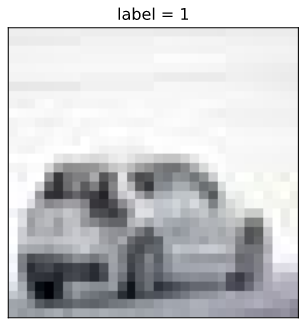
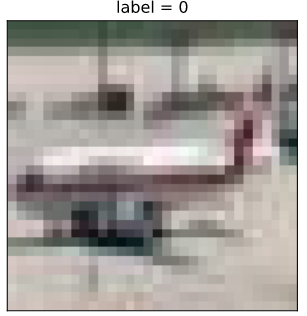
for i,(img,label) in enumerate(ds6.map(load_image).take(2)):
plt.figure(i)
plt.imshow((img/255.0).numpy())
plt.title("label = %d"%label)
plt.xticks([])
plt.yticks([])
7,从tfrecords文件构建数据管道
import os

import numpy as np

# inpath:原始数据路径 outpath:TFRecord文件输出路径

def create_tfrecords(inpath,outpath):

    writer = tf.io.TFRecordWriter(outpath)

    dirs = os.listdir(inpath)

    for index, name in enumerate(dirs):

        class_path = inpath +"/"+ name+"/"

        for img_name in os.listdir(class_path):

            img_path = class_path + img_name

            img = tf.io.read_file(img_path)

            #img = tf.image.decode_image(img)

            #img = tf.image.encode_jpeg(img) #统一成jpeg格式压缩

            example = tf.train.Example(

               features=tf.train.Features(feature={

                    'label': tf.train.Feature(int64_list=tf.train.Int64List(value=[index])),

                    'img_raw': tf.train.Feature(bytes_list=tf.train.BytesList(value=[img.numpy()]))

               }))

            writer.write(example.SerializeToString())

    writer.close()

create_tfrecords("./data/cifar2/test/","./data/cifar2_test.tfrecords/")

from matplotlib import pyplot as plt

def parse_example(proto):

    description ={ 'img_raw' : tf.io.FixedLenFeature([], tf.string),

                   'label': tf.io.FixedLenFeature([], tf.int64)}

    example = tf.io.parse_single_example(proto, description)

    img = tf.image.decode_jpeg(example["img_raw"])   #注意此处为jpeg格式

    img = tf.image.resize(img, (32,32))

    label = example["label"]

    return(img,label)

ds7 = tf.data.TFRecordDataset("./data/cifar2_test.tfrecords").map(parse_example).shuffle(3000)

%matplotlib inline

%config InlineBackend.figure_format = 'svg'

plt.figure(figsize=(6,6))

for i,(img,label) in enumerate(ds7.take(9)):

    ax=plt.subplot(3,3,i+1)

    ax.imshow((img/255.0).numpy())

    ax.set_title("label = %d"%label)

    ax.set_xticks([])

    ax.set_yticks([])

plt.show()

二,应用数据转换
Dataset数据结构应用非常灵活,因为它本质上是一个Sequece序列,其每个元素可以是各种类型,例如可以是张量,列表,字典,也可以是Dataset。
Dataset包含了非常丰富的数据转换功能。
map: 将转换函数映射到数据集每一个元素。
flat_map: 将转换函数映射到数据集的每一个元素,并将嵌套的Dataset压平。
interleave: 效果类似flat_map,但可以将不同来源的数据夹在一起。
filter: 过滤掉某些元素。
zip: 将两个长度相同的Dataset横向铰合。
concatenate: 将两个Dataset纵向连接。
reduce: 执行归并操作。
batch : 构建批次,每次放一个批次。比原始数据增加一个维度。 其逆操作为unbatch。
padded_batch: 构建批次,类似batch, 但可以填充到相同的形状。
window :构建滑动窗口,返回Dataset of Dataset.
shuffle: 数据顺序洗牌。
repeat: 重复数据若干次,不带参数时,重复无数次。
shard: 采样,从某个位置开始隔固定距离采样一个元素。
- take: 采样,从开始位置取前几个元素。
# map:将转换函数映射到数据集每一个元素

ds = tf.data.Dataset.from_tensor_slices(["hello world","hello China","hello Beijing"])

ds_map = ds.map(lambda x:tf.strings.split(x," "))

for x in ds_map:

    print(x)
tf.Tensor([b'hello' b'world'], shape=(2,), dtype=string)
tf.Tensor([b'hello' b'China'], shape=(2,), dtype=string)
tf.Tensor([b'hello' b'Beijing'], shape=(2,), dtype=string)
# flat_map:将转换函数映射到数据集的每一个元素,并将嵌套的Dataset压平。 ds = tf.data.Dataset.from_tensor_slices(["hello world","hello China","hello Beijing"])
ds_flatmap = ds.flat_map(lambda x:tf.data.Dataset.from_tensor_slices(tf.strings.split(x," ")))
for x in ds_flatmap:
print(x)
tf.Tensor(b'hello', shape=(), dtype=string)
tf.Tensor(b'world', shape=(), dtype=string)
tf.Tensor(b'hello', shape=(), dtype=string)
tf.Tensor(b'China', shape=(), dtype=string)
tf.Tensor(b'hello', shape=(), dtype=string)
tf.Tensor(b'Beijing', shape=(), dtype=string)
# interleave: 效果类似flat_map,但可以将不同来源的数据夹在一起。 ds = tf.data.Dataset.from_tensor_slices(["hello world","hello China","hello Beijing"])
ds_interleave = ds.interleave(lambda x:tf.data.Dataset.from_tensor_slices(tf.strings.split(x," ")))
for x in ds_interleave:
print(x)
tf.Tensor(b'hello', shape=(), dtype=string)
tf.Tensor(b'hello', shape=(), dtype=string)
tf.Tensor(b'hello', shape=(), dtype=string)
tf.Tensor(b'world', shape=(), dtype=string)
tf.Tensor(b'China', shape=(), dtype=string)
tf.Tensor(b'Beijing', shape=(), dtype=string)
# filter:过滤掉某些元素。 ds = tf.data.Dataset.from_tensor_slices(["hello world","hello China","hello Beijing"])
# 找出含有字母a或B的元素
ds_filter = ds.filter(lambda x: tf.strings.regex_full_match(x, ".*[a|B].*"))
for x in ds_filter:
print(x)
tf.Tensor(b'hello China', shape=(), dtype=string)
tf.Tensor(b'hello Beijing', shape=(), dtype=string)
# zip:将两个长度相同的Dataset横向铰合。 ds1 = tf.data.Dataset.range(0,3)
ds2 = tf.data.Dataset.range(3,6)
ds3 = tf.data.Dataset.range(6,9)
ds_zip = tf.data.Dataset.zip((ds1,ds2,ds3))
for x,y,z in ds_zip:
print(x.numpy(),y.numpy(),z.numpy())
0 3 6
1 4 7
2 5 8
# condatenate:将两个Dataset纵向连接。 ds1 = tf.data.Dataset.range(0,3)
ds2 = tf.data.Dataset.range(3,6)
ds_concat = tf.data.Dataset.concatenate(ds1,ds2)
for x in ds_concat:
print(x)
tf.Tensor(0, shape=(), dtype=int64)
tf.Tensor(1, shape=(), dtype=int64)
tf.Tensor(2, shape=(), dtype=int64)
tf.Tensor(3, shape=(), dtype=int64)
tf.Tensor(4, shape=(), dtype=int64)
tf.Tensor(5, shape=(), dtype=int64)
# reduce:执行归并操作。 ds = tf.data.Dataset.from_tensor_slices([1,2,3,4,5.0])
result = ds.reduce(0.0,lambda x,y:tf.add(x,y))
result
<tf.Tensor: shape=(), dtype=float32, numpy=15.0># batch:构建批次,每次放一个批次。比原始数据增加一个维度。 其逆操作为unbatch。 ds = tf.data.Dataset.range(12)
ds_batch = ds.batch(4)
for x in ds_batch:
print(x)
tf.Tensor([0 1 2 3], shape=(4,), dtype=int64)
tf.Tensor([4 5 6 7], shape=(4,), dtype=int64)
tf.Tensor([ 8  9 10 11], shape=(4,), dtype=int64)
# padded_batch:构建批次,类似batch, 但可以填充到相同的形状。 elements = [[1, 2],[3, 4, 5],[6, 7],[8]]
ds = tf.data.Dataset.from_generator(lambda: iter(elements), tf.int32) ds_padded_batch = ds.padded_batch(2,padded_shapes = [4,])
for x in ds_padded_batch:
print(x)
tf.Tensor(
[[1 2 0 0]
 [3 4 5 0]], shape=(2, 4), dtype=int32)
tf.Tensor(
[[6 7 0 0]
 [8 0 0 0]], shape=(2, 4), dtype=int32)
# window:构建滑动窗口,返回Dataset of Dataset. ds = tf.data.Dataset.range(12)
# window返回的是Dataset of Dataset,可以用flat_map压平
ds_window = ds.window(3, shift=1).flat_map(lambda x: x.batch(3,drop_remainder=True))
for x in ds_window:
print(x)
tf.Tensor([0 1 2], shape=(3,), dtype=int64)
tf.Tensor([1 2 3], shape=(3,), dtype=int64)
tf.Tensor([2 3 4], shape=(3,), dtype=int64)
tf.Tensor([3 4 5], shape=(3,), dtype=int64)
tf.Tensor([4 5 6], shape=(3,), dtype=int64)
tf.Tensor([5 6 7], shape=(3,), dtype=int64)
tf.Tensor([6 7 8], shape=(3,), dtype=int64)
tf.Tensor([7 8 9], shape=(3,), dtype=int64)
tf.Tensor([ 8  9 10], shape=(3,), dtype=int64)
tf.Tensor([ 9 10 11], shape=(3,), dtype=int64)
# shuffle:数据顺序洗牌。 ds = tf.data.Dataset.range(12)
ds_shuffle = ds.shuffle(buffer_size = 5)
for x in ds_shuffle:
print(x)
tf.Tensor(1, shape=(), dtype=int64)
tf.Tensor(4, shape=(), dtype=int64)
tf.Tensor(0, shape=(), dtype=int64)
tf.Tensor(6, shape=(), dtype=int64)
tf.Tensor(5, shape=(), dtype=int64)
tf.Tensor(2, shape=(), dtype=int64)
tf.Tensor(7, shape=(), dtype=int64)
tf.Tensor(11, shape=(), dtype=int64)
tf.Tensor(3, shape=(), dtype=int64)
tf.Tensor(9, shape=(), dtype=int64)
tf.Tensor(10, shape=(), dtype=int64)
tf.Tensor(8, shape=(), dtype=int64)
# repeat:重复数据若干次,不带参数时,重复无数次。 ds = tf.data.Dataset.range(3)
ds_repeat = ds.repeat(3)
for x in ds_repeat:
print(x)
tf.Tensor(0, shape=(), dtype=int64)
tf.Tensor(1, shape=(), dtype=int64)
tf.Tensor(2, shape=(), dtype=int64)
tf.Tensor(0, shape=(), dtype=int64)
tf.Tensor(1, shape=(), dtype=int64)
tf.Tensor(2, shape=(), dtype=int64)
tf.Tensor(0, shape=(), dtype=int64)
tf.Tensor(1, shape=(), dtype=int64)
tf.Tensor(2, shape=(), dtype=int64)
# shard:采样,从某个位置开始隔固定距离采样一个元素。 ds = tf.data.Dataset.range(12)
ds_shard = ds.shard(3,index = 1) for x in ds_shard:
print(x)
tf.Tensor(1, shape=(), dtype=int64)
tf.Tensor(4, shape=(), dtype=int64)
tf.Tensor(7, shape=(), dtype=int64)
tf.Tensor(10, shape=(), dtype=int64)
# take:采样,从开始位置取前几个元素。 ds = tf.data.Dataset.range(12)
ds_take = ds.take(3) list(ds_take.as_numpy_iterator())
[0, 1, 2]三,提升管道性能
训练深度学习模型常常会非常耗时。
模型训练的耗时主要来自于两个部分,一部分来自数据准备,另一部分来自参数迭代。
参数迭代过程的耗时通常依赖于GPU来提升。
而数据准备过程的耗时则可以通过构建高效的数据管道进行提升。
以下是一些构建高效数据管道的建议。
1,使用 prefetch 方法让数据准备和参数迭代两个过程相互并行。
2,使用 interleave 方法可以让数据读取过程多进程执行,并将不同来源数据夹在一起。
3,使用 map 时设置num_parallel_calls 让数据转换过程多进行执行。
4,使用 cache 方法让数据在第一个epoch后缓存到内存中,仅限于数据集不大情形。
5,使用 map转换时,先batch, 然后采用向量化的转换方法对每个batch进行转换。
1,使用 prefetch 方法让数据准备和参数迭代两个过程相互并行。
import tensorflow as tf

# 打印时间分割线

@tf.function

def printbar():

    ts = tf.timestamp()

    today_ts = ts%(24*60*60)

    hour = tf.cast(today_ts//3600+8,tf.int32)%tf.constant(24)

    minite = tf.cast((today_ts%3600)//60,tf.int32)

    second = tf.cast(tf.floor(today_ts%60),tf.int32)

    def timeformat(m):

        if tf.strings.length(tf.strings.format("{}",m))==1:

            return(tf.strings.format("0{}",m))

        else:

            return(tf.strings.format("{}",m))

    timestring = tf.strings.join([timeformat(hour),timeformat(minite),

                timeformat(second)],separator = ":")

    tf.print("=========="*8,end = "")

    tf.print(timestring)

import time

# 数据准备和参数迭代两个过程默认情况下是串行的。

# 模拟数据准备

def generator():

    for i in range(10):

        #假设每次准备数据需要2s

        time.sleep(2)

        yield i

ds = tf.data.Dataset.from_generator(generator,output_types = (tf.int32))

# 模拟参数迭代

def train_step():

    #假设每一步训练需要1s

    time.sleep(1)

# 训练过程预计耗时 10*2+10*1+ = 30s

printbar()

tf.print(tf.constant("start training..."))

for x in ds:

    train_step()

printbar()

tf.print(tf.constant("end training..."))

# 使用 prefetch 方法让数据准备和参数迭代两个过程相互并行。

# 训练过程预计耗时 max(10*2,10*1) = 20s

printbar()

tf.print(tf.constant("start training with prefetch..."))

# tf.data.experimental.AUTOTUNE 可以让程序自动选择合适的参数

for x in ds.prefetch(buffer_size = tf.data.experimental.AUTOTUNE):

    train_step()

printbar()

tf.print(tf.constant("end training..."))
================================================================================16:18:31

start training...

================================================================================16:19:01

end training...

================================================================================16:19:01

start training with prefetch...

================================================================================16:19:23

end training...
2,使用 interleave 方法可以让数据读取过程多进程执行,并将不同来源数据夹在一起。
ds_files = tf.data.Dataset.list_files("./data/titanic/*.csv")

ds = ds_files.flat_map(lambda x:tf.data.TextLineDataset(x).skip(1))

for line in ds.take(4):

    print(line)
tf.Tensor(b'493,0,1,"Molson, Mr. Harry Markland",male,55.0,0,0,113787,30.5,C30,S', shape=(), dtype=string)
tf.Tensor(b'53,1,1,"Harper, Mrs. Henry Sleeper (Myna Haxtun)",female,49.0,1,0,PC 17572,76.7292,D33,C', shape=(), dtype=string)
tf.Tensor(b'388,1,2,"Buss, Miss. Kate",female,36.0,0,0,27849,13.0,,S', shape=(), dtype=string)
tf.Tensor(b'192,0,2,"Carbines, Mr. William",male,19.0,0,0,28424,13.0,,S', shape=(), dtype=string)
ds_files = tf.data.Dataset.list_files("./data/titanic/*.csv")
ds = ds_files.interleave(lambda x:tf.data.TextLineDataset(x).skip(1))
for line in ds.take(8):
print(line)
tf.Tensor(b'181,0,3,"Sage, Miss. Constance Gladys",female,,8,2,CA. 2343,69.55,,S', shape=(), dtype=string)
tf.Tensor(b'493,0,1,"Molson, Mr. Harry Markland",male,55.0,0,0,113787,30.5,C30,S', shape=(), dtype=string)
tf.Tensor(b'405,0,3,"Oreskovic, Miss. Marija",female,20.0,0,0,315096,8.6625,,S', shape=(), dtype=string)
tf.Tensor(b'53,1,1,"Harper, Mrs. Henry Sleeper (Myna Haxtun)",female,49.0,1,0,PC 17572,76.7292,D33,C', shape=(), dtype=string)
tf.Tensor(b'635,0,3,"Skoog, Miss. Mabel",female,9.0,3,2,347088,27.9,,S', shape=(), dtype=string)
tf.Tensor(b'388,1,2,"Buss, Miss. Kate",female,36.0,0,0,27849,13.0,,S', shape=(), dtype=string)
tf.Tensor(b'701,1,1,"Astor, Mrs. John Jacob (Madeleine Talmadge Force)",female,18.0,1,0,PC 17757,227.525,C62 C64,C', shape=(), dtype=string)
tf.Tensor(b'192,0,2,"Carbines, Mr. William",male,19.0,0,0,28424,13.0,,S', shape=(), dtype=string)
3,使用 map 时设置num_parallel_calls 让数据转换过程多进行执行
ds = tf.data.Dataset.list_files("./data/cifar2/train/*/*.jpg")

def load_image(img_path,size = (32,32)):

    label = 1 if tf.strings.regex_full_match(img_path,".*/automobile/.*") else 0

    img = tf.io.read_file(img_path)

    img = tf.image.decode_jpeg(img) #注意此处为jpeg格式

    img = tf.image.resize(img,size)

    return(img,label)

# 单进程转换

printbar()

tf.print(tf.constant("start transformation..."))

ds_map = ds.map(load_image)

for _ in ds_map:

    pass

printbar()

tf.print(tf.constant("end transformation..."))

# 多进程转换

printbar()

tf.print(tf.constant("start parallel transformation..."))

ds_map_parallel = ds.map(load_image,num_parallel_calls = tf.data.experimental.AUTOTUNE)

for _ in ds_map_parallel:

    pass

printbar()

tf.print(tf.constant("end parallel transformation..."))
4,使用 cache 方法让数据在第一个epoch后缓存到内存中,仅限于数据集不大情形。
import time

# 模拟数据准备

def generator():

    for i in range(5):

        #假设每次准备数据需要2s

        time.sleep(2)

        yield i

ds = tf.data.Dataset.from_generator(generator,output_types = (tf.int32))

# 模拟参数迭代

def train_step():

    #假设每一步训练需要0s

    pass

# 训练过程预计耗时 (5*2+5*0)*3 = 30s

printbar()

tf.print(tf.constant("start training..."))

for epoch in tf.range(3):

    for x in ds:

        train_step()

    printbar()

    tf.print("epoch =",epoch," ended")

printbar()

tf.print(tf.constant("end training..."))

import time

# 模拟数据准备

def generator():

    for i in range(5):

        #假设每次准备数据需要2s

        time.sleep(2)

        yield i

# 使用 cache 方法让数据在第一个epoch后缓存到内存中,仅限于数据集不大情形。

ds = tf.data.Dataset.from_generator(generator,output_types = (tf.int32)).cache()

# 模拟参数迭代

def train_step():

    #假设每一步训练需要0s

    time.sleep(0)

# 训练过程预计耗时 (5*2+5*0)+(5*0+5*0)*2 = 10s

printbar()

tf.print(tf.constant("start training..."))

for epoch in tf.range(3):

    for x in ds:

        train_step()

    printbar()

    tf.print("epoch =",epoch," ended")

printbar()

tf.print(tf.constant("end training..."))
================================================================================17:07:57

start training...

================================================================================17:08:07

epoch = 0  ended

================================================================================17:08:17

epoch = 1  ended

================================================================================17:08:27

epoch = 2  ended

================================================================================17:08:27

end training...

================================================================================17:08:27

start training...

================================================================================17:08:37

epoch = 0  ended

================================================================================17:08:37

epoch = 1  ended

================================================================================17:08:37

epoch = 2  ended

================================================================================17:08:37

end training...
5,使用 map转换时,先batch, 然后采用向量化的转换方法对每个batch进行转换。
# 先map后batch

ds = tf.data.Dataset.range(100000)

ds_map_batch = ds.map(lambda x:x**2).batch(20)

printbar()

tf.print(tf.constant("start scalar transformation..."))

for x in ds_map_batch:

    pass

printbar()

tf.print(tf.constant("end scalar transformation..."))

# 先batch后map

ds = tf.data.Dataset.range(100000)

ds_batch_map = ds.batch(20).map(lambda x:x**2)

printbar()

tf.print(tf.constant("start vector transformation..."))

for x in ds_batch_map:

    pass

printbar()

tf.print(tf.constant("end vector transformation..."))
================================================================================17:09:10

start scalar transformation...

================================================================================17:09:13

end scalar transformation...

================================================================================17:09:13

start vector transformation...

================================================================================17:09:14

end vector transformation...
参考:
开源电子书地址:https://lyhue1991.github.io/eat_tensorflow2_in_30_days/
GitHub 项目地址:https://github.com/lyhue1991/eat_tensorflow2_in_30_days
【tensorflow2.0】数据管道dataset的更多相关文章
- 【tensorflow2.0】处理图片数据-cifar2分类
1.准备数据 cifar2数据集为cifar10数据集的子集,只包括前两种类别airplane和automobile. 训练集有airplane和automobile图片各5000张,测试集有airp ...
- 【tensorflow2.0】处理文本数据
一,准备数据 imdb数据集的目标是根据电影评论的文本内容预测评论的情感标签. 训练集有20000条电影评论文本,测试集有5000条电影评论文本,其中正面评论和负面评论都各占一半. 文本数据预处理较为 ...
- 【tensorflow2.0】处理时间序列数据
国内的新冠肺炎疫情从发现至今已经持续3个多月了,这场起源于吃野味的灾难给大家的生活造成了诸多方面的影响. 有的同学是收入上的,有的同学是感情上的,有的同学是心理上的,还有的同学是体重上的. 那么国内的 ...
- 基于tensorflow2.0 使用tf.keras实现Fashion MNIST
本次使用的是2.0测试版,正式版估计会很快就上线了 tf2好像更新了蛮多东西 虽然教程不多 还是找了个试试 的确简单不少,但是还是比较喜欢现在这种写法 老样子先导入库 import tensorflo ...
- Google工程师亲授 Tensorflow2.0-入门到进阶
第1章 Tensorfow简介与环境搭建 本门课程的入门章节,简要介绍了tensorflow是什么,详细介绍了Tensorflow历史版本变迁以及tensorflow的架构和强大特性.并在Tensor ...
- TensorFlow2.0(9):TensorBoard可视化
.caret, .dropup > .btn > .caret { border-top-color: #000 !important; } .label { border: 1px so ...
- TensorFlow2.0(11):tf.keras建模三部曲
.caret, .dropup > .btn > .caret { border-top-color: #000 !important; } .label { border: 1px so ...
- tensorflow2.0 学习(三)
用tensorflow2.0 版回顾了一下mnist的学习 代码如下,感觉这个版本下的mnist学习更简洁,更方便 关于tensorflow的基础知识,这里就不更新了,用到什么就到网上取搜索相关的知识 ...
- 一文上手Tensorflow2.0之tf.keras(三)
系列文章目录: Tensorflow2.0 介绍 Tensorflow 常见基本概念 从1.x 到2.0 的变化 Tensorflow2.0 的架构 Tensorflow2.0 的安装(CPU和GPU ...
随机推荐
- Spark RDD Tutorial
Spark RDD教程 这个教程将会帮助你理解和使用Apache Spark RDD.所有的在这个教程中使用的RDD例子将会提供在github上,供大家快速的浏览. 什么是RDD(Rssilient ...
- 使用pyecharts绘制词云图-淘宝商品评论展示
一.什么是词云图? 词云图是一种用来展现高频关键词的可视化表达,通过文字.色彩.图形的搭配,产生有冲击力地视觉效果,而且能够传达有价值的信息. 制作词云图的网站有很多,简单方便,适合小批量操作. BI ...
- js 实现字符串的查找和替换
<!DOCTYPE html PUBLIC "-//W3C//DTD XHTML 1.0 Transitional//EN" "http://www.w3.org/ ...
- 在k3d上快速安装Istio,助你在本地灵活使用K8S!
作者丨Mitsuyuki Shiiba 原文链接: https://dev.to/bufferings/tried-k8s-istio-in-my-local-machine-with-k3d-52g ...
- 《Python学习手册 第五版》 -第15章 文档
本章主要介绍Python中的文档,会通过多种方式来说明,如果查看Python自带文档和其他参考的资料 本章重点内容 1.#注释:源文件文档 2.dir函数:以列表显示对象中可用的属性 3.文档字符串 ...
- VS2019 C++动态链接库的创建使用(4) - C语言客户端
前面提到过C++具有函数重载功能,所以引出的函数名会有变化,即名称改编,如果是C语言编写的客户端则无法正确识别. 处理方法: ①只需在宏定义中间增加 extern "C",但这种使 ...
- vue-element框架通过blob进行后端token权限验证下载
在项目中,后端要求下载时要进行后端的权限验证,发现a链接进行直接下载无法满足这个需求,只能通过blob对象来进行下载操作,翻阅大量资料最后实现该功能.以下是我个人的理解,如有不足,请各位大佬多指教 / ...
- Android AlertDialog 各种弹框代码
1.消息框 btn01.setOnClickListener(new View.OnClickListener() { @Override public void onClick(View v) { ...
- linux环境下的时间编程
Linux下提供了丰富的api以供开发者们处理和时间相关的问题.然而这些接口看似各自为政实则有有着千丝万缕的联系,在学习和时间中引发了各种各样的混乱.因此时间处理成为了许多Linux开发者的梦魇,遇到 ...
- PTEST 渗透测试标准
1:前期交互阶段 在前期交互(Pre-Engagement Interaction)阶段,渗透测试团队与客户组织进行交互讨论,最重要的是确定渗透测试的范围.目标.限制条件以及服务合同细节.该阶段通常涉 ...