
Unity3D常用网络框架与实战解析 学习
Socket
 using System;

 using System.Collections.Generic;

 using System.Net;

 using System.Net.Sockets;

 using System.Text;

 namespace Socket服务端 {

     class Program {

         static void Main(string[] args) {

             //1.创建一个Socket对象

             Socket tcpServer = new Socket(AddressFamily.InterNetwork,SocketType.Stream,ProtocolType.Tcp);

             //2.绑定一个IP和端口

             //IPAddress ipAddress = new IPAddress(new byte[] { 127,0,0,1 });

             IPAddress ipAddress = IPAddress.Parse("127.0.0.1");

             EndPoint endPoint = new IPEndPoint(ipAddress,);

             tcpServer.Bind(endPoint);

             //3.开始监听客户端的连接请求

             tcpServer.Listen();

             Console.WriteLine("服务器启动完成");

             Socket clientSocket =  tcpServer.Accept();

             Console.WriteLine("接收到客户端的连接请求!");

             //4.发送/接收消息

             string sendMessage = "Hello Client";

             //将字符串转换为字节数组

             byte[] sendData = Encoding.UTF8.GetBytes(sendMessage);

             clientSocket.Send(sendData);

             Console.WriteLine("服务器向客户端发送了一条消息:" + sendMessage);

             //接收客户端消息

             byte[] receiveData = new byte[];

             int length = clientSocket.Receive(receiveData);

             string receiveMessage = Encoding.UTF8.GetString(receiveData);

             Console.WriteLine("服务器接收到客户端发送过来的消息:" + receiveMessage);

             Console.Read();

         }

     }

 }
SocketServer
 /*

 脚本名称:

 脚本作者:

 建立时间:

 脚本功能:

 版本号:

 */

 using UnityEngine;

 using System.Collections;

 using System.Net.Sockets;

 using System.Net;

 using System.Text;

 namespace VoidGame {

     public class SocketClient : MonoBehaviour {

         private Socket tcpClient;

         private string serverIP = "127.0.0.1";

         private int serverPort = ;

         void Start() {

             //1.创建一个Socket;

             tcpClient = new Socket(AddressFamily.InterNetwork,SocketType.Stream,ProtocolType.Tcp);

             //2.建立连接请求

             IPAddress ipAddress = IPAddress.Parse(serverIP);

             EndPoint endPoint = new IPEndPoint(ipAddress,serverPort);

             tcpClient.Connect(endPoint);

             Debug.Log("请求服务器连接");

             //3.接受/发送消息

             byte[] receiveData = new byte[];

             int length = tcpClient.Receive(receiveData);

             string receiveMessage = Encoding.UTF8.GetString(receiveData,,length);

             Debug.Log("客户端接收到服务器发来的消息:" + receiveMessage);

             //发送消息

             string sendMessage = "Client Say To Server Hello";

             tcpClient.Send(Encoding.UTF8.GetBytes(sendMessage));

             Debug.Log("客户端向服务器发送消息:" + sendMessage);

         }

     }

 }
SocketClient
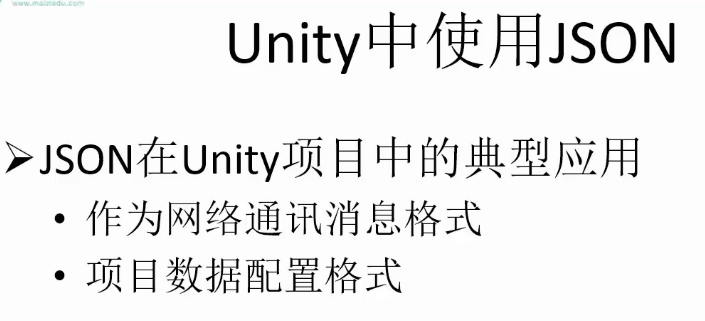
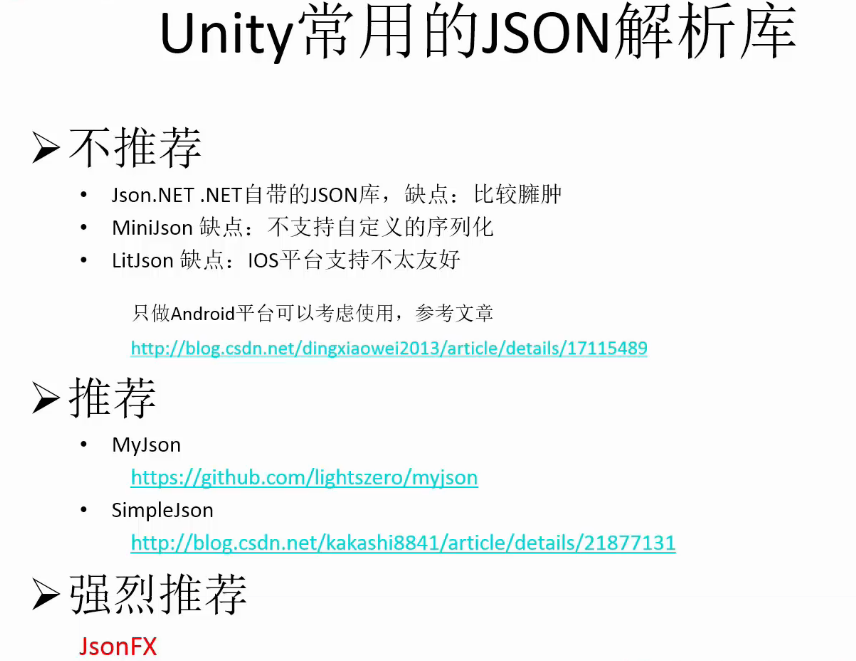
Json
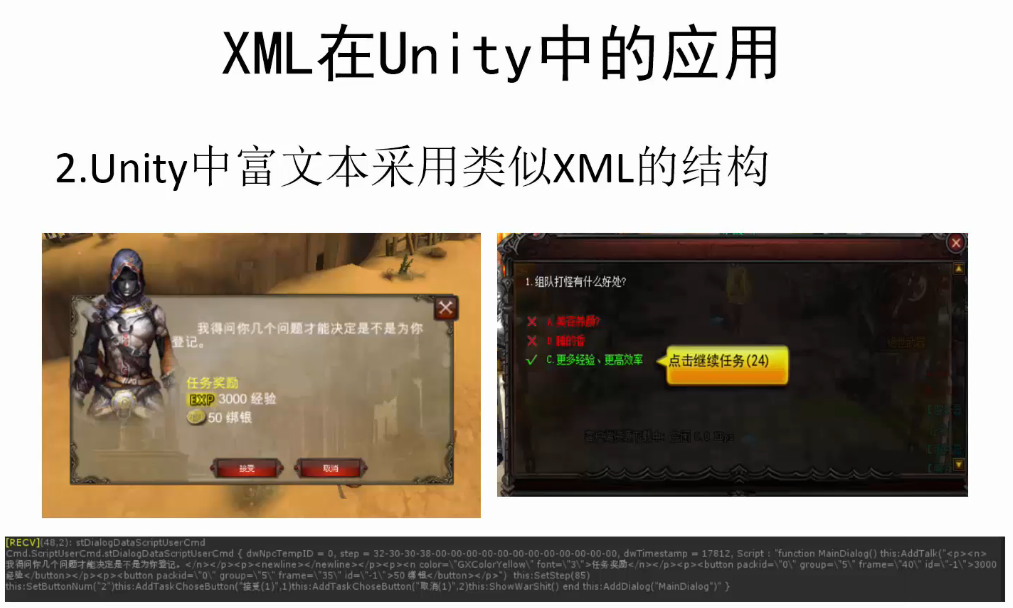
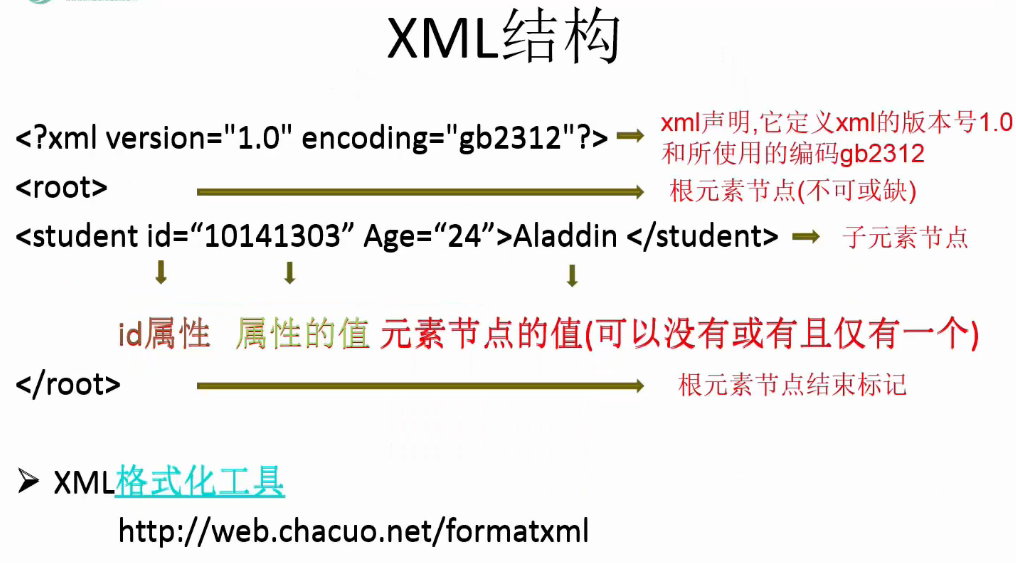
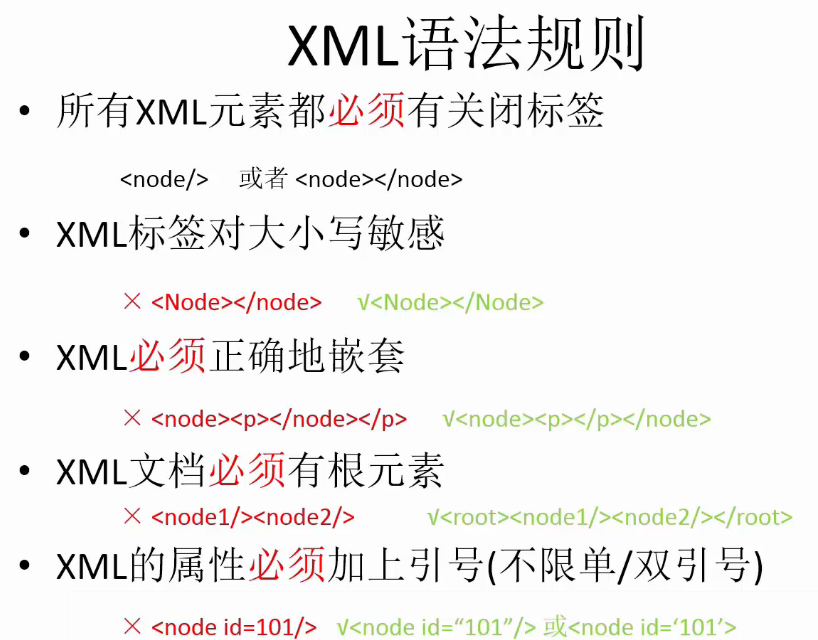
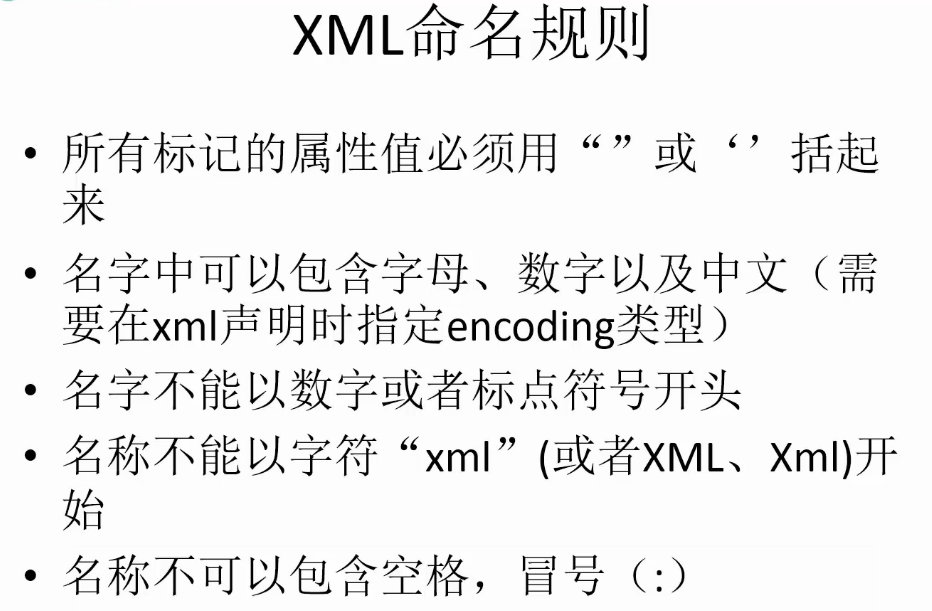
xml
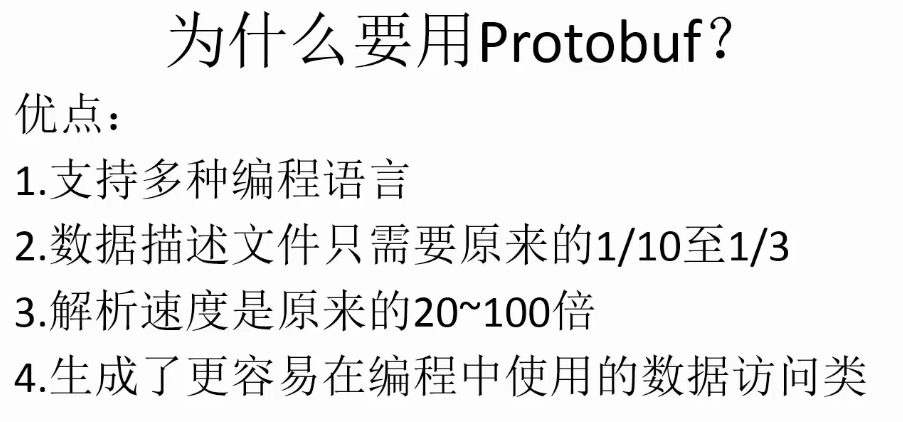
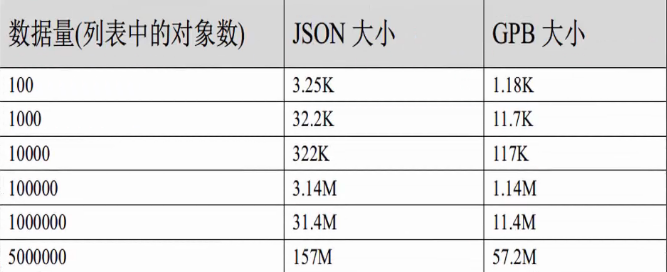
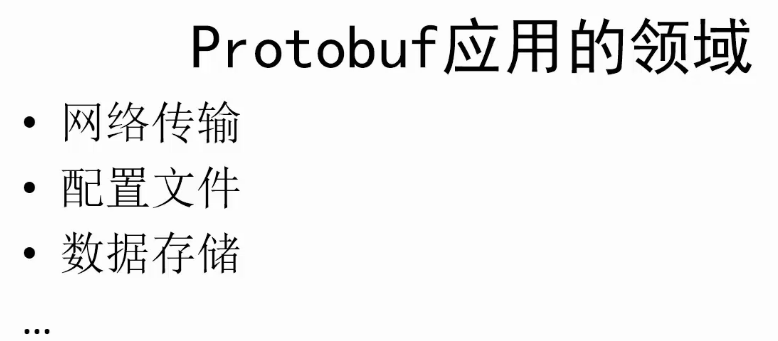
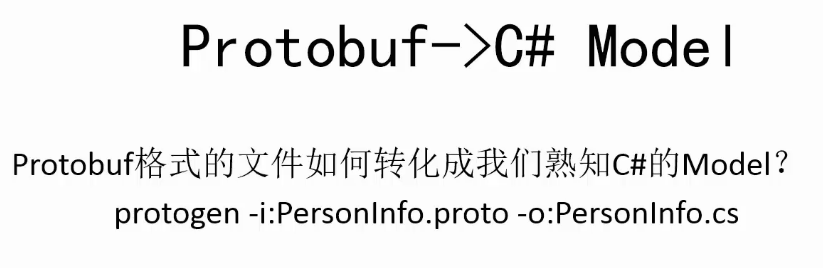
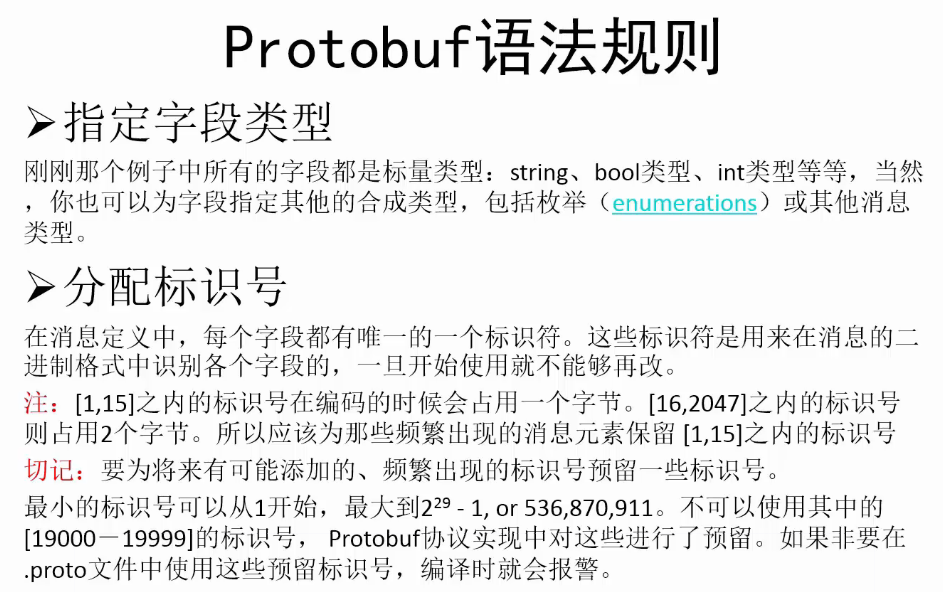
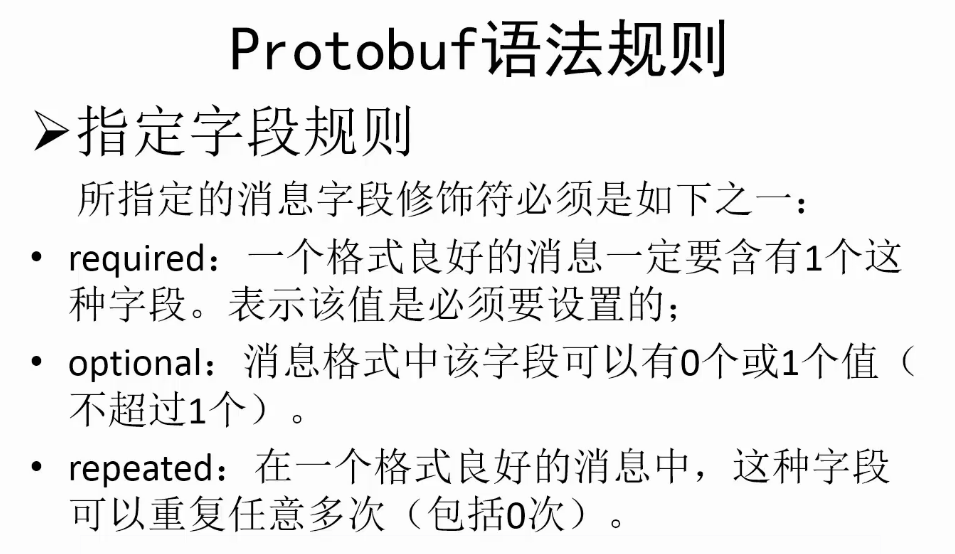
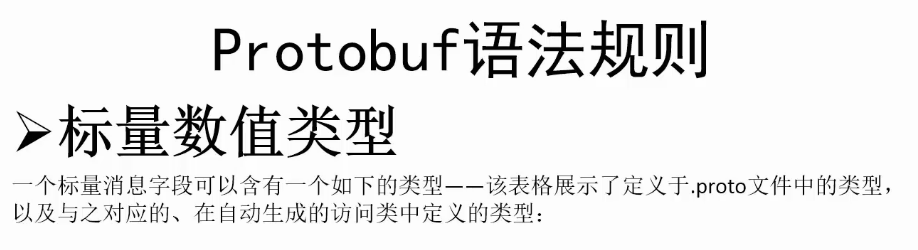
protobuf


www
 /*

 脚本名称:

 脚本作者:

 建立时间:

 脚本功能:

 版本号:

 */

 using UnityEngine;

 using System.Collections;

 using System.IO;

 namespace VoidGame {

     public enum GetPicType {

         Download = ,

         LocalLoad =

     }

     public class Picture : MonoBehaviour {

         private string url = "https://ss1.bdstatic.com/70cFvXSh_Q1YnxGkpoWK1HF6hhy/it/u=3525821899,4147777390&fm=21&gp=0.jpg";

         /// <summary>

         /// 从网络下载的图片

         /// </summary>

         private Texture2D img = null;

         /// <summary>

         /// 从本地读取的图片

         /// </summary>

         private Texture2D img2 = null;

         private bool downloadOK = false;

         void OnGUI() {

             if(img != null) {

                 GUI.DrawTexture(new Rect(,,,),img);

             }

             if(img2 != null) {

                 GUI.DrawTexture(new Rect(,,,),img2);

             }

             if(GUI.Button(new Rect(,,,),"从网络加载图片")) {

                 StartCoroutine(DownloadTexture(url,GetPicType.Download));

             }

             if(GUI.Button(new Rect(,,,),"从本地加载图片")) {

                 if(downloadOK) {

                     StartCoroutine(DownloadTexture("file://"+Application.streamingAssetsPath+"/dota2.png",GetPicType.LocalLoad));

                 } else {

                     Debug.LogError("没有下载的图片");

                 }

             }

         }

         IEnumerator DownloadTexture(string url,GetPicType getPicType) {

             WWW www = new WWW(url);

             yield return www;

             Texture2D tempImage = null;

             if(www.isDone && www.error == null) {

                 switch(getPicType) {

                 case GetPicType.Download:

                     img = www.texture;

                     tempImage = img;

                     Debug.Log(tempImage.width + " " + tempImage.height);

                     break;

                 case GetPicType.LocalLoad:

                     img2 = www.texture;

                     tempImage = img2;

                     Debug.Log(tempImage.width + " " + tempImage.height);

                     break;

                 default:

                     tempImage = null;

                     break;

                 }

             }

             if(tempImage != null) {

                 byte[] data = tempImage.EncodeToPNG();

                 File.WriteAllBytes(Application.streamingAssetsPath + "/dota2.png",data);

                 downloadOK = true;

             }

         }

     }

 }
Picture
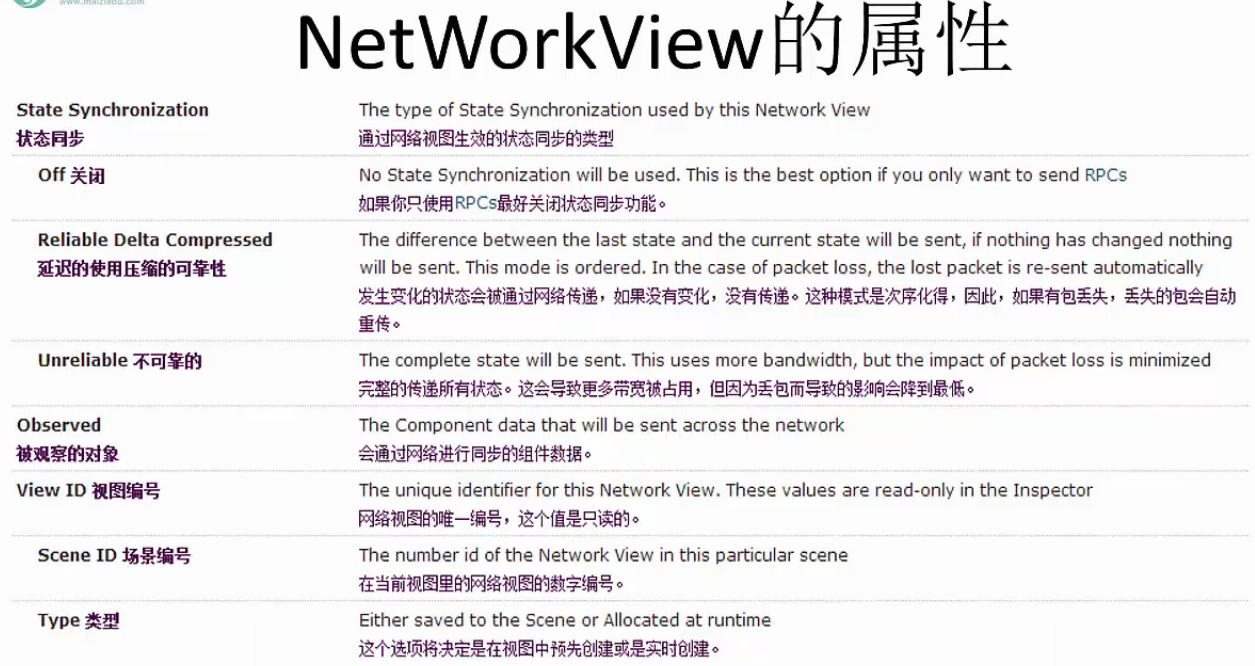
NetWorkView
 /*

 脚本名称:

 脚本作者:

 建立时间:

 脚本功能:

 版本号:

 */

 using UnityEngine;

 using System.Collections;

 namespace VoidGame {

     public class Server : MonoBehaviour {

         private int port = ;

         private string message = "";

         private Vector2 sc;

         private void OnGUI() {

             switch(Network.peerType) {

             case NetworkPeerType.Disconnected:

                 StartServer();

                 break;

             case NetworkPeerType.Server:

                 OnServer();

                 break;

             case NetworkPeerType.Client:

                 break;

             case NetworkPeerType.Connecting:

                 break;

             default:

                 break;

             }

         }

         /// <summary>

         /// 启动服务器

         /// </summary>

         private void StartServer() {

             if(GUILayout.Button("创建服务器")) {

                 NetworkConnectionError error = Network.InitializeServer(,port,false);

                 switch(error) {

                 case NetworkConnectionError.NoError:

                     break;

                 default:

                     Debug.LogError("启动服务器失败");

                     break;

                 }

             }

         }

         /// <summary>

         /// 服务器正在运行

         /// </summary>

         private void OnServer() {

             GUILayout.Label("服务器已经运行,等待客户端连接");

             int length = Network.connections.Length;

             for(int i = ;i < length;i++) {

                 GUILayout.Label("客户端:" + i);

                 GUILayout.Label("客户端IP::" + Network.connections[i].ipAddress);

                 GUILayout.Label("客户端端口:" + Network.connections[i].port);

                 GUILayout.Label("===========");

             }

             if(GUILayout.Button("断开服务器")) {

                 Network.Disconnect();

             }

             sc = GUILayout.BeginScrollView(sc,GUILayout.Width(),GUILayout.Height());

             GUILayout.Box(message);

             GUILayout.EndScrollView();

         }

         [RPC]

         void ReceiveMessage(string msg,NetworkMessageInfo info) {

             message = "发送端:" + info.sender + " 消息:" + msg;

         }

     }

 }
Server
 /*

 脚本名称:

 脚本作者:

 建立时间:

 脚本功能:

 版本号:

 */

 using UnityEngine;

 using System.Collections;

 namespace VoidGame {

     public class Client : MonoBehaviour {

         private string IP = "127.0.0.1";

         int port = ;

         string message = "";

         Vector2 sc;

         void OnGUI() {

             switch(Network.peerType) {

             case NetworkPeerType.Disconnected:

                 StartConnect();

                 break;

             case NetworkPeerType.Server:

                 break;

             case NetworkPeerType.Client:

                 OnClient();

                 break;

             case NetworkPeerType.Connecting:

                 break;

             default:

                 break;

             }

         }

         void StartConnect() {

             if(GUILayout.Button("连接服务器")) {

                 NetworkConnectionError error = Network.Connect(IP,port);

                 switch(error) {

                 case NetworkConnectionError.NoError:

                     break;

                 default:

                     Debug.Log("客户端错误" + error);

                     break;

                 }

             }

         }

         void OnClient() {

             sc = GUILayout.BeginScrollView(sc,GUILayout.Width(),GUILayout.Height());

             GUILayout.Box(message);

             message = GUILayout.TextArea(message);

             if(GUILayout.Button("发送")) {

                 GetComponent<NetworkView>().RPC("ReceiveMessage",RPCMode.All,message);

             }

             GUILayout.EndScrollView();

         }

         [RPC]

         void ReceiveMessage(string msg,NetworkMessageInfo info) {

             message = "发送端" + info.sender + "消息" + msg;

         }

     }

 }
Client
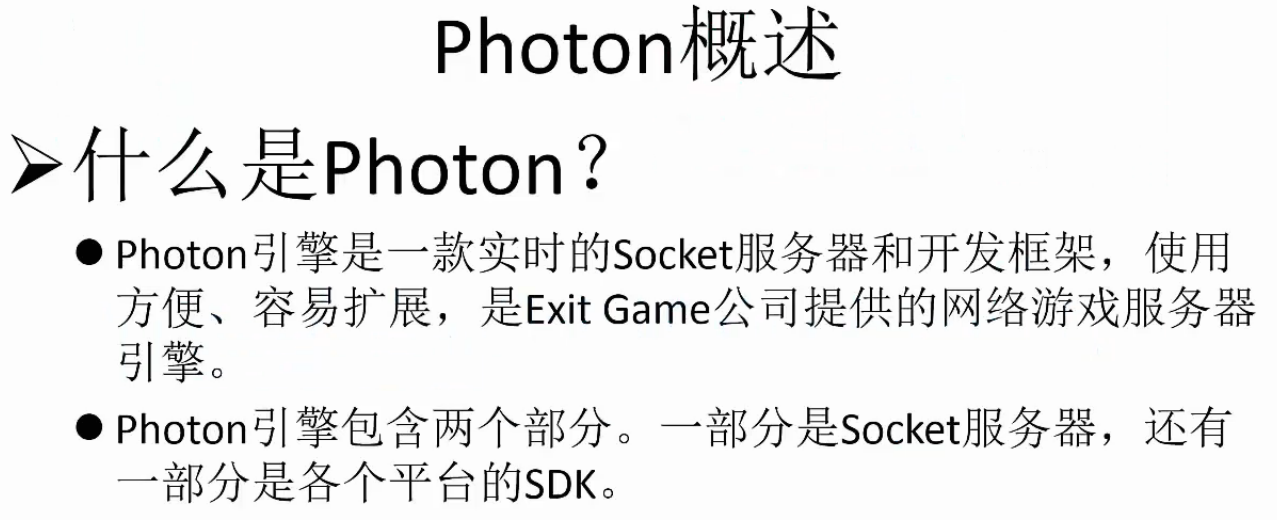
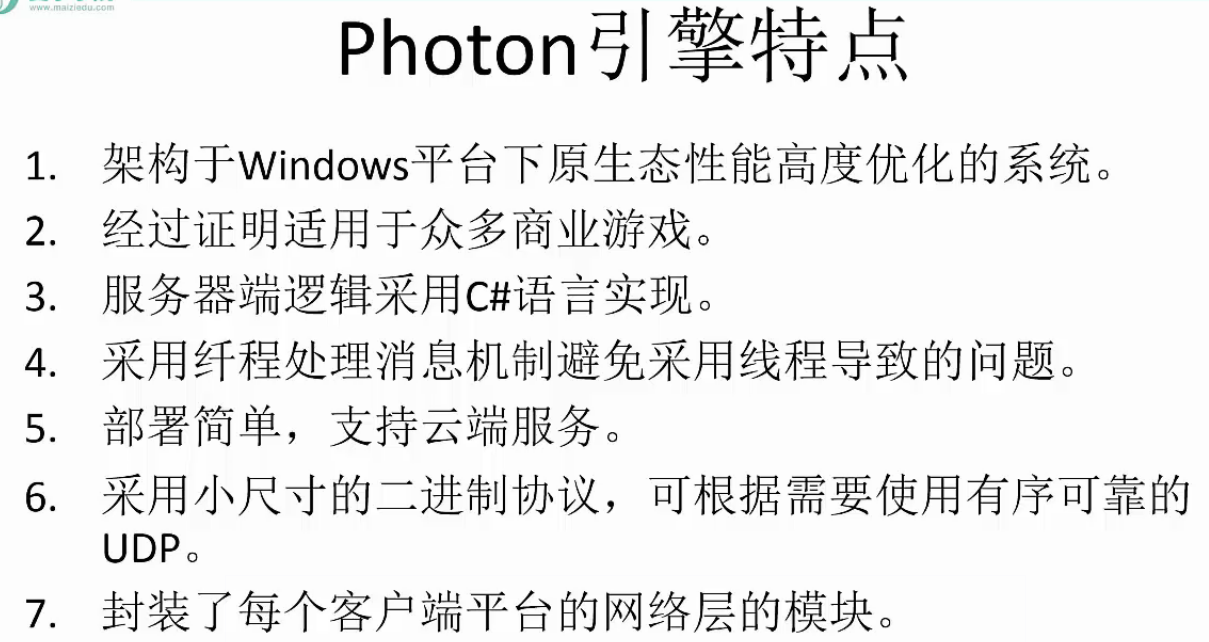
photon
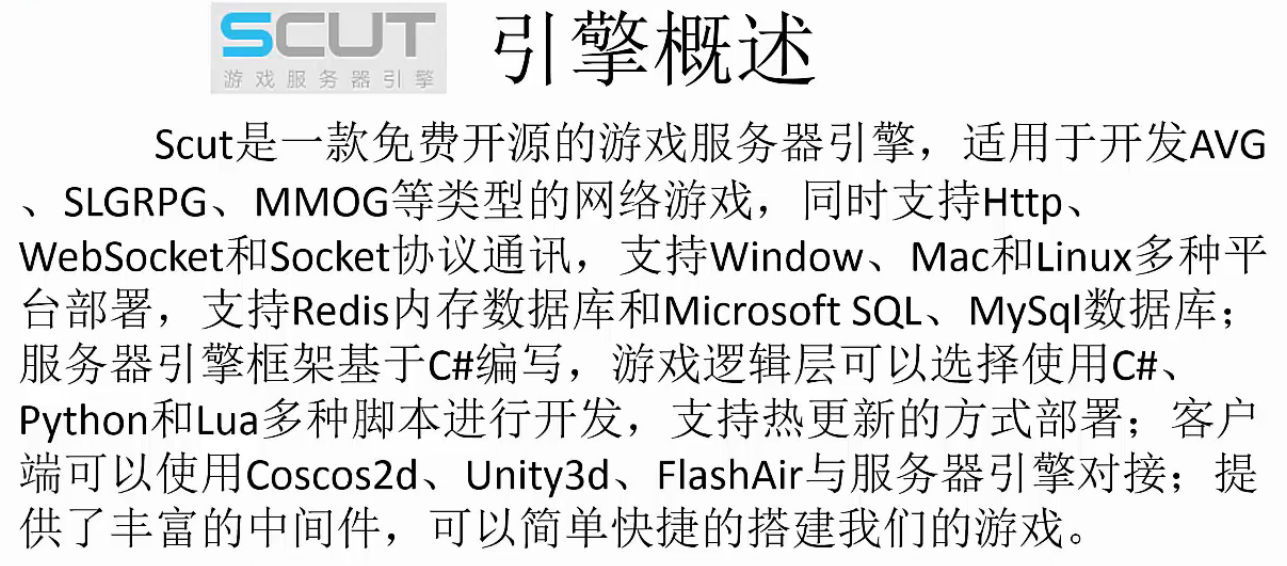
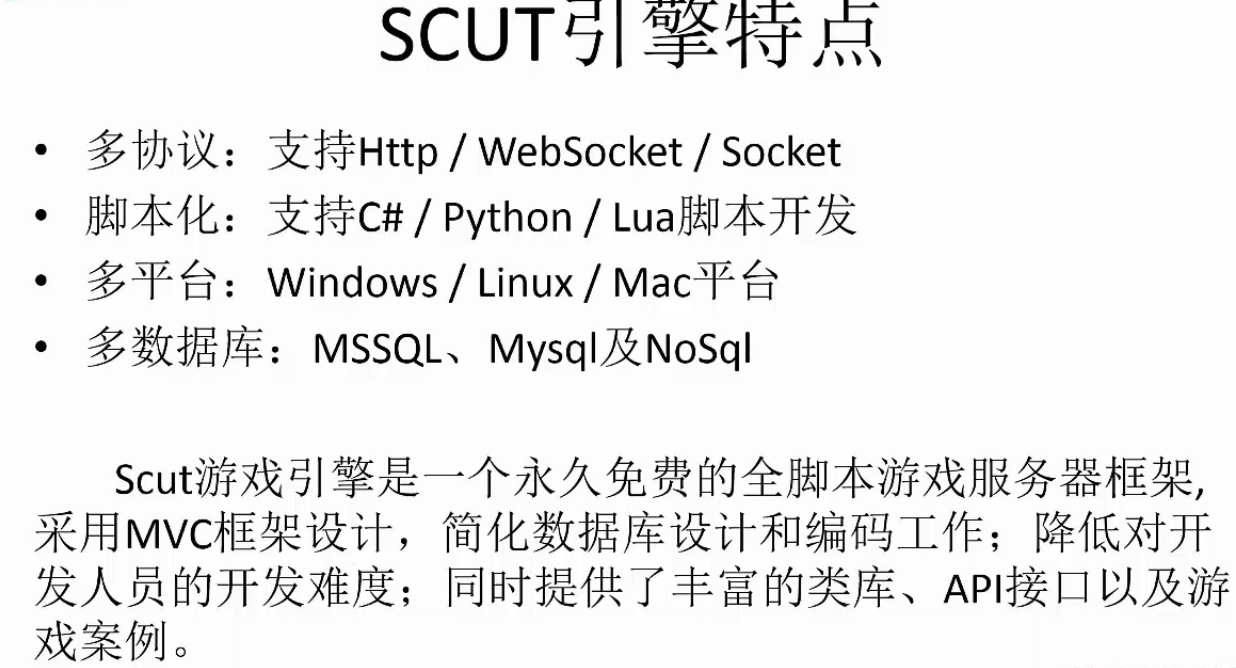
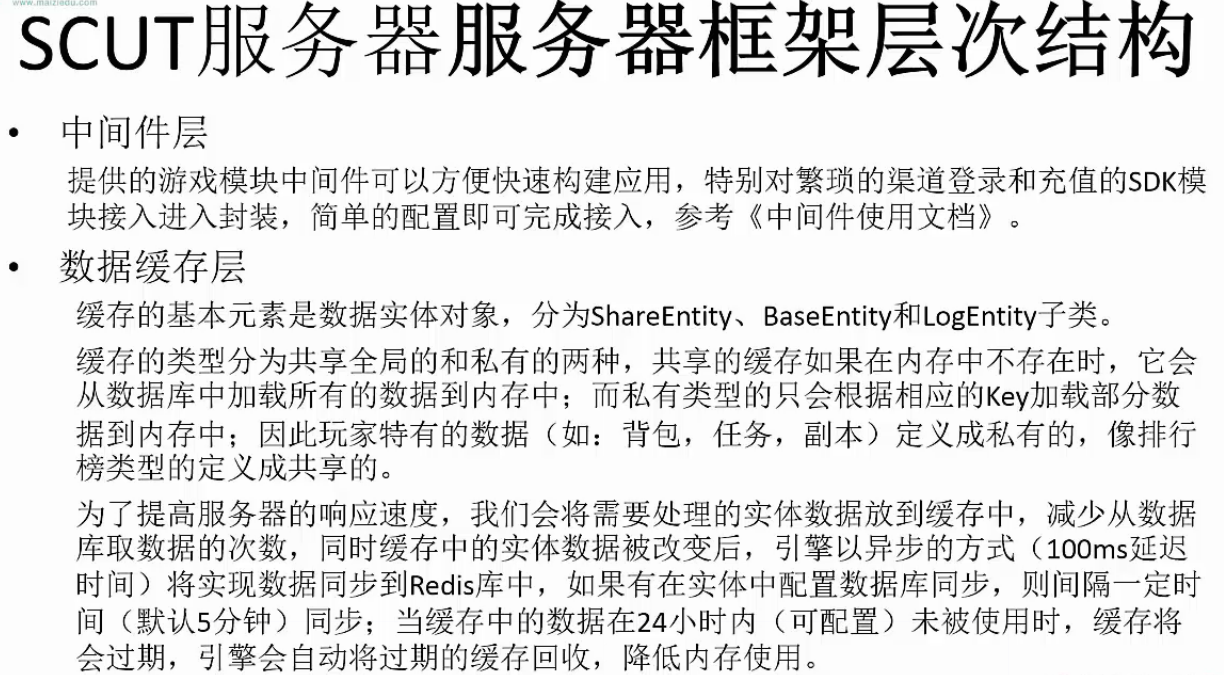
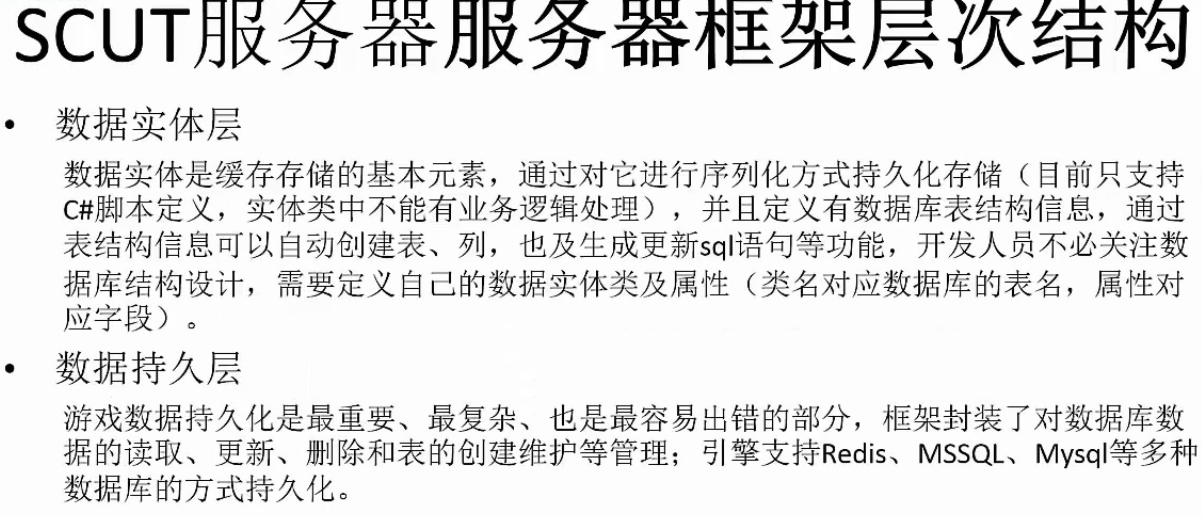
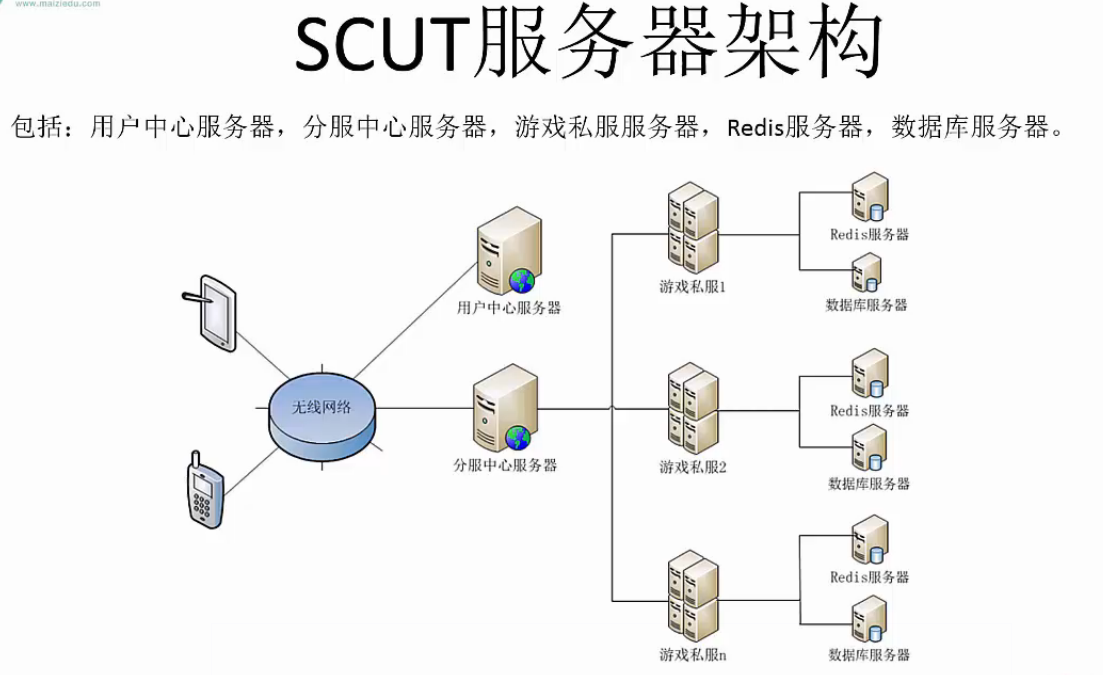
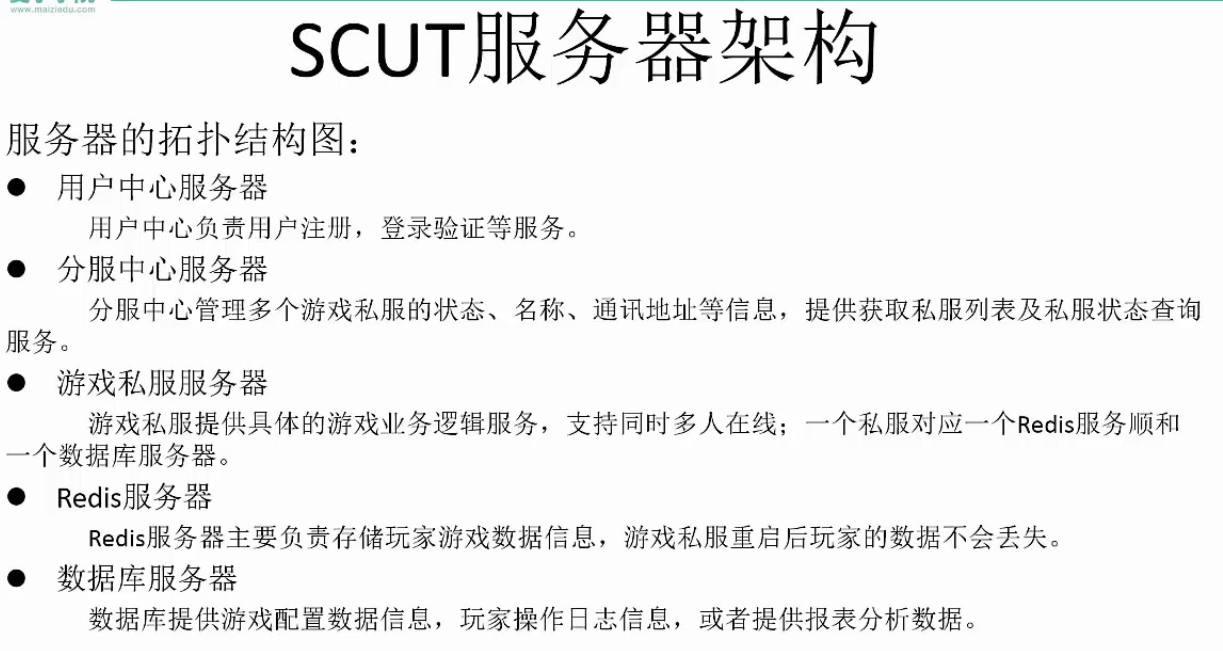
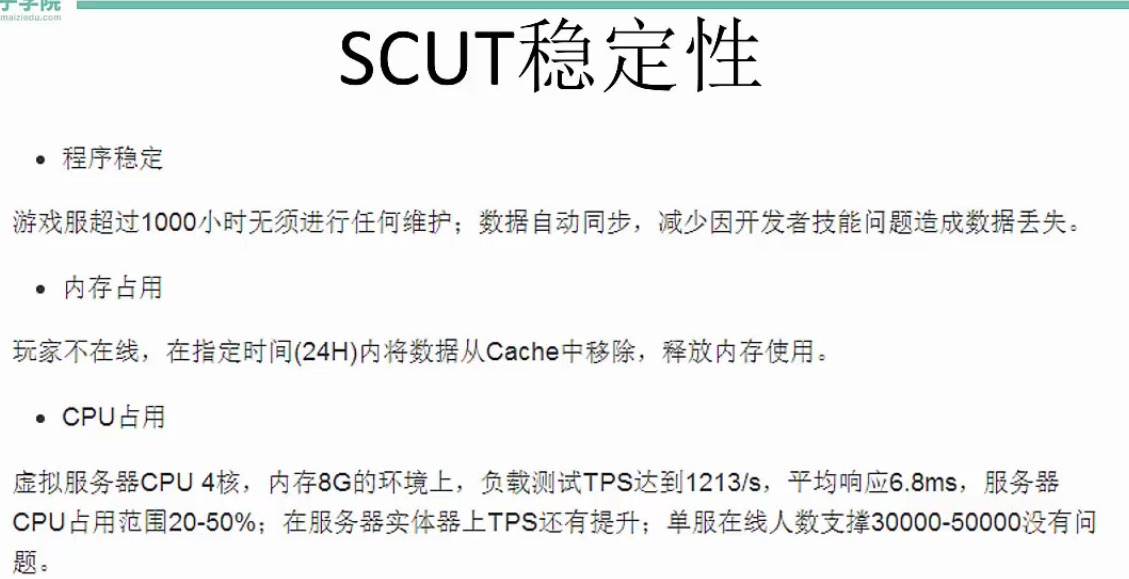
scut


Unity3D常用网络框架与实战解析 学习的更多相关文章
- GJM : Unity3D 常用网络框架与实战解析 【笔记】
Unity常用网络框架与实战解析 1.Http协议 Http协议 存在TCP 之上 有时候 TLS\SSL 之上 默认端口80 https 默认端口 ...
- Google官方网络框架Volley实战——QQ吉凶测试,南无阿弥陀佛!
Google官方网络框架Volley实战--QQ吉凶测试,南无阿弥陀佛! 这次我们用第三方的接口来做一个QQ吉凶的测试项目,代码依然是比较的简单 无图无真相 直接撸代码了,详细解释都已经写在注释里了 ...
- 《Python3 网络爬虫开发实战》学习资料
<Python3 网络爬虫开发实战> 学习资料 百度网盘:https://pan.baidu.com/s/1PisddjC9e60TXlCFMgVjrQ
- Android网络框架Volley(实战篇)
之前讲了ym—— Android网络框架Volley(体验篇),大家应该了解了volley的使用,接下来我们要看看如何把volley使用到实战项目里面,我们先考虑下一些问题: 从上一篇来看 mQu ...
- 「2020 新手必备 」极速入门 Retrofit + OkHttp 网络框架到实战,这一篇就够了!
老生常谈 什么是 Retrofit ? Retrofit 早已不是什么新技术了,想必看到这篇博客的大家都早已熟知,这里就不啰嗦了,简单介绍下: Retrofit 是一个针对 Java 和 Androi ...
- Android网络框架Volley(体验篇)
Volley是Google I/O 2013推出的网络通信库,在volley推出之前我们一般会选择比较成熟的第三方网络通信库,如: android-async-http retrofit okhttp ...
- ym—— Android网络框架Volley(终极篇)
转载请注明本文出自Cym的博客(http://blog.csdn.net/cym492224103).谢谢支持! 没看使用过Volley的同学能够,先看看Android网络框架Volley(体验篇)和 ...
- 《Python3 网络爬虫开发实战》开发环境配置过程中踩过的坑
<Python3 网络爬虫开发实战>学习资料:https://www.cnblogs.com/waiwai14/p/11698175.html 如何从墙内下载Android Studio: ...
- python 网络框架twisted基础学习及详细讲解
twisted网络框架的三个基础模块:Protocol, ProtocolFactory, Transport.这三个模块是构成twisted服务器端与客户端程序的基本.Protocol:Protoc ...
随机推荐
- 5.6 C++重载下标操作符
参考:http://www.weixueyuan.net/view/6384.html 总结: 下标操作符是必须要以类的成员函数的形式进行重载的.其在类中的声明格式如下: 返回类型 & ...
- Java内存模式
Java内存模型即Java Memory Model,简称JMM.JMM定义了Java 虚拟机(JVM)在计算机内存(RAM)中的工作方式. JVM是Java Virtual Machine(Java ...
- day 69-70 一对一 一对多 多对一联表查询
day 69 orm操作之表关系,多对多,多对一 多对一/一对多, 多对多{类中的定义方法} day69 1. 昨日内容回顾 1. 单表增删改查 2. 单表查询API 返回QuerySet对象的: 1 ...
- GIL 相关 和进程池
#GIL (global interpreter Lock) #全局解释器锁 :锁是为了避免资源竞争造成数据错乱 #当一个py启动后 会先执行主线程中的代码#在以上代码中有启动了子线程 子线程的任务还 ...
- python 三方库
---------------- 这又是一个 Awesome XXX 系列的资源整理,由 vinta 发起和维护.内容包括:Web框架.网络爬虫.网络内容提取.模板引擎.数据库.数据可视化.图片处理. ...
- c#帮助文档chm打不开的问题
c# 帮助文档,chm 格式, 不可以放在含有字符 # 的文件夹下(包括当前文件夹和上级文件夹),文件名也不可以含有 # 字符, 否则会打不开.
- 【Python】xpath-1
1.coverage包实现代码覆盖率 (1)pip install coverage (2)coverage run XX.py(测试脚本文件) (3)coverage report -m 在控制台打 ...
- 计时器---JS
<script type="text/javascript"> function count(){ var a=document.getElementById(&quo ...
- 【计算机视觉】seetaFace
class impl class FaceDetection::Impl { public: Impl() : detector_(new seeta::fd::FuStDetector()), sl ...
- HTML5 canvas 内部元素事件响应
HTML5 canvas 内部元素事件响应 isPointInPath 只能拿当前上下文的路径 重画每个部分 都isPointInPath判断