
第一个SpringMVC程序 (注解版)
1.新建一个web项目
2.导入相关jar包
3.编写web.xml , 注册DispatcherServlet
<?xml version="1.0" encoding="UTF-8"?>

<web-app xmlns="http://xmlns.jcp.org/xml/ns/javaee"

         xmlns:xsi="http://www.w3.org/2001/XMLSchema-instance"

         xsi:schemaLocation="http://xmlns.jcp.org/xml/ns/javaee http://xmlns.jcp.org/xml/ns/javaee/web-app_4_0.xsd"

         version="4.0">

    <servlet>

        <servlet-name>springmvc</servlet-name>

        <servlet-class>org.springframework.web.servlet.DispatcherServlet</servlet-class>

        <init-param>

            <param-name>contextConfigLocation</param-name>

            <param-value>classpath:springmvc-config.xml</param-value>

        </init-param>

        <load-on-startup>1</load-on-startup>

    </servlet>

    <servlet-mapping>

        <servlet-name>springmvc</servlet-name>

        <url-pattern>/</url-pattern>

    </servlet-mapping>

</web-app>
4.编写springmvc配置文件
<?xml version="1.0" encoding="UTF-8"?>

<beans xmlns="http://www.springframework.org/schema/beans"

       xmlns:xsi="http://www.w3.org/2001/XMLSchema-instance"

       xmlns:context="http://www.springframework.org/schema/context"

       xmlns:mvc="http://www.springframework.org/schema/mvc"

       xsi:schemaLocation="http://www.springframework.org/schema/beans

       http://www.springframework.org/schema/beans/spring-beans.xsd http://www.springframework.org/schema/context https://www.springframework.org/schema/context/spring-context.xsd http://www.springframework.org/schema/mvc https://www.springframework.org/schema/mvc/spring-mvc.xsd">

<!--    自动扫描包,让指定包下的注解生效,由IOC容器统一管理 -->

    <context:component-scan base-package="com.king.controller"/>

    <mvc:default-servlet-handler/>

    <mvc:annotation-driven/>

<!--    视图解析器-->

    <bean class="org.springframework.web.servlet.view.InternalResourceViewResolver" id="internalResourceViewResolver">

        <property name="prefix" value="/WEB-INF/jsp/"/>

        <property name="suffix" value=".jsp"/>

    </bean>

</beans>
5.接下来就是去创建对应的控制类 , controller
package com.king.controller;

import org.springframework.stereotype.Controller;

import org.springframework.ui.Model;

import org.springframework.web.bind.annotation.RequestMapping;

@Controller

public class HelloController {

    @RequestMapping("/h1")

    public String hello(Model model){

        //封装数据

        model.addAttribute("msg","HelloSpringMVC");

        return "hello";  //会被视图解析器处理

    }

}
6.最后完善前端视图和controller之间的对应
<%--

  Created by IntelliJ IDEA.

  User: KING

  Date: 2020/5/24

  Time: 14:52

  To change this template use File | Settings | File Templates.

--%>

<%@ page contentType="text/html;charset=UTF-8" language="java" %>

<html>

<head>

    <title>Title</title>

</head>

<body>

${msg}

</body>

</html>
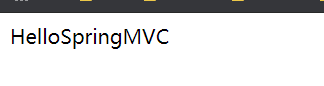
7.测试运行调试.
第一个SpringMVC程序 (注解版)的更多相关文章
- 第一个SpringMVC程序 (配置版)
通过配置版本的MVC程序,可以了解到MVC的底层原理,实际开发我们用的是注解版的! 1.新建一个普通Maven的项目,然后添加web的支持 2.导入相关的SpringMVC的依赖 3.配置web.xm ...
- SpringMVC-02 第一个SpringMVC程序
SpringMVC-02 第一个SpringMVC程序 第一个SpringMVC程序 配置版 新建一个Moudle , springmvc-02-hello,确定依赖导入进去了 1.配置web.xml ...
- 手把手教你优雅的编写第一个SpringMVC程序
可能之前写的文章走进SpringMVC世界,从SpringMVC入门到SpringMVC架构中的第一个springMVC入门程序讲解的不是那么优雅.细致.精巧,因此特地写这篇稍微优雅.细致.精巧一些的 ...
- SpringMVC_001 第一个SpringMVC程序
今天我们来学习第一个SpringMVC程序 一.配置开发方式 (1)首先建立一个SpringMVC web程序 (2)导入jar包 (3)建立UserController.java package ...
- ROS Learning-015 learning_tf(编程) 编写一个监听器程序 (Python版)
ROS Indigo learning_tf-02 编写一个 监听器 程序 (Python版) 我使用的虚拟机软件:VMware Workstation 11 使用的Ubuntu系统:Ubuntu 1 ...
- SpringMVC学习02(我的第一个SpringMVC程序)
2.Hello,SpringMVC 2.1 配置版 1.新建一个Moudle , springmvc-02-hello , 添加web的支持! 2.确定导入了SpringMVC 的依赖! 3.配置we ...
- 1、第一个SpringMVC程序
1.创建如下项目结构 2.在src下的com.springmvc下创建User.java package com.springmvc; public class User { private Stri ...
- Servlet3.0整合Springmvc(注解版)
在创建maven的web工程时候,如果报错缺少web.xml 则在pom添加如下配置 : <build> <plugins> <plugin> <groupI ...
- 第一个SpringMVC的注解应用
由于默认的配置文件中支持了注解,所以可以直接编写注解的Controller 将ItcastController加入到SpringMVC容器中: 配置Controller的扫描包
随机推荐
- Apache Module mod_reqtimeout
Apache Module mod_reqtimeout Available Languages: en Description: Set timeout and minimum data rate ...
- Error creating bean with name 'org.springframework.aop.aspectj.AspectJPointc
问题 出现报错: Error creating bean with name 'org.springframework.aop.aspectj.AspectJPointc 原因 缺失两个库文件: as ...
- 02.Django-模板
模板 1. 简介 模板由HTML代码和逻辑控制代码构成 同一个模板,可以有多个上下文,就可以通过穿件模板对象来渲染多个上下文 创建一个模板就可以多次调用render()方法来渲染上下文 Django模 ...
- MySQL 5.7.30 的安装/升级(所有可能的坑都在这里)
楔子 由于之前电脑上安装的MySQL版本是比较老的了,大概是5.1的版本,不支持JSON字段功能.而最新开发部门开发的的编辑器产品,使用到了JSON字段的功能. 因此需要升级MySQL版本,升级的目标 ...
- [SD心灵鸡汤]010.每月一则 - 2016.02
1.世上只有一种英雄主义,就是在认清生活真相之后依然热爱生活. 2.要想赢,就一定不能怕输.不怕输,结果未必能赢.但是怕输,结果则一定是输. 3.你要做的就是别人换不掉的,那你做不到怪谁,就是你自己没 ...
- 上传应用至Google Play 后被重新签名,怎么获取最新的签名信息
基本签名信息在Google Play 上都能查看到. 快速解决Google+登录和facebook登录的办法: 不用改包名重新创建应用,不用重新打包,不要删除自己的keystore文件,不要重新创建k ...
- Excel常用小方法
Excel快捷键 Excel中处理工作表的快捷键 插入新工作表 Shift+F11或Alt+Shift+F1 移动到工作簿中的下一张工作表 Ctrl+PageDown 移动到工作簿中的上一张工作表 C ...
- 关于bootstrap modal 垂直滚动条 每次打开后不置顶的问题
打开modal时,滚动条默认没有置顶. 查了很久,网上找了很多资料都没有解决. 经分析是需要在modal的消失事件中添加让滚动条置顶的方法.
- Java实现第七届蓝桥杯国赛 赢球票
标题:赢球票 某机构举办球票大奖赛.获奖选手有机会赢得若干张球票. 主持人拿出 N 张卡片(上面写着 1~N 的数字),打乱顺序,排成一个圆圈. 你可以从任意一张卡片开始顺时针数数: 1,2,3- 如 ...
- Java实现蓝桥杯 算法训练 ALGO-15 旅行家的预算
问题描述 一个旅行家想驾驶汽车以最少的费用从一个城市到另一个城市(假设出发时油箱是空的).给定两个城市之间的距离D1.汽车油箱的容量C(以升为单位).每升汽油能行驶的距离D2.出发点每升汽油价格P和沿 ...