
Vue(十七)模块化开发
import Vue from 'vue'

import App from './App.vue'

import vueRouter from 'vue-router'

import routerConfig from './router.config.js'

//使用vue-router

Vue.use(vueRouter);

const router = new vueRouter(routerConfig)

new Vue({

  el: '#app',

  render: h => h(App),

  router

})
<template>

  <div id="app">

    <h3>{{msg}}</h3>

    <div>

      <router-link to="/home">主页</router-link>

      <router-link to="/news">新闻</router-link>

    </div>

    <div>

      <keep-alive>

        <router-view></router-view>

      </keep-alive>

    </div>

  </div>

</template>

<script>

export default {

  name: 'app',

  data () {

    return {

      msg: 'Welcome to Your Vue.js App'

    }

  },

  mounted () {

    console.log(this.$route)

  },

  watch:{

    $route:function(newView,oldView){

      console.log('路由发生变化,跳转到' + newView.path + ',旧的路由地址' + oldView.path)

    }

  }

}

</script>

<style>

#app {

  font-family: 'Avenir', Helvetica, Arial, sans-serif;

  -webkit-font-smoothing: antialiased;

  -moz-osx-font-smoothing: grayscale;

  text-align: center;

  color: #2c3e50;

  margin-top: 60px;

}

h1, h2 {

  font-weight: normal;

}

ul {

  list-style-type: none;

  padding: 0;

}

li {

  display: inline-block;

  margin: 0 10px;

}

a {

  color: #42b983;

}

</style>
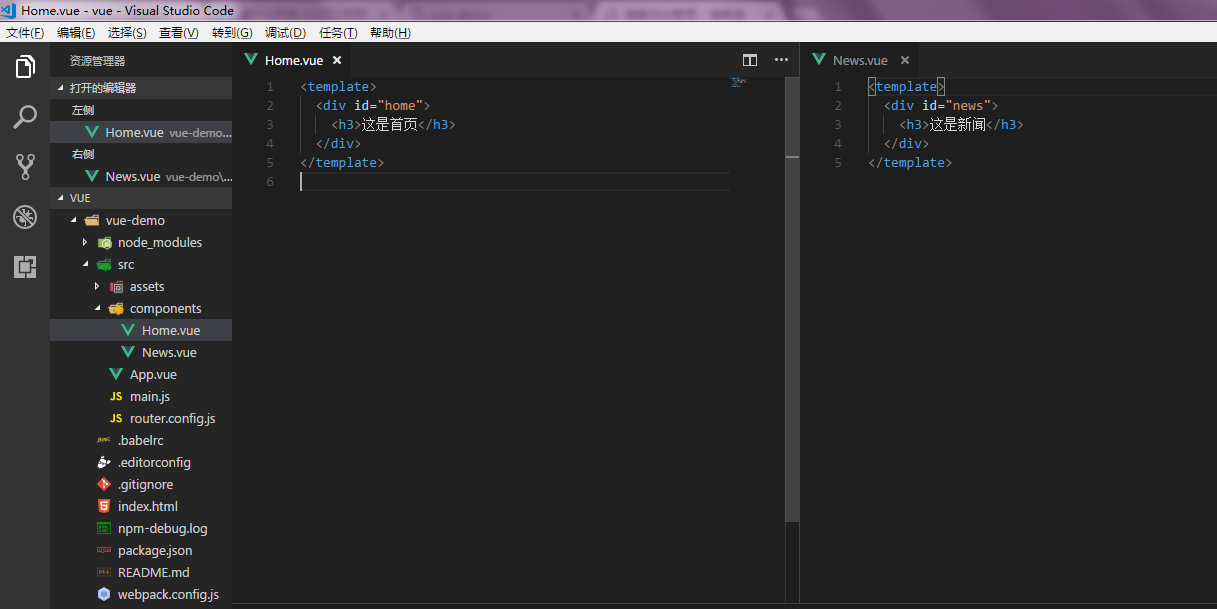
import Home from './components/Home.vue'

import News from './components/News.vue'

export default {

    routes:[

        {

            path:'/home',

            component:Home

        },

        {

            path:'/news',

            component:News

        }

    ]

}
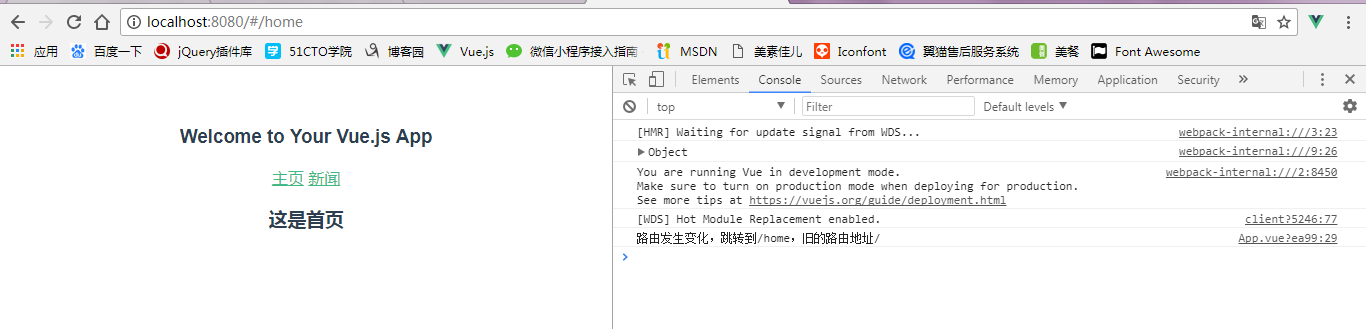
<template>

  <div id="app">

    <h3>{{msg}}</h3>

    <div>

      <router-link to="/home">主页</router-link>

      <router-link to="/news">新闻</router-link>

    </div>

    <div>

      <keep-alive>

        <router-view></router-view>

      </keep-alive>

    </div>

    <hr>

    <button @click="send">发送ajax请求</button>

  </div>

</template>

<script>

import axios from 'axios'

export default {

  name: 'app',

  data () {

    return {

      msg: 'Welcome to Your Vue.js App'

    }

  },

  mounted () {

    console.log(this.$route)

  },

  watch:{

    $route:function(newView,oldView){

      console.log('路由发生变化,跳转到' + newView.path + ',旧的路由地址' + oldView.path)

    }

  },

  methods: {

    send(){

      axios.get('https://api.github.com/users/Somnusy')

        .then(response=>{

          console.log(response.data);

        }).catch(error=>{

          console.log(error);

        })

    }

  }

}

</script>

<style>

#app {

  font-family: 'Avenir', Helvetica, Arial, sans-serif;

  -webkit-font-smoothing: antialiased;

  -moz-osx-font-smoothing: grayscale;

  text-align: center;

  color: #2c3e50;

  margin-top: 60px;

}

h1, h2 {

  font-weight: normal;

}

ul {

  list-style-type: none;

  padding: 0;

}

li {

  display: inline-block;

  margin: 0 10px;

}

a {

  color: #42b983;

}

</style>
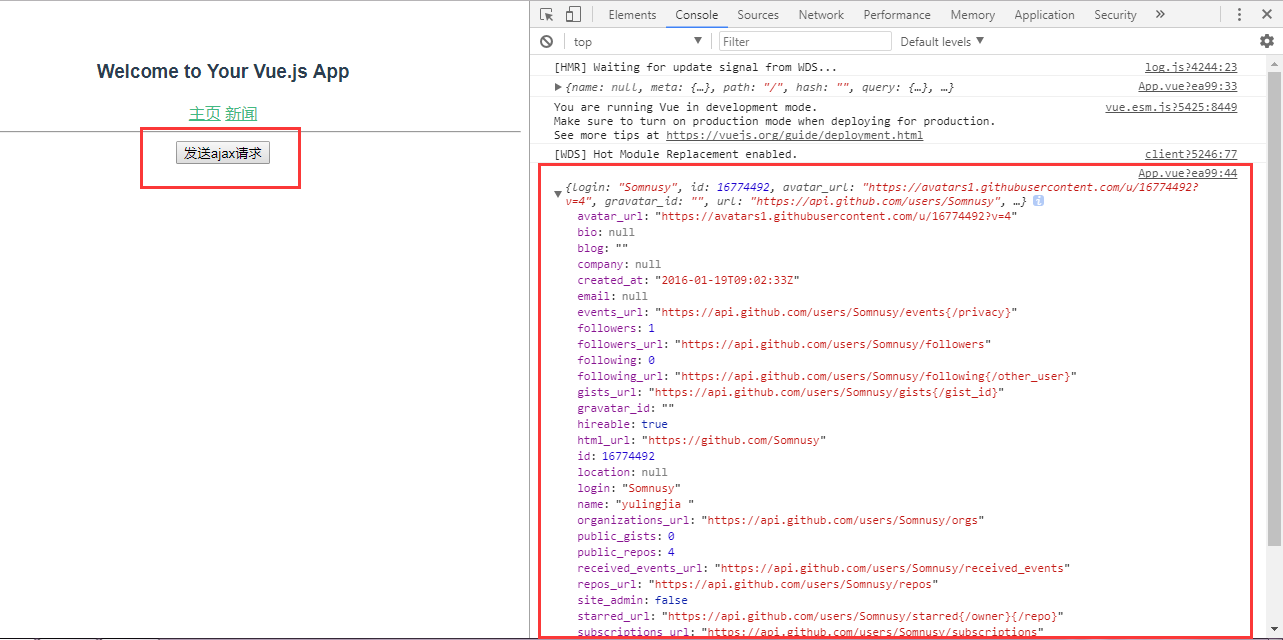
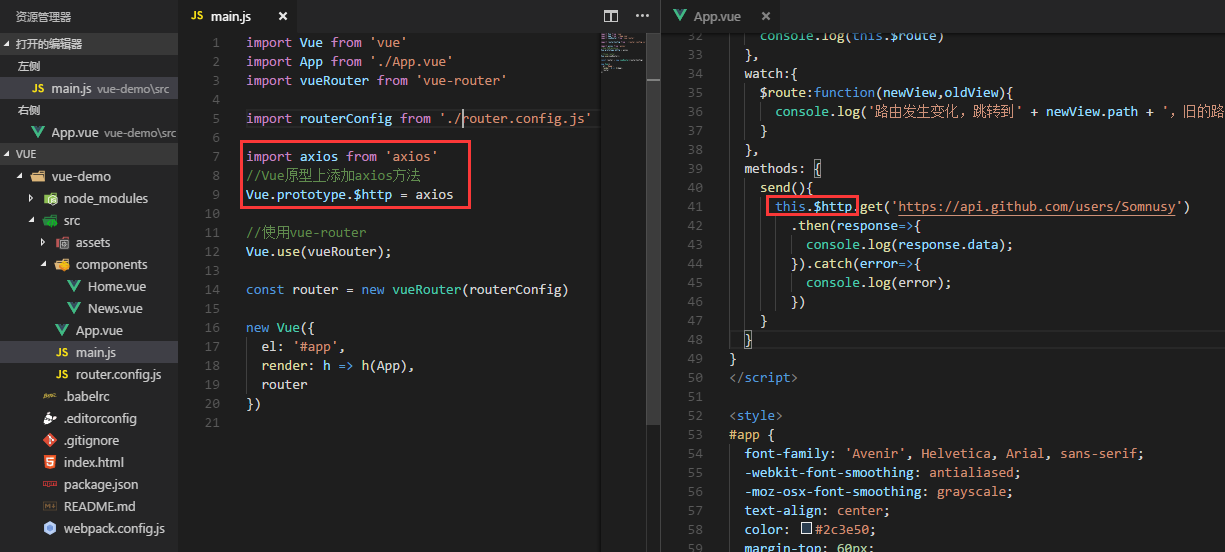
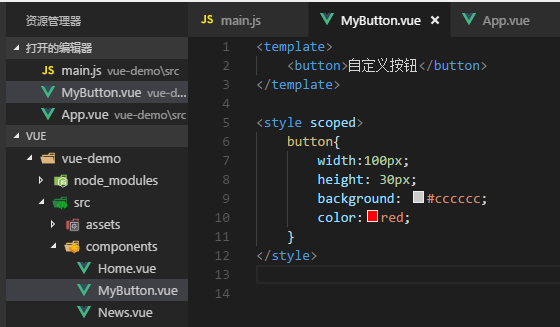
创建组件 MyButton.vue
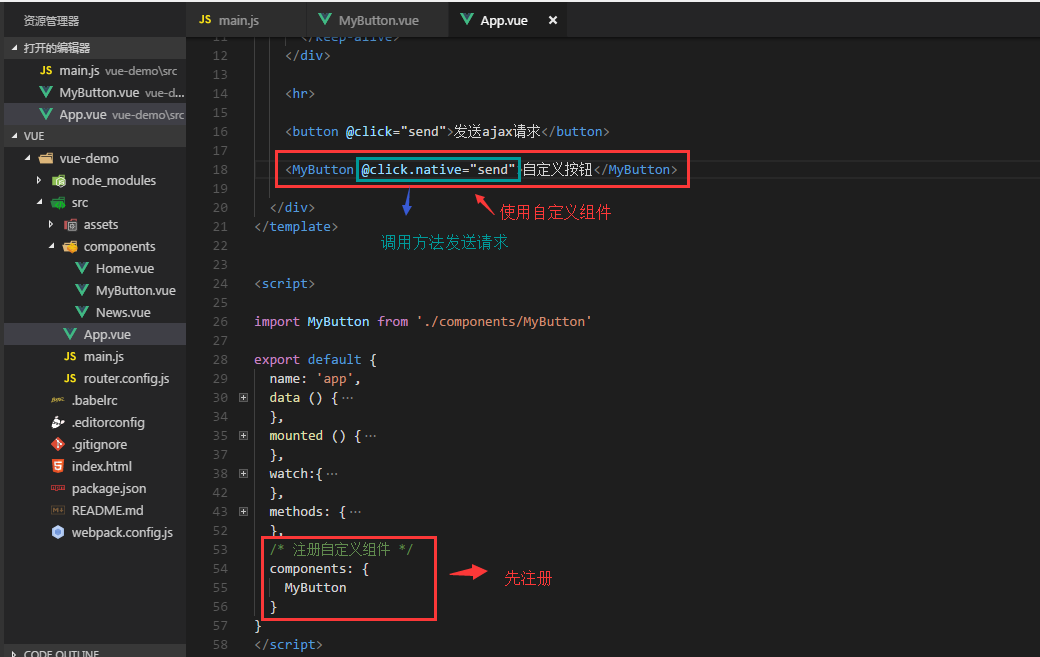
使用自定义组件
Vue(十七)模块化开发的更多相关文章
- 利用requirejs实现vue的模块化开发
通常vue都是搭配webpack+vue-cli使用的 如果不在nodejs环境下开发web应用呢? 这里提出一个解决方案: 1.加载requirejs,并且指定main函数 <script d ...
- 基于vue模块化开发后台系统——准备工作
文章目录如下:项目效果预览地址项目开源代码基于vue模块化开发后台系统--准备工作基于vue模块化开发后台系统--构建项目基于vue模块化开发后台系统--权限控制 前言 本文章是以学习为主,练习一下v ...
- 基于vue模块化开发后台系统——构建项目
文章目录如下:项目效果预览地址项目开源代码基于vue模块化开发后台系统--准备工作基于vue模块化开发后台系统--构建项目基于vue模块化开发后台系统--权限控制 前言 在熟悉上一篇说到准备工具之后, ...
- Vue使用SCSS进行模块化开发
原文地址:http://www.cnblogs.com/JimmyBright/p/7761531.html 个人认为scss最大的好处就是能将css属性设置为变量,这样让css一键更换主题成为可能. ...
- [工具配置]使用requirejs模块化开发多页面一个入口js的使用方式
描述 知道requirejs的都知道,每一个页面需要进行模块化开发都得有一个入口js文件进行模块配置.但是现在就有一个很尴尬的问题,如果页面很多的话,那么这个data-main对应的入口文件就会很多. ...
- JavaScript学习总结(六)——前端模块化开发
早期的javascript版本没有块级作用域.没有类.没有包.也没有模块,这样会带来一些问题,如复用.依赖.冲突.代码组织混乱等,随着前端的膨胀,模块化显得非常迫切. 前端模块化规范如下: 一.前端模 ...
- 06Vue.js快速入门-Vue组件化开发
组件其实就是一个拥有样式.动画.js逻辑.HTML结构的综合块.前端组件化确实让大的前端团队更高效的开发前端项目.而作为前端比较流行的框架之一,Vue的组件和也做的非常彻底,而且有自己的特色.尤其是她 ...
- 使用requirejs模块化开发多页面一个入口js的使用方式
描述 知道requirejs的都知道,每一个页面需要进行模块化开发都得有一个入口js文件进行模块配置.但是现在就有一个很尴尬的问题,如果页面很多的话,那么这个data-main对应的入口文件就会很多. ...
- legend3---11、php前端模块化开发
legend3---11.php前端模块化开发 一.总结 一句话总结: 把常用的前端块(比如课程列表,比如评论列表)放进模块列表里面,通过外部php变量给数据,可以很好的实现复用和修改 页面调用 @p ...
随机推荐
- 秒懂C#通过Emit动态生成代码
首先需要声明一个程序集名称, 1 // specify a new assembly name 2 var assemblyName = new AssemblyName("Kitty&qu ...
- 选择结构switch
1.选择结构switch switch 条件语句也是一种很常用的选择语句,它和if条件语句不同,它只能针对某个表达式的值作出判断,从而决定程序执行哪一段代码.例如,在程序中使用数字1~7来表示星期一到 ...
- C# 之 反射性能优化3
阅读目录 开始 用Delegate优化反射的缺点 用Delegate优化反射的优点 用CodeDOM优化反射的优点 如何用好CodeDOM? 用CodeDOM优化反射的缺点 能不能不使用委托? 根据反 ...
- 对线性回归,logistic回归和一般回归
对线性回归,logistic回归和一般回归 [转自]:http://www.cnblogs.com/jerrylead JerryLead 2011年2月27日 作为一个机器学习初学者,认识有限,表述 ...
- Bootstrap富文本编辑器-bootstrap-wysiwyg
在进行英语试题的录入中,因为英语试题经常会有类似如下的试题: My friend watches dragon boat races at the Dragon Boat Festival.(对划线部 ...
- Django时区的解释
https://segmentfault.com/q/1010000000405911
- net core体系-3再次认识net core
1 什么是ASP.NET Core ASP.NET Core 是一个全新的开源.跨平台框架,可以用它来构建基于网络连接的现代云应用程序,比如:Web 应用,IoT(Internet Of Things ...
- pyqt text browser 设置文本
pyqt text browser 设置文本 setHtml(u"Html") setPlainText(u"纯文本") setText(u"文本\n ...
- elementui分页点击详情返回分页样式
updated(){ $(".el-pager").children("li").removeClass("active"); var li ...
- Pedestrian Attributes Recognition Paper List
Pedestrian Attributes Recognition Paper List 2018-12-22 22:08:55 [Note] you may also check the upda ...