
C# windows 计划任务 程序编写
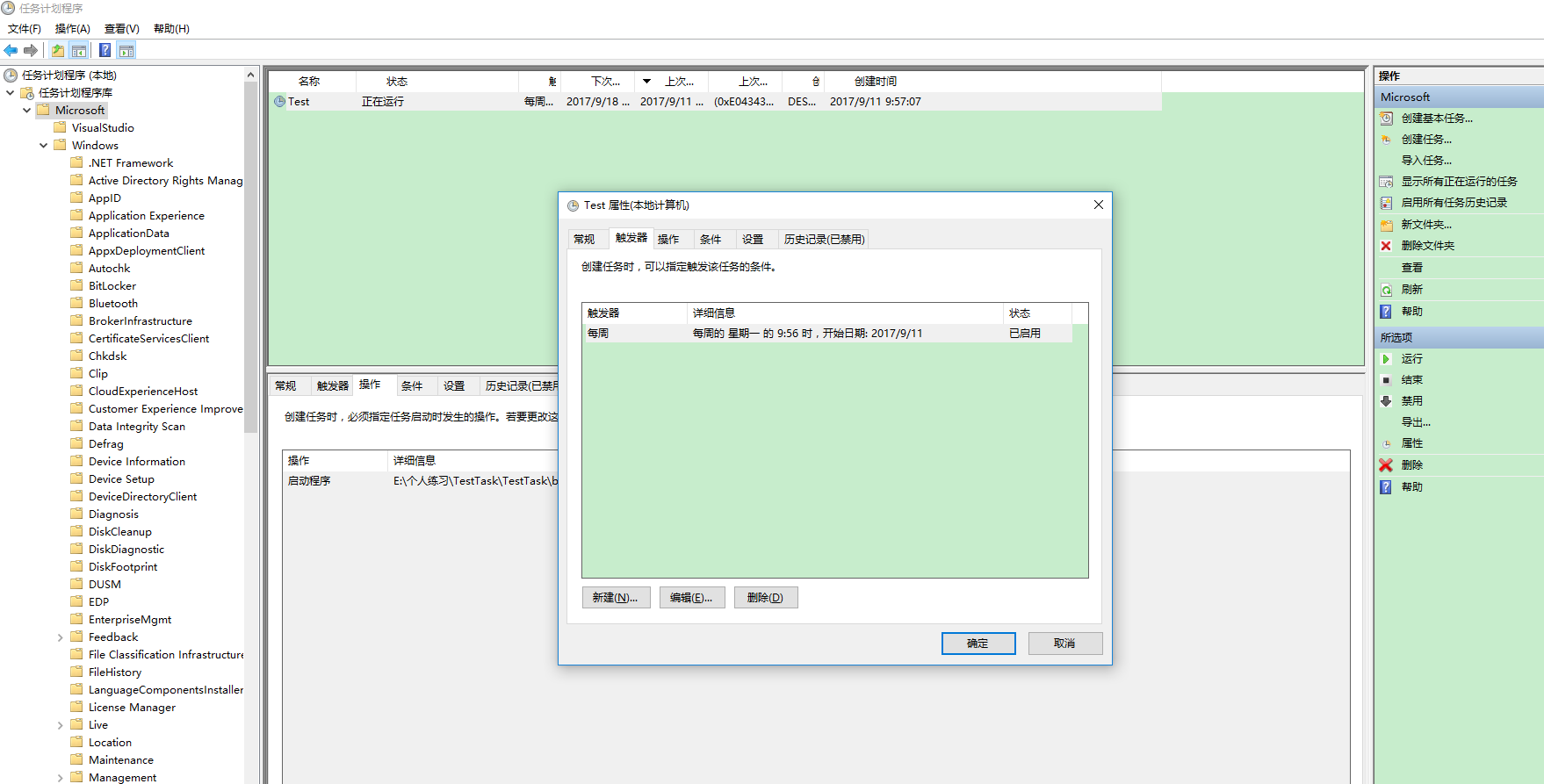
编写windows 计划任务只需要在普通的类里面使用main方法就好了,因为任务计划在创建后走的是程序的主方法,代码如下:
using System;

using System.Collections.Generic;

using System.IO;

using System.Linq;

using System.ServiceProcess;

using System.Text;

using System.Threading;

using System.Threading.Tasks;

namespace TestTask

{

    static class Program

    {

        /// <summary>

        /// 应用程序的主入口点。

        /// </summary>

        static void Main(string[] args)

        {

            //其中args就是任务计划中的可添加参数,多个参数使用空格分开。

            FileStream fs = new FileStream(@"d:\xx.txt", FileMode.OpenOrCreate, FileAccess.Write);

            StreamWriter sw = new StreamWriter(fs);

            sw.BaseStream.Seek(, SeekOrigin.End);

            foreach (var item in args)

            {

                sw.WriteLine("WindowsService(Thread): Write" + item + "\n");

            }

            sw.Flush();

            sw.Close();

            fs.Close();

            Class1 c = new Class1();

            //Thread thread = new Thread(c.OnStart);

            //thread.Start();

            c.OnStart();

            c.OnStop();

        }

    }

}
using System;

using System.Collections.Generic;

using System.IO;

using System.Linq;

using System.Text;

using System.Threading.Tasks;

namespace TestTask

{

    public class Class1

    {

        public void OnStart()

        {

            //实现方法

            FileStream fs = new FileStream(@"d:\xx.txt", FileMode.OpenOrCreate, FileAccess.Write);

            StreamWriter sw = new StreamWriter(fs);

            sw.BaseStream.Seek(, SeekOrigin.End);

            sw.WriteLine("WindowsService(Thread): Service Started" + DateTime.Now.ToString() + "\n");

            sw.Flush();

            sw.Close();

            fs.Close();

        }

        public void OnStop()

        {

            // TODO: 在此处添加代码以执行停止服务所需的关闭操作。

            FileStream fs = new FileStream(@"d:\xx.txt", FileMode.OpenOrCreate, FileAccess.Write);

            StreamWriter sw = new StreamWriter(fs);

            sw.BaseStream.Seek(, SeekOrigin.End);

            sw.WriteLine("WindowsService(Thread): Service Stopped" + DateTime.Now.ToString() + "\n");

            sw.Flush();

            sw.Close();

            fs.Close();

        }

    }

}
C# windows 计划任务 程序编写的更多相关文章
- Windows系统使用vbs脚本或bat脚本强制杀死指定所有进程 vbs实现循环持续写入内容到vbs打开开的记事本 使用vbs、bat添加windows计划任务 使用cmd schtasks命令添加windows计划任务
以下脚本windows7下成功运行过,脚本也可以windows计划任务程序一起组合使用 新建一个记事本文档粘贴下面代码后将新建的记事本文档重命名下面对应的脚本名就能使用了: 添加windows计划任务 ...
- 如何在windows计划中调用备份sharepoint2010网站集的powershell脚本
最近有个项目需要在在windows计划中使用powershell脚本备份sharepoint2010网站集,打开sharepoint的powershell执行命令管理界面的属性 查看: C:\Wind ...
- windows计划任务执行SQLserver脚本
2016年3月1号,北京出差,documentbrowser系统改善上线. 其中有一个数据库表需要每天进行同步,原计划使用SQLServer的作业来执行又方便又快捷,但是客户的数据库是05的expre ...
- 在 Visual Studio 2010 中开发和部署 Windows Azure 应用程序
原文 在 Visual Studio 2010 中开发和部署 Windows Azure 应用程序 在 Visual Studio 2010 中开发和部署 Windows Azure 应用程序 Jim ...
- windows计划任务+批处理文件实现oracle数据库的定时备份与恢复
1. 备份: PS:2014-1-15 如果导出的dmp数据文件不大的话,就直接每天导出好了,不要只保存七天的数据.然后顶起通过winrar对文件进行打包,我发现dmp文件的压缩包还是很高的. 那么 ...
- Windows计划任务执行时不显示窗口的问题
最近开发了工具,带界面的,需要定时执行的,为了方便直接用Windows计划任务做定时了.跑了一段时间发现,进程中也有,就是看不到程序的界面,进程的执行貌似也阻塞了. 从网上查了下,发现时启动方式的问题 ...
- 基于DCMTK的DICOM相关程序编写攻略
2008年09月10日 星期三 15:35 基于DCMTK的DICOM相关程序编写攻略 前言: 由于现在的医学影像设备的图像存储和传输正在逐渐向DICOM标准靠拢,在我们进行医学图像处理的过程中,经常 ...
- Fedora 11中用MinGW编译Windows的Qt4程序(在Linux系统下编译Windows的程序)
Ubuntu下可以直接安装: sudo apt-get install mingw32 mingw32-binutils mingw32-runtime 安装后编译程序可以: i586-mingw32 ...
- 利用windows系统ftp命令编写的BAT文件上传[转]
利用windows系统ftp命令编写的BAT文件上传[转] 利用windows系统ftp命令编写的BAT文件上传[转] 在开发中往往需要将本地的程序上传到服务器,而且用惯了linux命令的人来说.在w ...
随机推荐
- 支付宝支付集成中:refund_fastpay_by_platform_nopwd接口服务器通知验签不通过
在做p2p配资平台,也就是公司的项目,遇到了一个问题:refund_fastpay_by_platform_nopwd接口服务器通知验签不通过 下面是实录: 通知服务器的POST过来的数据: 1.si ...
- windows下安装TensorFlow(CPU版)
建议先到anaconda官网下载最新windows版的anaconda3.6,然后按步骤进行安装.(这里我就不贴图了,自己下吧) 1.准备安装包 http://www.lfd.uci.edu/~goh ...
- B树与B+
简单剖析B树(B-Tree)与B+树https://blog.csdn.net/z_ryan/article/details/79685072 B树和B+树的插入.删除图文详解https://www. ...
- ctrip-apollo
云端多网卡问题: 参考:https://blog.csdn.net/buyaore_wo/article/details/79847404
- gcc 4.9编译
参考 http://blog.csdn.net/hzhxxx/article/details/28634893
- maven 如何将自己的jar包添加到本地仓库
1 准备一个需要添加到本地仓库的jar包 我这里准备了一个名为mail.jar 的jar包,放到E:\Install Files目录下面 2 下面演示如何将准备的jar包添加到本地仓库 1 语法 mv ...
- php验证码处理
//基本步骤 1,先创建一张指定宽度和高度的一张验证码图片 imagecreatetruecolor() 2,给验证码图片添加背景颜色 和文字颜色 imagecolorallocate() 3, 在指 ...
- POJ 3694——Network——————【连通图,LCA求桥】
Network Time Limit:5000MS Memory Limit:65536KB 64bit IO Format:%I64d & %I64u Submit Stat ...
- Linux 命令-1
1.除了/之外,所有的字符都合法,有些字符最好不要用 2.以.开头的文件将被隐藏.和window的区别 3.大小写敏感 4.命令格式: 命令 -选项 参数 例如: ls -la /etc ,选项 ...
- MySQL中的information_schema
information_schema 数据库是MySQL自带的,可看作是一个数据库,确切说是信息数据库.其中保存着关于MySQL服务器所维护的所有其他数据库的信息.如数据库名,数据库的表,表栏的数据类 ...