
nodejs实现聊天机器人
技术栈
服务端:
koa、koa-route、koa-websocket、request。
客户端:
html、css、js、websocket。
远程聊天API:
http://api.qingyunke.com/api.php?key=free&appid=0&msg=msg。
客户端展示

开发步骤
1.在桌面创建bbs文件夹,然后在文件夹内打开cmd,输入:
$ npm init
初始化箱项目,生成package.json包管理文件
2.cmd输入:
$ npm install koa --save
安装koa。
3.cmd输入:
$ npm install koa-route --save
安装koa路由模块。
4.cmd输入:
$ npm install koa-websocket --save
安装koawebsocket模块。
我的package.json:
{

  "name": "bbs",

  "version": "1.0.0",

  "description": "",

  "main": "server.js",

  "scripts": {

    "test": "echo \"Error: no test specified\" && exit 1",

    "start": "node server.js"

  },

  "author": "",

  "license": "ISC",

  "dependencies": {

    "koa": "^2.8.1",

    "koa-route": "^3.2.0",

    "koa-websocket": "^6.0.0"

  }

}
5.在bbs文件夹中新建server.js,项目启动入口文件。
添加内容如下:
const Koa = require('koa'),

      route = require('koa-route'),

      websockify = require('koa-websocket'),

      http = require('http'),

      app = websockify(new Koa());

app.ws.use(route.all('/', ctx => {

    // websocket作为“ctx.websocket”添加到上下文中。

    ctx.websocket.on('message', message => {

        startRequest(message, ctx);

    });

}));

function startRequest(message, ctx) {

    // 采用http模块向服务器发起一次get请求

    http.get(`http://api.qingyunke.com/api.php?key=free&appid=0&msg=${encodeURI(message)}`, res => {

        // 防止中文乱码

        res.setEncoding('utf-8');

        // 监听data事件,每次取一块数据

        res.on('data', chunk => {

            ctx.websocket.send(JSON.parse(chunk).content);

        });

    }).on('error', err => {

        ctx.websocket.send('对不起,网络故障了');

    });}

// 监听端口、启动程序

app.listen(3000, err => {

    if (err) throw err;

    console.log('websocket服务器启动在3000端口');

})
假如对server.js还不清楚的,可以留言或者邮件咨询我。
6.在bbs文件夹中新建index.html文件,作为客户端展示文件。
添加内容如下:
<!DOCTYPE html>

<html lang="en">

<head>

    <meta charset="UTF-8">

    <title>实时聊天室</title>

    <link rel="stylesheet" type="text/css" href="index.css">

</head>

<body>

    <div class="box">

        <div class="title">实时聊天室</div>

        <div class="input-box">

            <input class="input" placeholder="你想说什么..." type="text" id="pl" onkeydown="keyEnter()" />

            <div class="send" id="submit">发送</div>

        </div>

        <div class="view" id="ulView">

            <ul id="view"></ul>

        </div>

    </div>

    <script src="index.js"></script>

</body>

</html>
7.在bbs文件夹中新建index.css,客户端的样式。
内容如下:
* {

    padding:;

    margin:;

    -webkit-user-select: none;

    -moz-user-select: none;

}

html,

body {

    height: 100%;

    width: 100%;

    background-color: #333;

    position: relative;

    font-size: 12px;

}

.box {

    position: absolute;

    top: 50%;

    left: 50%;

    transform: translate(-50%, -50%);

    background-color: #eee;

    width: 320px;

    height: 564px;

    box-sizing: border-box;

}

.title {

    height: 40px;

    line-height: 40px;

    text-align: center;

    background-color: #000;

    color: #fff;

    position: relative;

    font-size: 16px;

}

.input-box {

    margin-top: 10px;

    position: absolute;

    bottom:;

    background-color: #fff;

    width: 100%;

    height: 40px;

    line-height: 32px;

    padding: 4px;

    padding-right:;

    box-sizing: border-box;

    display: -webkit-flex;

    display: -moz-flex;

    display: -ms-flex;

    display: -o-flex;

    display: flex;

    -ms-align-items: center;

    align-items: center;

    justify-content: space-between;

    border-top: 1px solid #eee;

}

.input {

    vertical-align: top;

    height: 32px;

    line-height: 32px;

    outline: none;

    border: 1px solid #ccc;

    padding: 0 4px;

    box-sizing: border-box;

    flex:;

    background-color: #eee;

    border-radius: 4px;

    margin-right: 10px;

    margin-left: 4px;

}

.input:focus {

    border: 1px solid #ccc;

}

.send {

    width: 80px;

    text-align: center;

    height: 32px;

    line-height: 32px;

    cursor: pointer;

    background-color: green;

    color: #fff;

    margin-right: 10px;

    font-size: 14px;

}

.send:active {

    opacity: 0.6;

}

li {

    list-style: none;

    padding: 6px 10px;

    box-sizing: border-box;

}

.my-say {

    text-align: right;

}

.say {

    display: inline-block;

    background-color: #fff;

    font-size: 12px;

    padding: 6px 4px;

    border-radius: 4px;

    margin-top: 1px;

    vertical-align: top;

    max-width: 220px;

}

.computer-say .sayman {

    background-color: #40E0D0;

}

.my-say .sayman {

    background-color: #FFA500;

}

.my-say .say {

    text-align: left;

}

.sayman {

    font-size: 10px;

    display: inline-block;

    height: 30px;

    width: 30px;

    background-color: #ccc;

    border-radius: 50%;

    text-align: center;

    line-height: 30px;

    overflow: hidden;

    text-overflow: ellipsis;

    white-space: nowrap;

    padding: 0 4px;

    box-sizing: border-box;

    margin: 0 4px;

    color: #fff;

}

.view {

    position: absolute;

    top: 40px;

    bottom: 40px;

    left:;

    width: 100%;

    padding: 10px 0;

    box-sizing: border-box;

    overflow-y: auto;

}
8.在bbs文件夹中创建index.js文件,作为客户端js处理文件。
内容如下:
let submit = document.getElementById("submit"),

    pl = document.getElementById("pl");

// 很重要 必须写,判断浏览器是否支持websocket

let CreateWebSocket = (() => {

    return (urlValue) => {

        if (window.WebSocket) return new WebSocket(urlValue);

        if (window.MozWebSocket) return new MozWebSocket(urlValue);

        return false;

    }

})()

// 实例化websoscket websocket有两种协议ws(不加密)和wss(加密)

let webSocket = CreateWebSocket(`ws://127.0.0.1:3000`);

webSocket.onopen = evt => {

    addMsg(1, '你好,欢迎进入实时聊天室!')

}

webSocket.onmessage = evt => {

    // 这是服务端返回的数据

    addMsg(1, evt.data);

    submit.innerHTML = '发送';

}

// input事件发送数据

submit.onclick = (e) => {

    if (e.target.innerHTML == '回复中...') {

        return false

    }

    e.target.innerHTML = '回复中...';

    const str = document.getElementById("pl").value;

    webSocket.send(str);

    addMsg(2, str);

}

// 绑定回车事件

function keyEnter() {

    if (event.keyCode == 13) {

        document.getElementById("submit").click();

    }

}

// 添加消息

function addMsg(type, msg) {

    let li = document.createElement('li');

    // 1机器人/2自己

    if (type == 1) {

        li.classList.add('computer-say');

        li.innerHTML = `<span class="sayman">机器人</span><span class="computer say">${msg}</span>`;

    } else {

        li.classList.add('my-say');

        li.innerHTML = `<span class="computer say">${msg}</span><span class="sayman">我</span>`;

        pl.value = '';

    }

    document.getElementById('view').appendChild(li);

    document.getElementById('ulView').scrollTo(0, document.getElementById('view').clientHeight);

}
为了保证服务端包都可以加载进来,可以在bbs文件夹中打开cmd,然后输入:
$ npm install
到这里,程序就已经搭建完成了。
启动程序:
cmd输入:
$ node server.js
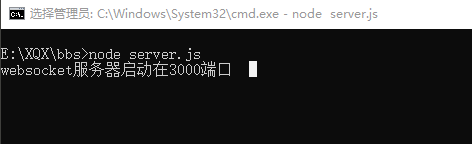
这样服务端就已经启动成功了。
直接右键浏览器打开index.html即可愉快地和机器人妹妹聊天了,告别单身狗了....
喜欢的麻烦点赞,谢谢
可以关注下本人博客,本人会坚持时不时更新好的博客给大家哦。
nodejs实现聊天机器人的更多相关文章
- 使用Botkit和Rasa NLU构建智能聊天机器人
欢迎大家前往云+社区,获取更多腾讯海量技术实践干货哦~ 我们每天都会听到关于有能力涉及旅游.社交.法律.支持.销售等领域的新型机器人推出的新闻.根据我最后一次查阅的数据,单单Facebook Me ...
- 为Facebook messenger平台开发聊天机器人
介绍 在电子商务网上商店发明之前,我们总是有机会与销售代表或分销商在选择商品或服务时交谈.在进入数字世界后,这个领域变得沉默.这样对顾客方便吗?我认为不是.向销售代表或经销商询问他们想要的产品或服务是 ...
- 【翻译】用AIML实现的Python人工智能聊天机器人
前言 用python的AIML包很容易就能写一个人工智能聊天机器人. AIML是Artificial Intelligence Markup Language的简写, 但它只是一个简单的XML. 下面 ...
- 3.C#面向对象基础聊天机器人
基于控制台的简单版的聊天机器人,词库可以自己添加. 聊天机器人1.0版本 源码如下: using System; using System.Collections.Generic; using Sys ...
- Python 简易聊天机器人
聊天机器人 | |-----MySql | |---module--"逻辑运算层" | | | |---ciku--"与词库交互" | | | |---dict ...
- 使用图灵机器人API实现聊天机器人
使用图灵机器人的API需要先注册,获取key才行,这我就不说了,自己到http://www.tuling123.com/注册一个账号即可. 下面就是一个简单的python调用API实现聊天机器人的简易 ...
- AngularJS作出简单聊天机器人
简单聊天机器人 很初级的对话框形式.以前做对话框使用js,今天尝试使用AngularJS做出来 这里直接使用自己写的JSON数据. <!DOCTYPE html> <html lan ...
- 用 AIML 开发人工智能聊天机器人
借助 Python 的 AIML 包,我们很容易实现人工智能聊天机器人.AIML 指的是 Artificial Intelligence Markup Language (人工智能标记语言),它不过是 ...
- 笔记5:QQ群聊天机器人
之前经常在别人群里看到有自动回复消息的机器人. 功能有好多,可以玩各种游戏.觉得还蛮有意思的.. 于是就去请教别人怎么弄得,但是他们都说得好复杂,好高大上,无非就是不想让别人弄 本人是个不会轻易放弃的 ...
随机推荐
- (十二)c#Winform自定义控件-分页控件
前提 入行已经7,8年了,一直想做一套漂亮点的自定义控件,于是就有了本系列文章. 开源地址:https://gitee.com/kwwwvagaa/net_winform_custom_control ...
- spring-boot-plus后台快速开发脚手架之代码生成器使用(十)
spring-boot-plus 代码生成 Generator 代码生成内容 spring-boot-plus在mybatis-plus基础上,新增param/vo等模板 拓展controller/s ...
- centos7.x 安装系统/配置网络/设置主机名
1.安装系统 系统的安装就不多说了,自行查找百度,如:https://www.cnblogs.com/wcwen1990/p/7630545.html 2.配置网络(局域网上网) 修改配置 ...
- peewee
字段查看http://docs.peewee-orm.com/en/latest/peewee/models.html#fields 方法使用https://blog.csdn.net/qq_3962 ...
- 水果机抽奖(CocosCreator)
推荐阅读: 我的CSDN 我的博客园 QQ群:704621321 一.前言 在前面给大家分享了大转盘的抽奖方式,这是现在游戏使用较多的一种抽奖方式,今天给大家介绍另一抽奖方式--水果 ...
- 人员考勤,MySQLl数据库一个表自动生成3表筛选人员迟到早退缺勤
前言:漂亮的人事小姐姐找我帮忙弄考勤:由于人员考勤和门禁一起,打卡记录太多,打卡机只能导出一个打卡Excel总表,不容易人工筛选. Excel表的格式是这样的:(这里101代替真实人名) 实现目标: ...
- zookeeper学习之原理
一.zookeeper 是什么 Zookeeper是一个分布式协调服务,可用于服务发现,分布式锁,分布式领导选举,配置管理等.这一切的基础,都是Zookeeper提供了一个类似于Linux文件系统的树 ...
- .netcore 分布式事务CAP2.6之控制台使用
上一编讲了cap2.6的快速入门,这次我们来讲讲在控制台中如何使用cap2.6.因为cap2.6的内存模式目前已经可以使用了,相关组件已经更新,所以这次我们以简单的内存模式为例. 1:创建项目 创建一 ...
- HTML 全局属性(摘自菜鸟教程)
HTML 全局属性 New : HTML5 新属性. 属性 描述 accesskey 设置访问元素的键盘快捷键. class 规定元素的类名(classname) contenteditableNew ...
- Codeforces 938D Buy a Ticket
Buy a Ticket 题意要求:求出每个城市看演出的最小费用, 注意的一点就是车票要来回的. 题解:dijkstra 生成优先队列的时候直接将在本地城市看演出的费用放入队列里, 然后直接跑就好了, ...