
spring-boot-learning- Elasticsearch
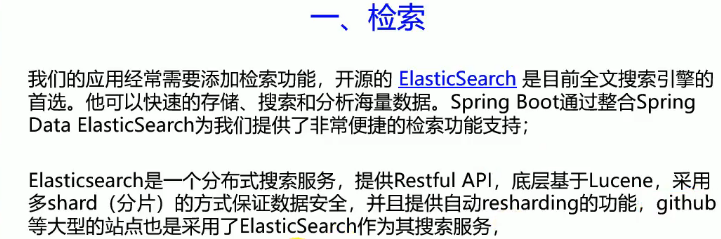
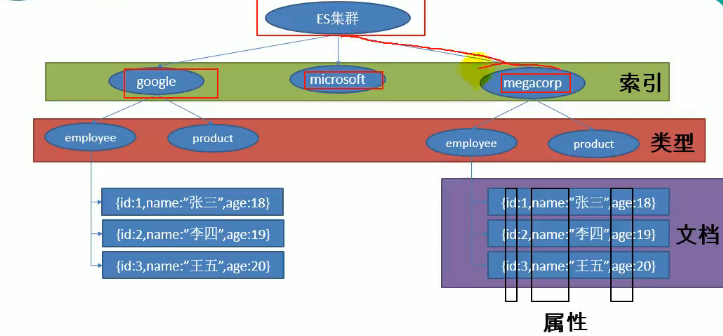
索引==数据库
类型==表
文档==表里面的记录
属性==表里面的列
使用RestFul风格elasticSearch进行操作
添加一个索引为megacorp,类型为employee,——id为1的文档
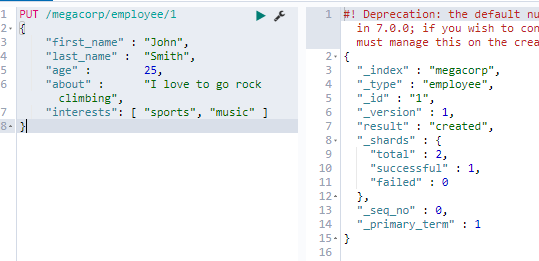
获得一个索引:
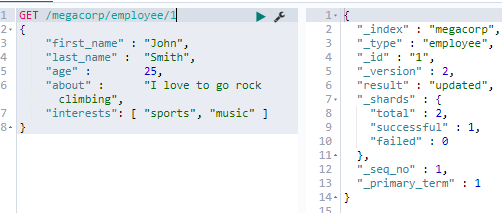
跟新文档,实际上也是用PUT
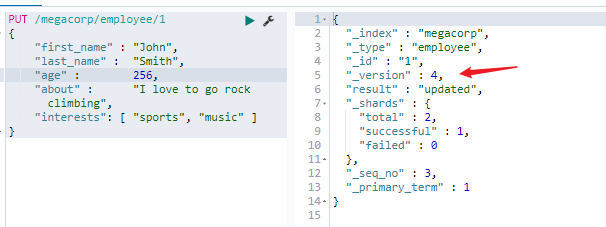
注意箭头的地方,每次对文档进行任何操作都会改变版本数
轻量级搜索
_search代替id进行搜索所有
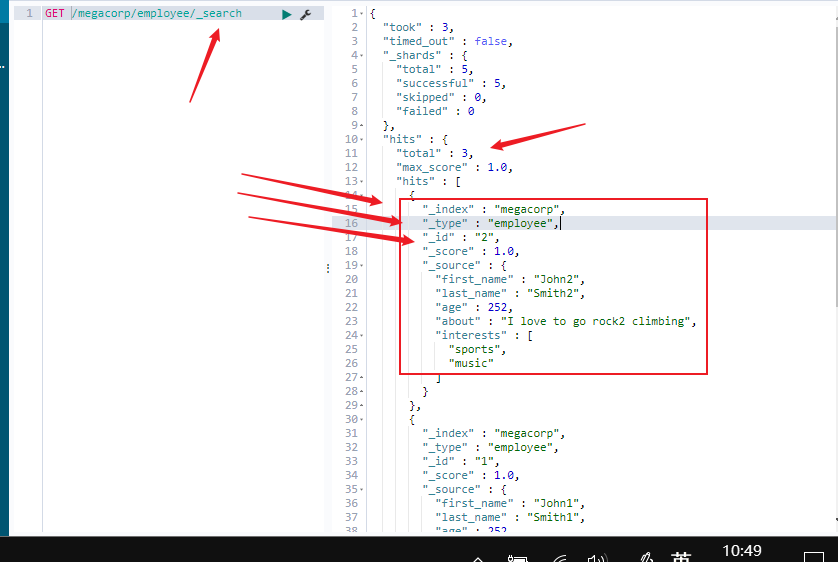
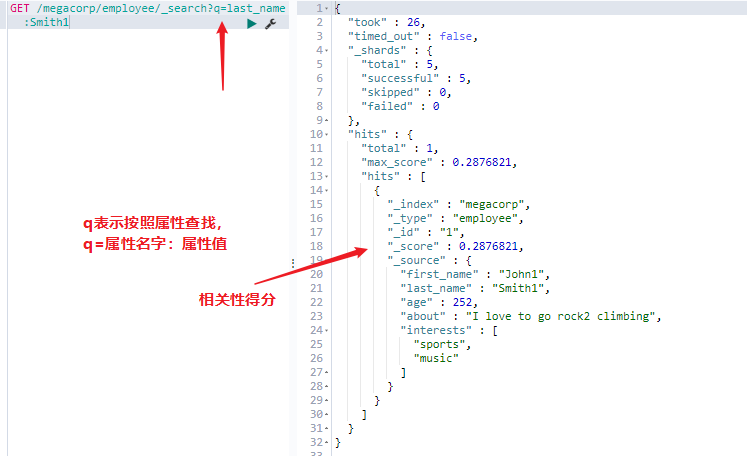
使用查询表达式json格式进行查询
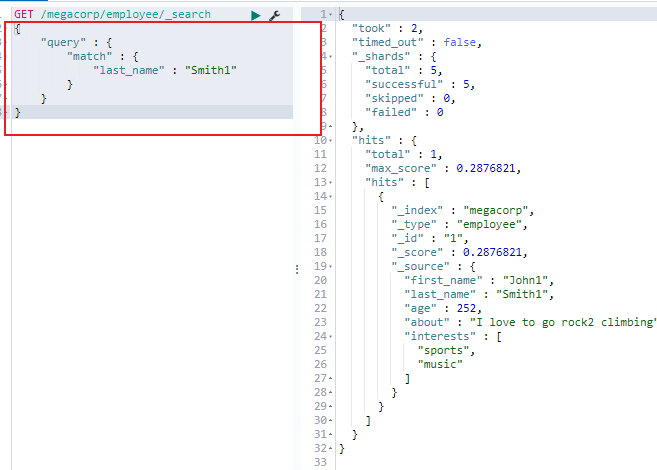
S
Springboot整合ES
先看看我们springboot为我们自动配置了什么
在org.springframework.boot.autoconfigure 自动配置包下的
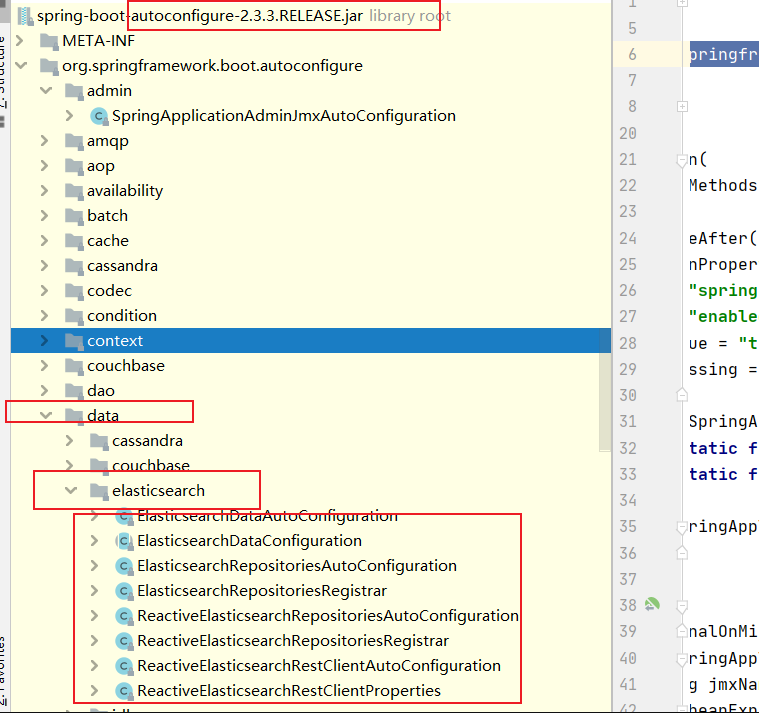
往下面看一下,会有另外一个elasticsearch的目录,里面:
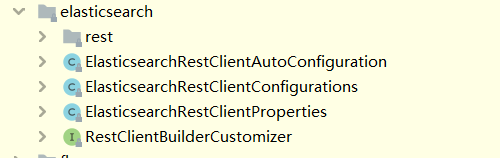
注:这是另外一种和ES进行交互的工具
#######################################################################################
加入依赖:
 <dependency>

            <groupId>org.springframework.boot</groupId>

            <artifactId>spring-boot-starter-data-elasticsearch</artifactId>

        </dependency>
实体类对应elasticsearch的文档:
@Data
@Document(indexName = "company",type = "employees",shards = 5,replicas = 1)
/**
* indexName: 索引库名称
* type: 类型
* shards: 分片数:默认为5个
* replicas: 副本数:默认为1个
*/
public class Employe implements Serializable {
/**
*用来将对象中id和ES中_id映射
*/
@Id
private Long id;
/**
* `@Field`: 用来指定ES中的字段对应Mapping,相当于数据库中的列属性
* `type`: 用来指定ES中存储类型
*/
@Field(type = FieldType.Text)
private String name; @Field(type = FieldType.Text)
private String password; @Override
public String toString() {
return "Employee{" +
"id='" + id + '\'' +
", name='" + name + '\'' +
", password='" + password + '\'' +
'}';
}
}
获得操作接口:
/**

 * 直接继承 ElasticsearchRepository接口就可以了,里面已经帮我们实现了

 *

 */

@Repository

public  interface EmployeRepository extends ElasticsearchRepository<Employe,Long> {

}
增删改查
@SpringBootTest

class EsdApplicationTests {

    @Autowired

    private  EmployeRepository employeRepository;

    /**

     * 插入数据:

     */

    @Test

    void testEmploye(){

        Employe employee = new Employe();

        employee.setId(5L);

        employee.setName("zhi");

        employee.setPassword("789");

        employeRepository.save(employee);

    }

    /**

     * 查询数据

     */

    @Test

    void testEmployeGet(){

        Optional<Employe> employe =  employeRepository.findById(2L);

        System.out.println(employe);

    }

    /**

     * 删除数据

     */

    @Test

    void delEmployeDel(){

        employeRepository.deleteById(2L);

    }

    /**

     * 修改数据,实际就是保存数据

     */

    @Test

    void updEmployeUp(){

        Employe employee = new Employe();

        employee.setId(5L);

        employee.setName("zhi");

        employee.setPassword("78955555");

        employeRepository.save(employee);

    }

}
如何取学习一个新的东西:找官方文档:
https://www.elastic.co/guide/index.html
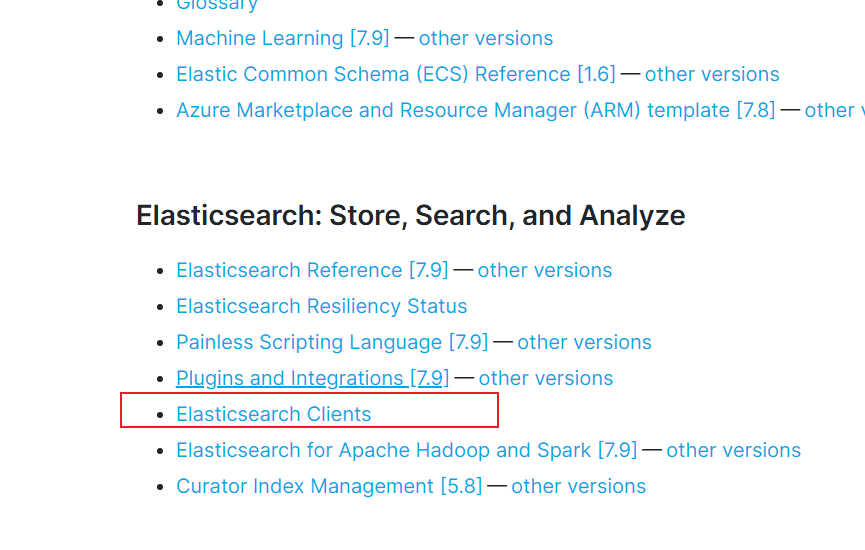
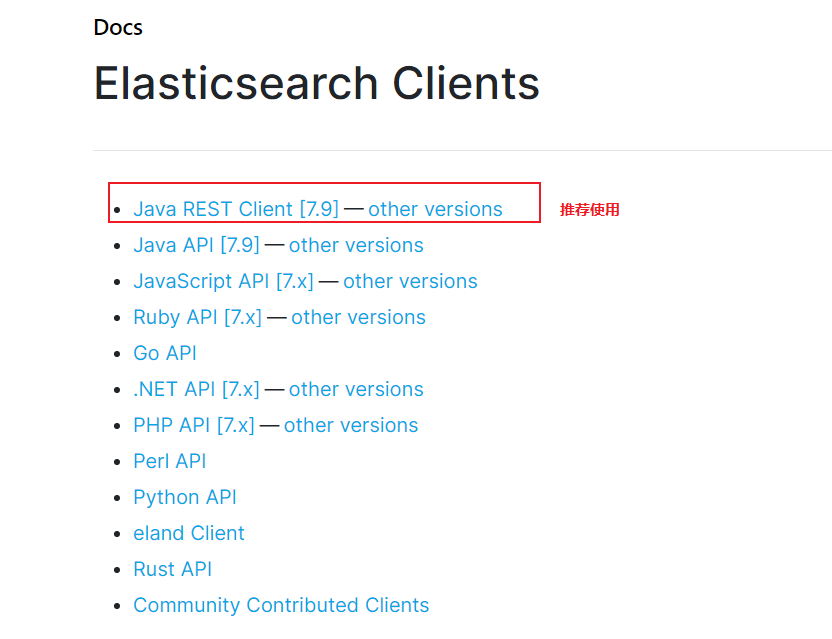
点进去,我们一半使用高级客户端
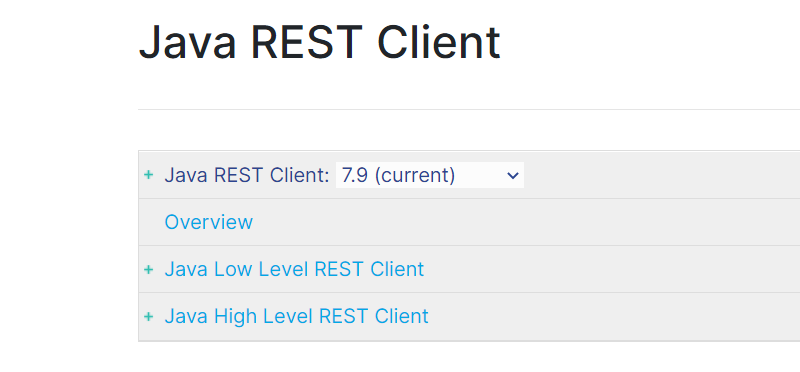
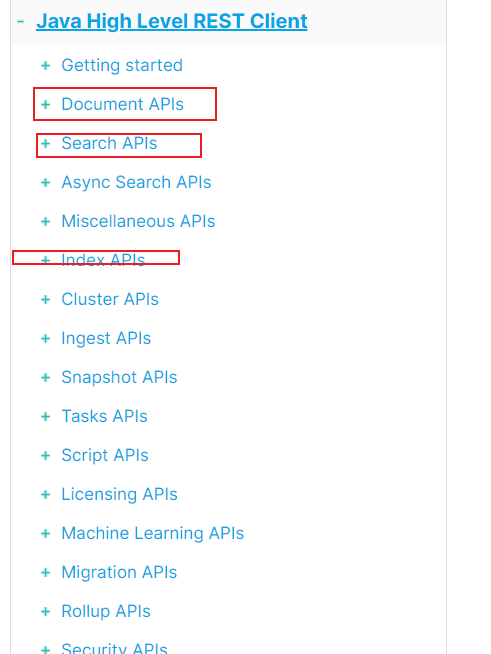
里面会有详细介绍怎么用:
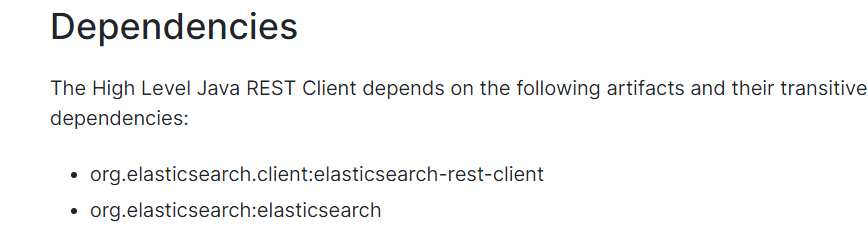
1 找到原生的依赖:
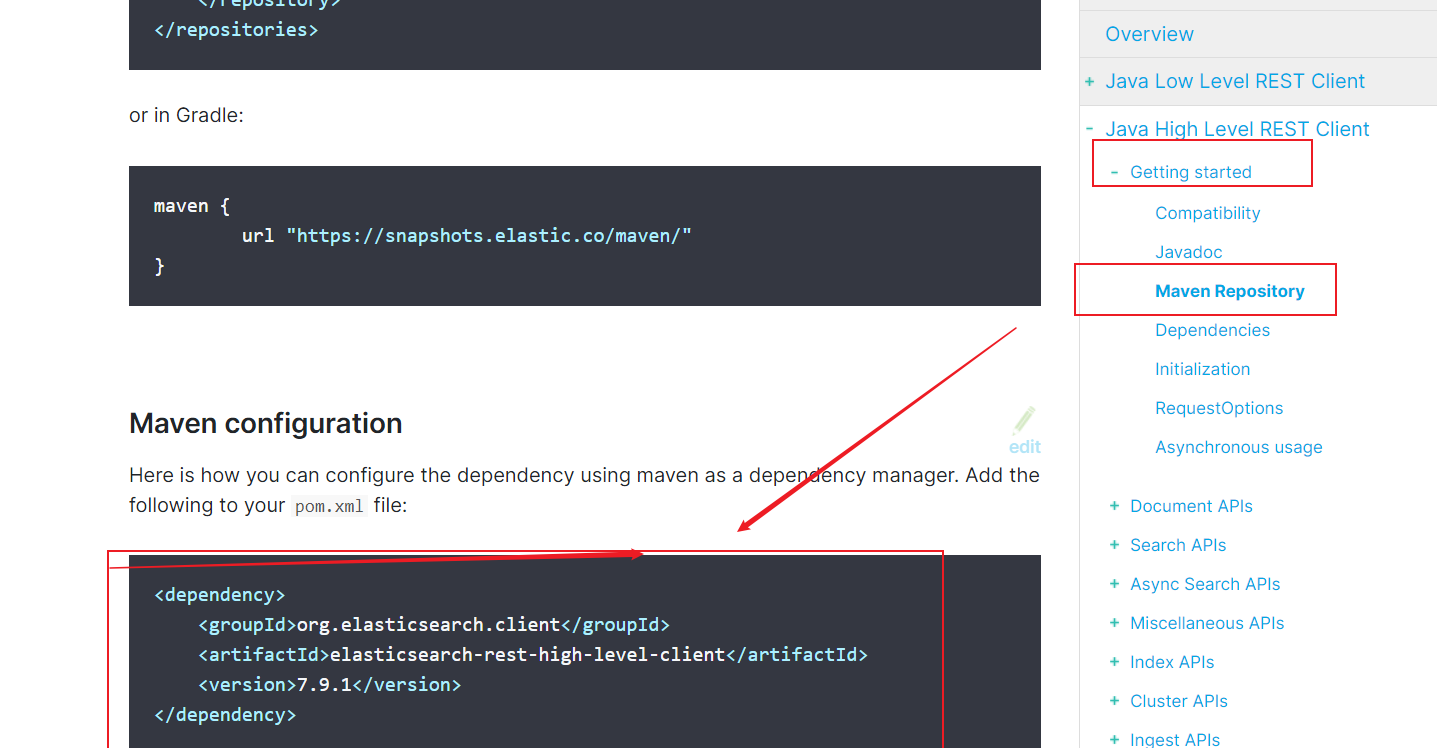
依赖的其他包:
2 找对象
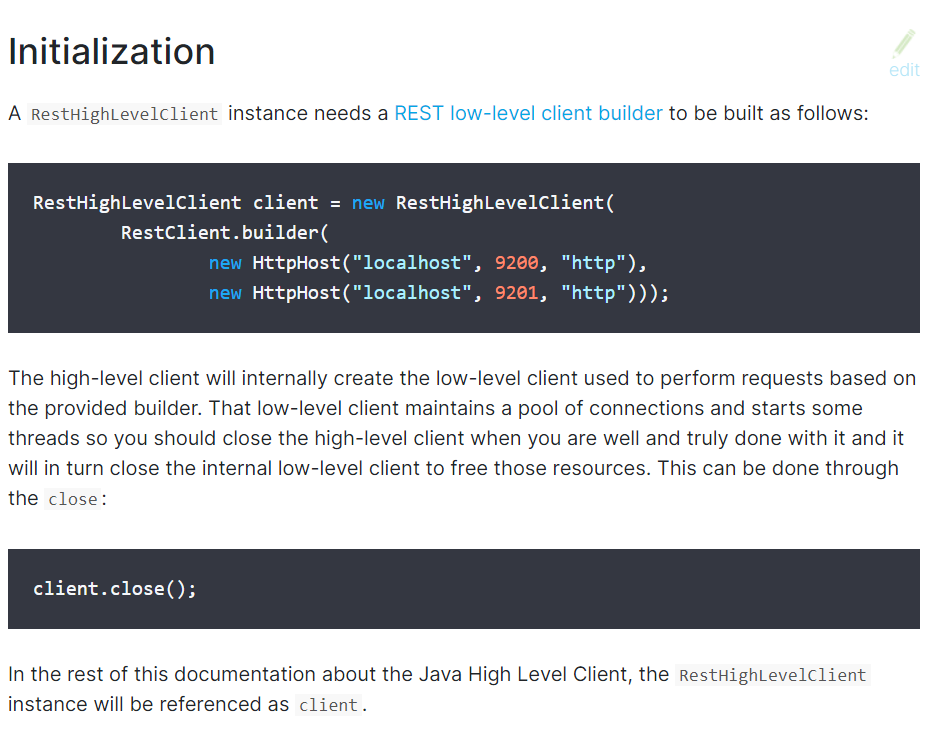
3分析类当中的方法
我新建一个工程:
导入依赖:
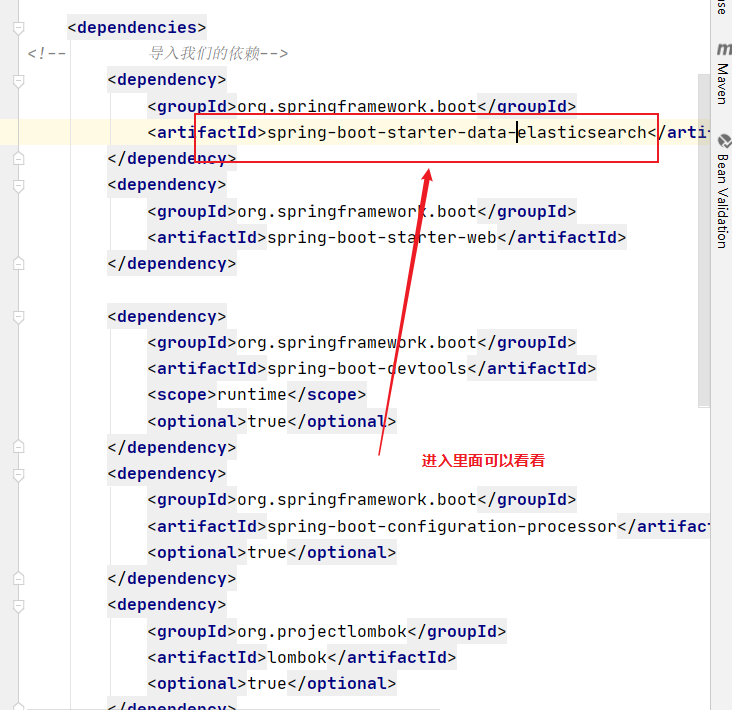
可以看到:
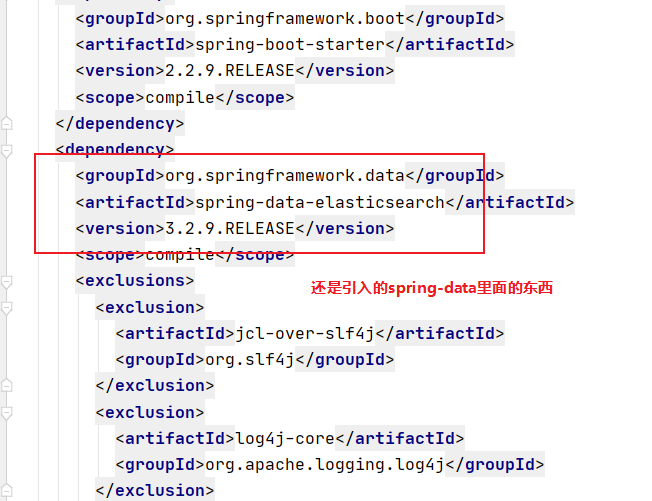
再进入spring-data里面:
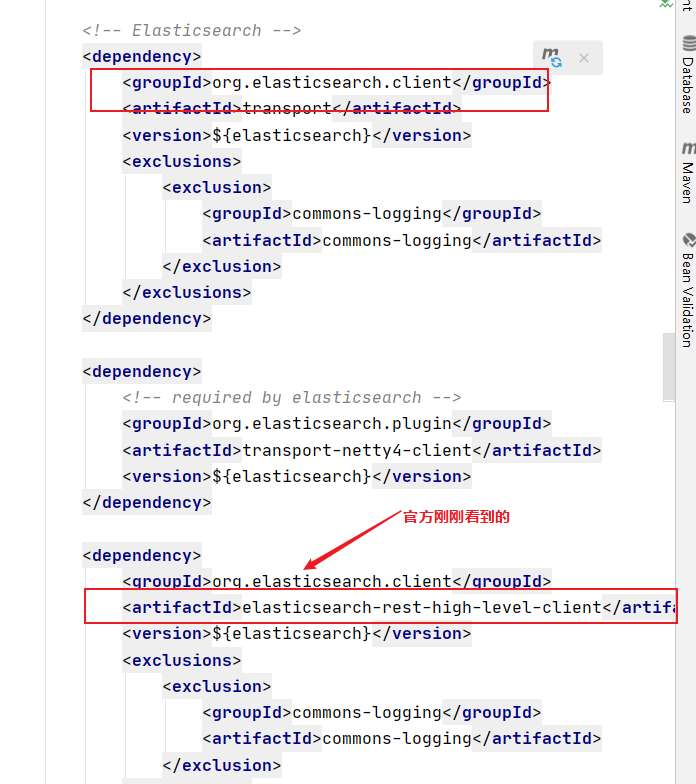
查看默认的版本:
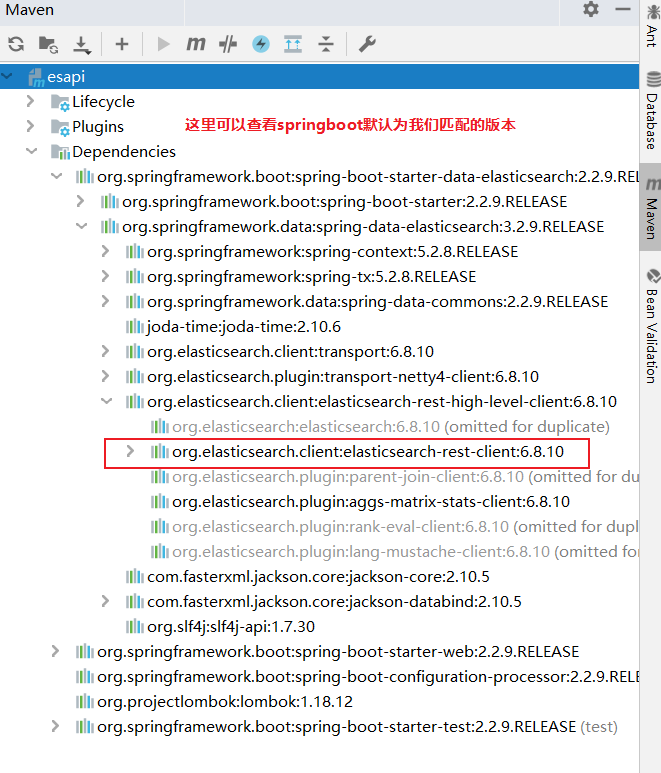
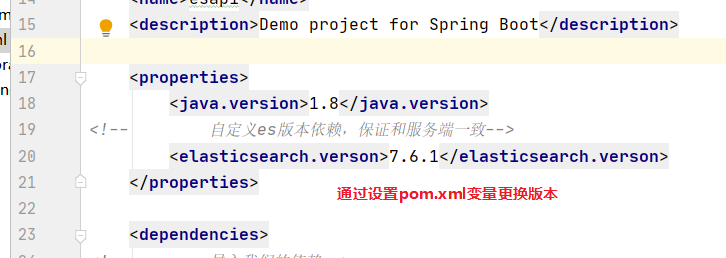
注意:我们导入的依赖必须和我们es的版本一致
自定义版本依赖
可以先点进去父pom里面看看
<artifactId>spring-boot-starter-parent</artifactId>
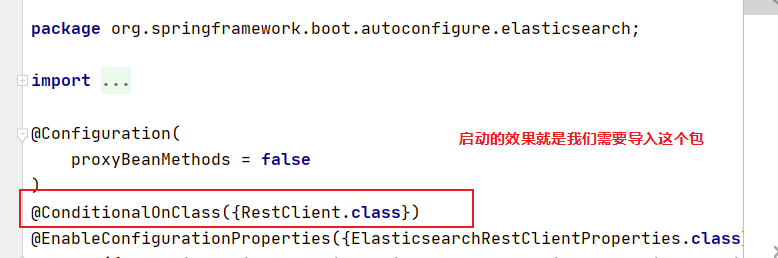
查看一下源码:
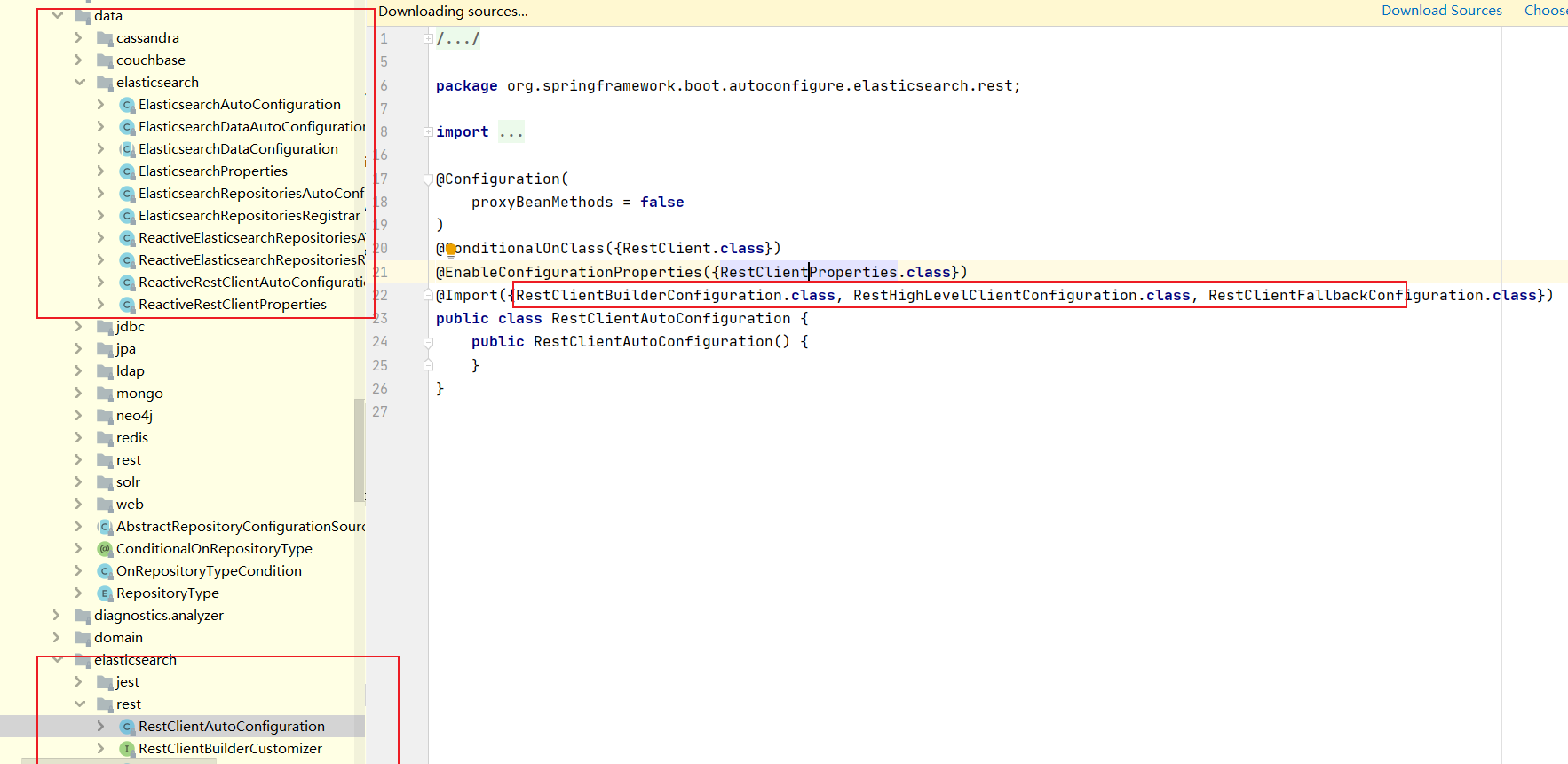
加入了这三个类
RestClientConfigurations.RestClientBuilderConfiguration.class,

        RestClientConfigurations.RestHighLevelClientConfiguration.class,

        RestClientConfigurations.RestClientFallbackConfiguration.class
都是静态内部类
其中关键的类就是RestClientBuilderConfiguration
class RestClientConfigurations {

    @Configuration(proxyBeanMethods = false)

    static class RestClientBuilderConfiguration {

        @Bean

        @ConditionalOnMissingBean

        RestClientBuilder elasticsearchRestClientBuilder(RestClientProperties properties,

                ObjectProvider<RestClientBuilderCustomizer> builderCustomizers) {

            HttpHost[] hosts = properties.getUris().stream().map(HttpHost::create).toArray(HttpHost[]::new);

            RestClientBuilder builder = RestClient.builder(hosts);

            PropertyMapper map = PropertyMapper.get();

            map.from(properties::getUsername).whenHasText().to((username) -> {

                CredentialsProvider credentialsProvider = new BasicCredentialsProvider();

                Credentials credentials = new UsernamePasswordCredentials(properties.getUsername(),

                        properties.getPassword());

                credentialsProvider.setCredentials(AuthScope.ANY, credentials);

                builder.setHttpClientConfigCallback(

                        (httpClientBuilder) -> httpClientBuilder.setDefaultCredentialsProvider(credentialsProvider));

            });

            builder.setRequestConfigCallback((requestConfigBuilder) -> {

                map.from(properties::getConnectionTimeout).whenNonNull().asInt(Duration::toMillis)

                        .to(requestConfigBuilder::setConnectTimeout);

                map.from(properties::getReadTimeout).whenNonNull().asInt(Duration::toMillis)

                        .to(requestConfigBuilder::setSocketTimeout);

                return requestConfigBuilder;

            });

            builderCustomizers.orderedStream().forEach((customizer) -> customizer.customize(builder));

            return builder;

        }

    }

    @Configuration(proxyBeanMethods = false)

    @ConditionalOnClass(RestHighLevelClient.class)

    static class RestHighLevelClientConfiguration {

        @Bean

        @ConditionalOnMissingBean

        RestHighLevelClient elasticsearchRestHighLevelClient(RestClientBuilder restClientBuilder) {

            return new RestHighLevelClient(restClientBuilder);

        }

        @Bean

        @ConditionalOnMissingBean

        RestClient elasticsearchRestClient(RestClientBuilder builder,

                ObjectProvider<RestHighLevelClient> restHighLevelClient) {

            RestHighLevelClient client = restHighLevelClient.getIfUnique();

            if (client != null) {

                return client.getLowLevelClient();

            }

            return builder.build();

        }

    }

    @Configuration(proxyBeanMethods = false)

    static class RestClientFallbackConfiguration {

        @Bean

        @ConditionalOnMissingBean

        RestClient elasticsearchRestClient(RestClientBuilder builder) {

            return builder.build();

        }

    }

}
spring-boot-learning- Elasticsearch的更多相关文章
- Spring Boot整合Elasticsearch
Spring Boot整合Elasticsearch Elasticsearch是一个全文搜索引擎,专门用于处理大型数据集.根据描述,自然而然使用它来存储和搜索应用程序日志.与Logstash和K ...
- spring boot 整合 elasticsearch 5.x
spring boot与elasticsearch集成有两种方式.一种是直接使用elasticsearch.一种是使用data中间件. 本文只指针使用maven集成elasticsearch 5.x, ...
- 【spring boot】【elasticsearch】spring boot整合elasticsearch,启动报错Caused by: java.lang.IllegalStateException: availableProcessors is already set to [8], rejecting [8
spring boot整合elasticsearch, 启动报错: Caused by: java.lang.IllegalStateException: availableProcessors ], ...
- Elasticsearch学习(3) spring boot整合Elasticsearch的原生方式
前面我们已经介绍了spring boot整合Elasticsearch的jpa方式,这种方式虽然简便,但是依旧无法解决我们较为复杂的业务,所以原生的实现方式学习能够解决这些问题,而原生的学习方式也是E ...
- spring boot与ElasticSearch的集成
本文主要介绍Spring boot与ElasticSearch的集成,因为Spring boot的教程以及ElasticSearch的学习其他博客可能更优秀,所以建议再看这篇文章前先学习学习一下Spr ...
- Spring Boot 集成 Elasticsearch 实战
最近有读者问我能不能写下如何使用 Spring Boot 开发 Elasticsearch(以下简称 ES) 相关应用,今天就讲解下如何使用 Spring Boot 结合 ES. 可以在 ES 官方文 ...
- Spring Boot 整合 Elasticsearch,实现 function score query 权重分查询
摘要: 原创出处 www.bysocket.com 「泥瓦匠BYSocket 」欢迎转载,保留摘要,谢谢! 『 预见未来最好的方式就是亲手创造未来 – <史蒂夫·乔布斯传> 』 运行环境: ...
- Spring Boot 整合 elasticsearch
一.简介 我们的应用经常需要添加检索功能,开源的 ElasticSearch 是目前全文搜索引擎的 首选.他可以快速的存储.搜索和分析海量数据.Spring Boot通过整合Spring Data E ...
- ElasticSearch入门3: Spring Boot集成ElasticSearch
第一步:创建项目elasticsearch 编写pom文件 <?xml version="1.0" encoding="UTF-8"?> <p ...
- Elasticsearch学习(4) spring boot整合Elasticsearch的聚合操作
之前已将spring boot原生方式介绍了,接下将结介绍的是Elasticsearch聚合操作.聚合操作一般来说是解决一下复杂的业务,比如mysql中的求和和分组,由于博主踩的坑比较多,所以博客可能 ...
随机推荐
- 【面像对象编程OOP】五种设计原则 Solid
"面向对象设计五大原则"和良性依赖原则在应付变化方面的作用. SOLID(单一功能.开闭原则.里氏替换.接口隔离以及依赖反转) 单一职责原则(Single-Resposibilit ...
- 个人c#编码约定 继承C#编码约定
1.内插字符 串取代 字符串复合格式设置 使用这个写法: Console.WriteLine($"Hello, {name}! Today is {date.DayOfWeek}, it' ...
- SQL Server Cross/Outer Apply
SQL Server2005引入了APPLY运算符,它非常像连接子句,它允许两个表达式直接进行连接,即将左/外部表达式和右/内部表达式连接起来. CROSS APPLY(类比inner join)和O ...
- buu EZ三剑客-EzWeb
查看源码 发现有提示 get 传secret , 尝试随便串值 http://......./?serect=1 发现这是linux命令, net-tools工具中的ifconfig ,但这个工具逐渐 ...
- Python之ini配置文件详解
INI介绍 INI是英文"初始化"(initialization)的缩写,被用来对操作系统或特定程序初始化或进行参数设置.由节(section). 键(key).值(value)构 ...
- Qt:QListWidget
0.说明 QListWidget指明一个基于Item的List Widget. 构造 QListWidget与QListView类似,都可以显示一列Item,区别在于前者可以往其中增删Item. QL ...
- (转载)虚拟化(3):os调度策略。
转自:https://zhuanlan.zhihu.com/p/38046313 这一章主要是介绍几个简单的调度器策略.内容比较简单,就简单汇总下. 首先我们对现有的计算机环境有如下几个假设: 1.每 ...
- Python面向对象之数据封装的应用及配置文件
面向对象封装的应用 1.配置文件 1.1 ini配置文件 ini 文件是Initialzation File的缩写,平时用于存储软件的配置文件.例如:MySQL数据库的配置文件(my.ini) [my ...
- JZ-003-从尾到头打印链表
从尾到头打印链表 题目描述 输入一个链表,按链表从尾到头的顺序返回一个ArrayList. 题目链接: 从尾到头打印链表 代码 import java.util.ArrayList; /** * 标题 ...
- C++雾中风景18:C++20, 从concept开始
转眼间,C++20的标准已经发布快两年了.不少C++的开源项目也已经将标准升级到最新的C++20了,笔者也开启了新标准的学习历程了.所以借这系列的博文,记录下笔者学习新标准的一些心得与吐槽~~ 作为C ...