
Mybatis学习(六)————— Spring整合mybatis
一、Spring整合mybatis思路
非常简单,这里先回顾一下mybatis最基础的根基,
mybatis,有两个配置文件
全局配置文件SqlMapConfig.xml(配置数据源,全局变量,加载映射文件等东西)
映射文件xxxMapper.xml,用来对输入参数输出参数,数据库语句做配置的。
mybatis配置好之后的使用步骤
1、获取sqlMapConfig.xml的位置然后进行加载
2、通过sqlMapConfig.xml中的内容创建出sqlsessionFactory对象
3、然后通过sqlsessionFactory对象创建出sqlsession对象
4、有了sqlsession对象就可以进行相应的操作了。
集成思路
有了上面的一些知识回顾,那么就有思路让spring继承mabatis了。
1、让spring来管理数据源信息,sqlMapConfig.xml中就不需要加载数据源了。交给spring管理
2、让spring通过单例方式管理SqlSessionFactory,只需要一个SqlSessionFactory帮我们生成sqlsession即可。也就是需要sqlsession对象就让sqlsessionfactory生成。所以是单例方式。
3、让spring创建sqlsession bean。也就是通过SqlSessionFactory创建SqlSession,
4、如果是使用mapper代理开发的方式,那么持久层的mapper都需要由spring进行管理,spring和mybatis整合生成mapper代理对象。
二、工程搭建
2.1、创建java工程
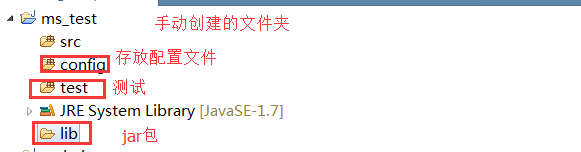
2.2、添加jar包
Mybatis的核心和依赖包
数据库驱动包
spring的包
junit包
spring和mybatis整合包
dbcp连接池
2.3、
2.4、添加SqlMapConfig.xml
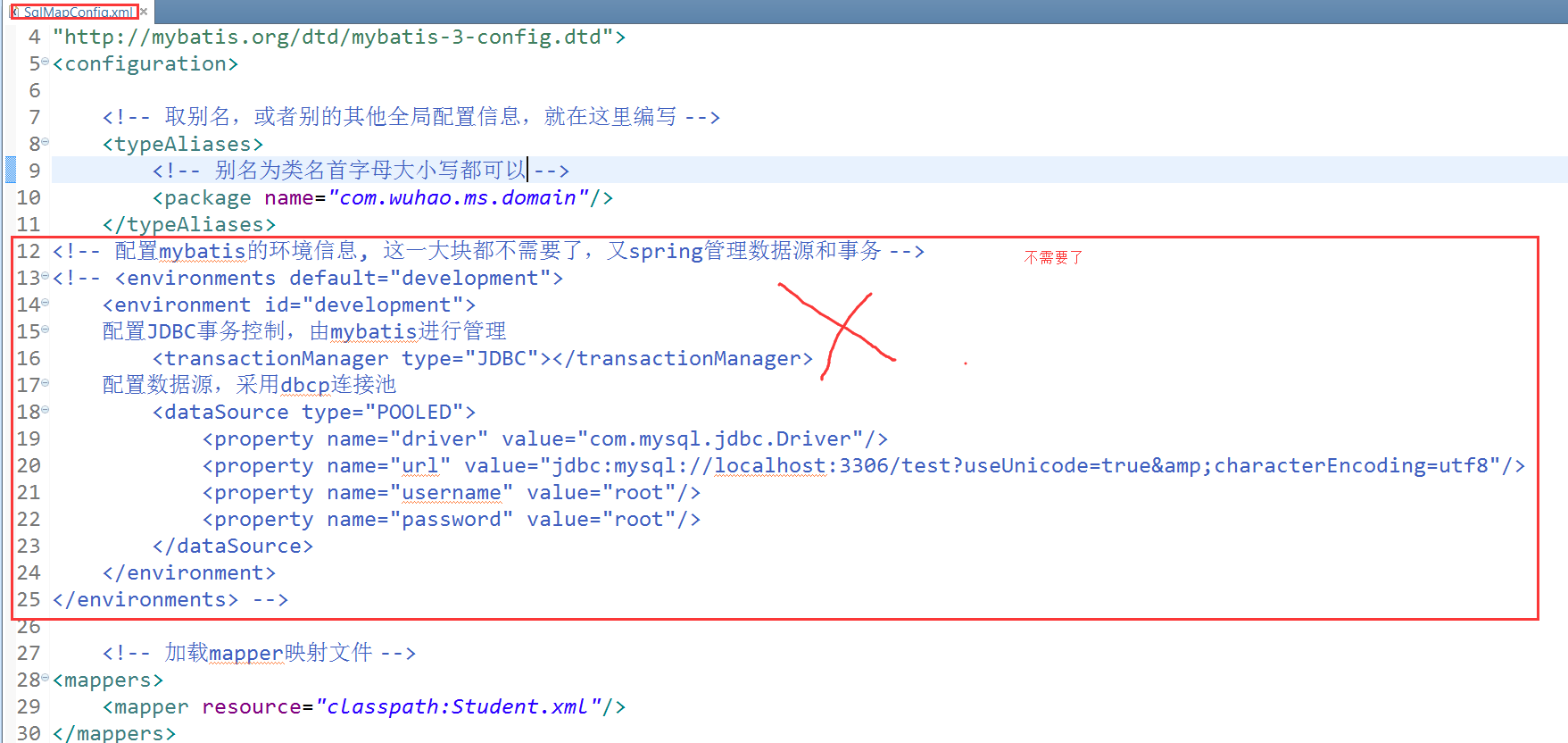
<?xml version="1.0" encoding="UTF-8" ?>

<!DOCTYPE configuration

PUBLIC "-//mybatis.org//DTD Config 3.0//EN"

"http://mybatis.org/dtd/mybatis-3-config.dtd">

<configuration>

    <!-- 取别名,或者别的其他全局配置信息,就在这里编写 -->

    <typeAliases>

        <!-- 别名为类名首字母大小写都可以 -->

        <package name="com.wuhao.ms.domain"/>

    </typeAliases>

    <!-- 加载mapper映射文件 -->

<mappers>

    <mapper resource="classpath:Student.xml"/>

</mappers>

</configuration>

<?xml version="1.0" encoding="UTF-8" ?>

<!DOCTYPE configuration

PUBLIC "-//mybatis.org//DTD Config 3.0//EN"

"http://mybatis.org/dtd/mybatis-3-config.dtd">

<configuration>

    <!-- 取别名,或者别的其他全局配置信息,就在这里编写 -->

    <typeAliases>

        <!-- 别名为类名首字母大小写都可以 -->

        <package name="com.wuhao.ms.domain"/>

    </typeAliases>

    <!-- 加载mapper映射文件 -->

<mappers>

    <mapper resource="classpath:Student.xml"/>

</mappers>

</configuration>
2.5、映射配置文件Student.xml
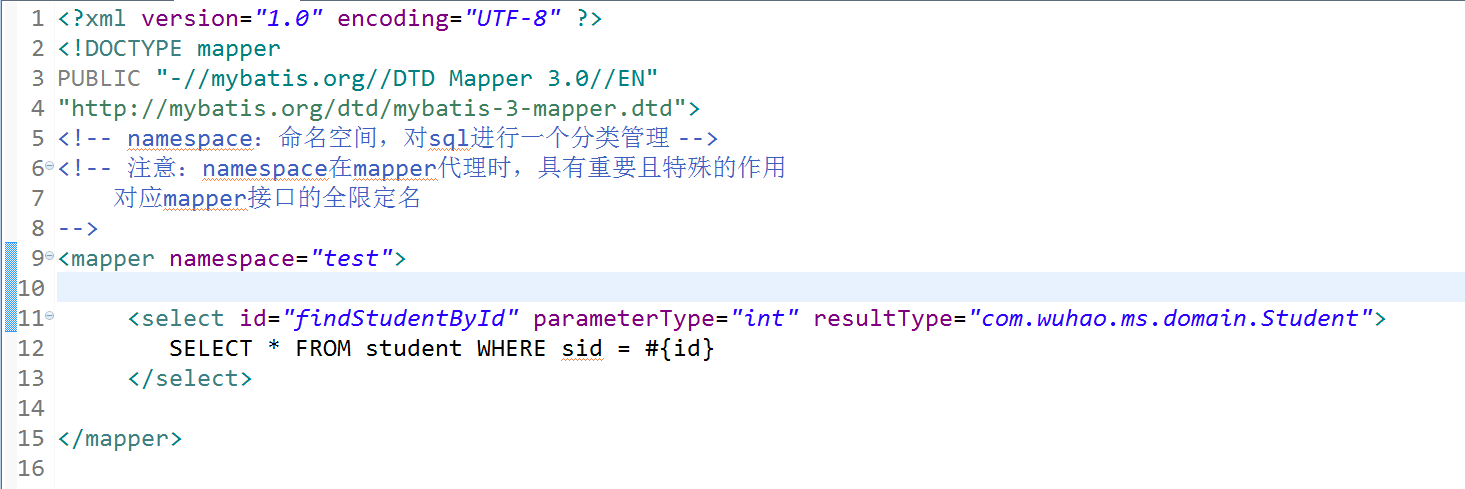
<?xml version="1.0" encoding="UTF-8" ?>

<!DOCTYPE mapper

PUBLIC "-//mybatis.org//DTD Mapper 3.0//EN"

"http://mybatis.org/dtd/mybatis-3-mapper.dtd">

<!-- namespace:命名空间,对sql进行一个分类管理 -->

<!-- 注意:namespace在mapper代理时,具有重要且特殊的作用

    对应mapper接口的全限定名

-->

<mapper namespace="test">

     <select id="findStudentById" parameterType="int" resultType="com.wuhao.ms.domain.Student">

         SELECT * FROM student WHERE sid = #{id}

     </select>

</mapper>
<?xml version="1.0" encoding="UTF-8" ?>

<!DOCTYPE mapper

PUBLIC "-//mybatis.org//DTD Mapper 3.0//EN"

"http://mybatis.org/dtd/mybatis-3-mapper.dtd">

<!-- namespace:命名空间,对sql进行一个分类管理 -->

<!-- 注意:namespace在mapper代理时,具有重要且特殊的作用

    对应mapper接口的全限定名

-->

<mapper namespace="test">

     <select id="findStudentById" parameterType="int" resultType="com.wuhao.ms.domain.Student">

         SELECT * FROM student WHERE sid = #{id}

     </select>

</mapper>
2.6、整合spring的配置文件applicationContext.xml

<beans xmlns="http://www.springframework.org/schema/beans"

    xmlns:xsi="http://www.w3.org/2001/XMLSchema-instance" xmlns:mvc="http://www.springframework.org/schema/mvc"

    xmlns:context="http://www.springframework.org/schema/context"

    xmlns:aop="http://www.springframework.org/schema/aop" xmlns:tx="http://www.springframework.org/schema/tx"

    xsi:schemaLocation="http://www.springframework.org/schema/beans

        http://www.springframework.org/schema/beans/spring-beans-3.2.xsd

        http://www.springframework.org/schema/mvc

        http://www.springframework.org/schema/mvc/spring-mvc-3.2.xsd

        http://www.springframework.org/schema/context

        http://www.springframework.org/schema/context/spring-context-3.2.xsd

        http://www.springframework.org/schema/aop

        http://www.springframework.org/schema/aop/spring-aop-3.2.xsd

        http://www.springframework.org/schema/tx

        http://www.springframework.org/schema/tx/spring-tx-3.2.xsd ">

    <!-- 引用java配置文件 -->

    <context:property-placeholder location="db.properties" />

    <!-- 配置数据源 -->

    <bean id="dataSource" class="org.apache.commons.dbcp.BasicDataSource">

        <property name="driverClassName" value="${db.driver}" />

        <property name="url" value="${db.url}" />

        <property name="username" value="${db.username}" />

        <property name="password" value="${db.password}" />

        <property name="maxActive" value="10" />

        <property name="maxIdle" value="5" />

    </bean>

    <!-- 配置SqlSessionFactory -->

    <bean id="sqlSessionFactory" class="org.mybatis.spring.SqlSessionFactoryBean">

        <!-- 指定mybatis的全局配置文件的路径 -->

        <property name="configLocation" value="SqlMapConfig.xml"></property>

        <!-- 数据源 -->

        <property name="dataSource" ref="dataSource"></property>

    </bean>

</beans>
<beans xmlns="http://www.springframework.org/schema/beans"

    xmlns:xsi="http://www.w3.org/2001/XMLSchema-instance" xmlns:mvc="http://www.springframework.org/schema/mvc"

    xmlns:context="http://www.springframework.org/schema/context"

    xmlns:aop="http://www.springframework.org/schema/aop" xmlns:tx="http://www.springframework.org/schema/tx"

    xsi:schemaLocation="http://www.springframework.org/schema/beans

        http://www.springframework.org/schema/beans/spring-beans-3.2.xsd

        http://www.springframework.org/schema/mvc

        http://www.springframework.org/schema/mvc/spring-mvc-3.2.xsd

        http://www.springframework.org/schema/context

        http://www.springframework.org/schema/context/spring-context-3.2.xsd

        http://www.springframework.org/schema/aop

        http://www.springframework.org/schema/aop/spring-aop-3.2.xsd

        http://www.springframework.org/schema/tx

        http://www.springframework.org/schema/tx/spring-tx-3.2.xsd ">

    <!-- 引用java配置文件 -->

    <context:property-placeholder location="db.properties" />

    <!-- 配置数据源 -->

    <bean id="dataSource" class="org.apache.commons.dbcp.BasicDataSource">

        <property name="driverClassName" value="${db.driver}" />

        <property name="url" value="${db.url}" />

        <property name="username" value="${db.username}" />

        <property name="password" value="${db.password}" />

        <property name="maxActive" value="10" />

        <property name="maxIdle" value="5" />

    </bean>

    <!-- 配置SqlSessionFactory -->

    <bean id="sqlSessionFactory" class="org.mybatis.spring.SqlSessionFactoryBean">

        <!-- 指定mybatis的全局配置文件的路径 -->

        <property name="configLocation" value="SqlMapConfig.xml"></property>

        <!-- 数据源 -->

        <property name="dataSource" ref="dataSource"></property>

    </bean>

</beans>
2.7、db.properties

db.driver=com.mysql.jdbc.Driver

db.url=jdbc:mysql://localhost:3306/test?useUnicode=true&characterEncoding=utf8

db.username=root

db.password=root
db.driver=com.mysql.jdbc.Driver

db.url=jdbc:mysql://localhost:3306/test?useUnicode=true&characterEncoding=utf8

db.username=root

db.password=root
2.8、总观,就编写了四个配置文件,和一个javabean

三、开发原始dao
上面是一个通用的配置,我们在使用mybatis时,有两个模式,一种就是原始dao的方式,一种就是使用mapper代理的方式,这里就介绍原始dao是如何集成spring的
StudengDao:接口

StudentDaoImpl:实现类

使用原始dao开发的缺点就是只能通过selectOne或者selectList等操作,而不是直接调用映射配置文件中的方法,不能一目了然。
spring中配置StudentDao

很多人这里会有疑问,觉得在spring中配置了StudengDao这个bean,但是我们根本没用在StudengDaoImpl中用set方法让其自动注入呀?原因就在StudengDaoImpl中继承了sqlSessionDaoSupport这个类,这个类帮我们做了,所以,我们直接通过this.getSqlSession()获取对象即可。
测试:

四、mapper方式开发
编写mapper接口,StudentMapper.java

编写mapper映射文件 StudengMapper.xml,注意两个要放在一起。名称要相同
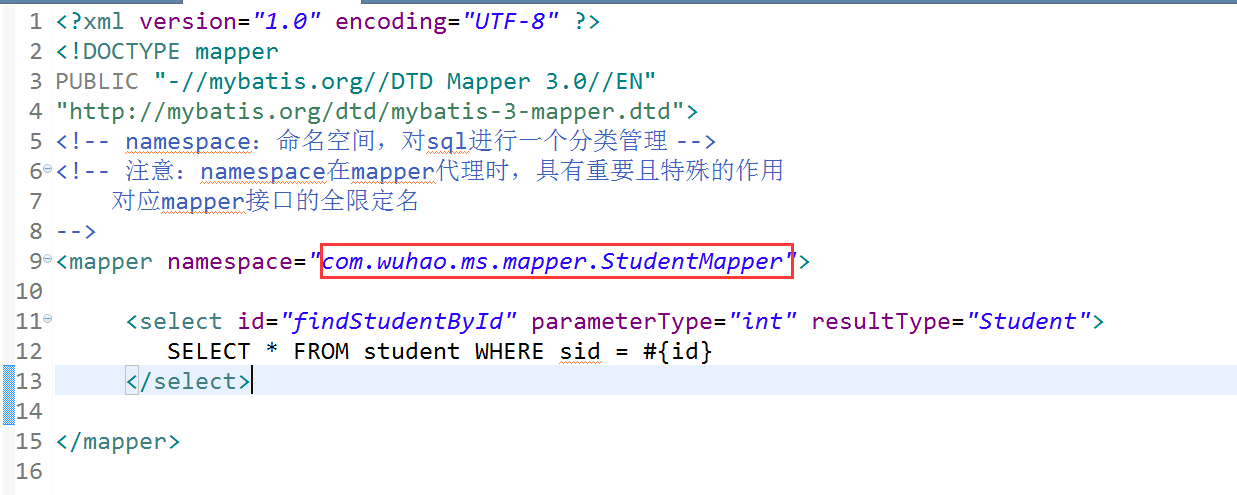
spring中生成mapper代理对象
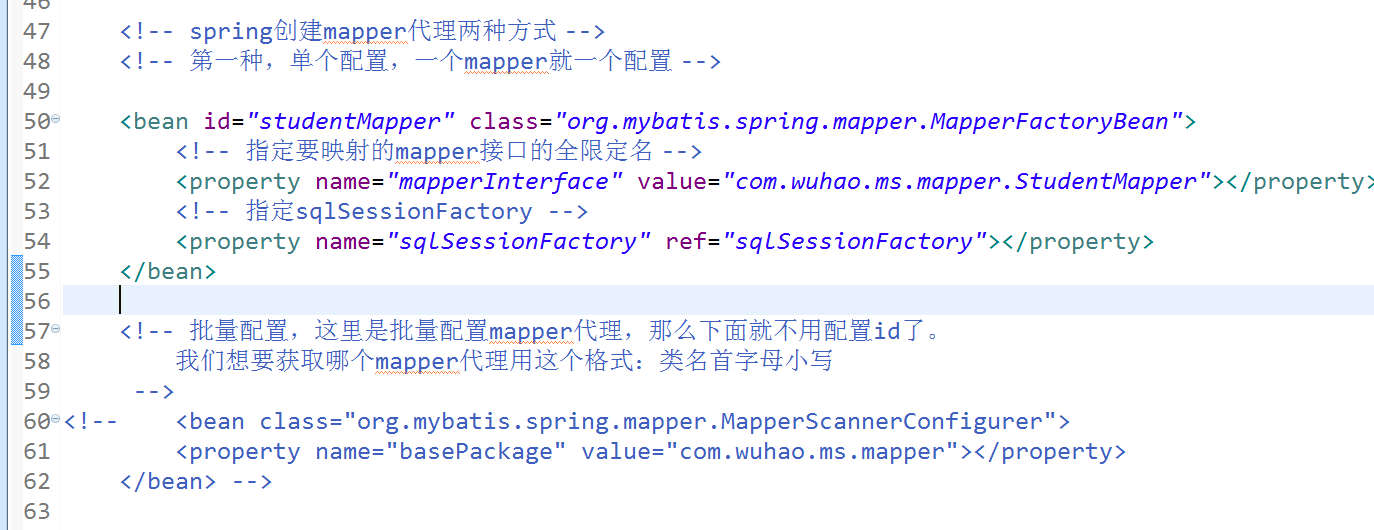
    <!-- spring创建mapper代理两种方式 -->

    <!-- 第一种,单个配置,一个mapper就一个配置 -->

    <bean id="studentMapper" class="org.mybatis.spring.mapper.MapperFactoryBean">

        <!-- 指定要映射的mapper接口的全限定名 -->

        <property name="mapperInterface" value="com.wuhao.ms.mapper.StudentMapper"></property>

        <!-- 指定sqlSessionFactory -->

        <property name="sqlSessionFactory" ref="sqlSessionFactory"></property>

    </bean>

    <!-- 批量配置,这里是批量配置mapper代理,那么下面就不用配置id了。

        我们想要获取哪个mapper代理用这个格式:类名首字母小写

     -->

<!--     <bean class="org.mybatis.spring.mapper.MapperScannerConfigurer">

        <property name="basePackage" value="com.wuhao.ms.mapper"></property>

    </bean> -->
    <!-- spring创建mapper代理两种方式 -->

    <!-- 第一种,单个配置,一个mapper就一个配置 -->

    <bean id="studentMapper" class="org.mybatis.spring.mapper.MapperFactoryBean">

        <!-- 指定要映射的mapper接口的全限定名 -->

        <property name="mapperInterface" value="com.wuhao.ms.mapper.StudentMapper"></property>

        <!-- 指定sqlSessionFactory -->

        <property name="sqlSessionFactory" ref="sqlSessionFactory"></property>

    </bean>

    <!-- 批量配置,这里是批量配置mapper代理,那么下面就不用配置id了。

        我们想要获取哪个mapper代理用这个格式:类名首字母小写

     -->

<!--     <bean class="org.mybatis.spring.mapper.MapperScannerConfigurer">

        <property name="basePackage" value="com.wuhao.ms.mapper"></property>

    </bean> -->
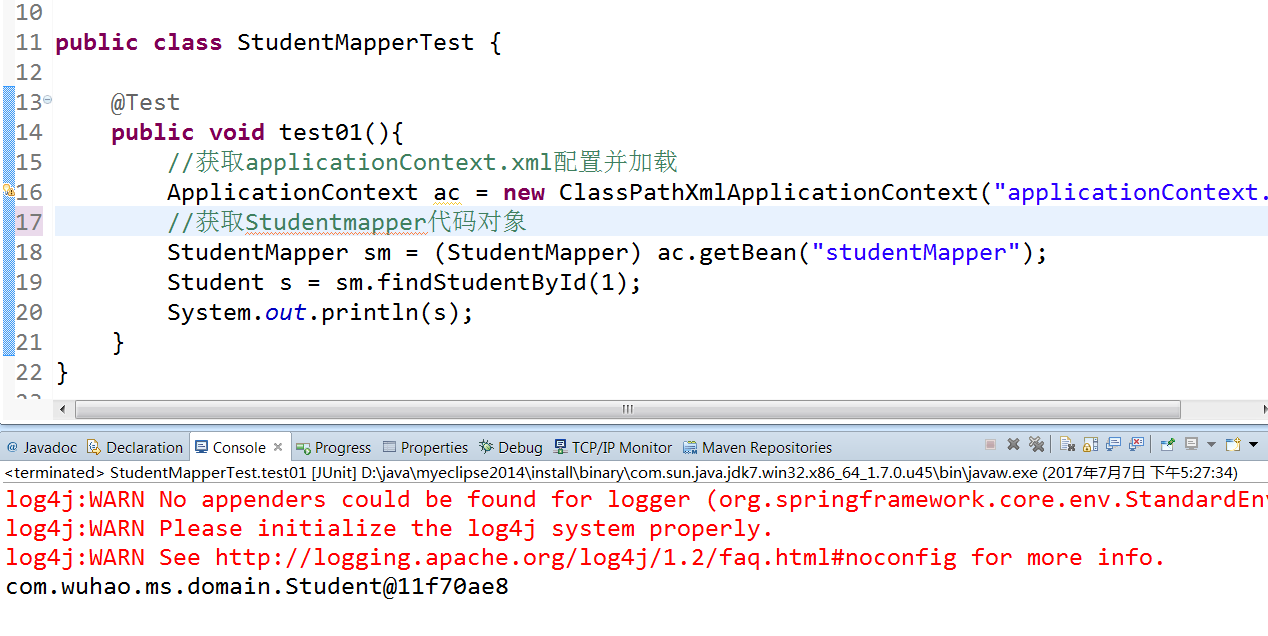
测试:
五、总结
就这样结束了,spring集成Mybatis,很简单,有什么对象都由spring来创建即可。注意原始dao和mapper这两种开发方式的不同。结果都市一样的,方式不同而已。这个在第一节讲Mybatis就已经讲解过了,这里不在陈述,下一章节讲解一下Mybatis的逆向工程
Mybatis学习(六)————— Spring整合mybatis的更多相关文章
- Mybatis(六) Spring整合mybatis
心莫浮躁~踏踏实实走,一步一个脚印,就算不学习,玩,能干嘛呢?人生就是那样,要找点有意思,打发时间的事情来做,而钻研技术,动脑动手的过程,还是比其他工作更有意思些~ so,努力啥的都是强迫自己做自以为 ...
- spring学习 六 spring与mybatis整合
在mybatis学习中有两种配置文件 :全局配置文件,映射配置文件.mybatis和spring整合,其实就是把mybatis中的全局配置文件的配置内容都变成一个spring容器的一个bean,让sp ...
- Java学习笔记-spring整合mybatis
这个项目就是一个例子,只有添加图书的功能: 项目架构: resource: 整合流程: 1.pom文件节点,这两个是整合用的,其他节点不再赘述: <!-- https://mvnreposito ...
- mybatis学习笔记 spring与mybatis整合
转载自http://blog.csdn.net/naruto_Mr/article/details/48239357 1.创建web工程,导入spring依赖包与mybatis依赖包,还需要mybat ...
- Spring boot 学习六 spring 继承 mybatis (基于注解)
MyBatis提供了多个注解如:@InsertProvider,@UpdateProvider,@DeleteProvider和@SelectProvider,这些都是建立动态语言和让MyBatis执 ...
- spring整合mybatis(hibernate)配置
一.Spring整合配置Mybatis spring整合mybatis可以不需要mybatis-config.xml配置文件,直接通过spring配置文件一步到位.一般需要具备如下几个基本配置. 1. ...
- Spring学习总结(六)——Spring整合MyBatis完整示例
为了梳理前面学习的内容<Spring整合MyBatis(Maven+MySQL)一>与<Spring整合MyBatis(Maven+MySQL)二>,做一个完整的示例完成一个简 ...
- (转)SpringMVC学习(四)——Spring、MyBatis和SpringMVC的整合
http://blog.csdn.net/yerenyuan_pku/article/details/72231763 之前我整合了Spring和MyBatis这两个框架,不会的可以看我的文章MyBa ...
- Spring学习总结(五)——Spring整合MyBatis(Maven+MySQL)二
接着上一篇博客<Spring整合MyBatis(Maven+MySQL)一>继续. Spring的开放性和扩张性在J2EE应用领域得到了充分的证明,与其他优秀框架无缝的集成是Spring最 ...
随机推荐
- 在IDEA中spring程序可以正常运行,但IDE报错Could not autowire.
这个问题只会在使用xml文件配置bean时遇到,使用自动配置和java配置没有这种错误. 遇到这个问题首先要确定配置文件已经正确的放在了resources文件夹内,resources文件夹就是clas ...
- sql server 查询当前月份日期列表数据
SELECT ), ,) AS every_time, --日期 ,getdate())) ) AS Weekd --星期几 FROM master..spt_values n WHERE n.typ ...
- react.JS基础
1.ReactDOM.render() React.render 是 React 的最基本方法,用于将模板转为 HTML 语言,并插入指定的 DOM 节点. <!DOCTYPE html> ...
- vue table-tree 组件
最近接到一个需要使用table-tree开发 百度的一圈.什么的都有.感觉不怎么靠谱.最后找到一个感觉挺 huo shi 先附上demo和代码地址: 代码地址:https://github.com/s ...
- 快排实现仿order by多字段排序
class OrderBy(object): def __init__(self, sequence, *condition, **extra_condition): ""&quo ...
- 在浏览器输入URL时发生了什么
浏览器器检查cache,如果请求对象已经缓存并且是最新的,执行第9步. 浏览器询问操作系统,请求服务器的IP地址 操作系统进行DNS查找,然后告诉浏览器服务器的IP 浏览器和服务器简历一个TCP连接( ...
- 4.28Linux(6)
2019-4-28 21:27:41 明天回家.回家继续学Linux还好有个服务器!!!感觉有个属于自己的服务器感觉好爽啊!! 越努力越幸运!永远不要高估自己!!! Nginx安装 服务器的请求原理 ...
- Codeforces Round #555 (Div. 3) AB
A: http://codeforces.com/contest/1157/problem/A 题意:每次加到10的整数倍之后,去掉后面的0,问最多有多少种可能. #include <io ...
- 关于postgresql group by 报错
举个例子: table name:makerar cname | wmname | avg --------+-------------+------ ...
- swust oj 987
输出用先序遍历创建的二叉树是否为完全二叉树的判定结果 1000(ms) 10000(kb) 2553 / 5268 利用先序递归遍历算法创建二叉树并判断该二叉树是否为完全二叉树.完全二叉树只能是同深度 ...