
Mybatis学习(六)————— Spring整合mybatis
一、Spring整合mybatis思路
非常简单,这里先回顾一下mybatis最基础的根基,
mybatis,有两个配置文件
全局配置文件SqlMapConfig.xml(配置数据源,全局变量,加载映射文件等东西)
映射文件xxxMapper.xml,用来对输入参数输出参数,数据库语句做配置的。
mybatis配置好之后的使用步骤
1、获取sqlMapConfig.xml的位置然后进行加载
2、通过sqlMapConfig.xml中的内容创建出sqlsessionFactory对象
3、然后通过sqlsessionFactory对象创建出sqlsession对象
4、有了sqlsession对象就可以进行相应的操作了。
集成思路
有了上面的一些知识回顾,那么就有思路让spring继承mabatis了。
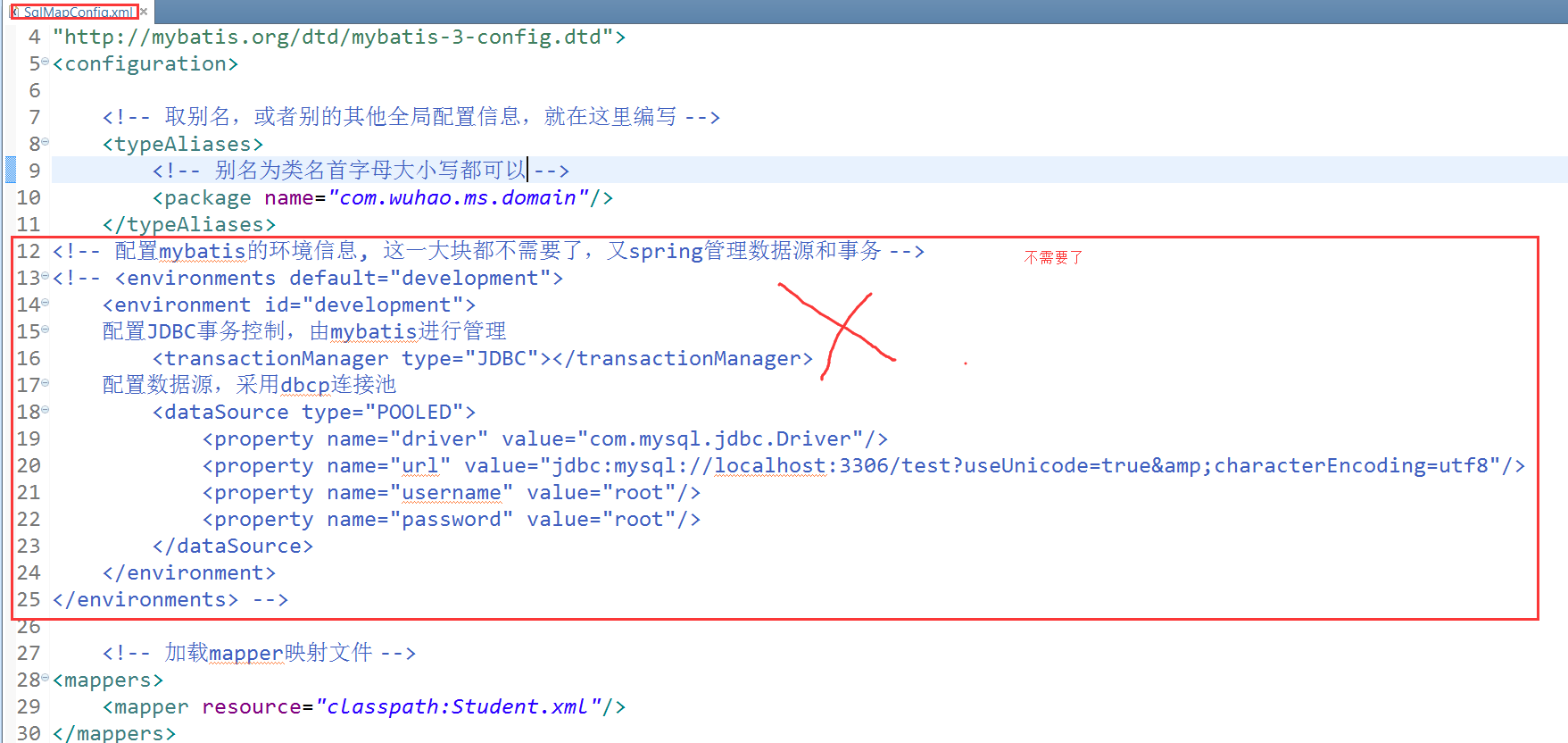
1、让spring来管理数据源信息,sqlMapConfig.xml中就不需要加载数据源了。交给spring管理
2、让spring通过单例方式管理SqlSessionFactory,只需要一个SqlSessionFactory帮我们生成sqlsession即可。也就是需要sqlsession对象就让sqlsessionfactory生成。所以是单例方式。
3、让spring创建sqlsession bean。也就是通过SqlSessionFactory创建SqlSession,
4、如果是使用mapper代理开发的方式,那么持久层的mapper都需要由spring进行管理,spring和mybatis整合生成mapper代理对象。
二、工程搭建
2.1、创建java工程
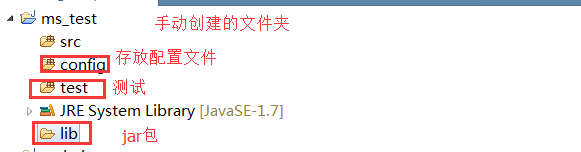
2.2、添加jar包
Mybatis的核心和依赖包
数据库驱动包
spring的包
junit包
spring和mybatis整合包
dbcp连接池
2.3、
2.4、添加SqlMapConfig.xml
<?xml version="1.0" encoding="UTF-8" ?>

<!DOCTYPE configuration

PUBLIC "-//mybatis.org//DTD Config 3.0//EN"

"http://mybatis.org/dtd/mybatis-3-config.dtd">

<configuration>

    <!-- 取别名,或者别的其他全局配置信息,就在这里编写 -->

    <typeAliases>

        <!-- 别名为类名首字母大小写都可以 -->

        <package name="com.wuhao.ms.domain"/>

    </typeAliases>

    <!-- 加载mapper映射文件 -->

<mappers>

    <mapper resource="classpath:Student.xml"/>

</mappers>

</configuration>

<?xml version="1.0" encoding="UTF-8" ?>

<!DOCTYPE configuration

PUBLIC "-//mybatis.org//DTD Config 3.0//EN"

"http://mybatis.org/dtd/mybatis-3-config.dtd">

<configuration>

    <!-- 取别名,或者别的其他全局配置信息,就在这里编写 -->

    <typeAliases>

        <!-- 别名为类名首字母大小写都可以 -->

        <package name="com.wuhao.ms.domain"/>

    </typeAliases>

    <!-- 加载mapper映射文件 -->

<mappers>

    <mapper resource="classpath:Student.xml"/>

</mappers>

</configuration>
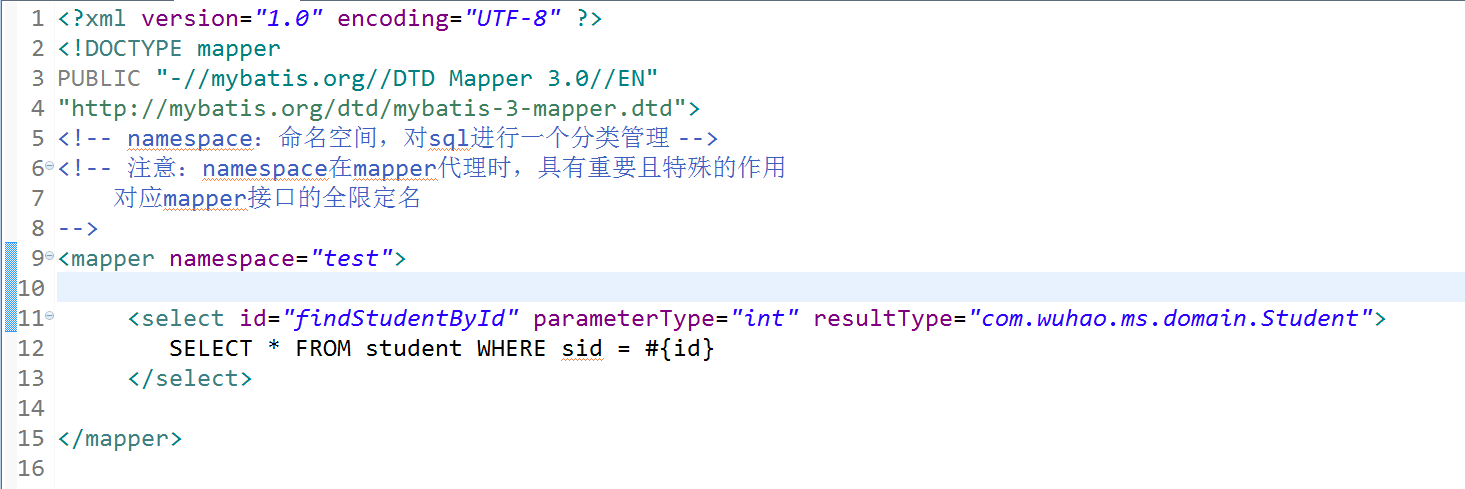
2.5、映射配置文件Student.xml
<?xml version="1.0" encoding="UTF-8" ?>

<!DOCTYPE mapper

PUBLIC "-//mybatis.org//DTD Mapper 3.0//EN"

"http://mybatis.org/dtd/mybatis-3-mapper.dtd">

<!-- namespace:命名空间,对sql进行一个分类管理 -->

<!-- 注意:namespace在mapper代理时,具有重要且特殊的作用

    对应mapper接口的全限定名

-->

<mapper namespace="test">

     <select id="findStudentById" parameterType="int" resultType="com.wuhao.ms.domain.Student">

         SELECT * FROM student WHERE sid = #{id}

     </select>

</mapper>
<?xml version="1.0" encoding="UTF-8" ?>

<!DOCTYPE mapper

PUBLIC "-//mybatis.org//DTD Mapper 3.0//EN"

"http://mybatis.org/dtd/mybatis-3-mapper.dtd">

<!-- namespace:命名空间,对sql进行一个分类管理 -->

<!-- 注意:namespace在mapper代理时,具有重要且特殊的作用

    对应mapper接口的全限定名

-->

<mapper namespace="test">

     <select id="findStudentById" parameterType="int" resultType="com.wuhao.ms.domain.Student">

         SELECT * FROM student WHERE sid = #{id}

     </select>

</mapper>
2.6、整合spring的配置文件applicationContext.xml

<beans xmlns="http://www.springframework.org/schema/beans"

    xmlns:xsi="http://www.w3.org/2001/XMLSchema-instance" xmlns:mvc="http://www.springframework.org/schema/mvc"

    xmlns:context="http://www.springframework.org/schema/context"

    xmlns:aop="http://www.springframework.org/schema/aop" xmlns:tx="http://www.springframework.org/schema/tx"

    xsi:schemaLocation="http://www.springframework.org/schema/beans

        http://www.springframework.org/schema/beans/spring-beans-3.2.xsd

        http://www.springframework.org/schema/mvc

        http://www.springframework.org/schema/mvc/spring-mvc-3.2.xsd

        http://www.springframework.org/schema/context

        http://www.springframework.org/schema/context/spring-context-3.2.xsd

        http://www.springframework.org/schema/aop

        http://www.springframework.org/schema/aop/spring-aop-3.2.xsd

        http://www.springframework.org/schema/tx

        http://www.springframework.org/schema/tx/spring-tx-3.2.xsd ">

    <!-- 引用java配置文件 -->

    <context:property-placeholder location="db.properties" />

    <!-- 配置数据源 -->

    <bean id="dataSource" class="org.apache.commons.dbcp.BasicDataSource">

        <property name="driverClassName" value="${db.driver}" />

        <property name="url" value="${db.url}" />

        <property name="username" value="${db.username}" />

        <property name="password" value="${db.password}" />

        <property name="maxActive" value="10" />

        <property name="maxIdle" value="5" />

    </bean>

    <!-- 配置SqlSessionFactory -->

    <bean id="sqlSessionFactory" class="org.mybatis.spring.SqlSessionFactoryBean">

        <!-- 指定mybatis的全局配置文件的路径 -->

        <property name="configLocation" value="SqlMapConfig.xml"></property>

        <!-- 数据源 -->

        <property name="dataSource" ref="dataSource"></property>

    </bean>

</beans>
<beans xmlns="http://www.springframework.org/schema/beans"

    xmlns:xsi="http://www.w3.org/2001/XMLSchema-instance" xmlns:mvc="http://www.springframework.org/schema/mvc"

    xmlns:context="http://www.springframework.org/schema/context"

    xmlns:aop="http://www.springframework.org/schema/aop" xmlns:tx="http://www.springframework.org/schema/tx"

    xsi:schemaLocation="http://www.springframework.org/schema/beans

        http://www.springframework.org/schema/beans/spring-beans-3.2.xsd

        http://www.springframework.org/schema/mvc

        http://www.springframework.org/schema/mvc/spring-mvc-3.2.xsd

        http://www.springframework.org/schema/context

        http://www.springframework.org/schema/context/spring-context-3.2.xsd

        http://www.springframework.org/schema/aop

        http://www.springframework.org/schema/aop/spring-aop-3.2.xsd

        http://www.springframework.org/schema/tx

        http://www.springframework.org/schema/tx/spring-tx-3.2.xsd ">

    <!-- 引用java配置文件 -->

    <context:property-placeholder location="db.properties" />

    <!-- 配置数据源 -->

    <bean id="dataSource" class="org.apache.commons.dbcp.BasicDataSource">

        <property name="driverClassName" value="${db.driver}" />

        <property name="url" value="${db.url}" />

        <property name="username" value="${db.username}" />

        <property name="password" value="${db.password}" />

        <property name="maxActive" value="10" />

        <property name="maxIdle" value="5" />

    </bean>

    <!-- 配置SqlSessionFactory -->

    <bean id="sqlSessionFactory" class="org.mybatis.spring.SqlSessionFactoryBean">

        <!-- 指定mybatis的全局配置文件的路径 -->

        <property name="configLocation" value="SqlMapConfig.xml"></property>

        <!-- 数据源 -->

        <property name="dataSource" ref="dataSource"></property>

    </bean>

</beans>
2.7、db.properties

db.driver=com.mysql.jdbc.Driver

db.url=jdbc:mysql://localhost:3306/test?useUnicode=true&characterEncoding=utf8

db.username=root

db.password=root
db.driver=com.mysql.jdbc.Driver

db.url=jdbc:mysql://localhost:3306/test?useUnicode=true&characterEncoding=utf8

db.username=root

db.password=root
2.8、总观,就编写了四个配置文件,和一个javabean

三、开发原始dao
上面是一个通用的配置,我们在使用mybatis时,有两个模式,一种就是原始dao的方式,一种就是使用mapper代理的方式,这里就介绍原始dao是如何集成spring的
StudengDao:接口

StudentDaoImpl:实现类

使用原始dao开发的缺点就是只能通过selectOne或者selectList等操作,而不是直接调用映射配置文件中的方法,不能一目了然。
spring中配置StudentDao

很多人这里会有疑问,觉得在spring中配置了StudengDao这个bean,但是我们根本没用在StudengDaoImpl中用set方法让其自动注入呀?原因就在StudengDaoImpl中继承了sqlSessionDaoSupport这个类,这个类帮我们做了,所以,我们直接通过this.getSqlSession()获取对象即可。
测试:

四、mapper方式开发
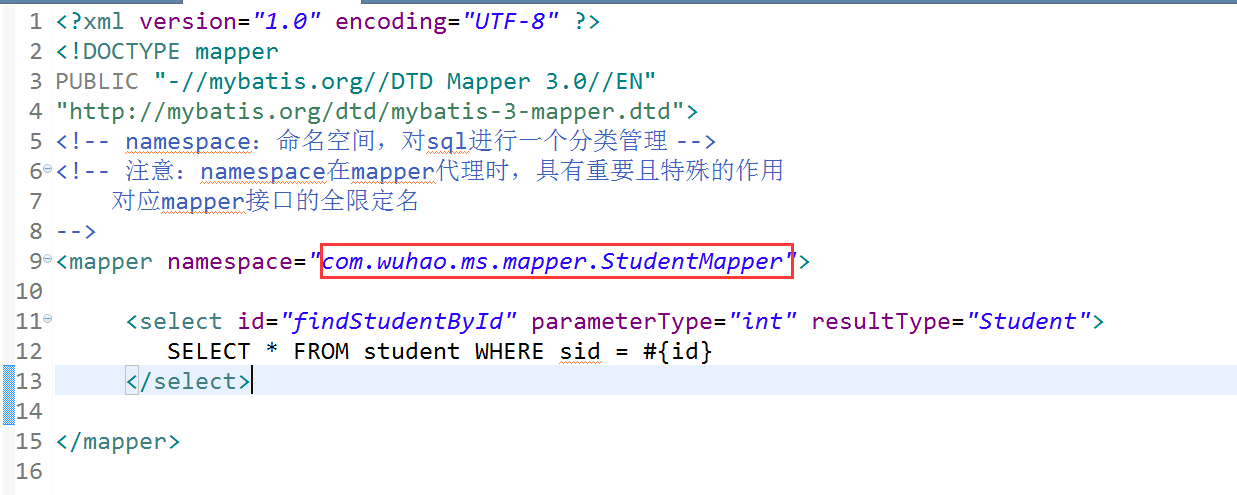
编写mapper接口,StudentMapper.java

编写mapper映射文件 StudengMapper.xml,注意两个要放在一起。名称要相同
spring中生成mapper代理对象
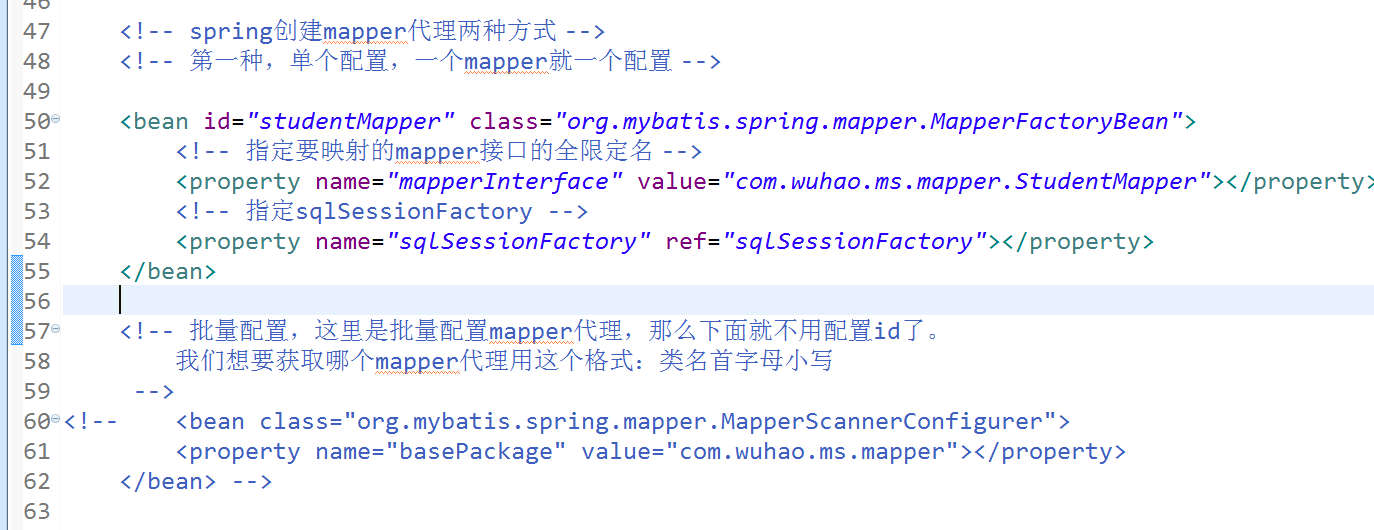
    <!-- spring创建mapper代理两种方式 -->

    <!-- 第一种,单个配置,一个mapper就一个配置 -->

    <bean id="studentMapper" class="org.mybatis.spring.mapper.MapperFactoryBean">

        <!-- 指定要映射的mapper接口的全限定名 -->

        <property name="mapperInterface" value="com.wuhao.ms.mapper.StudentMapper"></property>

        <!-- 指定sqlSessionFactory -->

        <property name="sqlSessionFactory" ref="sqlSessionFactory"></property>

    </bean>

    <!-- 批量配置,这里是批量配置mapper代理,那么下面就不用配置id了。

        我们想要获取哪个mapper代理用这个格式:类名首字母小写

     -->

<!--     <bean class="org.mybatis.spring.mapper.MapperScannerConfigurer">

        <property name="basePackage" value="com.wuhao.ms.mapper"></property>

    </bean> -->
    <!-- spring创建mapper代理两种方式 -->

    <!-- 第一种,单个配置,一个mapper就一个配置 -->

    <bean id="studentMapper" class="org.mybatis.spring.mapper.MapperFactoryBean">

        <!-- 指定要映射的mapper接口的全限定名 -->

        <property name="mapperInterface" value="com.wuhao.ms.mapper.StudentMapper"></property>

        <!-- 指定sqlSessionFactory -->

        <property name="sqlSessionFactory" ref="sqlSessionFactory"></property>

    </bean>

    <!-- 批量配置,这里是批量配置mapper代理,那么下面就不用配置id了。

        我们想要获取哪个mapper代理用这个格式:类名首字母小写

     -->

<!--     <bean class="org.mybatis.spring.mapper.MapperScannerConfigurer">

        <property name="basePackage" value="com.wuhao.ms.mapper"></property>

    </bean> -->
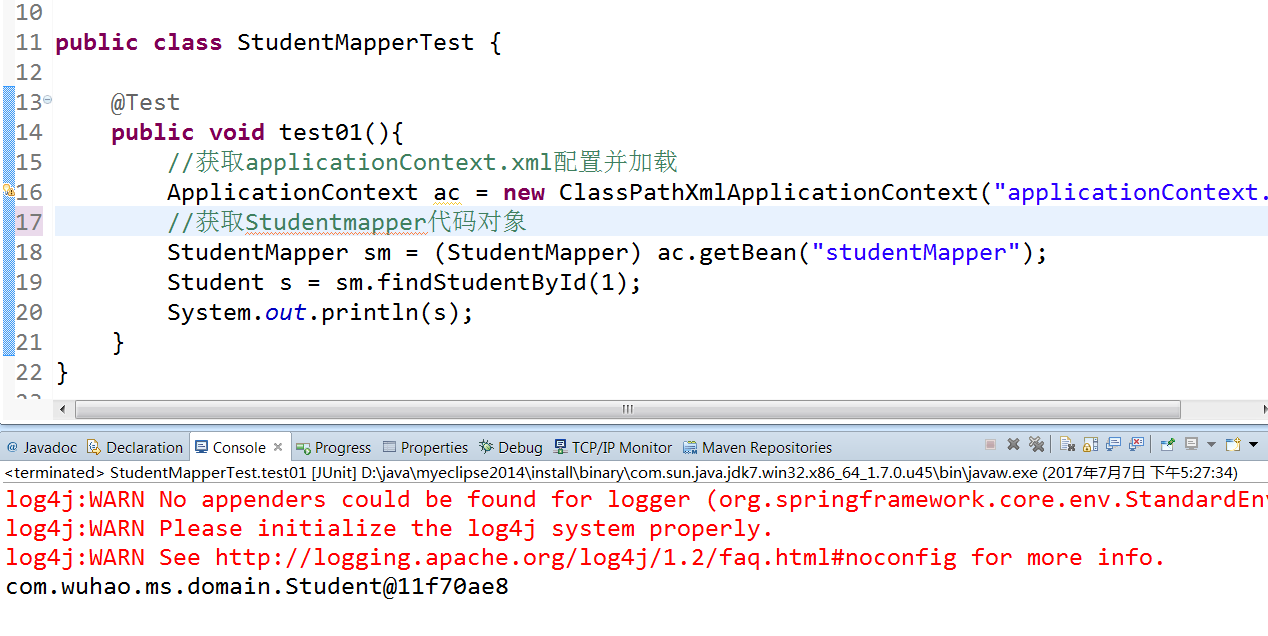
测试:
五、总结
就这样结束了,spring集成Mybatis,很简单,有什么对象都由spring来创建即可。注意原始dao和mapper这两种开发方式的不同。结果都市一样的,方式不同而已。这个在第一节讲Mybatis就已经讲解过了,这里不在陈述,下一章节讲解一下Mybatis的逆向工程
Mybatis学习(六)————— Spring整合mybatis的更多相关文章
- Mybatis(六) Spring整合mybatis
心莫浮躁~踏踏实实走,一步一个脚印,就算不学习,玩,能干嘛呢?人生就是那样,要找点有意思,打发时间的事情来做,而钻研技术,动脑动手的过程,还是比其他工作更有意思些~ so,努力啥的都是强迫自己做自以为 ...
- spring学习 六 spring与mybatis整合
在mybatis学习中有两种配置文件 :全局配置文件,映射配置文件.mybatis和spring整合,其实就是把mybatis中的全局配置文件的配置内容都变成一个spring容器的一个bean,让sp ...
- Java学习笔记-spring整合mybatis
这个项目就是一个例子,只有添加图书的功能: 项目架构: resource: 整合流程: 1.pom文件节点,这两个是整合用的,其他节点不再赘述: <!-- https://mvnreposito ...
- mybatis学习笔记 spring与mybatis整合
转载自http://blog.csdn.net/naruto_Mr/article/details/48239357 1.创建web工程,导入spring依赖包与mybatis依赖包,还需要mybat ...
- Spring boot 学习六 spring 继承 mybatis (基于注解)
MyBatis提供了多个注解如:@InsertProvider,@UpdateProvider,@DeleteProvider和@SelectProvider,这些都是建立动态语言和让MyBatis执 ...
- spring整合mybatis(hibernate)配置
一.Spring整合配置Mybatis spring整合mybatis可以不需要mybatis-config.xml配置文件,直接通过spring配置文件一步到位.一般需要具备如下几个基本配置. 1. ...
- Spring学习总结(六)——Spring整合MyBatis完整示例
为了梳理前面学习的内容<Spring整合MyBatis(Maven+MySQL)一>与<Spring整合MyBatis(Maven+MySQL)二>,做一个完整的示例完成一个简 ...
- (转)SpringMVC学习(四)——Spring、MyBatis和SpringMVC的整合
http://blog.csdn.net/yerenyuan_pku/article/details/72231763 之前我整合了Spring和MyBatis这两个框架,不会的可以看我的文章MyBa ...
- Spring学习总结(五)——Spring整合MyBatis(Maven+MySQL)二
接着上一篇博客<Spring整合MyBatis(Maven+MySQL)一>继续. Spring的开放性和扩张性在J2EE应用领域得到了充分的证明,与其他优秀框架无缝的集成是Spring最 ...
随机推荐
- 一个for实现9*9乘法表
今天看到别人一个博客提出来一个非常有趣的题目,写一个9*9的乘法表,要求只使用且仅使用一个for来实现9*9乘法表的打印.(不使用if,switch,?:) 可以用任何语言实现,下面是博主给的ja ...
- Spring源码Gradle
Microsoft Windows [版本 10.0.17134.590](c) 2018 Microsoft Corporation.保留所有权利. D:\Workspaces\idea\sprin ...
- IaaS,PaaS和SaaS
云计算的三种服务模式:IaaS,PaaS和SaaS IaaS: Infrastructure-as-a-Service(基础设施即服务)是第一层. PaaS: Platform-as-a-Servic ...
- over(partition by..) 的运用(转)
oracle的分析函数over 及开窗函数一:分析函数overOracle从8.1.6开始提供分析函数,分析函数用于计算基于组的某种聚合值,它和聚合函数的不同之处是对于每个组返回多行,而聚合函数对于每 ...
- vue常用属性
关键词:filters | 自定义过滤器 (首字母大写) <p>{{ msg | capitalize }}</p> filters: { capitalize: funct ...
- 30、vue 过滤器(filters)
filter Vue.js 允许你自定义过滤器,可被用于一些常见的文本格式化.过滤器可以用在两个地方:双花括号插值和 v-bind 表达式 (后者从 2.1.0+ 开始支持).过滤器应该被添加在 Ja ...
- java:找出占用CPU资源最多的那个线程
linux环境下,当发现java进程占用CPU资源很高,且又要想更进一步查出哪一个java线程占用了CPU资源时,按照以下步骤进行查找: 1.先用top命令找出占用资源厉害的java进程id,如: 2 ...
- Java中不定项参数(可变参数)的使用
Java1.5增加了新特性:可变参数:适用于参数个数不确定,类型确定的情况,java把可变参数当做数组处理. 注意事项: 1)不定项参数必须放在参数列表最后一个. 2)不定项参数只能有一个(多 ...
- 一个自己研究出来的字符串匹配算法-k子串算法
前言 最近工作中需要写一个算法,而写完这个算法我却发现了一个很有意思的事情.需要的这个算法是这样的:对于A,B两个字符串,找出最多K个公共子串,使得这K个子串长度和最大.百度之没有这样的算法,然后就开 ...
- JS日历插件 - My97 DatePicker用法详解
一.简介 1. 注意事项 (1)My97DatePicker目录是一个整体,不可破坏里面的目录结构,也不可对里面的文件改名,可以改目录名: (2)各目录及文件的用途: WdatePicker.js 配 ...