
Splunk初识
网址汇总
下载:https://www.splunk.com/en_us/download.html
文档:https://docs.splunk.com/Documentation/Splunk/8.0.0
管理员手册:https://docs.splunk.com/images/0/00/Splunk-6.5.0-zh_CN-Admin.pdf
注册与下载
注: 官网注册账号需要审核,下载链接只有登录才能获得,可以直接使用下面的下载链接。可以直接下载,链接是免费版的Splunk。
1. windows下载链接:https://download.splunk.com/products/splunk/releases/8.0.0/windows/splunk-8.0.0-1357bef0a7f6-x64-release.msi

2. rpm下载链接: https://download.splunk.com/products/splunk/releases/8.0.0/linux/splunk-8.0.0-1357bef0a7f6-linux-2.6-x86_64.rpm

3. tgz下载链接:https://download.splunk.com/products/splunk/releases/8.0.0/linux/splunk-8.0.0-1357bef0a7f6-Linux-x86_64.tgz
安装
# 使用 tgz 进行安装

tar -xf splunk-8.0.0-1357bef0a7f6-Linux-x86_64.tgz

cd ./splunk/bin

./splunk startcurl

#
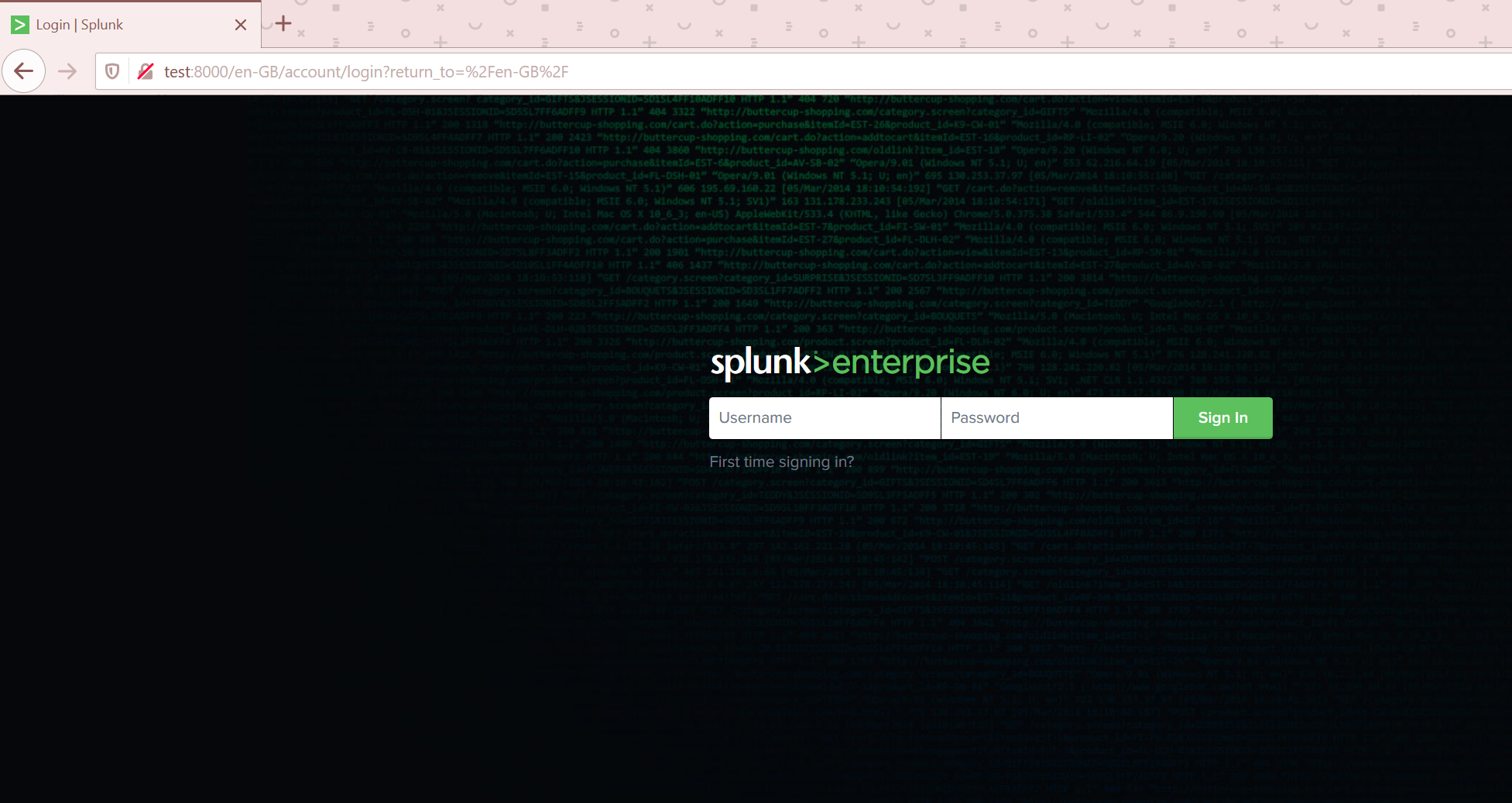
用物理机 访问 hostname:8000,输入账号密码。
使用
中文环境
默认进入的环境是英文环境,可以直接改url
默认的:http://test:8000/en-GB/app/launcher/home
更改为:http://test:8000/zh-CN/app/launcher/home
第一次进入的时候,会有使用教程进行提示
关于APP
APPs会为一些想要使用的场景提供解决方案,不能的APP可能是对业务层面的隔离,也可能具体到某曾数据层面的隔离。比如:我拥有一组服务器的LOG而对于这个LOG可能就可以创建一个APP,里面都是对于LOG信息的可视化展示。
Splunk自带的APP
Splunk提供了一组APP,可以直接安装在你的Server上,访问:http://test:8000/zh-CN/manager/launcher/appsremote?offset=0&count=20&order=latest。可以查找应用。
推荐安装Splunk Dashboard Examples来学习。需要登录官方账号与密码。
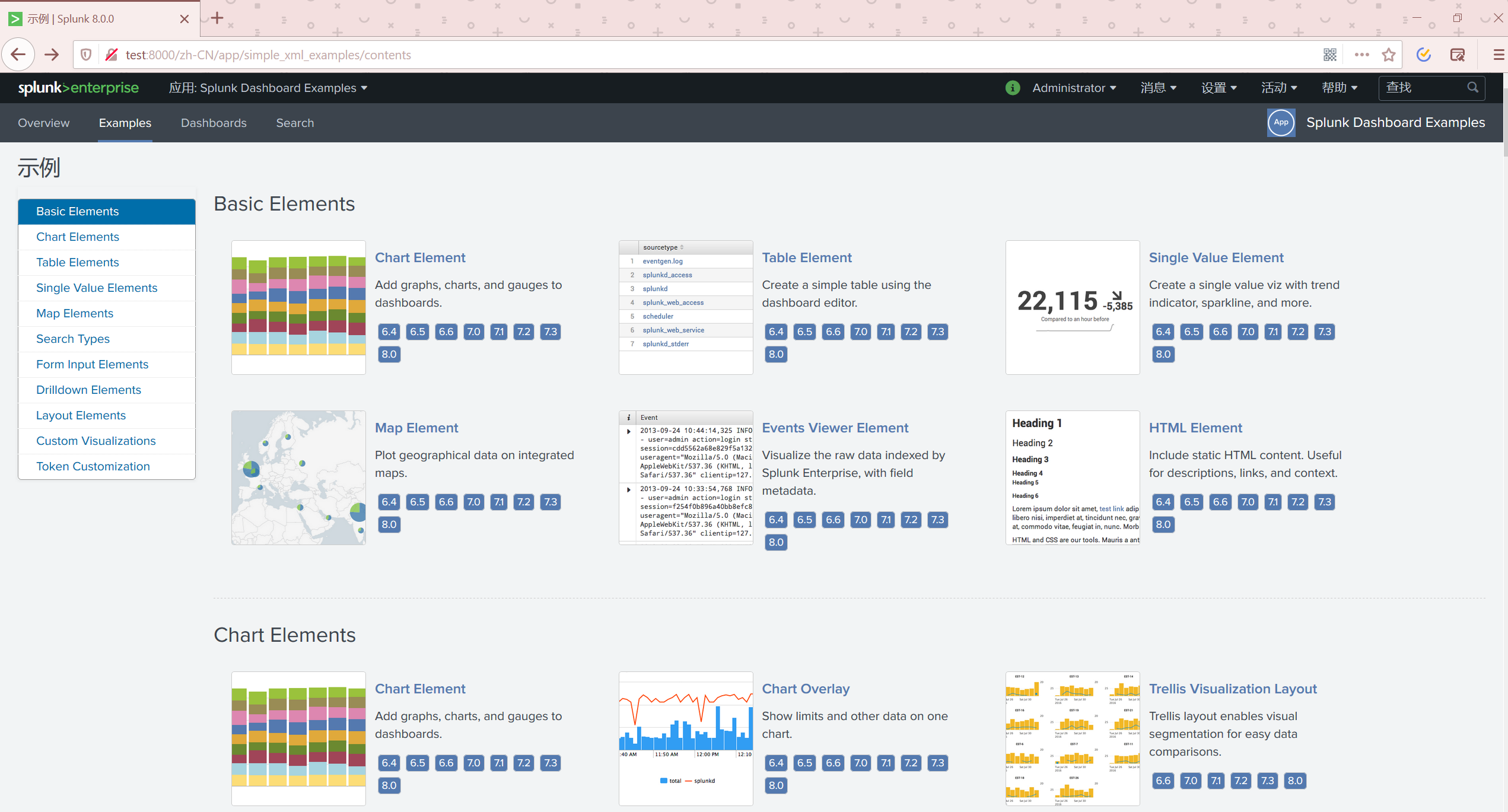
可以通过例子,对Splunk有一个深入的了解。
创建自己的APP
进入管理应用:http://test:8000/zh-CN/manager/simple_xml_examples/apps/local 右上角有创建APP

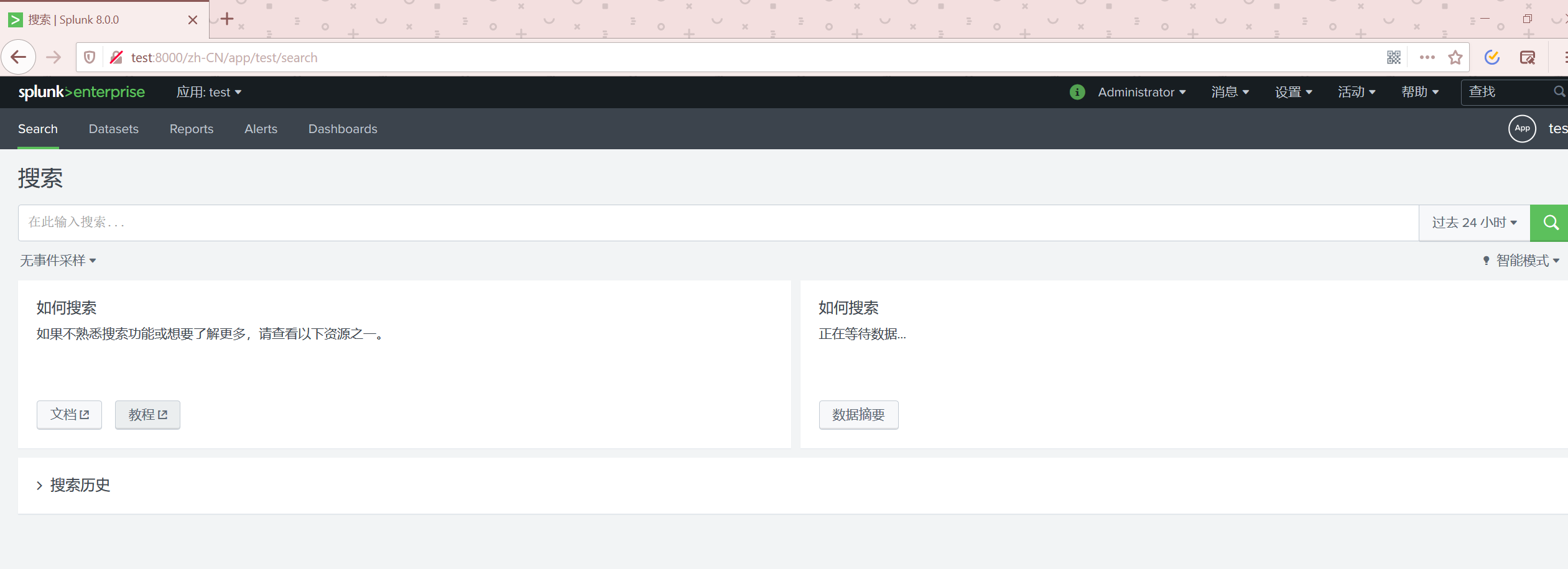
进入APP
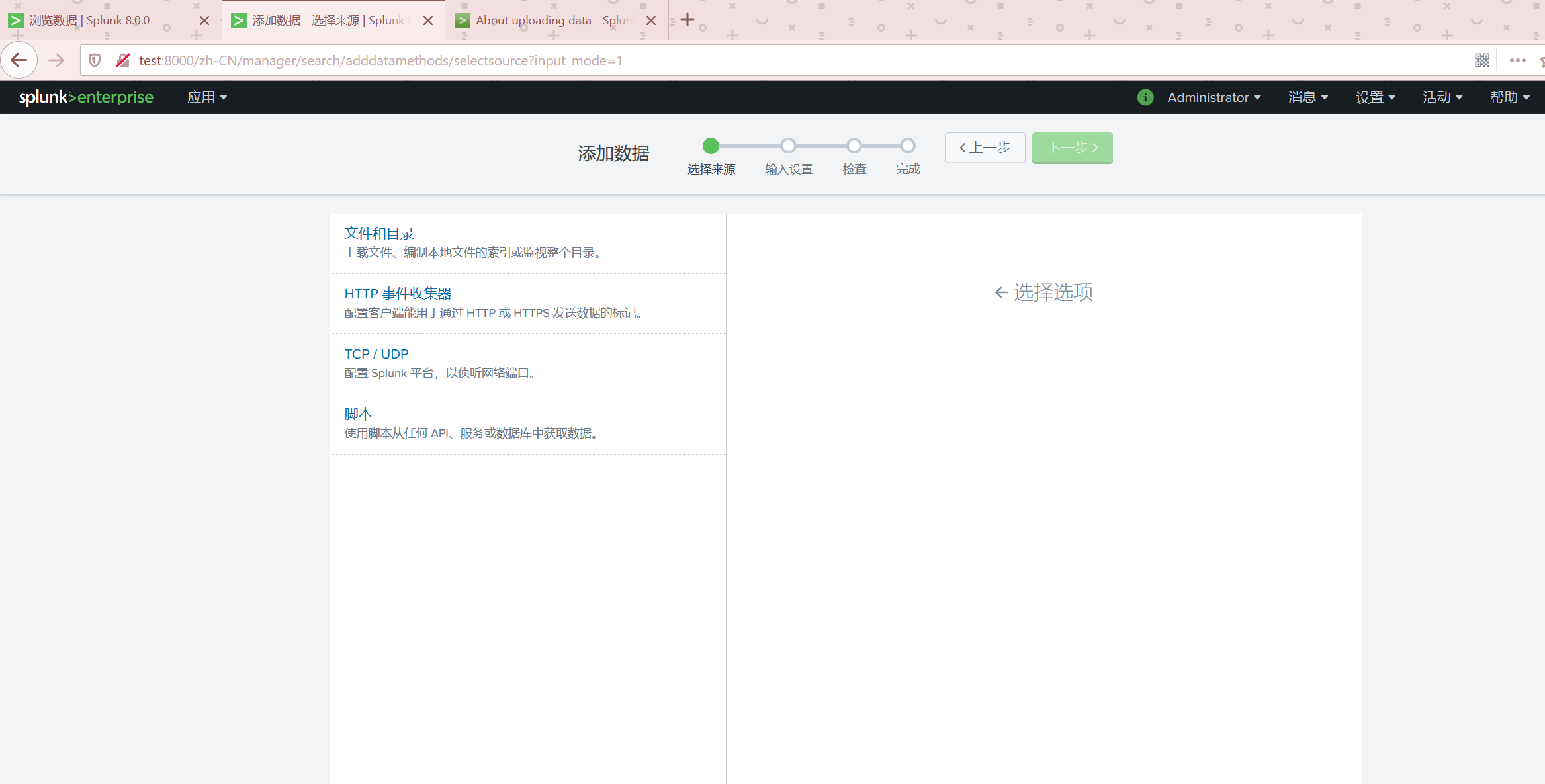
添加数据
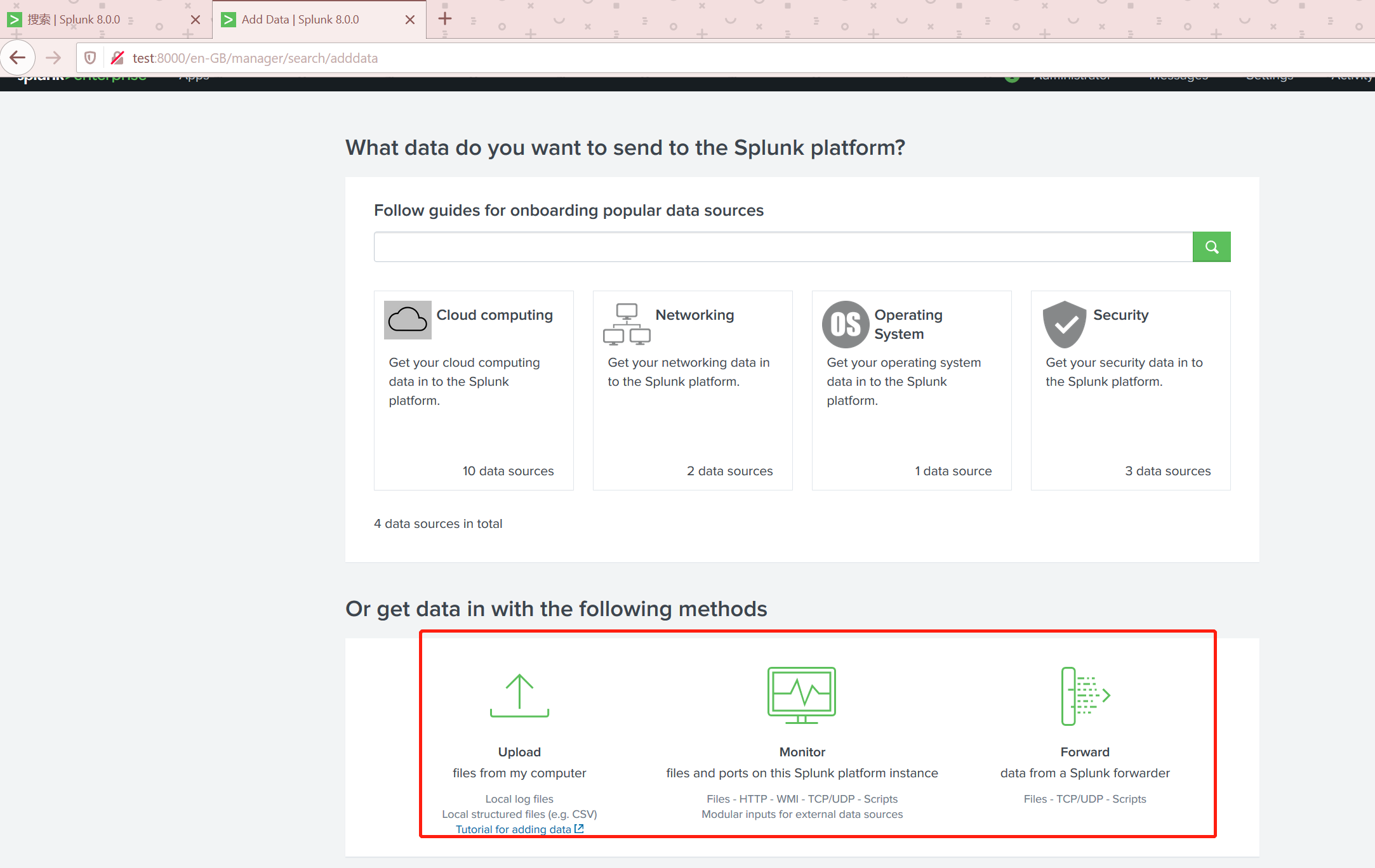
点击如图的位置进行数据添加。
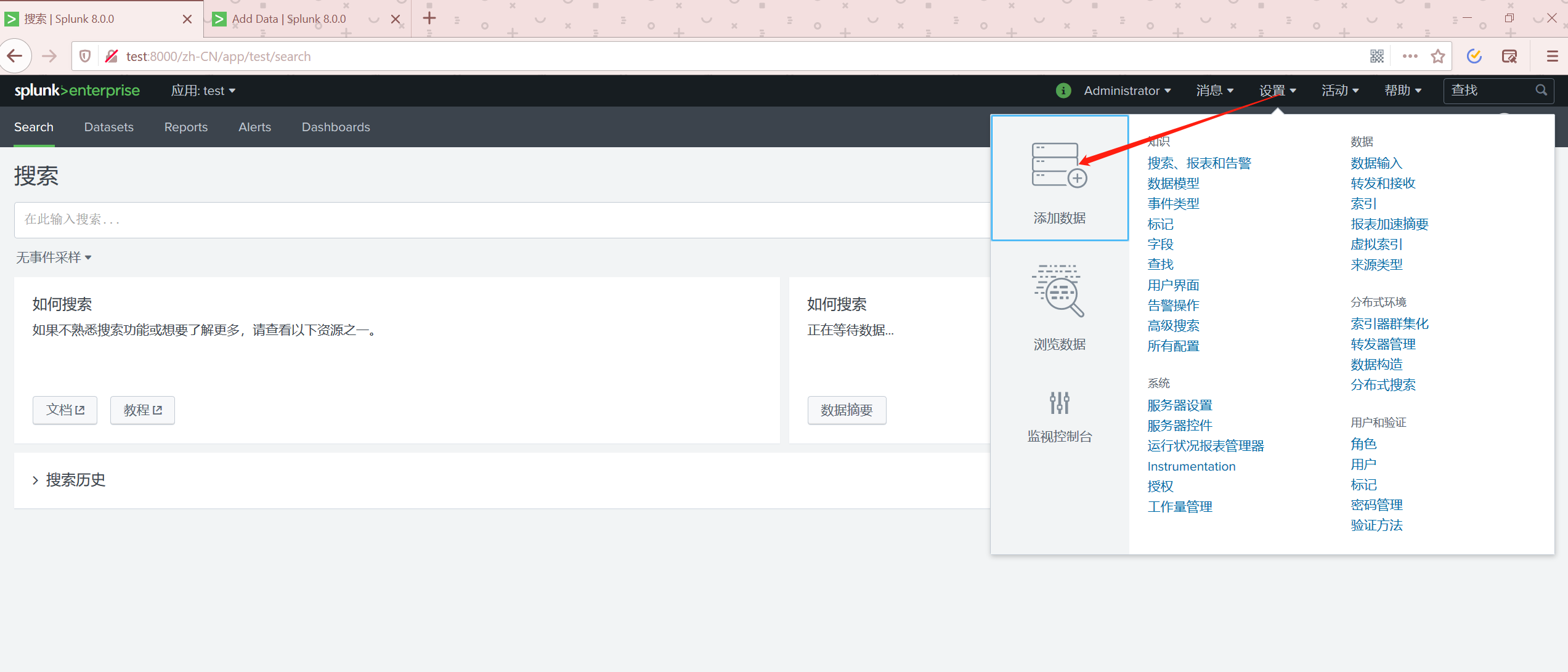
添加数据可以直接从Splunk的合作平台直接链接过来。我们尝试手动添加数据。
本地文件添加
到官网查看 支持的本地文件类型:https://docs.splunk.com/Documentation/Splunk/8.0.0/SearchTutorial/AboutgettingdataintoSplunk。
如下是我提取的表格:
| Data source | Description |
|---|---|
| Files and directories | Most data that you might be interested in comes directly from files and directories. |
| Network events | The Splunk software can index remote data from any network port and SNMP events from remote devices. |
| IT Operations | Data from IT Ops, such as Nagios, NetApp, and Cisco. |
| Cloud services | Data from Cloud services, such as AWS and Kinesis. |
| Database services | Data from databases such as Oracle, MySQL, and Microsoft SQL Server. |
| Security services | Data from security services such as McAfee, Microsoft Active Directory, and Symantec Endpoint Protection. |
| Vituralization services | Data from virtualization services such as VMWare and XenApp. |
| Application servers | Data from application servers such as JMX & JMS, WebLogic, and WebSphere. |
| Windows sources | The Windows version of Splunk software accepts a wide range of Windows-specific inputs, including Windows Event Log, Windows Registry, WMI, Active Directory, and Performance monitoring. |
| Other sources | Other input sources are supported, such as FIFO queues and scripted inputs for getting data from APIs, and other remote data interfaces. |
CSV文件
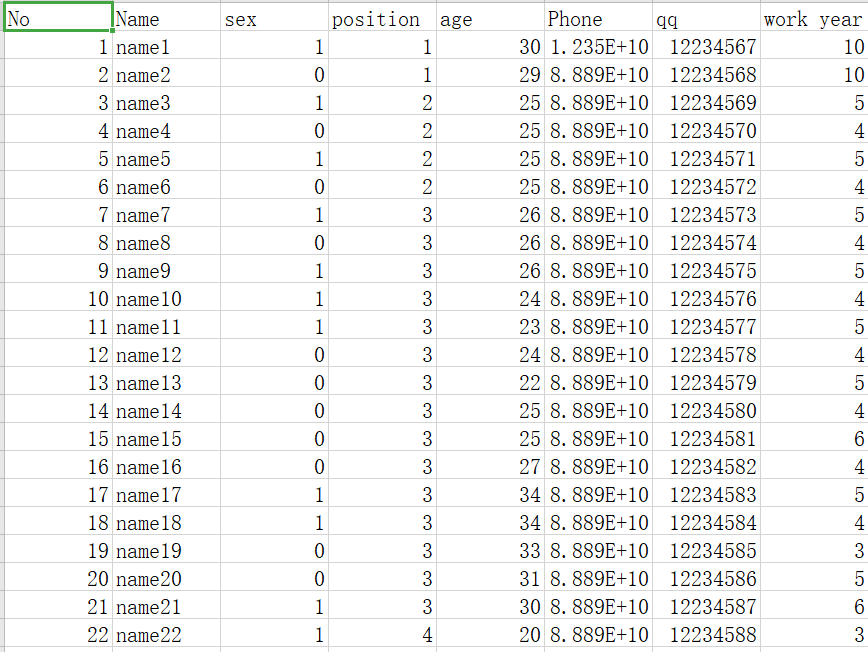
准备了这样一份CSV
按照步骤依次
全部默认就可以。
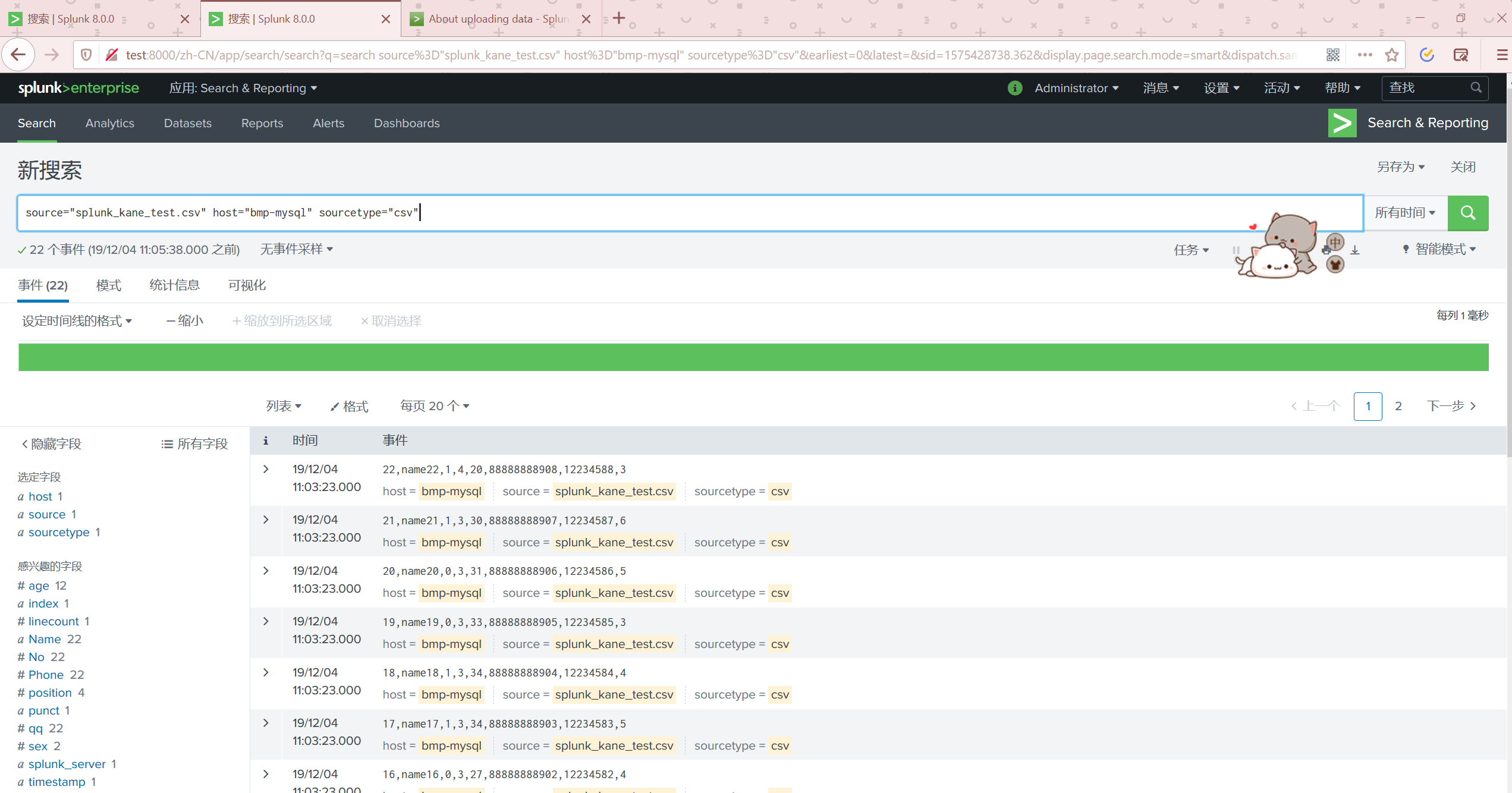
我们点击开始搜索查看数据
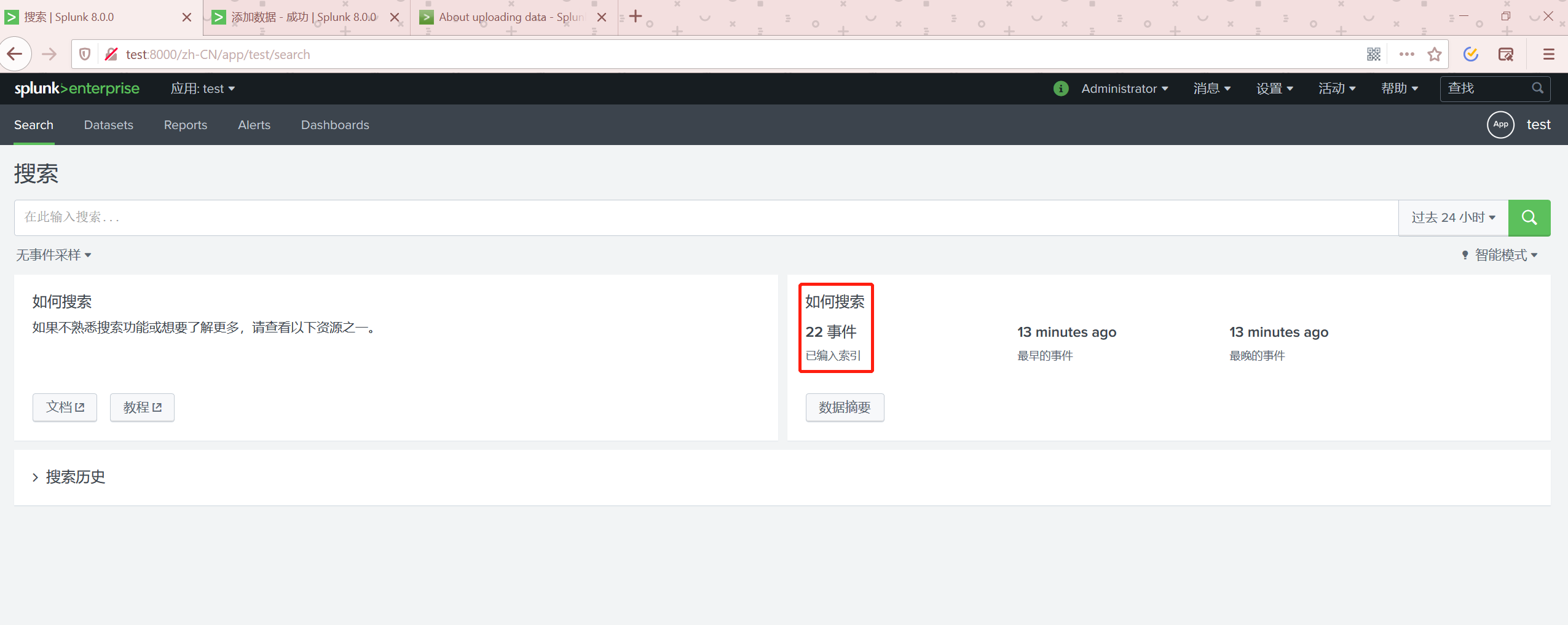
返回到APP首页可以查看数据已经有了
LOG文件
准备这样一份log文件
[2019-04-04 11:33:32.722]: entering -- org.netbeans.installer.Installer.main():81

[2019-04-04 11:33:32.725]: initializing the installer engine

[2019-04-04 11:33:32.725]:     entering -- org.netbeans.installer.Installer.<init>():116

[2019-04-04 11:33:32.725]:     ... initializing ErrorHandler

[2019-04-04 11:33:32.726]:     ... end of ErrorHandler initialization

[2019-04-04 11:33:32.726]:     exiting -- org.netbeans.installer.Installer.<init>():116

[2019-04-04 11:33:32.726]:     entering -- org.netbeans.installer.Installer.<init>():117

[2019-04-04 11:33:32.727]:     dumping target system information

[2019-04-04 11:33:32.727]:         system properties:

[2019-04-04 11:33:32.728]:             awt.toolkit => sun.awt.windows.WToolkit

[2019-04-04 11:33:32.728]:             file.encoding => GBK

[2019-04-04 11:33:32.729]:             file.encoding.pkg => sun.io

[2019-04-04 11:33:32.729]:             file.separator => \

[2019-04-04 11:33:32.729]:             java.awt.graphicsenv => sun.awt.Win32GraphicsEnvironment

[2019-04-04 11:33:32.729]:             java.awt.printerjob => sun.awt.windows.WPrinterJob
查看数据
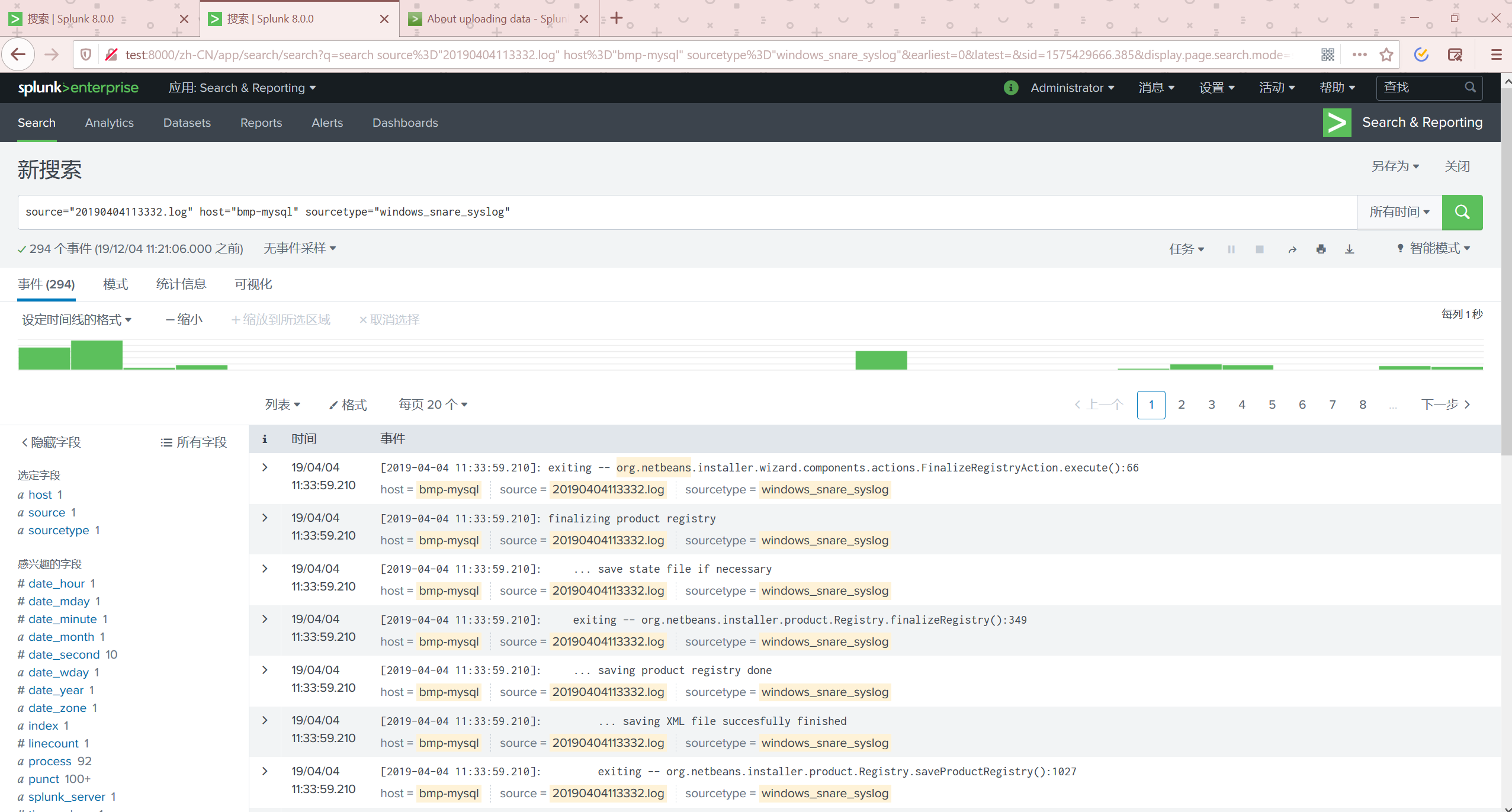
通过监视添加数据
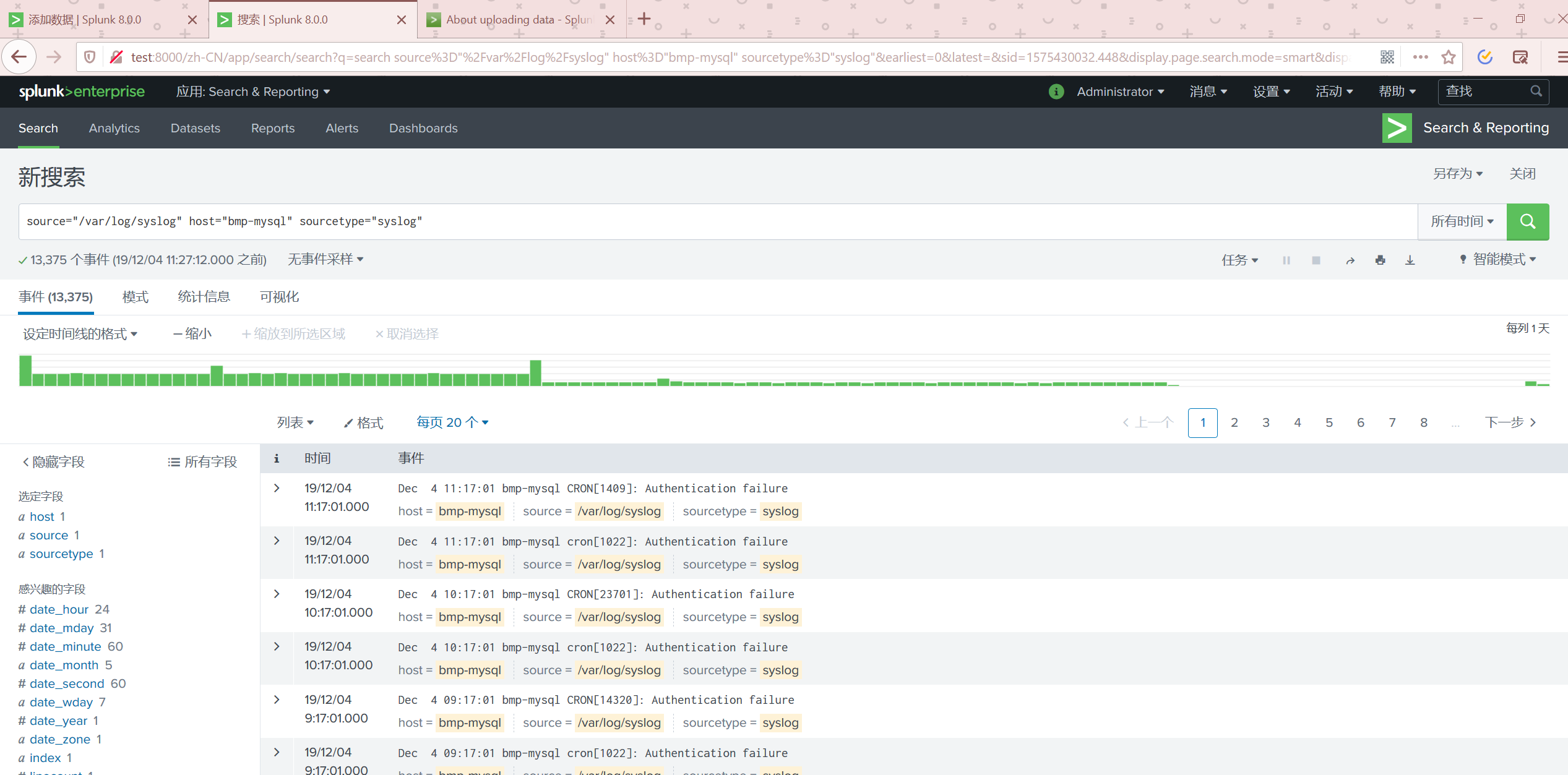
我们选择添加数据的监视
监测一个文件
自定义列
有些时候Splunk可能无法自动识别列,我们可以自定义规则来提取列
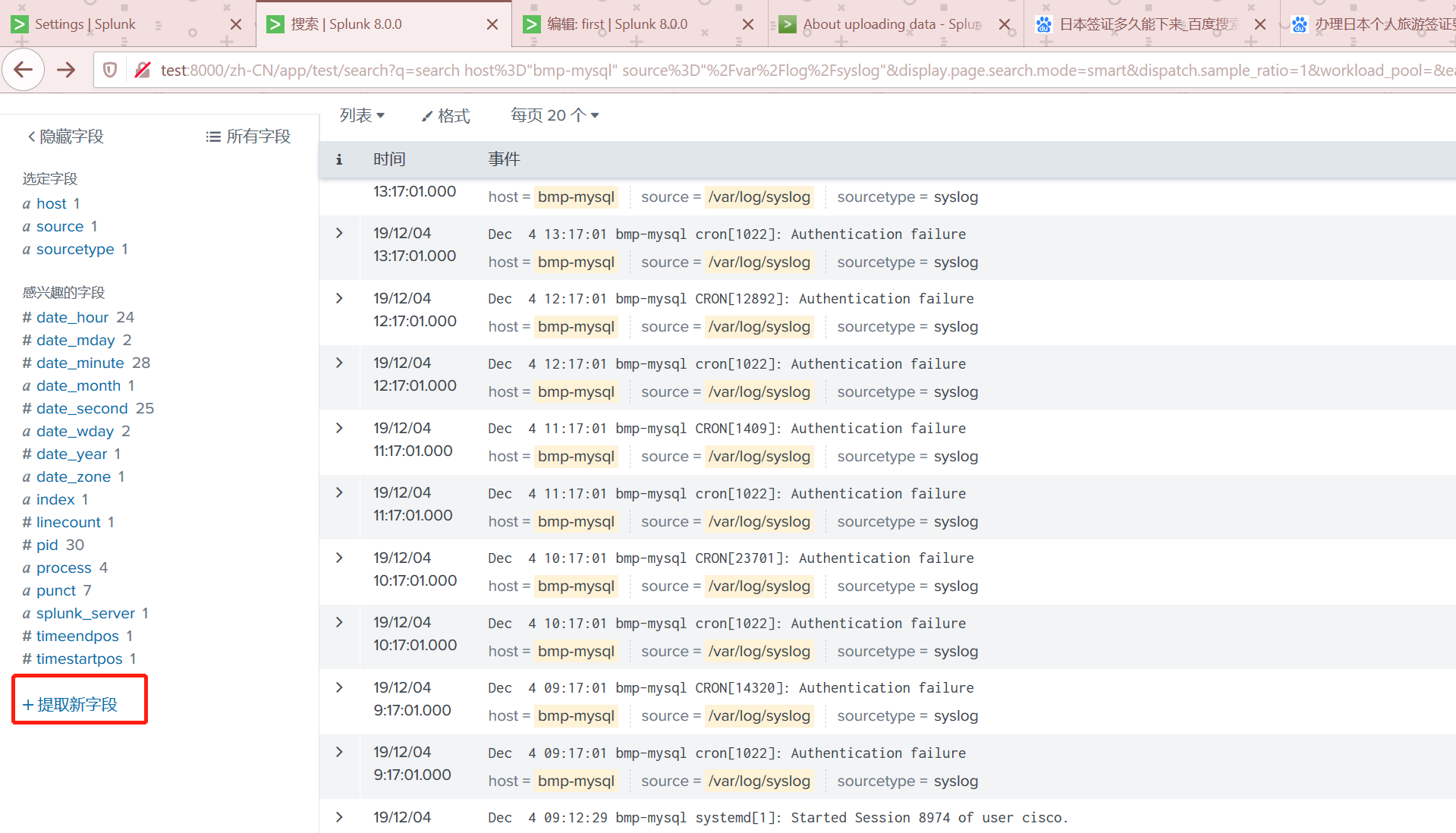
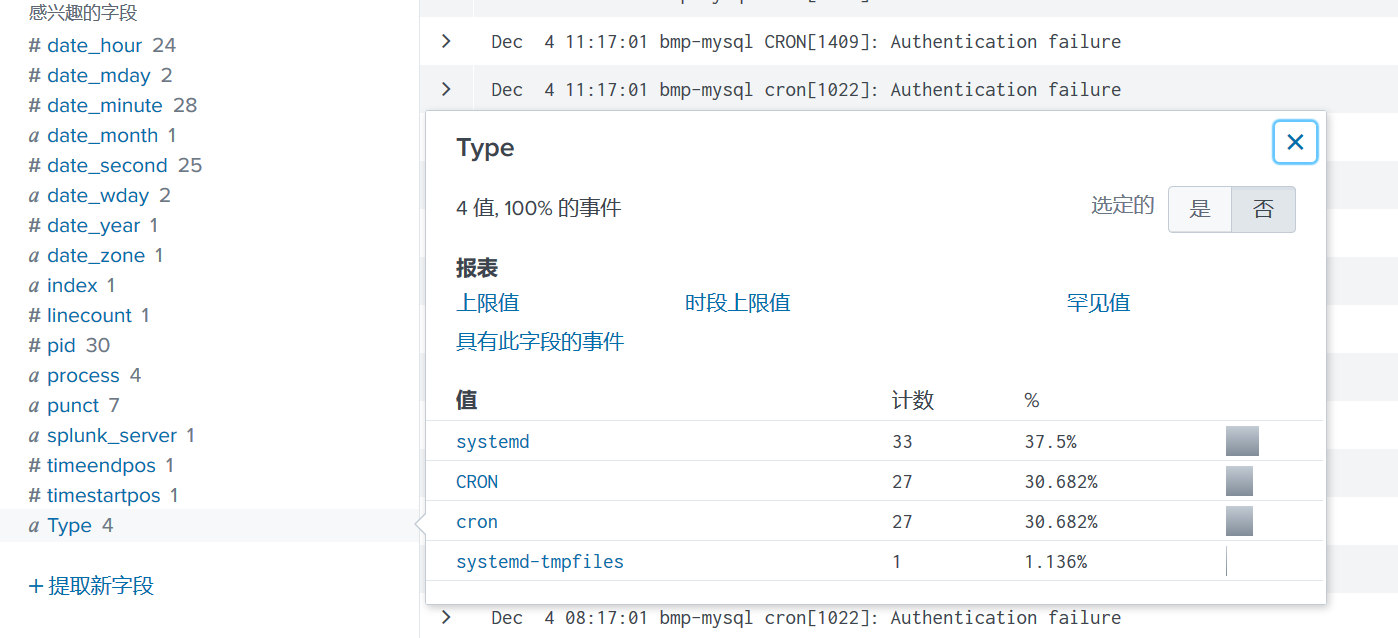
我自定义一个log type的列,提取log中标识当前属于什么log的位置。这样我们就可以对这个系统的log进行分析。
查询语句
Splunk将数据导入后,通过SPL将数据查询出来,然后通过可视化工具进行显示。
SPL 与 SQL对照
访问:https://docs.splunk.com/Documentation/Splunk/8.0.0/SearchReference/SQLtoSplunk
| SQL command | SQL example | Splunk SPL example | 备注 |
|---|---|---|---|
| SELECT * | SELECT * FROM mytable |
source=mytable |
source就相当于table |
| WHERE | SELECT * FROM mytable WHERE mycolumn=5 |
source=mytable mycolumn=5 |
|
| SELECT | SELECT mycolumn1, mycolumn2 FROM mytable |
source=mytable | FIELDS mycolumn1, mycolumn2 |
通过fields可以规定查询哪几列 |
| AND/OR | SELECT * FROM mytable WHERE (mycolumn1="true" OR mycolumn2="red") AND mycolumn3="blue" |
source=mytable AND (mycolumn1="true" OR mycolumn2="red") AND mycolumn3="blue" |
|
| AS (alias) | SELECT mycolumn AS column_alias FROM mytable |
source=mytable | RENAME mycolumn as column_alias | FIELDS column_alias |
rename关键字 |
| BETWEEN | SELECT * FROM mytable WHERE mycolumn BETWEEN 1 AND 5 |
source=mytable mycolumn>=1 mycolumn<=5 |
|
| GROUP BY | SELECT mycolumn, avg(mycolumn) FROM mytable WHERE mycolumn=value GROUP BY mycolumn |
source=mytable mycolumn=value | STATS avg(mycolumn) BY mycolumn | FIELDS mycolumn, avg(mycolumn) |
stats对结果分组,并取平均值 |
| LEFT (OUTER) JOIN | SELECT * FROM mytable1 LEFT JOIN mytable2 ON mytable1.mycolumn= mytable2.mycolumn |
source=mytable1 | JOIN type=left mycolumn [SEARCH source=mytable2] |
[SEARCH..]相当于一个子查询了,然后进行连接 |
| TRUNCATE TABLE | TRUNCATE TABLE mytable |
source=mytable | DELETE |
|
| UNION | SELECT mycolumn FROM mytable1 UNION SELECT mycolumn FROM mytable2 |
source=mytable1 | APPEND [SEARCH source=mytable2] | DEDUP mycolumn |
APPEND相当于将当前查询与子查询组合起来 |
| UNION ALL | SELECT * FROM mytable1 UNION ALL SELECT * FROM mytable2 |
source=mytable1 | APPEND [SEARCH source=mytable2] |
区别在于,不需要去重字段 |
命令查找
https://docs.splunk.com/Documentation/Splunk/6.6.0/SearchReference/Abstract
accum
累计求和
host="bmp-mysql" source="splunk_kane_test.csv"| accum age as test | table test,age
| [test](http://test:8000/zh-CN/app/test/search?q=search host%3D"bmp-mysql" source%3D"splunk_kane_test.csv"| accum age as test | table test%2Cage&display.page.search.mode=smart&dispatch.sample_ratio=1&workload_pool=&earliest=-24h%40h&latest=now&display.prefs.events.count=50&display.events.type=list&display.page.search.tab=statistics&display.general.type=statistics&display.prefs.statistics.count=50&sid=1575270504.1260#) | [age](http://test:8000/zh-CN/app/test/search?q=search host%3D"bmp-mysql" source%3D"splunk_kane_test.csv"| accum age as test | table test%2Cage&display.page.search.mode=smart&dispatch.sample_ratio=1&workload_pool=&earliest=-24h%40h&latest=now&display.prefs.events.count=50&display.events.type=list&display.page.search.tab=statistics&display.general.type=statistics&display.prefs.statistics.count=50&sid=1575270504.1260#) |
|---|---|
| 20(20) | 20 |
| 50(20+30) | 30 |
| 81(20+30+31)(51+31) | 31 |
addcoltotals
增加单列求和
host="bmp-mysql" source="splunk_kane_test.csv"| addcoltotals age sex|table _time,age
会在age,sex两列的最下面增加总数的计算。589、11都是整列的求和,没写的列不会求和
| [_time](http://test:8000/zh-CN/app/test/search?q=search host%3D"bmp-mysql" source%3D"splunk_kane_test.csv"| addcoltotals age sex|table _time%2Cage%2Csex&display.page.search.mode=smart&dispatch.sample_ratio=1&workload_pool=&earliest=-24h%40h&latest=now&display.prefs.events.count=50&display.events.type=list&display.page.search.tab=statistics&display.general.type=statistics&display.prefs.statistics.count=100&sid=1575270911.1266#) | [age](http://test:8000/zh-CN/app/test/search?q=search host%3D"bmp-mysql" source%3D"splunk_kane_test.csv"| addcoltotals age sex|table _time%2Cage%2Csex&display.page.search.mode=smart&dispatch.sample_ratio=1&workload_pool=&earliest=-24h%40h&latest=now&display.prefs.events.count=50&display.events.type=list&display.page.search.tab=statistics&display.general.type=statistics&display.prefs.statistics.count=100&sid=1575270911.1266#) | [sex](http://test:8000/zh-CN/app/test/search?q=search host%3D"bmp-mysql" source%3D"splunk_kane_test.csv"| addcoltotals age sex|table _time%2Cage%2Csex&display.page.search.mode=smart&dispatch.sample_ratio=1&workload_pool=&earliest=-24h%40h&latest=now&display.prefs.events.count=50&display.events.type=list&display.page.search.tab=statistics&display.general.type=statistics&display.prefs.statistics.count=100&sid=1575270911.1266#) |
|---|---|---|
| 2019/12/02 10:48:21 | 25 | 1 |
| 2019/12/02 10:48:21 | ... | |
| 589 | 11## |
addtotals
对列、行求和
host="bmp-mysql" source="splunk_kane_test.csv"|table Name age sex| addtotals  fieldname="Row Totals" col=true labelfield=Name label=Total

# fieldname是对行求和新加的列

# col = true意思是队列求和 false就不求和了

# labelfield对列求和刨除的列,相应的求和的标签也会放在这一列的下面

# label对列求和的标签
| [Name](http://test:8000/zh-CN/app/test/search?q=search host%3D"bmp-mysql" source%3D"splunk_kane_test.csv"|table Name age sex| addtotals fieldname%3D"Row Totals" col%3Dtrue labelfield%3DName label%3DTotal&display.page.search.mode=smart&dispatch.sample_ratio=1&workload_pool=&earliest=-24h%40h&latest=now&display.prefs.events.count=50&display.events.type=list&display.page.search.tab=statistics&display.general.type=statistics&display.prefs.statistics.count=100&sid=1575272391.1292#) | [age](http://test:8000/zh-CN/app/test/search?q=search host%3D"bmp-mysql" source%3D"splunk_kane_test.csv"|table Name age sex| addtotals fieldname%3D"Row Totals" col%3Dtrue labelfield%3DName label%3DTotal&display.page.search.mode=smart&dispatch.sample_ratio=1&workload_pool=&earliest=-24h%40h&latest=now&display.prefs.events.count=50&display.events.type=list&display.page.search.tab=statistics&display.general.type=statistics&display.prefs.statistics.count=100&sid=1575272391.1292#) | [sex](http://test:8000/zh-CN/app/test/search?q=search host%3D"bmp-mysql" source%3D"splunk_kane_test.csv"|table Name age sex| addtotals fieldname%3D"Row Totals" col%3Dtrue labelfield%3DName label%3DTotal&display.page.search.mode=smart&dispatch.sample_ratio=1&workload_pool=&earliest=-24h%40h&latest=now&display.prefs.events.count=50&display.events.type=list&display.page.search.tab=statistics&display.general.type=statistics&display.prefs.statistics.count=100&sid=1575272391.1292#) | [Row Totals](http://test:8000/zh-CN/app/test/search?q=search host%3D"bmp-mysql" source%3D"splunk_kane_test.csv"|table Name age sex| addtotals fieldname%3D"Row Totals" col%3Dtrue labelfield%3DName label%3DTotal&display.page.search.mode=smart&dispatch.sample_ratio=1&workload_pool=&earliest=-24h%40h&latest=now&display.prefs.events.count=50&display.events.type=list&display.page.search.tab=statistics&display.general.type=statistics&display.prefs.statistics.count=100&sid=1575272391.1292#) |
|---|---|---|---|
| name22 | 20 | 1 | 21 |
| ... | ... | ... | ... |
| Total | 589 | 11 | 600 |
stats
对数据进行分组
host="bmp-mysql" source="splunk_kane_test.csv"|table Name age sex| stats avg(age)  as avg_age by sex

#通过sex对age进行分区,并取平均值
| [sex](http://test:8000/zh-CN/app/test/search?q=search host%3D"bmp-mysql" source%3D"splunk_kane_test.csv"|table Name age sex| stats avg(age) as avg_age by sex&display.page.search.mode=smart&dispatch.sample_ratio=1&workload_pool=&earliest=-24h%40h&latest=now&display.prefs.events.count=50&display.events.type=list&display.page.search.tab=statistics&display.general.type=statistics&display.prefs.statistics.count=100&sid=1575272991.1301#) | [avg_age](http://test:8000/zh-CN/app/test/search?q=search host%3D"bmp-mysql" source%3D"splunk_kane_test.csv"|table Name age sex| stats avg(age) as avg_age by sex&display.page.search.mode=smart&dispatch.sample_ratio=1&workload_pool=&earliest=-24h%40h&latest=now&display.prefs.events.count=50&display.events.type=list&display.page.search.tab=statistics&display.general.type=statistics&display.prefs.statistics.count=100&sid=1575272991.1301#) |
|---|---|
| 0 | 26.545454545454547 |
| 1 | 27 |
关于stats中可以使用的方法
| Type of function | Supported functions and syntax | |||
|---|---|---|---|---|
| Aggregate functions | avg() count() distinct_count() estdc() estdc_error() |
exactperc() max() median() min() mode() |
perc() range() stdev() stdevp() |
sum() sumsq() upperperc() var() varp() |
| Event order functions | first() |
last() |
||
| Multivalue stats and chart functions | list() |
values() |
||
| Time functions | earliest() earliest_time() |
latest() latest_time() |
rate() |
eval
通过表达式进行一些计算
host="bmp-mysql" source="splunk_kane_test.csv"|table Name age sex| eval test=age+sex |table test,age

# 算age与sex的合,给新的列test。最终将test列结果输出出来
| [test](http://test:8000/zh-CN/app/test/search?q=search host%3D"bmp-mysql" source%3D"splunk_kane_test.csv"|table Name age sex| eval test%3Dage%2Bsex |table test%2Cage%2Csex&display.page.search.mode=smart&dispatch.sample_ratio=1&workload_pool=&earliest=-24h%40h&latest=now&display.prefs.events.count=50&display.events.type=list&display.page.search.tab=statistics&display.general.type=statistics&display.prefs.statistics.count=100&sid=1575273199.1304#) | [age](http://test:8000/zh-CN/app/test/search?q=search host%3D"bmp-mysql" source%3D"splunk_kane_test.csv"|table Name age sex| eval test%3Dage%2Bsex |table test%2Cage%2Csex&display.page.search.mode=smart&dispatch.sample_ratio=1&workload_pool=&earliest=-24h%40h&latest=now&display.prefs.events.count=50&display.events.type=list&display.page.search.tab=statistics&display.general.type=statistics&display.prefs.statistics.count=100&sid=1575273199.1304#) | [sex](http://test:8000/zh-CN/app/test/search?q=search host%3D"bmp-mysql" source%3D"splunk_kane_test.csv"|table Name age sex| eval test%3Dage%2Bsex |table test%2Cage%2Csex&display.page.search.mode=smart&dispatch.sample_ratio=1&workload_pool=&earliest=-24h%40h&latest=now&display.prefs.events.count=50&display.events.type=list&display.page.search.tab=statistics&display.general.type=statistics&display.prefs.statistics.count=100&sid=1575273199.1304#) |
|---|---|---|
| 25 | 25 | 0 |
| 26 | 25 | 1 |
| 29 | 29 | 0 |
| 31 | 30 | 1 |
eval可以用if case 很多函数,参照https://docs.splunk.com/Documentation/Splunk/8.0.0/SearchReference/Eval#Functions
关于if的例子
host="bmp-mysql" source="splunk_kane_test.csv"|table Name age sex| eval test=if(sex=="1","男","女") |table test,age,sex
head
限制结果的数量
host="bmp-mysql" source="splunk_kane_test.csv"|table Name age sex| eval test=if(sex=="1","男","女") |table test,age,sex|head 1

# 只显示第一行了
timechart
新建时间序列图表,这个查询会默认添加上_time这一列
host="bmp-mysql" source="splunk_kane_test.csv"|timechart avg(age) by sex

# 这个要表达的意思是 统计每种性别的平均年龄,并且统计每个时间段的
| [_time](http://test:8000/zh-CN/app/test/search?q=search host%3D"bmp-mysql" source%3D"splunk_kane_test.csv"|timechart avg(age) by sex&display.page.search.mode=smart&dispatch.sample_ratio=1&workload_pool=&earliest=-24h%40h&latest=now&display.prefs.events.count=50&display.events.type=list&display.page.search.tab=statistics&display.general.type=statistics&display.prefs.statistics.count=100&sid=1575273704.1317#) | [0](http://test:8000/zh-CN/app/test/search?q=search host%3D"bmp-mysql" source%3D"splunk_kane_test.csv"|timechart avg(age) by sex&display.page.search.mode=smart&dispatch.sample_ratio=1&workload_pool=&earliest=-24h%40h&latest=now&display.prefs.events.count=50&display.events.type=list&display.page.search.tab=statistics&display.general.type=statistics&display.prefs.statistics.count=100&sid=1575273704.1317#) | [1](http://test:8000/zh-CN/app/test/search?q=search host%3D"bmp-mysql" source%3D"splunk_kane_test.csv"|timechart avg(age) by sex&display.page.search.mode=smart&dispatch.sample_ratio=1&workload_pool=&earliest=-24h%40h&latest=now&display.prefs.events.count=50&display.events.type=list&display.page.search.tab=statistics&display.general.type=statistics&display.prefs.statistics.count=100&sid=1575273704.1317#) |
|---|---|---|
| 2019/12/01 16:00:00 | ||
| 2019/12/02 10:30:00 | 26.545454545454547 | 27 |
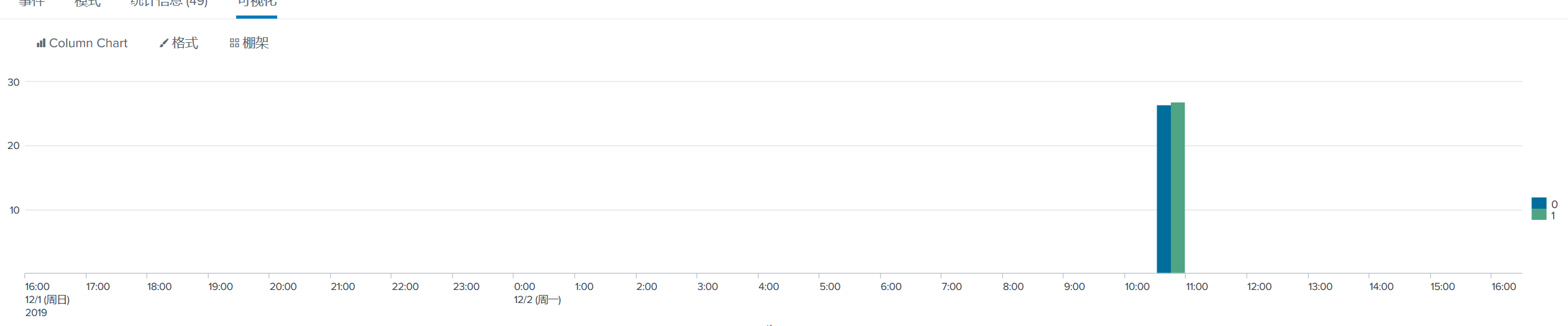
会出一个这样的图。如果每个时间段都有数据进来的话,就会统计每个时间段内进来的数据,按照性别区分的平均年龄
chart
制作图表,这个不带有时间,直接通过sex计算平均值
host="bmp-mysql" source="splunk_kane_test.csv"|chart avg(age) by sex
sort
对字段排序,可多字段
host="bmp-mysql" source="splunk_kane_test.csv"|chart avg(age) by sex | sort - sex

# sex 倒序
dedup
对列去重
fields
列出列,不列出的列在结果中不显示
能够出可视化图表的命令
在Splunk中有一种类型的命令叫做transfroming command这些命令,可以出可视化的图表
addtotals,chart,cofilter,contingency,eventstats,history,makecontinuous,mvcombine,rare,stats,table,timechart,top,xyseries

# 常用的有

addtotals,chart,stats,table,timechart
关于仪表板面板
通过Search创建Dashboard
host="bmp-mysql" source="splunk_kane_test.csv"|stats values(age) by Name
统计信息
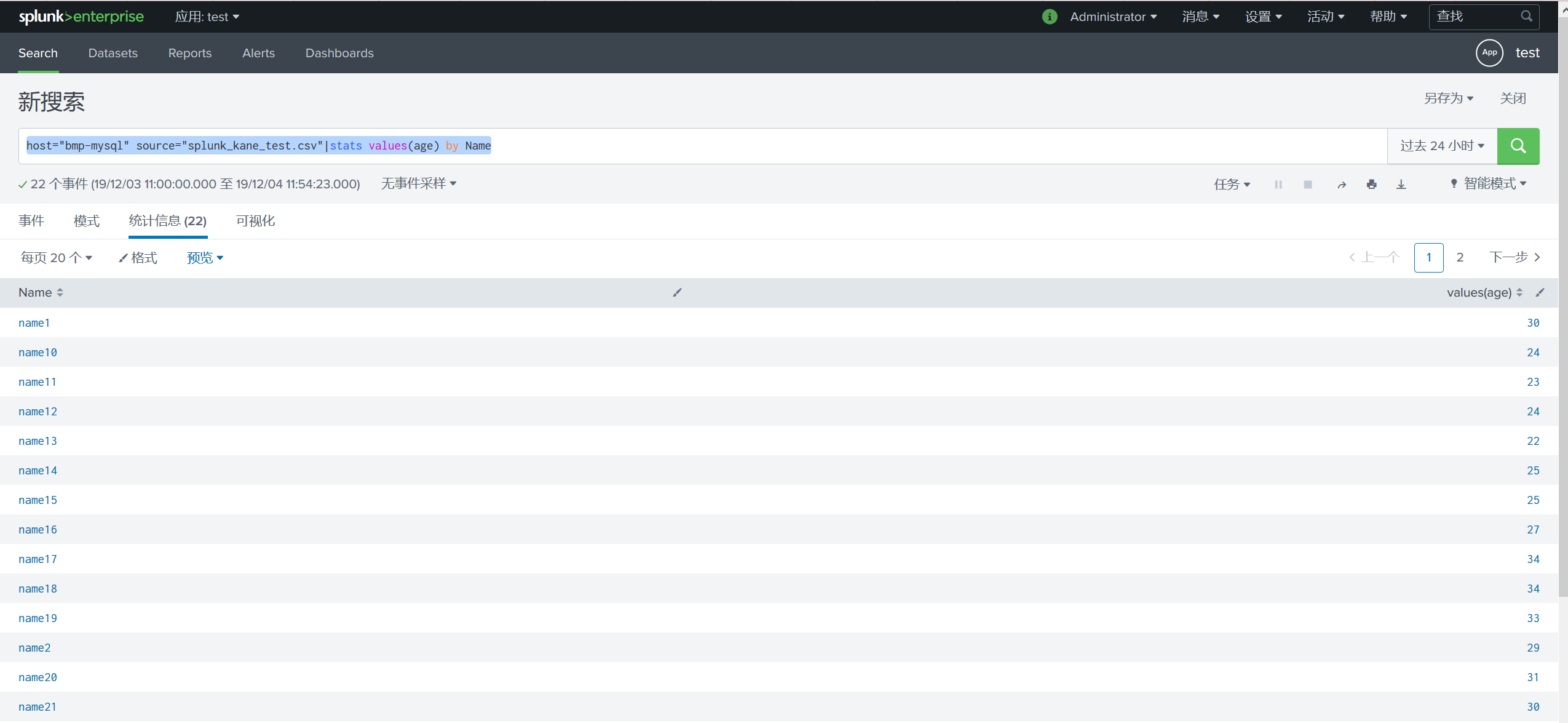
可视化图表,可切换图表的显示方式
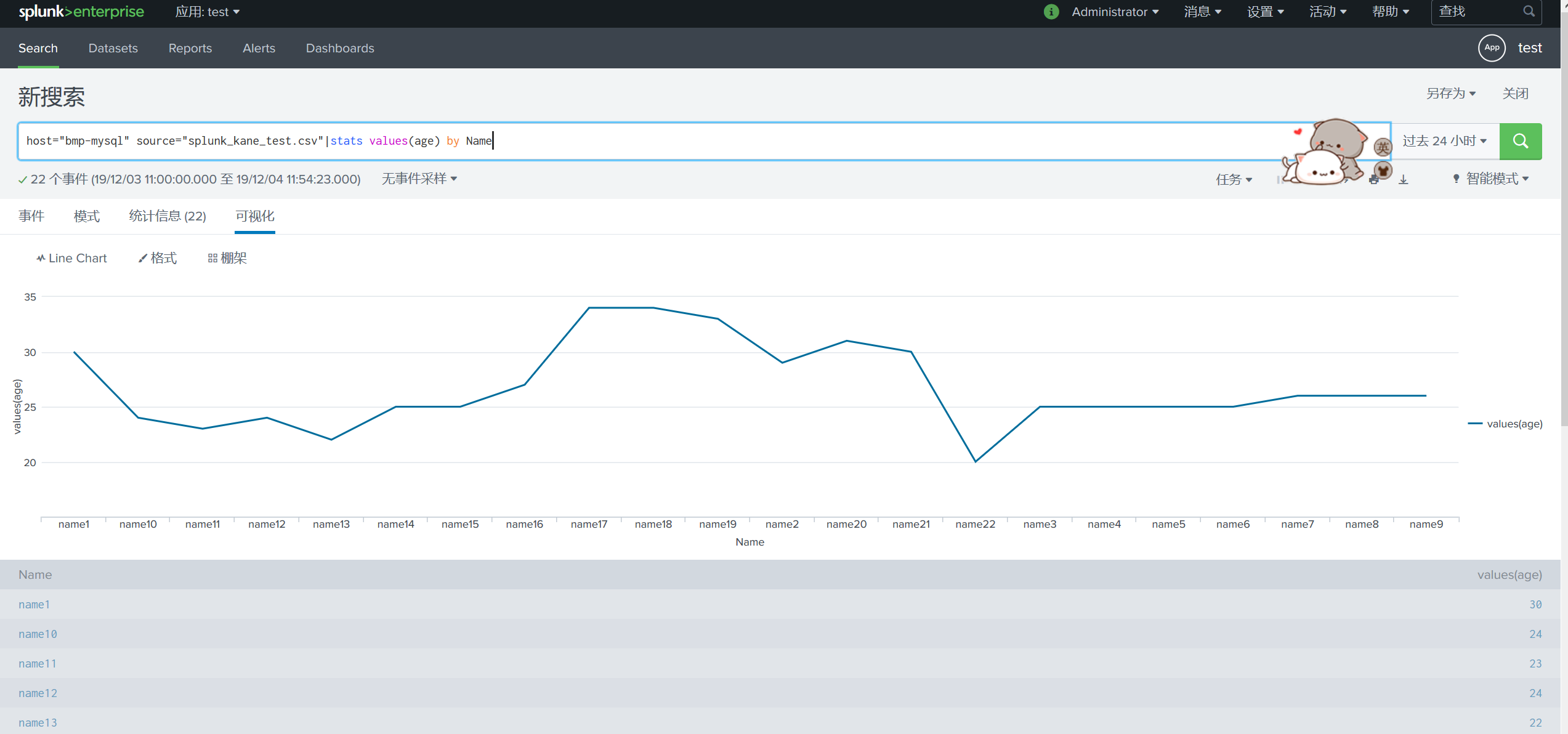
另存为仪表板面板在右上角
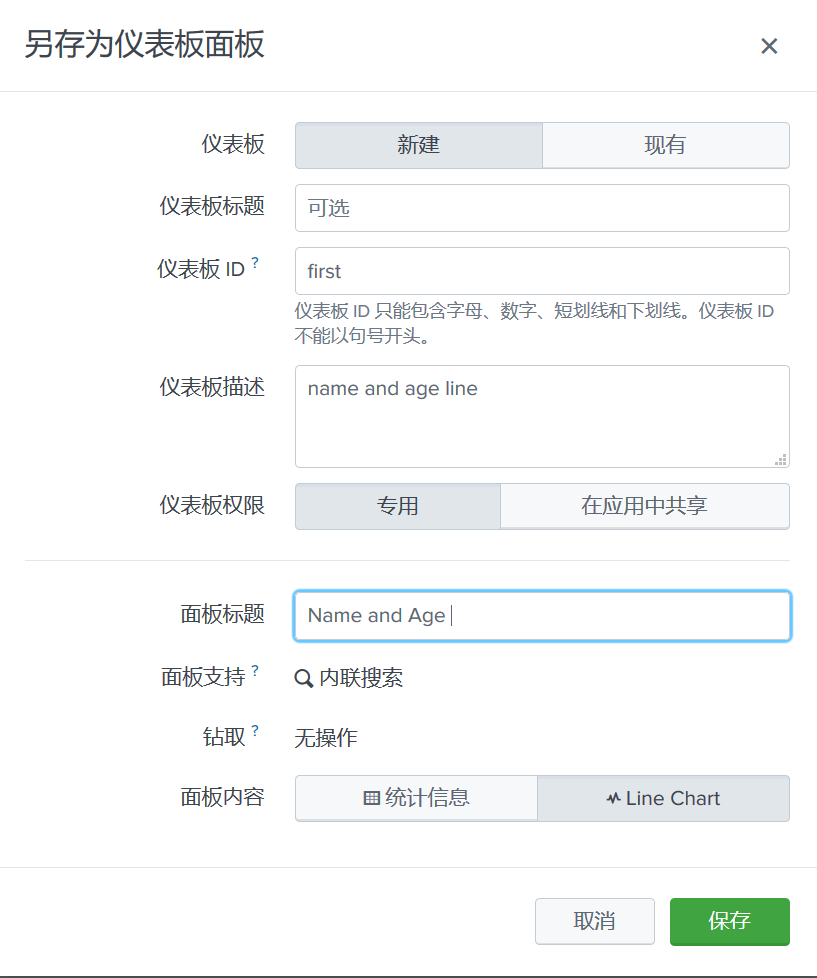
查看仪表板
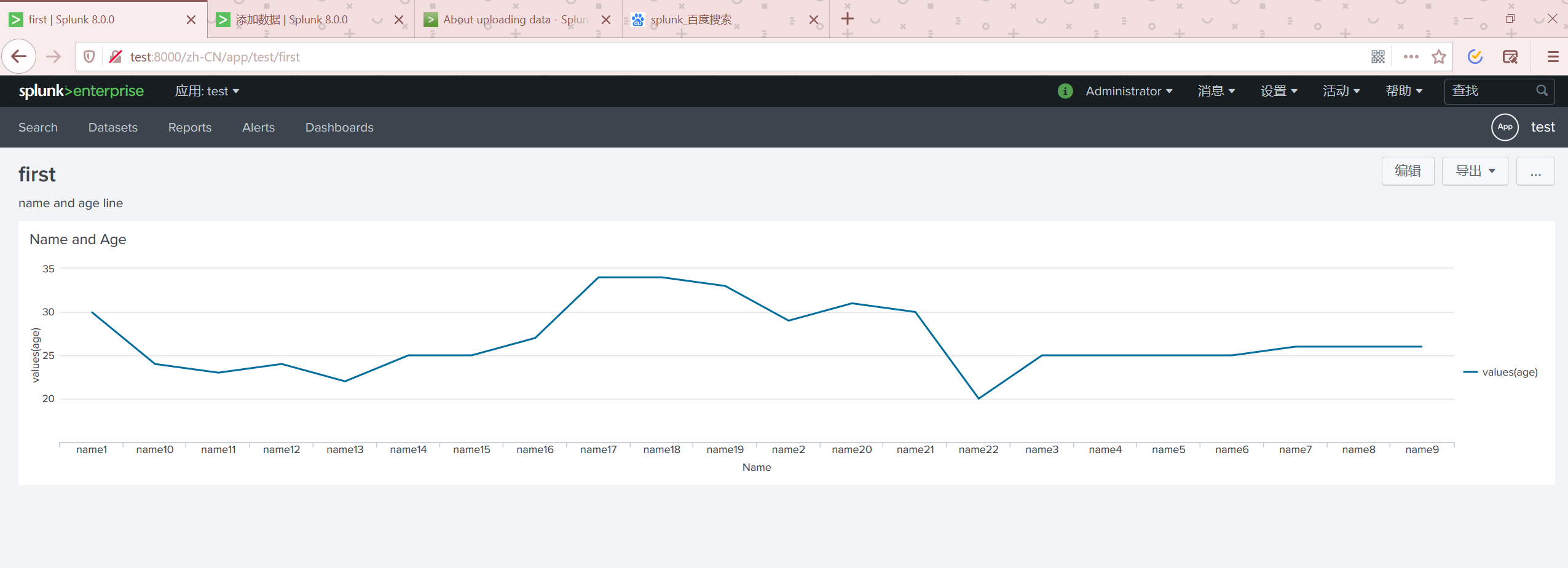
我们可以在编辑页面里面继续修改
配置仪表板的导航
设置(Settings) -----> 用户界面(User Interfaces) -----------> Navigation menus
选中自己的APP然后进行编辑下面的是默认的
<nav search_view="search">

  <view name="search" default='true' />

  <view name="datasets" />

  <view name="reports" />

  <view name="alerts" />

  <view name="dashboards" />

</nav>
使用自定义的JS 与CSS
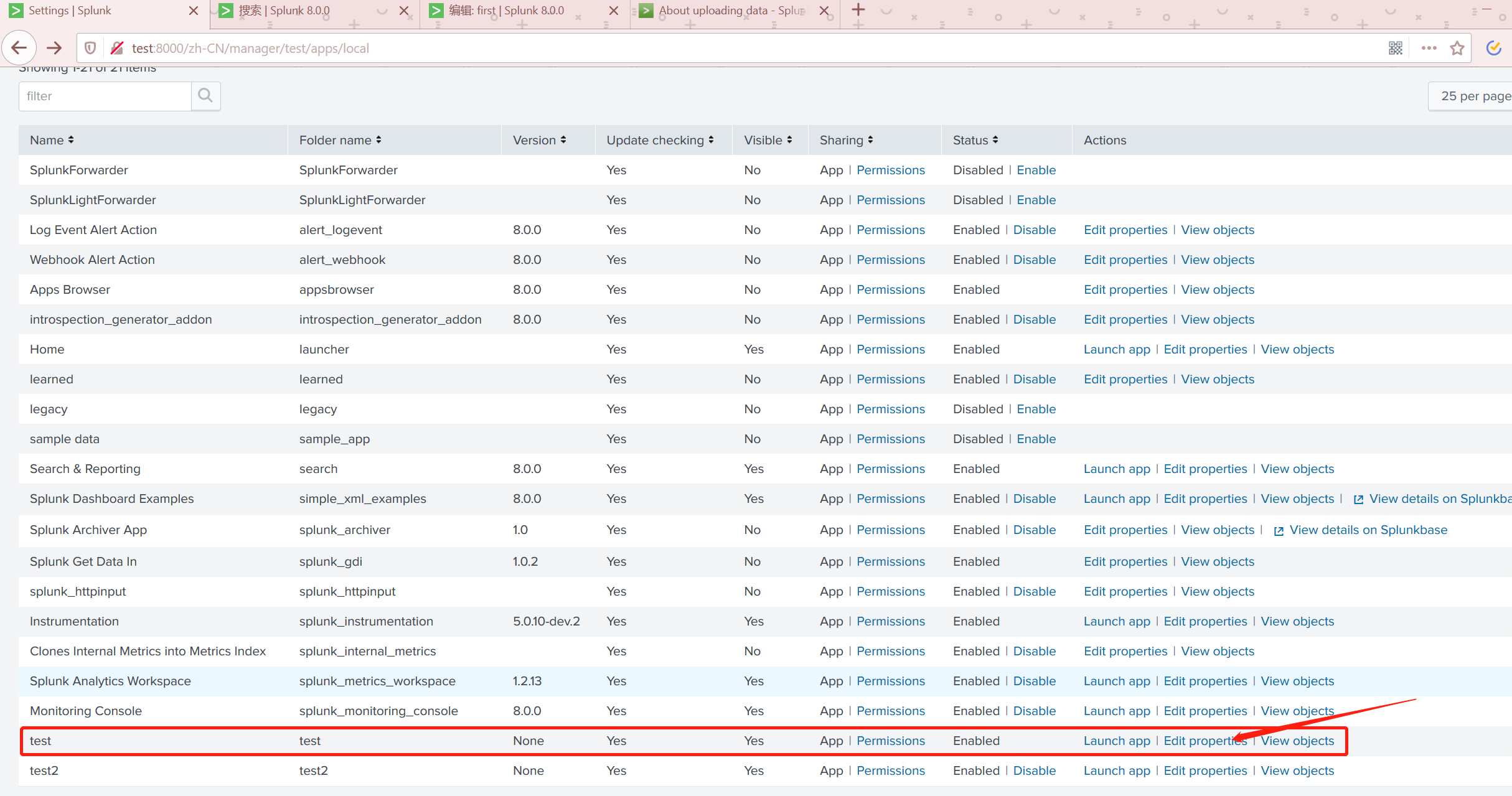
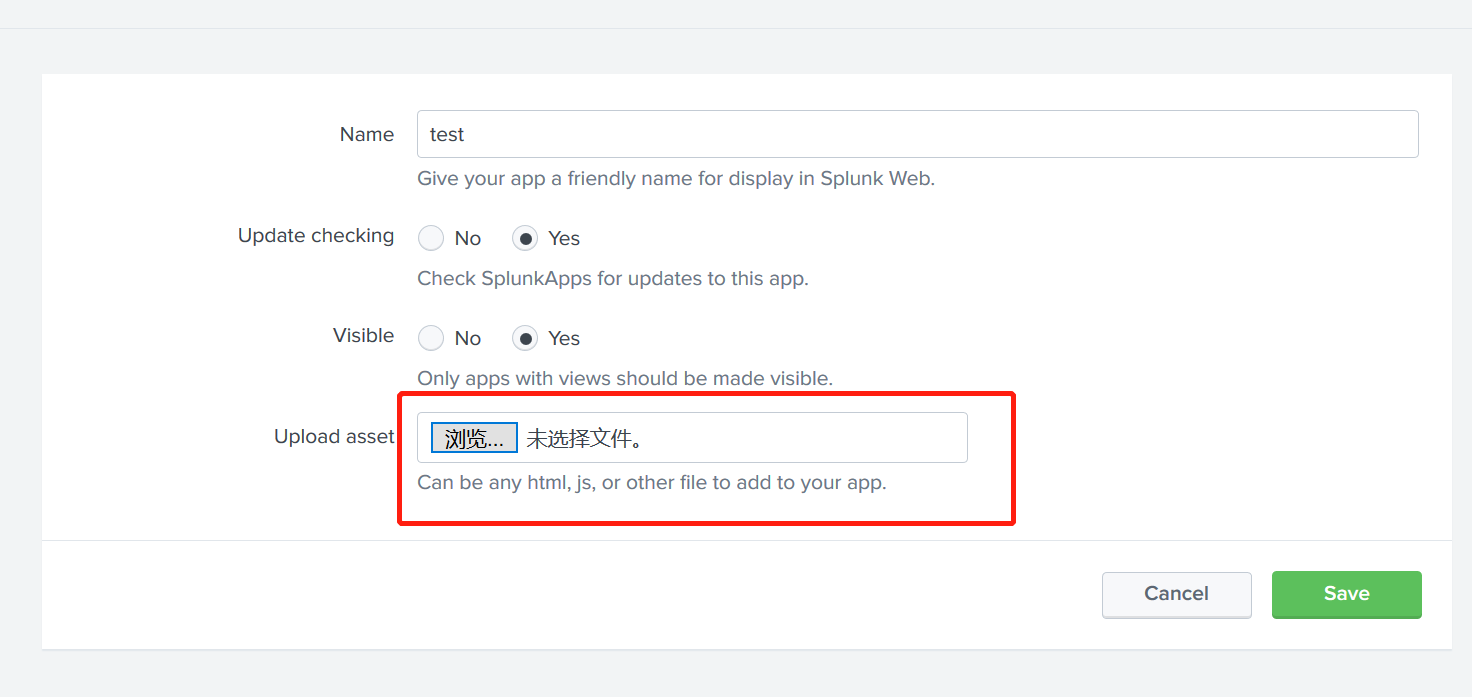
我们可以这样上传自己的自定义的文件,此操作会在服务器上当前APP的目录/splunk/splunk/etc/apps/test下创建/appserver/static并在这个文件夹下。
Splunk初识的更多相关文章
- Splunk 交流
1. 初识splunk Splunk Enterprise Splunk Free Splunk Universal Forwarder,通用转发器
- Splunk大数据分析经验分享
转自:http://www.freebuf.com/articles/database/123006.html Splunk大数据分析经验分享:从入门到夺门而逃 Porsche 2016-12-19 ...
- Android动画效果之初识Property Animation(属性动画)
前言: 前面两篇介绍了Android的Tween Animation(补间动画) Android动画效果之Tween Animation(补间动画).Frame Animation(逐帧动画)Andr ...
- 初识Hadoop
第一部分: 初识Hadoop 一. 谁说大象不能跳舞 业务数据越来越多,用关系型数据库来存储和处理数据越来越感觉吃力,一个查询或者一个导出,要执行很长 ...
- python学习笔记(基础四:模块初识、pyc和PyCodeObject是什么)
一.模块初识(一) 模块,也叫库.库有标准库第三方库. 注意事项:文件名不能和导入的模块名相同 1. sys模块 import sys print(sys.path) #打印环境变量 print(sy ...
- 初识IOS,Label控件的应用。
初识IOS,Label控件的应用. // // ViewController.m // Gua.test // // Created by 郭美男 on 16/5/31. // Copyright © ...
- UI篇(初识君面)
我们的APP要想吸引用户,就要把UI(脸蛋)搞漂亮一点.毕竟好的外貌是增进人际关系的第一步,我们程序员看到一个APP时,第一眼就是看这个软件的功能,不去关心界面是否漂亮,看到好的程序会说"我 ...
- Python导出Excel为Lua/Json/Xml实例教程(一):初识Python
Python导出Excel为Lua/Json/Xml实例教程(一):初识Python 相关链接: Python导出Excel为Lua/Json/Xml实例教程(一):初识Python Python导出 ...
- 初识SpringMvc
初识SpringMvc springMvc简介:SpringMVC也叫Spring Web mvc,属于表现层的框架.Spring MVC是Spring框架的一部分,是在Spring3.0后发布的 s ...
随机推荐
- TCP超时与重传机制与拥塞避免
TCP超时与重传机制 TCP协议是一种面向连接的可靠的传输层协议,它保证了数据的可靠传输,对于一些出错,超时丢包等问题TCP设计的超时与重传机制. 基本原理:在发送一个数据之后,就开启一个定时器,若是 ...
- Python语法之垃圾回收机制
目录 一 引入 二.什么是垃圾回收机制? 三.为什么要用垃圾回收机制? 四.垃圾回收机制原理分析 4.1.什么是引用计数? 4.2.引用计数扩展阅读 一 引入 解释器在执行到定义变量的语法时,会申请内 ...
- vue的组件创建和使用
首先说一下vue组件 什么是组件? 在我的理解,vue的所有页面内容都是组件. 什么是父子组件? 因为所有的页面内容都是组件,那么怎么区分父子组件呢?其实很简单,现在有一个页面,在js里面的 comp ...
- css,scss解决样式:表格的重叠边框
初始效果: 解决方法: 给带有边框的元素设置如下样式margin:0 0 -borderwidth -borderwidth 这里的borderwidth即为边框的宽度,按照上图所示,则添加样式 ma ...
- JS 全局作用域和局部作用域
一.作用域 1.什么是作用域(Scope) 通常来说,一段程序代码中所用到的名字不总是有效和可用的,而限定这个名字的可用性的代码范围就是这个名字的作用域. JS作用域:就是代码名字(变量)作用的范围 ...
- [人物存档]【AI少女】【捏脸数据】现代风格
点击下载:6543d037acaf2edd03b4679f821001e9380193ce.png
- 一次linux站点安装经验
之前了解了一点,刚过完年回来,顺便研究了一下小程序. http://s.w7.cc/index.php?c=wiki&do=view&id=1&list=84 先申请了一个li ...
- QT:QSS ID选择器无效
我正在学习使用Qt样式表给我的应用程序添加不同的样式.我上网看了看Qt文档,上面说你可以使用一种ID选择器,它可以把主题应用到某些对象上.我就是这样实现这个特性的: QPushButton#butto ...
- javascript中创建对象的方式及优缺点(二)
一.工厂模式 流程: 定义一个函数,函数返回对象. 适用场景: 需要创建多个对象,都是Object类型. 优点:完成了返回一个对象的要求. 缺点: 对象没有一个具体的类型,无法通过constructo ...
- CF 352 D 罗宾汉发钱 模拟题+贪心
D. Robin Hood time limit per test 1 second memory limit per test 256 megabytes input standard input ...