
Unity3D_(插件)DOTween动画插件
使用DOTween动画插件来实现物体的移动动画
Learn
一、DOTween插件对变量的动画
二、控制Cube和UI面板的动画
三、动画的快捷播放方式
四、动画的前放和后放
五、From Tweens
六、动画的属性设置
七、对话框文字动画
八、震动屏幕效果
九、文本颜色和透明度动画
游戏项目已托管到Github上 传送门
Unity项目中导入DoTween动画插件

一、DOTween插件对变量的动画
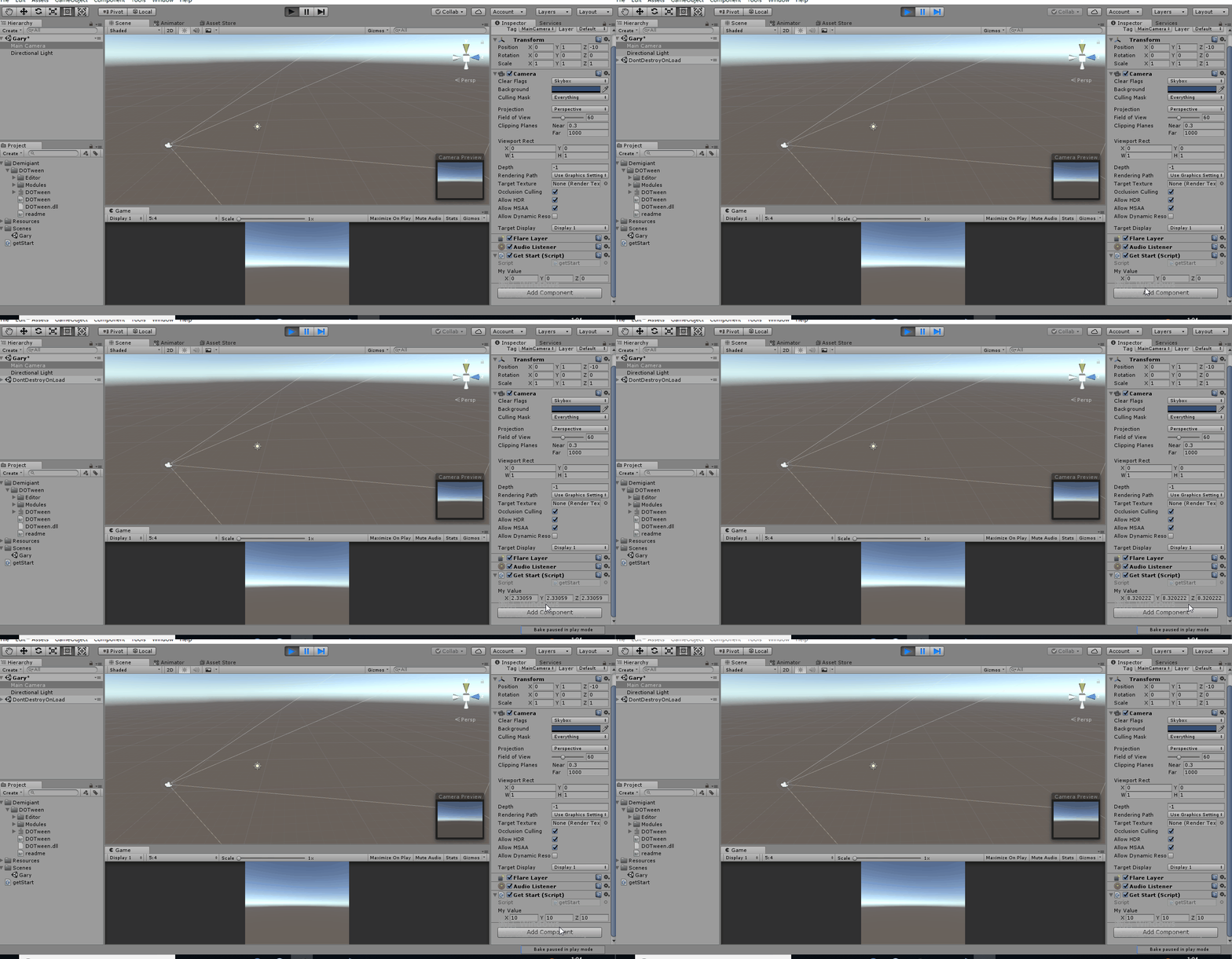
新建Gary场景,在MainCamera摄像机上绑定一个getStart.cs脚本对象,使用Lambda表达式对变量进行变化
using System.Collections;

using System.Collections.Generic;

using UnityEngine;

using DG.Tweening;

public class getStart : MonoBehaviour {

    public Vector3 myValue = new Vector3(,,);

    // Use this for initialization

    void Start () {

        DOTween.To(()=>myValue,x=> myValue = x,new Vector3(,,),);

    }

    // Update is called once per frame

    void Update () {

    }

}
getStart.cs
二、控制Cube和UI面板的动画
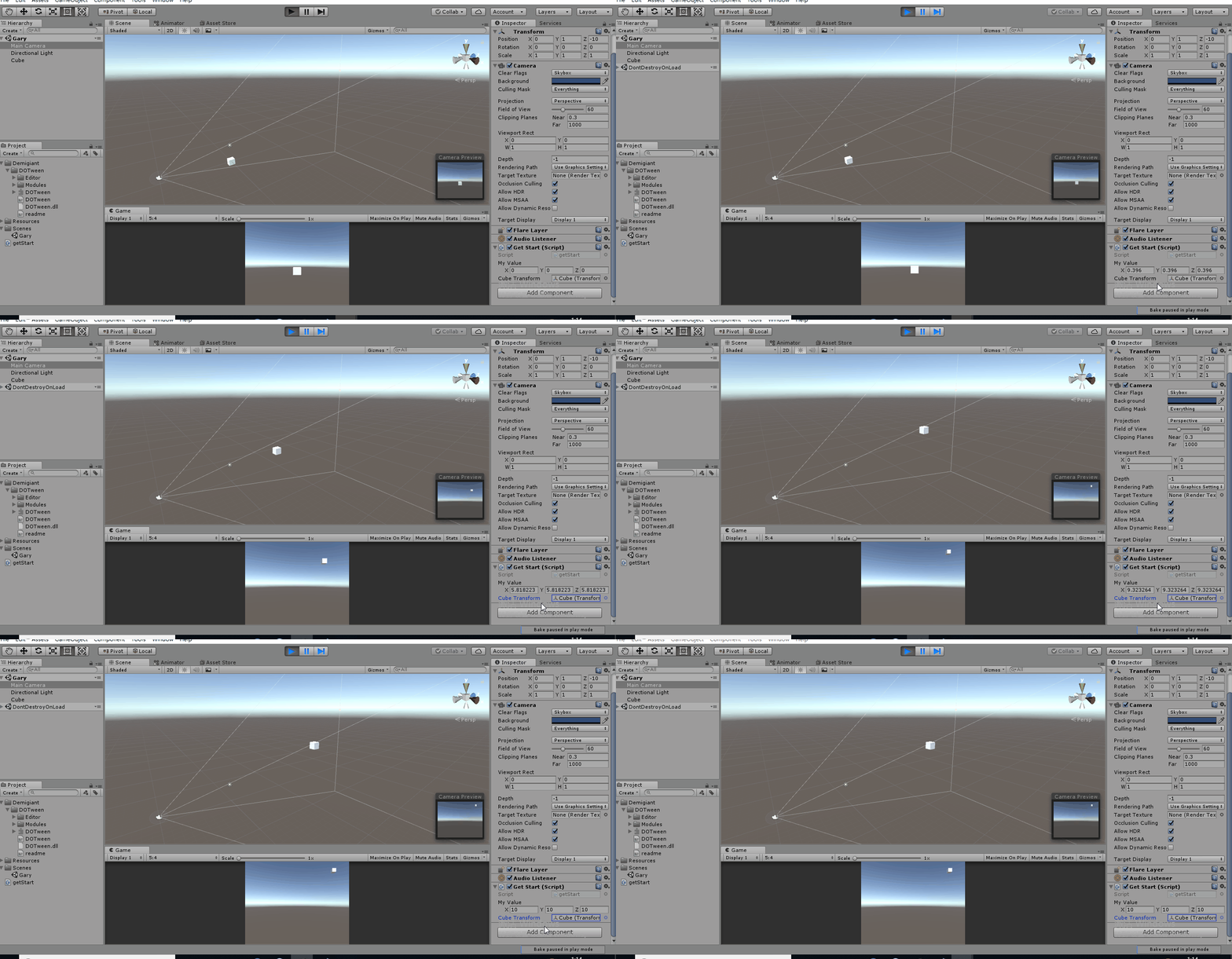
控制Cube的动画,Transform从(0,0,0)运动到(10,10,10)
getStart.cs添加Transform引用,绑定Cude对象
using System.Collections;

using System.Collections.Generic;

using UnityEngine;

using DG.Tweening;

public class getStart : MonoBehaviour {

    public Vector3 myValue = new Vector3(,,);

    public Transform cubeTransform;

    // Use this for initialization

    void Start () {

        DOTween.To(()=>myValue,x=> myValue = x,new Vector3(,,),);

    }

    // Update is called once per frame

    void Update () {

        cubeTransform.position = myValue;

    }

}
getStart.cs
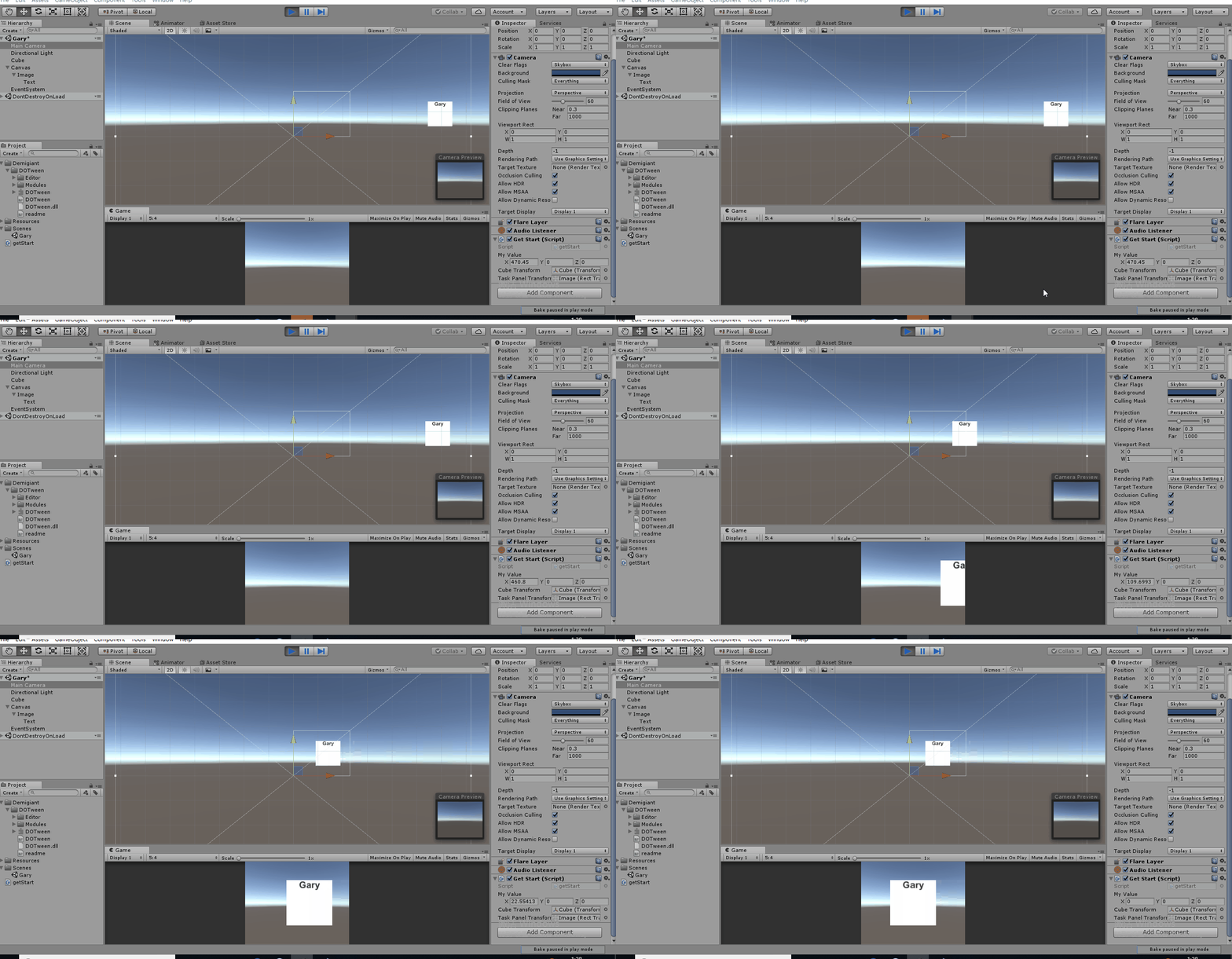
控制UI面板动画,Transform从(500,0,0)运动到(0,0,0)
getStart.cs添加RectTransform引用,绑定Image对象
using System.Collections;

using System.Collections.Generic;

using UnityEngine;

using DG.Tweening;

public class getStart : MonoBehaviour {

    public Vector3 myValue = new Vector3(,,);

    public Transform cubeTransform;

    public RectTransform taskPanelTransform;

    // Use this for initialization

    void Start () {

        DOTween.To(()=>myValue,x=> myValue = x,new Vector3(,,),);

    }

    // Update is called once per frame

    void Update () {

        //cubeTransform.position = myValue;

        //taskPanelTransform.position = myValue;

        taskPanelTransform.localPosition = myValue;

    }

}
getStart.cs
处理三维向量位置值变化
 public Vector3 myValue = new Vector3(,,);

 DOTween.To(()=>myValue,x=> myValue = x,new Vector3(,,),);
处理Float位置值变化
 public float myValue2 = ;

 DOTween.To(() =>myValue2, x => myValue2 = x, , );
三、动画的快捷播放方式
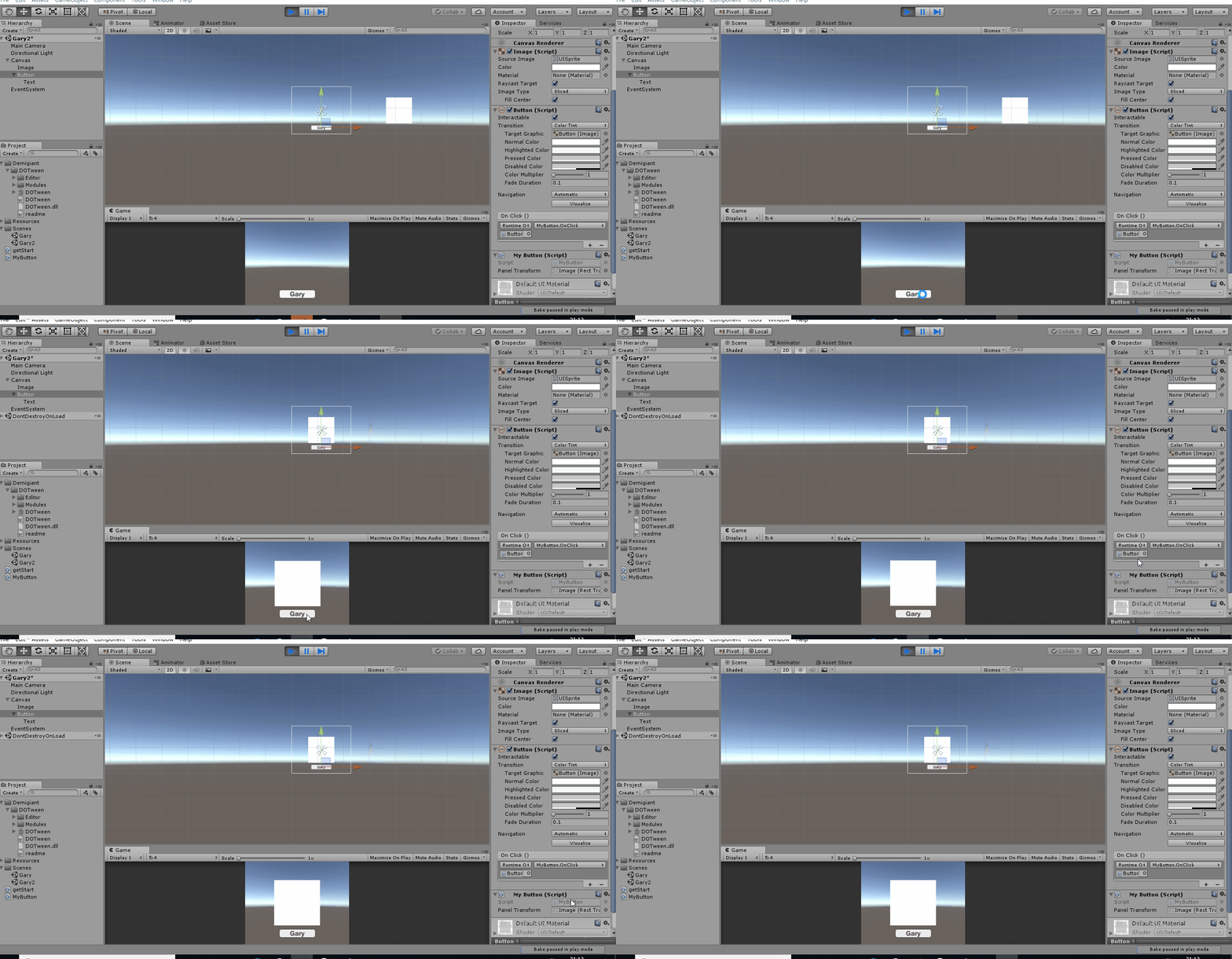
新建Gary2场景,添加Image、Button组件
点击Button控件,RectTransform组件从屏幕外(300,0,0)运动到(0,0,0)坐标点
Button控件上绑定MyButton脚本,绑定要移动的组件,添加OnClick()点击事件
using System.Collections;

using System.Collections.Generic;

using UnityEngine;

using DG.Tweening;

public class MyButton : MonoBehaviour {

    public RectTransform panelTransform;

    public void OnClick()

    {

        //让panelTransform从当前位置动画到(0,0,0)位置时间为1s

        panelTransform.DOMove(new Vector3(,,),);

        panelTransform.DOLocalMove(new Vector3(,,),);

    }

}
MyButton.cs
四、动画的前放和后放
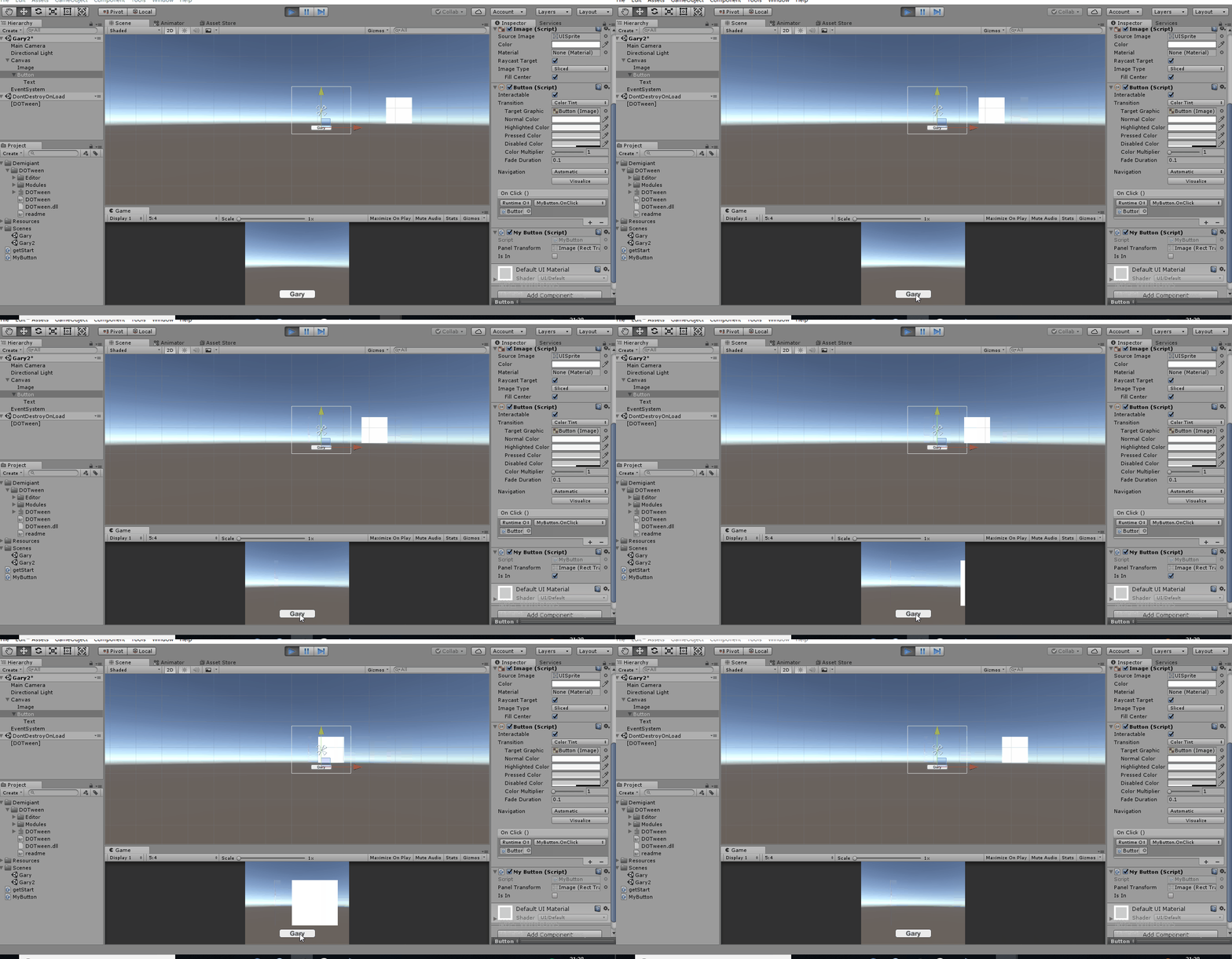
点击Button控件,RectTransform组件从屏幕外(300,0,0)运动到(0,0,0)坐标点
再次点击Button控件,RectTransform组件从屏幕(0,0,0)运动到(300,0,0)坐标点
using System.Collections;

using System.Collections.Generic;

using UnityEngine;

using DG.Tweening;

public class MyButton : MonoBehaviour {

    public RectTransform panelTransform;

    public bool isIn = false;

    private void Start()

    {

        //默认动画播放完就会被销毁

        Tweener tweener = panelTransform.DOLocalMove(new Vector3(, , ), );

        //Tweener对象保存这个动画的信息,每次调用do类型的方法都会创建一个tween对象,这个对象是dotween对象来管理的

        tweener.SetAutoKill(false); //把autokill自动设置为false

        tweener.Pause();

    }

    public void OnClick()

    {

           //点击第一次时让RectTransform进入屏幕当中

        if (isIn == false)

        {

            panelTransform.DOPlayForward();

            isIn = true;

        }

        else

        {

            //让RectTransform离开屏幕

            panelTransform.DOPlayBackwards();

            isIn = false;

        }

    }

}
MyButton.cs
动画前放
panelTransform.DOPlayForward();
动画后放
panelTransform.DOPlayBackwards();
五、From Tweens
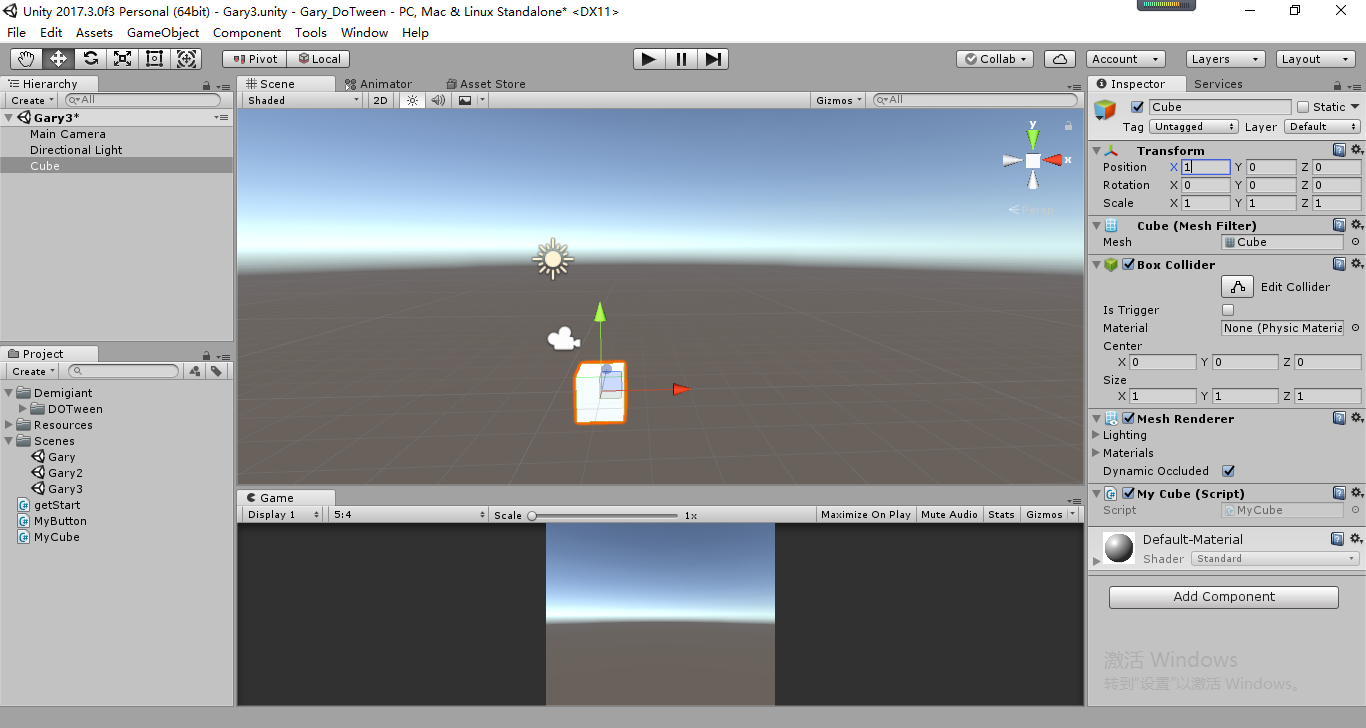
新建Gary3场景,添加Cube组件添加MyCube.cs脚本,将Cube对象位置设置为(1,0,0)
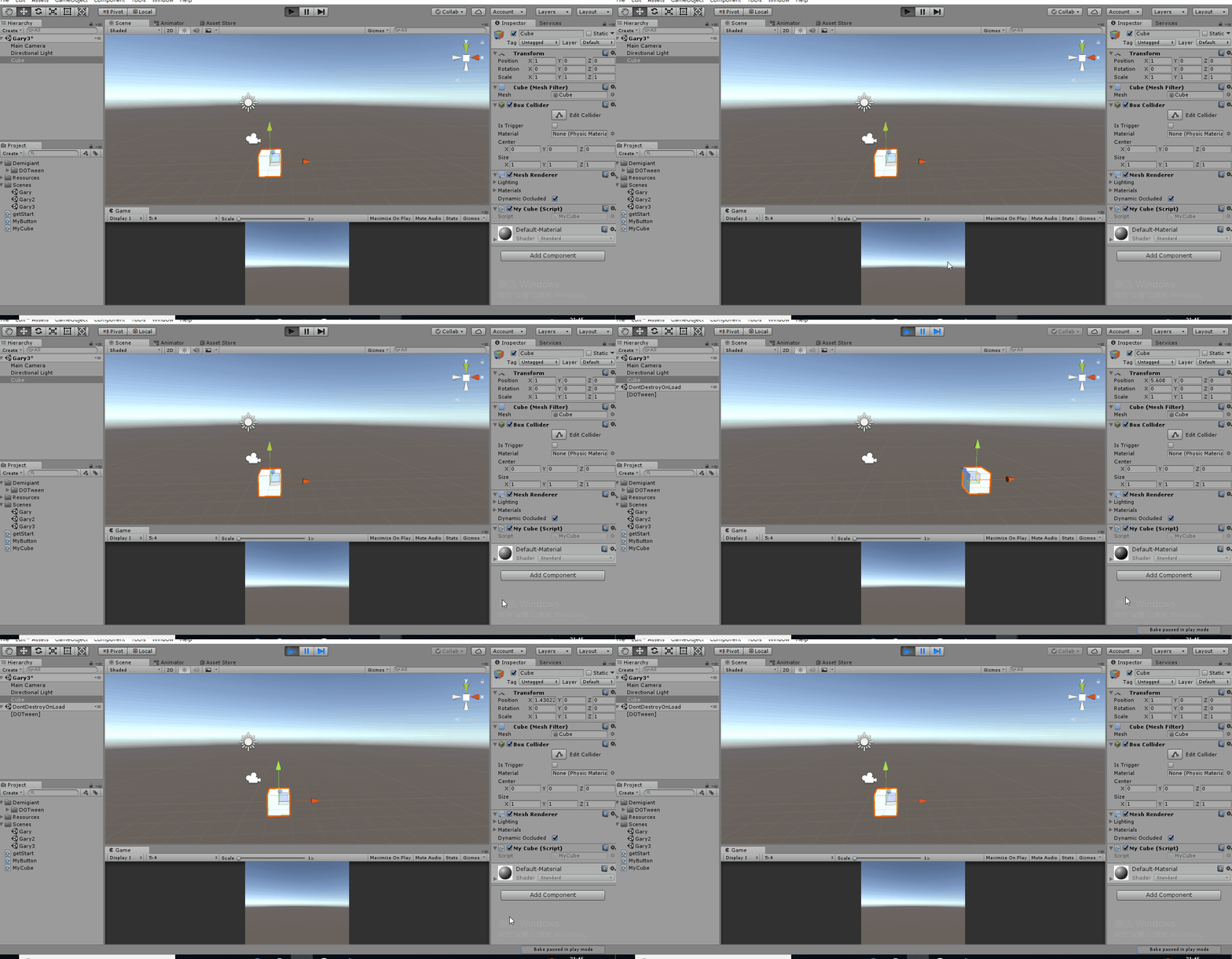
Cube从当前位置移动到(5,1)位置后又运行回去(默认From(false))
transform.DOMoveX(, ).From();
Cube从当前位置移动到(5+1,1)位置后又运行回去
transform.DOMoveX(, ).From(true);
演示From(true)
using System.Collections;

using System.Collections.Generic;

using UnityEngine;

using DG.Tweening;

public class MyCube : MonoBehaviour {

    // Use this for initialization

    void Start () {

        //从当前位置运行到X放

        //transform.DOMoveX(5,1);

        //默认是从当前位置运行到目标位置,加上From()方法以后表示从目标位置移动到当前位置

        //transform.DOMoveX(5, 1).From();

        transform.DOMoveX(, ).From(true);

    }

    // Update is called once per frame

    void Update () {

    }

}
MyCube.cs
六、动画的属性设置
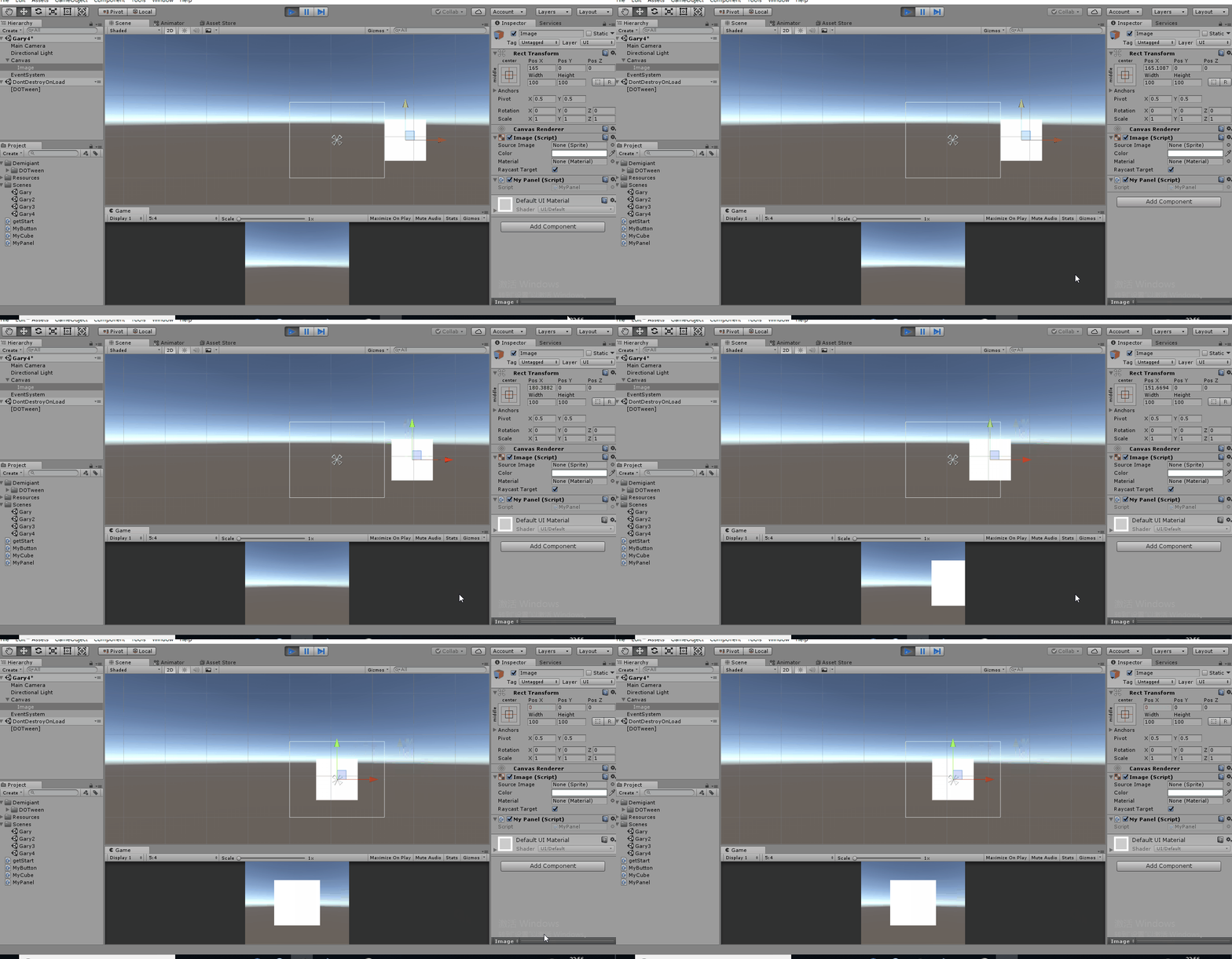
新建Gary4场景,添加Image控件,Image控件下添加MyPanel.cs脚本
物体先向反方向移动一段距离后向前移动
tweener.SetEase(Ease.InBack);
using System.Collections;

using System.Collections.Generic;

using UnityEngine;

using DG.Tweening;

public class MyPanel : MonoBehaviour {

    // Use this for initialization

    void Start () {

        Tweener tweener = transform.DOLocalMoveX(,);

        tweener.SetEase(Ease.InBack);

    }

    // Update is called once per frame

    void Update () {

    }

}
MyPanel.cs
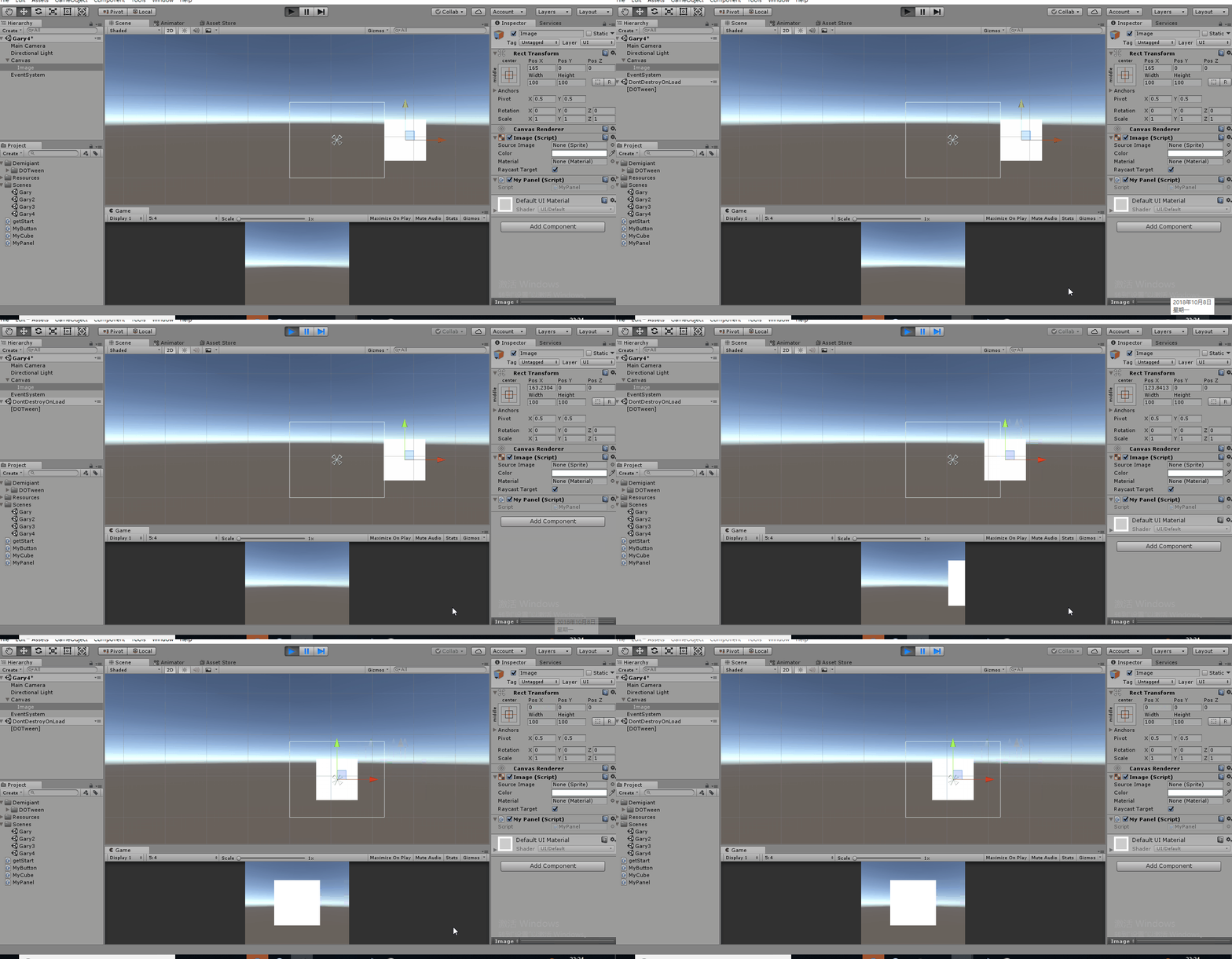
物体弹跳几次才到达目的点
tweener.SetEase(Ease.InBounce);
using System.Collections;

using System.Collections.Generic;

using UnityEngine;

using DG.Tweening;

public class MyPanel : MonoBehaviour {

    // Use this for initialization

    void Start () {

        Tweener tweener = transform.DOLocalMoveX(,);

        tweener.SetEase(Ease.InBounce);

    }

    // Update is called once per frame

    void Update () {

    }

}
MyPanel.cs
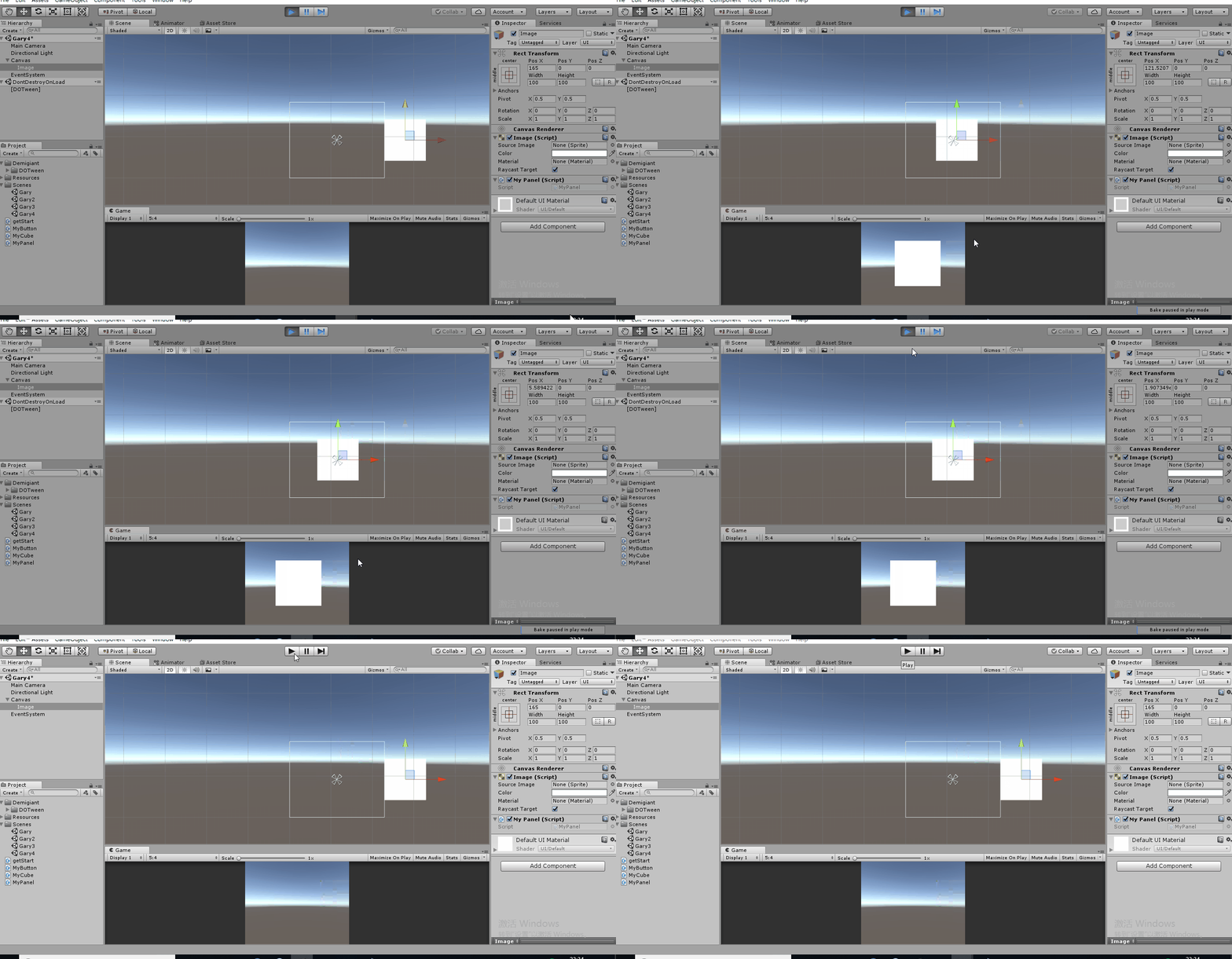
物体到达目的点后进行跳动
weener.SetEase(Ease.OutBounce);
using System.Collections;

using System.Collections.Generic;

using UnityEngine;

using DG.Tweening;

public class MyPanel : MonoBehaviour {

    // Use this for initialization

    void Start () {

        Tweener tweener = transform.DOLocalMoveX(,);

        tweener.SetEase(Ease.OutBounce);

    }

    // Update is called once per frame

    void Update () {

    }

}
MyPanel.cs
Ease属性及Ease中默认属性值
#region 程序集 DOTween, Version=1.0.0.0, Culture=neutral, PublicKeyToken=null

// F:\1891\DoTween\Gary\Gary_DoTween\Assets\Demigiant\DOTween\DOTween.dll

#endregion

namespace DG.Tweening

{

    public enum Ease

    {

        Unset = ,

        Linear = ,

        InSine = ,

        OutSine = ,

        InOutSine = ,

        InQuad = ,

        OutQuad = ,

        InOutQuad = ,

        InCubic = ,

        OutCubic = ,

        InOutCubic = ,

        InQuart = ,

        OutQuart = ,

        InOutQuart = ,

        InQuint = ,

        OutQuint = ,

        InOutQuint = ,

        InExpo = ,

        OutExpo = ,

        InOutExpo = ,

        InCirc = ,

        OutCirc = ,

        InOutCirc = ,

        InElastic = ,

        OutElastic = ,

        InOutElastic = ,

        InBack = ,

        OutBack = ,

        InOutBack = ,

        InBounce = ,

        OutBounce = ,

        InOutBounce = ,

        Flash = ,

        InFlash = ,

        OutFlash = ,

        InOutFlash = ,

        //

        // 摘要:

        //     Don't assign this! It's assigned automatically when creating 0 duration tweens

        INTERNAL_Zero = ,

        //

        // 摘要:

        //     Don't assign this! It's assigned automatically when setting the ease to an AnimationCurve

        //     or to a custom ease function

        INTERNAL_Custom =

    }

}
Ease[从元数据]
其它一些动画方法
设置动画循环
tweener.SetLoops();
设置动画监听事件
tweener.OnComplete(OnTweenComplete);
    void OnTweenComplete()

    {

        Debug.log("动画播放完成!");

    }
using System.Collections;

using System.Collections.Generic;

using UnityEngine;

using DG.Tweening;

public class MyPanel : MonoBehaviour {

    // Use this for initialization

    void Start () {

        Tweener tweener = transform.DOLocalMoveX(,);

        tweener.SetEase(Ease.OutBounce);

        tweener.SetLoops();

        tweener.OnComplete(OnTweenComplete);

    }

    // Update is called once per frame

    void Update () {

    }

    void OnTweenComplete()

    {

        Debug.log("动画播放完成!");

    }

}
MyPanel.cs
七、对话框文字动画
新建一个场景Gary5,添加Text控件,绑定脚本MyText.cs,控件内容由MyText.cs动态生成
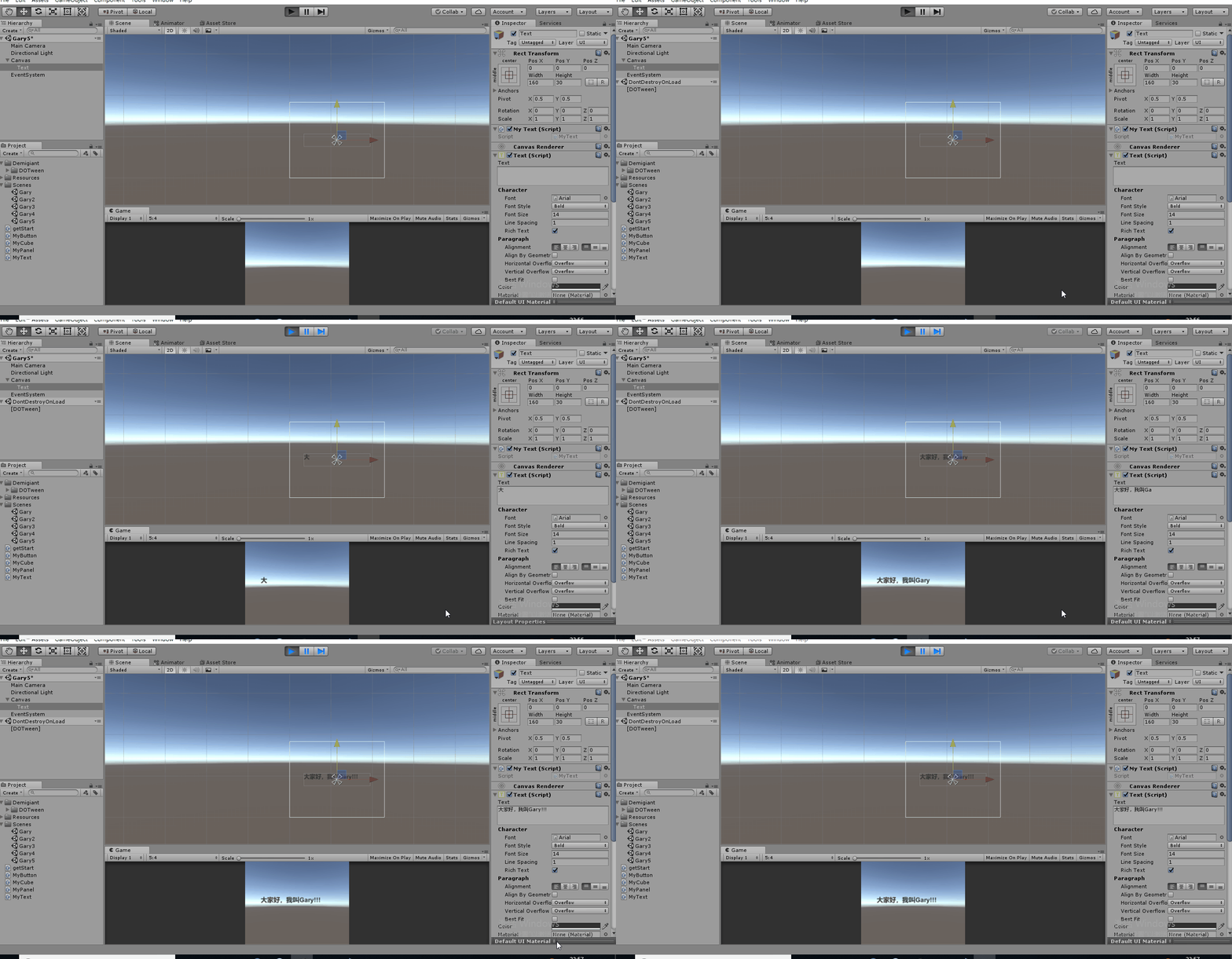
(Text控件中存在文字时,默认会进行覆盖)
using System.Collections;

using System.Collections.Generic;

using UnityEngine;

using DG.Tweening;

using UnityEngine.UI;

public class MyText : MonoBehaviour {

    private Text text;

    // Use this for initialization

    void Start () {

        text = this.GetComponent<Text>();

        text.DOText("大家好,我叫Gary!!!",);

    }

    // Update is called once per frame

    void Update () {

    }

}
MyText.cs
八、震动屏幕效果
新建一个场景Gary6,给摄像机绑定MyShakeCamera.cs脚本

(震动完后摄像机还是会回到原位)
using System.Collections;

using System.Collections.Generic;

using UnityEngine;

using DG.Tweening;

public class MyShakeCamera : MonoBehaviour {

    // Use this for initialization

    void Start () {

        //随机向走位移动3m的距离

        transform.DOShakePosition();

    }

    // Update is called once per frame

    void Update () {

    }

}
MyShakeCamera.cs
在x和y轴上震动
transform.DOShakePosition(,new Vector3(,,));
九、文本颜色和透明度动画
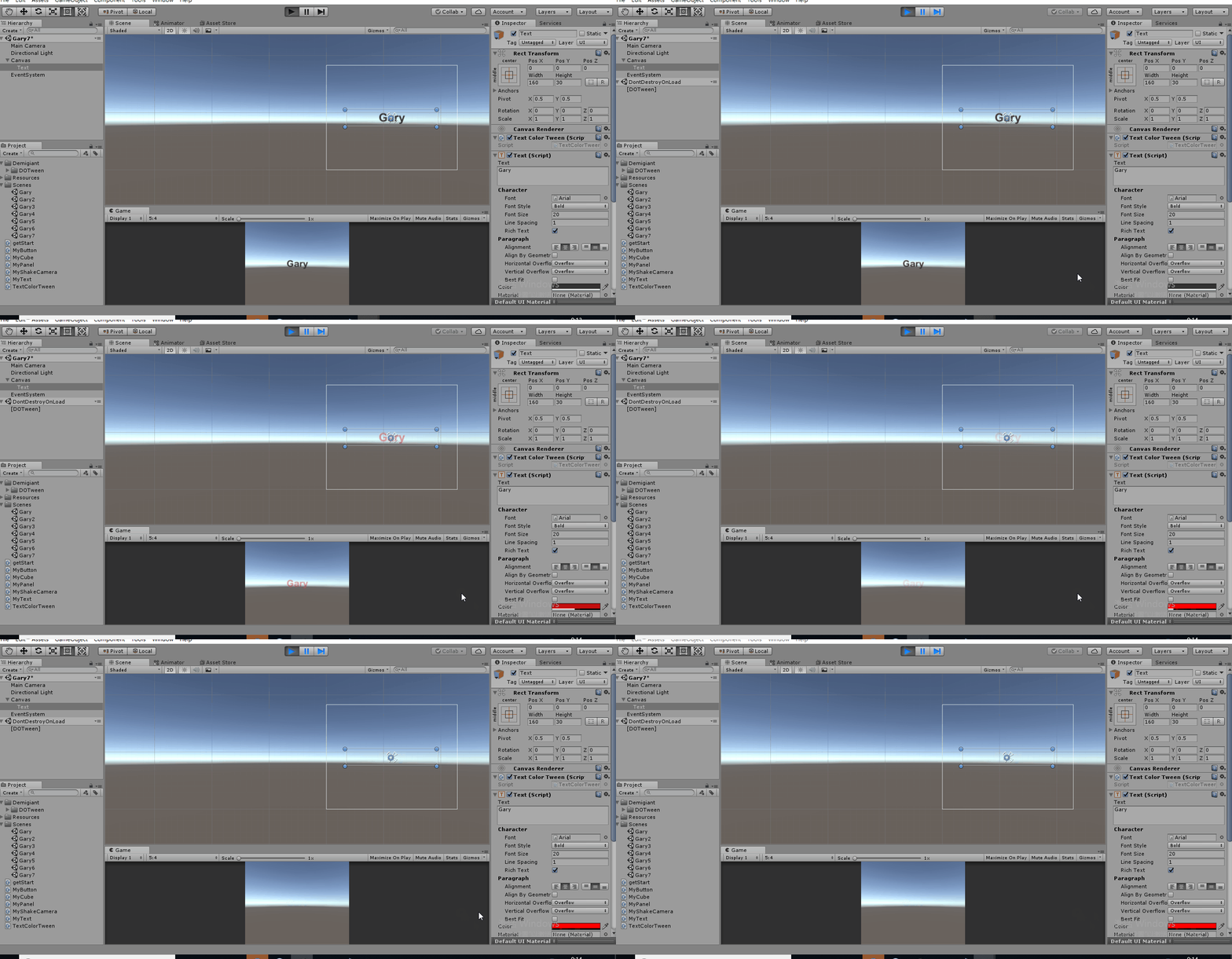
新建Gary7场景,新建一个Text控件,给Text控件绑定TextColorTween.cs脚本
using System.Collections;

using System.Collections.Generic;

using UnityEngine;

using UnityEngine.UI;

using DG.Tweening;

public class TextColorTween : MonoBehaviour {

    private Text text;

    // Use this for initialization

    void Start () {

        text = GetComponent<Text>();

        //设置文字动画

        text.DOColor(Color.red,);

        //设置文字透明度

        text.DOFade(,);

    }

    // Update is called once per frame

    void Update () {

    }

}
TextColorTween.cs
设置文字动画,渐变时间2s
text.DOColor(Color.red,);
设置文字透明度,渐变时间3s
text.DOFade(,);
Unity3D_(插件)DOTween动画插件的更多相关文章
- DoTween 动画插件简单示例
.doTween的静态方法 DOTween.To(() => maskImage.color, toColor => maskImage.color = toColor, , , , ), ...
- DoTween动画插件学习
一.简单的变量插值运算 using System.Collections; using System.Collections.Generic; using UnityEngine; using DG. ...
- 让网站动起来!12款优秀的 jQuery 动画插件推荐
如今,大多数设计师和开发人员被要客户要求开发动态的网站.创造视觉震撼和醒目的动态网站是艰巨的任务,因为它需要大量的努力和创造力.在网络上有大量的工具和插件可用于创建网站动画.许多开发人员正在使用 HT ...
- Minimit Anima – 硬件加速的 CSS3 动画插件
Minimit Anima 是一个实现 CSS3 Transforms 和 Transitions 动画的 jQuery 插件.基于硬件加速的 CSS3 动画执行更快,而且它有一个类似于 jQuery ...
- Velocity – 另外一款加速的 jQuery 动画插件
Velocity 是一款 jQuery 插件,重新实现了 $.animate() 方法,提供更高的性能(比 CSS 动画还更快),同时包括一些新的功能,以改进动画工作流程.Velocity 除了包括所 ...
- 八款强大的jQuery图片滑块动画插件
jQuery是一款相当轻巧的JavaScript框架,目前几乎每一个WEB项目都在使用jQuery,因为jQuery插件实在太丰富,尤其是 一些图片滑块插件和jQuery焦点图插件,更是多如牛毛,很多 ...
- Unity CCTween UGUI 动画插件
在这简单的介绍一下 CCTween 动画插件的使用 因为GIF 制作软件不太好(网上随便下载的)所以导致效果不太好,有时间我重新制作一下 这是一下简单的效果 下面介绍怎么使用 首先 先下载 CCTwe ...
- jquery背景动画插件使用
在网页制作动画特效的时候,有时候想通过背景插入图片,然后通过控制背景显示的位置来实现一些动画效果,这样就不用使用绝对定位控制left和top来实现动画效果!但是jquery本身的动画函数是不支持背景动 ...
- 好用的jquery.animateNumber.js数字动画插件
在做公司的运营报告页面时,有一个数字累计增加的动画效果,一开始,毫无头绪,不知如何下手,于是上网查资料,发现大多都是用的插件来实现的,那么今天,我也来用插件jquery.animateNumber.j ...
随机推荐
- 检测Python程序本身是否已经在运行
为runner.py实现一个函数,检测是否有其他的runner.py进程在正在执行? 除主要用到os模块,还用到了第三方模块psutil
- python_0基础开始_day12
第十二节 一,生成器 生成器的核心:生成器的本质就是迭代器 迭代器是python自带的 生成器是程序员自己写的一种迭代器 在python中有三种方式来创建生成器: 基于函数编写 推导式方式编写 pyt ...
- Win32汇编-创建窗体代码
1.一个最简单的窗体的创建 ;>>>>>>>>>>>>>>>>>>>>>& ...
- 第一个SpringMVC程序
1.创建工程 2.导入依赖 3.编写配置文件(web.xml) 配置了SpringMVC的入口: 4.SpringMVC的配置文件 路径:默认情况下,在目录下找这个文件:/WEB-INF/{servl ...
- Java开发者想尝试转行大数据,学习方向建议?
前言 相信很多Java开发者都对大数据有一定的了解,随着大数据时代的到来,也有很多Java程序员想要转行大数据.大数据技术中大多数平台使用的都是Java语言,因此,对于大数据技术的学习来说,Ja ...
- ssh无密码访问设置(ssh-keygen 的详解)
[原文链接]http://blog.csdn.net/wh_19910525/article/details/7433164 为了让两个linux机器之间使用ssh不需要用户名和密码.所以采用了数字签 ...
- SVN 安装教程
安装包:http://pan.baidu.com/s/1kTTcbJp 安装步骤看这个博主的就好了: http://www.cnblogs.com/xing901022/p/4399382.html ...
- Reservoir Computing: Harnessing a Universal Dynamical System
原文连接:https://sinews.siam.org/Details-Page/reservoir-computing-harnessing-a-universal-dynamical-syste ...
- Mongodb的基本操作-数据库 集合 文档的增删改查
数据库操作: //查看有哪些数据库 > show dbs local 0.078GB mydb 0.078GB //use操作将切换到一个数据库 如果数据库存在将直接切换 如果不存在 那么 ...
- restful api 相关
404:资源没有找到400:参数错误 200:Get获取成功201:Post创建成功202:Put更新成功 401:未授权403:当前的资源禁止 500:服务器的未知错误 错误码 错误信息 当前url ...