
Spring发布WebService并调用已有的WebService
发布WebService
1.编写生成WebService的Java类
package com.webService;

import com.service.PianoServiceImpl;

import org.springframework.context.ApplicationContext;

import org.springframework.context.support.FileSystemXmlApplicationContext;

import javax.jws.WebMethod;

import javax.jws.WebResult;

import javax.jws.WebService;

@WebService(name = "PianoService",serviceName = "PianoWebService")

public class PianoWebService {

    @WebMethod(operationName = "getPrice",action = "getPriceByBrand")

    @WebResult(name="price")

    public int getPriceByBrand(String brand){

        ApplicationContext ctx = new FileSystemXmlApplicationContext("src/applicationContext.xml");

        PianoServiceImpl pianoService = (PianoServiceImpl) ctx.getBean("pianoServiceImpl");

        return pianoService.getPriceByBrand(brand);

    }

}
2.发布WebService
public static void main(String[] args) {

        PianoWebService pianoWebService = new PianoWebService();

        Endpoint.publish("http://localhost:8080/pianowebservice",pianoWebService);

        System.out.println("启动webservice");

    }
3.打开浏览器生成URL输入:http://localhost:8080/pianowebservice?wsdl即可浏览到WebService所产生的WSDL全文
调用已有的WebService
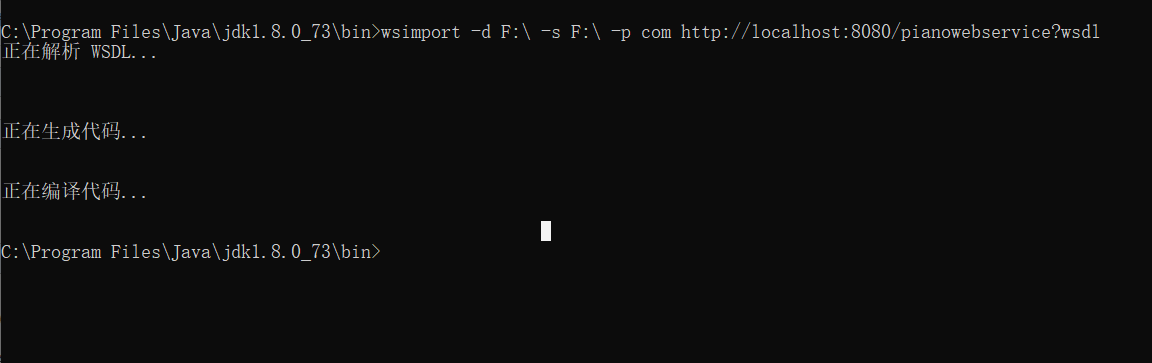
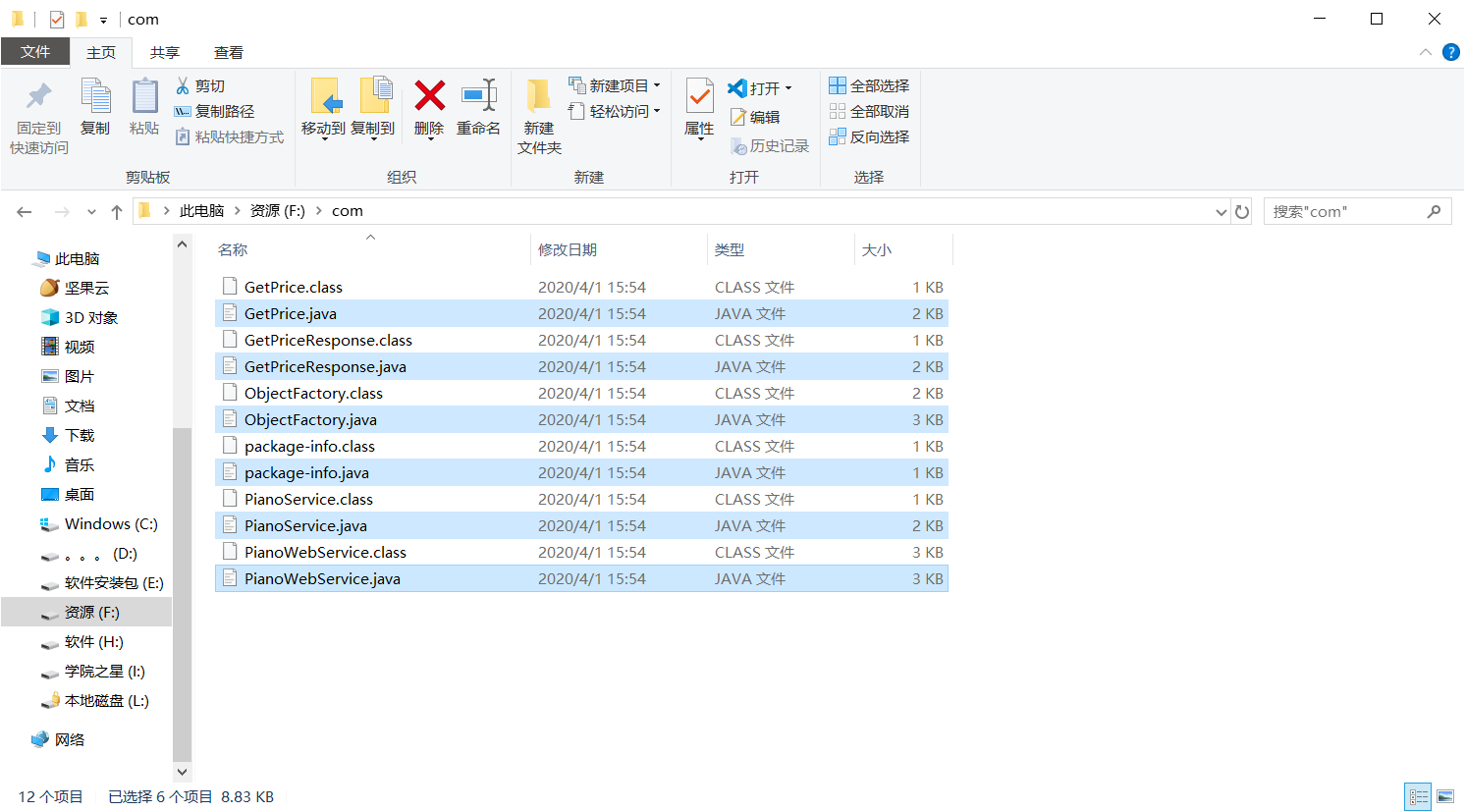
1.生成对应的Java文件
C:\Program Files\Java\jdk1.8.0_73\bin>wsimport -d F:\ -s F:\ -p com http://localhost:8080/pianowebservice?wsdl
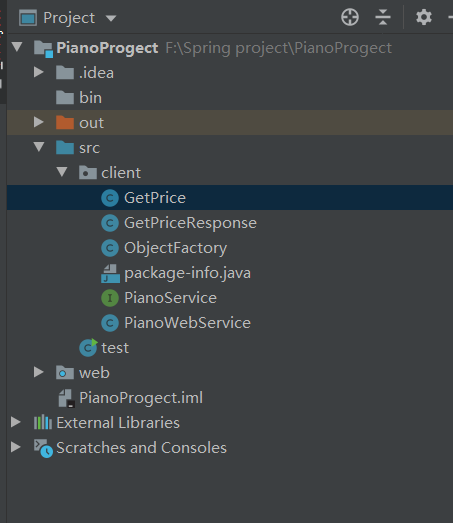
2.把Java文件拷贝到项目中
3.调用
PianoWebService pianoWebService = new PianoWebService();

        PianoService pianoService = pianoWebService.getPianoServicePort();

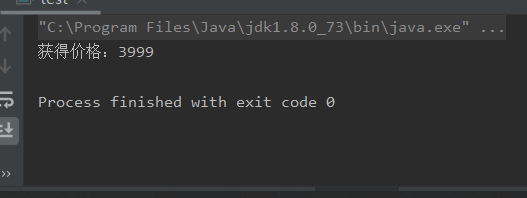
        int price = pianoService.getPrice("IQOO");

        System.out.println("获得价格:"+price);
附常用的WebService目录
http://www.webxml.com.cn/zh_cn/web_services.aspx
Spring发布WebService并调用已有的WebService的更多相关文章
- 调用已发布的WebService
WebService服务演示 登录http://www.webxml.com.cn
- CXF整合Spring发布WebService实例
一.说明: 上一篇简单介绍了CXF以及如何使用CXF来发布一个简单的WebService服务,并且介绍了客户端的调用. 这一篇介绍如何使用CXF与spring在Web项目中来发布WebService服 ...
- CXF2.7整合spring发布webservice
---------==========--服务端发布webservice-=============-------- 1.需要的jar包: 2.包结构 3.代码 1.实体类 package cn.ql ...
- 解决cxf+spring发布的webservice,types,portType和message以import方式导入
用cxf+spring发布了webservice,发现生成的wsdl的types,message和portType都以import的方式导入的.. 原因:命名空间问题 我想要生成的wsdl在同个文件中 ...
- 在IIS上发布一个WebService,再发布一个网站调用这个WebService(实例)
首先描述一下先决条件:IIS可用,VS2005可用. 好,现在开始: 首先写一个WebService并把它发布到IIS上: 在IIS上的默认网站下新建一个“虚拟目录”,取名为“webservice1” ...
- 使用CXF+Spring发布WebService,启动报错
使用CXF+Spring发布WebService,启动报错,日志如下: 五月 12, 2017 9:01:37 下午 org.apache.tomcat.util.digester.SetProper ...
- Spring Boot 使用 CXF 调用 WebService 服务
上一张我们讲到 Spring Boot 开发 WebService 服务,本章研究基于 CXF 调用 WebService.另外本来想写一篇 xfire 作为 client 端来调用 webservi ...
- Spring Boot 使用 JAX-WS 调用 WebService 服务
除了 CXF 我们还可以使用 Spring Boot 自身默认的组件 JAX-WS 来实现 WebService 的调用. 本项目源码 github 下载 1 新建 Spring Boot Maven ...
- C# WebService动态调用
前言 站在开发者的角度,WebService 技术确实是不再“时髦”.甚至很多人会说,我们不再用它.当然,为了使软件可以更简洁,更有层次,更易于实现缓存等机制,我是非常建议将 SOAP 转为 REST ...
随机推荐
- JVM垃圾回收概述
垃圾回收概述 什么是垃圾 什么是垃圾( Garbage) 呢? 垃圾是指在运行程序中没有任何指针指向的对象,这个对象就是需要被回收的垃圾. 如果不及时对内存中的垃圾进行清理,那么,这些垃圾对象所占的内 ...
- lambda表达式与函数式(FunctionalInterface)接口
一.lambda表达式 lambda表达式 Lambda 是一个匿名函数,我们可以把 Lambda 表达式理解为是一段可以传递的代码(将代码像数据一样进行传递).使用它可以写出更简洁.更 灵活的代码. ...
- 总结几个移动端H5软键盘的大坑
1.部分机型软键盘弹起挡住原来的视图 解决方法:可以通过监听移动端软键盘弹起 Element.scrollIntoView() 方法让当前的元素滚动到浏览器窗口的可视区域内.参数如下. true,表示 ...
- List集合的遍历方式
遍历List集合的三种方法 List list = new ArrayList(); list.add("aaa"); list.add("bbb"); lis ...
- 通过源码学习@functools.lru_cache
一.前言 通常在一些代码中包含了重复运算,而这些重复运算会大大增加代码运行所耗费的时间,比如使用递归实现斐波那契数列. 举个例子,当求 fibonacci(5) 时,需要求得 fibonacci(3) ...
- .NET WEB API关键过程 思维导图
背景说明 近期在去面试的过程中,被问及有关WEB API的一些特性,一时竟不知该如何回答,故根据自己已知的知识,加上网上搜索的,详细列举了一下,期望对WEB API有一个比较开阔和全面的认知. 关键要 ...
- Flutter 1.17 新 Material motion 规范的预构建动画
老孟导读:在 Flutter 1.17 发布大会上,Flutter 团队还发布了新的 Animations 软件包,该软件包提供了实现新的 Material motion 规范的预构建动画. 软件包 ...
- requests接口自动化2-url里不带参数的get请求
最常用的是get,post请求,然后是put,delete,其他方法很少用 1. get请求几种方式 1.1.url里不带参数的get请求 接口请求fiddler返回内容: import reques ...
- python 爬虫写入txt:UnicodeEncodeError: ‘gbk’ codec can’t encode character 错误的解决办法
原链接:https://blog.csdn.net/vito21/article/details/53490435 今天爬一个网站的内容,在写入TXT文件时,某些页面总是报UnicodeEncodeE ...
- 在flask中使用flask-migrate管理数据库
Flask-Migrate是一个为Flask应用处理SQLAlchemy数据库迁移的扩展,使得可以通过Flask的命令行接口或者Flask-Scripts对数据库进行操作. 安装 pip3 insta ...