
CISCO 如何重置3850交换机密码
SUMMARY STEPS:
- Connect a terminal or PC to the switch.
- Set the line speed on the emulation software to 9600 baud.
- Power off the standalone switch or the entire switch stack.
- Reconnect the power cord to the or the active switch. Within 15 seconds, press the Mode button while
the System LED is still flashing green. Continue pressing the Mode button until all the system LEDs turn
on and remain solid; then release the Mode button. - After recovering the password, reload the switch or the active switch .
- Power on the remaining switches in the stack.
DETAILED STEPS:
Step 1 :Connect a terminal or PC to the switch.
• Connect a terminal or a PC with terminal-emulation software to the switch console port. If you are recovering the
password for a switch stack, connect to the console port of the active switch or
• Connect a PC to the Ethernet management port. If you are recovering the password for a switch stack, connect to
the Ethernet management port of a stack member .
Step 2 :Set the line speed on the emulation software to 9600 baud.
Step 3 :Power off the standalone switch or the entire switch stack.
Step 4 :Reconnect the power cord to the or the active switch. Within 15 seconds, press the Mode button while the System LED
is still flashing green. Continue pressing the Mode button until all the system LEDs turn on and remain solid; then release
the Mode button.
•
Switch:
Xmodem file system is available.
Base ethernet MAC Address: 20:37:06:4d:e9:80
Verifying bootloader digital signature.
The system has been interrupted prior to loading the operating
system software, console will be reset to 9600 baud rate.
proceed to the Procedure with Password Recovery Enabled section, and follow the steps:
Step 1 Initialize the flash file system.
Switch: flash_init
Step 2 Ignore the startup configuration with the following command:
Switch: SWITCH_IGNORE_STARTUP_CFG=1
Step 3 Boot the switch with the packages.conf file from flash.
Switch: boot flash:packages.conf
Step 4 Terminate the initial configuration dialog by answering No.
Would you like to enter the initial configuration dialog? [yes/no]: No
Step 5 At the switch prompt, enter privileged EXEC mode.
Switch> enable
Switch#
Step 6 Copy the startup configuration to running configuration.
Switch# copy startup-config running-config
Destination filename [running-config]?
Press Return in response to the confirmation prompts. The configuration file is now reloaded, and you can change the
password.
Step 7 Enter global configuration mode and change the enable password.
Switch# configure terminal
Switch(config)#
Step 8 Write the running configuration to the startup configuration file.
Switch# copy running-config startup-config
Step 9 Confirm that manual boot mode is enabled.
Switch# show boot
BOOT variable = flash:packages.conf;
Manual Boot = yes
Enable Break = yes
Step 10 Reload the switch.
Switch# reload
Step 11 Return the Bootloader parameters (previously changed in Steps 2 and 3) to their original values.
Switch: switch: SWITCH_IGNORE_STARTUP_CFG=0
Step 12 Boot the switch with the packages.conf file from flash.
Switch: boot flash:packages.conf
Step 13 After the switch boots up, disable manual boot on the switch.
Switch(config)# no boot manual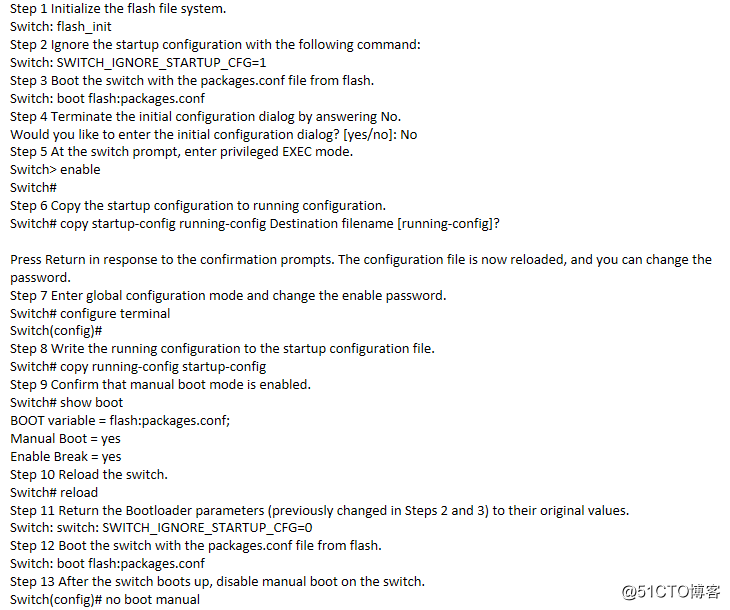
转载自:https://blog.csdn.net/weixin_33796177/article/details/85099718
CISCO 如何重置3850交换机密码的更多相关文章
- CISCO-路由器交换机密码恢复
路由器密码恢复: 准备工作:一台PC跟一台路由器用console线相连 工作原理:如果忘记密码被锁在路由器外,通过修复寄存器值来进行修复 默认的寄存器值为0x2102(关闭的),若要恢复口令需要开启这 ...
- MySQL重置root用户密码的方法
本教程适用于采用Win2003.WinXP操作系统的迅美VPS和云主机产品. 当管理员忘记MySQL密码怎么办?屡次输入密码,仍然提示错误,网站无法正常运行,数据库也无法管理,管理员束手无策. 网站程 ...
- 如何重置mysql的密码
如何重置mysql的密码 如果知道密码,则通过以下方式修改: gaurav@gaurav:~$ mysql --user=root --pass mysql Enter password: mysql ...
- 在Windows下Mysql如何重置root用户密码
原文链接:http://www.feeldesignstudio.com/2013/05/windows-mysql-root-password-reset 网上的很多在Windows下重置root用 ...
- MAC 重置MySQL root 密码
重置MySQL root 密码:当忘记密码,或者想要强行重置 MySQL 密码的时候,可以像下面这样: 1.停止 MySQL 服务 sudo /usr/local/mysql/support-file ...
- CentOS7.0重置Root的密码
CentOS7.0重置Root的密码 首先进入开启菜单,按下e键进入编辑现有的内核,如下图所示 然后滚动列表,找到ro,将它替换成rw,并加上init=/sysroot/bin/sh,最终变为如下图 ...
- MySQL重置root用户密码的方法(转)
本教程适用于采用Win2003.WinXP操作系统的迅美VPS和云主机产品. 当管理员忘记MySQL密码怎么办?屡次输入密码,仍然提示错误,网站无法正常运行,数据库也无法管理,管理员束手无策. 网站程 ...
- SQL点滴11—重置win7登录密码影响SQL登录
原文:SQL点滴11-重置win7登录密码影响SQL登录 2011-04-20 修改机器登录密码后不能登录SQL Server 今天发现一个很有趣的现象.公司的电脑每两个月就会提示重置登录密码,今天 ...
- Linux系统重置root用户密码
Linux系统重置root用户密码 作者:Eric 微信:loveoracle11g 查看系统版本是不是RHEL7 [root@zhouwanchun ~]# cat /etc/redhat-rele ...
随机推荐
- python之解压序列并赋值给变量
N个数量的序列(可迭代对象),赋值给N个变量. 字符串: 1 #!usr/bin/env python3 2 # -*- Coding=utf-8 -*- 3 4 ''' 5 解压序列(或者任何可迭代 ...
- java如何实现入职时间到现在 java如何计算知道入职时间, 求工作时长格式为年--月--日。
Date ruZhi = new Date("入职年月bai"); Date now = new Date(); //算出du来时间夸格zhi多长 long shiChang = ...
- Java连接MySQL数据库——含详细步骤和代码
工具:eclipse.MySQL.MySQL连接驱动:mysql-connector-java-5.1.45.jar 首先要下载Connector/J地址:http://www.mysql.com/d ...
- JAVA的一些笔记
/*一般函数与构造函数的区别 构造函数:对象创建时,就会调用与之对应的构造函数,对对象进行初始化 一般函数:对象创建时,需要函数功能时才调用 构造函数:一个对象对象创建时,只调用一次 一般函数:对象创 ...
- 前端面试题归类-HTML2
一. SGML . HTML .XML 和 XHTML 的区别? SGML 是标准通用标记语言,是一种定义电子文档结构和描述其内容的国际标准语言,是所有电子文档标记语言的起源. HTML 是超文本标记 ...
- 异步技巧之CompletableFuture
摘自--https://juejin.im/post/5b4622df5188251ac9766f47 异步技巧之CompletableFuture 1.Future接口 1.1 什么是Future? ...
- 自动化运维工具-Ansible之7-roles
自动化运维工具-Ansible之7-roles 目录 自动化运维工具-Ansible之7-roles Ansible Roles基本概述 Ansible Roles目录结构 Ansible Roles ...
- rm(操作系统的删除文件)与git rm的区别
git rm:1.删除了一个文件2.把这个删除的文件纳入暂存区如果想要恢复这个文件,则需要做2个操作a.git reset HEAD file_name --将文件从暂存区恢复到工作区b.git ch ...
- 第八章节 BJROBOT hector 算法构建地图【ROS全开源阿克曼转向智能网联无人驾驶车】
1.把小车平放在地板上,用资料里的虚拟机,打开一个终端 ssh 过去主控端启动roslaunch znjrobot bringup.launch. 2.在虚拟机端打开一个终端,ssh 过去主控端启动r ...
- 模板匹配入门实践:opencv+python识别PDB板
任务要求: 基于模板匹配算法识别PCB板型号 使用工具: Python3.OpenCV 使用模板匹配算法,模板匹配是一种最原始.最基本的模式识别方法,研究某一特定对象物的图案位于图像的什么地方,进而识 ...