
Android学习之Android 5.0分享动画实现微信点击全屏效果
Android5.0过渡动画,请看
今天用分享动画实现微信点击全屏效果
本文源代码下载地址
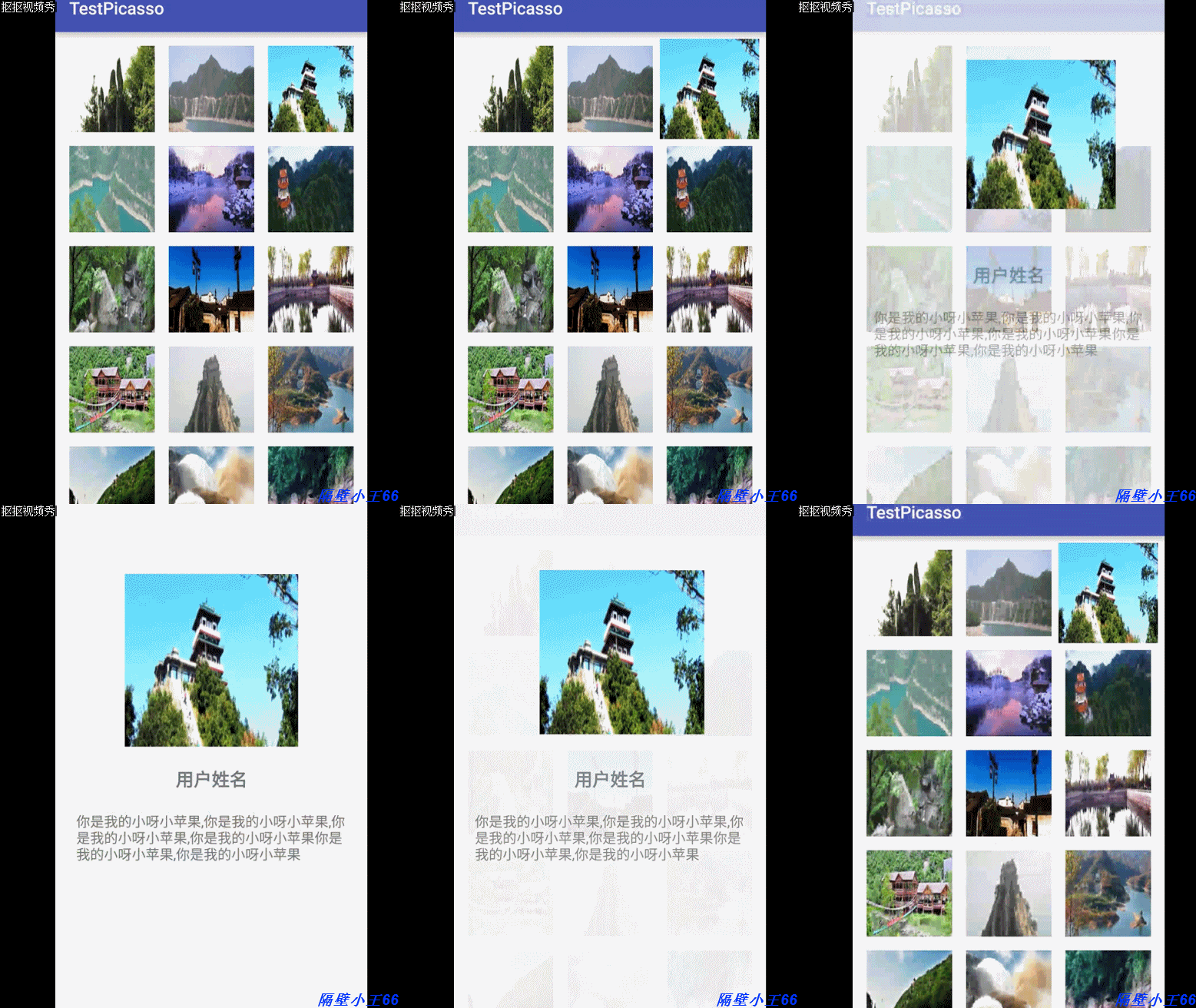
配置 build.gradle:
  compile 'com.android.support:recyclerview-v7:23.3.0'

  compile 'com.squareup.picasso:picasso:2.3.2'
在主页加入RecylerView
 @Override

    protected void onCreate(Bundle savedInstanceState) {

        super.onCreate(savedInstanceState);

        setContentView(R.layout.activity_main);

        recyclerView = (RecyclerView) findViewById(R.id.recylerview);

        recyclerView.setHasFixedSize(true);

        recyclerView.setLayoutManager(new GridLayoutManager(this, 3));

        recyclerView.setAdapter(adapter = new PicassoAdapter(this));

        adapter.replaceAll(getData());

    }

    private ArrayList<String> getData() {

        ArrayList<String> list = new ArrayList<>();

        for (int i = 0; i < ImageUtil.imageUrls.length; i++) {

            list.add(ImageUtil.imageUrls[i]);

        }

        return list;

    }
初始化数据:
package com.example.wangchang.testpicasso;

/**

 * Created by WangChang on 2016/4/3.

 */

public class ImageUtil {

    public final static String[] imageUrls = new String[]{

            "http://img.my.csdn.net/uploads/201508/05/1438760758_3497.jpg",

            "http://img.my.csdn.net/uploads/201508/05/1438760758_6667.jpg",

            "http://img.my.csdn.net/uploads/201508/05/1438760757_3588.jpg",

            "http://img.my.csdn.net/uploads/201508/05/1438760756_3304.jpg",

            "http://img.my.csdn.net/uploads/201508/05/1438760755_6715.jpeg",

            "http://img.my.csdn.net/uploads/201508/05/1438760726_5120.jpg",

            "http://img.my.csdn.net/uploads/201508/05/1438760726_8364.jpg",

            "http://img.my.csdn.net/uploads/201508/05/1438760725_4031.jpg",

            "http://img.my.csdn.net/uploads/201508/05/1438760724_9463.jpg",

            "http://img.my.csdn.net/uploads/201508/05/1438760724_2371.jpg",

            "http://img.my.csdn.net/uploads/201508/05/1438760707_4653.jpg",

            "http://img.my.csdn.net/uploads/201508/05/1438760706_6864.jpg",

            "http://img.my.csdn.net/uploads/201508/05/1438760706_9279.jpg",

            "http://img.my.csdn.net/uploads/201508/05/1438760704_2341.jpg",

            "http://img.my.csdn.net/uploads/201508/05/1438760704_5707.jpg",

            "http://img.my.csdn.net/uploads/201508/05/1438760685_5091.jpg",

            "http://img.my.csdn.net/uploads/201508/05/1438760685_4444.jpg",

            "http://img.my.csdn.net/uploads/201508/05/1438760684_8827.jpg",

            "http://img.my.csdn.net/uploads/201508/05/1438760683_3691.jpg",

            "http://img.my.csdn.net/uploads/201508/05/1438760683_7315.jpg",

            "http://img.my.csdn.net/uploads/201508/05/1438760663_7318.jpg",

            "http://img.my.csdn.net/uploads/201508/05/1438760662_3454.jpg",

            "http://img.my.csdn.net/uploads/201508/05/1438760662_5113.jpg",

            "http://img.my.csdn.net/uploads/201508/05/1438760661_3305.jpg",

            "http://img.my.csdn.net/uploads/201508/05/1438760661_7416.jpg",

            "http://img.my.csdn.net/uploads/201508/05/1438760589_2946.jpg",

            "http://img.my.csdn.net/uploads/201508/05/1438760589_1100.jpg",

            "http://img.my.csdn.net/uploads/201508/05/1438760588_8297.jpg",

            "http://img.my.csdn.net/uploads/201508/05/1438760587_2575.jpg",

            "http://img.my.csdn.net/uploads/201508/05/1438760587_8906.jpg",

            "http://img.my.csdn.net/uploads/201508/05/1438760550_2875.jpg",

            "http://img.my.csdn.net/uploads/201508/05/1438760550_9517.jpg",

            "http://img.my.csdn.net/uploads/201508/05/1438760549_7093.jpg",

            "http://img.my.csdn.net/uploads/201508/05/1438760549_1352.jpg",

            "http://img.my.csdn.net/uploads/201508/05/1438760548_2780.jpg",

            "http://img.my.csdn.net/uploads/201508/05/1438760531_1776.jpg",

            "http://img.my.csdn.net/uploads/201508/05/1438760531_1380.jpg",

            "http://img.my.csdn.net/uploads/201508/05/1438760530_4944.jpg",

            "http://img.my.csdn.net/uploads/201508/05/1438760530_5750.jpg",

            "http://img.my.csdn.net/uploads/201508/05/1438760529_3289.jpg",

            "http://img.my.csdn.net/uploads/201508/05/1438760500_7871.jpg",

            "http://img.my.csdn.net/uploads/201508/05/1438760500_6063.jpg",

            "http://img.my.csdn.net/uploads/201508/05/1438760499_6304.jpeg",

            "http://img.my.csdn.net/uploads/201508/05/1438760499_5081.jpg",

            "http://img.my.csdn.net/uploads/201508/05/1438760498_7007.jpg",

            "http://img.my.csdn.net/uploads/201508/05/1438760478_3128.jpg",

            "http://img.my.csdn.net/uploads/201508/05/1438760478_6766.jpg",

            "http://img.my.csdn.net/uploads/201508/05/1438760477_1358.jpg",

            "http://img.my.csdn.net/uploads/201508/05/1438760477_3540.jpg",

            "http://img.my.csdn.net/uploads/201508/05/1438760476_1240.jpg",

            "http://img.my.csdn.net/uploads/201508/05/1438760446_7993.jpg",

            "http://img.my.csdn.net/uploads/201508/05/1438760446_3641.jpg",

            "http://img.my.csdn.net/uploads/201508/05/1438760445_3283.jpg",

            "http://img.my.csdn.net/uploads/201508/05/1438760444_8623.jpg",

            "http://img.my.csdn.net/uploads/201508/05/1438760444_6822.jpg",

            "http://img.my.csdn.net/uploads/201508/05/1438760422_2224.jpg",

            "http://img.my.csdn.net/uploads/201508/05/1438760421_2824.jpg",

            "http://img.my.csdn.net/uploads/201508/05/1438760420_2660.jpg",

            "http://img.my.csdn.net/uploads/201508/05/1438760420_7188.jpg",

            "http://img.my.csdn.net/uploads/201508/05/1438760419_4123.jpg",

    };

}
配置Adapter
package com.example.wangchang.testpicasso;

import android.app.Activity;

import android.app.ActivityOptions;

import android.content.Context;

import android.content.Intent;

import android.graphics.Bitmap;

import android.graphics.drawable.Drawable;

import android.support.v7.widget.RecyclerView;

import android.view.LayoutInflater;

import android.view.View;

import android.view.ViewGroup;

import android.widget.ImageView;

import com.squareup.picasso.Picasso;

import com.squareup.picasso.Target;

import com.squareup.picasso.Transformation;

import java.util.ArrayList;

/**

 * Created by WangChang on 2016/4/10.

 */

public class PicassoAdapter extends RecyclerView.Adapter<PicassoAdapter.BaseViewHolder> {

    private ArrayList<String> dataList = new ArrayList<>();

    private Context context;

    public PicassoAdapter(Context context) {

        this.context = context;

    }

    public void replaceAll(ArrayList<String> list) {

        dataList.clear();

        if (list != null) {

            dataList.addAll(list);

        }

        notifyDataSetChanged();

    }

    @Override

    public PicassoAdapter.BaseViewHolder onCreateViewHolder(ViewGroup parent, int viewType) {

        return new ImageViewHolder(LayoutInflater.from(parent.getContext()).inflate(R.layout.item, parent, false));

    }

    @Override

    public void onBindViewHolder(PicassoAdapter.BaseViewHolder holder, int position) {

        holder.setData(dataList.get(position));

    }

    @Override

    public int getItemCount() {

        return dataList != null ? dataList.size() : 0;

    }

    public class BaseViewHolder extends RecyclerView.ViewHolder {

        public BaseViewHolder(View itemView) {

            super(itemView);

        }

        void setData(Object data) {

        }

    }

    private class ImageViewHolder extends BaseViewHolder implements Target {

        private ImageView imageView;

        public ImageViewHolder(View view) {

            super(view);

            imageView = (ImageView) view.findViewById(R.id.image);

        }

        @Override

        void setData(Object data) {

            super.setData(data);

            if (data != null) {

                final String path = (String) data;

                Picasso.with(itemView.getContext()).load(path).resize(200, 200).into(imageView);

                itemView.setOnClickListener(new View.OnClickListener() {

                    @Override

                    public void onClick(View v) {

                        Intent intent = new Intent(itemView.getContext(), OtherActivity.class);

                        intent.putExtra("flag", path);

                        context.startActivity(intent, ActivityOptions.makeSceneTransitionAnimation((Activity) itemView.getContext(), v, "share").toBundle());

                    }

                });

            }

        }

        @Override

        public void onBitmapLoaded(Bitmap bitmap, Picasso.LoadedFrom from) {

            bitmap = new CropSquareTransformation().transform(bitmap);

            imageView.setImageBitmap(bitmap);

        }

        @Override

        public void onBitmapFailed(Drawable errorDrawable) {

        }

        @Override

        public void onPrepareLoad(Drawable placeHolderDrawable) {

        }

    }

    public class CropSquareTransformation implements Transformation {

        @Override

        public Bitmap transform(Bitmap source) {

            int size = Math.min(source.getWidth(), source.getHeight());

            int x = (source.getWidth() - size) / 2;

            int y = (source.getHeight() - size) / 2;

            Bitmap result = Bitmap.createBitmap(source, x, y, size, size);

            if (result != source) {

                source.recycle();

            }

            return result;

        }

        @Override

        public String key() {

            return "square()";

        }

    }

}
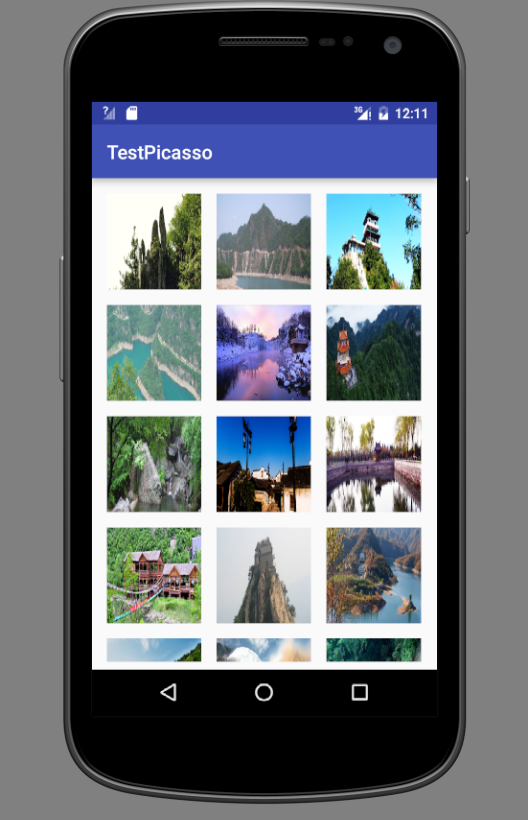
详情页xml
<?xml version="1.0" encoding="utf-8"?>

<LinearLayout xmlns:android="http://schemas.android.com/apk/res/android"

    android:layout_width="match_parent"

    android:layout_height="match_parent"

    android:orientation="vertical">

    <ImageView

        android:id="@+id/iv_image"

        android:layout_width="200dp"

        android:layout_height="200dp"

        android:layout_gravity="center_horizontal"

        android:layout_marginTop="100dp"

        android:scaleType="fitXY"

        android:src="@mipmap/ic_launcher"

        android:transitionName="share" />

    <TextView

        android:layout_width="wrap_content"

        android:layout_height="wrap_content"

        android:layout_gravity="center_horizontal"

        android:layout_marginTop="24dp"

        android:text="用户姓名"

        android:textSize="18sp"

        android:textStyle="bold" />

    <TextView

        android:layout_width="wrap_content"

        android:layout_height="wrap_content"

        android:layout_margin="24dp"

        android:text="你是我的小呀小苹果,你是我的小呀小苹果,你是我的小呀小苹果,你是我的小呀小苹果你是我的小呀小苹果,你是我的小呀小苹果" />

</LinearLayout>
效果图
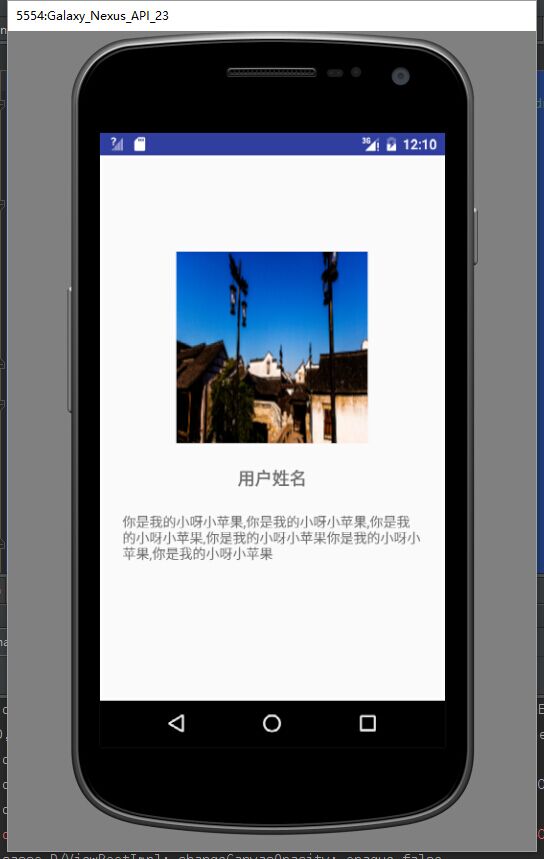
主要是加入分享元素android:transitionName=”share”。在列表页和详情页的xml的ImageView布局文件里。
终于效果
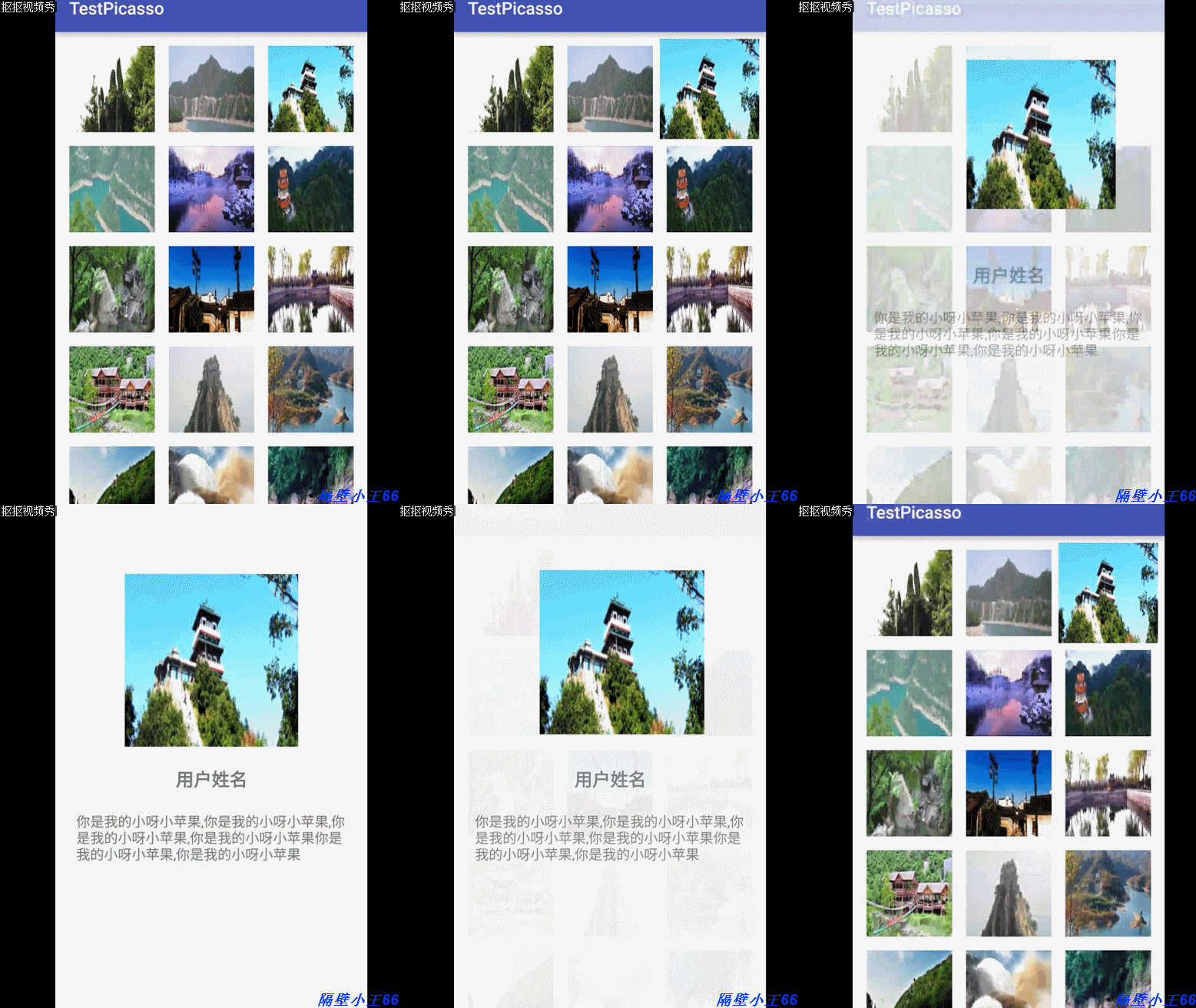
本效果仅仅支持API21+。大家要想实现这个效果的能够參考一下。
Android学习之Android 5.0分享动画实现微信点击全屏效果的更多相关文章
- [置顶] Android学习系列-Android中解析xml(7)
Android学习系列-Android中解析xml(7) 一,概述 1,一个是DOM,它是生成一个树,有了树以后你搜索.查找都可以做. 2,另一种是基于流的,就是解析器从头到尾解析一遍xml文件. ...
- android 学习随笔二十六(动画:属性动画)
属性动画,属性动画是真正改变对象的某个属性的值 * 补间动画,只是一个动画效果,组件其实还在原来的位置上,xy没有改变1.位移:* 第一个参数target指定要显示动画的组件* 第二个参数proper ...
- android 学习随笔二十五(动画:补间动画)
补间动画(TweenAnimation) * 原形态变成新形态时为了过渡变形过程,生成的动画就叫补间动画(为了让对象从初始状态向结束状态改变的过程更加自然而自动生成的动画效果)* 位移.旋转.缩放.透 ...
- android 学习随笔二十四(动画:帧动画)
帧动画,一张张图片不断的切换,形成动画效果 * 在drawable目录下定义xml文件,子节点为animation-list,在这里定义要显示的图片和每张图片的显示时长 * FrameAnimatio ...
- 【转】 Pro Android学习笔记(四二):Fragment(7):切换效果
目录(?)[-] 利用setTransition 利用setCustomAnimations 通过ObjectAnimator自定义动态效果 程序代码的编写 利用fragment transactio ...
- Android学习——在Android中使用OpenCV的第一个程序
刚開始学习Android,因为之前比較熟悉OpenCV,于是就想先在Android上执行OpenCV试试 =============================================== ...
- 【转】 Pro Android学习笔记(九六):AsyncTask(5):横竖屏切换问题
目录(?)[-] 横竖屏切换的问题 WeakReference 文章转载只能用于非商业性质,且不能带有虚拟货币.积分.注册等附加条件.转载须注明出处:http://blog.csdn.net/flow ...
- Android学习笔记(一)之仿正点闹钟时间齿轮滑动的效果
看到正点闹钟上的设置时间的滑动效果非常好看,自己就想做一个那样的,在网上就开始搜资料了,看到网上有的齿轮效果的代码非常多,也非常难懂,我就决定自己研究一下,现在我就把我的研究成果分享给大家.我研究的这 ...
- 【Android学习】android:layout_weight的用法实例
对于android:layout_weight的用法,用下面的例子来说明: <LinearLayout xmlns:android="http://schemas.android.co ...
随机推荐
- iOS用户体验之-导航之道
iOS用户体验之-导航之道 用户不会意识到有导航指向的存在除非他遇到非预期的效果. 能够说导航时逻辑跳转的节点.所以导航对用户体验是至关重要的. iOS中有三种类型的导航.每一种适合不同类型的app. ...
- hdu1027 Ignatius and the Princess II (全排列 & STL中的神器)
转载请注明出处:http://blog.csdn.net/u012860063 题目链接:http://acm.hdu.edu.cn/showproblem.php? pid=1027 Ignatiu ...
- ubuntu Server 设置主机静态 ip地址
ubuntu Server 设置主机静态 ip地址 1:先输入 ifconfig 查看当前网络配置 2:然后关闭 eth0 网卡 sudo ifdown eth0 3:配置静态ip sudo vim ...
- Java从零开始学三十五(JAVA IO- 字节流)
一.字节流 FileOutputStream是OutputStream 的直接子类 FileInputStream也是InputStream的直接子类 二.文本文件的读写 2.1.字节输入流 Test ...
- PL/SQL之DBMS_SQL程序包使用(1)(学习笔记)
dbms_sql程序包dbms_sql程序包是系统提供给我们的另一种使用动态SQL的方法:使用DBMS_SQL包实现动态的SQL的步骤如下:1.将要执行的SQL语句或者一个语句放到一个字符串变量中2. ...
- Java从零开始学二(标识符和关键字)
标识符.关键字.注释 一.标识符 Java中的包.类.方法.参数和变量的名字由任意顺序的大小字母.数字.下划线(_).和美元符号($)组成, 标识符:不能以数字开头.也不能是JAVA中的保留关键字 如 ...
- 修改ligerui 默认确认按钮
$.extend($.ligerDefaults.DialogString, {ok: '取消单据'}); showDialogPay = $.ligerDialog.alert('正在支付中,请稍候 ...
- shell脚本中的几个括号总结(小括号/大括号/花括号)
from:http://www.cnblogs.com/hanyan225/archive/2011/10/06/2199652.html 是毋庸置疑的,方便了我们也迷惑了我们,比如这些杂七杂八的括号 ...
- Access denied with payslip工资条非同部门员工不能创建bug
Access Denied The requested operation cannot be completed due to security restrictions. Please conta ...
- SQL Server表描述 及 字段描述的增、删、改、查询
SQL Server表描述 及 字段描述的增.删.改.查询 --测试: --创建表及描述信息 ),isname )) --为表添加描述信息 EXECUTE sp_addextendedproperty ...