
lldb使用
常用 si,ni ,ex, mem,di,reg,b,c,x
以下内容是lldb帮助文档中内容:
apropos -- List debugger commands related to a word or subject.
breakpoint -- Commands for operating on breakpoints (see 'help b' for
shorthand.)
bugreport -- Commands for creating domain-specific bug reports.
command -- 这 个可以 自定义命令
command alias hp help. 用hp 替换help命令
disassemble --显示汇编代码 d di dis 等缩写都可以
expression -- 显示变 量的值
ex n
frame :
info 用法 frame info 显示一些当前线程信息
select frame select 显示当前调试线程位置信息
variable frame var 显示当前调试线程局部变量信息
kdp-remote -- Connect to a process via remote KDP server. If no UDP
port is specified, port 41139 is assumed.
language -- Commands specific to a source language.
log -- Commands controlling LLDB internal logging.
  memory            --操作当前进程内存

        mem read &result   读取变量result中的值


       mem read -c  &result 显示100字节
platform -- Commands to manage and create platforms.
plugin -- lldb插件管理
process -- Commands for interacting with processes on the current
platform.
quit -- 退出lldb
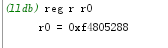
register -- 读写寄存器值
script -- Invoke the script interpreter with provided code and
display any results. Start the interactive interpreter
if no code is supplied.
settings -- Commands for managing LLDB settings.
source -- 通过调试信息展示源文件信息
target -- Commands for operating on debugger targets.
thread -- Commands for operating on one or more threads in the
current process.
type -- Commands for operating on the type system.
version -- Show the LLDB debugger version.
watchpoint -- Commands for operating on watchpoints.
Current command abbreviations (type 'help command alias' for more info):
add-dsym --增加符号表
attach -- 附加进程
b 设置断点
bt 显示当前栈信息,frame中有的命令功能相同
c 继续运行当前进程中的所有线程
call 直接调用表达示 比如 call 1+1
continue -- Continue execution of all threads in the current process.
detach -- Detach from the current target process.
di dis 显示反汇编代码
display -- Evaluate an expression at every stop (see 'help target
stop-hook'.)
down -- Select a newer stack frame. Defaults to moving one frame, a
numeric argument can specify an arbitrary number.
env -- Shorthand for viewing and setting environment variables.
exit -- 退出
f -- Select the current stack frame by index from within the current
thread (see 'thread backtrace'.)
file -- Create a target using the argument as the main executable.
finish -- Finish executing the current stack frame and stop after
returning. Defaults to current thread unless specified.
image -- Commands for accessing information for one or more target
modules.
j -- Set the program counter to a new address.
jump -- Set the program counter to a new address.
kill -- Terminate the current target process.
l --显示源码
list
n 源码级别单步
next -- Source level single step, stepping over calls. Defaults to
current thread unless specified.
nexti -- Instruction level single step, stepping over calls. Defaults to
current thread unless specified.
ni 汇编级别单步
p -- Evaluate an expression on the current thread. Displays any
returned value with LLDB's default formatting.
parray -- Evaluate an expression on the current thread. Displays any
returned value with LLDB's default formatting.
po -- Evaluate an expression on the current thread. Displays any
returned value with formatting controlled by the type's author.
poarray -- Evaluate an expression on the current thread. Displays any
returned value with LLDB's default formatting.
print -- Evaluate an expression on the current thread. Displays any
returned value with LLDB's default formatting.
q -- Quit the LLDB debugger.
r -- Launch the executable in the debugger.
rbreak -- Sets a breakpoint or set of breakpoints in the executable.
repl -- Evaluate an expression on the current thread. Displays any
returned value with LLDB's default formatting.
run -- Launch the executable in the debugger.
s -- Source level single step, stepping into calls. Defaults to
current thread unless specified.
si -- Instruction level single step, stepping into calls. Defaults to
current thread unless specified.
sif -- Step through the current block, stopping if you step directly
into a function whose name matches the TargetFunctionName.
step -- Source level single step, stepping into calls. Defaults to
current thread unless specified.
stepi -- Instruction level single step, stepping into calls. Defaults to
current thread unless specified.
t -- Change the currently selected thread.
tbreak -- Set a one-shot breakpoint using one of several shorthand
formats.
undisplay -- Stop displaying expression at every stop (specified by stop-hook
index.)
up -- Select an older stack frame. Defaults to moving one frame, a
numeric argument can specify an arbitrary number.
x 读内存地址
lldb使用的更多相关文章
- iOS逆向工程之Hopper+LLDB调试第三方App
LLDB是Low Level Debugger的简称,在iOS开发的调试中LLDB是经常使用的,LLDB是Xcode内置的动态调试工具.使用LLDB可以动态的调试你的应用程序,如果你不做其他的额外处理 ...
- LLDB基础知识
LLDB基础知识 LLDB控制台 Xcode中内嵌了LLDB控制台,在Xcode中代码的下方,我们可以看到LLDB控制台. LLDB控制台平时会输出一些log信息.如果我们想输入命令调试,必须让程序进 ...
- Xcode LLDB Debug教程
开胃小菜--简单的断点调试 在xcode中打开一个app,在想要break的行号上单击,即可生成一个深色的箭头标识--断点.如下图,在viewDidLoad:中设置了断点. 运行app,等待...就可 ...
- 让Xcode的控制台支持LLDB类型的打印
这个技巧个人认为非常有用 当Xcode在断点调试的时候,在控制台中输入 po self.view.frame 类似这样的命令会挂掉,不信可以亲自去试试(Xcode7 以后支持LLDB类型的打印) 那么 ...
- IOS调试lldb命令常用,po,
lldb命令常用(备忘) 假如你准备在模拟器里面运行这个,你可以在"(lldb)"提示的后面输入下面的: (lldb) po $eax LLDB在xcode4.3或者之后的版本里面 ...
- 如何在LLDB下排查message sent to deallocated instance问题
转:http://www.devdiv.com/home.php?mod=space&uid=50901&do=blog&id=50856 在XCode的以前版本中,如果遇到了 ...
- debug 使用lldb
http://www.zddhub.com/memo/2015/12/20/lldb-golang-debug/ go build -gcflags "-N -l" -o test ...
- LLDB命令查看内存的分配历史
(lldb) script import lldb.macosx.heap(lldb) malloc_info --stack-history 0x10010d680
- iOS调试 LLDB
LLDB是个开源的内置于XCode的具有REPL(read-eval-print-loop)特征的Debugger,其可以安装C++或者Python插件. 常用调试命令: 1.print命 ...
- lldb
所有命令选择与input 值用 -- 区分 1 p/x 16 转16进制 https://sourceware.org/gdb/onlinedocs/gdb/Output-Formats.html ...
随机推荐
- Lombok安装及使用
为什么要使用Lombok: 虽然一般的IDE(eclipse,Intellij)都有自动生成代码的功能,如:生成setter,getter,toString,equels,hashcode等.但是如果 ...
- 快速排序javascript实现
快速排序基本思想: 以升序为例 数组arr,数组个数n; 1.选取一个待排序的元素.一般选第一个位置作为基准值temp=arr[0]. 2.选取带排序数组的两端元素的位置作为哨兵的位置,左端为哨兵i, ...
- 运行或开发.NET Core 的先决条件(支持项目、依赖项)
Windows 上 .NET Core 的先决条件 https://docs.microsoft.com/zh-cn/dotnet/core/windows-prerequisites?tabs=ne ...
- 新的ipad,用xcode编译报错 dyld_shared_cache_extract_dylibs
删掉 ~/Library/Developer/Xcode/iOS DeviceSupport/ 这个目录下的特定文件夹就行啦. 其实是因为 device is busy 生成文件夹过程中拔掉了设 ...
- Javascript 面向对象编程(一):封装 作者:yuan一峰
学习Javascript,最难的地方是什么? 我觉得,Object(对象)最难.因为Javascript的Object模型很独特,和其他语言都不一样,初学者不容易掌握. 下面就是我的学习笔记,希望对大 ...
- file 选取文件/文件夹
一般网页上传文件大家都会用到这个标签 <input type="file" id="file_input"/> 我们可以通过这个标签选取文件,使用j ...
- Eclipse EE下载安装与配置
Eclipse EE下载安装与配置 一.下载 下载链接:http://www.eclipse.org/downloads/eclipse-packages/ 1.进入Eclipse官网进行下载选择Ec ...
- 关于Mysql 的 ICP、MRR、BKA等特性
一.ICP( Index_Condition_Pushdown) 对 where 中过滤条件的处理,根据索引使用情况分成了三种:(何登成)index key, index filter, table ...
- MySQL前缀索引和索引选择性
有时候需要索引很长的字符列,这会让索引变得大且慢.通常可以索引开始的部分字符,这样可以大大节约索引空间,从而提高索引效率.但这样也会降低索引的选择性.索引的选择性是指不重复的索引值(也称为基数,car ...
- centos who命令 查看当前登录系统用户信息
who 显示当前登录系统的用户,但w显示的更为详细 默认输出 [root@mysql ~]# who //用户名.登录终端.登录时间 root pts/ -- : (192.168.0.110) -a ...