
iOS- 指压即达,如何集成iOS9里的3D Touch
1.前言
2.如何使用3D Touch?
2.1.主界面重按APP图标,弹出Touch菜单
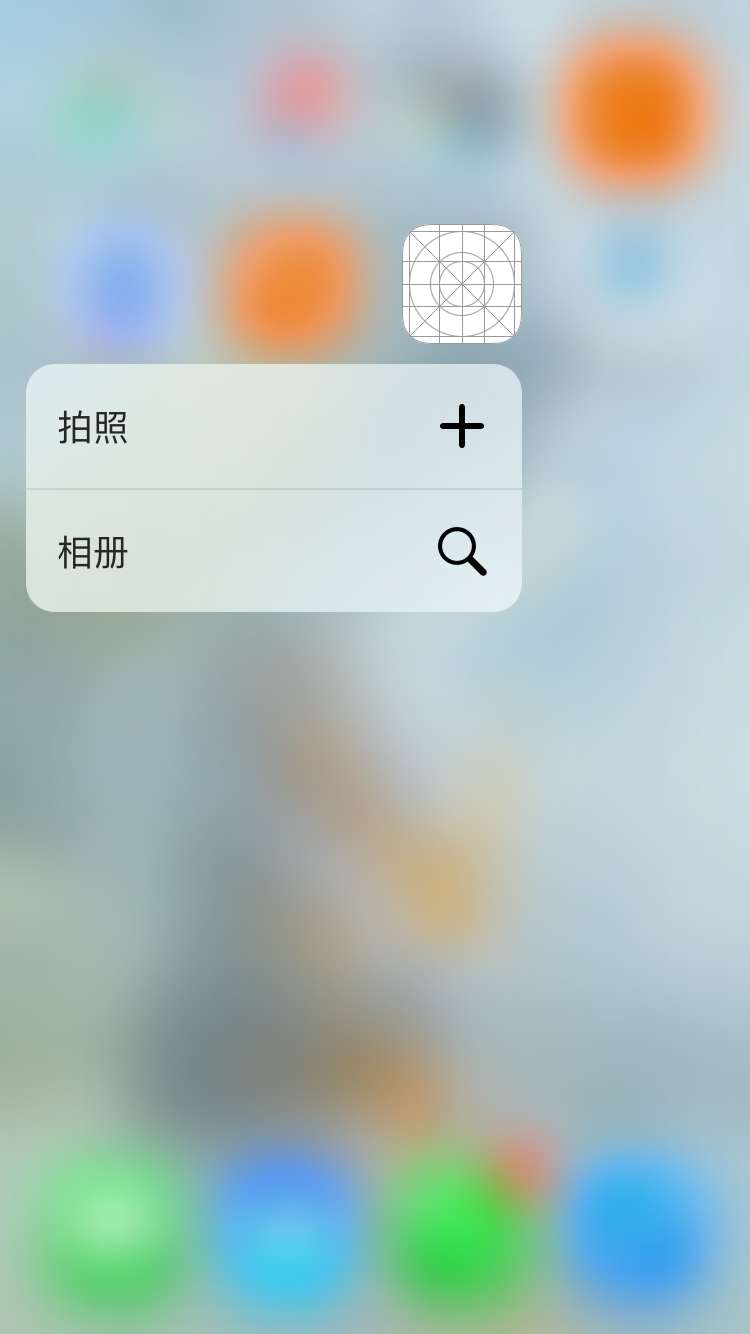
在AppleDelegate文件中的程序入口处配置:
didFinishLaunchingWithOptions
    //给App图标添加3D Touch菜单

    //拍照

    //菜单图标

    UIApplicationShortcutIcon *iconCamera = [UIApplicationShortcutIcon iconWithType:UIApplicationShortcutIconTypeAdd];

    //菜单文字

    UIMutableApplicationShortcutItem *itemCamera = [[UIMutableApplicationShortcutItem alloc] initWithType:@"1" localizedTitle:@"拍照"];

    //绑定信息到指定菜单

    itemCamera.icon = iconCamera;

    //相册

    //菜单图标

    UIApplicationShortcutIcon *iconPhotoLibrary = [UIApplicationShortcutIcon iconWithType:UIApplicationShortcutIconTypeSearch];

    //菜单文字

    UIMutableApplicationShortcutItem *itemPhotoLibrary = [[UIMutableApplicationShortcutItem alloc] initWithType:@"2" localizedTitle:@"相册"];

    //绑定信息到指定菜单

    itemPhotoLibrary.icon = iconPhotoLibrary;

    //绑定到App icon

    application.shortcutItems = @[itemCamera,itemPhotoLibrary];
弹出菜单,我们需要让用户点击后跳转指定页面
这里我们会用到AppDelegate里新增加的一个方法
- (void)application:(UIApplication *)application performActionForShortcutItem:(nonnull UIApplicationShortcutItem *)shortcutItem completionHandler:(nonnull void (^)(BOOL))completionHandler;
让后我们需要在这个方法里做跳转的操作
    //照相type

    if ([shortcutItem.type isEqualToString:@"1"]) {

        UIImagePickerController *picker = [[UIImagePickerController alloc] init];//初始化

        picker.allowsEditing = YES;//设置可编辑

        picker.sourceType = UIImagePickerControllerSourceTypeCamera;

        [self.window.rootViewController presentViewController:picker animated:YES completion:nil];//进入照相界面

    }

    //相册type

    if ([shortcutItem.type isEqualToString:@"2"]) {

        UIImagePickerController *picker = [[UIImagePickerController alloc] init];//初始化

        picker.allowsEditing = YES;//设置可编辑

        picker.sourceType = UIImagePickerControllerSourceTypePhotoLibrary;

        [self.window.rootViewController presentViewController:picker animated:YES completion:nil];//进入图片库
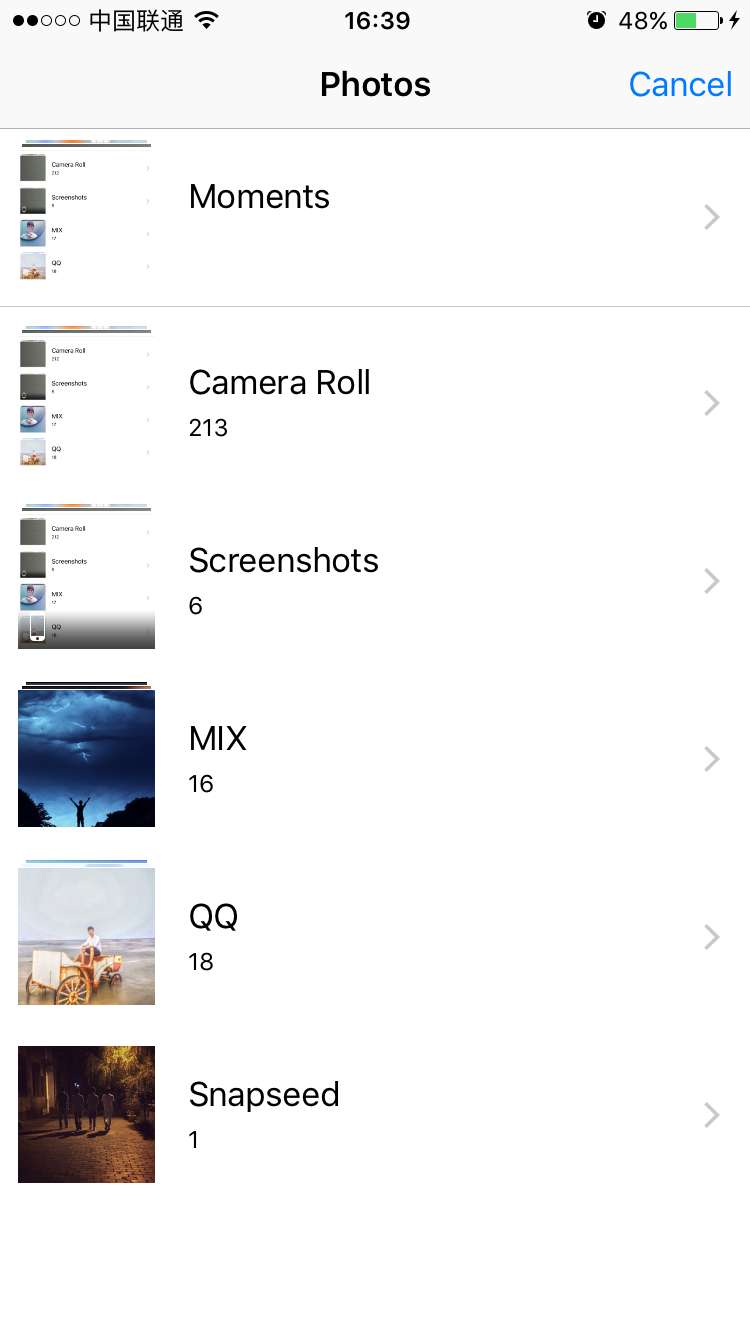
点击后分别会进入相机和相册

2.2. 3DTouch轻按预览功能,预览时底部菜单的添加
nterface ViewController () <UIViewControllerPreviewingDelegate>

{

    UILongPressGestureRecognizer *_longPress;

}

@end

@implementation ViewController

- (void)viewDidLoad {

    [super viewDidLoad];

    UILongPressGestureRecognizer *longPressGr = [[UILongPressGestureRecognizer alloc] initWithTarget:self action:@selector(longPressToDo)];

    _longPress = longPressGr;

}

//检测页面是否处于3DTouch

- (void)check3DTouch{

    if (self.traitCollection.forceTouchCapability == UIForceTouchCapabilityAvailable) {

        [self registerForPreviewingWithDelegate:self sourceView:self.view];

        NSLog(@"3D Touch 开启");

        //长按停止

        _longPress.enabled = NO;

    }else{

        _longPress.enabled = YES;

    }

}

- (void)viewWillAppear:(BOOL)animated{

    [self check3DTouch];

}
然后我们需要实现 UIViewControllerPreviewingDelegate的协议
@interface ViewController () <UIViewControllerPreviewingDelegate>
//然后实现代理方法

- (UIViewController *)previewingContext:(id<UIViewControllerPreviewing>)previewingContext viewControllerForLocation:(CGPoint)location;
#pragma mark >> 3D touch 代理方法

//轻按进入浮动预览页面

- (UIViewController *)previewingContext:(id<UIViewControllerPreviewing>)previewingContext viewControllerForLocation:(CGPoint)location{

    //注意这里我因为测试,没做具体的位置处理,如果需要定位到具体的图片Cell位置的话,可以用location通过tableView的convertPoint来取到指定Cell

    ASPreviewViewController *vc = [[ASPreviewViewController alloc] init];

    vc.view.frame = self.view.frame;

    UIImageView *er = [[UIImageView alloc] initWithImage:[UIImage imageNamed:@"123.png"]];

    vc.view = er;

    return vc;

}
完成后可以实现基本的预览效果:


最后我们加上一个
预览时下滑底部菜单的添加
在我们刚刚创建的预览控制器ASPreviewViewController里实现 UIViewControllerPreviewingDelegate的协议
然后重写它的代理方法
- (NSArray<id<UIPreviewActionItem>> *)previewActionItems;
//预览页面 底部Action Items

- (NSArray<id<UIPreviewActionItem>> *)previewActionItems{

    UIPreviewAction *p1 =[UIPreviewAction actionWithTitle:@"分享" style:UIPreviewActionStyleDefault handler:^(UIPreviewAction * _Nonnull action, UIViewController * _Nonnull previewViewController) {

        NSLog(@"点击了分享");

    }];

    UIPreviewAction *p2 =[UIPreviewAction actionWithTitle:@"收藏" style:UIPreviewActionStyleDefault handler:^(UIPreviewAction * _Nonnull action, UIViewController * _Nonnull previewViewController) {

        NSLog(@"点击了收藏");

    }];

    NSArray *actions = @[p1,p2];

    return actions;

}

iOS- 指压即达,如何集成iOS9里的3D Touch的更多相关文章
- 在iOS9 中使用3D Touch
iOS9提供了四类API( Home Screen Quick Action . UIKit Peek & Pop . WebView Peek & Pop 和 UITouch For ...
- iOS9新特性-3D Touch
本文主要讲解3DTouch各种场景下的开发方法,开发主屏幕应用icon上的快捷选项标签(Home Screen Quick Actions),静态设置 UIApplicationShortcutIte ...
- 3D Touch集成过程整理
1.集成App图标按压快速打开某个功能 在AppDelegate.m中加入以下三个东西 在启动方法里加入3D Touch菜单 - (BOOL)application:(UIApplication *) ...
- iOS:CYLTabBarController【低耦合集成TabBarController】
导航 与其他自定义TabBarController的区别 集成后的效果 项目结构 使用CYLTabBarController 第一步:使用CocoaPods导入CYLTabBarController ...
- iOS 解压打包静态库命令
p.p1 { margin: 0.0px 0.0px 0.0px 0.0px; font: 12.0px "Hannotate SC" } p.p2 { margin: 0.0px ...
- 李洪强iOS开发之-环信03_集成 SDK 基础功能
李洪强iOS开发之-环信03_集成 SDK 基础功能 集成 SDK 基础功能 在您阅读此文档时,我们假定您已经具备了基础的 iOS 应用开发经验,并能够理解相关基础概念. SDK 同步/异步方法区分 ...
- iOS 9音频应用播放音频之ios9音频基本功能
iOS 9音频应用播放音频之ios9音频基本功能 在iOS 9音频应用开发中最为简单和常用的就是AVFoundation框架中的AVAudioPlayer类.虽然AVAudioPlayer类不能播放网 ...
- iOS 9之3D Touch
金田 北京时间9月10日凌晨, Apple在美国旧金山比尔格拉汉姆公民大礼堂(Bill Graham Civic Auditorium)召开新品发布会.本次着重介绍了3D Touch功能, 大体介绍一 ...
- iOS 3D Touch 适配开发
3D Touch的主要应用 文档给出的应用介绍主要有两块: 1.A user can now press your Home screen icon to immediately access fun ...
随机推荐
- T+API HTTPServer服务端
该服务端是一个HTTP服务器,这样其他语言调用也方便. 出于某些原因,只支持Post方法,不打算支持其他方法,例如Get. API所接受的参数将以Json传送,回传的数据也是一个Json数据,一切只是 ...
- Zeta--S3 Linux优化/缩短开机时间
U-Boot1)axp20_set_ldo3实现里面把两个__msdelay(200);去掉,节省400ms2)sys_config.fex把下面的used设置为0,不使用开机指示灯闪烁,可以省掉35 ...
- parted 命令学习
背景:fdisk命令是针对MBR分区进行操作,MBR分区因为自身设计原因,不能处理大于2TB的硬盘,并且只能有4个分区.针对大于2TB的硬盘,需要采用GPT分区,使用parted命令进行操作 part ...
- Asp.Ner Core定时任务
AspNet Core定时任务 纪念人类首张黑洞照片发布 第一种方式BackgroundService 基于后台服务类BackgroundService实现,类所在命名空间Microsoft.Exte ...
- 时间戳Unix timestamp
(1)定义 Unix时间戳(Unix timestamp),或称Unix时间(Unix time).POSIX时间(POSIX time),是一种时间表示方式,定义为从格林威治时间1970年01月01 ...
- 动手打造轻量web服务器(二)路由
tomcat启动慢?自己动手打造轻量web服务器(一) 上篇讲了怎么做一个最简单的web服务器,这篇就是在上篇加上URL路由功能(什么是路由?) 首先,根据http获得请求行 val scanner ...
- 封印解除:如何在Win10家庭版中启用组策略
@echo off pushd "%~dp0" *.mum >List.txt *.mum >>List.txt for /f %%i in ('findstr ...
- 【LG3973】[TJOI2015]线性代数
[LG3973][TJOI2015]线性代数 题面 洛谷 题解 正常解法 一大堆矩阵乘在一起很丑对吧 化一下柿子: \[ D=(A*B-C)*A^T\\ \Leftrightarrow D=\sum_ ...
- 一个web应用的诞生(12)--再探首页
就要面对本章的一个难点了,说是难点可能仅仅对于我来说,毕竟我是一个js渣,既然首页打算使用动态加载的形式,那么与后台交互的方式就要进行选择,目前比较流行的为RESTful的形式,关于RESTful的文 ...
- VirtualBox主机和虚拟机互相通信
默认情况下VirtualBox虚拟机网络设置为网络地址转换,虚拟机中的地址一般是10.0.2.x,虚拟机中访问主机只需要访问默认网关地址即可,但是主机访问虚拟机就需要增加一些配置了,方法有以下几种: ...