
harbor仓库镜像的删除
harbor仓库镜像的删除
刚开始自己摸索了下,直接webui界面删除后,发现仓库空间未释放
上传之前仓库空间占用为
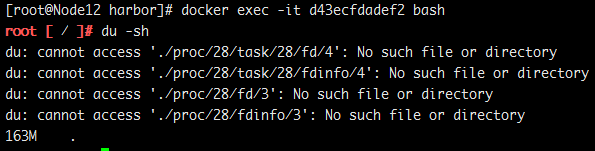
上传之后仓库空间占用为

在webui界面上删除镜像后

查看大小
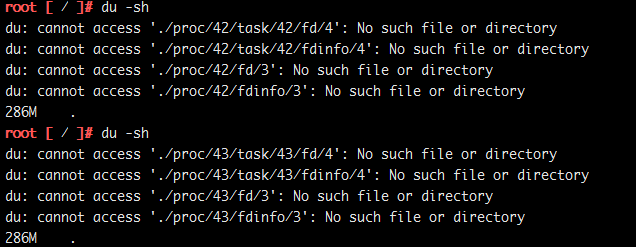
依旧为286m,到是什么原因呢,通过官方github查看使用文档,终于找到了解决办法,那就是在webui删除镜像是软删除,并不会释放空间,在
webui界面删除后必须停止harbor后再进行硬删除,也就是空间释放,垃圾回收,下面是官方文档原文
Deleting repositories
Repository deletion runs in two steps.
First, delete a repository in Harbor's UI. This is soft deletion. You can delete the entire repository or just a tag of it. After the soft deletion, the repository is no longer managed in Harbor, however, the files of the repository still remain in Harbor's storage.


CAUTION: If both tag A and tag B refer to the same image, after deleting tag A, B will also get deleted. if you enabled content trust, you need to use notary command line tool to delete the tag's signature before you delete an image.
Next, delete the actual files of the repository using the registry's garbage collection(GC). Make sure that no one is pushing images or Harbor is not running at all before you perform a GC. If someone were pushing an image while GC is running, there is a risk that the image's layers will be mistakenly deleted which results in a corrupted image. So before running GC, a preferred approach is to stop Harbor first.
Run the below commands on the host which Harbor is deployed on to preview what files/images will be affected:
$ docker-compose stop

$ docker run -it --name gc --rm --volumes-from registry vmware/registry:2.6.2-photon garbage-collect --dry-run /etc/registry/config.yml
NOTE: The above option "--dry-run" will print the progress without removing any data.
Verify the result of the above test, then use the below commands to perform garbage collection and restart Harbor.
$ docker run -it --name gc --rm --volumes-from registry vmware/registry:2.6.2-photon garbage-collect  /etc/registry/config.yml

$ docker-compose start
For more information about GC, please see GC.
官方已经说的很明白了,第一个run是只打印出来已删除镜像,但不进行空间释放和垃圾回收,执行下面的一个run,成功释放空间了。

执行垃圾回收命令 docker run -it --name gc --rm --volumes-from registry vmware/registry:2.6.2-photon garbage-collect /etc/registry/config.yml 自行参照镜像名称修改
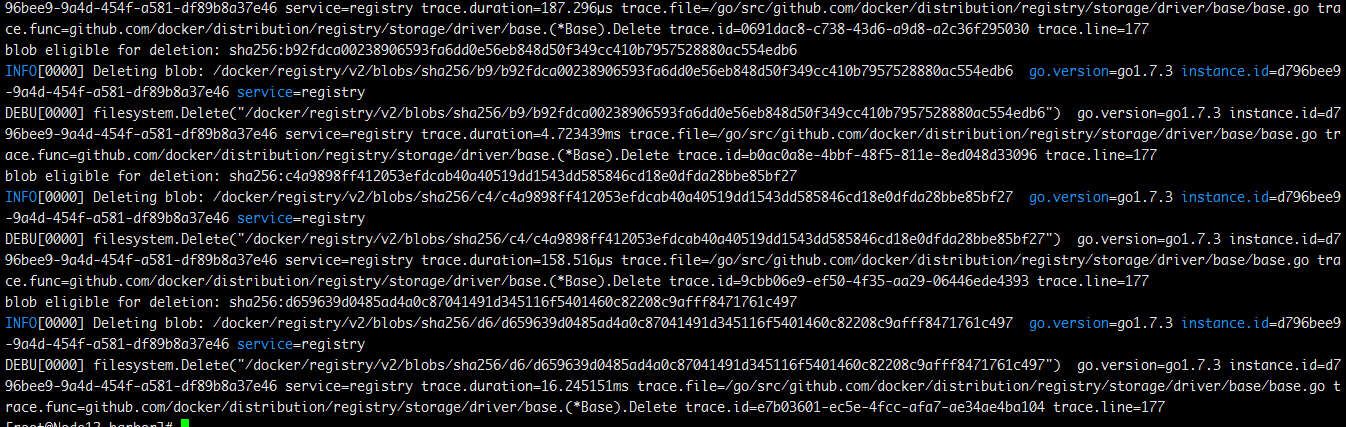
释放过程截图
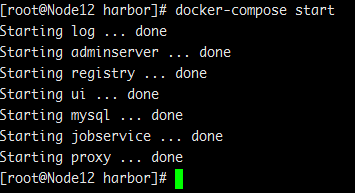
启动harbor
查看空间是否释放
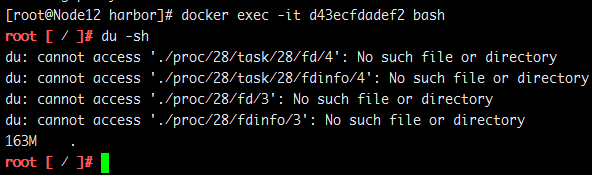
我们的空间回来了
再上传一次试试?
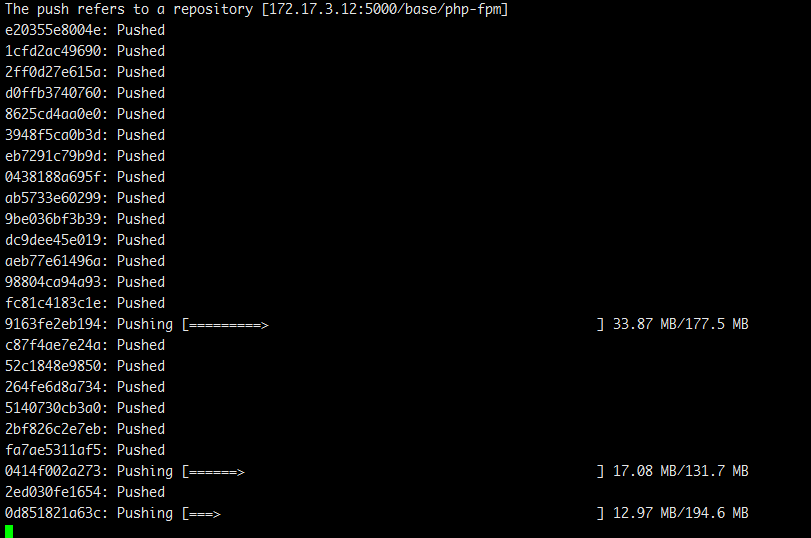
证明没问题,可以上传。
也可以下载

至此,仓库空间释放,垃圾回收告一段落
附上官方文档地址
https://github.com/vmware/harbor/blob/master/docs/user_guide.md
harbor仓库镜像的删除的更多相关文章
- 搭建Harbor私有镜像仓库--v1.5.1
搭建Harbor私有镜像仓库--v1.5.1 1.介绍 Docker容器应用的开发和运行离不开可靠的镜像管理,虽然Docker官方也提供了公共的镜像仓库,但是从安全和效率等方面考虑,部署我们私有环境 ...
- 部署Harbor私有镜像仓库
Harbor私有镜像仓库无坑搭建 目录 1. harbor介绍 2. docker-ce的安装 3. docker-compose的安装 4. Harbor私有仓库的安装 5. 客户端连接镜像仓库配置 ...
- 03: 使用docker搭建Harbor私有镜像仓库
1.1 harbor介绍 1.Harbor简介 1. Harbor是一个用于存储和分发Docker镜像的企业级Registry服务器. 2. 镜像的存储harbor使用的是官方的docker regi ...
- 阿里云镜像仓库镜像迁移至私有Harbor
下载镜像同步工具 wget https://goodrain-delivery.oss-cn-hangzhou.aliyuncs.com/boe/image-syncer && chm ...
- 离线手动部署docker镜像仓库——harbor仓库(HTTPS)
实验环境: harbor服务器系统:CentOS Linux release 7.5.1804 (Core)harbor服务器IP:10.1.12.114harbor版本:v1.5.0docker版本 ...
- Harbor私有镜像仓库(上)
上图配置为工作环境 特别注意:win10现在不允许使用私有ca证书,到时登录浏览器会失败,可以选用火狐浏览器. 创建自己的CA证书 openssl req -newkey rsa:4096 -node ...
- [Docker]Docker拉取,上传镜像到Harbor仓库
需求 因为项目的需求,需要制作一个基于tomcat的镜像.那么前提就是,需要有tomcat的基础镜像. 怎么做 我的思路跑偏了,本来以为是需要将tomcat下载下来,然后通过docker命令,让它成为 ...
- harbor私有镜像仓库的搭建与使用与主从复制
harbor私有镜像仓库,私有仓库有两种,一种是harbor,一种是小型的私有仓库,harbor有两种模式,一种是主 从,一种是高可用仓库,项目需求,需要两台服务器,都有docker.ldap权限统一 ...
- Docker registry 私有仓库镜像查询、删除、上传、下载 shell
#Docker官方私有仓库registry #官方只提供了API接口,不方便使用,就写了个shell #docker-registry安装配置http://www.cnblogs.com/elvi/p ...
随机推荐
- css定位(后盾网)
1.绝对定位:脱离了文档流,如果设置了left和top,位置相对浏览器来定位,如果不设值top和left,还是按照原来的文档流的位置站位,位置移走后,原来的空间位被其他元素占据 ***应用:一般来说我 ...
- 在Docker中安装配置Oracle12c并实现数据持久化
在Docker中安装配置Oracle12c并实现数据持久化 选定镜像,并pull到系统中,一定要先配置加速,不然超级慢 eric@userver:~$ docker pull sath89/oracl ...
- 有关Set集合的一个小问题
先看两段代码: Demo1: Set<Short>s=new HashSet<>(); for(Short i=0;i<100;i++){ s.add(i); s.rem ...
- form表单钩子,局部钩子和全局钩子
form表单源码解析: 局部钩子: 全局钩子:
- 查看oracle用户执行的sql语句历史记录
select PARSING_SCHEMA_NAME,COUNT(DISTINCT T.SQL_TEXT) from v$sqlarea t WHERE T.LAST_ACTIVE_TIME > ...
- 利用(CMD)在Django中创建文件
django项目的创建(在CMD中) 1.切换到你想要存储项目的位置,我这里保存在桌面上 cd Desktop 2.创建一个django项目,项目名叫guest django-admin startp ...
- 《机器学习实战》KNN算法实现
本系列都是参考<机器学习实战>这本书,只对学习过程一个记录,不做详细的描述! 注释:看了一段时间Ng的机器学习视频,感觉不能光看不练,现在一边练习再一边去学习理论! KNN很早就之前就看过 ...
- PyQt5 qt desinger
https://jaist.dl.sourceforge.net/project/eric-ide/eric6/stable/18.08/eric6-18.08.zip pip --timeout 3 ...
- py库: scrapy (深坑未填)
scrapy 一个快速高级的屏幕爬取及网页采集框架 http://scrapy.org/ 官网 https://docs.scrapy.org/en/latest/ Scrapy1.4文档 http: ...
- 代码参考: css3动画—— 星系轨道
CSS3橙色的星球绕轨道公转动画 http://hovertree.com/texiao/css3/24/ 例子 http://hovertree.com/h/bjaf/css3xingxi.htm ...