
sonar安装问题记录
1、启动时日志中提示
Caused by: java.lang.RuntimeException: can not run elasticsearch as root
错误原因:因为安全问题elasticsearch 不让用root用户直接运行
解决方法:liunx创建新用户sonarUser,使用该用户(sonarUser)运行sonar即可。
步骤:
1、创建用户
[root@iZbp1bb2egi7w0ueys548qZ logs]# adduser sonarUser
2、设置密码,输入两次密码
[root@iZbp1bb2egi7w0ueys548qZ logs]# passwd sonarUser
3、进入到sonarqube-6.7.6目录的上一级更改sonarqube目录的用户组为sonarUser
[root@bogon local]# chown -R sonarUser:sonarUser sonarqube-6.7.
4、重新启动sonar,要使用新建的用户启动
su sonarUser ./sonar.sh restart
2、启动时提示端口占用
org.elasticsearch.bootstrap.StartupException: BindTransportException[Failed to bind to [9001]]; nested: BindException[Address already in use];
Caused by: java.net.BindException: Address already in use
原因:sonarqube需要使用9000端口,elasticsearch使用的是9001端口,但是Jenkins把9001端口占用了
解决:修改sonar.properties文件的ES端口,或者Jenkins端口修改为8082
3、修改完上面的问题后启动提示:没有权限
Caused by: java.io.IOException: Cannot run program "/usr/local/jdk1.8.0_191/jre/bin/java" (in directory "/usr/local/sonarqube-6.7.6"): error=, Permission denied
解决:修改目录权限
chmod /usr/local/jdk1..0_191/jre/bin/java
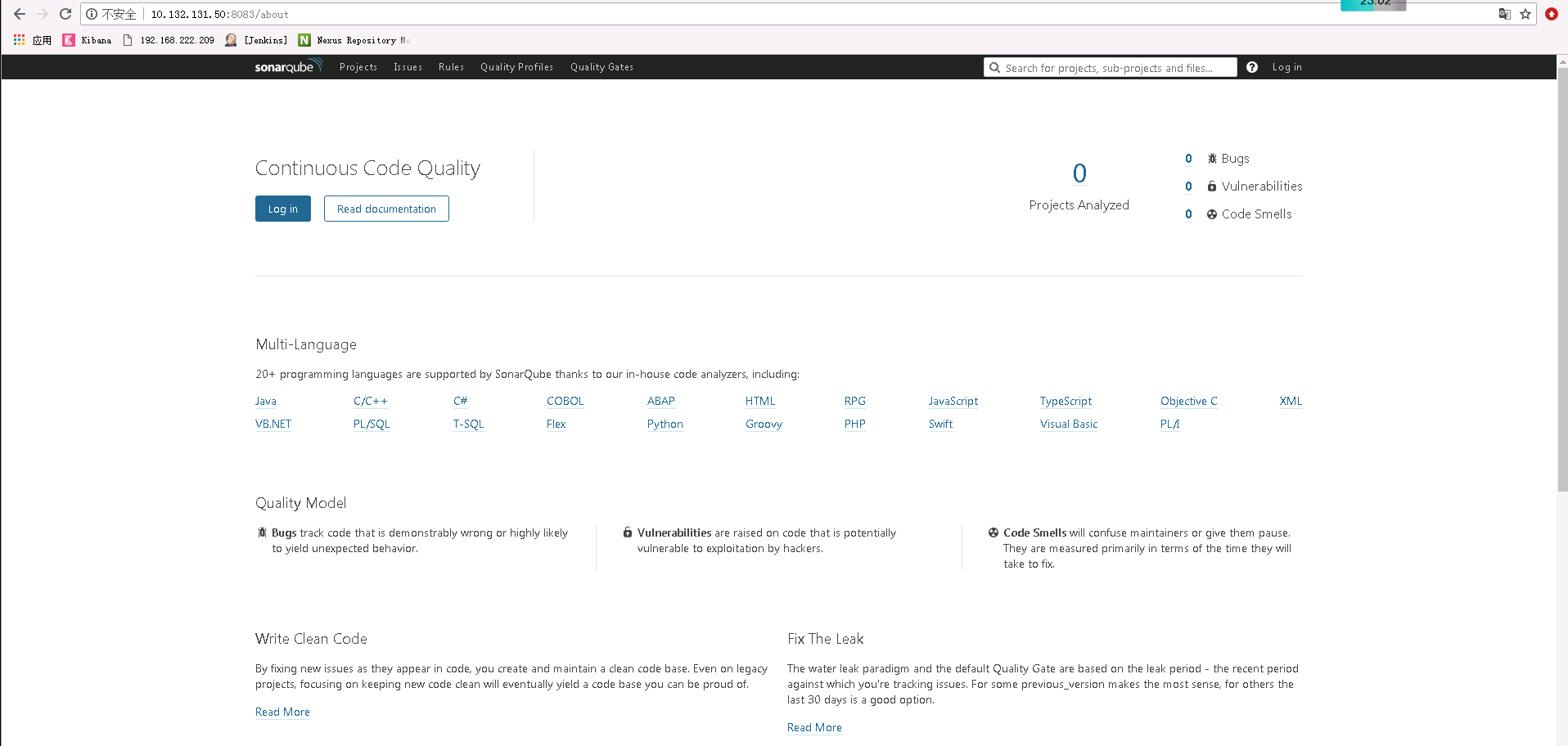
再次启动,没有报错,访问一下
4、报错:ERROR: Please provide compiled classes of your project with sonar.java.binaries property
原因:最新版本的sonarQube6.5只能扫描class文件
解决:新版本的需要在项目根目录下的sonar-project.properties文件新增属性sonar.java.binaries
指定class编译路径
# must be unique in a given SonarQube instance

sonar.projectKey=cynomys:0.0.

# this is the name and version displayed in the SonarQube UI. Was mandatory prior to SonarQube 6.1.

sonar.projectName=cynomys

sonar.projectVersion=0.0.

# Path is relative to the sonar-project.properties file. Replace "\" by "/" on Windows.

# This property is optional if sonar.modules is set.

sonar.sources=.

sonar.exclusions=**/test/**,**/target/**

sonar.java.source=1.8

sonar.java.target=1.8

# Encoding of the source code. Default is default system encoding

sonar.sourceEncoding=UTF-8

sonar.java.binaries=/root/.jenkins/workspace/e-content/e-content-controller/target/classes
5、运行一段时间后服务挂掉
查看sonar.log日志
[root@bogon logs]# tail -f sonar.log

    at org.sonar.application.AppFileSystem.reset(AppFileSystem.java:)

    at org.sonar.application.App.start(App.java:)

    at org.sonar.application.App.main(App.java:)

    at sun.reflect.NativeMethodAccessorImpl.invoke0(Native Method)

    at sun.reflect.NativeMethodAccessorImpl.invoke(NativeMethodAccessorImpl.java:)

    at sun.reflect.DelegatingMethodAccessorImpl.invoke(DelegatingMethodAccessorImpl.java:)

    at java.lang.reflect.Method.invoke(Method.java:)

    at org.tanukisoftware.wrapper.WrapperSimpleApp.run(WrapperSimpleApp.java:)

    at java.lang.Thread.run(Thread.java:)

<-- Wrapper Stopped

--> Wrapper Started as Daemon

Launching a JVM...

Wrapper (Version 3.2.) http://wrapper.tanukisoftware.org

  Copyright - Tanuki Software, Inc.  All Rights Reserved.

2019.05. :: INFO  app[][o.s.a.AppFileSystem] Cleaning or creating temp directory /usr/local/sonarqube-7.4/temp

WrapperSimpleApp: Encountered an error running main: java.nio.file.AccessDeniedException: /usr/local/sonarqube-7.4/temp/conf/es/elasticsearch.yml

java.nio.file.AccessDeniedException: /usr/local/sonarqube-7.4/temp/conf/es/elasticsearch.yml
提示这个文件访问没有权限:java.nio.file.AccessDeniedException: /usr/local/sonarqube-7.4/temp/conf/es/elasticsearch.yml
原来是之前可能不小心用root启动过会创建temp目录,该目录为root用户所有,当使用自己创建的sonarUser用户启动时就会报错,
解决:
修改此目录的所属用户组
chown -R sonarUser:sonarUser /usr/local/sonarqube-7.4/temp
sonar安装问题记录的更多相关文章
- 安装jessie记录
// */ // ]]> 安装jessie记录 Table of Contents 1 引言 2 目标 3 usb安装 4 无线网卡 5 代理上网 6 rabbitvcs 7 locale ...
- Ubuntu14.04 Tomcat 安装过程记录
Ubuntu14.04 Tomcat 安装过程记录 检查java的版本 zhousp@ubuntu:~$ sudo java -version [sudo] password for zhousp: ...
- Sonar安装与使用说明
我总结的Sonar安装与使用说明,需要的可以去网盘下载. 网盘地址: http://pan.baidu.com/s/199BII
- FastDFS安装全过程记录(V5.05)
FastDFS安装全过程记录 1.安装准备 HA虚拟IP:192.168.1.208 HA软件:Keepalived 操作系统:CentOS 7 用户:root 数据目录:/data/fastdfs ...
- openvswitch 2.7 安装过程记录 总结
envswitch 2.7 安装过程记录 总结 安装思路是参考文档: http://docs.openvswitch.org/en/latest/intro/install/general/#obta ...
- CentOS 7下安装vertica记录
CentOS 7下安装vertica记录 1. 安装好centeros 并更新 Centeros安装就不说了,安装完之后联网环境下 yum update.更新下,使得那些包都是新的.(要想用中文 ...
- ubuntu 1604安装docker-ce 记录
以前在linux 内核为2.x的低版本中安装过docker,但是很多功能特性都无法使用,本次是在ubuntu 16.04上安装,记录安装过程,方便后续查阅. 一.安装前准备: 1. 安装包,允许 ap ...
- Centos 7 安装Docker-ce记录
以前尝试过在centos 6上安装Docker , 需要升级内核,支持aufs,比较麻烦:在使用过程中出现过Docker挂掉的情况,官方建议在64 位 centos 7 上运行,本文将安装步骤记录下来 ...
- findbug、p3c、checkstyle、sonar安装使用
idea插件安装方式: Preferences—>Plugins—>查找插件—>Install Preferences—>Plugins—>Install plug fr ...
随机推荐
- Please specify exact device preset UUID
Please specify exact device preset UUID 重启RAD IDE,重新选择 IOS Simulator ,iphone 机型!
- 利用CopyOnWriteArrayList解决并发修改异常问题
一.需求 多个线程再获取同一个集合里面的数据同时,修改集合中的数据. 二.有问题的写法 package com.duchong.juc; import java.util.ArrayList; imp ...
- Windows Nginx 基本操作
Nginx 下载 下载路径:Nginx下载 下载后解压如下图 常用命令 在nginx目录下打开命令行工具(可能需要管理员权限). start nginx : 启动nginxnginx -t 测试ngi ...
- 出现The folder is already a source folder
右键build path -> configure build path -> source ,选择 src/main/java.src/test/java删除,然后再新建.
- java之api讲解
1:数值运算 Java提供了java.lang.Math类支持数值运算 看文档 java.lang叫做核心语言包,里面包含的是Java中最基础的一些类,此包中的类,可以使用,不用import该包 举例 ...
- Excel另存为_有些Excel打开时会出现一些提示
using System;using System.Collections.Generic;using System.ComponentModel;using System.Data;using Sy ...
- 奶牛易物-Alpha版本测试报告
1.在测试过程中总共发现了多少Bug?每个类别的Bug分别为多少个? a. 修复的bug: 1.mapper接口与mapper.xml文件绑定的问题; 2..配置逆向工程的配置文件的问题; 3.在编码 ...
- 【BZOJ 3261】最大异或和【可持久化字典树】
题意 给出一个长度为n的整数序列,给出m个操作.操作有两种.1,Ax表示在序列结尾增加x.2,Qlrx表示找到一个位置p满足 l<=p<=r,使得a[p] xor a[p+1]xor... ...
- Spark internal - 多样化的运行模式(上)
Spark的运行模式多种多样,在单机上既可以以本地模式运行,也可以以伪分布式模式运行.而当以分布式的方式运行在Cluster集群中时,底层的资源调度可以使用Mesos 或者是Hadoop Yarn , ...
- 启动图。引导页以及EAIntroView的使用
ios启动图: 1242 x 2208 (6plus) R5.5位置 750 x 1334 (6) R4.7位置 640 x 960 (4/4s) 2x ...