
Centos7编译Nginx1.19.0笔记
下载Nginx安装包
官网下载页:http://nginx.org/en/download.html
终端输入:
# 安装依赖
yum -y install wget gcc gcc-c++ autoconf automake make zlib zlib-devel pcre-devel pcre openssl openssl-devel
wget http://nginx.org/download/nginx-1.19.0.tar.gz
解压命令:tar -zxvf
tar -zxvf nginx-1.19.0.tar.gz
编译安装
先进入刚才解压的目录
cd nginx-1.19.0
安装参数配置
./configure --without-http_rewrite_module --without-http_gzip_module
关于参数,
--with是指默认不会编译模块, 手动加上这个参数, 就会编译该模块
--without是指默认会编译该模块, 如果加上该参数, 是指将该模块去除
编译和安装
make && make install
nginx默认会安装在/usr/local/nginx目录下
配置服务
vim /etc/init.d/nginx
#添加代码
#!/bin/sh
# nginx - this script starts and stops the nginx daemin
#
# chkconfig: - 85 15
# description: Nginx is an HTTP(S) server, HTTP(S) reverse \
# proxy and IMAP/POP3 proxy server
# processname: nginx
# config: /usr/local/nginx/conf/nginx.conf
# pidfile: /usr/local/nginx/logs/nginx.pid
# Source function library.
. /etc/rc.d/init.d/functions
# Source networking configuration.
. /etc/sysconfig/network
# Check that networking is up.
[ "$NETWORKING" = "no" ] && exit 0
nginx="/usr/local/nginx/sbin/nginx"
prog=$(basename $nginx)
NGINX_CONF_FILE="/usr/local/nginx/conf/nginx.conf"
lockfile=/var/lock/subsys/nginx
start() {
[ -x $nginx ] || exit 5
[ -f $NGINX_CONF_FILE ] || exit 6
echo -n $"Starting $prog: "
daemon $nginx -c $NGINX_CONF_FILE
retval=$?
echo
[ $retval -eq 0 ] && touch $lockfile
return $retval
}
stop() {
echo -n $"Stopping $prog: "
killproc $prog -QUIT
retval=$?
echo
[ $retval -eq 0 ] && rm -f $lockfile
return $retval
}
restart() {
configtest || return $?
stop
start
}
reload() {
configtest || return $?
echo -n $"Reloading $prog: "
killproc $nginx -HUP
RETVAL=$?
echo
}
force_reload() {
restart
}
configtest() {
$nginx -t -c $NGINX_CONF_FILE
}
rh_status() {
status $prog
}
rh_status_q() {
rh_status >/dev/null 2>&1
}
case "$1" in
start)
rh_status_q && exit 0
$1
;;
stop)
rh_status_q || exit 0
$1
;;
restart|configtest)
$1
;;
reload)
rh_status_q || exit 7
$1
;;
force-reload)
force_reload
;;
status)
rh_status
;;
condrestart|try-restart)
rh_status_q || exit 0
;;
*)
echo $"Usage: $0 {start|stop|status|restart|condrestart|try-restart|reload|force-reload|configtest}"
exit 2
esac
cd /etc/init.d
chmod 755 /etc/init.d/nginx
chkconfig --add nginx
启动
service nginx start
常用操作
全局使用nginx命令
#添加环境变量
vim /etc/profile
#加到最后
PATH=$PATH:/usr/local/nginx/sbin
export PATH
#让配置文件重新生效
source /etc/profile
常用命令
配置检查
nginx -t
启动
service nginx start
nginx
快速关闭
nginx -s stop
从容停止服务
需要进程完成当前工作后再停止
nginx -s quit
重新载入配置文件
nginx -s reload
重启
nginx -s reopen
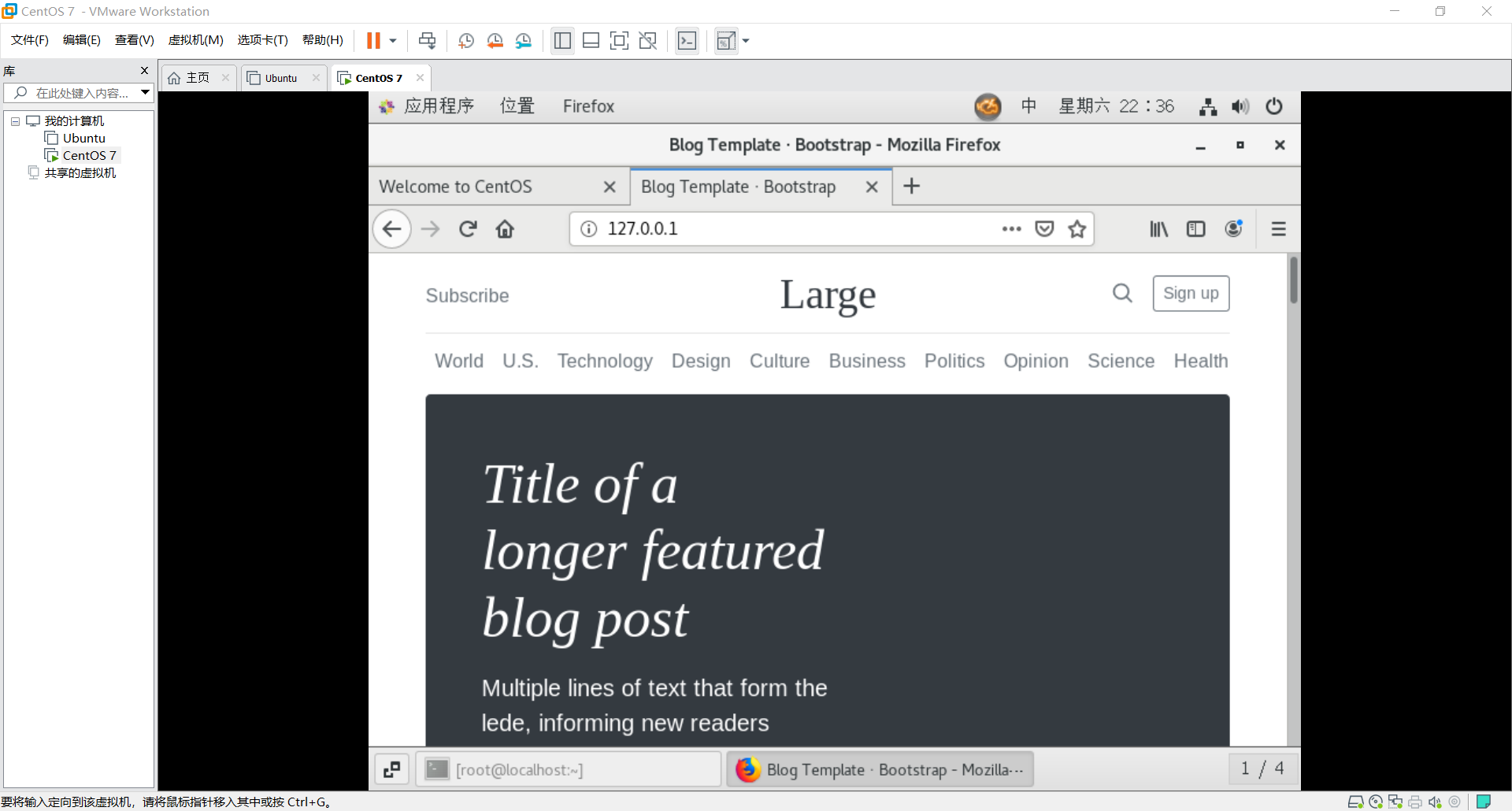
完成页面
Centos7编译Nginx1.19.0笔记的更多相关文章
- 手动编译部署LNMP环境(CentOS7.5+Nginx-1.18.0+MySQL-5.7.30+PHP-7.4.14)
在平时运维工作中,经常需要用到LNMP应用框架.LNMP环境是指在Linux系统下,由Nginx + MySQL + PHP组成的网站服务器架构. 可参考前面的文章: 如何在CentOS 7上搭建LA ...
- CentOS7 安装nginx-1.14.0
nginx源码包:http://nginx.org/en/download.html 1.安装gcc gcc是用来编译下载下来的nginx源码 yum install gcc-c++ 2.安装pcre ...
- Centos7安装Nginx1.14.0
一.官网下载 http://nginx.org/en/download.html 版本说明: Nginx官网提供了三个类型的版本 Mainline version:Mainline 是 Nginx 目 ...
- centos7 安装 nginx-1.18.0 并设置开机自启动
一.到官网下载nginx Mainline version: nginx主力版本,为开发版 Stable version: 稳定版,在生产环境中选择此版本进行安装 Legacy versions: ...
- CentOS7 编译安装 Nginx (实测 笔记 Centos 7.0 + nginx 1.6.2)
环境: 系统硬件:vmware vsphere (CPU:2*4核,内存2G,双网卡) 系统版本:CentOS-7.0-1406-x86_64-DVD.iso 安装步骤: 1.准备 1.1 显示系统版 ...
- CentOS7编译安装Keepalived2.0.19
实验环境:centos7 节点1:10.15.192.21 节点2:10.15.192.22 vip地址:10.15.192.23 1.下载文件 cd /usr/local/src wget http ...
- CentOS7 编译安装 Mongodb (实测 笔记 Centos 7.0 + Mongodb 2.6.6)
环境: 系统硬件:vmware vsphere (CPU:2*4核,内存2G,双网卡) 系统版本:CentOS-7.0-1406-x86_64-DVD.iso 安装步骤: 1.准备 1.1 显示系统版 ...
- CentOS7 编译安装 Mariadb (实测 笔记 Centos 7.0 + Mariadb 10.0.15)
环境: 系统硬件:vmware vsphere (CPU:2*4核,内存2G,双网卡) 系统版本:CentOS-7.0-1406-x86_64-DVD.iso 安装步骤: 1.准备 1.1 显示系统版 ...
- CentOS7 编译安装 Nodejs (实测 笔记 Centos 7.0 + node 0.10.33)
环境: 系统硬件:vmware vsphere (CPU:2*4核,内存2G,双网卡) 系统版本:CentOS-7.0-1406-x86_64-DVD.iso 安装步骤: 1.准备 1.1 显示系统版 ...
- Centos7编译安装kafka-manager-2.0.0.2
一.kafka-manager简介 项目地址为:https://github.com/yahoo/kafka-manager 为了简化开发者和服务工程师维护Kafka集群的工作,yahoo构建了一个叫 ...
随机推荐
- 安装jdk,tomcat,oracle,PL/SQL的一些问题
仅限于自己学习使用 新进公司,需要安装jdk1.6,tomcat6, oracle和pl/sql 先是jdk1.6,安装后配置环境变量,都在系统变量里,在cmd,分别打出 java -version, ...
- Mysql的性能优化方案
MySQL的性能优化主要分为以下四个方面 设计: 存储引擎.字段类型.范式与逆范式 功能: 索引.缓存.分库分表.数据库连接池 架构上: 读写分离.集群.均衡负载 合理的SQL: 测试.优化查询语句. ...
- 树莓派3B 查看GPU、CPU温度
参考:How to find out Raspberry Pi GPU and ARM CPU temperature on Linux GPU温度: /opt/vc/bin/vcgencmd mea ...
- Nlog连接密码隐藏
- e网通公告
title:用户须知titleend<!DOCTYPE html PUBLIC \"-//W3C//DTD HTML 4.01 Transitional//EN\" \&qu ...
- GuiLite 学习笔记(一) Mainloop与ViewTree
以GuiLiteSamples中的HelloSlide 为例,剖析一下GuiLite的设计思路和刷新机制: 首先是main.cpp; 可以分成3部分: 1.根据fb mode拿到对应的phy_fb, ...
- lua-table面向对象
--使用table封装面向对象beauty={name = " "}--封装对象方法function beauty.init(self, name)print("十八年前 ...
- [django]钩子函数的一些细节(clean)
函数名 说明:clean_后面跟着的是需要校验字段名称 示例: class RelUserReset(forms.ModelForm): def clean_confirm_password(self ...
- 修改系统hosts文件访问github
C:\Windows\System32\drivers\etc 199.232.69.194 github.global.ssl.fastly.net 140.82.114.4 github.com
- 【Python】开始学习叭
学习视频:https://www.bilibili.com/video/BV1wD4y1o7AS