
iOS - UIImageView 动画
1、UIImageView 动画
1.1 播放图片集
播放图片集
	@property (nonatomic, strong) UIImageView *playImageView;

	self.playImageView = [[UIImageView alloc] initWithFrame:self.view.bounds];

	[self.view addSubview:self.playImageView];

	// 创建图片集

	NSMutableArray *imageArray = [NSMutableArray arrayWithCapacity:0];

	for (int i = 1; i < 30; i++) {

	    // 添加图片

	    [imageArray addObject:[UIImage imageNamed:[NSString stringWithFormat:@"%d.jpg", i]]];

	}

	// 播放图片集

	self.playImageView.animationImages = imageArray;    // 设置播放的图片集(需将图片添加到数组 imageArray 中)

	self.playImageView.animationDuration = 29;          // 设置播放整个图片集的时间

	self.playImageView.animationRepeatCount = 0;        // 设置循环播放次数,默认为 0 一直循环

	[self.playImageView startAnimating];                // 开始播放

	// [self.playImageView stopAnimating];              // 停止播放动画
效果

1.2 汤姆猫
汤姆猫
	#import <AudioToolbox/AudioToolbox.h>

	@property (nonatomic, strong) UIImageView *playImageView;

	// 创建播放视图

	self.playImageView = [[UIImageView alloc] initWithFrame:self.view.bounds];

	self.playImageView.image = [UIImage imageNamed:@"background.jpg"];

	[self.view addSubview:self.playImageView];

	// 创建功能按钮

	const CGFloat viewWith = self.view.bounds.size.width;

	const CGFloat viewHeight = self.view.bounds.size.height;

	const CGFloat gap = 10;

	const CGFloat buttonWith = self.view.bounds.size.width / 5;

	const CGFloat buttonHeight = buttonWith;

	// 功能按钮图片集

	NSArray *buttonImageNameArray = @[@"fart.png", @"cymbal.png", @"drink.png", @"eat.png", @"pie.png", @"scratch.png"];

	for (int i = 0; i < 11; i++) {

	    UIButton *button = [UIButton buttonWithType:UIButtonTypeCustom];

	    [self.playImageView addSubview:button];

	    self.playImageView.userInteractionEnabled = YES;

	    if (i < 6) {

	        // 两边功能按钮的布局

	        if (i < 3) {

	            button.frame = CGRectMake(gap, viewHeight / 2 + (buttonHeight + gap ) * (i % 3), buttonWith, buttonHeight);

	        }

	        else {

	            button.frame = CGRectMake(viewWith - buttonWith - gap,

	                                      viewHeight / 2 + (buttonHeight + gap) * (i % 3),

	                                      buttonWith,

	                                      buttonHeight);

	        }

	        [button setBackgroundImage:[UIImage imageNamed:buttonImageNameArray[i]] forState:UIControlStateNormal];

	    } else {

	        // 隐藏按钮的布局

	        if (i == 6){            // 头

	            button.frame = CGRectMake(viewWith/4, viewHeight/5, viewWith/2, viewHeight/4);

	        }

	        else if (i == 7){       // 肚子

	            button.frame = CGRectMake(viewWith/3, viewHeight/3*2, viewWith/3, viewHeight/7);

	        }

	        else if (i == 8){       // 左脚

	            button.frame = CGRectMake(viewWith/4*2, viewHeight/6*5, viewWith/6, viewHeight/7);

	        }

	        else if (i == 9){       // 右脚

	            button.frame = CGRectMake(viewWith/4, viewHeight/6*5, viewWith/5, viewHeight/7);

	        }

	        else{                   // 尾巴

	            button.frame = CGRectMake(viewWith/9*6, viewHeight/7*5, viewWith/7, viewHeight/5);

	        }

	        // button.backgroundColor = [UIColor yellowColor];

	    }

	    button.tag = 100 + i;

	    // 设置按钮事件

	    [button addTarget:self action:@selector(buttonClick:) forControlEvents:UIControlEventTouchUpInside];

	}

	// 点击按钮事件处理

	- (void)buttonClick:(UIButton *)button {

	    switch (button.tag - 100) {

	        case 0:     // fart     放屁

	            [self playAnimation:@"fart"];

	            [self performSelector:@selector(playVoice:) withObject:@"fart" afterDelay:0.5];

	            break;

	        case 1:     // cymbal   敲锣

	            [self playAnimation:@"cymbal"];

	            [self performSelector:@selector(playVoice:) withObject:@"cymbal" afterDelay:0.5];

	            break;

	        case 2:     // drink    喝牛奶

	            [self playAnimation:@"drink"];

	            [self performSelector:@selector(playVoice:) withObject:@"drink" afterDelay:0.5];

	            break;

	        case 3:     // eat      吃小鸟

	            [self playAnimation:@"eat"];

	            [self performSelector:@selector(playVoice:) withObject:@"eat" afterDelay:0.5];

	            break;

	        case 4:     // pie      撇东西

	            [self playAnimation:@"pie"];

	            [self performSelector:@selector(playVoice:) withObject:@"pie" afterDelay:0.5];

	            break;

	        case 5:     // scratch  抓屏幕

	            [self playAnimation:@"scratch"];

	            [self performSelector:@selector(playVoice:) withObject:@"scratch" afterDelay:1.5];

	            break;

	        case 6:     // knockout  头

	            [self playAnimation:@"knockout"];

	            [self performSelector:@selector(playVoice:) withObject:@"knockout" afterDelay:0.5];

	            break;

	        case 7:     // stomach  肚子

	            [self playAnimation:@"stomach"];

	            [self performSelector:@selector(playVoice:) withObject:@"stomach" afterDelay:0.5];

	            break;

	        case 8:     // foot_left  左脚

	            [self playAnimation:@"foot_left"];

	            [self performSelector:@selector(playVoice:) withObject:@"foot_left" afterDelay:0.5];

	            break;

	        case 9:     // foot_right  右脚

	            [self playAnimation:@"foot_right"];

	            [self performSelector:@selector(playVoice:) withObject:@"foot_right" afterDelay:0.5];

	            break;

	        case 10:    // angry    尾巴

	            [self playAnimation:@"angry"];

	            [self performSelector:@selector(playVoice:) withObject:@"angry" afterDelay:0.8];

	            break;

	        default:

	            break;

	    }

	}

	// 播放动画

	- (void)playAnimation:(NSString *)key {

	    // 读取 plist 文件获取图片数量

	    NSDictionary *imageNumDictionary = [NSDictionary dictionaryWithContentsOfFile:[[NSBundle mainBundle]

	                                                                  pathForResource:@"TomCat" ofType:@"plist"]];

	    int imageNum = [[imageNumDictionary objectForKey:key] intValue];

	    NSMutableArray *imageArray = [NSMutableArray arrayWithCapacity:0];

	    for (int i = 0; i < imageNum; i++) {

	        [imageArray addObject:[UIImage imageNamed:[NSString stringWithFormat:@"%@_%.2d.jpg", key, i]]];

	    }

	    self.playImageView.animationImages = imageArray;

	    self.playImageView.animationDuration = imageNum/13;

	    self.playImageView.animationRepeatCount = 1;

	    [self.playImageView startAnimating];                                     // 播放动画

	}

	// 播放声音

	- (void)playVoice:(NSString *)key {

	    // 添加声音

	    SystemSoundID soundID;

	    AudioServicesCreateSystemSoundID((__bridge CFURLRef)([NSURL fileURLWithPath:[[NSBundle mainBundle]

	                                                                pathForResource:key ofType:@"wav"]]),

	                                                         &soundID);

	    AudioServicesPlayAlertSound(soundID);                                   // 播放声音

	}
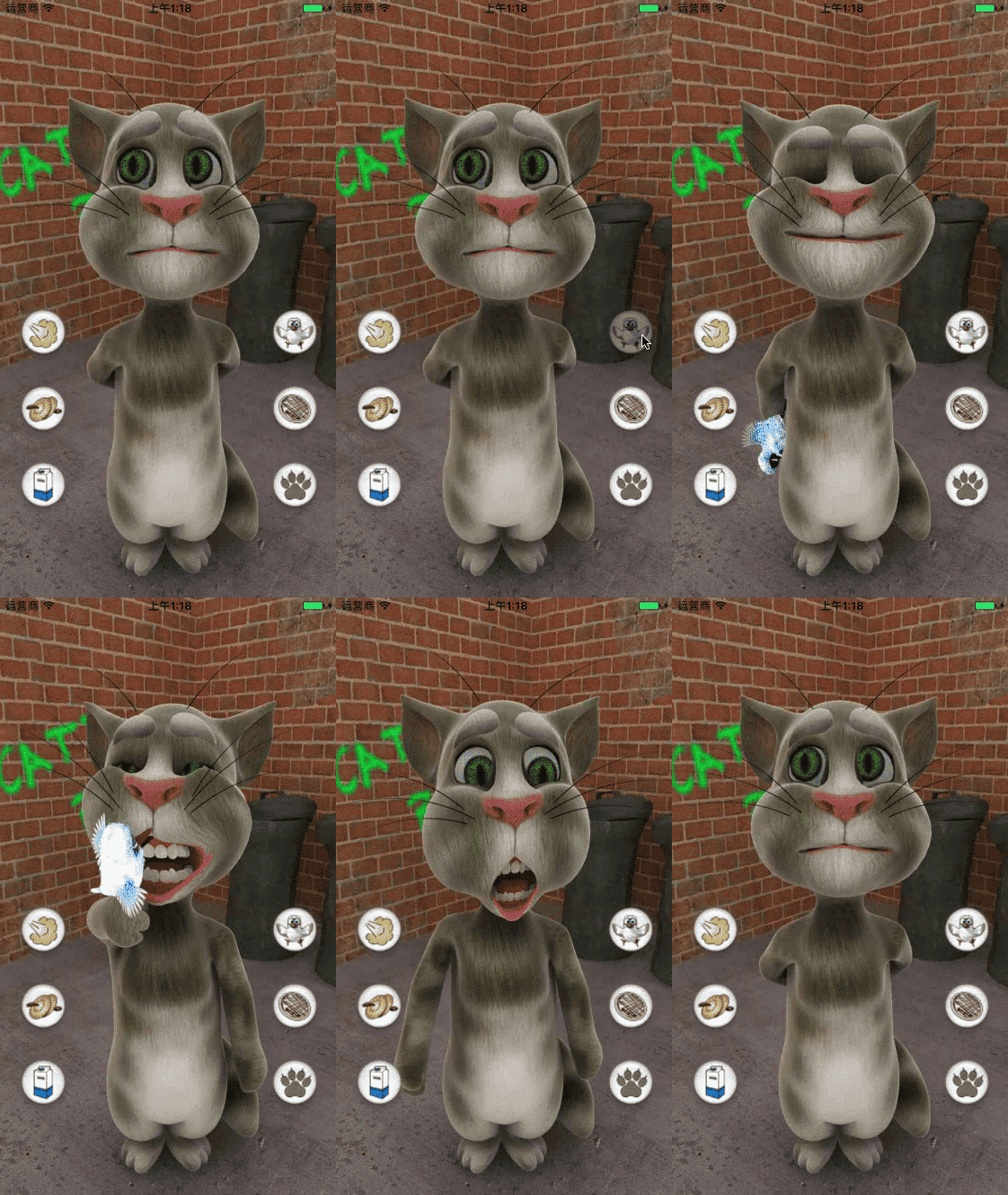
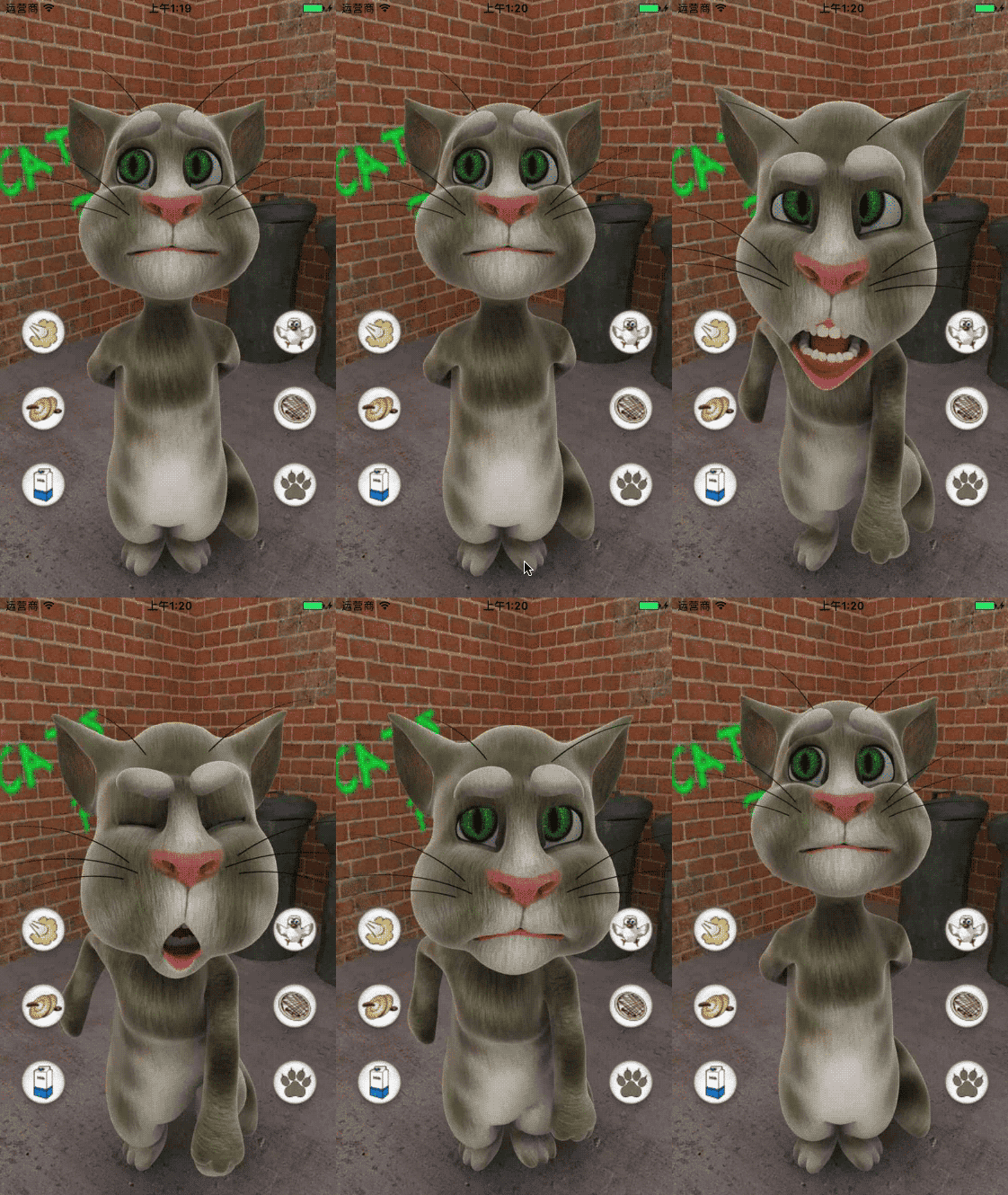
效果
iOS - UIImageView 动画的更多相关文章
- iOS各种动画效果
ios各种动画效果 最普通动画: //开始动画 [UIView beginAnimations:nil context:nil]; //设定动画持续时间 [UIView setAnimationDu ...
- IOS之动画
IOS之动画 15.1 动画介绍 15.2 Core Animation基础 15.3 隐式动画 15.4 显式动画 15.5 关键帧显式动画 15.6 UIView级别动画 15.1 动画介绍 ...
- IOS 动画专题 --iOS核心动画
iOS开发系列--让你的应用“动”起来 --iOS核心动画 概览 通过核心动画创建基础动画.关键帧动画.动画组.转场动画,如何通过UIView的装饰方法对这些动画操作进行简化等.在今天的文章里您可以看 ...
- [iOS]过渡动画之高级模仿 airbnb
注意:我为过渡动画写了两篇文章:第一篇:[iOS]过渡动画之简单模仿系统,主要分析系统简单的动画实现原理,以及讲解坐标系.绝对坐标系.相对坐标系,坐标系转换等知识,为第二篇储备理论基础.最后实现 Ma ...
- iOS核心动画高级技巧之核心动画(三)
iOS核心动画高级技巧之CALayer(一) iOS核心动画高级技巧之图层变换和专用图层(二)iOS核心动画高级技巧之核心动画(三)iOS核心动画高级技巧之性能(四)iOS核心动画高级技巧之动画总结( ...
- iOS核心动画高级技巧之CALayer(一)
iOS核心动画高级技巧之CALayer(一) iOS核心动画高级技巧之图层变换和专用图层(二)iOS核心动画高级技巧之核心动画(三)iOS核心动画高级技巧之性能(四)iOS核心动画高级技巧之动画总结( ...
- iOS核心动画学习整理
最近利用业余时间终于把iOS核心动画高级技巧(https://zsisme.gitbooks.io/ios-/content/chapter1/the-layer-tree.html)看完,对应其中一 ...
- IOS 核心动画之CAKeyframeAnimation - iBaby
- IOS 核心动画之CAKeyframeAnimation - 简单介绍 是CApropertyAnimation的子类,跟CABasicAnimation的区别是:CABasicAnimation ...
- ios 学习动画的套路 (一)
你也肯定喜欢炫酷的动画! 在APP中,动画就是一个点睛之笔!可以给用户增加一些独特的体验感,估计也有许多的和我一样的,看着那些觉得不错的动画,也就只能流口水的孩子,毕竟~不知道从哪里下手去写!会连续的 ...
随机推荐
- Spring整合JMS(四)——事务管理
原文链接:http://haohaoxuexi.iteye.com/blog/1983532 Spring提供了一个JmsTransactionManager用于对JMS ConnectionFact ...
- BZOJ 2502: 清理雪道 [最小流]
2502: 清理雪道 题意:任意点出发任意次每条边至少经过一次最小花费. 下界1,裸最小流.... #include <iostream> #include <cstdio> ...
- ZOJ 3229 Shoot the Bullet [上下界最大流]
ZOJ 3229 Shoot the Bullet 题意:此生无悔入东方 上下界最大流 spj挂掉了我也不知道对不对,把代码放这里吧以后正常了可能会评测一下 #include <iostream ...
- POJ 3525 Most Distant Point from the Sea [半平面交 二分]
Most Distant Point from the Sea Time Limit: 5000MS Memory Limit: 65536K Total Submissions: 5153 ...
- 在Android上编写模块化项目(翻译)
来源博客:Wang Jie's Blog 本文链接:http://blog.wangjiegulu.com/2018/02/13/writing_a_modular_project_on_androi ...
- 发送邮件的小功能(.net core 版)
前言: 使用.net core 开发有一段时间了,期间从.net core 2.0 preview1 到 preview2 又到core 1.1 现在2.0正式版出来了.又把项目升级至2.0了.目前正 ...
- 发放春节福利,ASP.NET Core断点续传
ASP.NET Core断点续传 在ASP.NET WebAPi写过完整的断点续传文章,目前我对ASP.NET Core仅止于整体上会用,对于原理还未去深入学习,由于有园友想看断点续传在ASP.NET ...
- 【转】APACHE RewriteEngine用途
首先要学会怎么设置 httpd.conf 的设置, 什么 ALL 就不用用说了 要看你的 httpd.conf 是否设置正确了,很简单,只要你在 .htaccess 里随便录入一些 比如 adbas ...
- MySQL中order by排序时,数据存在null咋办
order by排序是最常用的功能,但是排序有时会遇到数据为空null的情况,这样排序就会乱了,这里以MySQL为例,记录我遇到的问题和解决思路. 问题: 网页要实现table的行鼠标拖拽排序,我用A ...
- git使用步骤_2017
(部署项目) zbot deploy developer git对文件chmod 777后导致status发生变化,使用: git config core.fileMode false [当 ...